1
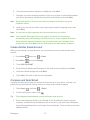
Note: Due to different specifications and features of other Bluetooth compatible devices,
display and operations may be different, and functions such as transfer or exchange
may not be possible with all Bluetooth compatible devices.
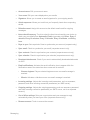
Reconnect a Headset or Car Kit
When you have paired a headset with your device, you should be able to reconnect it
automatically by turning on Bluetooth on your device and then turning on the headset. However,
sometimes you will need to reconnect manually, for example if you have been using your
headset with another Bluetooth device.
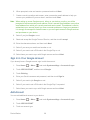
1.
Press Home
> Menu
, and touch System settings > Bluetooth.
2.
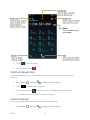
If the Bluetooth is not turned on, touch
3.
Make sure that the headset is discoverable.
4.
Touch the headset’s name in the Bluetooth devices section.
5.
If prompted to enter a passcode, try 0000 or 1234, or consult the headset or car kit
documentation to find the passcode.
6.
If you still cannot reconnect to the headset or car kit, follow the instructions in
Disconnect or Unpair From a Bluetooth Device, and then follow the instructions in
Connect a Bluetooth Headset or Car Kit.
to turn Bluetooth on.
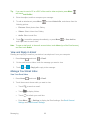
Disconnect or Unpair From a Bluetooth Device
You can manually disconnect or unpair from a Bluetooth device through the Bluetooth settings
menu.
1.
Press Home
> Menu
, and touch System settings > Bluetooth.
2.
In the Bluetooth devices section, touch the device to disconnect.
3.
Touch OK.
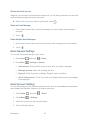
To unpair from a Bluetooth device:
You can make your device forget its pairing connection with another Bluetooth device. To
connect to the other device again, you may need to enter or confirm a passcode again.
1.
Press Home
2.
In the Bluetooth devices section, touch
3.
Touch Unpair.
Bluetooth
> Menu
, and touch System settings > Bluetooth.
150
at right of the device to unpair.