1
Taking pictures and videos
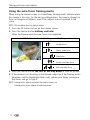
Changing picture-taking settings
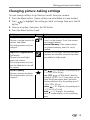
You can change settings to get the best results from your camera:
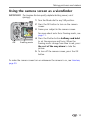
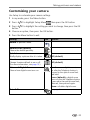
1 Press the Menu button. (Some settings are unavailable in some modes.)
2 Press
button.
to highlight the setting you wish to change, then press the OK
3 Choose an option, then press the OK button.
4 Press the Menu button to exit.
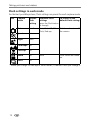
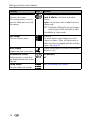
Setting
Icon
Options
Image Storage
Choose a storage location for
pictures and videos.
This setting remains until you
change it.
Auto (default)—the camera uses the card
if one is in the camera. If not, the camera
uses internal memory.
Internal Memory—the camera always
uses internal memory, even if a card is
installed.
Exposure Compensation
(Still mode)
Choose how much light
enters the camera.
This setting remains until you
turn the Mode dial or turn off
the camera.
If pictures are too light, decrease the value.
If pictures are too dark, increase the value.
Unavailable in Video mode.
Picture Quality
Choose a picture resolution.
This setting remains until you
change it.
Best
—3.1 M pixels; for printing up to
11 x 14 in. (28 x 36 cm).
Best (3:2)
—2.8 M pixels; ideal for
printing 4 x 6 in. (10 x 15 cm) prints on the
Kodak EasyShare printer dock and other
printing solutions. Also for printing up to 11
x 14 in. (28 x 36 cm).
Better —2.1 M pixels; for printing up to
8 x 10 in. (20 x 25 cm).
Good —1.1 M pixels; for emailing,
Internet, screen display, or for conserving
space.
18