1
Chapter 9
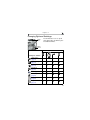
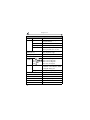
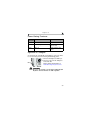
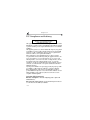
Troubleshooting—Camera Dock 6000
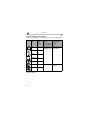
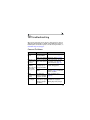
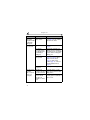
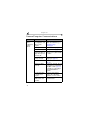
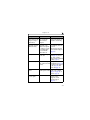
Problem
Pictures are not
transferred to
the computer
Cause
AC adapter or USB
cable is not securely
connected.
Software is not
installed.
Too many applications
running on computer.
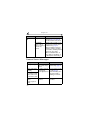
Camera was removed
from the camera dock
during picture transfer.
Transfer button was not
pressed.
Solution
Check the connections (page 65).
Install the software (page 57).
Close all software applications
and try again.
Replace the camera on the
camera dock and press the
Transfer button.
Press the Transfer button.
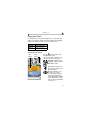
Earlier Cameras and Docks
Your Kodak EasyShare camera dock 6000 requires a Kodak EasyShare
CX/DX6000 or LS600 series digital camera.
Earlier camera models (Kodak EasyShare 4000 series and previous) require
the original Kodak EasyShare camera dock or camera dock II.
71