1
Introduction
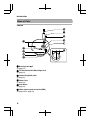
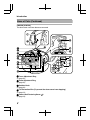
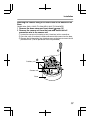
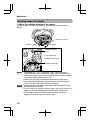
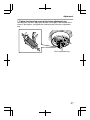
F Space for Inserting Heater
When mounting the heater (sold separately: KA-ZH215U), read the instruction
manual of the heater before mounting.
G Power Supply Connector for Heater
For connecting to the power supply connector of the heater.
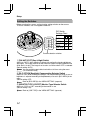
H Tilt Fastening Screw 22
(A page 24)
I [MONITOR] Terminal (RCA pin)
(A page 23)
J Lug Plate
(A page 16)
K Space for Inserting Silica Gel
(A page 16)
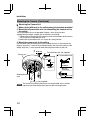
L Focus Adjust Gear
(A page 25)
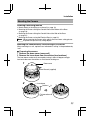
M Shooting Direction Mark
(A page 24)
N Pan Center Mark
(A page 24)
O Rotation Center Mark
(A page 24)
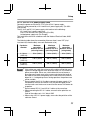
P Function Selection Switches
(A page 12)
Q [MENU] Button
Display the menu screen.
Refer to the attached manual "MENU SETTING" for more details about setting the
menu.
R Status Indication Lamp
Lights up when the power is turned on.
S [J, K, H, I]/[SET] Button
This allows user to select menu screens and change or confirm settings.
Fine Focus Adjustment (A page 26)
Auto White Balance Adjustment (A page 28)
9