1
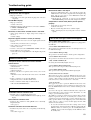
Setup menus
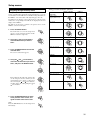
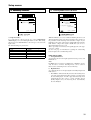
When making the various settings required to configure your DTR6.2 optimally, you can either use the OSD menu that appears on your
television monitor or you can use the display on the front of the
DTR-6.2.
The OSD menu is a settings menu that is displayed on your TV
monitor.
For use as reference when performing the setting procedures, this
manual shows both the OSD menu displayed on your television
monitor and the display on the front of the DTR-6.2.
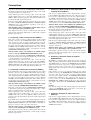
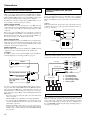
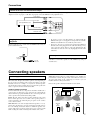
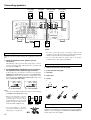
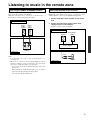
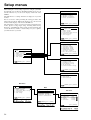
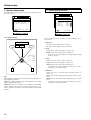
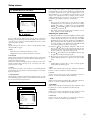
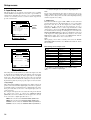
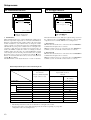
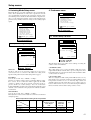
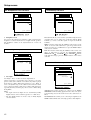
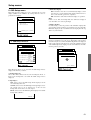
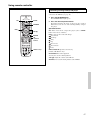
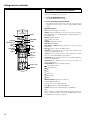
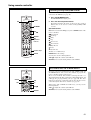
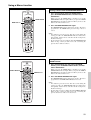
The Setup menu consists of a main screen that is divided up into 5
menus: Speaker Setup, Input Setup, Listening Mode Setup,
Preference, and OSD Setup. These menus are then divided up into
various sub-menus, and these contain settings for you to optimize
your home theater as you wish.
1.Speaker Setup
1.Speaker Config
2.Speaker Distance
3.Level Calibration
|ENTER|Quit:|SETUP|
2.Input Setup
Input:DVD
1.Audio Setup
2.Video Setup
3.Listening Mode Preset
4.IntelliVolume
5.12V trigger
|ENTER|Quit:|SETUP|
3.Listening Mode Setup
1.Stereo Setup
2.Surround Setup
3.Orchestra Setup
4.Unplugged Setup
5.Studio-Mix Setup
6.TV Logic Setup
7.All Ch Stereo Setup
Menu
1.Speaker Setup
2.Input Setup
3.Listening Mode Setup
4.Preference
5.OSD Setup
|ENTER|Quit:|SETUP|
4.Preference
|ENTER|Quit:|SETUP|
1.Volume Setup
2.Headphones Level
3.Late Night Setup
4.IR IN Setup
5.Powered Zone2 Setup
|ENTER|Quit:|SETUP|
5.OSD Setup
1.OSD Setup
2.OSD Position
Main menu
|ENTER|Quit:|SETUP|
Menu
1.Speaker Setup
2.Input Setup
3.Listening Mode Setup
4.Preference
5.OSD Setup
Menu
1.Speaker Setup
Sub menu
1.Speaker Config
2.Speaker Distance
3.Level Calibration
1-1.Speaker Config
a.Subwoofer
b.Front
c.Center
d.Surround
|ENTER|Quit:|SETUP|
:Yes
:Large
:Large
:Large
|ENTER|Quit:|SETUP|
Quit:|SETUP|
34