1
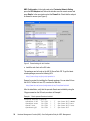
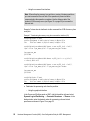
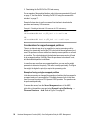
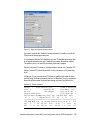
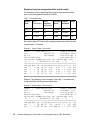
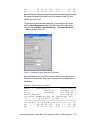
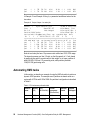
openssh.msg.en_US 3.8.0.5302 C F Open Secure Shell Messages - Log in the user account used for remote access to the HMC. Generate the ssh keys using the ssh-keygen command. In Example 2, we used the root user account and specified the RSA algorithm for encryption. The security keys are saved in the /.ssh directory. Example 2 ssh-keygen output root@julia/>ssh-keygen -t rsa Generating public/private rsa key pair. Enter file in which to save the key (//.ssh/id_rsa): Enter passphrase (empty for no passphrase): Enter same passphrase again: Your identification has been saved in //.ssh/id_rsa. Your public key has been saved in //.ssh/id_rsa.pub. The key fingerprint is: 72:fb:36:c7:35:4a:20:0d:57:7f:68:ce:d0:33:be:40 root@julia Distribute the public key in file id_rsa.pub to the HMC. In Example 3, we use the mkauthkeys command to register the key for the hscroot account. The key will be saved in the file authorized_keys2 on the $HOME/.ssh directory on the HMC. Example 3 Distribute the public key to the HMC root@julia/>cd /.ssh root@julia/.ssh>ls -l total 16 -rw------1 root system 887 Mar 30 19:52 id_rsa -rw-r--r-1 root system 220 Mar 30 19:52 id_rsa.pub root@julia/.ssh>juliakey=`cat /.ssh/id_rsa.pub` root@julia/.ssh>ssh hscroot@hmctot184 mkauthkeys -a \"$juliakey\" The authenticity of host 'hmctot184 (10.1.1.187)' can't be established. RSA key fingerprint is 00:2c:7b:ac:63:cd:7e:70:65:29:00:84:44:6f:d7:2e. Are you sure you want to continue connecting (yes/no)?yes Warning: Permanently added 'hmctot184,10.1.1.187' (RSA) to the list of known hosts. hscroot@hmctot184's password: root@julia/.ssh> root@julia/.ssh> root@julia/.ssh>ssh hscroot@hmctot184 lshmc -V "version= Version: 4 Release: 5.0 HMC Build level 20050519.1 MH00308: Required Maintenance Fix for V4R5.0 (04-25-2005) " root@julia/.ssh> Hardware Management Console (HMC) Case Configuration Study for LPAR Management 15