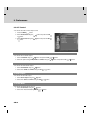
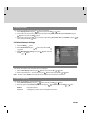
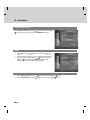
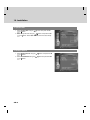
1
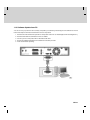
Notice
Thank you for purchasing a HUMAX product. Please read this user’s manual carefully to be able to safely install, use
and maintain the product at maximum performance. Keep this user’s manual next to your product for future reference.
The information in this user’s manual is subject to change without notice.
**
Copyright (Copyright © 2007 HUMAX Corporation)
Not to be copied, used or translated in part or whole without HUMAX's prior consent in writing except approval of
ownership of copyright and copyright law.
**
Warranty
The warranty does not cover parts which may become defective due to misuse of the information contained in this
manual.
**
Trademarks
Viaccess is a trademark of France Telecom.
CryptoWorks is a trademark of Philips Electronics N.V.
Irdeto is a trademark of Mindport BV.
Nagravision is a registered trademark of KUDELSKI S.A.
Conax is a trademark of Telenor Conax AS.
Manufactured under license from Dolby Laboratories.
'Dolby' and the double-D symbol are trademarks of Dolby Laboratories.
GB 1
Notice
Warnings, Cautions and Notes
Throughout the whole manual, pay special attention to the following marks that indicate hazardous situations.
**
•
Warning
Indicates a hazardous situation which could result in serious injury.
•
Caution
Indicates a situation which could damage the equipment or other apparatus.
•
Note
Indicates additional information to make the user aware of possible problems and information of any importance
to help understand, use and maintain the installation.
**
Meaning of Symbols
To reduce the risk of electric shock, do not remove cover (or back). No user serviceable
parts inside. Refer servicing to qualified service personnel.
This symbol indicates dangerous voltage inside the product that presents a risk of electric
shock or personal injury.
This symbol indicates important instructions accompanying the product.
**
Instruction about the ‘WEEE’ Symbol
This product should not be disposed with other household wastes at the end of its working
life. Please separate this from other types of wastes and recycle it responsibly to promote
the sustainable reuse of material resources. This will prevent possible harm to the
environment or human health from uncontrolled waste disposal. Domestic users: Please
contact either the retailer where you purchased this product or their local government office
for details of where and how they can take this item for environmentally safe recycling.
Business users: Contact your supplier and check the terms and conditions of the purchase
contract. This product should not be mixed with other commercial wastes for disposal.
GB 2
Safety Warning
This product has been manufactured to comply with international safety standards. Please read the following safety
precautions carefully.
**
Safety Instructions and Precautions
**
1. MAINS SUPPLY
90-250V a.c., 50/60Hz
• Operate this product only from the type of power supply indicated on the marking label. If you are not sure of
the type of power supplied to your home, consult your local power company.
•
Disconnect the product from the mains before you start any maintenance or installation procedures.
**
2. OVERLOADING
• Do not overload a wall outlet, extension cord or adapter as this may result in electric fire or shock.
**
3. LIQUID
• The product should not be exposed to liquid of any kind. In addition, no objects filled with liquid should be
placed on the apparatus.
**
4. CLEANING
• Disconnect the product from the wall outlet before cleaning.
•
Use a light damp cloth (no solvents) to dust the product.
**
5. VENTILATION
• The slots on top of the product must be left uncovered to allow proper airflow into the unit.
•
Do not stand the product on soft furnishings or carpets.
•
Do not stack electronic equipments on top of the product.
**
6. ATTACHMENTS
• Do not use any unsupported attachments as these may be hazardous or cause damage to the product.
**
7. CONNECTION TO THE CABLE TV SIGNAL
• Connect all components before plugging any power cords into the wall outlet. Always turn off the product, TV
and other components before you connect or disconnect any cables.
**
8. CONNECTION TO THE TV
• Disconnect the product from the mains before connecting or disconnecting the cable from the TV. Failure to do
so can damage the TV.
**
9. LOCATION
• Place the product indoors to avoid exposing it to lightning, rain or sun.
•
Do not place it near a radiator or heat register.
•
Make sure it has more than 10 cm clearance from any appliances susceptible to electromagnetic influences,
such as a TV or a VCR.
•
Do not block the openings with any object, and do not place the product on a bed, sofa, rug, or other similar
surface.
•
If you place the product on a rack or a bookcase, ensure that there is adequate ventilation and that you have
followed the manufacturer’s instructions for mounting.
•
Do not place the product on an unstable cart, stand, tripod, bracket, or table where it can fall. A falling product
can cause serious injury to a child or adult, and serious damage to the appliance.
GB 3
Safety Warning
10.LIGHTNING, STORM or NOT IN USE
• Unplug the product from the wall outlet and disconnect the antenna during a thunderstorm or when left
unattended and unused for long periods of time. This will prevent damage to the unit due to lightning and
power-surges.
**
11.EXTRANEOUS OBJECTS
• Do not insert anything through the openings in the unit, where they can touch dangerous voltage points or
damage parts.
**
12.REPLACEMENT of PARTS
• When replacement of parts is required, be sure the service technician uses replacement parts specified by the
manufacturer or those that have the same characteristics as the original part. Unauthorized substitution may
result in additional damage to the unit.
**
**
Warning
**
1. To avoid damage of the power cord or plug;
• Do not modify or process the power cord or plug arbitrarily.
•
Do not bend or twist the power cord.
•
Make sure to disconnect the power cord holding the plug.
•
Keep heating appliances as far as possible from the power cord in order to prevent the cover vinyl from
melting.
•
The mains plug, as a disconnection device, shall remain readily accessible by the user.
**
2. To avoid electrical shock;
• Do not open the main body.
•
Do not insert metal or inflammable objects inside the product.
•
Do not touch the power plug with wet hands.
•
Disconnect the power cord in case of lightning.
**
3. To avoid damage of product;
• Do not use the product when it is out of order. If you continue to use the product when defective, serious
damage can be caused to it. Make sure to contact your local product distributor if the product is out of order.
•
Do not insert metal or alien substance into the slots for the modules or Smartcards. It may cause damage to
the product and reduce its life span.
**
4. Hard Disk Drive
• Do not move the product or turn the power off suddenly while the hard disk drive is running. The company
shall not be liable for any corruption of data on the hard disk drive caused by the carelessness or misuse of
users.
GB 4
Contents
1. Before Using the Product . . . . . . . . . . . . . . . . . . . . . . . . . . . . . . . . . . . . . . . . . . . . . . . . . . . . . . . . . . . . . . .
1.1 Package Contents . . . . . . . . . . . . . . . . . . . . . . . . . . . . . . . . . . . . . . . . . . . . . . . . . . . . . . . . . . . . . . .
1.2 Front Panel . . . . . . . . . . . . . . . . . . . . . . . . . . . . . . . . . . . . . . . . . . . . . . . . . . . . . . . . . . . . . . . . . . . . .
1.3 Conditional Access . . . . . . . . . . . . . . . . . . . . . . . . . . . . . . . . . . . . . . . . . . . . . . . . . . . . . . . . . . . . . . .
1.4 Rear Panel . . . . . . . . . . . . . . . . . . . . . . . . . . . . . . . . . . . . . . . . . . . . . . . . . . . . . . . . . . . . . . . . . . . . . .
1.5 Remote Control . . . . . . . . . . . . . . . . . . . . . . . . . . . . . . . . . . . . . . . . . . . . . . . . . . . . . . . . . . . . . . . . . .
7
7
8
9
10
11
2. Setup . . . . . . . . . . . . . . . . . . . . . . . . . . . . . . . . . . . . . . . . . . . . . . . . . . . . . . . . . . . . . . . . . . . . . . . . . . . . . . . . . .
2.1 Connecting the Cable. . . . . . . . . . . . . . . . . . . . . . . . . . . . . . . . . . . . . . . . . . . . . . . . . . . . . . . . . . . . .
2.2 Connecting the TV . . . . . . . . . . . . . . . . . . . . . . . . . . . . . . . . . . . . . . . . . . . . . . . . . . . . . . . . . . . . . . .
2.3 Connecting the TV and VCR. . . . . . . . . . . . . . . . . . . . . . . . . . . . . . . . . . . . . . . . . . . . . . . . . . . . . . .
2.4 Connecting the Audio System . . . . . . . . . . . . . . . . . . . . . . . . . . . . . . . . . . . . . . . . . . . . . . . . . . . . .
2.5 Powering On . . . . . . . . . . . . . . . . . . . . . . . . . . . . . . . . . . . . . . . . . . . . . . . . . . . . . . . . . . . . . . . . . . . .
14
14
15
17
18
19
3. Installation Wizard. . . . . . . . . . . . . . . . . . . . . . . . . . . . . . . . . . . . . . . . . . . . . . . . . . . . . . . . . . . . . . . . . . . . . .
3.1 Language . . . . . . . . . . . . . . . . . . . . . . . . . . . . . . . . . . . . . . . . . . . . . . . . . . . . . . . . . . . . . . . . . . . . . . .
3.2 Country . . . . . . . . . . . . . . . . . . . . . . . . . . . . . . . . . . . . . . . . . . . . . . . . . . . . . . . . . . . . . . . . . . . . . . . . .
3.3 Channel Search . . . . . . . . . . . . . . . . . . . . . . . . . . . . . . . . . . . . . . . . . . . . . . . . . . . . . . . . . . . . . . . . .
3.4 Time Setting. . . . . . . . . . . . . . . . . . . . . . . . . . . . . . . . . . . . . . . . . . . . . . . . . . . . . . . . . . . . . . . . . . . . .
3.5 Result . . . . . . . . . . . . . . . . . . . . . . . . . . . . . . . . . . . . . . . . . . . . . . . . . . . . . . . . . . . . . . . . . . . . . . . . . .
20
20
20
21
21
22
4. Basic Operation . . . . . . . . . . . . . . . . . . . . . . . . . . . . . . . . . . . . . . . . . . . . . . . . . . . . . . . . . . . . . . . . . . . . . . . .
4.1 Switching Channel . . . . . . . . . . . . . . . . . . . . . . . . . . . . . . . . . . . . . . . . . . . . . . . . . . . . . . . . . . . . . . .
4.2 Volume Control . . . . . . . . . . . . . . . . . . . . . . . . . . . . . . . . . . . . . . . . . . . . . . . . . . . . . . . . . . . . . . . . . .
4.3 Teletext. . . . . . . . . . . . . . . . . . . . . . . . . . . . . . . . . . . . . . . . . . . . . . . . . . . . . . . . . . . . . . . . . . . . . . . . .
4.4 Programme Information (i-plate) . . . . . . . . . . . . . . . . . . . . . . . . . . . . . . . . . . . . . . . . . . . . . . . . . . .
4.5 Option List . . . . . . . . . . . . . . . . . . . . . . . . . . . . . . . . . . . . . . . . . . . . . . . . . . . . . . . . . . . . . . . . . . . . . .
23
23
23
23
24
25
5. PIP and Time Shifted Recording . . . . . . . . . . . . . . . . . . . . . . . . . . . . . . . . . . . . . . . . . . . . . . . . . . . . . . . . . 29
5.1 Picture-in-Picture (PIP) Screen . . . . . . . . . . . . . . . . . . . . . . . . . . . . . . . . . . . . . . . . . . . . . . . . . . . . 29
5.2 Time Shifted Recording (TSR) . . . . . . . . . . . . . . . . . . . . . . . . . . . . . . . . . . . . . . . . . . . . . . . . . . . . . 31
6. Recording and Playback . . . . . . . . . . . . . . . . . . . . . . . . . . . . . . . . . . . . . . . . . . . . . . . . . . . . . . . . . . . . . . . .
6.1 Instant Recording . . . . . . . . . . . . . . . . . . . . . . . . . . . . . . . . . . . . . . . . . . . . . . . . . . . . . . . . . . . . . . . .
6.2 Recording Schedule . . . . . . . . . . . . . . . . . . . . . . . . . . . . . . . . . . . . . . . . . . . . . . . . . . . . . . . . . . . . . .
6.3 Programme Playback in the Play List . . . . . . . . . . . . . . . . . . . . . . . . . . . . . . . . . . . . . . . . . . . . . . .
6.4 Chase Play. . . . . . . . . . . . . . . . . . . . . . . . . . . . . . . . . . . . . . . . . . . . . . . . . . . . . . . . . . . . . . . . . . . . . .
6.5 Editing Recorded Programmes . . . . . . . . . . . . . . . . . . . . . . . . . . . . . . . . . . . . . . . . . . . . . . . . . . . .
6.6 MP3. . . . . . . . . . . . . . . . . . . . . . . . . . . . . . . . . . . . . . . . . . . . . . . . . . . . . . . . . . . . . . . . . . . . . . . . . . . .
6.7 Digital Album . . . . . . . . . . . . . . . . . . . . . . . . . . . . . . . . . . . . . . . . . . . . . . . . . . . . . . . . . . . . . . . . . . . .
6.8 HDD Control . . . . . . . . . . . . . . . . . . . . . . . . . . . . . . . . . . . . . . . . . . . . . . . . . . . . . . . . . . . . . . . . . . . .
6.9 Recording’s Start/End Time . . . . . . . . . . . . . . . . . . . . . . . . . . . . . . . . . . . . . . . . . . . . . . . . . . . . . . .
6.10 Re-recording . . . . . . . . . . . . . . . . . . . . . . . . . . . . . . . . . . . . . . . . . . . . . . . . . . . . . . . . . . . . . . . . . . .
6.11 File Download from PC . . . . . . . . . . . . . . . . . . . . . . . . . . . . . . . . . . . . . . . . . . . . . . . . . . . . . . . . . .
35
35
36
38
39
39
42
43
44
45
45
46
7. Channel List . . . . . . . . . . . . . . . . . . . . . . . . . . . . . . . . . . . . . . . . . . . . . . . . . . . . . . . . . . . . . . . . . . . . . . . . . . .
7.1 Displaying and Switching Channel List . . . . . . . . . . . . . . . . . . . . . . . . . . . . . . . . . . . . . . . . . . . . . .
7.2 Changing Channel List Group . . . . . . . . . . . . . . . . . . . . . . . . . . . . . . . . . . . . . . . . . . . . . . . . . . . . .
7.3 Edit Channel Lists. . . . . . . . . . . . . . . . . . . . . . . . . . . . . . . . . . . . . . . . . . . . . . . . . . . . . . . . . . . . . . . .
7.4 Edit Favourite Channels . . . . . . . . . . . . . . . . . . . . . . . . . . . . . . . . . . . . . . . . . . . . . . . . . . . . . . . . . .
47
47
48
48
51
GB 5
Contents
8. Programme Guide . . . . . . . . . . . . . . . . . . . . . . . . . . . . . . . . . . . . . . . . . . . . . . . . . . . . . . . . . . . . . . . . . . . . . .
8.1 Viewing Programme Guide Information . . . . . . . . . . . . . . . . . . . . . . . . . . . . . . . . . . . . . . . . . . . . .
8.2 Finding a Programme. . . . . . . . . . . . . . . . . . . . . . . . . . . . . . . . . . . . . . . . . . . . . . . . . . . . . . . . . . . . .
8.3 Viewing Reserved Programme. . . . . . . . . . . . . . . . . . . . . . . . . . . . . . . . . . . . . . . . . . . . . . . . . . . . .
55
55
57
58
9. Preferences . . . . . . . . . . . . . . . . . . . . . . . . . . . . . . . . . . . . . . . . . . . . . . . . . . . . . . . . . . . . . . . . . . . . . . . . . . . .
9.1 Parental Control . . . . . . . . . . . . . . . . . . . . . . . . . . . . . . . . . . . . . . . . . . . . . . . . . . . . . . . . . . . . . . . . .
9.2 Language Setting . . . . . . . . . . . . . . . . . . . . . . . . . . . . . . . . . . . . . . . . . . . . . . . . . . . . . . . . . . . . . . . .
9.3 Time Setting. . . . . . . . . . . . . . . . . . . . . . . . . . . . . . . . . . . . . . . . . . . . . . . . . . . . . . . . . . . . . . . . . . . . .
9.4 A/V Control. . . . . . . . . . . . . . . . . . . . . . . . . . . . . . . . . . . . . . . . . . . . . . . . . . . . . . . . . . . . . . . . . . . . . .
9.5 Miscellaneous Settings . . . . . . . . . . . . . . . . . . . . . . . . . . . . . . . . . . . . . . . . . . . . . . . . . . . . . . . . . . .
59
59
60
62
64
65
10. Installation. . . . . . . . . . . . . . . . . . . . . . . . . . . . . . . . . . . . . . . . . . . . . . . . . . . . . . . . . . . . . . . . . . . . . . . . . . . .
10.1 Automatic Search . . . . . . . . . . . . . . . . . . . . . . . . . . . . . . . . . . . . . . . . . . . . . . . . . . . . . . . . . . . . . . .
10.2 Linear Search . . . . . . . . . . . . . . . . . . . . . . . . . . . . . . . . . . . . . . . . . . . . . . . . . . . . . . . . . . . . . . . . . .
10.3 Manual Search . . . . . . . . . . . . . . . . . . . . . . . . . . . . . . . . . . . . . . . . . . . . . . . . . . . . . . . . . . . . . . . . .
10.4 Search . . . . . . . . . . . . . . . . . . . . . . . . . . . . . . . . . . . . . . . . . . . . . . . . . . . . . . . . . . . . . . . . . . . . . . . .
10.5 Default Setting. . . . . . . . . . . . . . . . . . . . . . . . . . . . . . . . . . . . . . . . . . . . . . . . . . . . . . . . . . . . . . . . . .
67
67
67
69
71
72
11. Software Update . . . . . . . . . . . . . . . . . . . . . . . . . . . . . . . . . . . . . . . . . . . . . . . . . . . . . . . . . . . . . . . . . . . . . .
11.1 OTA (Over the Air) . . . . . . . . . . . . . . . . . . . . . . . . . . . . . . . . . . . . . . . . . . . . . . . . . . . . . . . . . . . . . .
11.2 Updating Software from Menu . . . . . . . . . . . . . . . . . . . . . . . . . . . . . . . . . . . . . . . . . . . . . . . . . . . .
11.3 Software Update from PC . . . . . . . . . . . . . . . . . . . . . . . . . . . . . . . . . . . . . . . . . . . . . . . . . . . . . . . .
73
73
74
77
12. System . . . . . . . . . . . . . . . . . . . . . . . . . . . . . . . . . . . . . . . . . . . . . . . . . . . . . . . . . . . . . . . . . . . . . . . . . . . . . . .
12.1 Status . . . . . . . . . . . . . . . . . . . . . . . . . . . . . . . . . . . . . . . . . . . . . . . . . . . . . . . . . . . . . . . . . . . . . . . . .
12.2 Signal Detection . . . . . . . . . . . . . . . . . . . . . . . . . . . . . . . . . . . . . . . . . . . . . . . . . . . . . . . . . . . . . . . .
12.3 Conditional Access. . . . . . . . . . . . . . . . . . . . . . . . . . . . . . . . . . . . . . . . . . . . . . . . . . . . . . . . . . . . . .
78
78
78
79
13. Games . . . . . . . . . . . . . . . . . . . . . . . . . . . . . . . . . . . . . . . . . . . . . . . . . . . . . . . . . . . . . . . . . . . . . . . . . . . . . . . 80
14. Menu Map . . . . . . . . . . . . . . . . . . . . . . . . . . . . . . . . . . . . . . . . . . . . . . . . . . . . . . . . . . . . . . . . . . . . . . . . . . . . 81
15. Trouble Shooting. . . . . . . . . . . . . . . . . . . . . . . . . . . . . . . . . . . . . . . . . . . . . . . . . . . . . . . . . . . . . . . . . . . . . . 82
15.1 Trouble Shooting . . . . . . . . . . . . . . . . . . . . . . . . . . . . . . . . . . . . . . . . . . . . . . . . . . . . . . . . . . . . . . . 82
15.2 Error Message. . . . . . . . . . . . . . . . . . . . . . . . . . . . . . . . . . . . . . . . . . . . . . . . . . . . . . . . . . . . . . . . . . 84
16. Specification . . . . . . . . . . . . . . . . . . . . . . . . . . . . . . . . . . . . . . . . . . . . . . . . . . . . . . . . . . . . . . . . . . . . . . . . . . 85
17. Glossary. . . . . . . . . . . . . . . . . . . . . . . . . . . . . . . . . . . . . . . . . . . . . . . . . . . . . . . . . . . . . . . . . . . . . . . . . . . . . . 86
18. Service and Support . . . . . . . . . . . . . . . . . . . . . . . . . . . . . . . . . . . . . . . . . . . . . . . . . . . . . . . . . . . . . . . . . . . 87
GB 6
1. Before Using the Product
1. Before Using the Product
This chapter describes detail instructions on the product and its accessories.
1.1 Package Contents
Please check all package contents before using the product.
**
**
Remote Control
SCART Cable
Batteries
User's Manual
Quick Guide
CD-ROM
**
Note:
• Faults may occur if the remote control is left without a battery for a long time. Always keep the battery inserted in
the remote control.
•
Package contents may vary according to area.
•
CD-ROM contains USB driver and application.
**
Warning:
• The company shall not be liable for problems caused by changing hard disk drive by user.
•
This product provides best performance with Seagate ST3160022ACE(160G) hard disk drive.
•
The company shall not be liable for problems caused by the installation of hard disks bigger than 160GB.
GB 7
1. Before Using the Product
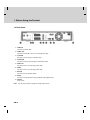
1.2 Front Panel
**
1. STANDBY BUTTON
Switches between operation and standby modes.
**
2. RECORD BUTTON
Records programme.
**
3. STOP BUTTON
Stops recording.
**
4. PLAY BUTTON
Plays programme.
**
5. PAUSE BUTTON
Pauses programme.
**
6. SOURCE BUTTON
Selects the input source between TV and the product.
**
7. CH-/CH+ BUTTON
Moves the TV/radio channel up/down.
**
8. USB DEVICE
Connect to the PC port. (For moving the information of digital album or MP3 to the PC.)
**
9. SMARTCARD SLOT
A slot for a Smartcard
**
Note: The front of the product is subject to change without notice.
GB 8
1.3 Conditional Access
Although some TV and radio channels are free to air, most TV and radio/music channels are available on a subscription
basis and can only be enjoyed via a Conditional Access component. The Conditional Access component is a removable
Smartcard.
1. Inserting the Smartcard
The Smartcard looks similar to a credit card and is inserted into the slot behind the right-hand front flap of the product. A
valid Smartcard entitles you to view and listen to all the channels you choose to subscribe to. The Smartcard slot on the
product can be used for Conax Smartcard only.
1. Open the right-hand flap on the front panel of the produc to expose the card slot.
2. Hold the Smartcard horizontally with the electronic chip (small square-shaped, gold in colour) facing upwards.
3. Insert the Smartcard into the slot.
**
GB 9
1. Before Using the Product
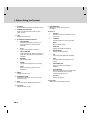
1.4 Rear Panel
**
1. CABLE IN
Connects a network cable.
**
2. CABLE OUT
Connects to the RF IN of the TV or VCR using a RF cable.
**
3. TV SCART
Connects to the TV using a TV SCART cable.
**
4. VCR SCART
Connects to the VCR or DVD using a VCR SCART cable.
**
5. AUDIO L/R
Connects to the TV or VCR using a RCA cable.
**
6. VIDEO
Connects to the TV or VCR using a RCA cable.
**
7. RS-232C
Connects a PC for software update.
**
8. S/PDIF
Connects to the audio system using an S/PDIF cable. (digital audio)
**
9. ON/OFF
Power on/off.
**
Note: The rear of the product is subject to change without notice.
GB 10
1.5 Remote Control
**
**
Note: The remote control of the product is subject to change without notice.
GB 11
1. Before Using the Product
1. STANDBY
Switches between operation and standby modes.
**
2. NUMERIC(0-9) BUTTONS
Enters a TV/radio channel number or menu
option number.
**
9. i (INFORMATION)
Displays the channel and programme
information.
**
10.Group 10
**
g.
SOURCE
Selects the input source between TV and
the product.
h.
TV/RADIO
Switches between TV and radio modes.
i.
WIDE
Sets the display format.
j.
SUBTITLE
Displays the subtitle language list.
k.
SOUNDTRACK
Displays the soundtrack list.
l.
A-B
Plays back a specified block repeatedly.
m.
TEXT
Switches between the teletext and TV
modes.
n.
BOOKMARK LIST
Displays the list of saved viewing
positions.
o.
SLOW MOTION
Plays the programme in slow motion. Each
time you press this button, speed is
slowed progressively more.
p.
G (Game)
Displays the games.
3. LIST
Displays the channel list.
**
**
4. PLAYBACK CONTROL BUTTONS
**
a.
FAST REWIND
Rewinds at high speed. Each time you
press this button the rewind speed is
increased.
**
b.
**
PLAY
Plays at normal speed or resumes.
**
c.
**
FAST FORWARD
Fasts forward at high speed. Each time you
press this button the fast forward speed is
increased.
**
**
**
**
d.
RECORD
Records programme.
e.
PAUSE
Pauses the live programme or recording.
**
**
**
f.
STOP
Stops a recording or goes to the live
programme.
**
**
5. MENU
Displays the main menu.
**
**
6. ARROW BUTTONS
Changes the channel or moves the cursor up,
down, left or right.
**
7. EXIT
Exits all On-Screen Display (OSD) screens.
**
8. VOL+/VOLAdjusts the audio volume.
**
GB 12
**
11.PLAY LIST
Displays the recorded programme list.
**
12.Group 12
**
q.
OPT+ (RED)
Displays the channel attributes while
watching a programme.
**
r.
INSTANT REPLAY (GREEN)
Jumps back and plays from that location.
**
s.
COMMERCIAL SKIP (YELLOW)
Jumps ahead in a recording.
t.
ADD BOOKMARK (BLUE)
Saves the current viewing position as a
bookmark.
16.CH+/CH- or PAGE+/PAGEChanges the channel or page.
**
17.MUTE
Mutes or unmutes the audio temporarily.
**
18.PIP BUTTONS
**
u.
PIP
Displays the PIP (Picture in Picture)
screen.
v.
PIP CH LIST
Displays the PIP channel list while
displaying the PIP (picture in picture)
screen.
w.
PIP CH+/CHChanges the PIP channel.
x.
MOVE PIP
Changes the position of the PIP screen.
y.
SWAP PIP
Swaps the focus between the main and
the PIP screen.
**
**
**
13.GUIDE
Displays the programme guide.
**
**
14.OK
Selects a menu or confirms the selected
operation. Also, displays the channel list while
watching a programme.
**
15.BACK
Closes and returns to the previous menu and
screen.
**
**
**
**
GB 13
2. Setup
2. Setup
This chapter describes how to connect the product to the TV with the particular equipments for gaining optimum signal
quality. The product provides various interfaces to connect to the TV, VCR or other devices. Select the most appropriate
procedure depending on the equipment you have.
Note: If you encounter any problems setting up your product, please contact your local product distributor.
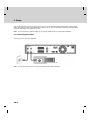
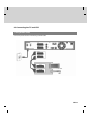
2.1 Connecting the Cable
Connect your CATV line to the CABLE IN.
**
Note: Connect the product and the TV using a RF cable to watch analogue channels.
GB 14
2.2 Connecting the TV
1. Using SCART Cable
Connect the product and the TV using a SCART cable.
**
GB 15
2. Setup
2. Using RCA Cable
Connect the product and the TV using a RCA cable.
**
GB 16
2.3 Connecting the TV and VCR
1. Using SCART Cable
Connect the product and the TV/VCR using a SCART cable.
**
GB 17
2. Setup
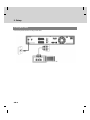
2.4 Connecting the Audio System
Select the most appropriate procedure for your convenience.
• Connect the product and the audio system using a RCA cable.
•
Connect the product and the Dolby Digital decoder for higher quality sound using an S/PDIF cable.
**
GB 18
2.5 Powering On
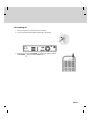
1. Connect the power cord of the product to a wall outlet.
2. Turn on the power switch located at the back left of the product.
**
3. Power on by pressing the STANDBY
button of the remote control or
button at the front of the product.
the STANDBY
GB 19
3. Installation Wizard
3. Installation Wizard
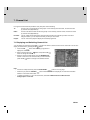
When powering on the product for the first time after purchasing, the installation wizard will operate automatically.
You can easily set-up using simple organisation and options and watch the broadcasting after completing the set-up
procedure. You can select items using the NUMERIC(0-9) buttons.
**
Note:
• If you press the BACK
button or select Back and press the OK
wizard, you can return to the previous screen.
button while running the installation
•
The options given of the installation wizard may vary according to area.
•
The default password is 0000. If you have forgotten your password, please contact your local product distributor.
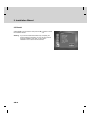
3.1 Language
Select the appropriate language from the list using the
button and
or button to save the selected language as a default
press the OK
language for menu, subtitle and audio.
3.2 Country
You can select country.
Select the appropriate country from the list using the
or button.
press the OK
GB 20
button and
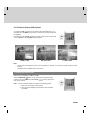
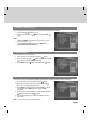
3.3 Channel Search
Please wait until the channel search is complete.
1. During the channel search, the cursor is located at Stop.
Therefore, if you press the OK
button during the search, the
search will stop and the channels found until then will be
displayed.
2. If the search does not find any channels, then press the OK
or button to access the installation menu to search for the
channels again. Please make sure that you have connected your
aerial correctly.
3. You can delete unwanted channels from the found channels.
button.
Select the channels to delete and press the OK
button. To delete all
Then select Delete and press the OK
channels, select Select All to select all channels, select Delete
button.
and press the OK
**
4. After completing the channel search and deleting unwanted
button to save the
channels, select Save and press the OK
changes.
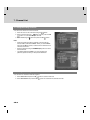
3.4 Time Setting
You can set the GMT offset for the current time.
1. Select GMT Offset using the
or button.
button and press the OK
button and press the OK
2. Select your GMT offset using the
button. GMT is changed by from 30 minutes to 1 hour.
3. Then select Next using the
button.
button and press the OK
**
Note: The current time is set automatically whenever GMT offset
changes.
GB 21
3. Installation Wizard
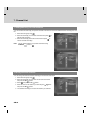
3.5 Result
Select Finish in the result screen and press the OK
the installation wizard.
button to finish
**
Warning: If you exit the install wizard without fully completing the
channel searching procedure, you may not have all of the
channels available. In this case, you can use the
installation menu to search for the channels.
GB 22
4. Basic Operation
4. Basic Operation
This chapter describes functions such as switching channel, volume control and basic features for watching
programmes.
4.1 Switching Channel
You can switch the current channel using one of the following methods.
1. Press the CH+/CHor
button .
2. Enter the channel number using the NUMERIC(0-9) buttons to go to the channel directly.
3. Press the TV/RADIO
button to switch between TV channel and radio channel.
**
Note: You can switch channel using the channel list or programme guide. Please refer to Chapter 7. Channel
List and 8. Programme Guide for more information.
**
4.2 Volume Control
1. Press the VOL+/VOL2. Press the MUTE
or
button to adjust the audio volume.
button to stop the audio temporarily.
**
Note: The mute function remains set while you switch channels.
4.3 Teletext
When the channel supports teletext, the teletext icon
1. Press the TEXT
is displayed on the i-plate.
button.
2. To display teletext menu, press the MENU
mode.
3. Select the teletext function you want using the
button.
press the OK
4. To view the teletext page, use the
button.
button in teletext
button and
or CH+/CH-
Teletext Functions
Index
Returns to index page. If there is no index page, jumps to page 100.
Sub-page
Searches the sub-page using the sub-code written by users.
Mix
Adjusts transparency of teletext screen.
Cancel
Hides the teletext except page number.
Reveal
Displays the concealed information.
Double Size Displays the text size as double size.
Page Hold
Holds the current page not updating it.
GB 23
4. Basic Operation
4.4 Programme Information (i-plate)
Programme information is always displayed for a certain period of time whenever you switch channels. You can view
the programme information by pressing the i
button while watching a programme. Press the EXIT
button to
hide the i-plate.
1. General Information
The general information is displayed as follows on the screen.
**
**
1. Channel number and name
2. Programme name
3. Detailed programme information: Displayed if detailed programme information is provided.
4. Current channel list and programme genre
5. Current time
6. Icons
Displayed only if the programme is recording.
Displayed only if the programme is reserved.
Represents parental control level.
Indicates age classification level-if supplied by the broadcaster
Displayed only when the channel is a locked channel.
Displayed only when the channel is a scrambled channel.
Displayed when subtitle information is available.
Displayed only when there is any teletext information.
Displayed only when the programme is broadcast in Dolby Digital.
Displayed when the programme is replaced with another programme.
**
7. Next programme Information: Displayed if next programme information is provided. Press the
the next programme information.
button to display
8. Programme broadcasting time and progress bar: Displays programme playing time and progress bar.
**
Note: The programme information will only be displayed when supplied by the broadcaster.
GB 24
2. Detailed Programme Information
You can see detailed information about the current programme. Press
the i
button when the i-plate is displayed to view detailed
information.
**
Note:
• Press the i
•
button again to hide the information box.
If the detail information is more than one page, use the
button to move to the previous/next page.
4.5 Option List
You can view and confirm detailed information about the current channel and change the information if necessary.
1. Adding a Channel to Favourite Group
You can add the current channel to favourite group immediately. Also, you can add channels to favourite groups.
1. Press the OPT+
button.
2. Select Favourite using the
or button.
button and press the OK
button and press the OK
3. Select favourite group using the
button to register for favourite group.
button again on the selected favourite group
4. Press the OK
to release the registered channel.
5. Move to the parent menu using the
automatically.
button to save the changes
**
Note: For detailed information about how to change favourite group name and how to register favourite channels from
the complete channel list, please refer to Chapter 7. Channel List.
GB 25
4. Basic Operation
2. Subtitle
If the current programme provides subtitle information, you can select the language for the subtitle.
1. Press the OPT+
button.
2. Select Subtitle using the
button.
button and press the OK
or
3. Select the subtitle language using the
button and press the
button. The subtitles will be displayed at the bottom of
OK
the screen.
4. Select Off from the subtitle menu to switch the subtitles off.
**
**
Note:
• You also can change the subtitle by pressing the SUBTITLE
button on the remote control.
•
You can select a default subtitle language in MENU–Preferences–Language Setting–Subtitle Language.
•
You can use the hard of hearing subtitle if supplied by the broadcaster.
GB 26
3. Soundtrack
If the current programme is available in multiple audio languages, you can select the language that you wish to listen to.
1. Press the OPT+
button.
2. Select Soundtrack using the
or button.
button and press the OK
3. Select the audio language using the
button.
4. Select soundtrack direction(left, right, stereo) using the
button.
5. Press the EXIT
soundtrack list.
or SOUNDTRACK
button to exit the
**
**
Note:
• You also can set the soundtrack by pressing the SOUNDTRACK
•
button on the remote control.
You can select the default audio language you want in MENU–Preferences–Language Setting–Audio
Language.
GB 27
4. Basic Operation
4. Locking/Unlocking a Channel
You can lock or unlock the current channel while watching a programme.
1. Press the OPT+
button.
button and press the OK
2. Select Lock/Unlock using the
or button.
button and press the OK
3. Select Lock option using the
button.
4. Select Unlock option using the
button.
button and press the OK
5. You will be prompted to enter the password. Enter the password
to unlock the channel.
6. Move to the parent menu using the
automatically.
button to save the changes
**
Note:
• When switching to the locked channel, you must enter the password to view the channel.
•
The default password is 0000. If you have forgotten the password, please contact your local product distributor.
5. Deleting a Channel
You can delete the current channel while watching a programme.
1. Press the OPT+
button.
2. Select Delete using the
button.
button and press the OK
or
3. Select Yes in the confirmation message and press the OK
button.
4. Enter the password using the NUMERIC(0-9) buttons to delete
the current channel.
**
Note: The default password is 0000. If you have forgotten the password, please contact your local product distributor.
GB 28
5. PIP and Time Shifted Recording
5.1 Picture-in-Picture (PIP) Screen
If you press the PIP
button on the remote control while watching TV, you
can watch two channels at the same time. The audio from the main screen will
be outputted.
Each time you press the PIP
button, the PIP screen moves in order of 1:6
-> 1:1-> Normal, as displayed in the following figure.
**
1:6 PIP screen
**
Normal screen
1:1 PIP screen
**
**
Note:
• The PIP screen is available only when you are watching TV channels. You cannot use the PIP function for radio
channels.
•
The teletext is only available on the main screen.
**
1. Swapping the PIP Screen
This function is available in 1:6 PIP or 1:1 PIP.
Press the SWAP PIP
button on the remote control to swap the main
button to change the
screen for the PIP screen. Press the CH+/CHmain screen channel.
**
Note: You cannot use the SWAP PIP function in the following cases:
1. When you are watching a radio channel.
2. When the screen displays the channel list, audio and detail
information.
GB 29
5. PIP and Time Shifted Recording
2. Moving the PIP Screen (Only for 1:6 PIP Screen)
Use the MOVE PIP
the PIP screen.
button on the remote control to move the position of
**
Each time you press the MOVE PIP
following figure.
button, the PIP screen moves in the order of
**
3. Switching Channels in the PIP Screen
You can switch the PIP channel.
1. Press the PIP
screen.
button on the remote control to display the PIP
2. Press the PIP CH+/PIP CHPIP screen only.
button to change the channel on the
button.
3. To display the PIP channel list, press the PIP CH LIST
button and press the OK
button to
Select a channel using the
change the PIP channel.
GB 30
, as displayed in the
5.2 Time Shifted Recording (TSR)
You can perform TSR (Time Shifted Recording) and other functions similar to VCR functions using the playback control
buttons while playing a programme.
The product automatically saves the programme in the embedded hard disk drive temporarily, so that users can pause,
play, fast rewind, fast forward, replay, etc. even while watching the currently broadcasting TV programme.
1. Time Bar
If you press the PLAY
button while watching TV, the time bar information will be displayed. Time bar displays the
current operation status, the time gap between the broadcasting point and watching point and the amount of temporarily
saved programme.
**
**
1. Operation status
4. Watching point
2. Watching point time (hh:mm:ss)
5. Broadcasting (Live) point
3. The amount of saved programme
6. Current time (hh:mm)
2. Pause
If you press the PAUSE
button on the remote control, the current programme is paused. If you press the PAUSE
button once again, the programme is resumed from that point.
**
Note: Pause makes the time gap or delay between the broadcasting (live) point and watching point. The time gap
is equivalent to the period the programme was paused. Operations like slow motion and fast rewind also
make the time gap. Press the STOP
button to go to the live programme.
GB 31
5. PIP and Time Shifted Recording
3. Fast Rewind to Previous Scene
Press the FAST REWIND
button on the remote control to watch the scene passed by. Each time you press the
button, the rewind speed increases. ( x 2, x 4, x 16, x32, x 64)
FAST REWIND
**
If you press the PLAY
button, the fast rewind operation stops and the programme is played at normal speed.
Note: You can fast rewind back to the start point. If you reach the start point while rewinding, the programme is
automatically played at normal speed from that point.
4. Fast Forward to the Next Scene
Press the FAST FORWARD
button on the remote control to fast forward the programme.
button, the speed increases. ( x 2, x 4, x 16, x32, x 64)
Each time you press the FAST FORWARD
**
If you press the PLAY
button, the fast forward operation stops and the programme is played at normal speed.
Note: You can use the fast forward operation only when there is a time gap between the current watching point
and the broadcasting (live) point caused by some previous operations such as pause, slow motion or fast
rewind. You can fast forward to the current broadcasting point. If the watching point reaches the
broadcasting (live) point, the programme is automatically played at normal speed.
5. Recording
Press the RECORD
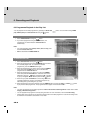
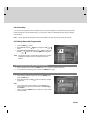
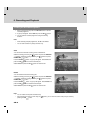
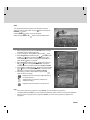
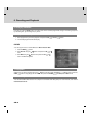
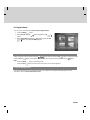
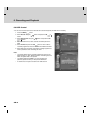
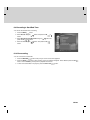
button on the remote control to record the current programme immediately . While the time
shift operation records the programme temporarily, this record operation records the programme permanently so you
can playback the recorded programme at any time. For more information about recording, refer to Chapter 6.
Recording and Playback.
**
Adjusting the Recording End Time
Press the RECORD
button while recording to adjust the recording end time. You can adjust the recording end
button, and then press the OK
button to change the recording end time and
time by -/+10 minutes using the
hide the message screen.
**
GB 32
6. Additional Time Shift Operations
You can perform additional time shift operations using the following buttons on the remote control.
**
Direct Jump
Press the PLAY
button while watching TV. If you press the
button, a moving arrow will appear in the
button and then press the OK
button to play the
progress bar. Move this arrow to a time point using the
programme from the specified time point. You can also move to the specified time point directly by entering the time you
want using the NUMERIC(0-9) buttons.
**
Instant Replay
Press the INSTANT REPLAY
button to jump back and play from that
location. When the replay has been completed the programme will play from the
current point. Refer to 9.5 Miscellaneous Settings.
**
Commercial Skipping 30 seconds
Press the COMMERICAL SKIP
button jump ahead in a recording. You can
use the skip operation only when there is a time gap between the current
watching point and the broadcasting point while using the fast forward
operation. If the time gap is less than 30 seconds, the programme is played
from the current broadcasting point. Refer to 9.5 Miscellaneous Settings.
**
Slow Motion
Press the SLOW MOTION
button to play the current programme in slow
button, the speed
motion. Each time you press the SLOW MOTION
button to stop playing in
decreases (x 1/2 , x 1/4, x 1/8). Press the PLAY
slow motion and return to normal speed.
GB 33
5. PIP and Time Shifted Recording
Repeat Mode
You can select a specific block within a recorded programme and play it back
repeatedly. Press the A-B
button to set the first repeating position. Select
button and press the OK
button. Then
the second position using the
the programme plays back the selected block repeatedly. To stop the repeat
button while repeating the selected block.
mode, press the A-B
Press the STOP
button to stop playing the saved programme and watch
the current programme on air.
**
Bookmark
You can jump to a position directly using the bookmark in recorded
programme playback. Use bookmarks to search positions quickly and
easily.
**
•
Adding a bookmark
Press the ADD BOOKMARK
button at a certain position to set a
bookmark while playing back a recorded programme.
Note: The bookmark function is only available for recorded
programmes.
**
•
Deleting a bookmark
Press the BOOKMARK LIST
button after adding a bookmark and
button. Press the ADD
select the bookmarked position using the
button to delete a bookmark.
BOOKMARK
Note: Press the BOOKMARK LIST
the bookmark list screen.
or EXIT
button to exit
**
•
Going to a bookmark
Press the BOOKMARK LIST
button. Select the bookmarked
button and press the OK
button. Then the
position using the
programme plays from the bookmarked position.
GB 34
**
6. Recording and Playback
**
6. Recording and Playback
Using the built-in hard disk drive, you can record a programme without an external media device such as a VCR.
6.1 Instant Recording
Press the RECORD
button on the remote control to record the
current programme instantly. You can select the point you want to
button. Press the RECORD
button to start
record using the
instant recording from that point.
**
To record another channel, change channels while recording and press
the RECORD
button again. You can record up to two channels
simultaneously. While doing so, you can perform TSR (Time Shifted
Recording) and view the programmes on air.
**
If you press the STOP
button while recording two other channels,
you will be prompted to select a recording you wish to stop.
**
If you press the RECORD
button while recording two other
channels, you will be prompted to select a recording you want to stop
and replace with a new recording.
**
**
Notice:
• Ensure that there is enough free space before recording. If the
free space on the hard disk drive is insufficient, recording will
stop. Recording one hour of programme may require up to 2 or
3GB of hard disk space. The space for recording a 1 hour
programme may differ depending on the programme.
•
You can record radio programmes also.
GB 35
6. Recording and Playback
6.2 Recording Schedule
You can set a programme to record automatically in Menu-Record-Recording Schedule.
1. Press the MENU
button.
2. Select Record using the
button.
button and press the OK
or
3. Select Recording Schedule using the
button and press
or button to display the reserved recording list on
the OK
the screen.
**
Note: You can schedule recording easily using the programme
guide. Refer to Chapter 8. Programme Guide.
1. Selecting/Unselecting Reserved Programmes
1. Select a programme and press the GREEN button. You can
select multiple programmes.
2. To unselect the selected programmes, press the GREEN button
again.
2. Deleting Reserved Programmes
1. After selecting reserved programmes using the GREEN button,
press the RED button.
2. Select Yes and press the OK
programmes.
GB 36
button to delete the reserved
3. Adding a Reservation
1. Press the YELLOW button to add a new reservation.
2. Select Channel and Date. Press the button to display channel
button and OK
and date lists and select one item using the
button. You can also select a channel using the
NUMERIC(0-9) buttons.
button and press the
3. Select Start/End Time using the
button to move back 1 minute or move 1 minute ahead. To
change the time using the NUMERIC(0-9) buttons, press the OK
button.
4. Select Repeat mode among ONCE, DAILY, WEEKLY,
button.
WEEKDAY(Mon-Fri) and WEEKEND using the
5. Select Lock mode using the
6. Select Save and press the OK
7. Select Cancel and press the OK
button.
button to save the changes.
button to cancel the reservation.
8. If the channel is locked, you will be prompted to enter the password to complete the reservation.
**
Note:
• The recording schedule can be overlapped with up to two other programmes.
•
The Power On/Off time can overlap the recording schedule.
•
The default password is 0000. If you have forgotten the password, please contact your local product distributor.
4. Sorting by Time/Name
Each time you press the BLUE button, the sorting order of the reserved programmes change in the following sequence:
by descending time, by ascending time, by name.
5. Editing a Reserved Programme
1. Select a programme you want to edit and press the OK
button.
2. For more information about how to edit the information, refer to
6.2.3 Adding a Reservation.
GB 37
6. Recording and Playback
6.3 Programme Playback in the Play List
You can playback the recorded programme by pressing the PLAY LIST
button.
(TV), AUDIO (radio) and Selected Files list using the
button. You can switch among VIDEO
1. VIDEO/AUDIO List
1. Select VIDEO/AUDIO list using the
button.
2. If you select programmes using the GREEN button, the
programmes you select will add to Selected Files list
automatically.
**
Note:
• For more information about Delete, Select, Sort and Play, refer
to 6.3.2 Selected Files List.
•
Move is inactivated in VIDEO/AUDIO list.
2. Selected Files List
1. Select Selected Files list using the
button.
2. Select the programmes and press the GREEN button to select
the recorded programmes. To unselect the selected
programmes, press the GREEN button again.
3. Select the programmes you want to remove using the GREEN
button and press the RED button to remove the recorded
programmes from Selected Files list.
4. Select the programmes you want to move using the GREEN
button and press the YELLOW button. Move the cursor to the
destination using the
button and press the OK
button.
button.
A pop-up will appear. Select Yes and press the OK
5. Each time you press the BLUE button, the sorting order of the
recorded programmes change in the following sequence: by
descending time, by ascending time, by name.
6. Select programmes you want to playback using the GREEN button and press the OK
to play the recorded programmes. The programmes will be played in the selected order.
or PLAY
button
**
Note:
• You also can playback the recorded programme in Menu–Record–Recorded Programme. Please refer to 6.5.6
Playing a Recorded Programme.
•
You can playback the programme currently being recorded. For more information, refer to 5.2.5 Recording.
•
Certain parts of the programme may blink when playing back a recorded programme in case the recording mode
is switched from scramble to descramble or vice versa.
GB 38
6.4 Chase Play
You can watch the programme from the beginning as the rest of the programme is simultaneously being recorded.
While recording two channels simultaneously, you can perform TSR (Time Shifted Recording) using the playback
control buttons.
**
Note: You can playback the programme being recorded after it has been recorded for at least 30 seconds.
**
6.5 Editing Recorded Programmes
1. Press the MENU
button.
2. Select Record using the
button.
button and press the OK
or
3. Select Recorded Programme using the
button and press
or button. The recorded programme list appears.
the OK
**
Note: The programme being recorded will be added to the recorded
programme list after it has been recorded for at least 30
seconds.
1. Selecting/Unselecting Recorded Programmes
1. Select a programme and press the GREEN button. You can select multiple programmes.
2. To unselect the selected programmes, press the GREEN button again.
2. Deleting Recorded Programmes
1. After selecting reserved programmes using the GREEN button,
press the RED button.
2. Select Yes and press the OK
programmes.
button to delete the recorded
**
Note:
• If the protect option of the programme is set to Enable, you
cannot delete the programme. Please refer to 6.5.4 Changing
the Attribute.
•
When not using the GREEN button, the file the cursor is located
at will be deleted.
GB 39
6. Recording and Playback
3. Editing the Recorded Programme
1. Select a programme and press the YELLOW button to edit the
recorded programme.
2. A pop-up will appear. Select Edit and press the OK
button.
3. You can edit the recorded programme using the following
functions.
**
Note:
• When selecting multiple programmes, To do is inactivated.
•
You can edit recorded TV (Video) channels only.
**
Save
You can save the selected recording part as a different file.
Select the starting point using the
button and press the RECORD
button. Select the ending point using the
button and press
button.
the RECORD
Press the STOP
button. A pop-up will appear. Select Save and
button to save the selected part.
press the OK
Select Reset and press the OK
button to reset the edit.
**
Delete
You can delete the selected recording part.
Select the starting point using the
button and press the RECORD
button. Select the ending point using the
button and press
button.
the RECORD
Press the STOP
button. A pop-up will appear. Select Delete and
button to delete the selected part.
press the OK
Select Reset and press the OK
button to reset the edit.
Note:
• You can select several parts simultaneously.
•
After selecting the point you want using the
button.
pressing the OK
GB 40
button, you can view the scene of the point you select by
Split
You can split the recorded programme into separate recordings.
Select the point you want to split using the
button.
RECORD
Press the STOP
button and press the
button. A pop-up will appear.
Select Yes and press the OK
button to split the selected point.
4. Changing the Attribute
1. Select a programme and press the YELLOW button to change
the attribute of the recorded programme.
2. A pop-up will appear. Select File and press the OK
button.
button and press
3. Select Programme in the File using the
or button to display a keyboard on the screen.
the OK
Enter the programme name on the keyboard. Select OK and
button to complete.
press the OK
button and press the
4. Select Protect in the File using the
or button to change Enable/Disable. You have to
OK
enter a password to change the status from Enable to Disable.
button and press the OK
5. Select Lock in the File using the
or button to change Enable/Disable. You have to enter a
password to change the status from Enable to Disable.
**
6. After editing, you have to select Save and press the OK
button to save your changes.
Displayed when the recording is stopped because of
an unexpected error.
Displayed when the channel is protected from
deleting and editing.
Displayed when the channel is a locked channel.
**
Note:
• If the protect option of the programme is set to Enable, you cannot delete the programme.
•
The default password is 0000. If you have forgotten the password, please contact your local product distributor.
•
If the lock option of a programme is configured to Enable, you have to enter a password to playback the
programme.
GB 41
6. Recording and Playback
5. Sorting by Time/Name
Each time you press the BLUE button, the sorting order of the recorded programmes change in the following sequence:
by descending time, by ascending time, by name.
6. Playing Recorded Programmes
1. Select programmes you want to playback and press the OK
or PLAY
button.
2. The recorded programme will start to play.
**
6.6 MP3
You can enjoy the music or edit the MP3 list in Menu–Record–MP3.
1. Press the MENU
button.
2. Select Record using the
button.
button and press the OK
3. Select MP3 using the
button and press the OK
button. The MP3 list appears.
or
or
1. Playing MP3
Select the file you wish to playback using the
button and then press the PLAY
or OK
button. Press the
button to stop playing the current file. And press the PAUSE
button to pause the current file.
STOP
2. Downloading MP3 Files
You can download MP3 files stored on the computer via Universal Serial Bus (USB). For more information, refer to 6.11
File Download from PC.
GB 42
6.7 Digital Album
You can view or edit the photos in Menu–Record–Digital Album.
1. Press the MENU
button.
2. Select Record using the
button.
button and press the OK
or
3. Select Digital Album using the
button and press the OK
or button. The digital album list appears.
**
1. Digital Image Browsing
Select a image you wish to browse using the
button and then press the OK
button to enlarge the image.
button to view photos as slide show. Move the previous/next screen using the
button.
Press the PLAY
Note:
• Press the BACK
•
Press the EXIT
button to thumbnail screen.
button to exit the menu and return to the current programme.
2. Downloading Photos
You can download photos (only JPEG files) stored on the computer via Universal Serial Bus (USB). For more
information, refer to 6.11 File Download from PC.
GB 43
6. Recording and Playback
6.8 HDD Control
You can check the free space of the hard disk drive and format (erase) the disk drive if necessary.
1. Press the MENU
button.
2. Select Record using the
button.
3. Select HDD Control using the
or button.
button and press the OK
or
button and press the OK
4. You can check the free, used, reserved and total space of the
HDD.
button to remove all the
5. Select Format and press the OK
recorded programmes saved on the HDD and initialise the HDD.
6. Select Yes when the format confirmation message appears and
enter a password to start formatting the HDD.
**
**
Note:
• The format deletes all the recorded programmes saved on the
HDD including TV, radio, MP3s and photos. Formatting does not
delete the system files of the product.
•
The default password is 0000. If you have forgotten the
password, please contact your local product distributor.
•
A certain amount of space is reserved for TSR and PIP.
GB 44
6.9 Recording’s Start/End Time
You can set the start/end time of recording.
1. Press the MENU
button.
2. Select Record using the
button.
button and press the OK
3. Select Recording’s Start/End Time using the
or button.
press the OK
4. Select the time using the
button.
or
button and
button and press the OK
6.10 Re-recording
You can re-record the recorded file.
1. Press the RECORD
button at the point you want to record while playback.
button to stop recording. A pop-up message will appear. Select Yes and press the OK
2. Press the STOP
button. Then the recording will stop but the playback will continue.
3. To find new recorded files in the play list, press the PLAY LIST
button.
GB 45
6. Recording and Playback
6.11 File Download from PC
You can enjoy the music and view the photos by downloading the files from your PC with 'Media-e linker' programme.
(USB cables used for external HDDs are purchasable.)
**
Follow the instructions to download files:
**
1. Double-click ‘Media eLinker Setup.exe’ on the CD-ROM to install the USB driver and application programme.
You can also download the setup file from www.humaxdigital.com.
2. Connect the USB on the product to the USB on the PC using a USB cable.
3. Double-click ‘Media eLinker.exe’ to start the USB application.
**
For more information about how to use Media eLinker, refer to the readme file on the CD-ROM.
**
GB 46
7. Channel List
7. Channel List
Four types of channel lists are provided for easy and quick channel browsing.
TV
The list of all TV channels with two sub-groups: one is sorted by channel number, the other is sorted
by channel name (Alphabetical).
Radio
The list of all radio channels with two sub-groups: one is sorted by channel number, the other is sorted
by channel name (Alphabetical).
Favourite
You can create five favourite lists for quick and easy access to the channels you watch more often.
Using this feature, you can skip the channels you rarely or never watch.
Playlist
You can move to the playlist to display the recorded programmes.
7.1 Displaying and Switching Channel List
You can display the channel list using LIST
display the channel list by pressing the OK
button and switch to another channel on the channel list. You can also
button.
1. Press the LIST
button while watching a programme to
display the channel list.
2. Select a channel using the
button to change the channel.
button and press the OK
3. Enter the channel number directly using the NUMERIC(0-9)
buttons to move the cursor to the channel you want. And then
press the OK
button to change to the selected channel.
**
Note:
• If there are multiple channels, press the PAGE+/PAGE-
button to move by page.
•
Whenever you press the TV/RADIO
between TV and radio channel lists.
•
To display scramble icon ( ) in the channel list, select On in MENU-Preferences-Miscellaneous
Settings-Option in CH List.
button while the channel list is displayed, the channel list will switch
GB 47
7. Channel List
7.2 Changing Channel List Group
You can select channel list by group.
1. Press the
group list.
button while the channel list is displayed to view the
2. Select a channel group using the
sub-groups.
button to display its
or button, select a sub-group using the
3. Press the OK
button and then press the OK
button.
4. The channel list for the selected sub-group is displayed.
**
Note: The favourite lists will only appear if you have created them
first.
7.3 Edit Channel Lists
You can edit all channels or each channel by channel list group.
1. Press the MENU
button.
2. Select Edit Channels using the
or button.
3. Select Edit Channel Lists using the
or button.
OK
button and press the OK
button and press the
4. You will be prompted to enter the password. Enter the password
using NUMERIC(0-9) buttons.
**
Note:
• Press the BACK
or button to save the changes and return to the previous menu, press the MENU
button to exit the menu screen.
EXIT
or
•
You can easily navigate all menus using the assigned number for each menu. Press MENU-3-1 in oder to select
Edit Channel Lists .
•
The default password is 0000. If you have forgotten the password, please contact your local product distributor.
GB 48
1. Selecting a Channel Group
You can select the channel list group to edit. TV and radio sub-groups can be selected.
1. Press the OK
or
button in group.
button and press the OK
2. Select the group using the
button.
**
Note:
• Press the TV/RADIO
channel list directly.
•
button to move to the TV or radio
To edit Favourite Channel List, move to MENU–Edit
Channels–Edit Favourite Channels.
2. Deleting Channels
You can delete one or more channels.
1. Move the cursor to the channel list using the
button.
button and then press the OK
2. Select a channel using the
button. You can select multiple channels.
3. Select Delete using the
button and press the OK
button.
3. Moving Channels
You can move one or more channels to location you want, which changes the channel number accordingly.
1. Move the cursor to the channel list using the
button.
2. Select the channel you want to move and press the OK
button. You can select multiple channels.
3. Select Move using the button and press the OK
button.
The selected channel disappears from the channel list
temporarily.
4. Move the cursor to the destination in the channel list using the
button and press the OK
button.
5. The selected channel(s) is moved to the selected location in
given order.
**
Note: The move function may not be supported.
GB 49
7. Channel List
4. Locking/Unlocking Channels
You can lock or unlock one or more channels.
1. Move the cursor to the channel list using the
button.
button and then press the OK
2. Select a channel using the
button. You can select multiple channels.
3. Select Lock using the
button and press the OK
button.
**
Note:
• When the locked channel(s) is selected or all channels are
locked, Lock is switched to Unlock. When you select Unlock
and press the OK
button, locked channel is switched to an
unlocked channel.
•
Enter the password using the NUMERIC(0-9) buttons to watch
locked channels.
•
The default password is 0000. If you have forgotten the
password, please contact your local product distributor.
**
**
5. Selecting/Unselecting All Channels
You can select or unselect all channels together.
1. Select Select All and press the OK
button to select all channels.
2. Select Unselect All and press the OK
GB 50
button to unselect all the selected channels.
7.4 Edit Favourite Channels
You can edit favourite channel or favourite channel list.
1. Press the MENU
button.
2. Select Edit Channels using the
or button.
button and press the OK
3. Select Edit Favourite Channels using the
or button.
press the OK
button and
4. You will be prompted to select a favourite group. Select a
button and press the OK
favourite group to edit using the
button.
**
Note:
• Press the BACK
or button to save the changes and return
or EXIT
button
to the previous menu. Press the MENU
to save changes and to exit the menu screen.
•
**
You can easily navigate all menu items using the assigned
number for each menu. Press MENU–3–2 in order to select Edit
Favourite Channels .
**
The buttons for editing the favourite channel list are described in the following table.
Add
Adds favourite channel.
Remove
Removes from the favourite channel.
TV/RADIO
Switches between TV and radio channel list.
Fav.Group
Changes favourite channel list group.
Move
Changes the order of channels within the favourite channel list.
Rename
Renames the name of favourite channel list.
Sort
Sorts channels by number or name in all TV/radio channel list.
Unselect All
Unselects all selected channels.
GB 51
7. Channel List
1. Adding/Removing Favourite Channels
You can add favourite channel(s) to a specific favourite channel list or remove the added favourite channel(s) from the
list.
1. Select favourite group using
.
to
2. Select the channel(s) in all TV/radio channel list and press
add favourite channel(s).
to
3. Select the channel(s) in favourite channel list and press
remove favourite channel(s).
**
Note: You can switch between TV and radio channel list using
TV/RADIO
button or
.
**
2. Moving Favourite Channels
You can change the order of favourite channel(s) in the favourite channel list.
1. Select favourite group using
.
2. Select the channel(s) to move within the favourite channel list
button.
and press the OK
3. Select
and press the OK
button.
4. Move the cursor to the location you want using the
button.
and press the OK
button
5. The selected channel(s) is moved to the location you selected.
GB 52
3. Renaming Favourite Channel List
You can rename favourite channel list.
1. Select favourite group to rename using
2. Select
and press the OK
.
button.
3. Enter favourite channel list name using the keyboard displayed
on the screen.
4. When finishing entering favourite channel list name, select OK
button.
and press the OK
**
GB 53
7. Channel List
4. Additional Features
Additional features provides many useful functions.
**
Changing between TV and radio channel list
You can add not only TV channel(s) but also radio channel(s) to favourite channel list. Press
into TV or radio channels.
Note: You can also change to TV or radio channel by pressing TV/RADIO
to switch all channel list
button on the remote control.
**
Selecting Favourite channel list
You can select favourite channel list to edit. Press
button and press the OK
button.
the
to display favourite channel list. Then select the channel list using
**
Sorting a channel list
You can sort all TV or radio channel lists by channel number or name for easy favourite channel searching. If channel
lists are sorted by channel number,
is displayed. When you press this button, all the channel lists are sorted by
is switched to
. Press this button to order channels by
name. Or, if channel lists are sorted by channel name,
number.
**
Unselect all the selected channels
Press
GB 54
to unselect all the selected channels.
8. Programme Guide
8. Programme Guide
The programme guide displays programme information about each channel, based on the date and time. You can also
schedule your recording using the information given.
**
Note: Press the BACK
, EXIT
or GUIDE
button to exit the guide screen.
8.1 Viewing Programme Guide Information
You can view programme information for all channels.
1. Press the GUIDE
button.
2. Move to previous /next programme within the same channel
button.
using the
3. Move back 2 hours or move 2 hours ahead within the same
or FAST FORWARD
channel using the FAST REWIND
button.
button. If there are
4. Move to another channel using the
button to
multiple channels, use the PAGE+/PAGEmove to channels by page. Also, you can enter the channel
number using the NUMERIC(0-9) buttons on the remote control
to move to the channel directly.
button. Then you can
5. Select a programme and press the OK
watch the programme if it is on air or reserve it if it is the future
programme.
6. Press the i
programme.
button in the selected programme to view the detailed information (if available) of the selected
1. Viewing Guide Information by Channel List Groups
You can view programme information of the selected channel list by groups.
1. Press the GUIDE
button.
2. Press the RED button to display the channel list group.
3. Select a channel list group using the
button.
4. Move the cursor to the sub-group using the button, select a
button and then press the OK
sub-group using the
button. The programme guide for the selected channel list is
displayed.
GB 55
8. Programme Guide
2. Viewing Programme Information Using Time Bar
You can quickly search the time zone using the time bar.
1. Press the GUIDE
button.
2. Press the GREEN button to display time bar.
button and press the OK
3. Select the each button using the
button to move the time bar. If you press the button
repeatedly, the same operation is repeated.
and FAST
4. You can also use the FAST REWIND
buttons on the remote control.
FORWARD
5. Each button functions as follows.
Now
Moves to the current programme where the cursor
is located.
Moves back to the previous programme or 30 minutes before.
Moves forwards to the next programme or 30 minutes ahead.
Moves back to 2 hours before.
Moves forwards to 2 hours ahead.
Day
Day
Moves back to one day before.
Moves forwards to one day ahead.
**
6. Select
button and press the OK
button to exit the time bar.
**
3. Scheduling Recording
You can automatically schedule recording in the scheduled programme and pressing the OK
Select the programme and press the OK
button to complete
will be displayed. Press the OK
button
reservation. This icon
again to cancel reservation.
**
Note: The default password is 0000. If you have forgotten the
password, please contact your local product distributor.
GB 56
button.
8.2 Finding a Programme
You can sufficiently find the programme you want by programme name or genre.
1. Press the GUIDE
button.
2. Press the BLUE button.
3. Enter the programme name directly using the keyboard displayed
on the screen.
4. When entering programme name is complete, select Find and
button.
press the OK
**
Note:
• Select the
button and then press the OK
button
to enter the programme name on the keyboard screen.
•
If you select Previous or Next on the keyboard displayed on the
button, the keyboard layout is
screen and press the OK
switched.
**
**
5. Select By Genre and press the OK
programme by genre.
6. Select the genre using the
button.
button to search
button and press the OK
7. If you select a programme from Found Programme List screen
button, you can watch the programme if it
and press the OK
is on air or reserve it if it is the future programme. If you want to
find another programmes, press the BLUE button to display the
keyboard screen.
**
Note:
• Each time you press the OPT+
button, the sorting order of
the found programmes change in the following sequence: by
channel, by descending time, by ascending time.
•
**
Found Programme List may differ depending on the provided
programme information.
GB 57
8. Programme Guide
8.3 Viewing Reserved Programme
You can add or edit recording-reserved programmes using the schedule screen.
1. Press the GUIDE
button.
2. Press the YELLOW button.
Note: For more information about how to add or edit a reservation,
refer to 6.2 Recording Schedule.
GB 58
9. Preferences
9. Preferences
You can set censorship and all other items suitable for your environment.
**
Note:
• Press the BACK
Press the MENU
•
or button to save the changes and return to the previous menu.
or EXIT
button to exit from the menu screen.
You can easily select all menu items using the assigned number for each menu.
9.1 Parental Control
You can set parental control for each programme and change the password.
1. Press the MENU
button.
2. Select Preferences using the
or button.
button and press the OK
3. Select Parental Control using the
or button.
OK
button and press the
4. When prompting message is displayed to ask password, enter
the password using the NUMERIC(0-9) buttons.
**
Note: The default password is 0000. If you have forgotten the
password, please contact your local product distributor.
1. Censorship Classification
Censorship Classification allows you to block programmes according to the age level you have set.
1. Select Censorship Classification using the
or button.
press the OK
2. Select the required age level using the
or button.
the OK
button and
button and press
Note:
• You have to enter the password to watch the programme which is blocked by the age level.
•
The default password is 0000. If you have forgotten the password, please contact your local product distributor.
GB 59
9. Preferences
2. Change Password
You can change the current password.
1. Select Change Password using the
or button.
OK
button and press the
2. Enter New Password using the NUMERIC(0-9) buttons, select
button.
OK and press the OK
3. Enter the new password again to confirm Verify Password and
button.
select OK and press the OK
**
Note: The default password is 0000. If you have forgotten the
password, please contact your local product distributor.
3. CA-PIN for Reservation
You can set the CA-PIN that is automatically entered when the reserved recording starts.
1. Select CA-PIN for Reservation using the
2. Select Enable/Disable using the OK
button.
or
button.
3. When you have selected Enable, enter the CA-PIN using the
NUMERIC(0-9) buttons.
9.2 Language Setting
1. Press the MENU
button.
2. Select Preferences using the
or button.
3. Select Language Setting using the
or button.
OK
GB 60
button and press the OK
button and press the
1. Menu Language
You can set the language for menu.
1. Select Menu Language using the
2. Select a language using the
button and press the OK
button and press the OK
or
button.
button.
2. Primary Audio/Subtitle Language
You can set the primary language for audio and subtitle.
1. Select Primary Audio/Subtitle Language using the
2. Select a language using the
button and press the OK
button and press the OK
or
button.
button.
3. Secondary Audio/Subtitle Language
You can set the secondary language for audio and subtitle.
1. Select Secondary Audio/Subtitle Language using the
2. Select a language using the
button and press the OK
button and press the OK
or
button.
button.
4. Audio Priority
You can select the priority of audio.
1. Select Audio Priority using the
button.
2. Select from Language and Dolby Digital using the OK
or
button.
Language
You can watch programme in the selected language.
Dolby Digital
You can listen to audio in Dolby Digital mode. When Dolby Digital is selected, the audio
language cannot be changed.
Note: You can choose the Dolby Digital audio stream whenever possible by selecting Dolby Digital in Audio
Priority.
5. Subtitle Display
You can select to display the subtitle automatically or not.
1. Select Subtitle Display using the
button.
2. Select from Auto and Manual using the OK
or
button.
Auto
Subtitles are displayed automatically in the predefined subtitle language.
Manual
Subtitles are displayed in the language when you select the subtitle language by pressing the
SUBTITLE
button on the remote control.
GB 61
9. Preferences
6. Subtitle Font
You can select the subtitle font .
1. Select Subtitle Font using the
button.
2. Select from Variable and Fixed using the OK
or
Variable
Uses the horizontally variable subtitle font.
Fixed
Uses the fixed subtitle font.
button.
7. Hard of Hearing Subtitles
You can set whether or not to use the hard of hearing subtitles.
1. Select Hard of Hearing Subtitles using the
button and press the OK
2. Select Enable/Disable using the OK
or
button.
9.3 Time Setting
You can specify the current time and Power On/Off time.
1. Press the MENU
button.
2. Select Preferences using the
button and press the OK
or
button.
3. Select Time Setting using the
button and press the OK
or
button.
1. GMT Offset
You can set the GMT offset for the current time.
1. Select GMT Offset using the
or button.
button and press the OK
button and press the OK
2. Select your GMT offset using the
or button. GMT is changed by 30 minutes to 1 hour.
**
Note: The current time is set automatically whenever GMT offset
changes.
GB 62
or
button.
2. Power On
You can set the time when the product is automatically powered on.
1. Select Power ON using the
button.
2. Select Enable/Disable using the OK
or
button.
Enable
Uses Power On and sets the Power On time.
Disable
Does not use Power On.
**
3. When you have selected Enable, enter Channel No. and Time
using the NUMERIC(0-9) buttons and select OK and press the
OK
button.
3. Power Off
You can set the time when the product is automatically powered off.
1. Select Power OFF using the
button.
2. Select Enable/Disable using the OK
or
button.
Enable
Uses Power Off and sets the Power Off time.
Disable
Does not use Power Off.
**
3. When you have selected Enable, enter Time using the
NUMERIC(0-9) buttons, select OK and press the OK
button.
Note:
• Once Power On/Off is specified, it is repeated everyday.
•
You can set the time when the product is automatically powered on/off overlapped with a recording schedule.
GB 63
9. Preferences
9.4 A/V Control
You can set the audio or video output control.
1. Press the MENU
button.
2. Select Preferences using the
or button.
button and press the OK
3. Select A/V Control using the
or button.
button and press the OK
1. TV-SCART
You can set the TV SCART output.
1. Select TV-SCART using the
button and press the OK
2. Select an option among CVBS, RGB and S-Video using the
2. VCR-SCART
You can set the VCR SCART output.
1. Select VCR-SCART using the
button.
2. Select from CVBS and S-Video using the OK
or
button.
3. Audio Output
You can set the the audio output.
1. Select Audio Output using the
button.
2. Select from Stereo and Mono using the OK
or
button.
4. Screen Ratio
You can set the aspect ratio of your TV.
1. Select Screen Ratio using the
button.
2. Select from 4:3 and 16:9 using the OK
GB 64
or
button.
or
button.
button and press the OK
or
button.
5. Display Format
You can select the display format according to the TV screen ratio.
1. Select Display Format using the
button and press the OK
or
button.
2. If the screen ratio is set to 4:3, you can select an option among Auto, Letter Box and Center Mode using the
button and press the OK
button.
3. If the screen ratio is set to 16:9, you can select an option among Auto, Pillar Box and Full Mode using the
button and press the OK
button.
9.5 Miscellaneous Settings
1. Press the MENU
button.
2. Select Preferences using the
or button.
button and press the OK
3. Select Miscellaneous Settings using the
or button.
the OK
button and press
1. i-Plate Display Time
You can set the duration of the information box to be displayed.
1. Select i-Plate Display Time using the
button and press the OK
2. Select a value between 1 ~ 20 seconds using the
or
button.
button and press the OK
or
button.
Note: When it is set to Disable, the i-plate will not be displayed when the channel is switched.
2. OSD Transparency
You can set the transparency of On Screen Display.
1. Select OSD Transparency using the
button and press the OK
2. Select an option among Disable, 25, 50 and 75 using the
or
button.
button and press the OK
Disable
Fully opaque screen
25, 50, 75
The bigger the number, the more transparent the screen.
or
button.
GB 65
9. Preferences
3. Option in Channel List
You can set whether or not to display the scrambled icon in channel list.
1. Select Option in CH List using the
button.
2. Select On/Off using the OK
or
button.
On
Scramble icon is displayed in the channel list.
Off
Scramble icon disappears from the channel list.
4. Instant Replay Time
You can make the current programme go back 7, 15 or 30 seconds.
1. Select Instant replay time using the
button and press the OK
2. Select an option among 7, 15 and 30 using the
or
button.
button and press the OK
button.
5. Commercial Skip Time
You can skip 15,30 or 60 seconds of the unwanted scenes.
1. Select Commercial skip time using the
button and press the OK
2. Select an option among 15, 30 and 60 using the
GB 66
or
button and press the OK
button.
button.
10. Installation
10. Installation
This chapter describes how to search for channels and other series of procedures.
**
Note:
• Press the BACK
Press the MENU
•
or button to save the changes and return to the previous menu.
or EXIT
button to exit from the menu screen.
You can easily select all menu items using the assigned number for each menu.
10.1 Automatic Search
Having the product connected to the cable and TV, you can perform automatic search without any additional information
necessary.
1. Press the MENU
button.
2. Select Installation using the
or button.
button and press the OK
3. Select Automatic Search using the
or button.
OK
button and press the
4. Automatic channel search begins.
10.2 Linear Search
You can search channels by defining the frequency range and other parameters. If you want to search for several
channels only, use the linear search instead of manual search.
1. Press the MENU
button.
2. Select Installation using the
or button.
3. Select Linear Search using the
or button.
button and press the OK
button and press the OK
4. Enter the values for Start Frequency, End Frequency, Step,
Network Search and Append Symbol Rate.
GB 67
10. Installation
1. Start/Stop Frequency
Select Start/Stop Frequency using the
button and press the OK
or button. Enter the frequency using the NUMERIC(0-9) buttons.
2. Step
1. Select Step using the
button.
button and press the OK
or
2. Select the range of frequency to be increased by each step when
activating channel search using the
button and press the
or button. Select User Define to enter the value
OK
directly. If you do not know the value, select Auto.
3. Network Search
1. Select Network Search using the
2. Select Enable/Disable using the
GB 68
button and press the OK
button and press the OK
or
or
button.
button.
4. Append Symbol Rate
1. Select Append Symbol Rate using the
or button.
the OK
button and press
button and press the OK
2. Select a symbol rate using the
and button. Select User Define to enter the value directly.
3. To delete all entered symbol rates, select Clear All using the
button and press the OK
button.
10.3 Manual Search
You can search channels manually using the search parameters.
1. Press the MENU
button.
2. Select Installation using the
or button.
3. Select Manual Search using the
or button.
button and press the OK
button and press the OK
1. Frequency
1. Select Frequency using the
or button.
button and press the OK
button and press the OK
2. Select the frequency using the
and button. Select User Define to enter the value directly.
GB 69
10. Installation
2. Symbol Rate
1. Select Symbol Rate using the
or button.
button and press the OK
button and press the OK
2. Select the symbol rate using the
and button. Select User Define to enter the value directly.
3. Network Search
1. Select Network Search using the
or button.
2. Select Enable/Disable using the
or button.
GB 70
button and press the OK
button and press the OK
10.4 Search
1. Select Search and press the OK
search.
button to activate channel
2. Wait until channels search is completed. This may take a few
minutes.
3. The cursor is located at Stop during channel search. If you press
button while performing channel search, the
the OK
operation will stop and only the channels found so far will be
displayed. Reset the settings and activate channel search again if
necessary.
4. You can delete unnecessary channels from the searched
channels. Select the channels to delete and press the OK
button. Then select Delete and press the OK
button. To
delete all channels, select Select All to select all channels, select
Delete and press the OK button.
5. When completing channel search and deleting unnecessary channels, select Save and press the OK
to save the results.
button
GB 71
10. Installation
10.5 Default Setting
Default setting restores the product to the default settings.
Warning: Please note that once you perform default setting, all data such as channel list and user configured data
are deleted, no information on the HDD will be lost.
1. Press the MENU
button.
2. Select Installation using the
or button.
button and press the OK
3. Enter the password using the NUMERIC(0-9) buttons.
4. Select Default Setting using the
or button.
5. Select Yes and press the OK
factory default.
Select No and press the OK
to the previous menu.
button and press the OK
button to restore all setting to
or BACK
button to return
6. Confirm again to start loading default setting. Enter the password
using the NUMERIC(0-9) buttons to perform restoring.
**
7. When completing the default setting, press the OK
button to
automatically run the installation wizard.
For detailed information about the installation wizard, refer to
Chapter 3. Installation Wizard.
**
Note: The default password is 0000. If you have forgotten the password, please contact your local product
distributor.
GB 72
11. Software Update
11. Software Update
In order to maintain proper performance of the product, it is essential to have the most up-to-date software. Visit the
Humax website to check the latest news and newly released software versions.
http://www.humaxdigital.com.
It is recommended that you periodically check for the availability of software update.
11.1 OTA (Over the Air)
OTA, an abbreviation of Over–the-Air, is a standard for the transmission of software through a broadcast system.
The manufacturers reserve the right to decide when and where an update is made available. The new software version
is then downloaded via cable. The software update via cable will only occur under the following circumstances.
**
1. The equipment should have appropriate loader software.
Caution:
Please note that if normal loader software is not equipped, the product may not be updated or
operate properly after software update.
**
2. The manufacturer transmits the software via cable. The new version of the software is generally detected
automatically.
**
Caution:
• Please be careful to keep the power on and the power cord plugged in during software update. If the power is off
during software update, fatal damage may be caused to the product.
•
Please be careful not to pull out the signal line (co-axial cable) during software update. Update may be interrupted
and the product may not operate.
**
Note:
• Other functions will not activate while software update takes place.
•
It may take 5 ~10 minutes to update software.
•
Scheduling operation cannot work during software update.
1. If new software is found when powering on
1. A message will be displayed to notify that new software is found.
2. Select Yes and press the OK
button to update the software.
3. Starts downloading new software. Please wait until the update is completed.
4. When completing the software update, the equipment is automatically powered off and on again.
GB 73
11. Software Update
11.2 Updating Software from Menu
1. Press the MENU
button.
button and press the OK
2. Select Installation using the
or button.
3. Enter the password using the NUMERIC(0-9) buttons.
4. Select Software Update using the
or button.
OK
button and press the
Note: The default password is 0000. If you have forgotten the password, please contact your local product
distributor.
1. Automatic Update
You can update software automatically.
1. Select Automatic Update using the
or button.
OK
button and press the
2. Automatically search for new software. Select Cancel and press
button to finish search.
the OK
3. When detecting software update, the following result is displayed.
If new software is not found by automatic update, use manual
update.
4. Select Yes and press the OK
Select No and press the OK
menu without updating.
button to start updating.
button to return to the previous
5. When completing the software update, the product is
automatically powered off and on again.
GB 74
**
2. Manual Update
You can perform manual update using know MUX information.
1. Select Manual Update using the
or button.
button and press the OK
button and press the OK
2. Select Frequency using the
or button. Select the frequency using the
button and
press the OK or button. Select User Define to enter the value
directly.
button and press the OK
3. Select Symbol Rate using the
or button. Select the frequency using the
button and
press the OK or button. Select User Define to enter the value
directly.
4. Select Search and press the OK
**
button to search software.
5. Existing new software will show. If new software does not exist,
button to return to the manual update menu.
press the OK
button to start updating. Select
6. Select Yes and press the OK
button to return to the previous menu.
No and press the OK
7. Performs software update. Please wait until it is completed.
8. When completing the software update, the product is
automatically powered off and on again.
**
GB 75
11. Software Update
3. Regular Auto Update and Search Time
You can specify the regular auto update and search time. Regular auto update is started in standby mode.
1. Select Regular Auto Update using the
or button.
the OK
button and press
2. Select Enable/Disable and press the OK
unset the search time automatically.
button to set or
3. When selecting Enable, set Search Time using the
NUMERIC(0-9) buttons and select OK and press the OK
button.
4. If you wish to cancel the entered time, select Cancel and press
the OK
button.
**
GB 76
11.3 Software Update from PC
You can connect your product to the PC directly and update your software by transferring the new software from the PC.
Follow these steps to download new software from PC to this product.
**
1. Download the new software file equivalent for this product model from our website(http://www.humaxdigital.com).
2. Download and install the download tool from our website.
3. Connect your PC to this product with an RS-232C serial cable.
4. Execute the installed download tool and follow the instructions provided.
5. Power On/Off to start operating.
**
GB 77
12. System
12. System
You can view all system information, signal detection and Conditional Access.
1. Press the MENU
button.
2. Select System using the
button.
button and press the OK
or
12.1 Status
You can view system information.
Select Status using the
button and press the OK
or
button.
12.2 Signal Detection
You can view the signal strength and signal quality of the channel that is currently on AV.
Select Signal Detection using the
or button.
GB 78
button and press the OK
12.3 Conditional Access
You can view the current status of the Conditional Access.
You can view the current status of the conditional access. Select
Conditional Access using the
button and press the OK
button.
or
**
1. Subscription Status
5. Maturity Rating
2. Event Status
6. Messages
3. Purse Balance
7. About Conax CA
4. Change CA PIN
GB 79
13. Games
13. Games
Provides various games for user’s entertainment.
1. Press the GAME
button.
2. According to the instruction displayed on screen, you can enjoy the game using the
button.
**
Note: Press the EXIT
GB 80
or BACK
button to exit the game.
and OK
14. Menu Map
14. Menu Map
GB 81
15. Trouble Shooting
15. Trouble Shooting
15.1 Trouble Shooting
Before contacting your local service centre, please read the tips below carefully. If the problem persists after completing
the following procedure, please contact your local product distributor or service centre for further instructions.
**
1. No message displayed on the front panel. (The product will not switch on.)
**
•
Check the main power cable and make sure it is plugged into a suitable power outlet.
•
Check that the mains supply is switched on.
•
Check that the power switch is on at the rear of the product. (where applicable)
•
Connect the power cable to a different power outlet.
2. No picture on TV set
**
•
Make sure that the product is powered on and in operation mode. (Press the STANDBY button)
•
Make sure that the AV cable is firmly connected to the TV.
•
Make sure that the cable is properly connected to the product.
•
Be sure to activate channel search.
•
Check the brightness level of the TV.
•
Check if the channel is currently on air. Contact the broadcaster to ensure that the channel is running.
•
Press the SOURCE button if the product is in external input mode.
3. No or poor sound
**
•
Check that your AV cable is connected correctly.
•
Check the volume levels of your TV set and the product.
•
Check if the product or TV is on mute.
•
Check audio type or soundtrack option in the AV menu.
4. Remote control does not operate.
**
•
To control the product, the top end of the remote control should point directly towards the receiving part of the
product.
•
Remove and reinsert the batteries in the remote control.
•
Replace the batteries in the remote control for a new set.
5. Cannot make reservations.
**
•
Check that no previous reservations are conflicting with the new reservation.
•
Check that the product is switched on at the time of the reservation.
6. No password information is given.
**
•
The default password is always 0000.
7. Channel search does not work.
**
•
GB 82
Check that your cable is connected correctly.
8. Cannot update new software.
**
•
You can get an update. If the product does not show a message requesting update, that means no software is
available.
9. Cannot watch scrambled channels.
**
•
Check that you have the appropriate Smartcard or CI-Module. Reinsert the Smartcard or CI-Module and make
sure it initializes correctly.
•
Check in the menu that the product is detecting the Smartcard or CI-Module.
•
Check in the menu that you have a valid and working subscription to the channels you wish to view.
•
Ensure that the Smartcard or CI-Module is not damaged.
10.Cannot watch pay channels.
**
•
Check in the menu that you have a valid and working subscription to the channels you wish to view.
•
Contact your network operator for more information.
11.Cannot record progammes.
**
•
The hard disk is full. Delete unnecessary programmes and make space for new recording.
•
Check if recording is overlapped with another channel. Stop the current recording or wait until the recording is
finished.
12.Cannot operate the TSR.
**
•
The TSR may not be available during the recording. Wait until the recording is finished.
•
Delete unnecessary programmes and make space for new recording.
13.The product makes a humming noise.
**
•
The noise is from the fan; the hard disk is operating normally. This kind of noise is inevitable but seldomly
noticeable.
14.Cannot playback.
**
•
To play back the recorded file of a scrambled channel, use the Smartcard. In case it has been a long time
since you last recorded, this may not work. Contact the product distributor.
•
The signal during the recording may be weak or the hard disk too full.
15.Cannot change channel while recording.
**
•
Certain channels may not be changed due to restriction of the tuner type.
GB 83
15. Trouble Shooting
15.2 Error Message
Error message
Possible causes
What to do
No or bad signal
The cable is not connected.
Make sure the cable is connected correctly.
The cable may be damaged or defective.
Exchange the cable.
The channel is not broadcasting.
The channel is
scrambled or not
available.
The channel has signal, but no video.
Confirm if the channel is currently on air.
The channel is deleted by the broadcasting
company.
The channel is for data broadcasting.
The audio is not
available.
The channel has signal, but no audio.
Press the SOUNDTRACK button to confirm if
the channel has audio.
No access
No subscription to this channel.
Make sure you are subscribed to the channel.
No authorization.
If the product has been turned off for a long
time (standby or power off), please wait for
authorization. It may take up to 60 minutes.
No card inserted.
Smartcard is not inserted.
Insert Smartcard.
Incorrect card
Wrong Smartcard is inserted.
Insert appropriate Smartcard.
Smartcard is not inserted correctly.
Pull out the Smartcard and reinsert it.
Smartcard is broken.
Replace the Smartcard.
GB 84
16. Specification
16. Specification
Tuner & Channel
Input Connector
IEC 169-2 female
Frequency Range
47MHz to 862MHz
Input Impedance
75
Signal Level
-13 to +15dBmV
Demodulation
QAM
Input Symbol Rate
1.5-7Ms/s
Constellation
16-QAM, 32-QAM, 64-QAM, 128-QAM, 256-QAM
MPEG Transport Stream A/V Decoding
Transport Stream
MPEG-2 ISO/IEC 13818
Profile Level
MPEG2 MP@ML
Input Rate
15 Mbit/s Max
Aspect Ratio
4:3, 16:9
Video Resolution
720x576, 720x480
Audio Decoding
MPEG/MusiCam Layer I & II
Audio Mode
Single /Dual mono/ Stereo /Joint stereo
A/V & Data In/Out
Video
RCA/TV SCART/VCR SCART Video Output (CVBS, S-Video, RGB)
Audio L/R
RCA/TV SCART/VCR SCART Volume and Mute Control
(Resolution:20bits DAC, MAX. 2Vrms)
RS-232C
9 PIN Male Socket
S/PDIF
Digital Audio Output, Fiber-Optic (Resolution: 20bits)
USB
USB 2.0 Device (connectable to the USB of PC)
Power Supply
Input Voltage
90-250V a.c., 50/60Hz
Type
Switching Mode Power Supply (SMPS)
Power Consumption
Operation - Max 23W
Standby - Max 14W
Protection
Separate internal fuse & Lightning protection
Physical Specification
Size
380 mm*78 mm*281 mm
Weight (Net)
3.7kg
Operating Temperature
0
Storage Temperature
-10
to +45
to +70
GB 85
17. Glossary
17. Glossary
1. Coaxial cable
A specially designed and shields cable that can transport signals with high frequency
**
2. Frequency
The property of a signal measured in cycles per second (=Hz).
**
3. FTA (Free- To-Air)
An unscrambled broadcast allowing customers to view channels or services without paying any subscription.
**
4. HDD (Hard Disk Drive)
The primary computer storage medium, which is made of one or more aluminum or glass platters, coated with a
ferromagnetic material
**
5. MUX
The transmitter/frequency/channel where the programme provider/operator transmit a package of digital
channels/services. Usually there are several MUX frequencies with different or same content.
**
6. Network
The collection of channels/services that a programme provider/operator offer. These services may be transmitted
from one or several MUXes. In the transmitted data stream the operator may transmit a service information
table(network information) that informs the product about all available services in the network.
**
7. OSD (On Screen Display)
OSD displays the basic information necessary for the users to configure monitor or TV settings. OSD information
may include brightness, contrast, tuning, RGB adjustment, and screen size and position
**
8. OTA (Over The Air)
A standard for the transmission of software for equipment, through a broadcast system. Manufacturers reserve
the right for deciding the release of the software for their products.
**
9. PIP (Picture In Picture)
A function that allows you to display 2 different TV channels (or TV inputs) on one screen.
**
10.PVR (Personal Video Recorder)
Video recorder that can record and play back programmes directly using the embedded hard disk drive(s).
**
11.RF (Radio Frequency)
Television signals are modulated onto RF signals and are then demodulated by your television's or STB’s tuner.
**
12.SCART
A 21-pin connector standard to connect two pieces of Audio-Visual equipment such as a TV and a VCR. Each
device will have a 21-pin female connection; a cable with male connection at both ends is used for connecting the
devices.
**
13.S/PDIF (Sony/Philips Digital Interface format)
A standard format for the transfer of digital audio signals. It allows the transfer of digital audio between two
devices without any conversion to and from analogue, which could degrade the signal quality.
**
14.Trick-Play
Pause, Fast Forward/Fast Rewind, Slow Motion, Instant Replay, Instant Skip, Repeat A-B
**
15.TSR (Time Shifted Recording)
A function that record the present programme temporarily to support trick-play
GB 86
18. Service and Support
18. Service and Support
Information concerning troubleshooting, software upgrade and product support is provided in the following websites and
call centers.
Should your product require warranty service, please contact HUMAX to obtain the appropriate authorization.
**
Deutschland
Tel:
01805-778870 (€ 0,14/Min)
Öffnungszeiten:
Mo-So 8:00-23:00 Uhr
E-mail:
[email protected]
Website:
www.humax-digital.de
Sprache:
Deutsch/Englisch/Türkisch
**
UK
Tel:
0870 247 8800
Opening Hours:
Mon-Fri 8:30-21:00
E-mail:
[email protected]
Website:
www.humax-digital.co.uk
Language:
English
**
Australia
Tel:
1800 613 011
Opening Hours:
Mon- Fri 9:00-17:30
E-mail:
[email protected]
Website:
www.humaxdigital.com/australia
Language:
English
**
Italia
Tel:
899 100 080 (€1+ VAT/min)
Orario:
Lun.-Ven. 8:00-18:00
Lingua:
Italiano
GB 87
18. Service and Support
Sverige
Tfn:
+46 (0)550 85527
Öppettider:
Mån-fre 08:00-16:30
Språk:
Svenska/engelska
**
Suomi
Puh:
09 56186366
Aukioloajat:
ma-pe 8:00-16:00
Kieli:
suomi/englanti
**
Austria
Tel:
0820 400675 (€0,14/min)
Opening Hours:
Mon-Sun 8:00-23:00
E-mail:
[email protected]
Website:
www.humax-digital.de
Language:
Deutsch/English/Turkish
**
Note: For hardware repair, please visit our website.
GB 88