1
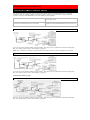
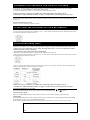
TO CORRECT OR CANCEL AN AUTOMATIC TIMER PROGRAM
1) Turn the power on.
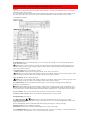
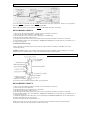
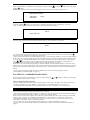
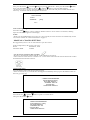
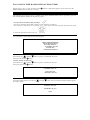
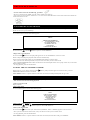
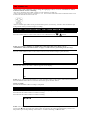
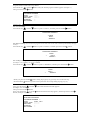
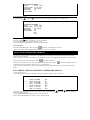
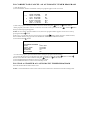
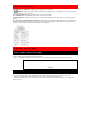
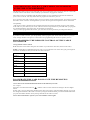
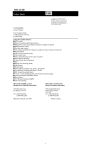
2) Press the MENU button. The details of the your program appear on the TV screen.
TIMER PROGRAMMING
→ 1
3
5
DATE STA/END
05/04 07:30 PM
THU 08:30 PM
05/11 10:00 PM
W THU 10:54 PM
05/21 11:00 PM
DAILY 11:30 PM
CH
16
SP
125
SLP
40
SLP
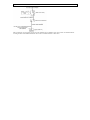
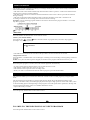
3) Select the program which you want to correct or cancel using the
/PLAY or
• If the program you wish to correct or cancel is not on the screen, press the PLAY/
until your desired program appears.
/STOP button.
or STOP/
button
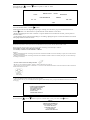
NOTE: If some empty program numbers exist, the lower program number appears on the TV screen by
pressing the REW/
button.
In this case, you can enter the new program. Press the F.FWD/ button during program number flashes,
then continue with the step [3] in the "AUTOMATIC TIMER RECORDING" section.
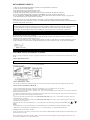
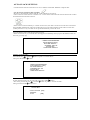
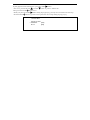
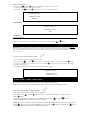
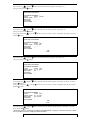
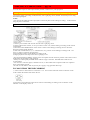
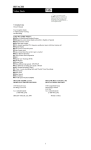
4) Press the F.FWD/
button.
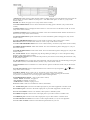
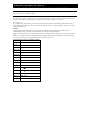
ONE TIME PROGRAM
PROGRAM NUMBER
DATE
START TIME
END TIME
CHANNEL
REC SPEED
1
05/04 THU
07:30 PM
08:30 PM
16
SP
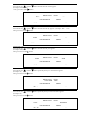
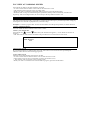
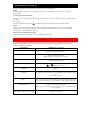
• To cancel the program, press the REW/ button during the program number flashes.
• To correct the program, go to the digit you want to change by using the F.FWD/ button or REW/
/PLAY or
/STOP button.
button. Then, enter the correct numbers using the
5) Press the RESET/EXIT button to return to original mode.
6) Press POWER button to return to timer stand-by mode.
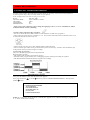
TO STOP A STARTED AN AUTOMATIC TIMER PROGRAM
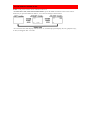
Press the STOP/EJECT button on the VCR.
NOTE: The STOP button on the remote control will not function in Automatic Timer Recording mode.