1
3.3
Loading Ribbon (Thermal Transfer)
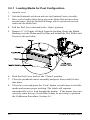
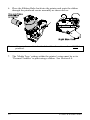
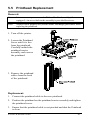
1. Open the cover.
2. Remove the two
ribbon hubs.
3. Slide a roll of Ribbon
onto one of the
Ribbon Hubs and an
Empty Core onto the
other hub.
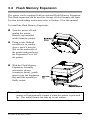
4. Push the Printhead Latch
down and raise the
Printhead Carrier
Assembly.
5. Slide the
Direct/Thermal
Transfer switch to the
‘Transfer’ position.
E-4203/E-4204/E-4304
11