1
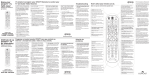
CheckMate™ IV Model RT-U49E Universal Remote Control Rev. 02/2001. © 2001, CONTEC CORPORATION 1. Introduction Your Checkmate IV, Model RT-U49E, universal remote control is simple to program, easy to use, and can operate up to four (4) electronic devices, which include: CABLE TV VIDEO AUDIO Cable television converters Televisions VCR, DVD players Audio-video (A/V) receivers Laser Disk (LD) players DMX & DCR Digital Music Converters Your remote control is pre-programmed to operate the Scientific-Atlantra Explorer® and Pioneer Voyager® digital converters. However, it must be programmed (set-up) to operate your TV, VCR and AUDIO devices. Eliminates reprogramming after battery changes provided new batteries are installed within 4 hours of removal of old batteries. 3. Installing / Replacing Batteries Install two (2) “AAA” batteries as indicated by the diagram in the battery compartment. When the batteries become too weak to operate the remote control properly, the mode keys will become dim or not illuminate at all during use. When this happens, install 2 new “AAA’” size batteries. Your remote control has Memory Guard, which eliminates reprogramming after battery changes provided new batteries are installed within 4 hours of removal of old batteries. 2. Before Getting Started 4. Programming Your Cable Converter Some of the special features on your remote control are: Your remote control is pre-programmed to operate the Scientific-Atlantra Explorer® and Pioneer Voyager® digital converters. If you are operating either of these converters, no cable programming is necessary - proceed to section 5. Your remote control is pre-programmed to operate the Scientific-Atlantra Explorer® and Pioneer Voyager® digital converters. If you are operating either of these converters, no cable programming is necessary. Point and Press™ Programming Lets you program your TV, VCR and Audio devices without using codes. For more information, see sections 5, 6 and 7. To have a clearer idea of the features and capabilities of your remote control, take a moment to carefully read these instructions Save for future reference. Memory Guard™ Programming your remote is a simple procedure using Point and Press™ Programming, an automatic method whereby the remote self-programs to each of your devices, eliminating the need to use codes. Programming your remote can also be done by entering code numbers. Cable Pre-Programmed Programming & Operating Instructions illuminate. While the current mode button is illuminated, press one of the other non-illuminated mode buttons to operate a different device. SmartKeys™ Program multiple button presses on the [CABLE], [TV], and [BYPASS] buttons. For more information, see section 13. [DEVICE] This button lets you select the operating mode of the remote control. Press [DEVICE] and the current mode button will If you need to operate another converter, look up the brand and model number in the Cable Setup Code list. If you are not sure of your brand and model, contact your cable company. To program (setup) your cable converter... 1. Turn on your cable converter. 2. Press [DEVICE], then [MUTE] together - hold both buttons down until the lighted mode buttons start blinking in sequence. 3. Press [CABLE]. The [CABLE] button will illuminate. 4. From the Cable Setup Code list, locate and enter the 3digit code for your brand and model. 5. Press [CABLE] to lock in the code. The [CABLE] button will blink 2 times and go out. Cable brand & setup code ___________________________ 5. Programming Your TV If you have a TV that’s operated by remote control, it’s recommended that you plug it directly into a wall outlet instead of the cable converter. To program (setup) your TV... 1. Turn on your TV. 2. Press [DEVICE], then [MUTE] together - hold both buttons down until the lighted mode buttons start blinking in sequence. 3. Press [TV]. The [TV] button will illuminate. 4 a. Press and hold [CH π] until your TV turns off. As soon as your TV turns off, release [CH π]!. OR b. From the TV Setup Code list, locate and enter the 3digit codes until your TV turns off. 5. Press [MUTE]. If your TV turns back on, press [TV] to lock in the code. The [TV] button will blink 2 times and go out. If your TV doesn’t turn back on, repeat steps 4 and 5 above until you can turn your TV off and on. 4. a. Press and hold [CH π] until your VCR or DVD turns off. As soon as your VCR or DVD turns off, release [CH π]!. OR b. From the VCR or DVD Setup Code list, locate and enter the 3-digit codes until your VCR or DVD player turns off. 5. Press [MUTE]. If your VCR or DVD player turns back on, press [VIDEO] to lock in the code. The [VIDEO] button will blink 2 times and go out. If your VCR or DVD doesn’t turn back on, repeat steps 4 and 5 above until you can turn your VCR or DVD off and on. VCR / DVD brand & setup code ______________________ ! NOTE when using the Point and Press™ Programming method (step 4a.). If you find a code that turns your VCR or DVD off but not back on, you may have gone past the correct matching code. Try pressing [CH θ] one step at a time until find a code that turns your VCR or DVD back on. 7. Programming Your Audio Device To program (setup) your audio-video receiver, laser-disk player, or digital music converter.... 1. Turn on your audio-video receiver, laser-disk player, or digital music converter. TV brand & setup code _____________________________ ! NOTE when using the Point and Press™ Programming method (step 4a.). If you find a code that turns your TV off but not back on, you may have gone past the correct matching code. Try pressing [CH θ] one step at a time until you find a code that turns your TV back on. 6. Programming Your VCR or DVD Player To program (setup) your VCR or DVD player... 1. Turn on your VCR or DVD player. 2. Press [DEVICE], then [MUTE] together - hold both buttons down until the lighted mode buttons start blinking in sequence. 3. Press [VIDEO]. The [VIDEO] button will illuminate. 2. Press [DEVICE], then [MUTE] together - hold both buttons down until the lighted mode buttons start blinking in sequence. off and on. Audio brand & setup code ___________________ ! NOTE when using the Point and Press™ Programming method (step 4a.). If you find a code that turns your audio device off but not back on, you may have gone past the correct matching code. Try pressing [CH θ] one-step at a time until find a code that turns your device back on. 8. Operating Your Converter Your remote control is designed to operate all the features and functions of your advanced cable converter. To select your remote’s CABLE mode and operate your converter, press [DEVICE] then [CABLE]. The [CABLE] button will blink 3 times. Then press... [CABLE] [TV] [VIDEO] [AUDIO] [CH π] / [CH θ] [VOLπ] / [VOL θ] volume. [MUTE] [EXIT] [SETTINGS] [GUIDE] [INFO] [FAV] [PG π] / [PGθ] [VOD τ] / [VOD υ] 3. Press [AUDIO]. The [AUDIO] button will illuminate. [3 3], [6 6], [4 4], [5 5] 4. a. Press and hold [CH π] until your audio device turns off. As soon as your audio device turns off, release [CHπ]!. [SEL] OR b. From the Audio Setup Code list below, locate and enter the 3-digit codes until your device turns off. 5. Press [MUTE]. If your audio device turns back on, press [AUDIO] to lock in the code. The [AUDIO] button will blink 2 times and go out. If your audio device doesn’t turn back on, repeat steps 4 and 5 above until you can turn your audio / auxiliary device [II] [! !] [" "] [>] [A], [B], [C] [0] - [9] [BYPASS] [Last] CABLE on / off. TV on / off. VCR/ DVD on / off. AUDIO on / off. Increases / decreases CABLE channel. Increases / decreases CABLE Mutes CABLE volume. Exits on-screen menus, view guide, interactive guides Displays programs settings. Displays interactive program guide. Displays channel, time information. View favorite channels. Page up / down through menus, view guide. Rewind (ττ) or fast-forward (υ υ) through a Video-on-Demand event. Navigate on-screen menus, program guide, PPV events and interactive services. Chose menu options, interactive screen items. Pause a Video-on-Demand event. Stop a Video-on-Demand event. Record a Video-on-Demand event Play a Video-on-Demand event. On screen decision buttons. Numeric entry buttons. Switch between cable converter and TV. Last channel viewed. In your remote’s cable mode, you can also press the blue buttons at the bottom to operate your VCR’s basic functions… 10. Operating Your VCR or DVD Player [<<] [>] [>>] [II] [! !] [" "] VCR / DVD rewind. VCR / DVD play. VCR / DVD fast-forward. VCR / DVD pause. VCR / DVD stop. VCR record. 9. Operating Your TV Your remote control can operate many functions of your TV, including setup and picture-in-picture functions on most leading brands. These include RCA, ProScan, GE, Hitachi, Toshiba, JVC, Sharp, Panasonic, Zenith, SONY, Mitsubishi, Phillips, and Magnavox. To select your remote’s TV mode and operate your TV, press [DEVICE] then [TV]. The [TV] button will blink 2 times. Then press... [TV] TV on / off. [CABLE] CABLE on / off. [VIDEO] VCR / DVD on / off. [AUDIO] AUDIO on / off. [CH π] / [CH θ] Increases / decreases TV channels. [VOL π] / [VOL θ] Increases / decreases TV volume. [MUTE] Mutes TV volume. [0] – [9] Numeric entry buttons. [SETTINGS] or [SEL] Accesses TV’s on-screen menus. [BYPASS] / [TV/VCR] Change TV’s video inputs. [>] View last TV channel [INFO] Displays TV channels and time. [PIP] Picture-in-picture on / off. [POS] Picture-in-picture position. [SWAP] Picture-in-picture swap. [FRZ] Picture-in-picture freeze. [3 3], [6 6], [4 4], [5 5] Navigates TV’s menu. [II] Press after 0-9 to change channels on some TV’s [C] Sleep / timer functions. In your remote’s TV mode, you can also press the blue buttons at the bottom to operate your VCR’s basic functions… [<<] [>] [>>] [II] [! !] [" "] VCR / DVD rewind. VCR / DVD play. VCR / DVD fast-forward. VCR / DVD pause. VCR / DVD stop. VCR record. Your remote control can operate many functions of your VCR or DVD player. To select your remote’s VIDEO mode and operate your VCR or DVD, press [DEVICE] then [VIDEO]. The [VIDEO] button will blink 3 times. Then press... [VIDEO] [CABLE] [TV] [AUDIO] [CH π] / [CH θ] VCR / DVD power on / off. CABLE on / off. TV on / off. Audio on / off. Increases / decreases VCR channels, or DVD skip “+ / -”. [0] – [9] Enter VCR channels. [BYPASS] / [TV/VCR] Change VCR’s video inputs. [EXIT] DVD clear functions. [SETTINGS] DVD menu functions. [GUIDE] DVD guide functions. [INFO] DVD program information. [3 3], [6 6], [4 4], [5 5] Navigate DVD menu. [II] DVD enter functions. [A] DVD subtitle on / off. [>] DVD return function. [MUTE] Mutes volume. [CH π] / [CH θ] Next / last preset tuner channel. [1] Select “Tuner” input. [2] Select “CD” input. [3] Select “Tape # 1” input. [4] Select “Tape # 2” input. [5] Select “Phone” input. [6] Select “VCR # 1” input. [7] Select “VCR #2” input. [8] Select “LD” input. [9] Select “AUX” input. [0] Select “TV” input. [BYPASS] / [TV/VCR] AM / FM on tuner. For Laser Disk players, press… [AUDIO] [CH π] / [CH θ] [<<] [>] [>>] [II] [! !] [" "] LD player on / off. LD >>| or |<< LD rewind. LD play. LD fast-forward. LD pause. LD stop. LD open / close. For DCR and DMX Digital Music Converters, press... In your remote’s VIDEO mode, you can also press the blue buttons at the bottom to operate your VCR’s basic functions… [<<] [>] [>>] [II] [! !] [" "] VCR / DVD rewind. VCR / DVD play. VCR / DVD fast-forward. VCR / DVD pause. VCR / DVD stop. VCR record. [AUDIO] [VOL π] / [VOL θ] [MUTE] [CH π] / [CH θ] [0] - [9] DCR / DMX on / off. Increases / decreases volume. Mutes volume. Change music selections. Enter selections directly. 12. Programming Volume Control When you first program your remote, each device controls its own volume / mute. 11. Operating Your Audio Device Your remote control can also operate many functions of your audio-video receiver, laser disk player, or DMX / DCR digital music converter. To select your remote’s AUDIO mode and operate your video devices, press [DEVICE] then [AUDIO]. The [AUDIO] button will blink 2 times. Then press... For Audio / Video (A / V) Receivers, press... [AUDIO] [VOL π] / [VOL θ] A/V receiver on / off. Increases / decreases volume. To control volume / mute through your TV or Audio device in the remote’s cable mode… 1. Press [DEVICE], then [MUTE] together - hold both down until the lighted mode buttons start blinking in sequence. 2. Press [CABLE] to select the cable mode. The [CABLE] button will illuminate. 3. Press [VOL π], then [TV] for TV volume. Or [VOL π] then [AUDIO] for audio volume. The [CABLE] button will blink 2 times and go out. To return volume control back to your converter, repeat steps 1. and 2. above, then press [VOL π], then [CABLE] in step 3. output channel (typically 3) with one button press. your remote’s [AUDIO] button… To control volume / mute through your TV or Audio device in the remote’s video mode… 1. Press [DEVICE], then [CABLE] to select the CABLE mode of your remote. 1. Turn on your 2nd TV. 1. Press [DEVICE], then [MUTE] together - hold both down until the lighted mode buttons start blinking in sequence. 2. Press [VIDEO] to select the video mode. The VIDEO button will illuminate. 2. Press [TV], then [SEL] together – hold both down together until the [TV] button illuminates. 3. In this order, press [0], [3]. The [TV] button will blink and remain illuminated. 3. Press [VOL π], then [TV] for TV volume. Or [VOL π] then [AUDIO] for audio volume. The [VIDEO] button will blink 2 times and go out. 4. Press [CH π] to lock in this setting. The [TV] button will blink 2 times and go out. 2. Press [DEVICE], then [MUTE] together - hold both buttons down until the lighted mode buttons start blinking in sequence. 3. Press [AUDIO], then [TV]. The [AUDIO] and [TV] buttons will start blinking. 4 To return the [TV] button to its normal default setting, repeat steps 1 and 2 above, then press [CH θ]. 13. Your Remote’s SmartKeys™ Your remote is equipped with three (3) SmartKeys™ ([CBL], [TV], [BYPASS]) that operate in its cable mode. Programming and using the [CABLE] SmartKey™ The [CABLE] button normally turns on / off your cable converter. You can program the [BYPASS] SmartKey™ to automatically tune your TV to its correct output channel. You can program the [CABLE] SmartKey™ to turn on your converter, TV, VIDEO and AUDIO devices with one button press. 1. Press [DEVICE], then [CABLE] to select the Cable mode of your remote. Each SmartKey™ can be programmed so whenever it’s pressed, it can transmit up to 8 individual button presses in sequence. 1. Press [DEVICE], then [CABLE] to select the Cable mode of your remote. 2. Press [CABLE], then [SEL] together – hold both down together until the [CABLE] button illuminates. 3. In this order, press [TV], [VIDEO], [AUDIO]. The [CABLE] button will blink and remain illuminated. 4. Press [CH π] to lock in this setting. The [CABLE] button will blink 2 times and go out. To return the [CABLE] button to its normal default setting, repeat steps 1 and 2 above, then press [CH θ]. OR b. From the TV Setup Code list, locate and enter the 3digit codes until your 2nd TV turns off. Programming and using the [BYPASS] SmartKey™ The [BYPASS] button (CABLE mode) normally puts your converter in a BYPASS mode. While the converter is in its BYPASS mode, you can record one program on your VCR while watching a different program through your TV. When exiting your converter’s BYPASS mode, your TV must be retuned to its correct output channel (typically 3) for proper cable reception. a. Press and hold [CH π] until your 2nd TV turns off. As soon as your 2nd TV turns off, release [CH π]!. 5. Press [MUTE]. If your 2nd TV turns back on, press [AUDIO] to lock in the code. The [AUDIO] button will blink 2 times and go out. If your 2nd TV doesn’t turn back on, repeat steps 4 and 5 above until you can turn your 2nd TV off and on. ! NOTE when using the Point and Press™ Programming method (step 4a.). If you find a code that turns your 2nd TV off but not back on, you may have gone past the correct matching code. Try pressing [CH θ] one step at a time until find a code that turns your 2nd TV back on. 2. Press [BYPASS], then [SEL] together – hold both down together until the [CABLE] button illuminates. If you want to program a 2nd VCR or DVD player in the above example, you would press [AUDIO], then [VIDEO] in step 3., then steps 4. and 5. referring to the Video Setup Code list. 3. In this order, press [DEVICE], [TV], [0], [3]. The [CABLE] button will blink and remain illuminated. 15. 4. Press [CH π] to store the setting. The [CABLE] button will blink 2 times and go out. To identify a 3-digit device code stored under the Point and Press™ method, follow these steps: To return the BYPASS SmartKey™ to its normal default setting, repeat steps 1 and 2 above, then press [CH θ]. 1. Press [DEVICE], then [MUTE] - hold both down until the illuminated mode buttons start blinking in sequence. Remember: When using any SmartKey™ to transmit a series of functions, be sure to keep your remote aimed at the devices to ensure all functions are received in their entirety. 2. Press [CABLE] to identify your cable converter code. Or [TV], [VIDEO], [AUDIO] to identify these codes. The selected mode button will be illuminated. Programming a 2nd TV, VCR, DVD Programming and using the [TV] SmartKey™ 14. The [TV] button normally turns on / off your TV. Instead of programming an audio device, you can program your remote to operate a 2nd TV, 2nd VCR, or 2nd DVD player. You can program the [TV] SmartKey™ so whenever it is pressed, it will turn on your TV, then tune your TV to its correct Here’s an example of how you would program a second TV to Code Number Readback 3. Press [INFO]. The illuminated button “blink back” the code numbers, with a 1 second interval between each digit of the code. Example: For code “035”, the remote will blink 10 times, then 3 times, then 5 times. CITIZEN 16. Helpful Tips & Troubleshooting 1. Your remote is equipped with a Point and Press™ quickprogramming sticker on the back of its case. This will help you quickly program the remote without using codes. 2. The illuminated mode button will remain on while the remote is in a programming mode. In the absence of an entry, the button will go out after 20 seconds. When locking in your devices, the illuminated mode button will blink 2 times and go off. 3. When using the Point and Press programming method, you may find a code that turns your device off but not back on. If this happens… a. the correct code has not been found. Continue pressing [CH π] until your devices turn on and off. b. you may have gone past the correct matching code. Try pressing [CH θ] one step at a time until find a code that turns your converter back on. 4. If you have any questions concerning the operation of your cable converter, contact your cable operator. Cable Setup Codes Manufacturer PIONEER SCIENTIFIC-ATLANTA Model Code BA-V1000 / 2000 BA-9000 VOYAGER 120 121 001 EXPLORER 001 TV Setup Codes Manufacturer Codes A MARK ADMIRAL AKAI AMPRO ANAM AOC AUDIOVOX CANDLE CAPEHART CETRONIC 112 072 001 073 043 058 076 001 058 043 143 081 160 161 146 167 054 056 080 112 131 055 001 004 112 002 003 004 CLASSIC CONCERTO CONTEC CORONADO CRAIG CROWN CURTIS MATHES CXC DAEWOO DAYTRON DYNASTY DYNATECH ELECTROHOME EMERSON FISHER FUNAI FUTURETECH GE GOLDSTAR HALL MARK HITACHI INFINITY INKEL JBL JCP JCPENNY JENSEN JVC KENWOOD KLOSS KTV LOGENET LOGIK LUXMAN LXI MAGNAVOX MARANTZ MATSUI MEMOREX METZ MGA MINERVA MITSUBISHI MTC 001 103 043 004 043 143 054 143 001 043 004 076 125 004 043 062 024 004 096 007 028 043 001 008 004 143 004 011 023 164 129 164 001 004 143 013 038 001 002 001 072 072 004 007 001 063 164 164 004 088 024 088 024 146 001 002 003 043 101 143 004 051 043 043 004 101 143 016 017 043 044 055 071 103 107 111 114 120 123 127 136 143 143 076 143 005 028 043 048 051 076 143 151 153 154 155 057 043 073 130 144 160 161 004 009 034 056 074 091 155 106 119 110 112 113 127 163 004 007 072 010 012 075 143 158 NAD NEC NIKEI ONKING ONWA OPTONICA PANASONIC PHILCO PHILIPS PIONEER PORTLAND PROSCAN PROTON QUASAR RADIO SHACK RCA REALISTIC RUNCO SAMPO SAMSUNG SANYO SCOTT SEARS SELECO SHARP 008 009 024 030 065 101 156 160 070 034 083 070 059 043 143 154 015 052 081 160 164 003 004 022 059 060 161 064 094 127 160 164 001 007 072 001 004 042 004 028 040 042 109 124 004 062 101 SIGNATURE SONY SOUNDESIGN SPECTRON SSS SUPRE MACY SYLVANIA SYMPHONICS TANDY TATUNG TETNICS TECHWOOD TEKNIKA TELERNET TERA TMK TOSHIBA TOTEVISION UNIVERSAL VIDEO CONCEPTS VIDIKRON 015 001 024 043 043 043 019 034 001 063 164 003 023 004 144 004 034 004 161 023 007 072 001 004 105 007 004 004 094 189 081 175 072 070 003 112 004 002 001 127 052 081 056 034 004 002 101 072 172 004 015 143 008 146 174 025 130 134 040 056 007 019 081 056 003 064 005 004 025 143 160 058 056 019 144 024 019 169 004 101 161 167 131 143 171 173 193 053 028 007 143 057 082 020 021 033 043 048 143 015 028 030 057 082 160 080 004 127 038 059 135 164 024 056 059 060 143 164 093 127 001 176 001 004 018 043 127 143 160 156 065 001 004 056 074 152 073 130 179 180 181 058 127 133 143 160 089 014 019 028 004 022 143 029 181 085 126 139 004 028 043 043 003 044 059 060 063 064 160 164 062 080 003 004 024 028 043 072 143 030 007 040 062 101 009 188 WESTING HOUSE VIDTECH WARDS YAMAHA YORK YUPITERU ZENITH ZONDA 076 004 004 060 001 004 043 072 112 064 164 008 009 019 028 061 063 072 074 143 004 073 095 103 VCR / DVD Player Codes Manufacturer Codes AIWA AKAI AMPRO ANAM AUDIO DYNAMICS BROKSONIC CANON CAPEHART CRAIG CURTIS MATHES DAEWOO 034 043 072 031 012 035 028 108 001 031 005 010 108 012 226 034 059 006 025 131 001 034 031 243 132 101 012 004 031 031 004 043 048 012 014 235 034 001 040 067 DAYTRON DBX DENON DYNATECH ELECTROHOME EMERSON FISHER FUNAI GE GO VIDEO GOLDSTAR HARMAN KARDON HITACHI INSTANTREPLAY JCL JCPENNY JENSEN JVC KENWOOD LG LLOYD LXI MAGIN MAGNAVOX 161 046 124 142 146 103 023 043 037 129 031 040 135 041 108 111 117 017 065 007 023 043 240 053 MARANTZ MARTA MATSUI MEI MEMOREX MGA MINOLTA MITSUBISHI MTC MULTITECH NEC NORMENDE OPTONICA PANASONIC PENTAX PHILCO PHILIPS PILOT PIONEER PORTLAND PROCAN PULSAR QUARTZ QUASAR RADIO SHACK RCA REALISTIC 029 035 037 129 153 017 027 031 034 036 046 101 138 010 008 009 RICO RUNCO SALORA SAMSUNG 072 144 147 063 107 109 SANSUI SANYO SCOTT SEARS 155 040 136 004 012 020 045 026 034 043 063 137 150 012 031 040 101 043 055 060 130 150 152 031 238 241 034 048 150 247 009 017 034 101 004 106 031 034 068 041 156 170 SHARP SHINTOM SONY SOUNDESIGN STS SYLVANIA SYMPHONIC TANDY TATUNG TEAC TECHNICS TEKNIKA 237 067 101 027 031 040 072 045 004 059 045 034 024 012 043 053 031 004 031 031 101 021 108 230 072 014 031 101 107 034 001 053 058 072 014 040 122 043 001 017 001 081 031 024 056 009 034 004 031 034 010 043 034 031 031 069 012 031 THOMAS TMK TOSHIBA 030 101 134 046 020 061 227 040 034 023 054 070 020 034 034 001 014 031 034 053 139 059 051 142 004 046 020 043 048 133 140 163 228 242 031 063 067 054 067 101 150 004 048 229 070 133 140 163 014 109 040 008 054 144 041 031 004 020 140 147 158 231 243 010 014 031 034 040 101 017 236 048 014 037 004 101 053 107 248 135 040 129 008 109 113 115 124 134 131 010 014 017 020 054 159 057 058 001 052 053 031 154 171 077 232 244 034 059 067 034 043 070 034 101 TOTEVISION UNITECH VECTOR RESEARCH VICTOR VIDEO CONCEPTS VIDEOSONIC WARDS YAMAHA ZENITH 034 006 017 233 040 040 012 048 012 040 001 053 012 072 153 131 004 008 059 082 150 245 101 034 046 141 004 054 034 034 247 017 024 031 034 040 131 043 234 246 056 058 048 080 101 AUDIO Setup Codes Manufacturer Codes ADC ADCOM AIWA 200 072 025 171 093 125 142 141 147 135 203 077 134 096 070 015 003 061 204 140 001 148 026 204 001 199 049 151 062 006 060 020 005 102 AKAI AMC ANGSTROM ARCAM AUDIO ACCESS AUDIO ALCHEMY AUDIO FILE AUDIO MATRIX AUDIO TECHNICA B&K BOSE BRYSTON CARVER CASIO CHIRO CINEMA SOUND CITATION CLARION CURTIS MATHES DENON ENLIGHTENED AUDIO FISHER FOSGATE GOLDSTAR HARMON KARDON HITACHI INKEL JCPENNY 082 092 161 071 091 100 104 114 170 138 126 127 097 113 170 008 014 016 027 028 040 090 099 151 203 134 056 105 119 151 155 188 050 157 072 064 066 115 153 157 162 204 JENSEN JVC KENWOOD KOSS KRELL KYOCERA LEXICON LINN LUXMAN LXI MAGNAVOX MARANTZ MCINTOSH MCS MERIDIAN MITSUBISHI MONDIAL NAD NAKAMICHI NEC ONKYO OPTIMUS PANASONIC PHILIPS PIONEER PROCEED RCA REALISTIC ROTEL SAMSUNG SANSUI SANYO SCOTT SEARS SHARP SHERWOOD SONY SOUNDESIGN SSI TAEKWANG TEAC TECHNICS THETA DIGITAL TOSHIBA YAMAHA ZENITH 058 013 005 102 150 200 120 124 004 204 043 027 173 204 009 180 022 048 079 080 001 103 017 007 063 001 158 144 010 019 074 123 032 151 019 204 026 024 011 112 036 068 138 019 076 065 033 002 192 106 163 177 178 026 057 086 095 154 166 167 171 172 029 035 137 139 165 152 164 191 028 048 063 090 191 051 121 023 042 073 075 087 111 182 183 012 107 026 088 188 039 168 041 044 046 081 138 130 132 195 191 054 069 078 128 067 117 156 034 037 047 083 085 063 110 116 057 094 175 038 018 052 053 055 084 089 186 187 059 109 111 080 088 098 122 193 131 021 026 031 067 101 118 143 Laser Disc Player Setup Codes Manufacturer 030 108 036 129 189 045 Codes CALIFORNAI AUDIO DAEWOO DENON DMX-DJ FISHER GOLDSTAR KENWOOD MAESTRO II MAGNAVOX MITSUBISHI NAD OPTIMUS PANASONIC PHILIPS QUASAR PIONEER RCA REALISTIC SAMSUNG SHARP SONY TECHNICS TOSHIBA YAMAHA 241 231 237 254 241 234 232 255 233 247 247 239 228 233 241 227 238 239 230 232 229 228 232 240 250 251 247 241 243 245 247 236 235 241 243 242 249 Digital Music Converter Setup Codes Manufacturer Codes DMX-DJ MAESTRO II 254 255 Rev. 02/2001. © 2001, CONTEC CORPORATION