1
Troubleshooting Guide
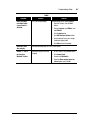
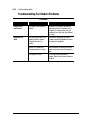
Diskette Drive or Zip Drive
Symptom
Diskette drive
cannot read a
diskette.
Problem
Diskette is not formatted.
Solution
Format the diskette by following these
steps:
1. Double-click the My Computer G
icon on the desktop.
2. Select the 3 1/2 Floppy (A:) drive.
3. Click File, and point to Format.
4. Select desired options, and click Start
to begin formatting the diskette.
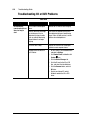
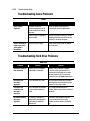
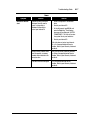
Zip drive (available
on select models)
cannot read a disk.
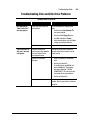
Zip drive (available
on select models)
indicator light
continuously blinks.
The wrong diskette type is
being used.
Check the type of drive you have and use
the correct diskette type.
Diskette drive has failed.
Call a Compaq Authorized Service
Provider. Refer to your Warranty Statement
for details.
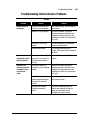
Windows does not detect Zip
driver.
Reinstall your Zip drive driver.
Wrong disk is being used.
Verify the disk you have inserted is a Zip
disk and is compatible with your Zip drive.
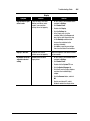
Windows is not enabled.
Zip drive cannot be used in DOS mode.
Zip disk is not inserted
properly.
Push the Disk Eject button to remove
disk, and then reinsert it.
9-7