1
Configuring Sleep State Settings (Sleep)
Procedure
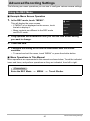
MENU * Setup * Sleep
This feature turns off the monitor screen whenever no camera operation is performed
for a preset amount of time. Press any button or touch the screen to turn the monitor
screen back on.
Trigger Time Settings: 30 sec, 1 min, 2 min, Off (Sleep is disabled while “Off” is
selected.)
• Sleep is disabled under any of the following conditions.
– In the PLAY mode
– While the camera is connected to a computer or other device
– During a slideshow
– During movie recording and playback
• When both sleep and Auto Power Off are turned on, Auto Power Off takes priority.
Configuring Auto Power Settings (Auto Power Off)
Procedure
MENU * Setup * Auto Power Off
Auto Power Off turns off the camera whenever no camera operation is performed for
a preset amount of time.
Trigger Time Settings: 1 min, 2 min, 5 min (The trigger time is always 5 minutes in the
PLAY mode.)
• Auto Power Off is disabled under any of the following conditions.
– While the camera is connected to a computer or other device
– During a slideshow
– During movie recording and playback
89
Other Settings (Set Up)