1
#3_MV4/MV4 MC-i_E(33-79) 01/7/31 10:04 Page 41 (1,1)
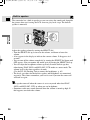
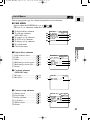
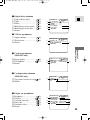
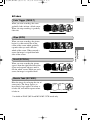
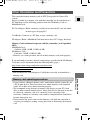
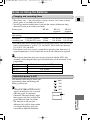
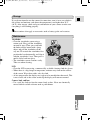
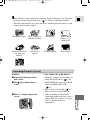
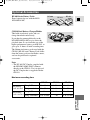
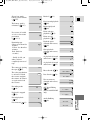
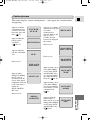
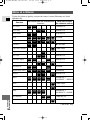
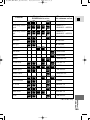
r Display set up submenu
!5
!6
!7
!8
!9
Brightness ............................. 21
Mirror mode.......................... 22
TV screen............................ 142
Date/time display.................. 48
Return
!5
!7
!9
SEL.SETSET
MENUCLOSE
+
BRIGHTNESS••–
MIRROR••••••ON
TV SCREEN•••ON
D/T DISPLAY•OFF
RETURN
E
DISP.SET UP
!6
!8
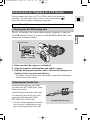
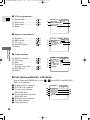
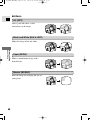
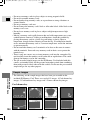
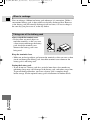
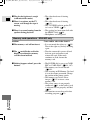
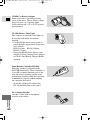
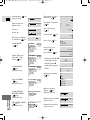
t System submenu
@0 Wireless controller................
@1 Beep ......................................
@2 Time zone/
Daylight saving time.............
@3 Date/time set .........................
@4 Return
44
18
SYSTEM
@0
@2
46
48
@4
SEL.SETSET
MENUCLOSE
WL.REMOTE•••
1
BEEP••••••••ON
T.ZONE/DST••PARIS
D/TIME SET••––.–––.––––
––:–– ––
RETURN
@1
@3
Using the Full
Range of Features
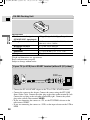
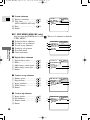
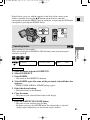
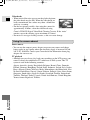
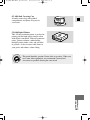
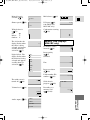
2 C. PLAY MENU (MV4i MC only)
Appears when the POWER dial is set to CARD
PLAY .
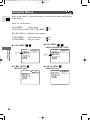
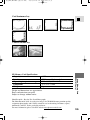
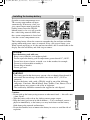
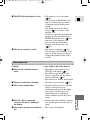
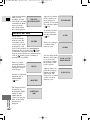
There are 4 submenus within the C. PLAY MENU.
q
w
e
r
t
To card operations submenu
To VCR set up submenu
To display set up submenu
To system submenu
Close main menu
C.PLAY MENU
1
3
5
SEL.SETSET
MENUCLOSE
CARD OPER.
VCR SET UP
DISP.SET UP
SYSTEM
RETURN
2
4
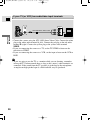
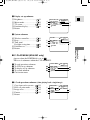
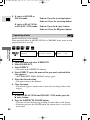
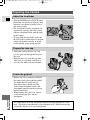
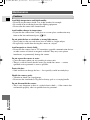
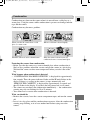
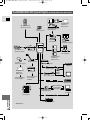
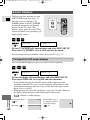
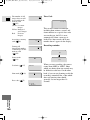
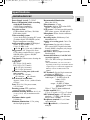
q-1 Card operations submenu (when playing back a single image)
q
w
e
r
t
Copy from card to cassette ...
Erase all print marks ...........
Image erase .........................
Format.................................
Return
121
114
115
122
CARD OPER.
q
e
t
]
COPY[
PRINT MARKS
IMAGE ERASE
FORMAT
RETURN
SEL.SETSET
MENUCLOSE
ALL ERASE
w
r
41