1
O
W
SE
R
V
C
A
S
L
N U
I C L E R E T B S * YO
R ES
D WO CR U
K
IB M
B IS
.
A EF PL RK E US
T
Q O
T
A
U RE Y PR O
O
A
R T T O R V YO
H
I
U
D
ER E
C
E R
LY S E A L R ’
L
S
F
FE E
W
E AT A
IS U IT
PA R E I N G
YA S W
BL IL
E. L
BT On-Air 2000 Classic ~ 1st Edition ~ Issue 2 ~ 11th November ’02 ~ 5051
This equipment is not designed for making emergency telephone calls when the power fails.
Alternative arrangements should be made for access to emergency services.
This product is intended for registration to any base in the BT On-Air range. It may also be
registered to other GAP compatible bases, with possible limited availability of some features.
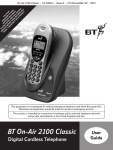
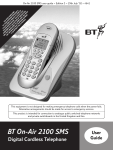
BT On-Air 2000 Classic
User
Guide
Digital Cordless Telephone
1
BT On-Air 2000 Classic ~ 1st Edition ~ Issue 2 ~ 11th November ’02 ~ 5051
At a glance
In Use
Handset
Shows that the handset is in use.
Silent mode
Handsfree
Displayed when the handset
ringer has been switched off.
Incoming calls will not cause the
handset to ring.
Indicates when handsfree mode
is active.
In range
Indicates that you are in range of
the base station.
Battery
Shows the status of the handset
battery. When the battery is fully
charged, the icon is completely
shaded. As the battery is used,
the shaded area is reduced.
Display
-1INT
EXT
Redial Intercom Recall
External Call
C
OK
Allows quick access to your
phonebook without having to go
via the menu.
Recall
Clear/Secrecy
When accessing the Menu,
allows you to clear or return
to the previous menu.
1
G HI
4
PQRS
7
ABC
2
JKL
5
T UV
8
Up/Down
1
MNO
6
WXYZ
Intercom
Enables internal calls and call
transfer between handsets.
9
To confirm settings.
Green phone/Handsfree
To answer a call and switch the
power on.
Red phone
Lets you move through the
options and lists and enter the
menu structure.
DEF
3
OK button
0
Allows you to talk to someone
in the same room without your
caller being able to hear the
conversation.
To end a call and turn the power off.
Displayed during a call with
another handset (an internal call).
Directory
Displayed during an external call.
For use with Switchboards and
Select Services.
Internal (Intercom) Call
Keypad
When on a call, allows you to use
handsfree (if this is available with
the base you are using).
Also, press and hold to enter the
redial and Calls List.
BT On-Air 2000 Classic ~ 1st Edition ~ Issue 2 ~ 11th November ’02 ~ 5051
Quick Guide to the
Menu Structure
Page number
1 PHONE BK
(Directory)
2 CALLS
11 NEW
12
12 EDIT
13
13 DELETE
13
(Please refer to your main On-Air user guide.)
21 DELETE
22 TIME
3 RING
31 MELODY
14
32 VOLUME
14
33 SILENT
15
34 BEEPS
15
4 ANSWER
(Only if registered to an On-Air 2250 or
2300 answering machine base.)
5 SET
51 LANGUAGE
15
52 END CALL
15
6 BASE
61 REGISTER
AUTO
7
CUSTOM
8
(Please refer to your main On-Air user guide.)
62 PRIOR
16
63 PARAM
Important
If you make a mistake you can return to the previous menu by pressing the CLEAR button. If you keep
pressing the CLEAR button you will return to the idle screen.
2
BT On-Air 2000 Classic ~ 1st Edition ~ Issue 2 ~ 11th November ’02 ~ 5051
In this guide
At a glance
1
Quick Guide to menu structure
2
Introduction
4
Unpacking your handset
For your records
Safety information
Setting up
5
Registering your handset
7
Using additional handsets and bases
Registering Classic handsets
Registering your handset to a fax
Using the telephone
Making and ending calls
Call timer
Handsfree
Secrecy
Redial
Call Waiting
Name and number directory
Internal calls
Transferring calls
Handset settings
General information
Guarantee
Technical information
Switchboard compatibility
Recall
Switchboard external line access code
Index
3
4
4
4
7
7
9
10
10
10
10
11
11
12
12
14
14
14
17
17
17
18
18
18
20
BT On-Air 2000 Classic ~ 1st Edition ~ Issue 2 ~ 11th November ’02 ~ 5051
Introduction
Unpacking your
BT On-Air 2000 Classic
If anything is missing, please contact your place of
purchase immediately.
One BT On-Air charger.
For your records
Date of purchase:
Place of purchase:
One BT On-Air 2000 Classic handset.
One NiMH rechargeable battery pack and
battery compartment cover.
One handset belt clip.
Three removable fascias.
Serial number
For guarantee purposes proof of purchase is required
so please keep your receipt.
Self adhesive label.
Safety information
General
Only use the power supply included with the product. Using
an unauthorised power supply will invalidate your guarantee and
may damage the telephone. The item number for the mains
power supply is 872101.
Do not open the handset or base station. This could expose you
to high voltages or other risks. Contact the helpline for all repairs.
Environmental
Do not expose to direct sunlight.
The product may heat up when the batteries are being
recharged. This is normal. However, we recommend that you
do not place the product on antique/veneered wood to avoid
damage.
Radio signals transmitted between the handset and base may
cause interference to hearing aids.
Do not stand your product on carpets or other surfaces which
generate fibres, or place it in locations preventing free flow of
air over it’s surfaces.
It is recommended that advice from a qualified expert be sought
before using this product in the vicinity of emergency/intensive
care medical equipment.
Do not submerge any part of your product in water and
do not use it in damp or humid conditions, such as in
bathrooms.
It is recommended that if you have a pacemaker fitted you check
with a medical expert before using this product.
Do not expose your product to fire, explosive or other
hazardous conditions.
Never dispose of batteries in a fire. There is a serious risk of
explosion and/or the release of highly toxic chemicals.
There is a slight chance that your phone could be damaged by
an electrical storm. We recommend that you unplug the power
and telephone line cord for the duration of the storm.
Cleaning
Simply clean the handset and charger with a damp (not wet)
cloth, or an antistatic wipe. Never use household polish as this
will damage the product. Never use a dry cloth as this
may cause a static shock.
4
BT On-Air 2000 Classic ~ 1st Edition ~ Issue 2 ~ 11th November ’02 ~ 5051
Setting up
Please note that your handset must be registered to
the base before use.
Plan the location
Situate your product close enough to the mains
power sockets so that the cables will reach.
Make sure it is at least 1 metre away from other
electrical products to avoid interference.
Do not situate the product in the bathroom or other
humid areas.
WARNING (cont)
Fully discharging the batteries at least once a week
will help them to last as long as possible. However,
the charge capacity of rechargeable batteries will
reduce with time as they wear out, so reducing the
talk/standby time of the handset. Eventually
they will need to be replaced. New batteries can
be obtained from the Helpline on 0870 240 4682.
Slide off the battery cover and install the battery.
Replace the battery cover.
1 Plug the power adaptor into the wall
socket and switch on
When the battery has been charged for at least 16
hours the display will show the symbol; you can
then connect the telephone line cord to the base.
2 Install the battery in the handset and
charge them for at least 16 hours
Battery low warning
If the handset battery symbol is empty and you hear
warning beeps, you will need to recharge your
handset before you can use it.
WARNING
Under no circumstances should non-rechargeable
batteries be used. Only use the approved batteries.
Using unapproved batteries will invalidate your
guarantee and may damage the telephone.
Under ideal conditions the battery should give
about 10 hours talktime and 120 hours standby
when the batteries have been fully charged.
5
Empty
/
13
/
23
Full
BT On-Air 2000 Classic ~ 1st Edition ~ Issue 2 ~ 11th November ’02 ~ 5051
Battery performance
Your handset is supplied with NiMH batteries.
These need to be initially charged continuously for
16 hours to reach full charge.
Note that the battery charge icon does not indicate
the correct level when the batteries are first
installed. The batteries must first be fully charged.
Helpline
If you are experiencing difficulty, please call the BT
On-Air Helpline on 0870 240 4682.
3 Changing your handset fascias
There are 3 removeable handset fascias to choose
from. Simply slide the fascias off and replace with
another.
4 Attach the belt clip
Slot
Fit the belt clip onto the back of the handset.
6
BT On-Air 2000 Classic ~ 1st Edition ~ Issue 2 ~ 11th November ’02 ~ 5051
Registering your handset
Using additional handsets
and bases
To register your BT On-Air 2000 Classic
handset to a base station (if you have
not changed System Code from 0000)
Up to six handsets can be registered and operated
from any one base (on fax machines up to four
handsets can be registered). This allows you to make
internal calls between two handsets while a third is
making an external call. Each handset can also be
registered on up to four bases.
Each additional handset you purchase must be
registered to a base.
If you are registering to a BT On-Air 1300, 1250,
2250 or 2300 base you will need to press the Skip button instead of the
button on the base.
At the base:Press and hold down the button on the base
until it starts to flash.
On the handset:-
▲
▼
Press the UP or DOWN button until the
display shows BASE.
C
OK
C
OK
C
OK
Press the OK button.
The display will show REGIST.
Press the OK button.
The display will show AUTO.
Press OK to confirm.
Note
Please note that when you register a handset in the
following way any previous base that the handset
has been registered to will be deleted. To prevent
the deletion of other registered bases please register
using the process on page 8 even if you have not
changed the system code from 0000.
If you have registered your handset to more than
one base you can prioritise which base you want
your handset to use. For instructions on base
station priority, see your main On-Air user guide.
7
-2-
Note
To check whether registration has been successful,
press the GREEN PHONE button and listen for the
dial tone. If there is no dial tone, either you have
not registered the handset correctly or the telephone
line cord is not plugged in properly.
BT On-Air 2000 Classic ~ 1st Edition ~ Issue 2 ~ 11th November ’02 ~ 5051
To register your BT On-Air 2000 Classic
handset to a base (if you have changed
System code from 0000)
On the handset:▲ Press the UP or DOWN button until the
▼ display shows BASE.
Press the OK button.
The display will show REGIST.
Press the OK button.
The display will show AUTO.
▼ Press the DOWN button until CUSTOM is
displayed.
The available bases will be displayed.
▲ Use the UP or DOWN button to select the
▼ base you want to register your handset to.
Press the OK button.
The display will show CODE?.
The display will show ____ ____ .
CODE Enter your 4 digit base system code
(once only).
Press the OK button.
C
OK
C
OK
C
▲
▼
C
Press the UP or DOWN button until the
display shows BASE.
OK
▼
C
Press the OK button.
Press the DOWN button until the display
shows PARAM.
OK
Press the OK button.
Press the 3 button twice.
CODE Enter your base system code (0000 if not
changed).
All registered handset numbers are
displayed.
Enter the number of the handset you wish
to de-register.
OK
C
C
OK
Press the C button to exit.
Note
OK
▲
▼
C
To de-register your BT On-Air 2000
Classic handset from the base
OK
At the base:Press and hold the button on the base until
it starts to flash.
On the handset:The display will show 2, 3, 4, 5, 6.
Use the UP or DOWN button to select the
handset you wish to register.
Press the OK button.
The display will show REGIST.
When planning to use a handset with more than
one base, we recommend that you:
• Number each handset (from 1-6).
• Register your handset(s) at base 2
(and 3 & 4 if used) using the same internal
number as at base 1.
When registered to more than one base, the base
unit will automatically allocate itself a number.
Note
The number you save becomes the handset’s name
(ie. ‘Handset 1’).
8
BT On-Air 2000 Classic ~ 1st Edition ~ Issue 2 ~ 11th November ’02 ~ 5051
Registering your handset to a
BT DECTfax, BT DECTfax Plus
or BT On-Air DECTf@x Plus.
To register your BT On-Air 2000 Classic
handset to more than one dectfax
machine or base station (or if you have
changed your System Code from 0000)
The following instructions need to be carried
out on your fax machine before you can register
your handset.
OK
On your BT DECTFax and
BT DECTFax Plus:
or
Press the OK or function button.
On the handset:-
▲
▼
Press the UP or DOWN button until the
display shows BASE.
C
OK
C
OK
The display will show REGIST.
Function
TUV
8
Press the 8 button twice.
OK
Press the OK button or function button.
Press the DOWN button until CUSTOM is
displayed.
The available bases will be displayed.
Function
Or on your BT On-Air DECTF@x Plus:
▲
▼
Press the OK button.
MNO
Press the 6 button.
6
Press the OK button.
The display will show AUTO.
▼
or
OK
Press the OK button.
1
Press the 1 button.
OK
Press the OK button.
C
Use the UP or DOWN button to select the
base you want to register your handset to.
OK
Press the OK button.
The display will show CODE?.
CODE The display will show ____ ____ .
Enter your 4 digit base system code
(once only).
To register your BT On-Air 2000 Classic
handset to your dectfax machine (if you
have not changed the System Code
from 0000)
C
OK
At the base:Press and hold the button on the base until
it starts to flash.
On the handset:-
At the base:-
The display will show 2, 3, 4, 5, 6.
Press and hold down the button on the base
until it starts to flash.
▲
▼
On the handset:-
▲
▼
Press the UP or DOWN button until the
display shows BASE.
C
OK
C
OK
Press the OK button.
C
Use the UP or DOWN button to select the
handset you wish to register.
OK
Press the OK button.
The display will show REGIST.
Press the OK button.
The display will show REGIST.
Press the OK button.
The display will show AUTO.
C
OK
Press OK to confirm.
-29
Helpline
If you are experiencing difficulty, please call the BT
On-Air Helpline on 0870 240 4682.
BT On-Air 2000 Classic ~ 1st Edition ~ Issue 2 ~ 11th November ’02 ~ 5051
Using the telephone
To switch the handset power on and off
To end a call
Press and hold the GREEN PHONE button
until the display check sequence has
happened and only the battery icon is
displayed.
If you release the button before this has
happened the handset will remain switched
off.
Press the RED PHONE button.
To receive an external call
Press the GREEN PHONE button to answer
the call.
Press and hold the RED PHONE button to
switch the handset off.
To adjust the earpiece volume
Making and ending calls
To make an external call
Press the GREEN PHONE button.
The display shows the
symbol.
You can adjust the volume during a call.
▲
▼
Press the UP button to increase the volume.
Press the DOWN button to decrease the
volume.
The display shows the current volume level.
Dial the number.
Note
Preparator y dialling
First enter the number to be dialled.
The number is shown in the display.
(If you make a mistake press C to remove
the incorrect digit).
The symbol on your handset display indicates
when you are in range of the base station. If the
symbol disappears you are out of range and will
need to move closer to the base station.
If you have entered the number correctly,
press the GREEN PHONE button to dial
the number.
Handsfree
Call timer
Your handset will automatically time the duration of
all external calls. The handset display shows the call
duration during your call and for a few seconds after
it is completed.
Handsfree allows you to talk to your caller without
holding the handset. Please note that handsfree is only
available if the base station your handset is registered
to supports the handsfree feature.
10
BT On-Air 2000 Classic ~ 1st Edition ~ Issue 2 ~ 11th November ’02 ~ 5051
To use handsfree
Redial list
During a call you can switch to handsfree
mode.
Press and hold the GREEN PHONE button.
Whilst on a call press the GREEN PHONE
button.
The display will show CALLS and then the
last number that was dialled or received.
▲
▼
When handsfree is active you see the
symbol flashing
Use the UP or DOWN button to scroll to
the number you require.
Press the GREEN PHONE button to dial the
number.
To switch handsfree off, press the GREEN
PHONE button again.
▲
▼
To adjust the volume use the UP or DOWN
button to increase or decrease the volume.
Note
When you end your call the handsfree volume will
return to the default setting of volume level 2.
Note
If you press the OK button when a number in the
redial list is displayed you will see the time and
date of the call.
To delete all numbers in the redial list
Secrecy
When on a call you can talk to someone in the same
room, without your caller hearing.
▼
Press the DOWN button until calls is
displayed.
C
OK
C
OK
C
OK
To switch secrecy on/off
C
OK
C
OK
During a call, press the C button.
C will now flash to show it is in operation.
Press the C button again to resume your call.
Redial
Your handset automatically saves up to 20 telephone
numbers dialled and received into a Calls list.
To use this feature you will need to subscribe to your
network provider’s Caller Display Service and ensure
that your base station supports Caller Display.
11
Press the OK button. The display will show
DELETE.
Press the OK button to confirm. The display
will show DONE. All numbers in the redial
and calls list have been deleted.
Press the C button twice to exit.
BT On-Air 2000 Classic ~ 1st Edition ~ Issue 2 ~ 11th November ’02 ~ 5051
To view the length of the last call
▼
C
Press the DOWN button until CALLS is
displayed.
OK
▼
C
To use Call Waiting
Recall
Press the OK button to confirm.
Press the DOWN button until TIME is
displayed.
OK
Recall
Press the OK button to confirm.
The length of the last call will be shown on
the display.
C
OK
Press the C button twice to exit.
You can answer the second call, without
disconnecting your first caller, by pressing
the RECALL button. The first caller will be
put on hold.
When you have spoken to the second caller
you can return to the first caller by pressing
the RECALL button again. You can switch
back and forth between the two calls
without disconnecting either if you wish.
If you wish to disconnect the first call press
the RED PHONE button after speaking to
the first caller.
The handset will then ring. Press the
GREEN PHONE button again and continue
with the second caller.
Answer
The Answer feature which is shown in your On-Air
2000 Classic’s menu is only available if you have an
On-Air 2250 or 2300 telephone answering machine.
It allows you to use the answering machine via your
On-Air 2000 Classic handset. Please refer to your
main On-Air answering machine user guide for
instructions.
The second caller will only be charged for
their call from the moment you answer and
not while they are waiting for your initial
contact.
50 Name and number directory
You can store up to 50 of your most frequently used
names and numbers.
Call Waiting
Important
Quick guide to directory settings menu
1 PHONE BK
To use Call Waiting you must first subscribe to
your Network Provider’s Call Waiting Service.
A quarterly fee is payable.
For more information on BT Select Services call
BT free on 0800 800 150.
If an incoming call arrives while you are already
engaged on a telephone call, you will hear a soft beep
every 5 seconds (this beep is not audible to the
person you are speaking to).
Instead of the engaged tone, the second caller will
hear an announcement to hold on as you are aware
that there is a second call.
11 NEW
12 EDIT
13 DELETE
To store a name and number in the
directory
▼
C
Press the DOWN button until PHONE BK is
displayed.
OK
Press OK to confirm.
OK
Press OK to confirm.
▼
C
Use the DOWN button to scroll to NEW.
Enter the name using the letters on the
keypad.
12
BT On-Air 2000 Classic ~ 1st Edition ~ Issue 2 ~ 11th November ’02 ~ 5051
Entering names
Use the keypad letters to enter names by
using a long press of the button, i.e. if you
press and hold the 2 button the following
characters appear, T, U, V. You can enter
names of up to 8 characters.
To edit directory numbers
▼
C
TUV
MNO
6
MNO
6
To enter the letter T, press 8 the cursor will
automatically move to the right and display
the next chosen letter.
To enter O, press 6 and hold.
OK
If you enter a digit incorrectly you can
delete it by pressing the C button.
C
OK
Press OK to confirm.
Enter the telephone number you want to
store.
OK
C
Press OK to confirm.
Press OK to confirm.
Use the UP or DOWN button to scroll to
EDIT.
OK
▲
▼
Press OK to confirm.
Use the UP or DOWN button to find the
entry you want to amend.
C
OK
C
OK
To enter the M, press 6.
C
C
OK
▲
▼
For example, if you wish to store the name
TOM:
8
Press the DOWN button until PHONE BK
is displayed.
Press OK to confirm.
Use the C button to delete numbers or
letters.
Edit the entry using the numbers/letters on
the keypad.
C
OK
C
OK
Press the OK button to store the new entry.
The display will then show DONE.
Press the C button twice to exit.
The display will then show DONE.
C
OK
Press the C button twice to exit.
To delete directory numbers
To dial a number from the directory
Directory
▲
▼
Press the DIRECTORY button to enter the
directory.
▲
▼
C
OK
C
Or
OK
▲
▼
C
Press the OK button.
Press the DOWN button until the display
shows DELETE.
▼
Use the UP or DOWN button to find the
entry you want to dial.
To search alphabetically, press the relevant
keypad number, for example to find TOM,
press the 8 button and scroll through the
entries under T.
Press the UP or DOWN button until the
display shows PHONE BK.
Press the OK button.
Use the UP or DOWN button to select the
name and number you want to delete.
OK
Press the OK button to delete.
The directory name and number has been
deleted.
Press the GREEN PHONE button to dial
the number.
The display will show DONE.
(If there are no numbers in the directory to
delete, the display will show EMPTY.
C
13
OK
Press the C button twice to exit.
BT On-Air 2000 Classic ~ 1st Edition ~ Issue 2 ~ 11th November ’02 ~ 5051
Internal calls
If you have multiple handsets registered to a base
you can make internal calls between handsets.
Handset settings
Quick guide to handset settings menu
3 RING
To make an internal call to another
handset
31 MELODY 5 SET
32 VOLUME
33 SILENCE
34 BEEPS
51 LANGUAGE
52 END CALL
Intercom
Ringer melody
Press the INTERCOM button.
Enter the number of the handset you want
to call.
▲
▼
Or
Enter the digit ✱ if you want to call all the
handsets.
Press the RED PHONE button to end the call.
Press the UP or DOWN button until the
display shows RING.
C
OK
Press the OK button.
C
OK
Press the OK button.
The display will show MELODY.
▲
▼
Use the UP or DOWN button to select the
melody you require.
There are 6 melodies to choose from.
Transferring calls
C
OK
Press OK to confirm.
C
OK
Press the C button twice to exit.
You can transfer an external call to another handset
registered to the base.
The display will show DONE.
To transfer an external call between
handsets
Ringer volume
While on an external call:
C
OK
Press the OK button.
Enter the number of the handset to which
you want to transfer the call.
▲
▼
C
Press the GREEN PHONE button to transfer
the call.
If you wish you can talk to the other handset
user first.
Press the UP or DOWN button until the
display shows RING.
OK
▼
C
Press the DOWN button until the display
shows VOLUME.
OK
▲
▼
Press the RED PHONE button to disconnect
the call.
Press the OK button.
Press the OK button.
Use the UP or DOWN button to select the
volume you require. There are 4 volume
levels to choose from.
C
OK
C
OK
Press OK to confirm.
The display will show DONE.
Press the C button twice to exit.
14
BT On-Air 2000 Classic ~ 1st Edition ~ Issue 2 ~ 11th November ’02 ~ 5051
To change the display language
Silent ring
▲
▼
C
OK
▼
C
Press the OK button.
C
▲
▼
Press the OK button.
OK
OK
C
OK
C
OK
C
OK
OK
Press the C button twice to exit.
When silent ring is switched on the handset will
not ring or emit any keypad beeps.
If you switch automatic end call ON you can
end a call by simply placing the handset
back on the charger. This means you won’t
always have to press the RED PHONE
button to end a call.
▲
▼
Keypad beeps
C
C
C
Press the UP or DOWN button until the
display shows RING.
OK
Press the OK button.
▼
Press the DOWN button until the display
shows BEEPS.
▲
▼
Use the UP or DOWN button to select
either OFF or ON.
OK
15
OK
Press the UP or DOWN button until the
display shows SET.
OK
▼
C
Press the C button twice to exit.
Press the OK button.
Press the DOWN button until the display
shows END CALL.
OK
▲
▼
Press the OK button.
Use the UP or DOWN button to select
either OFF or ON.
C
OK
C
OK
Press OK to confirm.
The display will show DONE.
Press OK to confirm.
The display will show DONE.
C
Press the C button twice to exit.
To switch automatic end call on or off
Note
▲
▼
Press OK to confirm.
The display will show DONE.
The display will show DONE.
C
Press the OK button.
Use the UP or DOWN button to select the
language you require (English, German,
Spanish, Italian, Dutch, Portuguese
or French).
symbol to
Press OK to confirm.
Press the OK button.
Press the DOWN button until the display
shows LANGUAGE.
▲
▼
Use the UP or DOWN button to select
either OFF or ON.
The display will show the
indicate a silent ring.
Press the UP or DOWN button until the
display shows SET.
▼
Press the DOWN button until the display
shows SILENT.
OK
C
▲
▼
Press the UP or DOWN button until the
display shows RING.
Press the C button twice to exit.
BT On-Air 2000 Classic ~ 1st Edition ~ Issue 2 ~ 11th November ’02 ~ 5051
To view the date and time
▲
▼
C
▲
▼
Press the UP or DOWN button until the
display shows BASE.
OK
▼
C
To set the date
Press the OK button.
C
Press the OK button.
OK
▼
Press the DOWN button until the display
shows PARAM.
OK
Press the UP or DOWN button until the
display shows BASE.
C
Press the DOWN button until the display
shows PARAM.
OK
The display will show F.
C
Press the 1 button.
1
The display will show the current date.
▼
Press the 3 button.
DEF
3
Press the DOWN button to display
the time.
OK
The current date is displayed
i.e. 05 02 2002.
Press the C button twice to exit.
Enter the date.
▲
Press the UP button to go back a digit if you
make a mistake and enter the correct digit.
(Please note that you cannot change the
20 of 2002).
To set the time
▲
▼
C
Press the UP or DOWN button until the
display shows BASE.
OK
▼
C
Press the OK button.
The display will show F.
Press the 1 button twice.
1
Press the OK button.
C
OK
C
OK
Press OK to confirm.
The display will show F.
Press the C button to exit.
Press the OK button.
Press the DOWN button until the display
shows PARAM.
OK
Press the OK button.
The display will show F.
Press the 1 button.
1
Press the 2 button.
ABC
2
The current time is displayed.
Enter the time.
C
OK
Press OK to confirm.
C
OK
Press the C button to exit.
The display will show F.
16
BT On-Air 2000 Classic ~ 1st Edition ~ Issue 2 ~ 11th November ’02 ~ 5051
General information
Guarantee
Your BT On-Air 2000 Classic is guaranteed for a
period of 12 months from the date of purchase.
Subject to the terms listed below the guarantee will
provide for the repair of, or at BT’s or its agent’s
discretion the option to replace the BT On-Air 2000
Classic, or any component thereof, (other than
batteries), which is identified as faulty or below
standard, or as a result of inferior workmanship or
materials. Products over 28 days old from the date of
purchase may be replaced with a refurbished product.
If you have to return your product
If the Helpline are unable to remedy your problem
they will ask you to return the product. Pack the base
station and handset securely, preferably in the original
packaging. All parts must be returned, including line
cords, power supplies and original batteries. (Please
note that we can not take responsibility for goods
damaged in transit). Use the self adhesive Freepost
label to post your product.
If you have lost the label please call the Helpline for
instructions.
The conditions of this guarantee are:
• The guarantee shall only apply to defects that
occur within the 12 month guarantee period.
• Proof of purchase is provided.
• The equipment is returned to BT or its agent
as instructed.
• This guarantee does not cover any faults or
defects caused by accidents, misuse, fair wear
and tear, neglect, tampering with the equipment,
or any attempt at adjustment or repair other than
through approved agents.
• This guarantee does not affect your statutory
rights.
Within the 12-month guarantee period:
If you experience a problem with your product you
should contact the Helpline on 0870 240 4682.
Calls are charged at national call rates. If the problem
is not remedied, you will be advised to return your
product to the Helpline.
Important
Keep proof of posting
Make sure the Post Office give you proof of posting.
Technical information
How many handsets can you have?
All items of telephone equipment have a Ringer
Equivalence Number (REN) which is used to calculate
the number of items that may be connected to any
one telephone line. The BT On-Air 2000 Classic (with
up to 6 handsets) has a total REN of 1. Any other
instrument provided by BT may be assumed to have
a REN of 1 unless stated otherwise.
Outside the 12-month guarantee period:
If your product needs repair after the guarantee
period has ended, the repair must meet the approval
requirements for connection to the telephone
network. We recommend that you call the Helpline
on 0870 240 4682 and ask for details of our
recommended repair agents.
17
Helpline
If you are experiencing difficulty, please call the
BT On-Air Helpline on 0870 240 4682.
BT On-Air 2000 Classic ~ 1st Edition ~ Issue 2 ~ 11th November ’02 ~ 5051
A total REN of 4 is allowed per telephone line. (For
example: if the BT On-Air Classic is used in
conjunction with three extension telephones, each
with a REN of 1, then the total REN = 4)
Recall
To activate Recall
Only use approved power supply item code: 872101.
Only use approved batteries supply item code:
872102.
This is of use when connected to some
switchboards i.e. to transfer calls or for
some BT Select Services or those services
available via your Network Provider. It is
only available when a call is in progress.
RTTE
This apparatus was designed in compliance with
European Council decision Number 98/482/EC
relative to pan-European connection in view to its
connection on the Public Switched Telephone
Network (PSTN). It is in conformity with Standards
TBR21, TBR38(*)ETSI 201 121.
Recall
When you need to use recall during a call:Press the RECALL button.
appears on the display.
(*) Terminals integrating an analogue handset function.
If problems arise, your supplier should be contacted
first.
The EC marking attests product conformity with the
essential requirements in compliance with Directives
73/23/EC for User Safety, 89/336/EC for
Electromagnetic perturbations and 98/13/EC for
Telecommunication network access.
The manufacturer declares that the products have
been manufactured in conformity with Annex III of
RTTE Directive 99/05/EC.
To switch between tone and pulse
dialling
▲
▼
C
Press the UP or DOWN button until the
display shows BASE.
OK
▲
▼
C
Press the UP or DOWN button until the
display shows PARAM.
OK
Press the OK button.
The display will show F.
Please note this product does not support earth recall.
ABC
2
Press the 2 button twice.
▲
▼
Use the UP or DOWN button to select
either 1 for tone or 2 for pulse (the default
setting is tone).
Switchboard compatibility
Generally this telephone may be connected to
switchboards which support tone signalling and
timed break recall. In the event of any difficulties
please consult your switchboard service provider.
Press the OK button.
C
OK
Press the OK button to confirm.
C
OK
Press the C button to exit.
Switchboard External Line
Access Code
When you connect your telephone to a switchboard,
you can set the switchboard’s external line access
code so that when you make an external call using
the handset directory, redial list or preparatory
dialling the code is automatically dialled before the
number.
18
BT On-Air 2000 Classic ~ 1st Edition ~ Issue 2 ~ 11th November ’02 ~ 5051
To set the external line access code
▲
▼
C
For the external line access code to be dialled for
external calls only, it is important that all external
numbers stored in your handset memories contain
more digits than the number of digits required to
make an internal call to other extensions on your
switchboard.
Press the UP or DOWN button until the
display shows BASE.
OK
▲
▼
C
Note
Press the OK button.
Press the UP or DOWN button until the
display shows PARAM.
OK
This is most likely to occur when you have local
external numbers stored in the handset memories
without the area code. To overcome potential
problems ensure that all numbers are stored complete
with area code.
Press the OK button.
The display will show F.
ABC
Press the 2 button.
G HI
Press the 4 button.
2
4
Press the 1 button.
1
Enter the switchboard external line access
code, e.g. 9.
You can enter codes up to 8 digits in length.
C
OK
Press OK to confirm,
C
OK
Press the C button to exit.
To activate and de-activate the external
line access code
▲
▼
C
C
Press the UP or DOWN button until the
display shows BASE.
OK
▲
▼
C
C
ABC
G HI
4
ABC
Press the OK button.
ABC
Press the 2 button.
G HI
Press the 4 button.
4
3
Press the 3 button.
▲
▼
Use the UP or DOWN button to select 0 to
de-activate, or 1 to activate.
Press the 2 button.
C
OK
Press OK to confirm.
Press the 4 button.
C
OK
Press the C button to exit.
Enter the number of digits you dial to make
internal calls to other extensions on your
switchboard.
19
OK
DEF
Press the OK button.
Press the 2 button.
2
Press the UP or DOWN button until the
display shows PARAM.
2
The display will show F.
2
Press the OK button.
The display will show F.
Press the OK button.
Press the UP or DOWN button until the
display shows PARAM.
OK
OK
▲
▼
To set the number of digits
▲
▼
Press the UP or DOWN button until the
display shows BASE.
C
OK
Press OK to confirm.
C
OK
Press the C button to exit.
BT On-Air 2000 Classic ~ 1st Edition ~ Issue 2 ~ 11th November ’02 ~ 5051
Index
Answer
12
Automatic end call
15
Belt clip
registering
9
General information
17
5
5
5
6
Guarantee
17
6
Helpline
Batteries
charge
install
low warning
performance
Fax machine
Handset fascias
Handsfree
6
10
6
Call timer
10
Calls
end
internal
make
receive
redial
secrecy
transfer
10
14
10
10
11
11
14
Make a Call
10
Melody
14
Calls waiting
12
Menu structure
Cleaning
4
Date
set
view
16
16
Delete
directory entry
redial list
13
11
De-register
classic handset
8
Internal calls
14
Keypad beeps
15
Language
15
Length of last call
12
2
Number Memory
delete
dial
edit
store
13
13
13
12
On/Off
power
secrecy
Power on/off
Directory
delete
dial
edit
store
13
13
13
12
Quick guide to menu
Earpiece volume
10
Recall
10
11
10
Power supply
5
Pulse dialling
18
2
18
20
BT On-Air 2000 Classic ~ 1st Edition ~ Issue 2 ~ 11th November ’02 ~ 5051
Receiving calls
10
Redial list
delete
11
11
Registering
classic handsets
fax machine
7
9
Returning your product
17
Ringer melody
14
Safety information
Secrecy
4
11
Setting Up
5
Silent ring
15
Store a number
12
Switchboard compatibility
18
Switchboard external line access code
18
Technical information
17
Time
set
view
16
16
Timer
10
Tone dialling
18
Transfer calls
14
Volume
beeps
earpiece
ringer melody
ringer volume
21
15
10
14
14
BT On-Air 2000 Classic ~ 1st Edition ~ Issue 2 ~ 11th November ’02 ~ 5051
Offices Worldwide
The telecommunications services described in this publication
are subject to availability and may be modified from time to time.
Services and equipment are provided subject to British
Telecommunications plc’s respective standard conditions of contract.
Nothing in this publication forms any part of any contract.
Touchtone™ is a registered trade mark of
British Telecommunications plc in the UK.
© British Telecommunications plc 2002.
Registered Office: 81 Newgate Street, London EC1A 7AJ.
Registered in England No. 1800000.
Designed by: The Art & Design Partnership Limited.
Printed in Europe. On-Air 2000 Classic. Issue 2 (11/02) 1