1
Table of Contents
Before You Use This Product .......................................................................................... 0
FCC Warning .................................................................................................................. 0
Regulatory Information .................................................................................................... 1
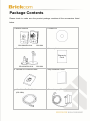
Package Contents........................................................................................................... 0
Cube Network Camera Overview.................................................................................... 1
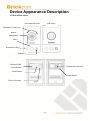
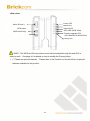
Device Appearance Description ...................................................................................... 4
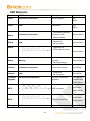
LED Behavior .................................................................................................................. 6
Installation ....................................................................................................................... 8
System Requirements .............................................................................................. 8
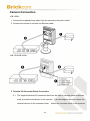
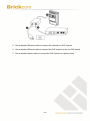
Camera Connection ................................................................................................. 9
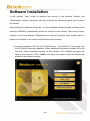
Software Installation ............................................................................................... 12
EasyConfig ...................................................................................................... 19
Accessing the Network Camera .................................................................................... 28
Check Network Settings ......................................................................................... 28
Add Password to Prevent Unauthorized Access .................................................... 28
Authentication......................................................................................................... 29
Installing the Plug-In ............................................................................................... 30
Live View....................................................................................................................... 31
Configuration................................................................................................................. 34
Camera/Video/Audio .............................................................................................. 34
Camera ............................................................................................................ 34
Video................................................................................................................ 36
Audio................................................................................................................ 39
Multicast........................................................................................................... 40
Privacy Mask Control ....................................................................................... 41
Network .................................................................................................................. 42
IP Settings ....................................................................................................... 42
UPnP ............................................................................................................... 43
DDNS (dynamic domain name service) ........................................................... 44
EasyLinkTM ....................................................................................................... 45
Wireless ........................................................................................................... 46
HTTP/HTTPS................................................................................................... 53
Event ...................................................................................................................... 55
Event Settings .................................................................................................. 55
Motion Detection .............................................................................................. 59
Digital Input (DI) ............................................................................................... 60
-
-