1
IMPORTANT
!
•
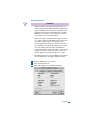
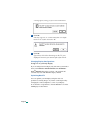
If your computer stops responding (hangs) after
installing the RADEON™ MAC® EDITION video card,
you may have an incompatible graphics accelerator
extension. This can occur when Mac OS software or
other ATI graphic accelerator cards are installed.
•
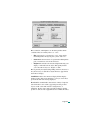
Restart your computer and hold down the SHIFT key
during startup. This disables all extensions from loading.
After disabling extensions, you can update the graphics
accelerator extension by installing the software included
with your card. For more information about installing
the software, see “Installing Software” on page 12
Installing your RADEON™ MAC®
EDITION
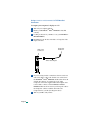
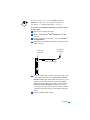
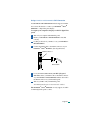
1 Turn off your computer, and disconnect the monitor cable.
2 Open your computer. If necessary, consult your computer
system manual for instructions.
Page 4