1
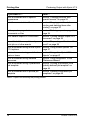
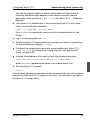
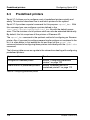
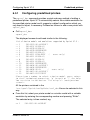
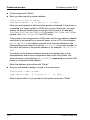
Checklist for adding a printer
Appendix
Questions
1
Has the address of the new printer been defined in the system?
2
If you do not want to use the default supervisor: does the supervisor of
the new printer already exist on the host on which the printer is to be
added?
If this is not the case, first set up the supervisor and then add the printer.
3
Are the attributes you have selected for the new printer compatible with
its PCL?
Compare the attributes with the LONG display of the xpshow -pcl
command for the PCL you have selected. In the event of inconsistencies,
the xpadd -dev command is rejected.
4
If use of the new printer is to be restricted to a specific group of users: is
there a suitable permission list already available in the Xprint V7.0
system?
The section “Creating a permission list” on page 144 contains a
description of how to set up a permission list.
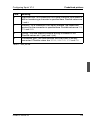
5
If you want to define a default form for the printer: is this form already
defined in the Xprint V7.0 system?
For information on how to add a form, see the section “Administering
forms” on page 156.
6
Can the form you have selected as the default form for the printer be
mounted automatically?
If this is not the case, select another form or change the option -mm to
AUTOMATIC for the selected form.
7
Is the layup of the default form of the printer compatible with the PCL of
the printer?
See the LONG displays of the commands xpshow -frm and xpshow
-pcl to check this. If the layup is not compatible, modify the -ls option
of the form accordingly.
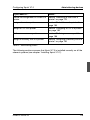
8
264
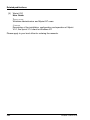
Is the font of the default form compatible with the printer’s PCL? See the
LONG displays of the commands xpshow -fnt and xpshow -pcl to
check this. If it is not compatible, modify the form accordingly. If there is
no suitable font available, you might have to add a font to the Xprint V7.0
U23841-J-Z915-6-76