1
(instead of all ports like a repeater hub). This
operation is called ‘switching’.
Networking Terminology
A Network is a collection of workstations (for example,
IBM-compatible PCs) and other equipment (for
example, printers), connected for the purpose of
exchanging information or sharing resources.
Networks vary in size; some are within a single room,
others span continents.
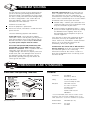
The Switch effectively divides up your network,
localizing the network traffic and passing on traffic as
necessary (as shown in the diagram). If you have
workstations that communicate frequently in the
same part of the network, traffic between them is
not passed to the remainder of the network, reducing
the load. If you have any high performance
workstations that require a lot of bandwidth, connect
them directly to the Switch.
A Local Area Network (LAN) is a network, usually in an
office, that spans no more than a single site.
Ethernet is a type of LAN, referring to the technology used
to pass information around the network. It operates
at 10Mbps (megabits per second).
Fast Ethernet is a type of LAN that runs up to 10 times
faster than standard Ethernet. It operates at
100Mbps.
10BASE-T is the name given to the Ethernet protocol that
runs over Twisted Pair (TP) cable.
100BASE-TX is the name given to the Fast Ethernet protocol
that runs over Twisted Pair (TP) cable.
A Network Loop occurs when two pieces of network
equipment are connected by more than one path.
A Segment is the length of cable connected to a port.
Packets are the units of information your workstations and
other equipment send to each other over the
network. A Frame is the data part of the packet and
can be Unicast (sent to a single device), Multicast
(sent to multiple devices), or Broadcast (sent to all
devices).
Bandwidth refers to the amount of network traffic the
network can hold at any one time (information
capacity) measured in bits per second (bps).
Workstations or applications that use the network
heavily are referred to as using high bandwidth (these
are usually users who do a lot of graphical or
multi-media work across the network). Fast Ethernet
has a higher bandwidth than Ethernet, so it can cope
with larger amounts of traffic, which results in faster
operation.
The Switch Separates Your Network and Controls the Information Effectively
Connecting 10BASE-T and 100BASE-TX Networks
The 10/100 ports can each be connected to either a
10BASE-T or 100BASE-TX network. If you have both
types of network, you can connect them using the
Switch so that all your workstations can
communicate. Alternatively, if you use 10BASE-T and
want to improve performance by introducing
100BASE-TX, the Switch protects your investments
because it maintains 10BASE-T connections to your
original network equipment.
Full duplex operation allows information to be transmitted
and received simultaneously and, in effect, doubles
the potential throughput of a link.
How the Switch Can Be Used
Switching
When a network of repeater hubs is in operation, any
information that is sent by the workstations is passed
around the whole network (regardless of the
destination of the information). This can result in a lot
of unnecessary traffic that can slow the network
down. The Switch solves this problem because it
‘listens’ to the network and automatically learns what
workstations can be reached through its ports. It can
then selectively pass on any information by
transmitting the traffic from the relevant port only
Before You Start
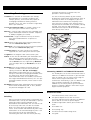
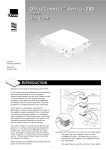
Your OfficeConnect Switch comes with:
One power adapter for use with the Switch.
The Switch 400 and Switch 1600 have an additional
power cord for use with the power adapter.
A Product Registration card for you to fill out and
return
Four rubber feet
Four stacking clips
An OfficeConnect Product Range sheet
This guide