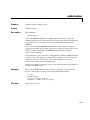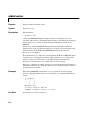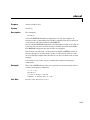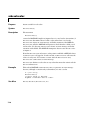
1
MATLAB Compiler The Language of Technical Computing Computation Visualization Programming User’s Guide Version 3 How to Contact The MathWorks: www.mathworks.com comp.soft-sys.matlab Web Newsgroup [email protected] Technical support Product enhancement suggestions Bug reports Documentation error reports Order status, license renewals, passcodes Sales, pricing, and general information 508-647-7000 Phone 508-647-7001 Fax The MathWorks, Inc. 3 Apple Hill Drive Natick, MA 01760-2098 Mail [email protected] [email protected] [email protected] [email protected] [email protected] For contact information about worldwide offices, see the MathWorks Web site. MATLAB Compiler User’s Guide COPYRIGHT 1995 - 2002 by The MathWorks, Inc. The software described in this document is furnished under a license agreement. The software may be used or copied only under the terms of the license agreement. No part of this manual may be photocopied or reproduced in any form without prior written consent from The MathWorks, Inc. FEDERAL ACQUISITION: This provision applies to all acquisitions of the Program and Documentation by or for the federal government of the United States. By accepting delivery of the Program, the government hereby agrees that this software qualifies as "commercial" computer software within the meaning of FAR Part 12.212, DFARS Part 227.7202-1, DFARS Part 227.7202-3, DFARS Part 252.227-7013, and DFARS Part 252.227-7014. The terms and conditions of The MathWorks, Inc. Software License Agreement shall pertain to the government’s use and disclosure of the Program and Documentation, and shall supersede any conflicting contractual terms or conditions. If this license fails to meet the government’s minimum needs or is inconsistent in any respect with federal procurement law, the government agrees to return the Program and Documentation, unused, to MathWorks. MATLAB, Simulink, Stateflow, Handle Graphics, and Real-Time Workshop are registered trademarks, and TargetBox is a trademark of The MathWorks, Inc. Other product or brand names are trademarks or registered trademarks of their respective holders. Printing History: September 1995 March 1997 January 1998 January 1999 September 2000 October 2001 July 2002 First printing Second printing Third printing Fourth printing Fifth printing Online only Sixth printing Revised for Version 1.2 Revised for Version 2.0 (Release 11) Revised for Version 2.1 (Release 12) Revised for Version 2.3 Revised for Version 3.0 (Release 13) Contents Preface Related Products . . . . . . . . . . . . . . . . . . . . . . . . . . . . . . . . . . . . . . . x Using this Guide . . . . . . . . . . . . . . . . . . . . . . . . . . . . . . . . . . . . . . . xi Typographical Conventions . . . . . . . . . . . . . . . . . . . . . . . . . . . . xii Introducing the MATLAB Compiler 1 Introduction . . . . . . . . . . . . . . . . . . . . . . . . . . . . . . . . . . . . . . . . . 1-2 Before You Begin . . . . . . . . . . . . . . . . . . . . . . . . . . . . . . . . . . . . . 1-2 New Features . . . . . . . . . . . . . . . . . . . . . . . . . . . . . . . . . . . . . . . . MATLAB Compiler 3.0 . . . . . . . . . . . . . . . . . . . . . . . . . . . . . . . . MATLAB Compiler 2.3 . . . . . . . . . . . . . . . . . . . . . . . . . . . . . . . . MATLAB Compiler 2.1 . . . . . . . . . . . . . . . . . . . . . . . . . . . . . . . . Compiler Licensing Changes . . . . . . . . . . . . . . . . . . . . . . . . . . . 1-4 1-4 1-4 1-5 1-7 Uses of the Compiler . . . . . . . . . . . . . . . . . . . . . . . . . . . . . . . . . . 1-9 Creating MEX-Files . . . . . . . . . . . . . . . . . . . . . . . . . . . . . . . . . . . 1-9 Creating Stand-Alone Applications . . . . . . . . . . . . . . . . . . . . . 1-11 The MATLAB Compiler Family . . . . . . . . . . . . . . . . . . . . . . . . 1-14 Why Compile M-Files? . . . . . . . . . . . . . . . . . . . . . . . . . . . . . . . . 1-16 Stand-Alone Applications and Libraries . . . . . . . . . . . . . . . . . 1-16 Excel Plug-Ins . . . . . . . . . . . . . . . . . . . . . . . . . . . . . . . . . . . . . . 1-16 i COM Components . . . . . . . . . . . . . . . . . . . . . . . . . . . . . . . . . . . 1-16 Hiding Proprietary Algorithms . . . . . . . . . . . . . . . . . . . . . . . . . 1-16 Upgrading from Previous Versions of the Compiler . . . . . 1-17 Upgrading from MATLAB Compiler 2.0/2.1/2.2/2.3 . . . . . . . . . 1-17 Upgrading from MATLAB Compiler 1.0/1.1 . . . . . . . . . . . . . . . 1-17 Limitations and Restrictions . . . . . . . . . . . . . . . . . . . . . . . . . . MATLAB Code . . . . . . . . . . . . . . . . . . . . . . . . . . . . . . . . . . . . . . Stand-Alone Applications . . . . . . . . . . . . . . . . . . . . . . . . . . . . . Fixing Callback Problems: Missing Functions . . . . . . . . . . . . . 1-18 1-18 1-19 1-20 Installation and Configuration 2 System Configuration for MEX-Files . . . . . . . . . . . . . . . . . . . . 2-2 UNIX Workstation . . . . . . . . . . . . . . . . . . . . . . . . . . . . . . . . . . . . . 2-4 System Requirements . . . . . . . . . . . . . . . . . . . . . . . . . . . . . . . . . 2-4 Installation . . . . . . . . . . . . . . . . . . . . . . . . . . . . . . . . . . . . . . . . . . 2-6 mex Verification . . . . . . . . . . . . . . . . . . . . . . . . . . . . . . . . . . . . . . 2-7 MATLAB Compiler Verification . . . . . . . . . . . . . . . . . . . . . . . . 2-11 Microsoft Windows on PCs . . . . . . . . . . . . . . . . . . . . . . . . . . . . System Requirements . . . . . . . . . . . . . . . . . . . . . . . . . . . . . . . . Installation . . . . . . . . . . . . . . . . . . . . . . . . . . . . . . . . . . . . . . . . . mex Verification . . . . . . . . . . . . . . . . . . . . . . . . . . . . . . . . . . . . . MATLAB Compiler Verification . . . . . . . . . . . . . . . . . . . . . . . . 2-13 2-13 2-17 2-19 2-23 Troubleshooting . . . . . . . . . . . . . . . . . . . . . . . . . . . . . . . . . . . . . 2-25 mex Troubleshooting . . . . . . . . . . . . . . . . . . . . . . . . . . . . . . . . . 2-25 Troubleshooting the Compiler . . . . . . . . . . . . . . . . . . . . . . . . . . 2-27 ii Contents Working with MEX-Files 3 A Simple Example — The Sierpinski Gasket . . . . . . . . . . . . . 3-2 Compiling the M-File into a MEX-File . . . . . . . . . . . . . . . . . . . . 3-3 Invoking the MEX-File . . . . . . . . . . . . . . . . . . . . . . . . . . . . . . . . 3-4 Compiler Options and Macros . . . . . . . . . . . . . . . . . . . . . . . . . . 3-6 Generating Simulink S-Functions . . . . . . . . . . . . . . . . . . . . . . 3-7 Simulink Specific Options . . . . . . . . . . . . . . . . . . . . . . . . . . . . . . 3-7 Specifying S-Function Characteristics . . . . . . . . . . . . . . . . . . . . 3-8 Converting Script M-Files to Function M-Files . . . . . . . . . . 3-10 Stand-Alone Applications 4 Differences Between MEX-Files and Stand-Alone Applications . . . . . . . . . . . . . . . . . . . . . . . . . 4-2 Stand-Alone C Applications . . . . . . . . . . . . . . . . . . . . . . . . . . . . . 4-2 Stand-Alone C++ Applications . . . . . . . . . . . . . . . . . . . . . . . . . . 4-3 Building Stand-Alone C/C++ Applications . . . . . . . . . . . . . . . 4-4 Overview . . . . . . . . . . . . . . . . . . . . . . . . . . . . . . . . . . . . . . . . . . . . 4-4 Getting Started . . . . . . . . . . . . . . . . . . . . . . . . . . . . . . . . . . . . . . 4-6 Building Stand-Alone Applications on UNIX . . . . . . . . . . . . . 4-7 Configuring for C or C++ . . . . . . . . . . . . . . . . . . . . . . . . . . . . . . . 4-7 Preparing to Compile . . . . . . . . . . . . . . . . . . . . . . . . . . . . . . . . . . 4-8 Verifying mbuild . . . . . . . . . . . . . . . . . . . . . . . . . . . . . . . . . . . . 4-11 Verifying the MATLAB Compiler . . . . . . . . . . . . . . . . . . . . . . . 4-12 About the mbuild Script . . . . . . . . . . . . . . . . . . . . . . . . . . . . . . 4-13 Packaging UNIX Applications . . . . . . . . . . . . . . . . . . . . . . . . . . 4-13 iii Building Stand-Alone Applications on PCs . . . . . . . . . . . . . Configuring for C or C++ . . . . . . . . . . . . . . . . . . . . . . . . . . . . . . Preparing to Compile . . . . . . . . . . . . . . . . . . . . . . . . . . . . . . . . . Verifying mbuild . . . . . . . . . . . . . . . . . . . . . . . . . . . . . . . . . . . . Verifying the MATLAB Compiler . . . . . . . . . . . . . . . . . . . . . . . About the mbuild Script . . . . . . . . . . . . . . . . . . . . . . . . . . . . . . Using an Integrated Development Environment . . . . . . . . . . . Packaging Windows Applications for Distribution . . . . . . . . . 4-15 4-15 4-16 4-22 4-23 4-23 4-23 4-26 Distributing Stand-Alone Applications . . . . . . . . . . . . . . . . . Packaging the MATLAB Run-Time Libraries . . . . . . . . . . . . . Installing Your Application . . . . . . . . . . . . . . . . . . . . . . . . . . . . Problem Starting Stand-Alone Application . . . . . . . . . . . . . . . 4-27 4-27 4-27 4-28 Building Shared Libraries . . . . . . . . . . . . . . . . . . . . . . . . . . . . 4-30 Building COM Objects . . . . . . . . . . . . . . . . . . . . . . . . . . . . . . . . 4-31 Building Excel Plug-Ins . . . . . . . . . . . . . . . . . . . . . . . . . . . . . . . 4-32 Troubleshooting . . . . . . . . . . . . . . . . . . . . . . . . . . . . . . . . . . . . . 4-33 Troubleshooting mbuild . . . . . . . . . . . . . . . . . . . . . . . . . . . . . . . 4-33 Troubleshooting the Compiler . . . . . . . . . . . . . . . . . . . . . . . . . . 4-35 Coding with M-Files Only . . . . . . . . . . . . . . . . . . . . . . . . . . . . . 4-36 Alternative Ways of Compiling M-Files . . . . . . . . . . . . . . . . . 4-40 Compiling MATLAB Provided M-Files Separately . . . . . . . . . 4-40 Compiling mrank.m and rank.m as Helper Functions . . . . . . 4-41 Mixing M-Files and C or C++ . . . . . . . . . . . . . . . . . . . . . . . . . . 4-42 Simple Example . . . . . . . . . . . . . . . . . . . . . . . . . . . . . . . . . . . . . 4-42 Advanced C Example . . . . . . . . . . . . . . . . . . . . . . . . . . . . . . . . . 4-47 iv Contents Controlling Code Generation 5 Code Generation Overview . . . . . . . . . . . . . . . . . . . . . . . . . . . . 5-2 Example M-Files . . . . . . . . . . . . . . . . . . . . . . . . . . . . . . . . . . . . . 5-2 Generated Code . . . . . . . . . . . . . . . . . . . . . . . . . . . . . . . . . . . . . . 5-3 Compiling Private and Method Functions . . . . . . . . . . . . . . . 5-5 The Generated Header Files . . . . . . . . . . . . . . . . . . . . . . . . . . . 5-8 C Header File . . . . . . . . . . . . . . . . . . . . . . . . . . . . . . . . . . . . . . . . 5-8 C++ Header File . . . . . . . . . . . . . . . . . . . . . . . . . . . . . . . . . . . . . . 5-9 Internal Interface Functions . . . . . . . . . . . . . . . . . . . . . . . . . . 5-11 C Interface Functions . . . . . . . . . . . . . . . . . . . . . . . . . . . . . . . . 5-11 C++ Interface Functions . . . . . . . . . . . . . . . . . . . . . . . . . . . . . . 5-16 Supported Executable Types . . . . . . . . . . . . . . . . . . . . . . . . . . Generating Files . . . . . . . . . . . . . . . . . . . . . . . . . . . . . . . . . . . . . MEX-Files . . . . . . . . . . . . . . . . . . . . . . . . . . . . . . . . . . . . . . . . . . Main Files . . . . . . . . . . . . . . . . . . . . . . . . . . . . . . . . . . . . . . . . . . Simulink S-Functions . . . . . . . . . . . . . . . . . . . . . . . . . . . . . . . . C Libraries . . . . . . . . . . . . . . . . . . . . . . . . . . . . . . . . . . . . . . . . . C Shared Library . . . . . . . . . . . . . . . . . . . . . . . . . . . . . . . . . . . . C++ Libraries . . . . . . . . . . . . . . . . . . . . . . . . . . . . . . . . . . . . . . . COM Components . . . . . . . . . . . . . . . . . . . . . . . . . . . . . . . . . . . Porting Generated Code to a Different Platform . . . . . . . . . . . 5-21 5-21 5-22 5-22 5-24 5-24 5-25 5-28 5-29 5-34 Formatting Compiler-Generated Code . . . . . . . . . . . . . . . . . Listing All Formatting Options . . . . . . . . . . . . . . . . . . . . . . . . . Setting Page Width . . . . . . . . . . . . . . . . . . . . . . . . . . . . . . . . . . Setting Indentation Spacing . . . . . . . . . . . . . . . . . . . . . . . . . . . 5-35 5-35 5-35 5-37 Including M-File Information in Compiler Output . . . . . . Controlling Comments in Output Code . . . . . . . . . . . . . . . . . . Controlling #line Directives in Output Code . . . . . . . . . . . . . . Controlling Information in Run-Time Errors . . . . . . . . . . . . . . 5-40 5-40 5-42 5-44 v Interfacing M-Code to C/C++ Code . . . . . . . . . . . . . . . . . . . . . 5-46 C Example . . . . . . . . . . . . . . . . . . . . . . . . . . . . . . . . . . . . . . . . . 5-46 Using Pragmas . . . . . . . . . . . . . . . . . . . . . . . . . . . . . . . . . . . . . . 5-48 Optimizing Performance 6 Optimization Bundles . . . . . . . . . . . . . . . . . . . . . . . . . . . . . . . . . 6-2 Optimizing Arrays . . . . . . . . . . . . . . . . . . . . . . . . . . . . . . . . . . . . Scalar Arrays . . . . . . . . . . . . . . . . . . . . . . . . . . . . . . . . . . . . . . . . Nonscalar Arrays . . . . . . . . . . . . . . . . . . . . . . . . . . . . . . . . . . . . . Scalars . . . . . . . . . . . . . . . . . . . . . . . . . . . . . . . . . . . . . . . . . . . . . 6-4 6-4 6-4 6-5 Optimizing Loops . . . . . . . . . . . . . . . . . . . . . . . . . . . . . . . . . . . . . 6-6 Simple Indexing . . . . . . . . . . . . . . . . . . . . . . . . . . . . . . . . . . . . . . 6-6 Loop Simplification . . . . . . . . . . . . . . . . . . . . . . . . . . . . . . . . . . . 6-6 Optimizing Conditionals . . . . . . . . . . . . . . . . . . . . . . . . . . . . . . . 6-9 Optimizing MATLAB Arrays . . . . . . . . . . . . . . . . . . . . . . . . . . 6-10 Scalars . . . . . . . . . . . . . . . . . . . . . . . . . . . . . . . . . . . . . . . . . . . . 6-10 Scalar Doubles . . . . . . . . . . . . . . . . . . . . . . . . . . . . . . . . . . . . . . 6-10 Reference 7 Functions — By Category . . . . . . . . . . . . . . . . . . . . . . . . . . . . . . Pragmas . . . . . . . . . . . . . . . . . . . . . . . . . . . . . . . . . . . . . . . . . . . . Compiler Functions . . . . . . . . . . . . . . . . . . . . . . . . . . . . . . . . . . . Command Line Tools . . . . . . . . . . . . . . . . . . . . . . . . . . . . . . . . . . 7-2 7-2 7-2 7-2 Functions — By Name . . . . . . . . . . . . . . . . . . . . . . . . . . . . . . . . . 7-4 vi Contents MATLAB Compiler Quick Reference A Common Uses of the Compiler . . . . . . . . . . . . . . . . . . . . . . . . . A-2 mcc . . . . . . . . . . . . . . . . . . . . . . . . . . . . . . . . . . . . . . . . . . . . . . . . . . A-4 Error and Warning Messages B Compile-Time Errors . . . . . . . . . . . . . . . . . . . . . . . . . . . . . . . . . . B-2 Warning Messages . . . . . . . . . . . . . . . . . . . . . . . . . . . . . . . . . . . B-11 Run-Time Errors . . . . . . . . . . . . . . . . . . . . . . . . . . . . . . . . . . . . . B-18 vii viii Contents Preface This chapter provides information about this documentation set. The sections are as follows. Related Products (p. x) MathWorks products related to the Compiler Using this Guide (p. xi) An overview of this book Typographical Conventions (p. xii) Typographical conventions used in this book Preface Related Products The MATLAB Compiler automatically converts MATLAB M-files to C and C++ code. The MATLAB Compiler includes the MATLAB C/C++ Math and Graphics Libraries, which let you automatically convert your MATLAB applications to C and C++ code for stand-alone applications. The MathWorks provides several products that are especially relevant to the MATLAB Compiler. For more information about any of these products, see either • The online documentation for that product • The “products” section of the MathWorks Web site, www.mathworks.com. x Product Description MATLAB COM Builder Creating COM components from MATLAB M-files MATLAB Excel Builder Creating MATLAB based add-ins for Excel MATLAB Runtime Server Deploy run-time versions of MATLAB applications MATLAB Web Server Use MATLAB with HTML Web applications Using this Guide Using this Guide This book describes the MATLAB Compiler and provides numerous examples of how to use it. The topics included are • Introducing the MATLAB Compiler — describes the new features of the Compiler and provides an overview of how to use it. • Installation and Configuration — discusses how to install and configure the Compiler, and how to verify that your system is properly set up. • Working with MEX-Files — describes how to compile M-files with the MATLAB Compiler. • Stand-Alone Applications — explains how to use the MATLAB Compiler to code and build stand-alone applications. • Controlling Code Generation — describes the code generated by the MATLAB Compiler and the options that you can use to control code generation. • Optimizing Performance — describes optimizations you can perform on your M-file source code that can improve the performance of the generated C/C++ code. • Reference — provides the set of reference pages that describe the Compiler pragmas, functions, and command line tools. • MATLAB Compiler Quick Reference — is a quick reference of all the Compiler functions. • Error and Warning Messages — lists and describes error messages and warnings generated by the MATLAB Compiler. xi Preface Typographical Conventions This manual uses some or all of these conventions. Item Convention Example Example code Monospace font To assign the value 5 to A, enter A = 5 Function names, syntax, filenames, directory/folder names, user input, items in drop-down lists Monospace font The cos function finds the cosine of each array element. Buttons and keys Boldface with book title caps Press the Enter key. Literal strings (in syntax descriptions in reference chapters) Monospace bold for literals f = freqspace(n,'whole') Mathematical expressions Italics for variables This vector represents the polynomial p = x2 + 2x + 3. MATLAB output Monospace font Syntax line example is MLGetVar ML_var_name Standard text font for functions, operators, and constants MATLAB responds with A = 5 xii Menu and dialog box titles Boldface with book title caps Choose the File Options menu. New terms and for emphasis Italics An array is an ordered collection of information. Omitted input arguments (...) ellipsis denotes all of the input/output arguments from preceding syntaxes. [c,ia,ib] = union(...) String variables (from a finite list) Monospace italics sysc = d2c(sysd,'method') 1 Introducing the MATLAB Compiler This chapter describes the MATLAB Compiler and its uses. It also includes new features, upgrading information, and limitations and restrictions that you should know. Introduction (p. 1-2) A brief overview New Features (p. 1-4) Features added in this and previous releases Uses of the Compiler (p. 1-9) High-level descriptions of what the Compiler can do The MATLAB Compiler Family (p. 1-14) Pictorial view of the Compiler’s output Why Compile M-Files? (p. 1-16) Reasons to compile M-files Upgrading from Previous Versions of the Compiler (p. 1-17) Compatibility issues Limitations and Restrictions (p. 1-18) Restrictions regarding what can be compiled 1 Introducing the MATLAB Compiler Introduction This book describes Version 3.0 of the MATLAB® Compiler. The MATLAB Compiler takes M-files as input and generates C or C++ source code or P-code as output. The MATLAB Compiler can generate these kinds of source code: • C source code for building MEX-files. • C or C++ source code for combining with other modules to form stand-alone applications. Stand-alone applications do not require MATLAB at run-time; they can run even if MATLAB is not installed on the end-user’s system. • C code S-functions for use with Simulink®. • C shared libraries (dynamically linked libraries, or DLLs, on Microsoft Windows) and C++ static libraries. These can be used without MATLAB on the end-user’s system. • Excel compatible plug-ins • COM (Component Object Model) objects. This chapter takes a closer look at these categories of C and C++ source code and explains the value of compiled code. Note MATLAB Compiler 3.0 includes the MATLAB C/C++ Math Library and the MATLAB C/C++ Graphics Library. Installing the MATLAB Compiler automatically installs the C/C++ Math and Graphics Libraries. Before You Begin Before reading this book, you should already be comfortable writing M-files. If you are not, see Programming and Data Types in the MATLAB documentation. 1-2 Introduction Note The phrase MATLAB interpreter refers to the application that accepts MATLAB commands, executes M-files and MEX-files, and behaves as described in the Using MATLAB documentation. When you use MATLAB, you are using the MATLAB interpreter. The phrase MATLAB Compiler refers to this product, which translates M-files to C or C++ source code and its associated libraries. This book distinguishes references to the MATLAB Compiler by using the word ‘Compiler’ with a capital C. References to “compiler” with a lowercase c refer to your C or C++ compiler. 1-3 1 Introducing the MATLAB Compiler New Features MATLAB Compiler 3.0 • The MATLAB Compiler now includes the MATLAB C/C++ Math and Graphics Libraries. Note As the MATLAB Compiler evolves, it will support additional standard platform interfaces such as COM, Java, and CORBA. Consequently, the requirement of developing code specifically for the MATLAB C/C++ Math Library will diminish. Once this happens, the Math Library will no longer support code written directly for the Library. The Compiler will continue to use the MATLAB C/C++ Math Library as it currently does. • A new optimization is available that allows the Compiler to use simpler types for variables at run-time, when possible. For more information about this optimization, see Chapter 6, “Optimizing Performance.” • The MATLAB Compiler allows you to create COM components from MATLAB M-files. Note To create COM components with the MATLAB Compiler, you must have the MATLAB COM Builder product installed on your system. MATLAB Compiler 2.3 MATLAB Compiler 2.3 allows you to create Microsoft Excel components from MATLAB M-files. This Windows-only feature translates a collection of M-files into a single Microsoft Excel add-in. Both C and C++ code generation are supported. To support the creation of these components, the following Compiler options have been added or enhanced: • The bundle option (-B) has been enhanced so that you can include replacement parameters for Compiler options that accept names and version numbers and they will be expanded properly. 1-4 New Features • The new option, -b, causes the Compiler to generate a Visual Basic (.bas) file that contains the Microsoft Excel Formula Function interface to a Compiler-generated COM object. • The new option, -i, causes the Compiler to include only the M-files that are specified on the command line as exported interfaces. Note To create Microsoft Excel components with the MATLAB Compiler, you must have the MATLAB Excel Builder product installed on your system. MATLAB Compiler 2.1 MATLAB Compiler 2.1 supports much of the functionality of MATLAB 6. The new features of the Compiler are • Optimizations • mlib files • Additional data type support • Improved support for load and save • Dynamically linking in MEX-files in the stand-alone environment • MATLAB add-in for Visual Studio • Faster C/C++ Math Library applications • Additional language support Optimizations The MATLAB Compiler provides a series of optimizations that can help speed up your compiled code. These optimizations are on by default unless you are building a debuggable version. Folding Array Constants. Folds scalar and nonscalar valued array constants. One- and Two-Dimensional Array Indexing. Uses faster routines that are optimized for simple indexing. for-loops. Optimizes for- loops with integer starts and increments. 1-5 1 Introducing the MATLAB Compiler Conditional Expressions. Reduces the MATLAB conditional operators to scalar C conditional operators when both operands are known to be integer scalars. For more information on these optimizations, see Chapter 6, “Optimizing Performance.” mlib Files mlib files make it possible to produce a shared library out of a toolbox and then compile M-files that make calls into that toolbox. Specifying an mlib file tells the MATLAB Compiler to link against the mlib file’s corresponding shared library whenever it needs to use any of the functions found in that library. The mlib file and its corresponding shared library file must be located within the same directory. For more information about mlib files, see “mlib Files” on page 5-26. Additional Data Type Support Integer Data Types. The signed and unsigned integer arrays int8, int16, int32, uint8, uint16, and uint32 are now supported, which provides improved support for the Image Processing Toolbox. Function Handles. A function handle is a new MATLAB data type that captures all the information about a function that MATLAB needs to evaluate it. The MATLAB Compiler supports function handles. For more information on function handles, see the function handle reference page. Improved Support for load and save load and save are now supported when they do not list the variables to be loaded or saved. They work by loading or saving all variables that are defined or used within the function. Dynamically Linking in MEX-Files in the Stand-Alone Environment Specifying -h or providing the name of a function on the command line will automatically link in any referenced MEX-files. MATLAB Add-In for Visual Studio® This add-in integrates the MATLAB Compiler into Visual C/C++ Version 5 or 6. To learn more about the MATLAB add-in for Visual Studio, see “Using an Integrated Development Environment” on page 4-23. 1-6 New Features Faster C/C++ Math Library Applications The improved performance of the C/C++ Math Library is due in part to the added scalar accelerated versions of many of the library functions. Additional Language Support pause and continue. These commands are now supported. eval and input. eval and input are supported for strings that do not contain workspace variables. Note As of Compiler 2.1, Compiler 1.2 is no longer available due to the evolution of internal data structures. The -V1.2 option is no longer supported, along with any options recognized by Compiler 1.2. Compiler Licensing Changes Starting with Compiler 1.2.1, a new licensing scheme has been employed that enables the product to be simpler and more user friendly. In versions prior to 1.2.1, you could not run the MATLAB Compiler unless you were running MATLAB. On networked systems, this meant that one user would be holding the license for one copy of MATLAB and the Compiler, simultaneously. In effect, one user required both products and tied up both licenses until the user exited MATLAB. Although you can still run the Compiler from within MATLAB, it is not required. One user could be running the Compiler while another user could be using MATLAB. The licensing model is based on how you run the Compiler: • From the MATLAB command prompt • From a DOS/UNIX shell Running Compiler from MATLAB When you run the Compiler from “inside” of MATLAB, that is, you run mcc from the MATLAB command prompt, you hold the Compiler license as long as MATLAB remains open. To give up the Compiler license, exit MATLAB. 1-7 1 Introducing the MATLAB Compiler Running Compiler from DOS/UNIX Shell If you run the Compiler from a DOS or UNIX shell, you are running from “outside” of MATLAB. In this case, the Compiler • Does not require MATLAB to be running on the system where the Compiler is running • Gives the user a dedicated 30 minute time allotment during which the user has complete ownership over a license to the Compiler Each time a user requests the Compiler, the user begins a 30 minute time period as the sole owner of the Compiler license. Anytime during the 30 minute segment, if the same user requests the Compiler, the user gets a new 30 minute allotment. When the 30-minute time interval has elapsed, if a different user requests the Compiler, the new user gets the next 30 minute interval. When a user requests the Compiler and a license is not available, the user receives the message Error: Could not check out a Compiler License. This message is given when no licenses are available. As long as licenses are available, the user gets the license and no message is displayed. The best way to guarantee that all MATLAB Compiler users have constant access to the Compiler is to have an adequate supply of licenses for your users. 1-8 Uses of the Compiler Uses of the Compiler The MATLAB Compiler (mcc) can translate M-files into C files. The resultant C files can be used in any of the supported executable types including MEX, executable, or library by generating an appropriate wrapper file. A wrapper file contains the required interface between the Compiler-generated code and a supported executable type. For example, a MEX wrapper contains the MEX gateway routine that sets up the left- and right-hand arguments for invoking the Compiler-generated code. The code produced by the MATLAB Compiler is independent of the final target type — MEX, executable, or library. The wrapper file provides the necessary interface to the target type. Note MEX-files generated by the MATLAB Compiler are not backward compatible. Creating MEX-Files The MATLAB Compiler, when invoked with the -x macro option, produces a MEX-file from M-files. The Compiler 1 Translates your M code to C code. 2 Generates a MEX wrapper. 3 Invokes the mex utility which builds the C MEX-file source into a MEX-file by linking the MEX-file with the MEX version of the math libraries (libmatlbmx). Figure 1-1, Developing MEX-Files, illustrates the process of producing a MEX-file. The MATLAB interpreter dynamically loads MEX-files as they are needed. 1-9 1 Introducing the MATLAB Compiler M-File mcc -x • Shaded block is user-written code. C version of M code C MEX-File Wrapper mex • Shadowed blocks are MathWorks tools. • Unshaded blocks are MATLAB Compiler-generated code. • Dotted block is C/C++ compiler-generated executable. MEX Math Library (libmatlbmx) MEX-File Figure 1-1: Developing MEX-Files MATLAB users who do not have the MATLAB Compiler must write the source code for MEX-files in either Fortran or C. “External Interfaces/API” in the MATLAB documentation explains the fundamentals of this process. To write MEX-files, you have to know how MATLAB represents its supported data types and the MATLAB external interface (i.e., the application program interface, or API.) If you are comfortable writing M-files and have the MATLAB Compiler, then you do not have to learn all the details involved in writing MEX-file source code. 1-10 Uses of the Compiler Creating Stand-Alone Applications C Stand-Alone Applications The MATLAB Compiler, when invoked with the -m macro option, translates input M-files into C source code that is usable in any of the supported executable types. The Compiler also produces the required wrapper file suitable for a stand-alone application. Then, your ANSI C compiler compiles these C source code files and the resulting object files are linked against the MATLAB C/C++ Math and Graphics Libraries, which are included with the MATLAB Compiler. For more information about distributing a C application, see “Distributing Stand-Alone Applications” on page 4-27. C++ Stand-Alone Applications The MATLAB Compiler, when invoked with the -p macro option, translates input M-files into C++ source code that is usable in any of the executable types except MEX. The Compiler also produces the required wrapper file suitable for a stand-alone application. Then, your C++ compiler compiles this C++ source code and the resulting object files are linked against the MATLAB C/C++ Math and Graphics Libraries, which are included with the MATLAB Compiler. For more information about which libraries must be included when you distribute a C++ application, see “Distributing Stand-Alone Applications” on page 4-27. Developing a Stand-Alone Application Suppose you want to create an application that calculates the rank of a large magic square. One way to create this application is to code the whole application in C or C++; however, this would require writing your own magic square, rank, and singular value routines. An easier way to create this application is to write it as one or more M-files. Figure 1-2, Developing a Typical Stand-Alone C Application, outlines this development process. 1-11 1 Introducing the MATLAB Compiler M-File function to find the rank of a magic square mcc -m • Shaded block is user-written code. mbuild does this part. C version of M code C File Wrapper • Shadowed blocks are tools. • Unshaded blocks are MATLAB Compiler-generated code. C Compiler • Dotted blocks are C/C++ compiler-generated executables. Object Files MATLAB M-File Math Library MATLAB API Library MATLAB Math Built-In Library MATLAB Utility Library ANSI C Library MATLAB C/C++ Graphics Library Linker Stand-Alone C Application Figure 1-2: Developing a Typical Stand-Alone C Application 1-12 Uses of the Compiler See Chapter 4, “Stand-Alone Applications” for complete details regarding stand-alone applications. Figure 1-2, Developing a Typical Stand-Alone C Application, illustrates the process of developing a typical stand-alone C application. Use the same basic process for developing stand-alone C++ applications, but use the -p option instead of the -m option with the MATLAB Compiler and a C++ compiler instead of a C compiler. Note The MATLAB Compiler contains a tool, mbuild, which simplifies much of this process. Chapter 4, “Stand-Alone Applications” describes the mbuild tool. -p and -m are examples of options that you use to control how the Compiler works. Chapter 7, “Reference,” includes a complete description of the Compiler options in the mcc section. Throughout this book you will see numerous examples of how these options are used with the Compiler to perform various tasks. 1-13 1 Introducing the MATLAB Compiler The MATLAB Compiler Family This figure illustrates the various ways you can use the MATLAB Compiler. The shaded blocks represent user-written code; the unshaded blocks represent Compiler-generated code; the remaining blocks (drop shadow) represent MathWorks or other vendor tools. M-File(s) Generated Wrapper Types MATLAB Compiler Generated Code Types C Code C++ Code MAIN 1 1 MEX 2 LIB 3 Simulink 4 COM 5 User C/C++ Code 5 MATLAB C/C++ Math/Graphics Libraries C/C++ Compiler 1 2 3 4 5 Stand-Alone C/C++ Program MATLAB C MEX-File Library Simulink C MEX-File COM Library Target Types Figure 1-3: MATLAB Compiler Uses 1-14 3 The MATLAB Compiler Family The Compiler takes your M-file(s) and can generate C or C++ code. It can also generate a wrapper file depending on your specified target. This table shows the wrapper files the Compiler can generate, their associated targets, and the corresponding -W option (wrapper). Table 1-1: Compiler Wrappers and Targets Wrapper File Target -W Setting Main Stand-alone C or C++ program -W main MEX MATLAB C MEX-file -W mex Library C shared library or C++ static library -W lib:libname Simulink S-function Simulink C MEX-file -W simulink COM COM object -W com:<componentname>[,<classname>[,<major>.<minor>]] -W comhg:<componentname>[,<classname>[,<major>.<minor>]] Excel Excel Plug-in -W excel:<componentname>[,<classname>[,<major>.<minor>]] -W excelhg:<componentname>[,<classname>[,<major>.<minor>]] Each numbered node in Figure 1-3, MATLAB Compiler Uses, indicates a combination of C/C++ code and a wrapper that generates a specific target type. The file(s) formed by combining the C/C++ code (denoted by “User C/C++ Code”) and the wrapper are then passed to the C/C++ compiler, which combines them with any user-defined C/C++ programs, and eventually links them against the appropriate libraries. The end result of this sequence is the target as described in the table above. 1-15 1 Introducing the MATLAB Compiler Why Compile M-Files? There are several reasons to compile M-files: • To create stand-alone applications • To create C shared libraries (DLLs on Windows) or C++ static libraries • To create COM components • To hide proprietary algorithms Stand-Alone Applications and Libraries You can create MATLAB applications that take advantage of the mathematical functions of MATLAB, yet do not require that the user owns MATLAB. Stand-alone applications are a convenient way to package the power of MATLAB and to distribute a customized application to your users. You can develop an algorithm in MATLAB to perform specialized calculations and use the Compiler to create a C shared library (DLL on Windows) or a C++ static library. You can then integrate the algorithm into a C/C++ application. After you compile the C/C++ application, you can use the MATLAB algorithm to perform specialized calculations from your program. Excel Plug-Ins With the optional MATLAB Excel Builder, you can automatically generate a Visual Basic Application file (.bas) and a plug-in DLL from your MATLAB model that can be imported into Excel as a stand-alone function. COM Components With the optional MATLAB COM Builder, you can create COM components that can be used in any application that works with COM objects. Hiding Proprietary Algorithms MATLAB M-files are ASCII text files that anyone can view and modify. MEX-files are binary files. Shipping MEX-files or stand-alone applications instead of M-files hides proprietary algorithms and prevents modification of your M-files. 1-16 Upgrading from Previous Versions of the Compiler Upgrading from Previous Versions of the Compiler MATLAB Compiler 3.0 is fully compatible with previous releases of the Compiler. If you have your own M-files that were compiled with a previous version of the Compiler and compile them with the new version, you will get the same results. Upgrading from MATLAB Compiler 2.0/2.1/2.2/2.3 MATLAB Compiler 2.1 (and later versions) does not support the -V1.2 option that was available in Compiler 2.0. Upgrading from MATLAB Compiler 1.0/1.1 In many cases, M-code that was written and compiled in MATLAB 4.2 will work as is in the MATLAB 6 and the MATLAB 5 series. There are, however, certain changes that could impact your work, especially if you integrated Compiler-generated code into a larger application. Changed Library Name Beginning with MATLAB 5.0, the name of the shared library that contains compiled versions of most MATLAB M-file math routines, libtbx, has changed. The new library is now called libmmfile. Changed Data Type Names In C, beginning with MATLAB 5.0, the name of the basic MATLAB data type, Matrix, has changed. The new name for the data type is mxArray. In C++, beginning with MATLAB 5.0, the name of the basic MATLAB data type, mwMatrix, has changed. The new name for the data type is mwArray. 1-17 1 Introducing the MATLAB Compiler Limitations and Restrictions MATLAB Code MATLAB Compiler 3.0 supports almost all of the functionality of MATLAB. However, there are some limitations and restrictions that you should be aware of. This version of the Compiler cannot compile • Script M-files (See “Converting Script M-Files to Function M-Files” on page 3-10 for further details.) • M-files that use objects • Calls to the MATLAB Java interface • M-files that use input or eval to manipulate workspace variables Note input and eval calls that do not use workspace variables will compile and execute properly. • M-files that use exist with two input arguments, for example: exist('foo','var') The single variable form works for filenames and functions only. • M-files that dynamically name variables to be loaded or saved. This example is disallowed by the Compiler: x= 'f'; load('foo.mat',x); • M-files that load text files, for example: load -ascii sampling1 The Compiler cannot compile built-in MATLAB functions (functions such as eig have no M-file, so they can’t be compiled). Note, however, that most of these functions are available to you because they are in the MATLAB Math Built-in Library (libmatlb). In addition, the Compiler does not honor conditional global and persistent declarations. It treats global and persistent as declarations. For example: 1-18 Limitations and Restrictions if (y==3) persistent x else x = 3; end Stand-Alone Applications The restrictions and limitations noted in the previous section also apply to stand-alone applications. The functions in Table 1-2, Unsupported Functions in Stand-Alone Mode, are supported in MEX-mode, but are not supported in stand-alone mode. Note Stand-alone applications cannot access Simulink functions. Although the MATLAB Compiler can compile M-files that call these functions, the MATLAB C/C++ Math library does not support them. Therefore, unless you write your own versions of the unsupported routines in a MEX-file or as C code, when you run the executable, you will get a run-time error. Table 1-2: Unsupported Functions in Stand-Alone Mode add_block add_line applescript assignin callstats close_system cputime dbclear dbcont dbdown dbquit dbstack dbstatus dbstep dbstop dbtype dbup delete_block delete_line diary echo edt errorstat errortrap evalin fields fschange functionscalled get_param hcreate help home hregister inferiorto inmem isglobal isjava isruntime java javaArray 1-19 1 Introducing the MATLAB Compiler Table 1-2: Unsupported Functions in Stand-Alone Mode (Continued) javaMethod javaObject keyboard linmod lookfor macprint mactools methods mislocked mlock more munlock new_system open_system pack pfile rehash runtime set_param sim simget simset sldebug str2func superiorto system_dependent trmginput type vms what which who whos Fixing Callback Problems: Missing Functions When the Compiler creates a stand-alone application, it compiles the M-file you specify on the command line and, in addition, it compiles any other M-files that your M-file calls. If your application includes a call to a function in a callback string or in a string passed as an argument to the feval function or an ODE solver, and this is the only place in your M-file this function is called, the Compiler will not compile the function. The Compiler does not look in these text strings for the names of functions to compile. Symptom Your application runs, but an interactive user interface element, such as a push button, is unresponsive. When you close the application, the graphics library issues this error message. An error occurred in the callback : change_colormap The error message caught was : Reference to unknown function change_colormap from FEVAL in stand-alone mode. Workaround To eliminate this error, create a list of all the functions that are specified only in callback strings and pass this list to the %#function pragma. (See “Finding Missing Functions in an M-File” on page 1-21 for hints about finding functions 1-20 Limitations and Restrictions in callback strings.) The Compiler processes any function listed in a %#function pragma. For example, the call to the change_colormap function in the sample application, my_test, illustrates this problem. To make sure the Compiler processes the change_colormap M-file, list the function name in the %#function pragma: function my_test() % Graphics library callback test application %#function change_colormap peaks; p_btn = uicontrol(gcf,... 'style', 'pushbutton',... 'Position',[10 10 133 25 ],... 'String', 'Make Black & White',... 'CallBack','change_colormap'); Note Instead of using the %#function pragma, you can specify the name of the missing M-file on the Compiler command line. Finding Missing Functions in an M-File To find functions in your application that may need to be listed in a %#function pragma, search your M-file source code for text strings specified as callback strings or as arguments to the feval, fminbnd, fminsearch, funm, and fzero functions or any ODE solvers. To find text strings used as callback strings, search for the characters “Callback” or “fcn” in your M-file. This will find all the Callback properties defined by Handle Graphics® objects, such as uicontrol and uimenu. In addition, this will find the properties of figures and axes that end in Fcn, such as CloseRequestFcn, that also support callbacks. 1-21 1 Introducing the MATLAB Compiler 1-22 2 Installation and Configuration This chapter describes the system requirements for the MATLAB Compiler and installation and configuration information. It includes information for both MATLAB Compiler platforms — UNIX and Microsoft Windows. When you install your ANSI C or C++ compiler, you may be required to provide specific configuration details regarding your system. This chapter contains information for each platform that can help you during this phase of the installation process. The sections, “Things to Be Aware of,” provide this information for each platform. System Configuration for MEX-Files (p. 2-2) Steps to create MEX-files UNIX Workstation (p. 2-4) Configuration on UNIX systems Microsoft Windows on PCs (p. 2-13) Configuration on PCs Troubleshooting (p. 2-25) Dealing with installation and configuration problems 2 Installation and Configuration System Configuration for MEX-Files This section outlines the steps necessary to configure your system to create MEX-files. The sequence of steps to install and configure the MATLAB Compiler so that it can generate MEX-files is 1 Install the MATLAB Compiler. 2 Install an ANSI C or C++ compiler, if you don’t already have one installed. Note If you encounter problems relating to the installation or use of your ANSI C or C++ compiler, consult the documentation or customer support organization of your C or C++ compiler vendor. 3 Verify that mex can generate MEX-files. 4 Verify that the MATLAB Compiler can generate MEX-files from the MATLAB command line and from the UNIX or DOS command line. Figure 2-1, MATLAB Compiler Installation Sequence for Creating MEX-Files, shows the Compiler installation sequence for creating MEX-files on both platforms. The sections following the flowchart provide more specific details for the individual platforms. Additional steps may be necessary if you plan to create stand-alone applications or libraries, however, you still must perform the steps given in this chapter first. Chapter 4, “Stand-Alone Applications” provides the details about the additional installation and configuration steps necessary for creating stand-alone applications and libraries. Note This flowchart assumes that MATLAB is properly installed on your system. 2-2 System Configuration for MEX-Files Start Install MATLAB Compiler Install ANSI C/ C++ Compiler Use MATLAB installer to install component (MATLAB Compiler). Is ANSI C or C++ compiler installed ? No Follow vendor’s instructions to install and test ANSI C or C++ compiler. Yes Verify mex Test your mex configuration. 1 Does the MATLAB command mex yprime.c generate proper MEX-file No ? See “mex Troubleshooting.” Yes 2 1 Verify MATLAB Compiler can generate MEX-files from MATLAB/DOS/ UNIX command line Test your MATLAB Compiler installation/configuration. Does the MATLAB command mcc -x invhilb.m generate invhilb.mex No ? See “Compiler Troubleshooting.” Yes Stop 2 Figure 2-1: MATLAB Compiler Installation Sequence for Creating MEX-Files 2-3 2 Installation and Configuration UNIX Workstation This section examines the system requirements, installation procedures, and configuration procedures for the MATLAB Compiler on UNIX systems. System Requirements You cannot install the MATLAB Compiler unless MATLAB 6.5 (Release 13) is already installed on the system. The MATLAB Compiler imposes no operating system or memory requirements beyond those that are necessary to run MATLAB. The MATLAB Compiler consumes a small amount of disk space. Table 2-1, Requirements for Creating UNIX Applications, shows the requirements for creating UNIX applications with the MATLAB Compiler. Table 2-1: Requirements for Creating UNIX Applications To create... You need... MEX-files ANSI C compiler MATLAB Compiler Stand-alone C applications ANSI C compiler MATLAB Compiler Stand-alone C++ applications C++ compiler MATLAB Compiler Note Although the MATLAB Compiler supports the creation of stand-alone C++ applications, it does not support the creation of C++ MEX-files. Supported ANSI C and C++ UNIX Compilers The MATLAB Compiler supports • The GNU C compiler, gcc, (except on HP and SGI64) • The system’s native ANSI C compiler on all UNIX platforms • The system’s native C++ compiler on all UNIX platforms (except Linux) • The GNU C++ compiler, g++, on Linux. 2-4 UNIX Workstation Note For a list of all the compilers supported by MATLAB, see the MathWorks Technical Support Department’s Technical Notes at http://www.mathworks.com/support/tech-notes/1600/1601.shtml Known Compiler Limitations. There are several known restrictions regarding the use of supported compilers: • The SGI C compiler does not handle denormalized floating-point values correctly. Denormalized floating-point numbers are numbers that are greater than 0 and less than the value of DBL_MIN in the compiler’s float.h file. • Due to a limitation of the GNU C++ compiler (g++) on Linux, try catch end blocks do not work. • The -A debugline:on option does not work on the GNU C++ compiler (g++) on Linux because it uses try catch end. • Some UNIX compilers produce warnings that suggest additional optimizations can be performed that might result in faster code. For example, on IBM RS/6000 systems you may see a warning message similar to 1500-030: (I) INFORMATION: Miofun_private_imgifinfo: Additional optimization may be attained by recompiling and specifying MAXMEM option with a value greater than 2048. See your vendor compiler documentation for more information on how to improve optimization. Normally, this involves changing compiler options. Use CFLAGS= in your mbuildopts file. Note This compiler warning is benign and will have no harmful effect on your code. Compiler Options Files The MathWorks provides options files for every supported C or C++ compiler. These files contain the necessary flags and settings for the compiler. This table 2-5 2 Installation and Configuration shows the preconfigured options files that are included with MATLAB for UNIX. Compiler Options File System native ANSI compiler mexopts.sh gcc (GNU C compiler) gccopts.sh Information on the options files is provided for those users who may need to modify them to suit their own needs. Many users never have to be concerned with the inner workings of the options files. Locating Options Files To locate your options file, the mex script searches the following: • The current directory • $HOME/.matlab/R13 • <matlab>/bin mex uses the first occurrence of the options file it finds. If no options file is found, mex displays an error message. Installation MATLAB Compiler To install the MATLAB Compiler on UNIX workstations, follow the instructions in the MATLAB Installation Guide for the UNIX platform. If you have a license to install the MATLAB Compiler, it appears as one of the installation choices that you can select as you proceed through the installation process. If the MATLAB Compiler does not appear as one of the installation choices, contact The MathWorks to get an updated license file (license.dat): • Via the Web at www.mathworks.com. On the MathWorks home page, click on the MATLAB Access option, log in to the Access home page, and follow the instructions. • Via e-mail at [email protected] 2-6 UNIX Workstation ANSI C or C++ Compiler To install your ANSI C or C++ compiler, follow the vendor’s instructions that accompany your C or C++ compiler. Be sure to test the C or C++ compiler to make sure it is installed and configured properly. Typically, the compiler vendor provides some test procedures. The following section, “Things to Be Aware of,” contains several UNIX-specific details regarding the installation and configuration of your ANSI C or C++ compiler. Note On some UNIX platforms, a C or C++ compiler may already be installed. Check with your system administrator for more information. Things to Be Aware of This table provides information regarding the installation and configuration of a C or C++ compiler on your system. Description Comment Determine which C or C++ compiler is installed on your system. See your system administrator. Determine the path to your C or C++ compiler. See your system administrator. mex Verification Choosing a Compiler Using the System Compiler. If the MATLAB Compiler and your supported C or C++ compiler are installed on your system, you are ready to create C MEX-files. To create a MEX-file, you can simply enter mex filename.c This simple method of creating MEX-files works for the majority of users. It uses the system’s compiler as your default compiler for creating C MEX-files. 2-7 2 Installation and Configuration If you do not need to change C or C++ compilers, or you do not need to modify your compiler options files, you can skip ahead in this section to “Creating MEX-Files” on page 2-9. If you need to know how to change the options file, continue with this section. Changing Compilers Changing the Default Compiler. To change your default C or C++ compiler, you select a different options file. You can do this at anytime by using the command mex -setup Using the 'mex -setup' command selects an options file that is placed in ~/.matlab/R13 and used by default for 'mex'. An options file in the current working directory or specified on the command line overrides the default options file in ~/.matlab/R13. Options files control which compiler to use, the compiler and link command options, and the runtime libraries to link against. To override the default options file, use the 'mex -f' command (see 'mex -help' for more information). The options files available for mex are: 1: <matlab>/bin/gccopts.sh : Template Options file for building gcc MEX-files 2: <matlab>/bin/mexopts.sh : Template Options file for building MEX-files via the system ANSI compiler Enter the number of the options file to use as your default options file: Select the proper options file for your system by entering its number and pressing Return. If an options file doesn’t exist in your MATLAB directory, the system displays a message stating that the options file is being copied to your user-specific matlab directory. If an options file already exists in your MATLAB directory, the system prompts you to overwrite it. 2-8 UNIX Workstation Note The setup option creates a user-specific, matlab directory in your individual home directory and copies the appropriate options file to the directory. (If the directory already exists, a new one is not created.) This matlab directory is used for your individual options files only; each user can have his or her own default options files (other MATLAB products may place options files in this directory). Do not confuse these user-specific matlab directories with the system matlab directory, where MATLAB is installed. Using the setup option resets your default compiler so that the new compiler is used every time you use the mex script. Modifying the Options File. Another use of the setup option is if you want to change your options file settings. For example, if you want to make a change to the current linker settings, or you want to disable a particular set of warnings, you should use the setup option. As the previous note says, setup copies the appropriate options file to your individual directory. To make your user-specific changes to the options file, you then edit your copy of the options file to correspond to your specific needs and save the modified file. This sets your default compiler’s options file to your specific version. Temporarily Changing the Compiler. To temporarily change your C or C++ compiler, use the -f option, as in mex -f <file> The -f option tells the mex script to use the options file, <file>. If <file> is not in the current directory, then <file> must be the full pathname to the desired options file. Using the -f option tells the mex script to use the specified options file for the current execution of mex only; it does not reset the default compiler. Creating MEX-Files To create MEX-files on UNIX, first copy the source file(s) to a local directory, and then change directory (cd) to that local directory. 2-9 2 Installation and Configuration On UNIX, MEX-files are created with platform-specific extensions, as shown in Table 2-2, MEX-File Extensions for UNIX. Table 2-2: MEX-File Extensions for UNIX Platform MEX-File Extension Dec/Compaq Alpha mexaxp HP 9000 PA-RISC mexhp7 HP-UX mexhpux IBM RS/6000 mexrs6 Linux mexglx SGI mexsg Solaris mexsol The <matlab>/extern/examples/mex directory contains C source code for the example yprime.c. After you copy the source file (yprime.c) to a local directory and cd to that directory, enter at the MATLAB prompt mex yprime.c This should create the MEX-file called yprime with the appropriate extension corresponding to your UNIX platform. For example, if you create the MEX-file on Solaris, its name is yprime.mexsol. You can now call yprime from the MATLAB prompt as if it were an M-function. For example: yprime(1,1:4) ans = 2.0000 8.9685 4.0000 -1.0947 If you encounter problems generating the MEX-file or getting the correct results, refer to External Interfaces/API in the MATLAB documentation for additional information about MEX-files. 2-10 UNIX Workstation MATLAB Compiler Verification Verifying from MATLAB Once you have verified that you can generate MEX-files on your system, you are ready to verify that the MATLAB Compiler is correctly installed. Type the following at the MATLAB prompt. mcc -x invhilb After a short delay, this command should complete and display the MATLAB prompt. Next, at the MATLAB prompt, type which invhilb The which command should indicate that invhilb is now a MEX-file by listing the filename followed by the appropriate UNIX MEX-file extension. For example, if you run the Compiler on Solaris, the Compiler creates the file invhilb.mexsol. Finally, at the MATLAB prompt, type invhilb(10) Note that this tests only the Compiler’s ability to make MEX-files. If you want to create stand-alone applications, refer to Chapter 4, “Stand-Alone Applications” for additional details. Verifying from UNIX Command Prompt To verify that the Compiler can generate MEX-files from the UNIX command prompt, you follow a similar procedure as that used in the previous section. Note Before you test to see if the Compiler can generate MEX-files from the UNIX command prompt, you may want to delete the MEX-file you created in the previous section, invhilb.mexsol, or whatever the extension is on your system. That way, you can be sure your newly generated MEX-file is the result of using the Compiler from the UNIX prompt. Copy invhilb.m from the <matlab>/toolbox/matlab/elmat directory to a local directory and then type the following at the UNIX prompt: mcc -x invhilb 2-11 2 Installation and Configuration Next, verify that invhilb is now a MEX-file by listing the invhilb files: ls invhilb.* You will see a list similar to this: invhilb.c invhilb.h invhilb.m invhilb.mexsol invhilb_mex.c These are the various files that the Compiler generates from the M-file. The Compiler-generated MEX-file appears in the list as the filename followed by the appropriate UNIX MEX-file extension. In this example, the Compiler was executed on Solaris, so the Compiler creates the file invhilb.mexsol. For more information on which files the Compiler creates for a compilation, see Chapter 5, “Controlling Code Generation.” To test the newly created MEX-file, start MATLAB and, at the MATLAB prompt, type invhilb(10) 2-12 Microsoft Windows on PCs Microsoft Windows on PCs This section examines the system requirements, installation procedures, and configuration procedures for the MATLAB Compiler on PCs running Microsoft Windows. System Requirements You cannot install the MATLAB Compiler unless MATLAB 6.5 (Release 13) is already installed on the system. The MATLAB Compiler imposes no operating system or memory requirements beyond what is necessary to run MATLAB. The MATLAB Compiler consumes a small amount of disk space. Table 2-3, Requirements for Creating PC Applications, shows the requirements for creating PC applications with the MATLAB Compiler. Table 2-3: Requirements for Creating PC Applications To create... You need... MEX-files ANSI C compiler (see following note) MATLAB Compiler Stand-alone C applications ANSI C compiler (see following note) MATLAB Compiler Stand-alone C++ applications C++ compiler MATLAB Compiler Note MATLAB includes an ANSI C compiler (Lcc) that is suitable for use with the MATLAB Compiler. Note Although the MATLAB Compiler supports the creation of stand-alone C++ applications, it does not support the creation of C++ MEX-files. 2-13 2 Installation and Configuration Supported ANSI C and C++ PC Compilers To create C MEX-files, stand-alone C/C++ applications, or dynamically linked libraries (DLLs) with the MATLAB Compiler, you must install and configure a supported C/C++ compiler. Use one of the following 32-bit C/C++ compilers that create 32-bit Windows dynamically linked libraries (DLLs) or Windows NT applications: • Lcc C version 2.4 (included with MATLAB). This is a C only compiler; it does not work with C++. • Watcom C/C++ versions 10.6 and 11.0 • Borland C++ versions 5.3, 5.4, 5.5, 5.6, and free 5.5. (You may see references to these compilers as Borland C++Builder versions 3.0, 4.0, 5.0, and 6.0.) For more information on the free Borland compiler and its associated command line tools, see http://community.borland.com. • Microsoft Visual C/C++ (MSVC) versions 5.0, 6.0, and 7.0. Note For a list of all the compilers supported by MATLAB, see the MathWorks Technical Support Department’s Technical Notes at http://www.mathworks.com/support/tech-notes/1600/1601.shtml Applications generated by the MATLAB Compiler are 32-bit applications and only run on any MATLAB-supported Microsoft Windows systems. For a complete list of supported Windows platforms, see http://www.mathworks.com/products/system.shtml/Windows. 2-14 Microsoft Windows on PCs Known Compiler Limitations. There are several known restrictions regarding the use of supported compilers: • Some compilers, e.g., Watcom, do not handle denormalized floating-point values correctly. Denormalized floating-point numbers are numbers that are greater than 0 and less than the value of DBL_MIN in your compiler’s float.h file. • The MATLAB Compiler sometimes will generate goto statements for complicated if conditions. The Borland C++ Compiler prohibits the goto statement within a try catch block. This error can occur if you use the -A debugline:on option, because its implementation uses try catch. To work around this limitation, simplify the if conditions. • There is a limitation with the Borland C++ Compiler. In your M-code, if you use a constant number that includes a leading zero and contains the digit ‘8’ or ‘9’ before the decimal point, the Borland compiler will display the error message Error <file>.c <line>: Illegal octal digit in function <functionname> For example, the Borland compiler considers 009.0 an illegal octal integer as opposed to a legal floating-point constant, which is how it is defined in the ANSI C standard. As an aside, if all the digits are in the legal range for octal numbers (0-7), then the compiler will incorrectly treat the number as a floating-point value. So, if you have code such as x = [007 06 10]; and want to use the Borland compiler, you should edit the M-code to remove the leading zeros and write it as x = [7 6 10]; 2-15 2 Installation and Configuration Compiler Options Files The MathWorks provides options files for every supported C or C++ compiler. These files contain the necessary flags and settings for the compiler. This table shows the preconfigured PC options files that are included with MATLAB. Compiler Options File Lcc C, Version 2.4 (included with MATLAB) lccopts.bat Microsoft Visual C/C++, Version 5.0 Microsoft Visual C/C++, Version 6.0 Microsoft Visual C/C++, Version 7.0 msvc50opts.bat msvc60opts.bat msvc70opts.bat Watcom C/C++, Version 10.6 Watcom C/C++, Version 11.0 watcopts.bat (supported for mex only, not for mbuild) wat11copts.bat (supported for mex only, not for mbuild) Borland C++ Builder 3 Borland C++ Builder 4 Borland C++ Builder 5 Borland C++ Builder 6 bcc53opts.bat bcc54opts.bat bcc55opts.bat bcc56opts.bat Locating Options Files To locate your options file, the mex script searches the following: • The current directory • The user profile directory (see the following section, “The User Profile Directory Under Windows,” for more information about this directory) mex uses the first occurrence of the options file it finds. If no options file is found, mex searches your machine for a supported C compiler and uses the factory default options file for that compiler. If multiple compilers are found, you are prompted to select one. The User Profile Directory Under Windows. The Windows user profile directory is a directory that contains user-specific information such as desktop appearance, recently used files, and Start menu items. The mex and mbuild utilities store their respective options files, mexopts.bat and compopts.bat, which are 2-16 Microsoft Windows on PCs created during the -setup process, in a subdirectory of your user profile directory, named Application Data\MathWorks\MATLAB\R13. Under Windows with user profiles enabled, your user profile directory is %windir%\Profiles\username. Under Windows with user profiles disabled, your user profile directory is %windir%. You can determine whether or not user profiles are enabled by using the Passwords control panel. Installation MATLAB Compiler To install the MATLAB Compiler on a PC, follow the instructions in the Installation Guide for Windows. If you have a license to install the MATLAB Compiler, it will appear as one of the installation choices that you can select as you proceed through the installation process. If the Compiler does not appear in your list of choices, contact The MathWorks to obtain an updated License File (license.dat) for multiuser network installations, or an updated Personal License Password (PLP) for single-user, standard installations: • Via the Web at www.mathworks.com. On the MathWorks home page, click on Support, then click on the Access Login, and follow the instructions. • Via e-mail at [email protected] ANSI C or C++ Compiler To install your ANSI C or C++ compiler, follow the vendor’s instructions that accompany your compiler. Be sure to test the C/C++ compiler to make sure it is installed and configured properly. The following section, “Things to Be Aware of,” contains some Windows-specific details regarding the installation and configuration of your C/C++ compiler. 2-17 2 Installation and Configuration Things to Be Aware of This table provides information regarding the installation and configuration of a C/C++ compiler on your system. 2-18 Description Comment Installation options We recommend that you do a full installation of your compiler. If you do a partial installation, you may omit a component that the MATLAB Compiler relies on. Installing debugger files For the purposes of the MATLAB Compiler, it is not necessary to install debugger (DBG) files. However, you may need them for other purposes. Microsoft Foundation Classes (MFC) This is not required. 16-bit DLL/executables This is not required. ActiveX This is not required. Running from the command line Make sure you select all relevant options for running your compiler from the command line. Updating the registry If your installer gives you the option of updating the registry, you should do it. Installing Microsoft Visual C/C++ Version 6.0 If you need to change the location where this compiler is installed, you must change the location of the Common directory. Do not change the location of the VC98 directory from its default setting. Microsoft Windows on PCs mex Verification Choosing a Compiler Systems with Exactly One C/C++ Compiler. If you have properly installed the MATLAB Compiler and your supported C or C++ compiler, you can now create C MEX-files. On systems where there is exactly one C or C++ compiler available to you, the mex utility automatically configures itself for the appropriate compiler. So, for many users, to create a C MEX-file, you can simply enter mex filename.c This simple method of creating MEX-files works for the majority of users. It uses your installed C or C++ compiler as your default compiler for creating your MEX-files. If you are a user who does not need to change compilers, or you do not need to modify your compiler options files, you can skip ahead in this section to “Creating MEX-Files” on page 2-22. Note On Windows 98 systems, if you get the error, out of environment space, see “Out of Environment Space Running mex or mbuild” on page 2-25 for more information. Systems with More than One C/C++ Compiler. On systems where there is more than one C or C++ compiler, the mex utility lets you select which of the compilers you want to use. Once you choose your C or C++ compiler, that compiler becomes your default compiler and you no longer have to select one when you compile MEX-files. For example, if your system has both the Borland and Watcom compilers, when you enter for the first time mex filename.c you are asked to select which compiler to use. mex has detected the following compilers on your machine: 2-19 2 Installation and Configuration [1] : Borland compiler in T:\Borland\BC.500 [2] : WATCOM compiler in T:\watcom\c.106 [0] : None Please select a compiler. This compiler will become the default: Select the desired compiler by entering its number and pressing Return. You are then asked to verify the information. Changing Compilers Changing the Default Compiler. To change your default C or C++ compiler, you select a different options file. You can do this at any time by using the mex -setup option. This example shows the process of changing your default compiler to the Microsoft Visual C/C++ Version 6.0 compiler. mex -setup Please choose your compiler for building external interface (MEX) files. Would you like mex to locate installed compilers [y]/n? n Select a compiler: [1] Borland C++Builder version 6.0 [2] Borland C++Builder version 5.0 [3] Borland C++Builder version 4.0 [4] Borland C++Builder version 3.0 [5] Borland C/C++ version 5.02 [6] Borland C/C++ version 5.0 [7] Borland C/C++ (free command line tools) version 5.5 [8] Compaq Visual Fortran version 6.6 [9] Compaq Visual Fortran version 6.1 [10] Digital Visual Fortran version 6.0 [11] Digital Visual Fortran version 5.0 [12] Lcc C version 2.4 [13] Microsoft Visual C/C++ version 7.0 [14] Microsoft Visual C/C++ version 6.0 2-20 Microsoft Windows on PCs [15] Microsoft Visual C/C++ version 5.0 [16] WATCOM C/C++ version 11 [17] WATCOM C/C++ version 10.6 [0] None Compiler: 14 Your machine has a Microsoft Visual C/C++ compiler located at D:\Applications\Microsoft Visual Studio. Do you want to use this compiler [y]/n? y Please verify your choices: Compiler: Microsoft Visual C/C++ 6.0 Location: D:\Applications\Microsoft Visual Studio Are these correct?([y]/n): y The default options file: "C:\WINNT\Profiles\username \Application Data\MathWorks\MATLAB\R13\mexopts.bat" is being updated... Installing the MATLAB Visual Studio add-in ... Updated ... If the specified compiler cannot be located, you are given the message: The default location for compiler-name is directory-name, but that directory does not exist on this machine. Use directory-name anyway [y]/n? Using the setup option sets your default compiler so that the new compiler is used everytime you use the mex script. Modifying the Options File. Another use of the setup option is if you want to change your options file settings. For example, if you want to make a change to the current linker settings, or you want to disable a particular set of warnings, you should use the setup option. 2-21 2 Installation and Configuration The setup option copies the appropriate options file to your user profile directory. To make your user-specific changes to the options file, you edit your copy of the options file in your user profile directory to correspond to your specific needs and save the modified file. After completing this process, the mex script will use the new options file everytime with your modified settings. Temporarily Changing the Compiler. To temporarily change your C or C++ compiler, use the -f option, as in mex -f <file> The -f option tells the mex script to use the options file, <file>. If <file> is not in the current directory, then <file> must be the full pathname to the desired options file. Using the -f option tells the mex script to use the specified options file for the current execution of mex only; it does not reset the default compiler. Creating MEX-Files The <matlab>\extern\examples\mex directory contains C source code for the example yprime.c. To verify that your system can create MEX-files, enter at the MATLAB prompt cd([matlabroot '\extern\examples\mex']) mex yprime.c This should create the yprime.dll MEX-file. MEX-files created on Windows always have the extension dll. You can now call yprime as if it were an M-function. For example, yprime(1,1:4) ans = 2.0000 8.9685 4.0000 -1.0947 If you encounter problems generating the MEX-file or getting the correct results, refer to “External Interfaces/API” in the MATLAB documentation for additional information about MEX-files. MATLAB Add-In for Visual Studio The MathWorks provides a MATLAB add-in for the Visual Studio development system that lets you work easily within the Microsoft Visual C/C++ (MSVC) environment to create and debug MEX-files. The MATLAB add-in for Visual Studio is included with MATLAB and is automatically installed when you run 2-22 Microsoft Windows on PCs mex -setup and select Microsoft Visual C/C++ version 5 or 6. For more information about the add-in, see “Using an Integrated Development Environment” on page 4-23. Note The MATLAB add-in for Visual Studio does not currently work with Microsoft Visual C/C++, Version 7.0. MATLAB Compiler Verification Verifying from MATLAB Once you have verified that you can generate MEX-files on your system, you are ready to verify that the MATLAB Compiler is correctly installed. Type the following at the MATLAB prompt. mcc -x invhilb After a short delay, this command should complete and display the MATLAB prompt. Next, at the MATLAB prompt, type which invhilb The which command should indicate that invhilb is now a MEX-file; it should have created the file invhilb.dll. Finally, at the MATLAB prompt, type invhilb(10) Note that this tests only the Compiler’s ability to make MEX-files. If you want to create stand-alone applications or DLLs, refer to Chapter 4, “Stand-Alone Applications.” Verifying from DOS Command Prompt To verify that the Compiler can generate C MEX-files from the DOS command prompt, you follow a similar procedure as that used in the previous section. 2-23 2 Installation and Configuration Note Before you test to see if the Compiler can generate MEX-files from the DOS command prompt, you may want to delete the MEX-file you created in the previous section, invhilb.dll. That way, you can be sure your newly generated MEX-file is the result of using the Compiler from the DOS prompt. To delete this file, you must clear the MEX-file or quit MATLAB; otherwise the deletion will fail. Copy invhilb.m from the <matlab>\toolbox\matlab\elmat directory to a local directory and then type the following at the DOS prompt. mcc -x invhilb Next, verify that invhilb is now a MEX-file by listing the invhilb files: dir invhilb* You will see a list containing invhilb.c invhilb.dll invhilb.h invhilb.m invhilb_mex.c These are the files that the Compiler generates from the M-file, in addition to the original M-file, invhilb.m. The Compiler-generated MEX-file appears in the list as the filename followed by the extension, dll. In this example, the Compiler creates the file invhilb.dll. For more information on which files the Compiler creates for a compilation, see Chapter 5, “Controlling Code Generation.” To test the newly created MEX-file, you would start MATLAB and, at the MATLAB prompt, you could type invhilb(10) 2-24 Troubleshooting Troubleshooting This section identifies some of the more common problems that can occur when installing and configuring the MATLAB Compiler. mex Troubleshooting Out of Environment Space Running mex or mbuild. On Windows 98 systems, the mex and mbuild scripts require more than the default amount of environment space. If you get the error, out of environment space, add this line to your config.sys file. shell=c:\command.com /e:32768 /p On Windows Me systems, if you encounter this problem and are using the MATLAB add-in for Visual Studio, follow the procedure in “Configuring on Windows 98 and Windows Me Systems” on page 4-25. Non-ANSI C Compiler on UNIX. A common configuration problem in creating C MEX-files on UNIX involves using a non-ANSI C compiler. You must use an ANSI C compiler. DLLs Not on Path on Windows. MATLAB will fail to load MEX-files if it cannot find all DLLs referenced by the MEX-file; the DLLs must be on the DOS path or in the same directory as the MEX-file. This is also true for third-party DLLs. Segmentation Violation or Bus Error. If your MEX-file causes a segmentation violation or bus error, there is most likely a problem with the MATLAB Compiler. Contact Technical Support at The MathWorks at [email protected]. Generates Wrong Answers. If your program generates the wrong answer(s), there are several possible causes. There could be an error in the computational logic or there may be a defect in the MATLAB Compiler. Run your original M-file with a set of sample data and record the results. Then run the associated MEX-file with the sample data and compare the results with those from the original M-file. If the results are the same, there may be a logic problem in your original M-file. If the results differ, there may be a defect in the MATLAB Compiler. In this case, send the pertinent information via e-mail to [email protected]. 2-25 2 Installation and Configuration mex Works from Shell But Not from MATLAB (UNIX). If the command mex -x yprime.c works from the UNIX shell prompt but does not work from the MATLAB prompt, you may have a problem with your .cshrc file. When MATLAB launches a new C shell to perform compilations, it executes the .cshrc script. If this script causes unexpected changes to the PATH, an error may occur. You can test whether this is true by performing a set SHELL=/bin/sh prior to launching MATLAB. If this works correctly, then you should check your .cshrc file for problems setting the PATH. Cannot Locate Your Compiler (PC). If mex has difficulty locating your installed compilers, it is useful to know how it goes about finding compilers. mex automatically detects your installed compilers by first searching for locations specified in the following environment variables: • BORLAND for Borland C++ Compiler, Version 5.3 • WATCOM for the Watcom C/C++ Compiler • MSVCDIR for Microsoft Visual C/C++, Version 5.0, 6.0, or 7.0 Next, mex searches the Windows registry for compiler entries. Note that Watcom does not add an entry to the registry. Digital Fortran does not use an environment variable; mex only looks for it in the registry. Internal Error When Using mex -setup (PC). Some antivirus software packages such as Cheyenne AntiVirus and Dr. Solomon may conflict with the mex -setup process. If you get an error message during mex -setup of the following form mex.bat: internal error in sub get_compiler_info(): don't recognize <string> then you need to disable your antivirus software temporarily and rerun mex -setup. After you have successfully run the setup option, you can reenable your antivirus software. Verification of mex Fails. If none of the previous solutions addresses your difficulty with mex, contact Technical Support at The MathWorks at [email protected]. 2-26 Troubleshooting Troubleshooting the Compiler One problem that might occur when you try to use the Compiler involves licensing. Licensing Problem. If you do not have a valid license for the MATLAB Compiler, you will get an error message similar to the following when you try to access the Compiler. Error: Could not check out a Compiler License: No such feature exists. If you have a licensing problem, contact The MathWorks. A list of contacts at The MathWorks is provided at the beginning of this manual. MATLAB Compiler Does Not Generate MEX-File. If you experience other problems with the MATLAB Compiler, contact Technical Support at The MathWorks at [email protected]. 2-27 2 Installation and Configuration 2-28 3 Working with MEX-Files This chapter gets you started compiling M-files with the MATLAB Compiler. A Simple Example — The Sierpinski Gasket (p. 3-2) Creating a MEX-file from an M-file Compiler Options and Macros (p. 3-6) Overview of options and macros Generating Simulink S-Functions (p. 3-7) Generating Simulink C MEX S-functions Converting Script M-Files to Function M-Files (p. 3-10) Converting scripts to functions 3 Working with MEX-Files A Simple Example — The Sierpinski Gasket Consider an M-file function called gasket.m: function theImage = gasket(numPoints) %GASKET An image of a Sierpinski Gasket. % IM = GASKET(NUMPOINTS) % % Example: % x = gasket(50000); % imagesc(x);colormap([1 1 1;0 0 0]); % axis equal tight % % Copyright (c) 1984-98 by The MathWorks, Inc $Revision: 1.1 $ $Date: 1998/09/11 20:05:06 $ theImage = zeros(1000,1000); corners = [866 1;1 500;866 1000]; startPoint = [866 1]; theRand = rand(numPoints,1); theRand = ceil(theRand*3); for i=1:numPoints startPoint = floor((corners(theRand(i),:)+startPoint)/2); theImage(startPoint(1),startPoint(2)) = 1; end How the Function Works This function determines the coordinates of a Sierpinski Gasket using an Iterated Function System algorithm. The function starts with three points that define a triangle, and starting at one of these points, chooses one of the remaining points at random. A dot is placed at the midpoint of these two points. From the new point, a dot is placed at the midpoint between the new point and a point randomly selected from the original points. This process continues and eventually leads to an approximation of a curve. 3-2 A Simple Example — The Sierpinski Gasket The curve can be graphed in many ways. Sierpinski's method is • Start with a triangle and from it remove a triangle that is one-half the height of the original and inverted. This leaves three triangles. • From each of the remaining three triangles, remove a triangle that is one-fourth the height of these new triangles and inverted. This leaves nine triangles. • The process continues and at infinity the surface area becomes zero and the length of the curve is infinite. To achieve a reasonable approximation of the Sierpinski Gasket, set the number of points to 50,000. To invoke the M-file and compute the coordinates, you can use x = gasket(50000); To display the figure, you can use imagesc(x); colormap([1 1 1;0 0 0]); axis equal tight Compiling the M-File into a MEX-File To create a MEX-file from this M-file, enter the mcc command at the MATLAB interpreter prompt. mcc -x gasket This mcc command generates • A file named gasket.c containing MEX-file C source code. • A file named gasket.h containing the public information. • A file named gasket_mex.c containing the MEX-function interface (MEX wrapper). • A MEX-file named gasket.mex. (The actual filename extension of the executable MEX-file varies depending on your platform, e.g., on the PC the file is named gasket.dll.) mcc automatically invokes mex to create gasket.mex from gasket.c and gasket_mex.c. The mex utility encapsulates the appropriate C compiler and linker options for your system. 3-3 3 Working with MEX-Files This example uses the -x macro option to create the MEX-file. For more information on this Compiler option, see the mcc reference page. For more information on the files that the Compiler generates, see Chapter 5, “Controlling Code Generation.” Invoking the MEX-File Invoke the MEX-file version of gasket from the MATLAB interpreter the same way you invoke the M-file version. x = gasket(50000); MATLAB runs the MEX-file version (gasket.mex, which is gasket.dll on the PC) rather than the M-file version (gasket.m). Given an M-file and a MEX-file with the same root name (gasket) in the same directory, the MEX-file takes precedence. Note To verify that the MEX-file version ran, use the which command which gasket D:\work\gasket.dll To display the Sierpinski Gasket, use imagesc(x); colormap([1 1 1;0 0 0]); axis equal tight 3-4 A Simple Example — The Sierpinski Gasket Figure 3-1, The Sierpinski Gasket for 50,000 Points, shows the results. Figure 3-1: The Sierpinski Gasket for 50,000 Points 3-5 3 Working with MEX-Files Compiler Options and Macros The MATLAB Compiler uses a family of options, also called option flags, to control the functionality of the Compiler. The mcc reference page includes a complete description of the Compiler options. Throughout this book you will see how these options are used with the Compiler to perform various tasks. One particular set of Compiler options, macros, are particularly useful for performing straightforward compilations. Macro options provide a simplified approach to compilation. Instead of manually grouping several options together to perform a particular type of compilation, you can use one simple option to quickly accomplish basic compilation tasks. Note Macro options are intended to simplify the more common compilation tasks. You can always use individual options to customize the compilation process to satisfy your particular needs. For detailed information about the macros included with the MATLAB Compiler, as well as complete information on all the other available Compiler options, see the mcc reference page. 3-6 Generating Simulink S-Functions Generating Simulink S-Functions You can use the MATLAB Compiler to generate Simulink C MEX S-functions. This allows you to speed up Simulink models that contain MATLAB M-code that is referenced from a MATLAB Fcn block. Note Only the MATLAB Fcn block is supported. For more information about Simulink in general, see the Simulink documentation. For more information about Simulink S-functions, see “Writing S-Functions” in the Simulink documentation. Simulink Specific Options By using Simulink specific options with the MATLAB Compiler, you can generate an S-function that is compatible with the S-Function block. The Simulink specific options are -S, -u, and -y. Using any of these options with the MATLAB Compiler causes it to generate code that is compatible with Simulink. Using the -S Option The simplest S-function that the MATLAB Compiler can generate is one with a dynamically sized number of inputs and outputs. That is, you can pass any number of inputs and outputs in or out of the S-function. Both the MATLAB Fcn block and the S-Function block are single-input, single-output blocks. Only one line can be connected to the input or output of these blocks. However, each line may be a vector signal, essentially giving these blocks multi-input, multi-output capability. To generate a C language S-function of this type from an M-file, use the -S option: mcc -S mfilename Note The MATLAB Compiler option that generates a C language S-function is a capital S (-S). 3-7 3 Working with MEX-Files The result is an S-function described in the following files: mfilename.c mfilename.h mfilename_simulink.c mfilename.ext (where ext is the MEX-file extension for your platform, e.g., dll for Windows) Using the -u and -y Options Using the -S option by itself will generate code suitable for most general applications. However, if you would like to exert more control over the number of valid inputs or outputs for your function, you should use the -u and/or -y options. These options specifically set the number of inputs (u) and the number of outputs (y) for your function. If either -u or -y is omitted, the respective input or output will be dynamically sized: mcc -S -u 1 -y 2 mfilename In the above line, the S-function will be generated with an input vector whose width is 1 and an output vector whose with is 2. If you were to connect the referencing S-Function block to signals that do not correspond to the correct number of inputs or outputs, Simulink will generate an error when the simulation starts. Note The MATLAB Compiler -S option does not support the passing of parameters, which is normally available with Simulink S-functions. Specifying S-Function Characteristics Sample Time Similar to the MATLAB Fcn block, the automatically generated S-function has an inherited sample time. 3-8 Generating Simulink S-Functions Data Type The input and output vectors for the Simulink S-function must be double-precision vectors or scalars. You must ensure that the variables you use in the M-code for input and output are also double-precision values. Note Simulink S-functions that are generated via the -S option of the Compiler are not currently compatible with Real-Time Workshop®. They can, however, be used to rapidly prototype code in Simulink. 3-9 3 Working with MEX-Files Converting Script M-Files to Function M-Files MATLAB provides two ways to package sequences of MATLAB commands: • Function M-files • Script M-files These two categories of M-files differ in two important respects: • You can pass arguments to function M-files but not to script M-files. • Variables used inside function M-files are local to that function; you cannot access these variables from the MATLAB interpreter’s workspace unless they are passed back by the function. By contrast, variables used inside script M-files are shared with the caller’s workspace; you can access these variables from the MATLAB interpreter command line. The MATLAB Compiler cannot compile script M-files nor can it compile a function M-file that calls a script. Converting a script into a function is usually fairly simple. To convert a script to a function, simply add a function line at the top of the M-file. For example, consider the script M-file houdini.m: m = magic(4); % Assign 4x4 matrix to m. t = m .^ 3; % Cube each element of m. disp(t); % Display the value of t. Running this script M-file from a MATLAB session creates variables m and t in your MATLAB workspace. The MATLAB Compiler cannot compile houdini.m because houdini.m is a script. Convert this script M-file into a function M-file by simply adding a function header line: function [m,t] m = magic(sz); t = m .^ 3; disp(t) = % % % houdini(sz) Assign matrix to m. Cube each element of m. Display the value of t. The MATLAB Compiler can now compile houdini.m. However, because this makes houdini a function, running houdini.mex no longer creates variable m 3-10 Converting Script M-Files to Function M-Files in the MATLAB workspace. If it is important to have m accessible from the MATLAB workspace, you can change the beginning of the function to function [m,t] = houdini 3-11 3 Working with MEX-Files 3-12 4 Stand-Alone Applications This chapter explains how to use the MATLAB Compiler to code and build stand-alone applications. Stand-alone applications run without the help of the MATLAB interpreter. In fact, stand-alone applications run even if MATLAB is not installed on the system. However, stand-alone applications do require the run-time shared libraries, which are detailed in the corresponding sections. Differences Between MEX-Files and Stand-Alone Applications (p. 4-2) Overview of the differences Building Stand-Alone C/C++ Applications (p. 4-4) Steps to create stand-alone C/C++ applications Building Stand-Alone Applications on UNIX (p. 4-7) UNIX-specific steps to create stand-alone applications Building Stand-Alone Applications on PCs (p. 4-15) PC-specific steps to create stand-alone applications Distributing Stand-Alone Applications (p. 4-27) Packaging applications for users Building Shared Libraries (p. 4-30) Steps to create C shared libraries Building COM Objects (p. 4-31) Steps to create COM objects Building Excel Plug-Ins (p. 4-32) Steps to create Excel plug-ins Troubleshooting (p. 4-33) Common problems with mbuild and the MATLAB Compiler Coding with M-Files Only (p. 4-36) Creating stand-alone applications from M-files and MEX-files Alternative Ways of Compiling M-Files Other ways of compiling M-files (p. 4-40) Mixing M-Files and C or C++ (p. 4-42) Creating applications from M-files and C/C++ code 4 Stand-Alone Applications Differences Between MEX-Files and Stand-Alone Applications MEX-files and stand-alone applications differ in these respects: • MEX-files run in the same process space as the MATLAB interpreter. When you invoke a MEX-file, the MATLAB interpreter dynamically links in the MEX-file. • Stand-alone C or C++ applications run independently of MATLAB. MEX-Files It is now possible to call MEX-files from Compiler-generated stand-alone applications. The Compiler will compile MEX-files whenever they are specified on the command line or are located using the -h option to find helper functions. The MEX-files will then be loaded and called by the stand-alone code. If an M-file and a MEX-file appear in the same directory and the M-file contains at least one function, the Compiler will compile the M-file instead of the MEX-file. If the MEX-file is desired instead, you must use the %#mex pragma. For more information on this pragma, see the %#mex reference page. Note The Compiler-generated code cannot invoke Compiler-generated MEX-files. Specify the M-file(s) source instead and the Compiler will compile those into the stand-alone application. Stand-Alone C Applications To build stand-alone C applications as described in this chapter, MATLAB, the MATLAB Compiler, a C compiler, and the MATLAB C/C++ Math Library must be installed on your system. The source code for a stand-alone C application consists either entirely of M-files or some combination of M-files, MEX-files, and C or C++ source code files. The MATLAB Compiler translates input M-files into C source code suitable for your own stand-alone applications. After compiling this C source code, the resulting object file is linked with the object libraries. 4-2 Differences Between MEX-Files and Stand-Alone Applications For more information about distributing a C application, see “Distributing Stand-Alone Applications” on page 4-27. Note If you attempt to compile M-files to produce stand-alone applications and you do not have the MATLAB C/C++ Math Library installed, the system will not be able to find the appropriate libraries and the linking will fail. Also, if you do not have the MATLAB C/C++ Graphics Library installed, the MATLAB Compiler will generate run-time errors if the graphics functions are called. Stand-Alone C++ Applications To build stand-alone C++ applications, MATLAB, the MATLAB Compiler, a C++ compiler, and the MATLAB C/C++ Math Library must be installed on your system. The source code for a stand-alone C++ application consists either entirely of M-files or some combination of M-files, MEX-files, and C or C++ source code files. The MATLAB Compiler, when invoked with the appropriate option flag (-p or -L Cpp), translates input M-files into C++ source code suitable for your own stand-alone applications. After compiling this C++ source code, the resulting object files are linked against the MATLAB C/C++ Math Library. For more information about distributing a C++ application, see “Distributing Stand-Alone Applications” on page 4-27. Note On the PC, the MATLAB C++ Math Library is static because the different PC compiler vendors use different C++ name-mangling algorithms. 4-3 4 Stand-Alone Applications Building Stand-Alone C/C++ Applications This section explains how to build stand-alone C and C++ applications on UNIX systems and PCs running Microsoft Windows. This section begins with a summary of the steps involved in building stand-alone C/C++ applications, including the mbuild script, which helps automate the build process, and then describes platform-specific issues for both supported platforms. Note This chapter assumes that you have installed and configured the MATLAB Compiler. Overview On both operating systems, the steps you use to build stand-alone C and C++ applications are 1 Verify that mbuild can create stand-alone applications. 2 Verify that the MATLAB Compiler can link object files with the proper libraries to form a stand-alone application. 4-4 Building Stand-Alone C/C++ Applications Figure 4-1, Sequence for Creating Stand-Alone C/C++ Applications, shows the sequence on both platforms. The sections following the flowchart provide more specific details for the individual platforms. Start 1 Verify mbuild Test your mbuild configuration. Does the command mbuild ex1.c generate proper application No ? See “Troubleshooting mbuild.” Yes 2 1 Verify MATLAB Compiler can generate application Test your MATLAB Compiler configuration. Does the command mcc -m hello generate the hello application No ? See “Troubleshooting Compiler.” Yes Stop 2 Figure 4-1: Sequence for Creating Stand-Alone C/C++ Applications Packaging Stand-Alone Applications To distribute a stand-alone application, you must include the application’s executable as well as the shared libraries with which the application was linked. The necessary shared libraries vary by platform. The individual UNIX and Windows sections that follow provide more information about packaging applications. 4-5 4 Stand-Alone Applications Getting Started Introducing mbuild The MathWorks utility, mbuild, lets you customize the configuration and build process. The mbuild script provides an easy way for you to specify an options file that lets you • Set your compiler and linker settings • Change compilers or compiler settings • Switch between C and C++ development • Build your application The MATLAB Compiler (mcc) automatically invokes mbuild under certain conditions. In particular, mcc -m or mcc -p invokes mbuild to perform compilation and linking. See the mcc reference page for complete details on which Compiler options you should use in order to use the mbuild script. If you do not want mcc to invoke mbuild automatically, you can use the -c option, for example, mcc -mc filename. Compiler Options Files Options files contain the required compiler and linker settings for your particular C or C++ compiler. The MathWorks provides options files for every supported C or C++ compiler. The options file for UNIX is mbuildopts.sh; Table 4-3, Compiler Options Files on the PC, contains the PC options files. Much of the information on options files in this chapter is provided for those users who may need to modify an options file to suit their specific needs. Many users never have to be concerned with how the options files work. Note If you are developing C++ applications, make sure your C++ compiler supports the templates features of the C++ language. If it does not, you may be unable to use the MATLAB C/C++ Math Library. 4-6 Building Stand-Alone Applications on UNIX Building Stand-Alone Applications on UNIX This section explains how to compile and link C or C++ source code into a stand-alone UNIX application. This section includes • “Configuring for C or C++” on page 4-7 • “Preparing to Compile” on page 4-8 • “Verifying mbuild” on page 4-11 • “Verifying the MATLAB Compiler” on page 4-12 • “About the mbuild Script” on page 4-13 • “Packaging UNIX Applications” on page 4-13 Configuring for C or C++ The mbuild script deduces the type of files you are compiling by the file extension. If you include both C and C++ files, mbuild uses the C++ compiler and the MATLAB C++ Math Library. If mbuild cannot deduce from the file extensions whether to compile C or C++, mbuild invokes the C compiler. The MATLAB Compiler generates only .c and .cpp files. Table 4-1, UNIX File Extensions for mbuild, shows the supported file extensions. Table 4-1: UNIX File Extensions for mbuild Language Extension(s) C .c C++ .cpp .C .cxx .cc Note You can override the language choice that is determined from the extension by using the -lang option of mbuild. For more information about this option, as well as all of the other mbuild options, see the mbuild reference page. 4-7 4 Stand-Alone Applications Locating Options Files mbuild locates your options file by searching the following: • The current directory • $HOME/.matlab/R13 • <matlab>/bin mbuild uses the first occurrence of the options file it finds. If no options file is found, mbuild displays an error message. Preparing to Compile Note Refer to “Supported ANSI C and C++ UNIX Compilers” on page 2-4 for information about supported compilers and important limitations. Using the System Compiler If the MATLAB Compiler and your supported C or C++ compiler are installed on your system, you are ready to create C or C++ stand-alone applications. To create a stand-alone C application, you can simply enter mbuild filename.c This simple method works for the majority of users. Assuming filename.c contains a main function, this example uses the system’s compiler as your default compiler for creating your stand-alone application. If you are a user who does not need to change C or C++ compilers, or you do not need to modify your compiler options files, you can skip ahead in this section to “Verifying mbuild” on page 4-11. If you need to know how to change the options file or select a different compiler, continue with this section. Changing Compilers Changing the Default Compiler. You need to use the setup option if you want to change any options or link against different libraries. At the UNIX prompt type mbuild -setup 4-8 Building Stand-Alone Applications on UNIX The setup option creates a user-specific options file for your ANSI C or C++ compiler. Executing mbuild -setup presents a list of options files currently included in the bin subdirectory of MATLAB: mbuild -setup Using the 'mbuild -setup' command selects an options file that is placed in ~/.matlab/R13 and used by default for 'mbuild'. An options file in the current working directory or specified on the command line overrides the default options file in ~/.matlab/R13. Options files control which compiler to use, the compiler and link command options, and the runtime libraries to link against. To override the default options file, use the 'mbuild -f' command (see 'mbuild -help' for more information). The options files available for mbuild are: 1: /matlab/bin/mbuildopts.sh : Build and link with MATLAB C/C++ Math Library Enter the number of the options file to use as your default options file: If there is more than one options file, you can select the one you want by entering its number and pressing Return. If there is only one options file available, it is automatically copied to your MATLAB directory if you do not already have an mbuild options file. If you already have an mbuild options file, you are prompted to overwrite the existing one. Note The options file is stored in the .matlab/R13 subdirectory of your home directory. This allows each user to have a separate mbuild configuration. Using the setup option sets your default compiler so that the new compiler is used everytime you use the mbuild script. Modifying the Options File. Another use of the setup option is if you want to change your options file settings. For example, if you want to make a change to 4-9 4 Stand-Alone Applications the current linker settings, or you want to disable a particular set of warnings, you should use the setup option. If you need to change the options that mbuild passes to your compiler or linker, you must first run mbuild -setup which copies a master options file to your local MATLAB directory, typically $HOME/.matlab/R13/mbuildopts.sh. If you need to see which options mbuild passes to your compiler and linker, use the verbose option, -v, as in mbuild -v filename1 [filename2 ] to generate a list of all the current compiler settings. To change the options, use an editor to make changes to your options file, which is in your local matlab directory. Your local matlab directory is a user-specific, MATLAB directory in your individual home directory that is used specifically for your individual options files. You can also embed the settings obtained from the verbose option of mbuild into an integrated development environment (IDE) or makefile that you need to maintain outside of MATLAB. Often, however, it is easier to call mbuild from your makefile. See your system documentation for information on writing makefiles. Note Any changes made to the local options file will be overwritten if you execute mbuild -setup. To make the changes persist through repeated uses of mbuild -setup, you must edit the master file itself, <matlab>/bin/mbuildopts.sh. Temporarily Changing the Compiler. To temporarily change your C or C++ compiler, use the -f option, as in mbuild -f <file> The -f option tells the mbuild script to use the options file, <file>. If <file> is not in the current directory, then <file> must be the full pathname to the desired options file. Using the -f option tells the mbuild script to use the specified options file for the current execution of mbuild only; it does not reset the default compiler. 4-10 Building Stand-Alone Applications on UNIX Verifying mbuild There is C source code for an example ex1.c included in the <matlab>/extern/examples/cmath directory, where <matlab> represents the top-level directory where MATLAB is installed on your system. To verify that mbuild is properly configured on your system to create stand-alone applications, copy ex1.c to your local directory and type cd to change to that directory. Then, at the MATLAB prompt, enter mbuild ex1.c This creates the file called ex1. Stand-alone applications created on UNIX systems do not have any extensions. Locating Shared Libraries Before you can run your stand-alone application, you must tell the system where the API and C shared libraries reside. This table provides the necessary UNIX commands depending on your system’s architecture. Architecture Command HP700/HP-UX setenv SHLIB_PATH <matlab>/extern/lib/<arch>:$SHLIB_PATH IBM RS/6000 setenv LIBPATH <matlab>/extern/lib/ibm_rs:$LIBPATH All others setenv LD_LIBRARY_PATH <matlab>/extern/lib/<arch>:$LD_LIBRARY_PATH where: <matlab> is the MATLAB root directory <arch> is your architecture (i.e., alpha, hp700, hpux, lnx86, sgi, sgi64, or sol2) It is convenient to place this command in a startup script such as ~/.cshrc. Then the system will be able to locate these shared libraries automatically, and you will not have to reissue the command at the start of each login session. Note On all UNIX platforms, the Compiler library is shipped as a shared object (.so) file or shared library (.sl). Any Compiler-generated, stand-alone application must be able to locate the C/C++ libraries along the library path environment variable (SHLIB_PATH, LIBPATH, or LD_LIBRARY_PATH) in order to 4-11 4 Stand-Alone Applications be found and loaded. Consequently, to share a Compiler-generated, stand-alone application with another user, you must provide all of the required shared libraries. For more information about the required shared libraries for UNIX, see “Packaging UNIX Applications” on page 4-13. Running Your Application To launch your application, enter its name on the command line. For example: ex1 ans = 1 2 3 4 5 6 ans = 1.0000 + 7.0000i 2.0000 + 8.0000i 3.0000 + 9.0000i 4.0000 +10.0000i 5.0000 +11.0000i 6.0000 +12.0000i Verifying the MATLAB Compiler There is MATLAB code for an example, hello.m, included in the <matlab>/extern/examples/compiler directory. To verify that the MATLAB Compiler can generate stand-alone applications on your system, type the following at the MATLAB prompt: mcc -m hello.m This command should complete without errors. To run the stand-alone application, hello, invoke it as you would any other UNIX application, typically by typing its name at the UNIX prompt. The application should run and display the message Hello, World When you execute the mcc command to link files and libraries, mcc actually calls the mbuild script to perform the functions. 4-12 Building Stand-Alone Applications on UNIX About the mbuild Script The mbuild script supports various options that allow you to customize the building and linking of your code. Many users do not need to know any additional details of the mbuild script; they use it in its simplest form. For complete information about the mbuild script and its options, see the mbuild reference page. Packaging UNIX Applications To distribute a stand-alone UNIX application, you must create a package containing these files: • Your application executable. • The contents, if any, of a directory named bin, created by mbuild in the same directory as your application executable. Note: mbuild does not create a bin directory for every stand-alone application. • Any custom MEX-files your application uses. • All the MATLAB run-time libraries. For specific information about packaging these files, see “Distributing Stand-Alone Applications” on page 4-27. Distribution Caveats Locating Shared Libraries. Remember to locate the shared libraries along the LD_LIBRARY_PATH (SHLIB_PATH on HP) environment variable so that they can be found and loaded. Graphics Support on IBM_RS. There is no support for the MATLAB C/C++ Graphics Library on the IBM_RS platform. C++ and Fortran Support on Digital UNIX. MATLAB users require access to both the C++ and Fortran run-time shared libraries. These are usually provided as part of the operating system installation. For Digital UNIX, however, the C++ shared libraries are part of the base installation package, but the Fortran shared libraries are on a separate disk called the “Associated Products CD.” MATLAB users running under Digital UNIX should install both the C++ and Fortran run-time shared libraries. 4-13 4 Stand-Alone Applications Note If you distribute an application created with the math libraries on Digital UNIX, your users must have both the C++ and Fortran run-time shared libraries installed on their systems. 4-14 Building Stand-Alone Applications on PCs Building Stand-Alone Applications on PCs This section explains how to compile and link the C/C++ code generated from the MATLAB Compiler into a stand-alone Windows application. This section includes • “Configuring for C or C++” on page 4-15 • “Preparing to Compile” on page 4-16 • “Verifying mbuild” on page 4-22 • “Verifying the MATLAB Compiler” on page 4-23 • “About the mbuild Script” on page 4-23 • “Using an Integrated Development Environment” on page 4-23 • “Distributing Stand-Alone Applications” on page 4-27 Configuring for C or C++ mbuild determines whether to compile in C or C++ by examining the type of files you are compiling. Table 4-2, Windows File Extensions for mbuild, shows the file extensions that mbuild interprets as indicating C or C++ files. Table 4-2: Windows File Extensions for mbuild Language Extension(s) C .c C++ .cpp .cxx .cc • If you include both C and C++ files, mbuild uses the C++ compiler and the MATLAB C++ Math Library. • If mbuild cannot deduce from the file extensions whether to compile in C or C++, mbuild invokes the C compiler. 4-15 4 Stand-Alone Applications Note You can override the language choice that is determined from the extension by using the -lang option of mbuild. For more information about this option, as well as all of the other mbuild options, see the mbuild reference page. Locating Options Files To locate your options file, the mbuild script searches the following: • The current directory • The user profile directory (For more information about this directory, see “The User Profile Directory Under Windows” on page 2-16.) mbuild uses the first occurrence of the options file it finds. If no options file is found, mbuild searches your machine for a supported C compiler and uses the factory default options file for that compiler. If multiple compilers are found, you are prompted to select one. Preparing to Compile Compiler Restrictions Some of the supported PC compilers have restrictions regarding their use with the MATLAB Compiler. Refer to “Supported ANSI C and C++ PC Compilers” on page 2-14 for important limitation information on the supported compilers. Other restrictions include • Watcom 10.6 and 11.0 are not supported for building stand-alone applications. • The Lcc C compiler does not support C++. • The only compilers that support the building of COM objects are Borland C++Builder (versions 3.0, 4.0, 5.0, and 6.0) and Microsoft Visual C/C++ (versions 5.0, 6.0, and 7.0). 4-16 Building Stand-Alone Applications on PCs Choosing a Compiler Systems with Exactly One C/C++ Compiler. If the MATLAB Compiler and your supported C or C++ compiler are installed on your system, you are ready to create C or C++ stand-alone applications. On systems where there is exactly one C or C++ compiler available to you, the mbuild utility automatically configures itself for the appropriate compiler. So, for many users, to create a C or C++ stand-alone applications, you can simply enter mbuild filename.c This simple method works for the majority of users. Assuming filename.c contains a main function, this example uses your installed C or C++ compiler as your default compiler for creating your stand-alone application. If you are a user who does not need to change compilers, or you do not need to modify your compiler options files, you can skip ahead in this section to “Verifying mbuild” on page 4-22. If you need to know how to change the options file or select a different compiler, continue with this section. Note On Windows 98 systems, if you get the error, out of environment space, see “Out of Environment Space Running mex or mbuild” on page 4-33 for more information. Systems with More than One C/C++ Compiler. On systems where there is more than one C or C++ compiler, the mbuild utility lets you select which of the compilers you want to use. Once you choose your C or C++ compiler, that compiler becomes your default compiler and you no longer have to select one when you compile your stand-alone applications. For example, if your system has both the Lcc and Microsoft Visual C/C++ compilers, when you enter for the first time mbuild filename.c you are asked to select which compiler to use: Please choose your compiler for building stand-alone MATLAB applications: Select a compiler: 4-17 4 Stand-Alone Applications [1] Lcc C version 2.4 in D:Applications\Mathworks\sys\lcc [2] Microsoft Visual C/C++ version 6.0 in D:\Applications\Microsoft Visual Studio [0] None Compiler: Select the desired compiler by entering its number and pressing Return. You are then asked to verify your information. Changing Compilers Changing the Default Compiler. To change your default C or C++ compiler, you select a different options file. You can do this at anytime by using the setup command. This example shows the process of changing your default compiler to the Microsoft Visual C/C++ Version 6.0 compiler: mbuild -setup Please choose your compiler for building stand-alone MATLAB applications. Would you like mbuild to locate installed compilers [y]/n? n Select a compiler: [1] Borland C++Builder version 6.0 [2] Borland C++Builder version 5.0 [3] Borland C++Builder version 4.0 [4] Borland C++Builder version 3.0 [5] Borland C/C++ version 5.02 [6] Borland C/C++ version 5.0 [7] Borland C/C++ (free command line tools) version 5.5 [8] Lcc C version 2.4 [9] Microsoft Visual C/C++ version 7.0 [10] Microsoft Visual C/C++ version 6.0 [11] Microsoft Visual C/C++ version 5.0 [0] None 4-18 Building Stand-Alone Applications on PCs Compiler: 10 Your machine has a Microsoft Visual C/C++ compiler located at D:\Applications\Microsoft Visual Studio. Do you want to use this compiler [y]/n? y Please verify your choices: Compiler: Microsoft Visual C/C++ 6.0 Location: D:\Applications\Microsoft Visual Studio Are these correct?([y]/n): y The default options file: "C:\WINNT\Profiles\username\ Application Data\MathWorks\MATLAB\R13\compopts.bat" is being updated... Installing the MATLAB Visual Studio add-in ... Updated ... If the specified compiler cannot be located, you are given the message The default location for <compiler-name> is <directory-name>, but that directory does not exist on this machine. Use <directory-name> anyway [y]/n? Using the setup option sets your default compiler so that the new compiler is used everytime you use the mbuild script. Modifying the Options File. Another use of the setup option is if you want to change your options file settings. For example, if you want to make a change to the current linker settings, or you want to disable a particular set of warnings, you should use the setup option. The setup option copies the appropriate options file to your user profile directory. To make your user-specific changes to the options file, you edit your copy of the options file in your user profile directory to correspond to your 4-19 4 Stand-Alone Applications specific needs and save the modified file. This sets your default compiler’s options file to your specific version. Table 4-3, Compiler Options Files on the PC, lists the names of the PC options files included in this release of MATLAB. If you need to see which options mbuild passes to your compiler and linker, use the verbose option, -v, as in mbuild -v filename1 [filename2 ...] to generate a list of all the current compiler settings used by mbuild. To change the options, use an editor to make changes to your options file that corresponds to your compiler. You can also embed the settings obtained from the verbose option into an integrated development environment (IDE) or makefile that you need to maintain outside of MATLAB. Often, however, it is easier to call mbuild from your makefile. See your system documentation for information on writing makefiles. Note Any changes that you make to the local options file compopts.bat will be overwritten the next time you run mbuild -setup. If you want to make your edits persist through repeated uses of mbuild -setup, you must edit the master file itself. The master options files are also located in <matlab>\bin. Table 4-3: Compiler Options Files on the PC 4-20 Compiler Master Options File Borland C++Builder, Version 3.0 bcc53compp.bat Borland C++Builder, Version 4.0 bcc54compp.bat Borland C++Builder, Version 5.0 bcc55compp.bat Borland C++Builder, Version 6.0 bcc56compp.bat Lcc C, Version 2.4 lccopts.bat Microsoft Visual C/C++, Version 5.0 msvc50compp.bat Building Stand-Alone Applications on PCs Table 4-3: Compiler Options Files on the PC (Continued) Compiler Master Options File Microsoft Visual C/C++, Version 6.0 msvc60compp.bat Microsoft Visual C/C++, Version 7.0 msvc70compp.bat Combining Customized C and C++ Options Files. The options files for mbuild have changed as of MATLAB 5.3 (Release 11) so that the same options file can be used to create both C and C++ stand-alone applications. If you have modified your own separate options files to create C and C++ applications, you can combine them into one options file. To combine your existing options files into one universal C and C++ options file: 1 Copy from the C++ options file to the C options file all lines that set the variables COMPFLAGS, OPTIMFLAGS, DEBUGFLAGS, and LINKFLAGS. 2 In the C options file, within just those copied lines from step 1, replace all occurrences of: - COMPFLAGS with CPPCOMPFLAGS - OPTIMFLAGS with CPPOPTIMFLAGS - DEBUGFLAGS with CPPDEBUGFLAGS - LINKFLAGS with CPPLINKFLAGS. This process modifies your C options file to be a universal C/C++ options file. Temporarily Changing the Compiler. To temporarily change your C or C++ compiler, use the -f option, as in mbuild -f <file> The -f option tells the mbuild script to use the options file, <file>. If <file> is not in the current directory, then <file> must be the full pathname to the desired options file. Using the -f option tells the mbuild script to use the specified options file for the current execution of mbuild only; it does not reset the default compiler. 4-21 4 Stand-Alone Applications Verifying mbuild There is C source code for an example, ex1.c, included in the <matlab>\extern\examples\cmath directory, where <matlab> represents the top-level directory where MATLAB is installed on your system. To verify that mbuild is properly configured on your system to create stand-alone applications, enter at the MATLAB prompt mbuild ex1.c This creates the file called ex1.exe. Stand-alone applications created on Windows 98/2000/Me or Windows NT always have the extension exe. The created application is a 32-bit MS-DOS console application. Shared Libraries All the libraries (WIN32 Dynamic Link Libraries, or DLLs) for MATLAB, the MATLAB Compiler, and the MATLAB Math Library are in the directory <matlab>\bin\win32 The .DEF files for the Microsoft and Borland compilers are in the <matlab>\extern\include directory. All of the relevant libraries for building stand-alone applications are WIN32 Dynamic Link Libraries. Before running a stand-alone application, you must ensure that the directory containing the DLLs is on your path. The directory must be on your operating system $PATH environment variable. On Windows NT, use the Control Panel to set the value. Running Your Application You can now run your stand-alone application by launching it from the DOS command line. For example: ex1 ans = 1 2 ans = 4-22 3 4 5 6 Building Stand-Alone Applications on PCs 1.0000 + 7.0000i 2.0000 + 8.0000i 3.0000 + 9.0000i 4.0000 +10.0000i 5.0000 +11.0000i 6.0000 +12.0000i Verifying the MATLAB Compiler There is MATLAB code for an example, hello.m, included in the <matlab>\extern\examples\compiler directory. To verify that the MATLAB Compiler can generate stand-alone applications on your system, type the following at the MATLAB prompt. mcc -m hello.m This command should complete without errors. To run the stand-alone application, hello, invoke it as you would any other Windows console application, by typing its name on the MS-DOS command line. The application should run and display the message Hello, World. When you execute the mcc command to link files and libraries, mcc actually calls the mbuild script to perform the functions. About the mbuild Script The mbuild script supports various options that allow you to customize the building and linking of your code. Many users do not need to know any additional details of the mbuild script; they use it in its simplest form. For complete information about the mbuild script and its options, see the mbuild reference page. Using an Integrated Development Environment The MathWorks provides a MATLAB add-in for the Visual Studio development system that lets you work easily within the Microsoft Visual C/C++ (MSVC) integrated development environment (IDE). The MATLAB add-in for Visual Studio greatly simplifies using M-files in the MSVC environment. The add-in automates the integration of M-files into Visual C++ projects. It is fully integrated with the MSVC environment. 4-23 4 Stand-Alone Applications Note The MATLAB add-in for Visual Studio does not currently work with Microsoft Visual C/C++, Version 7.0. The add-in for Visual Studio is automatically installed on your system when you run either mbuild -setup or mex -setup and select Microsoft Visual C/C++ version 5 or 6. However, there are several steps you must follow in order to use the add-in: 1 To build MEX-files with the add-in for Visual Studio, run the following command at the MATLAB command prompt: mex -setup Follow the menus and choose either Microsoft Visual C/C++ 5.0 or 6.0. This configures mex to use the selected Microsoft compiler and also installs the necessary add-in files in your Microsoft Visual C/C++ directories. 2 To build stand-alone applications with the MATLAB add-in for Visual Studio (requires the MATLAB Compiler and the MATLAB C/C++ Math Libraries), run the following command at the MATLAB command prompt: mbuild -setup Follow the menus and choose either Microsoft Visual C/C++ 5.0 or 6.0. This configures mbuild to use the selected Microsoft compiler and also installs the necessary add-in files into your Microsoft Visual C/C++ directories. (It is not a problem if these overlap with the files installed by the mex -setup command.) 3 For either mex or stand-alone support, you should also run the following commands at the MATLAB prompt: cd(prefdir); mccsavepath; These commands save your current MATLAB path to a file named mccpath in your user preferences directory. (Type prefdir to see the name of your user preferences directory.) This step is necessary because the MATLAB add-in for Visual Studio runs outside of the MATLAB environment, so it would have no way to determine 4-24 Building Stand-Alone Applications on PCs your MATLAB path. If you add directories to your MATLAB path and want them to be visible to the MATLAB add-in, rerun the cd and mccsavepath commands shown in this step and replace prefdir with the desired pathname. 4 To configure the MATLAB add-in for Visual Studio to work with Microsoft Visual C/C++: a Select Tools -> Customize from the MSVC menu. b Click on the Add-ins and Macro Files tab. c Select MATLAB for Visual Studio on the Add-ins and Macro Files list and click Close. The floating MATLAB add-in for Visual Studio toolbar appears. Selecting MATLAB for Visual Studio directs MSVC to automatically load the add-in when you start MSVC again. Configuring on Windows 98 and Windows Me Systems Windows 98. To run the MATLAB add-in for Visual Studio on Windows 98 systems, add this line to your config.sys file: shell=c:\command.com /e:32768 /p Windows Me. To run the MATLAB add-in for Visual Studio on Windows Me systems, do the following: 1 Find C:\windows\system\conagent.exe in the Windows Explorer. 2 Right-click on the conagent.exe icon. 3 Select Properties from the context menu. This brings up the CONAGENT.EXE Properties window. 4 Select the Memory tab in the CONAGENT.EXE Properties window. 5 Set the Initial Environment field to 4096. 6 Click Apply. 7 Click OK. For additional information on the MATLAB add-in for Visual Studio: 4-25 4 Stand-Alone Applications • See the MATLABAddin.hlp file in the <matlab>\bin\win32 directory, or • Click on the Help icon in the MATLAB add-in for Visual Studio toolbar Help Icon Packaging Windows Applications for Distribution To distribute a stand-alone Windows application, you must create a package containing these files: • Your application executable. • The contents, if any, of a directory named bin, created by mbuild in the same directory as your application executable. Note: mbuild does not create a bin directory for every stand-alone application. • Any custom MEX-files your application uses. • All the MATLAB run-time libraries. For specific information about packaging these files, see “Distributing Stand-Alone Applications” on page 4-27. 4-26 Distributing Stand-Alone Applications Distributing Stand-Alone Applications To make packaging an application easier, all the necessary MATLAB run-time libraries are prepackaged into a single, self-extracting archive file. For more information about how you can use this archive, see “Packaging the MATLAB Run-Time Libraries”. For information about how customers who receive your application can use this archive, see “Installing Your Application” on page 4-27. Packaging the MATLAB Run-Time Libraries All the MATLAB run-time libraries required by stand-alone applications are prepackaged into a single, self-extracting archive file, called the MATLAB Compiler Run-Time Library Installer. Instead of including all the run-time libraries individually in your stand-alone application distribution package, you can simply include this archive file. The following table lists the name of the archive file for both UNIX and PC systems. In the table <MATLAB> represents your MATLAB installation directory and <ARCH> represents your UNIX platform. Platform MATLAB Compiler Run-Time Library Installer UNIX systems <MATLAB>/extern/lib/<ARCH>/mglinstaller PCs <MATLAB>\extern\lib\win32\mglinstaller.exe Installing Your Application To install your application, your customers must • Run the MATLAB Compiler Run-Time Library Installer. This program extracts the libraries from the archive and installs them in subdirectories of a directory specified by the user. • Add the bin/<ARCH> subdirectory to their path. This is the only MATLAB Compiler Run-Time Library subdirectory that needs to be added to the path. 4-27 4 Stand-Alone Applications Note If customers already have the MATLAB math and graphics run-time libraries installed on their system, they do not need to reinstall them. They only need to ensure that the library search path is configured correctly. On UNIX Systems On UNIX systems, your customers run the MATLAB Compiler Run-Time Library Installer by executing the mglinstaller command at the system prompt. Your customers can specify the name of the directory into which they want to install the libraries. By default, the installer puts the files in the current directory. After the installer unpacks and uncompresses the libraries, your customers must add the name of the bin/<ARCH> subdirectory to the LD_LIBRARY_PATH environment variable. (The equivalent variable on HP-UX systems is the SHLIB_PATH and LIBPATH on IBM AIX systems.) For example, if customers working on a Linux system specify the installation directory mgl_runtime_dir, then they must add mgl_runtime_dir/bin/glnx86 to the LD_LIBRARY_PATH environment variable. On PCs On PCs, your customers run the MATLAB Compiler Run-Time Library Installer by double-clicking on the mglinstaller.exe file. Your customers can specify the name of the directory into which they want to install the libraries. By default, the installer puts the files in the current directory. After the installer unpacks and uncompresses the libraries, your customers must add the bin\win32 subdirectory to the system path variable (PATH). For example, if your customers specify the installation directory mgl_runtime_dir, then they must add mgl_runtime_dir\bin\win32 to PATH. Problem Starting Stand-Alone Application Your application may compile successfully but fail when you or one of your customers tries to start it. If you run the application from a DOS command window, you or one of your customers may see an error message such as: 4-28 Distributing Stand-Alone Applications The ordinal #### could not be located in the dynamic-link library dforrt.dll. To fix this problem, locate dforrt.dll or dformd.dll in your Windows system directory and replace them with the corresponding files in the <MATLAB>\bin\win32 directory, where <MATLAB> represents the name of your MATLAB installation directory. This same solution works for customers of your application who encounter the same problem. Your customers can replace these files in the Windows system directory with the corresponding versions in the <MGLRUNTIMELIBRARY>\bin\win32 directory, where <MGLRUNTIMELIBRARY> is the name of the directory in which they installed the MATLAB Compiler Run-Time Libraries. 4-29 4 Stand-Alone Applications Building Shared Libraries You can use mbuild to build C shared libraries on both UNIX and the PC. All of the mbuild options that pertain to creating stand-alone applications also pertain to creating C shared libraries. To create a C shared library, specify one or more files with the .exports extension. The .exports files are text files that contain the names of the functions to export from the shared library, one per line. You can include comments in your code by beginning a line (first column) with # or a *. mbuild treats these lines as comments and ignores them. mbuild merges multiple .exports files into one master exports list. For example, given file1.exports as times2 times3 and file1.c as int times2(int x) { return 2 * x; } int times3(int x) { return 3 * x; } The command mbuild file1.c file1.exports creates a shared library named file1.ext, where ext is the platform-dependent shared library extension. For example, on the PC, it would be called file1.dll. The shared library exports the symbols times2 and times3. 4-30 Building COM Objects Building COM Objects Note To create COM components from the MATLAB Compiler, you must have the MATLAB COM Builder installed on your system. You can use mbuild to create Component Object Model (COM) objects from MATLAB M-files. The collection of M-files is translated into a single COM class. MATLAB COM Builder supports multiple classes per component. The interface to the COM class is the same set of functions that are exported from a C shared library, but the Compiler supports both C and C++ code generation in producing COM objects. mbuild automatically: • Invokes the Microsoft Interface Definition Language (MIDL) compiler • Invokes the resource compiler • Specifies the .DEF files Using mbuild options you can enable auto registration of the COM-compatible DLL. Note Creating COM objects from MATLAB M-files is available on Windows only. The only compilers that support the building of COM objects with the MATLAB Compiler are Borland C++Builder (versions 3.0, 4.0, and 5.0) and Microsoft Visual C/C++ (versions 5.0, 6.0, and 7.0). For example, to compile plus1.m into a COM object, use mcc -B 'ccom:addin,addin,1.0' plus1.m For more information, see the MATLAB COM Builder documentation. 4-31 4 Stand-Alone Applications Building Excel Plug-Ins Note To create Excel plug-ins from the MATLAB Compiler, you must have the MATLAB Excel Builder installed on your system. You can use mbuild to create a COM object from MATLAB M-files that can be used as an Excel plug-in. The collection of M-files is translated into a single Excel plug-in. MATLAB Excel Builder supports one class per component. The interface to the COM class is the same set of functions that are exported from a C shared library, but the Compiler supports both C and C++ code generation in producing COM objects. mbuild automatically: • Invokes the Microsoft Interface Definition Language (MIDL) compiler • Invokes the resource compiler • Specifies the .DEF files Using mbuild options you can enable auto registration of the COM-compatible DLL. Note Creating Excel plug-ins from MATLAB M-files is available on Windows only. The only compilers that support the building of Excel plug-ins with the MATLAB Compiler are Borland C++Builder (versions 3.0, 4.0, and 5.0) and Microsoft Visual C/C++ (versions 5.0, 6.0, and 7.0). For example, to compile plus1.m into an Excel plug-in, use mcc -B 'cexcel:addin,addin,1.0' plus1.m For more information, see the MATLAB Excel Builder documentation. 4-32 Troubleshooting Troubleshooting Troubleshooting mbuild This section identifies some of the more common problems that might occur when configuring mbuild to create stand-alone applications. Options File Not Writeable. When you run mbuild -setup, mbuild makes a copy of the appropriate options file and writes some information to it. If the options file is not writeable, you are asked if you want to overwrite the existing options file. If you choose to do so, the existing options file is copied to a new location and a new options file is created. Out of Environment Space Running mex or mbuild. On Windows 98 systems, the mex and mbuild scripts require more than the default amount of environment space. If you get the error, out of environment space, add this line to your config.sys file: shell=c:\command.com /e:32768 /p On Windows Me systems, if you encounter this problem and are using the MATLAB add-in for Visual Studio, follow the procedure in “Configuring on Windows 98 and Windows Me Systems” on page 4-25. Directory or File Not Writeable. If a destination directory or file is not writeable, ensure that the permissions are properly set. In certain cases, make sure that the file is not in use. mbuild Generates Errors. On UNIX, if you run mbuild filename and get errors, it may be because you are not using the proper options file. Run mbuild -setup to ensure proper compiler and linker settings. Compiler and/or Linker Not Found. On PCs running Windows, if you get errors such as unrecognized command or file not found, make sure the command line tools are installed and the path and other environment variables are set correctly in the options file. mbuild Not a Recognized Command. If mbuild is not recognized, verify that <MATLAB>\bin is on your path. On UNIX, it may be necessary to rehash. 4-33 4 Stand-Alone Applications mbuild Works from Shell but Not from MATLAB (UNIX). If the command mbuild ex1.c works from the UNIX command prompt but does not work from the MATLAB prompt, you may have a problem with your .cshrc file. When MATLAB launches a new C shell to perform compilations, it executes the .cshrc script. If this script causes unexpected changes to the PATH environment variable, an error may occur. You can test this by performing a set SHELL=/bin/sh prior to launching MATLAB. If this works correctly, then you should check your .cshrc file for problems setting the PATH environment variable. Cannot Locate Your Compiler (PC). If mbuild has difficulty locating your installed compilers, it is useful to know how it goes about finding compilers. mbuild automatically detects your installed compilers by first searching for locations specified in the following environment variables: • BORLAND for Borland C/C++, Version 5.3 • MSVCDIR for Microsoft Visual C/C++, Version 5.0, 6.0, or 7.0 Next, mbuild searches the Windows registry for compiler entries. Internal Error When Using mbuild -setup (PC). Some antivirus software packages such as Cheyenne AntiVirus and Dr. Solomon may conflict with the mbuild -setup process. If you get an error message during mbuild -setup of the following form mex.bat: internal error in sub get_compiler_info(): don't recognize <string> then you need to disable your antivirus software temporarily and rerun mbuild -setup. After you have successfully run the setup option, you can reenable your antivirus software. Verification of mbuild Fails. If none of the previous solutions addresses your difficulty with mbuild, contact Technical Support at The MathWorks at [email protected]. 4-34 Troubleshooting Troubleshooting the Compiler Typically, problems that occur when building stand-alone C and C++ applications involve mbuild. However, it is possible that you may run into some difficulty with the MATLAB Compiler. One problem that might occur when you try to generate a stand-alone application involves licensing. Licensing Problem. If you do not have a valid license for the MATLAB Compiler, you will get an error message similar to the following when you try to access the Compiler: Error: Could not check out a Compiler License: No such feature exists. If you have a licensing problem, contact The MathWorks. A list of contacts at The MathWorks is provided at the beginning of this manual. MATLAB Compiler Does Not Generate Application. If you experience other problems with the MATLAB Compiler, contact Technical Support at The MathWorks at [email protected]. Missing Functions In Callbacks. If your application includes a call to a function in a callback string or in a string passed as an argument to the feval function or an ODE solver, and this is the only place in your M-file this function is called, the Compiler will not compile the function. The Compiler does not look in these text strings for the names of functions to compile. See “Fixing Callback Problems: Missing Functions” on page 1-20 for more information. 4-35 4 Stand-Alone Applications Coding with M-Files Only One way to create a stand-alone application is to write all the source code in one or more M-files or MEX-files. Coding an application in M-files allows you to take advantage of the MATLAB interpretive development environment. Then, after getting the M-file version of your program working properly, compile the code and build it into a stand-alone application. Note It is good practice to avoid manually modifying the C or C++ code that the MATLAB Compiler generates. If the generated C or C++ code is not to your liking, modify the M-file (and/or the compiler options) and then recompile. If you do edit the generated C or C++ code, remember that your changes will be erased the next time you recompile the M-file. For more information, see “Compiling MATLAB Provided M-Files Separately” on page 4-40 and “Interfacing M-Code to C/C++ Code” on page 5-46. Consider a very simple application whose source code consists of two M-files, mrank.m and main.m. This example involves C code; you use a similar process (described below) for C++ code. In this example, the line r = zeros(n,1) preallocates memory to help the performance of the Compiler. mrank.m returns a vector of integers, r. Each element of r represents the rank of a magic square. For example, after the function completes, r(3) contains the rank of a 3-by-3 magic square: function r = mrank(n) r = zeros(n,1); for k = 1:n r(k) = rank(magic(k)); end main.m contains a “main routine” that calls mrank and then prints the results: function main r = mrank(5) To compile these into code that can be built into a stand-alone application, invoke the MATLAB Compiler: mcc -mc main mrank 4-36 Coding with M-Files Only The -m option flag causes the MATLAB Compiler to generate C source code suitable for stand-alone applications. For example, the MATLAB Compiler generates C source code files main.c, main_main.c, and mrank.c. main_main.c contains a C function named main; main.c and mrank.c contain a C functions named mlfMain and mlfMrank. (The -c option flag inhibits invocation of mbuild.) To build an executable application, you can use mbuild to compile and link these files. Or, you can automate the entire build process (invoke the MATLAB Compiler twice, use mbuild to compile the files with your ANSI C compiler, and link the code) by using the command mcc -m main mrank Figure 4-2, Building Two M-Files into a Stand-Alone C Application, illustrates the process of building a stand-alone C application from two M-files. The commands to compile and link depend on the operating system being used. See “Building Stand-Alone C/C++ Applications” on page 4-4 for details. 4-37 4 Stand-Alone Applications mbuild does main.m mrank.m mcc -W main -t main mcc -t mrank.m main_main.c main.c mrank.c this part. C Compiler C Compiler Object File Object File MATLAB M-File Math Library MATLAB API Library MATLAB Math Built-In Library MATLAB Utility Library ANSI C Library MATLAB C/C++ Graphics Library • Shaded blocks are user-written code. Linker • Shadowed blocks are tools. • Unshaded blocks are MATLAB Compiler-generated code. Stand-Alone C Application • Dotted block s are C/C++ compiler-generated executable. Figure 4-2: Building Two M-Files into a Stand-Alone C Application 4-38 Coding with M-Files Only For C++ code, add -L cpp to the previous commands and use a C++ compiler instead of a C compiler. 4-39 4 Stand-Alone Applications Alternative Ways of Compiling M-Files The previous section showed how to compile main.m and mrank.m separately. This section explores two other ways of compiling M-files. Note These two alternative ways of compiling M-files apply to C++ as well as to C code; the only difference is that you add -L cpp for C++. Compiling MATLAB Provided M-Files Separately The M-file mrank.m contains a call to rank. The MATLAB Compiler translates the call to rank into a C call to mlfRank. The mlfRank routine is part of the MATLAB M-File Math Library. The mlfRank routine behaves in stand-alone applications exactly as the rank function behaves in the MATLAB interpreter. However, if this default behavior is not desirable, you can create your own version of rank or mlfRank. One way to create a new version of rank is to copy the MATLAB source code for rank and then to edit this copy. MATLAB implements rank as the M-file rank.m rather than as a built-in command. To see the MATLAB code for rank.m, enter type rank Copy this code into a file named rank.m located in the same directory as mrank.m and main.m. Then, modify your version of rank.m. After completing the modifications, compile rank.m: mcc -t rank Compiling rank.m generates file rank.c, which contains a function named mlfRank. Then, compile the other M-files composing the stand-alone application. mcc -t main.m mcc -t mrank.m mcc -W main main mrank rank.m (produces main.c) (produces mrank.c) (produces main_main.c) To compile and link all four C source code files (main.c, rank.c, mrank.c, and main_main.c) into a stand-alone application, use 4-40 Alternative Ways of Compiling M-Files mcc -m main_main.c main.c rank.c mrank.c The resulting stand-alone application uses your customized version of mlfRank rather than the default version of mlfRank stored in the MATLAB M-File Math Library. Note On PCs running Windows, as well as SGI, SGI64, and IBM, if a function in the MATLAB M-File Math Library calls mlfRank, it will call the one found in the Library and not your customized version. We recommend that you call your version of rank something else, for example, myrank.m. Compiling mrank.m and rank.m as Helper Functions Another way of building the mrank stand-alone application is to compile rank.m and mrank.m as helper functions to main.m. In other words, instead of invoking the MATLAB Compiler three separate times, invoke the MATLAB Compiler only once. For C mcc -m main rank For C++ mcc -p main rank These commands create files containing the C or C++ source code. The macro options -m and -p automatically compile all helper functions. 4-41 4 Stand-Alone Applications Mixing M-Files and C or C++ The examples in this section illustrate how to mix M-files and C or C++ source code files: • The first example is a simple application that mixes M-files and C code. • The second example illustrates how to write C code that calls a compiled M-file. One way to create a stand-alone application is to code some of it as one or more function M-files and to code other parts directly in C or C++. To write a stand-alone application this way, you must know how to • Call the external C or C++ functions generated by the MATLAB Compiler. • Handle the results these C or C++ functions return. Note If you include compiled M code into a larger application, you must produce a library wrapper file even if you do not actually create a separate library. For more information on creating libraries, see the library sections in “Supported Executable Types” on page 5-21. Simple Example This example involves mixing M-files and C code. Consider a simple application whose source code consists of mrank.m and mrankp.c. mrank.m mrank.m contains a function that returns a vector of the ranks of the magic squares from 1 to n: function r = mrank(n) r = zeros(n,1); for k = 1:n r(k) = rank(magic(k)); end 4-42 Mixing M-Files and C or C++ The Build Process The steps needed to build this stand-alone application are 1 Compile the M-code. 2 Generate the library wrapper file. To perform these steps, use mcc -t -W lib:Pkg -T link:exe -h mrank mrankp.c libmmfile.mlib The MATLAB Compiler generates C source code files named mrank.c, Pkg.c, and Pkg.h. This command invokes mbuild to compile the resulting Compiler-generated source files (mrank.c, Pkg.c, Pkg.h) with the existing C source file (mrankp.c) and links against the required libraries. For details, see “Building Stand-Alone C/C++ Applications” on page 4-4. The MATLAB Compiler provides two different versions of mrankp.c in the <matlab>/extern/examples/compiler directory: • mrankp.c contains a POSIX-compliant main function. mrankp.c sends its output to the standard output stream and gathers its input from the standard input stream. • mrankwin.c contains a Windows version of mrankp.c. 4-43 4 Stand-Alone Applications mrank.m mcc -t -W lib:Pkg -T link:exe mrank mrankp.c mbuild does mrankp.c mrank.c, Pkg.c, Pkg.h C Compiler C Compiler Object File Object File this part. MATLAB M-File Math Library MATLAB API Library MATLAB Math Built-In Library MATLAB Utility Library ANSI C Library MATLAB C/C++ Graphics Library • Shaded blocks are user-written code. Linker • Shadowed blocks are tools. • Unshaded blocks are MATLAB Compiler-generated code. Stand-Alone C Application • Dotted blocks are C/C++ compiler-generated code. Figure 4-3: Mixing M-Files and C Code to Form a Stand-Alone Application 4-44 Mixing M-Files and C or C++ mrankp.c The code in mrankp.c calls mrank and outputs the values that mrank returns: /* * MRANKP.C * "Posix" C main program illustrating the use of the MATLAB Math * Library. * Calls mlfMrank, obtained by using MCC to compile mrank.m. * * $Revision: 1.3 $ * */ #include <stdio.h> #include <math.h> #include "matlab.h" /* Prototype for mlfMrank */ extern mxArray *mlfMrank( mxArray * ); main( int argc, char **argv ) { mxArray *N; /* Matrix containing n. */ mxArray *R; /* Result matrix. */ int n; /* Integer parameter from command line. */ /* Get any command line parameter. */ if (argc >= 2) { n = atoi(argv[1]); } else { n = 12; } PkgInitialize(); /* Initialize the library of M-Functions */ /* Create a 1-by-1 matrix containing n. */ N = mlfScalar(n); /* Call mlfMrank, the compiled version of mrank.m. */ R = mlfMrank(N); 4-45 4 Stand-Alone Applications /* Print the results. */ mlfPrintMatrix(R); /* Free the matrices allocated during this computation. */ mxDestroyArray(N); mxDestroyArray(R); PkgTerminate(); /* Terminate the library of M-functions */ } An Explanation of mrankp.c The heart of mrankp.c is a call to the mlfMrank function. Most of what comes before this call is code that creates an input argument to mlfMrank. Most of what comes after this call is code that displays the vector that mlfMrank returns. First, the code must call the Compiler-generated library initialization function. PkgInitialize();/* Initialize the library of M-Functions */ To understand how to call mlfMrank, examine its C function header, which is mxArray *mlfMrank(mxArray *n_rhs_) According to the function header, mlfMrank expects one input parameter and returns one value. All input and output parameters are pointers to the mxArray data type. (See “External Interfaces/API” in the MATLAB online documentation for details on the mxArray data type.) To create and manipulate mxArray * variables in your C code, you can call the mx routines described in the “External Interfaces/API” or any routine in the MATLAB C/C++ Math Library. For example, to create a 1-by-1 mxArray * variable named N with real data, mrankp calls mlfScalar: N = mlfScalar(n); mrankp can now call mlfMrank, passing the initialized N as the sole input argument. R = mlfMrank(N); mlfMrank returns a pointer to an mxArray * variable named R. The easiest way to display the contents of R is to call the mlfPrintMatrix convenience function: mlfPrintMatrix(R); 4-46 Mixing M-Files and C or C++ mlfPrintMatrix is one of the many routines in the MATLAB Math Built-In Library, which is part of the MATLAB Math Library. Finally, mrankp must free the heap memory allocated to hold matrices and call the Compiler-generated termination function: mxDestroyArray(N); mxDestroyArray(R); PkgTerminate();/* Terminate the library of M-functions */ Advanced C Example This section illustrates an advanced example of how to write C code that calls a compiled M-file. Consider a stand-alone application whose source code consists of two files: • multarg.m, which contains a function named multarg • multargp.c, which contains a C function named main multarg.m specifies two input parameters and returns two output parameters: function [a,b] = multarg(x,y) a = (x + y) * pi; b = svd(svd(a)); The code in multargp.c calls mlfMultarg and then displays the two values that mlfMultarg returns. #include #include #include #include #include <stdio.h> <string.h> <math.h> "matlab.h" "multpkg.h"/* Include Compiler-generated header file */ static void PrintHandler( const char *text ) { printf(text); } int main( ) { #define ROWS #define COLS /* Programmer written coded to call mlfMultarg */ 3 3 4-47 4 Stand-Alone Applications mxArray *a, *b, *x, *y; double x_pr[ROWS * COLS] = {1, 2, 3, 4, double x_pi[ROWS * COLS] = {9, 2, 3, 4, double y_pr[ROWS * COLS] = {1, 2, 3, 4, double y_pi[ROWS * COLS] = {2, 9, 3, 4, double *a_pr, *a_pi, value_of_scalar_b; 5, 5, 5, 5, 6, 6, 6, 6, 7, 7, 7, 7, 8, 8, 8, 1, 9}; 1}; 9}; 8}; multpkgInitialize();/* Call multpkg initialization */ /* Install a print handler to tell mlfPrintMatrix how to * display its output. */ mlfSetPrintHandler(PrintHandler); /* Create input matrix "x" */ x = mxCreateDoubleMatrix(ROWS, COLS, mxCOMPLEX); memcpy(mxGetPr(x), x_pr, ROWS * COLS * sizeof(double)); memcpy(mxGetPi(x), x_pi, ROWS * COLS * sizeof(double)); /* Create input matrix "y" */ y = mxCreateDoubleMatrix(ROWS, COLS, mxCOMPLEX); memcpy(mxGetPr(y), y_pr, ROWS * COLS * sizeof(double)); memcpy(mxGetPi(y), y_pi, ROWS * COLS * sizeof(double)); /* Call the mlfMultarg function. */ a = (mxArray *)mlfMultarg(&b, x, y); /* Display the entire contents of output matrix "a". */ mlfPrintMatrix(a); /* Display the entire contents of output scalar "b" */ mlfPrintMatrix(b); /* Deallocate temporary matrices. */ mxDestroyArray(a); mxDestroyArray(b); multpkgTerminate();/* Call multpkg termination */ return(0); } 4-48 Mixing M-Files and C or C++ You can build this program into a stand-alone application by using the command mcc -t -W lib:multpkg -T link:exe multarg multargp.c libmmfile.mlib The program first displays the contents of a 3-by-3 matrix a and then displays the contents of scalar b: 6.2832 +34.5575i 12.5664 +34.5575i 18.8496 +18.8496i 25.1327 +25.1327i 31.4159 +31.4159i 37.6991 +37.6991i 43.9823 +43.9823i 50.2655 +28.2743i 56.5487 +28.2743i 143.4164 An Explanation of This C Code Invoking the MATLAB Compiler on multarg.m generates the C function prototype: extern mxArray * mlfMultarg(mxArray * * b, mxArray * x, mxArray * y); extern void mlxMultarg(int nlhs, mxArray * plhs[], int nrhs, mxArray * prhs[]); This C function header shows two input arguments (mxArray *x and mxArray *y) and two output arguments (the return value and mxArray **b). Use mxCreateDoubleMatrix to create the two input matrices (x and y). Both x and y contain real and imaginary components. The memcpy function initializes the components, for example: x = mxCreateDoubleMatrix(ROWS, COLS, COMPLEX); memcpy(mxGetPr(x), x_pr, ROWS * COLS * sizeof(double)); memcpy(mxGetPi(y), y_pi, ROWS * COLS * sizeof(double)); The code in this example initializes variable x from two arrays (x_pr and x_pi) of predefined constants. A more realistic example would read the array values from a data file or a database. After creating the input matrices, main calls mlfMultarg: a = (mxArray *)mlfMultarg(&b, x, y); 4-49 4 Stand-Alone Applications The mlfMultarg function returns matrices a and b. a has both real and imaginary components; b is a scalar having only a real component. The program uses mlfPrintMatrix to output the matrices, for example: mlfPrintMatrix(a); 4-50 5 Controlling Code Generation This chapter describes the code generated by the MATLAB Compiler and the options that you can use to control code generation. Code Generation Overview (p. 5-2) Sample source files and generated filenames Compiling Private and Method Functions (p. 5-5) Working with private and method functions The Generated Header Files (p. 5-8) Generated C and C++ header files Internal Interface Functions (p. 5-11) Generated C and C++ interface functions Supported Executable Types (p. 5-21) Generated wrapper functions Formatting Compiler-Generated Code (p. 5-35) Controlling the look of generated C/C++ code Including M-File Information in Compiler Output (p. 5-40) Controlling annotation in generated C/C++ code Interfacing M-Code to C/C++ Code (p. 5-46) Calling C/C++ functions from M-code 5 Controlling Code Generation Code Generation Overview Example M-Files To generate the various files created by the Compiler, this chapter uses several different M-files — gasket.m, foo.m, fun.m, and sample.m. Sierpinski Gasket M-File function theImage = gasket(numPoints) %GASKET An image of a Sierpinski Gasket. % IM = GASKET(NUMPOINTS) % % Example: % x = gasket(50000); % imagesc(x);colormap([0 0 0;1 1 1]); % axis equal tight % % Copyright (c) 1984-98 by The MathWorks, Inc $Revision: 1.1 $ $Date: 1998/09/11 20:05:06 $ theImage = zeros(1000,1000); corners = [866 1;1 500;866 1000]; startPoint = [866 1]; theRand = rand(numPoints,1); theRand = ceil(theRand*3); for i=1:numPoints startPoint = floor((corners(theRand(i),:)+startPoint)/2); theImage(startPoint(1),startPoint(2)) = 1; end foo M-File function [a, b] = foo(x, y) if nargout == 0 elseif nargout == 1 a = x; elseif nargout == 2 a = x; 5-2 Code Generation Overview b = y; end fun M-File function a = fun(b) a(1) = b(1) .* b(1); a(2) = b(1) + b(2); a(3) = b(2) / 4; sample M-File function y = sample( varargin ) varargin{:} y = 0; Generated Code This chapter investigates the generated header files, interface functions, and wrapper functions for the C MEX, stand-alone C and C++ targets, and C and C++ libraries. When you use the MATLAB Compiler to compile an M-file, it generates these files: • C or C++ code, depending on your target language (-L) specification • Header file • Wrapper file, depending on the -W option The C or C++ code that is generated by the Compiler and the header file are independent of the final target type and target platform. That is, the C or C++ code and header file are identical no matter what the desired final output. The wrapper file provides the code necessary to support the output executable type. So, the wrapper file is different for each executable type. Table 5-1, Compiler-Generated Files, shows the names of the files generated when you compile a generic M-file Table 5-1(file.m) for the MEX and stand-alone targets. The table also shows the files generated when you compile a set of files (filelist) for the library target and the COM target. 5-3 5 Controlling Code Generation Table 5-1: Compiler-Generated Files C C++ Header file.h file.hpp Code file.c file.cpp Main Wrapper (-W main) file_main.c file_main.cpp MEX Wrapper (-W mex) file_mex.c N/A (C++ MEX-files are not supported.) Simulink Wrapper (-W simulink) file_simulink.c N/A (C++ MEX-files are not supported.) Library (-W lib:filelist) filelist.c filelist.h filelist.exports filelist.mlib filelist.cpp filelist.hpp filelist.mlib COM Component (-W com:compname[,classname[,major.minor]]) (-W comHG:compname[,classname[,major.minor]]) compname_idl.idl compname_com.hpp compname_com.cpp compname_dll.cpp compname.def compname.rc compname_idl.idl compname_com.hpp compname_com.cpp compname_dll.cpp compname.def compname.rc Note Many of the code snippets generated by the MATLAB Compiler that are used in this chapter use the -F page-width option to produce readable code that fits nicely on the book’s printed page. For more information about the page-width option, see “Formatting Compiler-Generated Code” on page 5-35. 5-4 Compiling Private and Method Functions Compiling Private and Method Functions Private functions are functions that reside in subdirectories with the special name private, and are visible only to functions in the parent directory. Since private functions are invisible outside of the parent directory, they can use the same names as functions in other directories. Because MATLAB looks for private functions before standard M-file functions, it will find a private function before a nonprivate one. Method functions are implementations specific to a particular MATLAB type or user-defined object. Method functions are only invoked when the argument list contains an object of the correct class. In order to compile a method function, you must specify the name of the method along with the classname so that the Compiler can differentiate the method function from a nonmethod (normal) function. Note Although MATLAB Compiler 3.0 can currently compile method functions, it does not support overloading of methods as implemented in MATLAB. This feature is provided in anticipation of support of overloaded methods being added. Method directories can contain private directories. Private functions are found only when executing a method from the parent method directory. Taking all of this into account, the Compiler command line needs to be able to differentiate between these various functions that have the same name. A file called foo.m that contains a function called foo can appear in all of these locations at the same time. The conventions used on the Compiler command line are documented in this table. Name Description foo.m Default version of foo.m xxx/private/foo.m foo.m private to the xxx directory 5-5 5 Controlling Code Generation Name Description @cell/foo.m foo.m method to operate on cell arrays @cell/private/foo.m foo.m private to methods that operate on cell arrays This table lists the functions you can specify on the command line and their corresponding function and filenames. Function C Function C++ Function Filename foo mlfFoo mlxFoo mlNFoo mlfNFoo mlfVFoo foo Nfoo Vfoo mlxFoo foo.c foo.h foo.cpp foo.hpp @cell/foo mlf_cell_foo mlx_cell_foo mlN_cell_foo mlfN_cell_foo mlfV_cell_foo _cell_foo N_cell_foo V_cell_foo mlx_cell_foo _cell_foo.c _cell_foo.h _cell_foo.cpp _cell_foo.hpp xxx/private/foo mlfXXX_private_foo mlxXXX_private_foo mlNXXX_private_foo mlfNXXX_private_foo mlfVXXX_private_foo XXX_private_foo NXXX_private_foo VXXX_private_foo mlxXXX_private_foo _XXX_private_foo.c _XXX_private_foo.h _XXX_private_foo.cpp _XXX_private_foo.hpp @cell/private/foo mlfcell_private_foo mlxcell_private_Foo mlNcell_private_Foo mlfNcell_private_Foo mlfVcell_private_Foo _cell_private_foo N_cell_private_foo V_cell_private_foo mlx_cell_private_foo _cell_private_foo.c _cell_private_foo.h _cell_private_foo.cpp _cell_private_foo.hpp For private functions, the name given in the table above may be ambiguous. The MATLAB Compiler generates a warning when it cannot distinguish which private function to use. For example, given these two foo.m private functions and their locations /Z/X/private/foo.m /Y/X/private/foo.m the Compiler searches up only one level and determines the path to the file as X/private/foo.m 5-6 Compiling Private and Method Functions Since it is ambiguous which foo.m you are requesting, it generates the warning Warning: The specified private directory is not unique. Both /Z/X/private and /Y/X/private are found on the path for this private directory. 5-7 5 Controlling Code Generation The Generated Header Files This section highlights the two header files that the Compiler can generate for the Sierpinski Gasket (gasket.m) example. C Header File If the target language is C, the Compiler generates the header file, gasket.h. This example uses the Compiler command mcc -t -L C -T codegen -F page-width:60 gasket to generate the associated files. The C header file, gasket.h, is /* * MATLAB Compiler: 3.0 * Date: Wed Jan 23 14:51:45 2002 * Arguments: "-B" "macro_default" "-O" "all" "-O" * "fold_scalar_mxarrays:on" "-O" * "fold_non_scalar_mxarrays:on" "-O" * "optimize_integer_for_loops:on" "-O" "array_indexing:on" * "-O" "optimize_conditionals:on" "-t" "-L" "C" "-T" * "codegen" "-F" "page-width:60" "gasket" */ #ifndef MLF_V2 #define MLF_V2 1 #endif #ifndef __gasket_h #define __gasket_h 1 #ifdef __cplusplus extern "C" { #endif #include "libmatlb.h" extern void InitializeModule_gasket(void); extern void TerminateModule_gasket(void); extern _mexLocalFunctionTable _local_function_table_gasket; 5-8 The Generated Header Files extern mxArray * mlfGasket(mxArray * numPoints); extern void mlxGasket(int nlhs, mxArray * plhs[], int nrhs, mxArray * prhs[]); #ifdef __cplusplus } #endif #endif C++ Header File If the target language is C++, the Compiler generates the header file, gasket.hpp. This example uses the Compiler command mcc -t -L Cpp -T codegen -F page-width:60 gasket to generate the associated files. The C++ header file, gasket.hpp, is // // MATLAB Compiler: 3.0 // Date: Wed Jan 23 14:54:22 2002 // Arguments: "-B" "macro_default" "-O" "all" "-O" // "fold_scalar_mxarrays:on" "-O" // "fold_non_scalar_mxarrays:on" "-O" // "optimize_integer_for_loops:on" "-O" "array_indexing:on" // "-O" "optimize_conditionals:on" "-t" "-L" "Cpp" "-T" // "codegen" "-F" "page-width:60" "gasket" // #ifndef __gasket_hpp #define __gasket_hpp 1 #include "libmatlb.hpp" extern void InitializeModule_gasket(); extern void TerminateModule_gasket(); extern _mexLocalFunctionTable _local_function_table_gasket; 5-9 5 Controlling Code Generation extern mwArray gasket(mwArray numPoints = mwArray::DIN); #ifdef __cplusplus extern "C" #endif void mlxGasket(int nlhs, mxArray * plhs[], int nrhs, mxArray * prhs[]); #endif 5-10 Internal Interface Functions Internal Interface Functions This section uses the Sierpinski Gasket example (gasket.m) to show several of the generated interface functions for the C and C++ cases. The remaining interface functions are generated by the example foo.m as described earlier in this chapter. Interface functions perform argument translation between the standard calling conventions and the Compiler-generated code. C Interface Functions The C interface functions process any input arguments and pass them to the implementation version of the function, Mf. mlxF Interface Function The Compiler always generates the mlxF interface function, which is used by feval. At times, the Compiler needs to use feval to perform argument matching even if the user does not specifically call feval. For example, x = cell(1,5); y = {1 2 3 4 5}; [x{:}] = deal(y{:}); would use the feval interface. The following C code is the corresponding feval interface (mlxGasket) from the Sierpinski Gasket example. This function calls the C Mgasket function. Note Comments have been added to the generated code to highlight where the input and output arguments are processed and where functions are called. /* * * * * * * * The function "mlxGasket" contains the feval interface for the "gasket" M-function from file "<matlab>\extern\examples\compiler\gasket.m" (lines 1-23). The feval function calls the implementation version of gasket through this function. This function processes any input arguments and passes them to the implementation version of the function, appearing above. 5-11 5 Controlling Code Generation */ void mlxGasket(int nlhs, mxArray * plhs[], int nrhs, mxArray * prhs[]) { mxArray * mprhs[1]; mxArray * mplhs[1]; int i; /* ------------- Input Argument Processing ------------ */ if (nlhs > 1) { mlfError( mxCreateString( "Run-time Error: File: gasket Line: 1 Column: " "1 The function \"gasket\" was called with mor" "e than the declared number of outputs (1)."), NULL); } if (nrhs > 1) { mlfError( mxCreateString( "Run-time Error: File: gasket Line: 1 Column: " "1 The function \"gasket\" was called with mor" "e than the declared number of inputs (1)."), NULL); } for (i = 0; i < 1; ++i) { mplhs[i] = NULL; } for (i = 0; i < 1 && i < nrhs; ++i) { mprhs[i] = prhs[i]; } for (; i < 1; ++i) { mprhs[i] = NULL; } /* ---------------------------------------------------- */ mlfEnterNewContext(0, 1, mprhs[0]); /* -------- Call to C Implementation Function --------- */ mplhs[0] = Mgasket(nlhs, mprhs[0]); 5-12 Internal Interface Functions /* ------------- Output Argument Processing ----------- */ mlfRestorePreviousContext(0, 1, mprhs[0]); plhs[0] = mplhs[0]; } mlfF Interface Function The Compiler always generates the mlfF interface function, which contains the “normal” C interface to the function. This code is the corresponding C interface function (mlfGasket) from the Sierpinski Gasket example. This function calls the C mgasket function: /* * The function "mlfGasket" contains the normal interface * for the "gasket" M-function from file * "<matlab>\extern\examples\compiler\gasket.m" (lines 1-23). * This function processes any input arguments and passes * them to the implementation version of the function, * appearing above. */ mxArray * mlfGasket(mxArray * numPoints) { int nargout = 1; /* ------------- Input Argument Processing ------------ */ mxArray * theImage = NULL; mlfEnterNewContext(0, 1, numPoints); /* ----------------- Call M-Function ------------------ */ theImage = Mgasket(nargout, numPoints); /* ------------- Output Argument Processing ----------- */ mlfRestorePreviousContext(0, 1, numPoints); return mlfReturnValue(theImage); } mlfNF Interface Function The Compiler produces this interface function only when the M-function uses the variable nargout.The nargout interface allows you to specify the number of requested outputs via the int nargout argument, as opposed to the normal interface that dynamically calculates the number of outputs based on the number of non-NULL inputs it receives. 5-13 5 Controlling Code Generation This is the corresponding mlfNF interface function (mlfNFoo) for the foo.m example described earlier in this chapter. This function calls the Mfoo function that appears in foo.c: /* * The function "mlfNFoo" contains the nargout interface * for the "foo" M-function from file * "<matlab>\extern\examples\compiler\foo.m" (lines 1-8). * This interface is only produced if the M-function uses * the special variable "nargout". The nargout interface * allows the number of requested outputs to be specified * via the nargout argument, as opposed to the normal * interface, which dynamically calculates the number of * outputs based on the number of non-NULL inputs it * receives. This function processes any input arguments * and passes them to the implementation version of the * function, appearing above. */ mxArray * mlfNFoo(int nargout, mxArray * * b, mxArray * x, mxArray * y) { /* ------------- Input Argument Processing ------------ */ mxArray * a = NULL; mxArray * b__ = NULL; mlfEnterNewContext(1, 2, b, x, y); /* ----------------- Call M-Function ------------------ */ a = Mfoo(&b__, nargout, x, y); /* ------------- Output Argument Processing ----------- */ mlfRestorePreviousContext(1, 2, b, x, y); if (b != NULL) { mclCopyOutputArg(b, b__); } else { mxDestroyArray(b__); } return mlfReturnValue(a); } 5-14 Internal Interface Functions mlfVF Interface Function The Compiler produces this interface function only when the M-function uses the variable nargout and has at least one output. This void interface function specifies zero output arguments to the implementation version of the function, and in the event that the implementation version still returns an output (which, in MATLAB, would be assigned to the ans variable), it deallocates the output. This is the corresponding mlfVF interface function (mlfVFoo) for the foo.m example described at the beginning of this section. This function calls the C Mfoo implementation function that appears in foo.c: /* * The function "mlfVFoo" contains the void interface for * the "foo" M-function from file * "<matlab>\extern\examples\compiler\foo.m" (lines 1-8). The * void interface is only produced if the M-function uses * the special variable "nargout", and has at least one * output. The void interface function specifies zero * output arguments to the implementation version of the * function, and in the event that the implementation * version still returns an output (which, in MATLAB, would * be assigned to the "ans" variable), it deallocates the * output. This function processes any input arguments and * passes them to the implementation version of the * function, appearing above. */ void mlfVFoo(mxArray * x, mxArray * y) { /* ------------- Input Argument Processing ------------ */ mxArray * a = NULL; mxArray * b = NULL; mlfEnterNewContext(0, 2, x, y); /* ----------------- Call M-Function ------------------ */ a = Mfoo(&b, 0, x, y); /* ------------- Output Argument Processing ----------- */ mlfRestorePreviousContext(0, 2, x, y); mxDestroyArray(a); mxDestroyArray(b); } 5-15 5 Controlling Code Generation C++ Interface Functions The C++ interface functions process any input arguments and pass them to the implementation version of the function. Note In C++, the mlxF interface functions are also C functions in order to allow the feval interface to be uniform between C and C++. mlxF Interface Function The Compiler always generates the mlxF interface function, which is used by feval. At times, the Compiler needs to use feval to perform argument matching even if the user does not specifically call feval. For example, x = cell(1,5); y = {1 2 3 4 5}; [x{:}] = deal(y{:}); would use the feval interface. The following C++ code is the corresponding feval interface (mlxGasket) from the Sierpinski Gasket example. This function calls the C++ Mgasket function: // // The function "mlxGasket" contains the feval interface // for the "gasket" M-function from file // "<matlab>\extern\examples\compiler\gasket.m" (lines 1-23). // The feval function calls the implementation version of // gasket through this function. This function processes // any input arguments and passes them to the // implementation version of the function, appearing above. // void mlxGasket(int nlhs, mxArray * plhs[], int nrhs, mxArray * prhs[]) { MW_BEGIN_MLX(); { // ------------- Input Argument Processing --------------mwArray mprhs[1]; mwArray mplhs[1]; 5-16 Internal Interface Functions int i; mclCppUndefineArrays(1, mplhs); if (nlhs > 1) { error( mwVarargin( mwArray( "Run-time Error: File: gasket Line:" " 1 Column: 1 The function \"gasket" "\" was called with more than the d" "eclared number of outputs (1)."))); } if (nrhs > 1) { error( mwVarargin( mwArray( "Run-time Error: File: gasket Line:" " 1 Column: 1 The function \"gasket" "\" was called with more than the d" "eclared number of inputs (1)."))); } for (i = 0; i < 1 && i < nrhs; ++i) { mprhs[i] = mwArray(prhs[i], 0); } for (; i < 1; ++i) { mprhs[i].MakeDIN(); } // ----------------- Call M-Function --------------------mplhs[0] = Mgasket(nlhs, mprhs[0]); // ------------- Output Argument Processing -------------plhs[0] = mplhs[0].FreezeData(); } MW_END_MLX(); } F Interface Function The Compiler always generates the F interface function, which contains the “normal” C++ interface to the function. This code is the corresponding C++ interface function (gasket) from the Sierpinski Gasket example. This function calls the C++ code: 5-17 5 Controlling Code Generation // // The function "gasket" contains the normal interface for // the "gasket" M-function from file // "<matlab>\extern\examples\compiler\gasket.m" (lines 1-23). // This function processes any input arguments and passes // them to the implementation version of the function, // appearing above. // mwArray gasket(mwArray numPoints) { int nargout = 1; mwArray theImage = mwArray::UNDEFINED; // ----------------- Call M-Function --------------------theImage = Mgasket(nargout, numPoints); // ------------- Output Argument Processing -------------return theImage; } NF Interface Function The Compiler produces this interface function only when the M-function uses the variable nargout. The nargout interface allows the number of requested outputs to be specified via the nargout argument, as opposed to the normal interface that dynamically calculates the number of outputs based on the number of non-NULL inputs it receives. This is the corresponding NF interface function (NFoo) for the foo.m example described earlier in this chapter. This function calls the Mfoo function appearing in foo.cpp: // // // // // // // // // // // // 5-18 The function "Nfoo" contains the nargout interface for the "foo" M-function from file "<matlab>\extern\examples\compiler\foo.m" (lines 1-8). This interface is only produced if the M-function uses the special variable "nargout". The nargout interface allows the number of requested outputs to be specified via the nargout argument, as opposed to the normal interface, which dynamically calculates the number of outputs based on the number of non-NULL inputs it receives. This function processes any input arguments and passes them to the implementation version of the Internal Interface Functions // function, appearing above. // mwArray Nfoo(int nargout, mwArray * b, mwArray x, mwArray y) { // ------------- Input Argument Processing --------------mwArray a = mwArray::UNDEFINED; mwArray b__ = mwArray::UNDEFINED; // ----------------- Call M-Function --------------------a = Mfoo(&b__, nargout, x, y); // ------------- Input Argument Processing --------------if (b != NULL) { *b = b__; } // ------------- Output Argument Processing -------------return a; } 5-19 5 Controlling Code Generation VF Interface Function The Compiler produces this interface function only when the M-function uses the variable nargout and has at least one output. The void interface function specifies zero output arguments to the implementation version of the function, and in the event that the implementation version still returns an output (which, in MATLAB, would be assigned to the ans variable), it deallocates the output. This is the corresponding VF interface function (VFoo) for the foo.m example described earlier in this chapter. This function calls the Mfoo function appearing in foo.cpp: // // The function "Vfoo" contains the void interface for the // "foo" M-function from file // "<matlab>\extern\examples\compiler\foo.m" (lines 1-8). // The void interface is only produced if the M-function // uses the special variable "nargout", and has at least // one output. The void interface function specifies zero // output arguments to the implementation version of the // function, and in the event that the implementation // version still returns an output (which, in MATLAB, would // be assigned to the "ans" variable), it deallocates the // output. This function processes any input arguments and // passes them to the implementation version of the // function, appearing above. // void Vfoo(mwArray x, mwArray y) { // ------------- Input Argument Processing --------------mwArray a = mwArray::UNDEFINED; mwArray b = mwArray::UNDEFINED; // ----------------- Call M-Function --------------------a = Mfoo(&b, 0, x, y); } 5-20 Supported Executable Types Supported Executable Types Wrapper functions create a link between the Compiler-generated code and a supported executable type by providing the required interface that allows the code to operate in the desired execution environment. The wrapper functions differ depending on the execution environment, whereas the C and C++ header files and code that are generated by the Compiler are the same for MEX-functions, stand-alone applications, and libraries. To provide the required interface, the wrapper • Defines persistent/global variables • Initializes the feval function table for run-time feval support • Performs wrapper-specific initialization and termination • Initializes the constant pools generated by optimization This section discusses the various wrappers that can be generated using the MATLAB Compiler. Note When the Compiler generates a wrapper function, it must examine all of the .m files that will be included into the executable. If you do not include all the files, the Compiler may not define all of the global variables. Optimized code will not run at all without initialization. Generating Files You can use the -t option of the Compiler to generate source files in addition to wrapper files. For example, mcc -W main -h x.m examines x.m and all M-files referenced by x.m, but generates only the x_main.c wrapper file. However, including the -t option in mcc -W main -h -t x.m generates x_main.c, x.c, and all M-files referenced by x.m. 5-21 5 Controlling Code Generation MEX-Files The -W mex -L C options produce the MEX-file wrapper, which includes the mexFunction interface that is standard to all MATLAB plug-ins. For more information about the requirements of the mex interface, see External Interfaces/API in the MATLAB documentation. In addition to declaring globals and initializing the feval function table, the MEX-file wrapper function includes interface and definition functions for all M-files not included into the set of compiled files. These functions are implemented as callbacks to MATLAB. Note By default, the -x option does not include any functions that do not appear on the command line. Functions that do not appear on the command line would generate a callback to MATLAB. Specify -h if you want all functions called to be compiled into your MEX-file. Main Files You can generate C or C++ application wrappers that are suitable for building C or C++ stand-alone applications, respectively. These POSIX-compliant main wrappers accept strings from the POSIX shell and return a status code. They are meant to translate “command-like” M-files into POSIX main applications. POSIX Main Wrapper The POSIX main() function wrapper behaves exactly the same as the command/function duality mode of MATLAB. That is, any command of the form command argument can also be written in the functional form command('argument') If you write a function that accepts strings in MATLAB, that function will compile to a POSIX main wrapper in such a way that it behaves the same from the DOS/UNIX command line as it does from within MATLAB. 5-22 Supported Executable Types The Compiler processes the string arguments passed to the main() function and sends them into the compiled M-function as strings. For example, consider this M-file, sample.m. function y = sample( varargin ) varargin{:} y = 0; You can compile sample.m into a POSIX main application. If you call sample from MATLAB, you get sample hello world ans = hello ans = world ans = 0 If you compile sample.m and call it from the DOS shell, you get C:\> sample hello world ans = hello ans = world C:\> The difference between the MATLAB and DOS/UNIX environments is the handling of the return value. In MATLAB, the return value is handled by printing its value; in the DOS/UNIX shell, the return value is handled as the return status code. When you compile a function into a POSIX main application, the first return value from the function is coerced to a scalar and is returned to the POSIX shell. 5-23 5 Controlling Code Generation Simulink S-Functions The -W simulink -L C options produce a Simulink S-function wrapper. Simulink S-function wrappers conform to the Simulink C S-function conventions. The wrappers initialize • The sizes structure • The S-function’s sample times array • The S-function’s states and work vectors • The global variables and constant pool For more information about Simulink S-function requirements, see “Writing S-Functions” in the Simulink documentation. Note By default, the -S command does not include any functions that do not appear on the command line. Functions that do not appear on the command line would generate a callback to MATLAB. Specify -h if you want all functions called to be compiled into your MEX-file. C Libraries The intent of the C library wrapper files is to allow the inclusion of an arbitrary set of M-files into a static library or shared library. The header file contains all of the entry points for all of the compiled M functions. The export list contains the set of symbols that are exported from a C shared library. Another benefit of creating a library is that you can compile a common set of functions once. You can then compile other M-functions that depend on them without recompiling the original functions. You can accomplish this using mlib files, which are automatically generated when you generate the library. For more information about mlib files, see “mlib Files” on page 5-26. Note Even if you are not producing a shared library, you must generate a library wrapper file when including any Compiler-generated code into a larger application. 5-24 Supported Executable Types This example uses several functions from the toolbox\matlab\timefun directory (weekday, date, tic, calendar, toc) to create a library wrapper. The -W lib:libtimefun -L C options produce the files shown in this table. File Description libtimefun.c C wrapper file libtimefun.h C header file libtimefun.exports C export list libtimefun.mlib M-file library libtimefun.c The C wrapper file (libtimefun.c) contains the initialization (libtimefunInitialize) and termination (libtimefunTerminate) functions for the library. You must call libtimefunInitialize before you call any Compiler-generated code. This function initializes the state of Compiler-generated functions so that those functions can be called from C code not generated by the Compiler. You must also call libtimefunTerminate before you unload the library. The library files in this example are produced from the command mcc -W lib:libtimefun -L C weekday date tic calendar toc C Shared Library The MATLAB Compiler allows you to build a shared library from the files created in the previous section, “C Libraries.” To build the shared library, libtimefun.ext, in one step, use mcc -B csharedlib:libtimefun weekday data tic calendar toc This example uses the csharedlib bundle file -t -W lib:filename -T link:lib -h libmmfile.mlib The bundle file option, -B <filename>:[<a1>,<a2>,...,<an>], replaces the entire expression on the mcc command line with the contents of the specified file and it allows you to use replacement parameters. This example uses the csharedlib bundle file and replaces the expression 5-25 5 Controlling Code Generation -B csharedlib:libtimefun with -t -W lib:libtimefun -T link:lib -h libmmfile.mlib giving the new statement mcc -t -W lib:libtimefun -T link:lib -h libmmfile.mlib weekday data tic calendar toc The -t option tells the Compiler to generate C code from each of the listed M-files. The -T link:lib option tells the Compiler to compile and link a shared library. The -h option tells the Compiler to include any other M-functions called from those listed on the mcc command line, i.e., helper functions. Note You can use the -B option with a replacement expression as is at the DOS or UNIX prompt. To use -B with a replacement expression at the MATLAB prompt, you must enclose the expression that follows the -B in single quotes when there is more than one parameter passed. For example, >>mcc -B csharedlib:libtimefun weekday data tic calendar toc can be used as is at the MATLAB prompt because libtimefun is the only parameter being passed. If the example had two or more parameters, then the quotes would be necessary as in >>mcc -B 'cexcel:component,class,1.0' weekday data tic calendar toc mlib Files Shared libraries, like libraries, let you compile a common set of functions once and then compile other M-functions that depend on them without compiling them again.You accomplish this using mlib files, which are automatically generated when you generate the shared library. Creating an mlib File. When you create a library wrapper file, you also get a .mlib file with the same base name. For example, mcc -W lib:libtimefun -L C -t -T link:lib -h weekday date tic calendar toc creates 5-26 Supported Executable Types libtimefun.c libtimefun.h libtimefun.exports libtimefun.mlib libtimefun.ext The last file, libtimefun.ext, is the shared library file for your platform. For example, on the PC, the shared library is libtimefun.dll Using an mlib File. This example uses two functions, tic and toc, that are in the shared library. Consider a new function, timer, defined as function timer tic x = fft(1:1000); toc Prior to mlib files, if you compiled timer using mcc -m timer both tic and toc would be recompiled due to the implicit -h option included in the -m macro. Using mlib files, you would use mcc -m timer libtimefun.mlib At compile time, function definitions for tic and toc are located in the libtimefun.mlib file, indicating that all future references to tic and toc should come from the mlib files’s corresponding shared library. When the executable is created, it is linked against the shared library. For example, on the PC, the executable timer.exe is created and it is linked against libtimefun.dll. An advantage of using mlib files is that the generated code is smaller because some of the code is now located in the shared library. 5-27 5 Controlling Code Generation Note On the mcc command line, you can access any mlib file by including the full path to the file. For example: mcc -m timer /pathname/libtimefun.mlib Restrictions. • (UNIX) The first three characters of the filename must be lib. • (PC and UNIX) You cannot rename the file. • (PC and UNIX) Both the shared library and the mlib file must be in the same directory at compile time. • (PC and UNIX) At run time, the path to the shared library must be on the system’s search path. For more information about setting the path on the PC, see “Shared Libraries” on page 4-22. For UNIX information, see “Locating Shared Libraries” on page 4-11. You do not need the mlib file present when running the executable that links to the shared library. C++ Libraries The intent of the C++ library wrapper files is to allow the inclusion of an arbitrary set of M-files into a library. The header file contains all of the entry points for all of the compiled M functions. Note Even if you are not producing a separate library, you must generate a library wrapper file when including any Compiler-generated code into a larger application. 5-28 Supported Executable Types This example uses several functions from the toolbox\matlab\timefun directory (weekday, date, tic, calendar, toc) to create a C++ library called libtimefun. The -W lib:libtimefun -L Cpp options produce the C++ library files shown in this table. File Description libtimefun.cpp C++ wrapper file libtimefun.hpp C++ header file Note On some platforms, including Microsoft Windows NT, support for C++ shared libraries is limited and the C++ mangled function names must be exported. Refer to your vendor-supplied documentation for details on creating C++ shared libraries. libtimefun.cpp The C++ wrapper file (libtimefun.cpp) initializes the state of Compiler-generated functions so that those functions can be called from C++ code not generated by the Compiler. These files are produced from the command mcc -W lib:libtimefun -L Cpp weekday date tic calendar toc or using the cpplib bundle file mcc -B cpplib:libtimefun weekday date tic calendar toc COM Components The COM wrapper file allows you to create COM components from MATLAB M-files. The Compiler options that generate the COM wrappers are -W -W -W -W com:<component_name>[,<class_name>[,<major>.<minor>]] comhg:<component_name>[,<class_name>[,<major>.<minor>]] excel:<component_name>[,<class_name>[,<major>.<minor>]] excelhg:<component_name>[,<class_name>[,<major>.<minor>]] 5-29 5 Controlling Code Generation The COM wrapper options create a superset of the files created when producing a C or C++ library wrapper. In addition to the C or C++ library files, the COM wrapper creates the files shown in the following table. File Description <component_name>_idl.idl Interface description file for COM <component_name>_com.hpp C++ header file for the COM class <component_name>_com.cpp C++ source file for the COM class <component_name>_dll.cpp DLL interface for the COM object <component_name>.def Definition file for the COM DLL <component_name>.rc Resource file for the COM DLL If the <class_name> is not specified, it defaults to <component_name>. If the version number is not specified, it defaults to the latest version built or 1.0, if there is no previous version. The COM wrapper option creates all the required code and files to create a single COM object that contains all of the compiler-generated interfaces. It creates a single COM class with the same name as the specified <class_name> and a corresponding interface class called I<class_name>. It uses the major and minor version numbers to control the major and minor version numbers of the COM interface that is produced. The Compiler can generate either C or C++ code for the compiler M-files, but the created COM interface will always require C++. This is a requirement of COM and not particular to the MATLAB Compiler. All of the extra files generated by the MATLAB Compiler that are required for producing the COM objects are added to the mbuild command line. The details of how mbuild processes the new file types (.def, .rc, and .idl) are specified in “How mbuild Processes the File Types” on page 5-32. If the major and minor version numbers are specified, the Compiler replaces any existing type library with the specified new version number. If no version numbers are specified and there is an existing type library, the Compiler replaces the current version. 5-30 Supported Executable Types When calling mbuild to link a library, the .dll file will be <component_name>_<major>_<minor>.dll. This will prevent new versions from conflicting with each other. The user never uses the DLL name. It is not necessary to specify this name to the system because COM locates component DLLs using the Window’s registry. The MATLAB Compiler uses the -b option to generate a Visual Basic (.bas) file that contains the Microsoft Excel Formula Function interface to the compiler-generated COM object. When imported into the workbook, this Visual Basic code allows the MATLAB function to be seen as a cell formula function. The -i option causes the Compiler to include only the M-files that are specified on the command line as exported interfaces. If additional M-files are compiled as a result of being located by the -h option, they are not included in the exported interface that is produced by the MATLAB Compiler. The bundle option (-B) provides a means to replace its expression on the mcc command line with the contents of the specified file. Also, it lets you include replacement parameters so that any Compiler options that accept names and version numbers will be expanded properly. For more information on the bundle option including the available bundle files, see “-B <filename>:[<a1>,<a2>,...,<an>] (Bundle of Compiler Settings)” on page 7-41. Note You can use the -B option with a replacement expression as is at the DOS or UNIX prompt. To use -B with a replacement expression at the MATLAB prompt, you must enclose the expression that follows the -B in single quotes when there is more than one parameter passed. For example, >>mcc -B csharedlib:libtimefun weekday data tic calendar toc can be used as is at the MATLAB prompt because libtimefun is the only parameter being passed. If the example had two or more parameters, then the quotes would be necessary as in >>mcc -B 'cexcel:component,class,1.0' weekday data tic calendar toc 5-31 5 Controlling Code Generation How mbuild Processes the File Types The mbuild option, -regsvr, uses the mwregsvr32 program to register the resulting shared library at the end of compilation. The Compiler uses this option whenever it produces a COM wrapper file. <filename>.idl. You can specify IDL source files on the mbuild command line. These files are compiled using the MIDL Compiler. The compiler adds any generated .idl files to the mbuild command line. <filename>.def. You can specify DEF files on the mbuild command line to indicate the symbols exported from a given shared library. It is an error to have more than one .def file specified on the command line. <filename>.rc. You can specify an RC file on the MATLAB Compiler command line and it is added into the DLL as required. It is an error to have more than one .rc file specified on the command line. COM Signature When using the MATLAB Compiler and its COM wrapper option with an M-file, the Compiler produces and registers a COM-compatible DLL. The Compiler produces the necessary function calls in accordance with these signatures. M-Function Signature. [Y1, Y2, 5-32 , Varargout] = f(X1, X2, , Varargin) Supported Executable Types C Signature. void mlxF(int nlhs, mxArray* plhs[], int nrhs, const mxArray* prhs[]); mxArray *mlfNF( int mxArray mxArray . . mxArray mxArray . . ... ); nargout, ** y1, **y2, *x1, *x2, COM/IDL Signature. HRESULT f([in] long nargout, [in,out] VARIANT* Y1, [in,out] VARIANT* Y2, . . [in,out] VARIANT* varargout, [in] VARIANT X1, [in] VARIANT X2, . . [in] VARIANT varargin); The COM run-time performs all of the conversion between the COM types and MATLAB arrays. For details on this conversion, see the MATLAB Excel Builder or MATLAB COM Builder documentation. 5-33 5 Controlling Code Generation Porting Generated Code to a Different Platform The code generated by the MATLAB Compiler is portable among platforms. However, if you build an executable from foo.m on a PC running Windows, that same file will not run on a UNIX system. For example, you cannot simply copy foo.mex (where the mex extension varies by platform) from a PC to a Sun system and expect the code to work, because binary formats are different on different platforms (all supported executable types are binary). However, you could copy either all of the generated C code or foo.m from the PC to the Sun system. Then, on the Sun platform you could use mex or mcc to produce a foo.mex that would work on the Sun system. Note Stand-alone applications require that the MATLAB C/C++ Math Library be purchased for each platform where the Compiler-generated code will be executed. 5-34 Formatting Compiler-Generated Code Formatting Compiler-Generated Code The formatting options allow you to control the look of the Compiler-generated C or C++ code. These options let you set the width of the generated code and the indentation levels for statements and expressions. To control code formatting, use -F <option> The remaining sections focus on the different choices you can use. Note To improve the readability of your generated code, turn off optimizations with -O none or -g. The examples in this section have optimizations off. Listing All Formatting Options To view a list of all available formatting options, use mcc -F list Setting Page Width Use the page-width:n option to set the maximum width of the generated code to n, an integer. The default is 80 columns wide, so not selecting any page width formatting option will automatically limit your columns to 80 characters. Setting the page width to a desired value does not guarantee that all generated lines of code will not exceed that value. There are cases where, due to indentation perhaps, a variable name may not fit within the width limit. Since variable names cannot be split, they may extend beyond the set limit. Also, to maintain the syntactic integrity of the original M source, annotations included from the M source file are not wrapped. Note When using -A line:on, which is the default with the MATLAB add-in for Visual Studio, the page width is set as large as possible to support source-level debugging and this setting is ignored. 5-35 5 Controlling Code Generation Default Width Not specifying a page width formatting option uses the default of 80. Using mcc -xg gasket generates this code segment: 0 1 2 3 4 5 6 7 8 12345678901234567890123456789012345678901234567890123456789012345678901234567890 for (mclForStart( &viter__, mlfScalar(1), mclVa(numPoints, "numPoints"), NULL); mclForNext(&viter__, &i); ) { /* * startPoint = floor((corners(theRand(i),:)+startPoint)/2); */ mclMline(21); mlfAssign( &startPoint, mlfFloor( mclMrdivide( mclPlus( mlfIndexRef( mclVv(corners, "corners"), "(?,?)", mlfIndexRef( mclVv(theRand, "theRand"), "(?)", mclVv(i, "i")), mlfCreateColonIndex()), mclVv(startPoint, "startPoint")), mlfScalar(2)))); . . . Page Width = 40 This example specifies a page width of 40: mcc -xg -F page-width:40 gasket The segment of generated code is 0 1 2 3 4 5 6 7 8 12345678901234567890123456789012345678901234567890123456789012345678901234567890 mclMline(13); mlfAssign( &theImage, mlfZeros( mlfScalar(1000), mlfScalar(1000), 5-36 Formatting Compiler-Generated Code NULL)); /* * * corners = [866 1;1 500;866 1000]; */ mclMline(15); mlfAssign( &corners, mlfDoubleMatrix( 3, 2, _array0_, (double *)NULL)); /* * startPoint = [866 1]; */ mclMline(16); mlfAssign( &startPoint, mlfDoubleMatrix( 1, 2, _array1_, (double *)NULL)); /* * theRand = rand(numPoints,1); */ mclMline(17); mlfAssign( &theRand, mlfNRand( 1, mclVa(numPoints, "numPoints"), mlfScalar(1), NULL)); . . . Setting Indentation Spacing Use the statement-indent:n option to set the indentation of all statements to n, an integer. The default is 4 spaces of indentation. To set the indentation for expressions, use expression-indent:n. This sets the number of spaces of indentation to n, an integer, and defaults to two spaces of indentation. 5-37 5 Controlling Code Generation Default Indentation Not specifying indent formatting options uses the default of four spaces for statements and two spaces for expressions. For example, using mcc -xg gasket generates the following code segment: 0 1 2 3 4 5 6 7 8 12345678901234567890123456789012345678901234567890123456789012345678901234567890 void mlxGasket(int nlhs, mxArray * plhs[], int nrhs, mxArray * prhs[]) { mxArray * mprhs[1]; mxArray * mplhs[1]; int i; if (nlhs > 1) { mlfError( mxCreateString( "Run-time Error: File: gasket Line: 1 Column: " "1 The function \"gasket\" was called with mor" "e than the declared number of outputs (1)."), NULL); } if (nrhs > 1) { mlfError( mxCreateString( "Run-time Error: File: gasket Line: 1 Column: " "1 The function \"gasket\" was called with mor" "e than the declared number of inputs (1)."), NULL); } for (i = 0; i < 1; ++i) { mplhs[i] = NULL; } for (i = 0; i < 1 && i < nrhs; ++i) { mprhs[i] = prhs[i]; } for (; i < 1; ++i) { mprhs[i] = NULL; } mlfEnterNewContext(0, 1, mprhs[0]); mplhs[0] = Mgasket(nlhs, mprhs[0]); mlfRestorePreviousContext(0, 1, mprhs[0]); plhs[0] = mplhs[0]; } 5-38 Formatting Compiler-Generated Code Modified Indentation This example shows the same segment of code using a statement indentation of two and an expression indentation of one: mcc -F statement-indent:2 -F expression-indent:1 -xg gasket generates the following code segment: 0 1 2 3 4 5 6 7 8 12345678901234567890123456789012345678901234567890123456789012345678901234567890 void mlxGasket(int nlhs, mxArray * plhs[], int nrhs, mxArray * prhs[]) { mxArray * mprhs[1]; mxArray * mplhs[1]; int i; if (nlhs > 1) { mlfError( mxCreateString( "Run-time Error: File: gasket Line: 1 Column: 1 The function \"gaske" "t\" was called with more than the declared number of outputs (1)."), NULL); } if (nrhs > 1) { mlfError( mxCreateString( "Run-time Error: File: gasket Line: 1 Column: 1 The function \"gaske" "t\" was called with more than the declared number of inputs (1)."), NULL); } for (i = 0; i < 1; ++i) { mplhs[i] = NULL; } for (i = 0; i < 1 && i < nrhs; ++i) { mprhs[i] = prhs[i]; } for (; i < 1; ++i) { mprhs[i] = NULL; } mlfEnterNewContext(0, 1, mprhs[0]); mplhs[0] = Mgasket(nlhs, mprhs[0]); mlfRestorePreviousContext(0, 1, mprhs[0]); plhs[0] = mplhs[0]; } 5-39 5 Controlling Code Generation Including M-File Information in Compiler Output The annotation options allow you to control the type of annotation in the Compiler-generated C or C++ code. These options let you include the comments and/or source code from the initial M-file(s) as well as #line preprocessor directives. You can also use an annotation option to generate source file and line number information when you receive run-time error messages. To control code annotation, use -A <option> You can combine annotation options, for example, selecting both comments and #line directives. The remaining sections focus on the different choices you can use. Controlling Comments in Output Code Use the annotation:type option to include your initial M-file comments and code in your generated C or C++ output. The possible values for type are • all • comments • none Not specifying any annotation type uses the default of all, which includes the complete source of the M-file (comments and code) interleaved with the generated C/C++ source. The following sections show segments of the generated code from this simple Hello, World example: function hello % This is the hello, world function written in M code fprintf(1,'Hello, World\n' ); Note To improve the readability of your generated code, turn off optimizations with -O none or -g. The examples in this section have optimizations off. 5-40 Including M-File Information in Compiler Output Comments Annotation To include only comments from the source M-file in the generated output, use mcc -A annotation:comments This code snippet shows the generated code containing only the comments (“This is the hello ...”) in the middle of the routine: static void Mhello(void) { mclMlineEnterFunction("D:\\work\\hello.m", "hello") mexLocalFunctionTable save_local_function_table_ = mclSetCurrentLocalFunctionTable(&_local_function_table_hello); mxArray * ans = NULL; /* * This is the hello, world function written in M code */ mclMline(3); mclAssignAns( &ans, mlfNFprintf(0, mlfScalar(1), mxCreateString("Hello, World\\n"), NULL)); mxDestroyArray(ans); mclSetCurrentLocalFunctionTable(save_local_function_table_); mclMlineExitFunction(); } All Annotation To include both comments and source code from the source M-file in the generated output, use mcc -A annotation:all or do not stipulate the annotation option, thus using the default of all. This code snippet contains both comments and source code: static void Mhello(void) { mclMlineEnterFunction("D:\\work\\hello.m", "hello") mexLocalFunctionTable save_local_function_table_ = mclSetCurrentLocalFunctionTable(&_local_function_table_hello); mxArray * ans = NULL; /* * % This is the hello, world function written in M code * fprintf(1,'Hello, World\n' ); */ mclMline(3); mclAssignAns( &ans, mlfNFprintf(0, mlfScalar(1), mxCreateString("Hello, World\\n"), NULL)); 5-41 5 Controlling Code Generation mxDestroyArray(ans); mclSetCurrentLocalFunctionTable(save_local_function_table_); mclMlineExitFunction(); } No Annotation To include no source from the initial M-file in the generated output, use mcc -A annotation:none This code snippet shows the generated code without comments and source code: static void Mhello(void) { mclMlineEnterFunction("D:\\work\\hello.m", "hello") mexLocalFunctionTable save_local_function_table_ = mclSetCurrentLocalFunctionTable(&_local_function_table_hello); mxArray * ans = NULL; mclMline(3); mclAssignAns( &ans, mlfNFprintf(0, mlfScalar(1), mxCreateString("Hello, World\\n"), NULL)); mxDestroyArray(ans); mclSetCurrentLocalFunctionTable(save_local_function_table_); mclMlineExitFunction(); } Controlling #line Directives in Output Code #line preprocessing directives inform a C/C++ compiler that the C/C++ code was generated by another tool (MATLAB Compiler) and they identify the correspondence between the generated code and the original source code (M-file). You can use the #line directives to help debug your M-file(s). Most C language debuggers can display your M-file source code. These debuggers allow you to set breakpoints, single step, and so on at the M-file code level when you use the #line directives. Use the line:setting option to include #line preprocessor directives in your generated C or C++ output. The possible values for setting are • on • off Not specifying any line setting uses the default of off, which does not include any #line preprocessor directives in the generated C/C++ source. 5-42 Including M-File Information in Compiler Output Note When using the #line directive, the page-width directive is disabled in order to make the code work properly with the C debugger. Include #line Directives To include #line directives in your generated C or C++ code, use mcc -A line:on The Hello, World example produces the following code segment when this option is selected. (Note that several lines have been truncated for readability.) #line 1 "D:\\work\\hello.m" /* Line 1 */ static void Mhello(void) { #line 1 "D:\\work\\hello.m" /* Line 1 */ mclMlineEnterFunction("D:\\work\\hello.m", "hello") #line 1 "D:\\work\\hello.m" /* Line 1 */ mexLocalFunctionTable save_local_function_table_ = --> #line 1 "D:\\work\\hello.m" /* Line 1 */ mxArray * ans = NULL; /* * % This is the hello, world function written in M code * fprintf(1,'Hello, World\n' ); */ #line 3 "D:\\work\\hello.m" /* Line 3 */ mclMline(3); #line 3 "D:\\work\\hello.m" /* Line 3 */ mclAssignAns(&ans, mlfNFprintf(0, mlfScalar(1), mxCreateString("Hello,--> #line 3 "D:\\work\\hello.m" /* Line 3 */ mxDestroyArray(ans); #line 3 "D:\\work\\hello.m" /* Line 3 */ mclSetCurrentLocalFunctionTable(save_local_function_table_); #line 3 "D:\\work\\hello.m" /* Line 3 */ mclMlineExitFunction(); #line 3 "D:\\work\\hello.m" /* Line 3 */ } In this example, Line 1 points to lines in the generated C code that were produced by line 1 from the M-file, that is function hello Line 3 points to lines in the C code that were produced by line 3 of the M-file, or fprintf(1,'Hello, World\n' ); 5-43 5 Controlling Code Generation Controlling Information in Run-Time Errors Use the debugline:setting option to include source filenames and line numbers in run-time error messages. The possible values for setting are • on • off Not specifying any debugline setting uses the default of off, which does not include filenames and line numbers in the generated run-time error messages. For example, given the M-file, tmmult.m, which in MATLAB would produce the error message Inner matrix dimensions must agree: function tmmult a = ones(2,3); b = ones(4,5); y = mmult(a,b) function y = mmult(a,b) y = a*b; If you create a Compiler-generated MEX-file with the command mcc -x tmmult and run it, your results are tmmult ??? Error using ==> * Inner matrix dimensions must agree. Error in ==> <matlab>\toolbox\compiler\mmult.m On line 2 ==> y = a*b; ??? Error using ==> * Inner matrix dimensions must agree. Error in ==> <matlab>\toolbox\compiler\tmmult.dll The information about where the error occurred is not available. However, if you compile tmmult.m and use the -A debugline:on option as in mcc -x -A debugline:on tmmult 5-44 Including M-File Information in Compiler Output your results are ??? Error using ==> tmmult Error using ==> * Inner matrix dimensions must agree. Error in File: "<matlab>\extern\examples\compiler\tmmult.m", Function: "tmmult", Line: 4. Note When using the -A debugline:on option, the lasterr function returns a string that includes the line number information. If, in your M-code, you compare against the string value of lasterr, you will get different behavior when using this option. Since try catch end is not available in g++, do not use the -A debugline:on option on Linux when generating a C++ application. 5-45 5 Controlling Code Generation Interfacing M-Code to C/C++ Code The MATLAB Compiler supports calling arbitrary C/C++ functions from your M-code. You simply provide an M-function stub that determines how the code will behave in M, and then provide an implementation of the body of the function in C or C++. C Example Suppose you have a C function that reads data from a measurement device. In M-code, you want to simulate the device by providing a sine wave output. In production, you want to provide a function that returns the measurement obtained from the device. You have a C function called measure_from_device() that returns a double, which is the current measurement. collect.m contains the M-code for the simulation of your application: function collect y = zeros(1, 100); %Pre-allocate the matrix for i = 1:100 y(i) = collect_one; end function y = collect_one persistent t; if (isempty(t)) t = 0; end t = t + 0.05; y = sin(t); The next step is to replace the implementation of the collect_one function with a C implementation that provides the correct value from the device each time it is requested. This is accomplished by using the %#external pragma. The %#external pragma informs the MATLAB Compiler that the implementation version of the function (Mf) will be hand written and will not be generated from the M-code. This pragma affects only the single function in which it appears. Any M-function may contain this pragma (local, global, 5-46 Interfacing M-Code to C/C++ Code private, or method). When using this pragma, the Compiler will generate an additional header file called file_external.h or file_external.hpp, where file is the name of the initial M-file containing the %#external pragma. This header file will contain the extern declaration of the function that the user must provide. This function must conform to the same interface as the Compiler-generated code. The Compiler will still generate a .c or .cpp file from the .m file in question. The Compiler will generate the feval table, which includes the function and all of the required interface functions for the M-function, but the body of M-code from that function will be ignored. It will be replaced by the hand-written code. The Compiler will generate the interface for any functions that contain the %#external pragma into a separate file called file_external.h or file_external.hpp. The Compiler-generated C or C++ file will include this header file to get the declaration of the function being provided. In this example, place the pragma in the collect_one local function: function collect y = zeros(1, 100); % pre-allocate the matrix for i = 1:100 y(i) = collect_one; end function y = collect_one %#external persistent t; if (isempty(t)) t = 0; end t = t + 0.05; end y = sin(t); When this file is compiled, the Compiler creates the additional header file collect_external.h, which contains the interface between the Compiler-generated code and your code. In this example, it would contain extern mxArray * Mcollect_collect_one(int nargout_); 5-47 5 Controlling Code Generation We recommend that you include this header file when defining the function. This function could be implemented in this C file, measure.c, using the measure_from_device() function. #include "matlab.h" #include "collect_external.h" #include <math.h> extern double measure_from_device(void); mxArray * Mcollect_collect_one(int nargout_); { return( mlfScalar( measure_from_device() )); } double measure_from_device(void) { static double t = 0.0; t = t + 0.05; return sin(t); } In general, the Compiler will use the same interface for this function as it would generate. To generate the C code and header file, use mcc -mc collect.m By examining the Compiler-generated C code, you should easily be able to determine how to implement this interface. To compile collect.m to a MEX-file, use mcc -x collect.m measure.c Using Pragmas Using feval In stand-alone C and C++ modes, the pragma %#function <function_name-list> informs the MATLAB Compiler that the specified function(s) will be called through an feval call or through a MATLAB function that accepts a function to feval as an argument or contains an eval string or Handle Graphics 5-48 Interfacing M-Code to C/C++ Code callback that references the specified function. Without this pragma, the -h option will not be able to locate and compile all M-files used in your application. If you are using the %#function pragma to define functions that are not available in M-code, you must write a dummy M-function that identifies the number of input and output parameters to the M-file function with the same name used on the %#function line. For example: %#function myfunctionwritteninc This implies that myfunctionwritteninc is an M-function that will be called using feval. The Compiler will look up this function to determine the correct number of input and output variables. Compiling MEX-Files If the Compiler finds both a function M-file and a .mex file in the same directory, it will assume that the .mex file is the compiled version of the M-file. In those cases, if the M-file version is not desired, use the %#mex pragma to force the Compiler to use the MEX-file. For example: function y = gamma(x) %#mex error('gamma MEX-file is missing'); 5-49 5 Controlling Code Generation 5-50 6 Optimizing Performance The MATLAB Compiler can perform various optimizations on your M-file source code that can make the performance of the generated C/C++ code much faster than the performance of the M-code in the MATLAB interpreter. MATLAB Compiler 3.0 provides a series of optimizations that can help speed up your compiled code. This chapter describes the optimization options. The only times you would choose not to optimize are if you are debugging your code or you want to maintain the readability of your code. Optimization Bundles (p. 6-2) Bundles that allow you to select the most common optimization options Optimizing Arrays (p. 6-4) Improving the performance of code that manipulates scalar arrays Optimizing Loops (p. 6-6) Improviing the performance of simple one- and two-dimensional array index expressions Optimizing Conditionals (p. 6-9) Reducing the MATLAB conditional operators to scalar C conditional operators Optimizing MATLAB Arrays (p. 6-10) Accelerates scalar math operations 6 Optimizing Performance Optimization Bundles All optimizations are controlled separately, and you can enable or disable any of the optimizations. To simplify the process, you can use the provided bundles of Compiler settings that allow you to select the most common optimization options. For more information on bundles, see “-B <filename>:[<a1>,<a2>,...,<an>] (Bundle of Compiler Settings)” on page 7-41. Turn On All Optimizations To turn on all optimizations, use -O all This bundle is stored in <matlab>/toolbox/compiler/bundles/opt_bundle_all. By default, all optimizations, except speculate, are on unless you specifically disable them or use the -g option for debugging. The -g option disables all optimizations. Turn Off All Optimizations To turn off all optimizations, use -O none This bundle is stored in <matlab>/toolbox/compiler/bundles/opt_bundle_none. This optimization setting is used whenever you use -g for debugging. Turn On Individual Optimizations You can enable or disable each individual optimization. To enable/disable an optimization, use -O <optimization option>:[on|off] where <optimization option> is • array_indexing • fold_mxarrays • fold_non_scalar_mxarrays • fold_scalar_mxarrays • optimize_conditionals 6-2 Optimization Bundles • optimize_integer_for_loops • percolate_simple_types • speculate List All Optimizations To list all available optimizations, use -O list 6-3 6 Optimizing Performance Optimizing Arrays Scalar Arrays (fold_scalar_mxarrays) When this optimization is enabled, all constant, scalar-valued array operations are folded at compile time and are stored in a constant pool that is created once at program initialization time. Folding reduces the number of computations that are performed at run-time, thus improving run-time performance. Scalar folding can dramatically improve the performance of code that is manipulating scalar arrays, but it makes the code less readable. For example: function y = foo(x) y = 2*pi*x; If you compile this with the -O none option, you get ... mlfAssign(&y, mclMtimes(mlfScalar(6.283185307179586), mclVa(x, "x"))); ... Compiling with -O none -O fold_scalar_mxarrays:on, gives ... mlfAssign(&y, mclMtimes(_mxarray0_, mclVa(x, "x"))); ... In the optimized case, this code uses _mxarray0_, which is initialized at program start-up to hold the correct value. All constants with the same value use the same mxArray variable in the constant pool. Nonscalar Arrays (fold_non_scalar_mxarrays) This optimization is very similar to fold_scalar_mxarrays. It folds nonscalar mxArray values into compile-time arrays that are initialized at program start-up. This can have a large performance impact if you are constructing arrays that use [] or {} within a loop. This optimization makes the code less readable. For example: function y = test y = [ 1 0; 0 1] * [ pi pi/2; -pi -pi/2 ]; 6-4 Optimizing Arrays If you compile this with the -O none option, you get ... mlfAssign( &y, mclMtimes( mlfDoubleMatrix(2, 2, _array0_, (double *)NULL), mlfDoubleMatrix(2, 2, _array1_, (double *)NULL))); ... Compiling with -O none -O fold_non_scalar_mxarrays:on gives ... mlfAssign(&y, _mxarray4_); ... Scalars (fold_mxarrays) This option is equivalent to using both fold_scalar_mxarrays and fold_non_scalar_mxarrays. It is included for compatibility with P-code generation. 6-5 6 Optimizing Performance Optimizing Loops Simple Indexing (array_indexing) This optimization improves the performance of simple oneand two-dimensional array index expressions. Without this optimization, all array indexing uses the fully general array indexing function, which is not optimized for one- and two-dimensional indexing. With this optimization enabled, indexing uses faster routines that are optimized for simple indexing. For example: function y = test(x,i1,i2); y = x(i1,i2); If you compile this with the -O none option, you get ... mlfAssign( &y, mlfIndexRef(mclVa(x, "x"), "(?,?)", mclVa(i1, "i1"), mclVa(i2, "i2"))); ... Compiling with -O none -O array_indexing:on gives ... mlfAssign( &y, mclArrayRef2(mclVa(x, "x"), mclVa(i1, "i1"), mclVa(i2,"i2"))); ... The mclArrayRef2 function is optimized for two-dimensional indexing. mclArrayRef1 is used for one-dimensional indexing. Loop Simplification (optimize_integer_for_loops) This optimization detects when a loop starts and increments with integers. It replaces the loop with a much simpler loop that uses C integer variables instead of array-valued variables. The performance improvements with this optimization can be dramatic. 6-6 Optimizing Loops Note This optimization causes the variable names in the resulting C program to differ from those in the M-file. Therefore, we recommend that you do not use this option when debugging. For example: function test(x) for i = 1:length(x)-1 x(i) = x(i) + x(i+1) end If you compile this with the -O none option, you get ... { mclForLoopIterator viter__; for (mclForStart( &viter__, mlfScalar(1), mclMinus(mlfLength(mclVa(x, "x")), mlfScalar(1)), NULL); mclForNext(&viter__, &i); ) { ... } mclDestroyForLoopIterator(viter__); } ... Compiling with -O none -O optimize_integer_for_loops:on gives ... { int v_ = mclForIntStart(1); int e_ = mclLengthInt(mclVa(x, "x")) - 1; if (v_ > e_) { mlfAssign(&i, _mxarray0_); } else { ... 6-7 6 Optimizing Performance for (; ; ) { ... if (v_ == e_) { break; } ++v_; } mlfAssign(&i, mlfScalar(v_)); } ... 6-8 Optimizing Conditionals Optimizing Conditionals (optimize_conditionals) This optimization reduces the MATLAB conditional operators to scalar C conditional operators when both operands are known to be integer scalars. The Compiler “knows” that nargin, nargout, and for-loop control variables (when using the above optimization) are integer scalars. For example: function test(a,b,c,d) if (nargin < 4) d = 0.0; end If you compile this with the -O none option, you get ... if (mlfTobool(mclLt(mlfScalar(nargin_), mlfScalar(4)))) { ... Compiling with -O none -O optimize_conditionals:on gives ... if (nargin_ < 4) { ... 6-9 6 Optimizing Performance Optimizing MATLAB Arrays Scalars (percolate_simple_types) This optimization reduces the strength of operations on simple types (scalars) by reducing operations to scalar double operations whenever possible. For example, if your code uses sin(v) and v is known to be double and scalar, this optimization uses the scalar double sin function. This optimization is always on when compiling to C/C++ and cannot be disabled. It is provided for compatibility with P-code generation. Scalar Doubles (speculate) This optimization is similar to the technology used by MATLAB to accelerate scalar double math operations. It makes educated guesses about the type of MATLAB arrays, and optimizes the code accordingly. This optimization can have dramatic impact on scalar double MATLAB code and more modest impact on small array operations. This optimization is off by default. 6-10 7 Reference 7 Reference Functions — By Category Pragmas %#external Call arbitrary C/C++ functions. %#function feval pragma. %#mex Prefer the MEX-file over an existing M-file. Compiler Functions mbchar Impute char matrix. mbcharscalar Impute character scalar. mbcharvector Impute char vector. mbint Impute integer. mbintscalar Impute integer scalar. mbintvector Impute integer vector. mbreal Impute real. mbrealscalar Impute real scalar. mbrealvector Impute real vector. mbscalar Impute scalar. mbvector Impute vector. Command Line Tools 7-2 mbuild Customize building and linking. mcc Invoke MATLAB Compiler. MATLAB Compiler Options Flags Overview of Compiler options. Macro Options Simplify basic compilation tasks. Code Generation Options Control Compiler output. Optimization Options Improve the performance of the generated C/C++ code. Compiler and Control Compiler behavior. Environment Options mbuild/mex Options Control mbuild and mex. 7-3 7 Functions — By Name 7 %#external . . . . . . . . . . . . . . . . . . . . . . . . . . . . . . . . . . . . . . . . . . . . . . . . . . . 7-5 %#function . . . . . . . . . . . . . . . . . . . . . . . . . . . . . . . . . . . . . . . . . . . . . . . . . . . 7-6 %#mex . . . . . . . . . . . . . . . . . . . . . . . . . . . . . . . . . . . . . . . . . . . . . . . . . . . . . . 7-7 mbchar . . . . . . . . . . . . . . . . . . . . . . . . . . . . . . . . . . . . . . . . . . . . . . . . . . . . . . 7-8 mbcharscalar . . . . . . . . . . . . . . . . . . . . . . . . . . . . . . . . . . . . . . . . . . . . . . . . . 7-9 mbcharvector . . . . . . . . . . . . . . . . . . . . . . . . . . . . . . . . . . . . . . . . . . . . . . . . 7-10 mbint . . . . . . . . . . . . . . . . . . . . . . . . . . . . . . . . . . . . . . . . . . . . . . . . . . . . . . 7-11 mbintscalar . . . . . . . . . . . . . . . . . . . . . . . . . . . . . . . . . . . . . . . . . . . . . . . . . 7-13 mbintvector . . . . . . . . . . . . . . . . . . . . . . . . . . . . . . . . . . . . . . . . . . . . . . . . . 7-14 mbreal . . . . . . . . . . . . . . . . . . . . . . . . . . . . . . . . . . . . . . . . . . . . . . . . . . . . . 7-15 mbrealscalar . . . . . . . . . . . . . . . . . . . . . . . . . . . . . . . . . . . . . . . . . . . . . . . . 7-16 mbrealvector . . . . . . . . . . . . . . . . . . . . . . . . . . . . . . . . . . . . . . . . . . . . . . . . 7-17 mbscalar . . . . . . . . . . . . . . . . . . . . . . . . . . . . . . . . . . . . . . . . . . . . . . . . . . . . 7-18 mbvector . . . . . . . . . . . . . . . . . . . . . . . . . . . . . . . . . . . . . . . . . . . . . . . . . . . . 7-19 mbuild . . . . . . . . . . . . . . . . . . . . . . . . . . . . . . . . . . . . . . . . . . . . . . . . . . . . . 7-20 mcc . . . . . . . . . . . . . . . . . . . . . . . . . . . . . . . . . . . . . . . . . . . . . . . . . . . . . . . . 7-25 7-4 %#external Purpose 7%#external Pragma to call arbitrary C/C++ functions from your M-code Syntax %#external Description The %#external pragma informs the Compiler that the implementation version of the function (Mf) will be hand written and will not be generated from the M-code. This pragma affects only the single function in which it appears, and any M-function may contain this pragma (local, global, private, or method). When using this pragma, the Compiler will generate an additional header file called file_external.h or file_external.hpp, where file is the name of the initial M-file containing the %#external pragma. This header file will contain the extern declaration of the function that the user must provide. This function must conform to the same interface as the Compiler-generated code. For more information on the %#external pragma, see “Interfacing M-Code to C/C++ Code” on page 5-46. 7-5 %#function Purpose 7%#function feval pragma Syntax %#function <function_name-list> Description This pragma informs the MATLAB Compiler that the specified function(s) will be called through an feval, eval, or Handle Graphics callback. You need to specify this pragma only to assist the Compiler in locating and automatically compiling the set of functions when using the -h option. If you are using the %#function pragma to define functions that are not available in M-code, you should use the %#external pragma to define the function. For example: %#function myfunctionwritteninc This implies that myfunctionwritteninc is an M-function that will be called using feval. The Compiler will look up this function to determine the correct number of input and output variables. Therefore, you need to provide a dummy M-function that contains a function line and a %#external pragma, such as function y = myfunctionwritteninc( a, b, c ); %#external The function statement indicates that the function takes three inputs (a, b, c) and returns a single output variable (y). No additional lines need to be present in the M-file. 7-6 %#mex Purpose 7%#mex mex pragma Syntax %#mex Description This pragma informs the MATLAB Compiler to select the MEX-file over an existing M-file. If you are using the %#function pragma to define functions that are not available in M-code, you should use the %#external pragma to define the function. For example: function y = gamma(x) %#mex error('gamma MEX-file is missing'); 7-7 mbchar Purpose 7mbchar Assert variable is a MATLAB character string Syntax mbchar(x) Description The statement mbchar(x) causes the MATLAB Compiler to impute that x is a char matrix. At run-time, if mbchar determines that x does not hold a char matrix, mbchar issues an error message and halts execution of the MEX-file. mbchar tells the MATLAB interpreter to check whether x holds a char matrix. If x does not, mbchar issues an error message and halts execution of the M-file. The MATLAB interpreter does not use mbchar to impute x. Note that mbchar only tests x at the point in an M-file or MEX-file where an mbchar call appears. In other words, an mbchar call tests the value of x only once. If x becomes something other than a char matrix after the mbchar test, mbchar cannot issue an error message. A char matrix is any scalar, vector, or matrix that contains only the char data type. Example This code in MATLAB causes mbchar to generate an error message because n does not contain a char matrix: n = 17; mbchar(n); ??? Error using ==> mbchar Argument to mbchar must be of class 'char'. See Also 7-8 mbcharvector, mbcharscalar, mbreal, mbscalar, mbvector, mbintscalar, mbintvector, mcc mbcharscalar Purpose 7mbcharscalar Assert variable is a character scalar Syntax mbcharscalar(x) Description The statement mbcharscalar(x) causes the MATLAB Compiler to impute that x is a character scalar, i.e., an unsigned short variable. At run-time, if mbcharscalar determines that x holds a value other than a character scalar, mbcharscalar issues an error message and halts execution of the MEX-file. mbcharscalar tells the MATLAB interpreter to check whether x holds a character scalar value. If x does not, mbcharscalar issues an error message and halts execution of the M-file. The MATLAB interpreter does not use mbcharscalar to impute x. Note that mbcharscalar only tests x at the point in an M-file or MEX-file where an mbcharscalar call appears. In other words, an mbcharscalar call tests the value of x only once. If x becomes a vector after the mbcharscalar test, mbcharscalar cannot issue an error message. mbcharscalar defines a character scalar as any value that meets the criteria of both mbchar and mbscalar. Example This code in MATLAB generates an error message: n = ['hello' 'world']; mbcharscalar(n) ??? Error using ==> mbscalar Argument of mbscalar must be scalar. See Also mbchar, mbcharvector, mbreal, mbscalar, mbvector, mbintscalar, mbintvector, mcc 7-9 mbcharvector Purpose 7mbcharvector Assert variable is a character vector, i.e., a MATLAB string Syntax mbcharvector(x) Description The statement mbcharvector(x) causes the MATLAB Compiler to impute that x is a char vector. At run-time, if mbcharvector determines that x holds a value other than a char vector, mbcharvector issues an error message and halts execution of the MEX-file. mbcharvector tells the MATLAB interpreter to check whether x holds a char vector value. If x does not, mbcharvector issues an error message and halts execution of the M-file. The MATLAB interpreter does not use mbcharvector to impute x. Note that mbcharvector only tests x at the point in an M-file or MEX-file where an mbcharvector call appears. In other words, an mbcharvector call tests the value of x only once. If x becomes something other than a char vector after the mbcharvector test, mbcharvector cannot issue an error message. mbcharvector defines a char vector as any value that meets the criteria of both mbchar and mbvector. Note that mbcharvector considers char scalars as char vectors as well. Example This code in MATLAB causes mbcharvector to generate an error message because, although n is a vector, n contains one value that is not a char: n = [1:5]; mbcharvector(n) ??? Error using ==> mbchar Argument to mbchar must be of class 'char'. See Also 7-10 mbchar, mbcharscalar, mbreal, mbscalar, mbvector, mbintscalar, mbintvector, mcc mbint Purpose 7mbint Assert variable is integer Syntax mbint(n) Description The statement mbint(x) causes the MATLAB Compiler to impute that x is an integer. At run-time, if mbint determines that x holds a noninteger value, the generated code issues an error message and halts execution of the MEX-file. mbint tells the MATLAB interpreter to check whether x holds an integer value. If x does not, mbint issues an error message and halts execution of the M-file. The MATLAB interpreter does not use mbint to impute a data type to x. Note that mbint only tests x at the point in an M-file or MEX-file where an mbint call appears. In other words, an mbint call tests the value of x only once. If x becomes a noninteger after the mbint test, mbint cannot issue an error message. mbint defines an integer as any scalar, vector, or matrix that contains only integer or string values. For example, mbint considers n to be an integer because all elements in n are integers. n = [5 7 9]; If even one element of n contains a fractional component, for example, n = [5 7 9.2]; then mbint assumes that n is not an integer. mbint considers all strings to be integers. If n is a complex number, then mbint considers n to be an integer if both its real and imaginary parts are integers. For example, mbint considers the value of n an integer. n = 4 + 7i mbint does not consider the value of x an integer because one of the parts (the imaginary) has a fractional component: 7-11 mbint x = 4 + 7.5i; Example This code in MATLAB causes mbint to generate an error message because n does not hold an integer value: n = 17.4; mbint(n); ??? Error using ==> mbint Argument to mbint must be integer. See Also 7-12 mbintscalar, mbintvector, mcc mbintscalar Purpose 7mbintscalar Assert variable is integer scalar Syntax mbintscalar(n) Description The statement mbintscalar(x) causes the MATLAB Compiler to impute that x is an integer scalar. At run-time, if mbintscalar determines that x holds a value other than an integer scalar, mbintscalar issues an error message and halts execution of the MEX-file. mbintscalar tells the MATLAB interpreter to check whether x holds an integer scalar value. If x does not, mbintscalar issues an error message and halts execution of the M-file. The MATLAB interpreter does not use mbintscalar to impute x. Note that mbintscalar only tests x at the point in an M-file or MEX-file where an mbintscalar call appears. In other words, an mbintscalar call tests the value of x only once. If x becomes a vector after the mbintscalar test, mbintscalar cannot issue an error message. mbintscalar defines an integer scalar as any value that meets the criteria of both mbint and mbscalar. Example This code in MATLAB causes mbintscalar to generate an error message because, although n is a scalar, n does not hold an integer value: n = 4.2; mbintscalar(n) ??? Error using ==> mbint Argument to mbint must be integer. See Also mbint, mbscalar, mcc 7-13 mbintvector Purpose 7mbintvector Assert variable is integer vector Syntax mbintvector(n) Description The statement mbintvector(x) causes the MATLAB Compiler to impute that x is an integer vector. At run-time, if mbintvector determines that x holds a value other than an integer vector, mbintvector issues an error message and halts execution of the MEX-file. mbintvector tells the MATLAB interpreter to check whether x holds an integer vector value. If x does not, mbintvector issues an error message and halts execution of the M-file. The MATLAB interpreter does not use mbintvector to impute x. Note that mbintvector only tests x at the point in an M-file or MEX-file where an mbintvector call appears. In other words, an mbintvector call tests the value of x only once. If x becomes a two-dimensional matrix after the mbintvector test, mbintvector cannot issue an error message. mbintvector defines an integer vector as any value that meets the criteria of both mbint and mbvector. Note that mbintvector considers integer scalars to be integer vectors as well. Example This code in MATLAB causes mbintvector to generate an error message because, although all the values of n are integers, n is a matrix rather than a vector: n = magic(2) n = 1 3 4 2 mbintvector(n) ??? Error using ==> mbvector Argument to mbvector must be a vector. See Also 7-14 mbint, mbvector, mbintscalar, mcc mbreal Purpose 7mbreal Assert variable is real Syntax mbreal(n) Description The statement mbreal(x) causes the MATLAB Compiler to impute that x is real (not complex). At run-time, if mbreal determines that x holds a complex value, mbreal issues an error message and halts execution of the MEX-file. mbreal tells the MATLAB interpreter to check whether x holds a real value. If x does not, mbreal issues an error message and halts execution of the M-file. The MATLAB interpreter does not use mbreal to impute x. Note that mbreal only tests x at the point in an M-file or MEX-file where an mbreal call appears. In other words, an mbreal call tests the value of x only once. If x becomes complex after the mbreal test, mbreal cannot issue an error message. A real value is any scalar, vector, or matrix that contains no imaginary components. Example This code in MATLAB causes mbreal to generate an error message because n contains an imaginary component: n = 17 + 5i; mbreal(n); ??? Error using ==> mbreal Argument to mbreal must be real. See Also mbrealscalar, mbrealvector, mcc 7-15 mbrealscalar Purpose 7mbrealscalar Assert variable is real scalar Syntax mbrealscalar(n) Description The statement mbrealscalar(x) causes the MATLAB Compiler to impute that x is a real scalar. At run-time, if mbrealscalar determines that x holds a value other than a real scalar, mbrealscalar issues an error message and halts execution of the MEX-file. mbrealscalar tells the MATLAB interpreter to check whether x holds a real scalar value. If x does not, mbrealscalar issues an error message and halts execution of the M-file. The MATLAB interpreter does not use mbrealscalar to impute x. Note that mbrealscalar only tests x at the point in an M-file or MEX-file where an mbrealscalar call appears. In other words, an mbrealscalar call tests the value of x only once. If x becomes a vector after the mbrealscalar test, mbrealscalar cannot issue an error message. mbrealscalar defines a real scalar as any value that meets the criteria of both mbreal and mbscalar. Example This code in MATLAB causes mbrealscalar to generate an error message because, although n contains only real numbers, n is not a scalar: n = [17.2 15.3]; mbrealscalar(n) ??? Error using ==> mbscalar Argument of mbscalar must be scalar. See Also 7-16 mbreal, mbscalar, mbrealvector, mcc mbrealvector Purpose 7mbrealvector Assert variable is a real vector Syntax mbrealvector(n) Description The statement mbrealvector(x) causes the MATLAB Compiler to impute that x is a real vector. At run-time, if mbrealvector determines that x holds a value other than a real vector, mbrealvector issues an error message and halts execution of the MEX-file. mbrealvector tells the MATLAB interpreter to check whether x holds a real vector value. If x does not, mbrealvector issues an error message and halts execution of the M-file. The MATLAB interpreter does not use mbrealvector to impute x. Note that mbrealvector only tests x at the point in an M-file or MEX-file where an mbrealvector call appears. In other words, an mbrealvector call tests the value of x only once. If x becomes complex after the mbrealvector test, mbrealvector cannot issue an error message. mbrealvector defines a real vector as any value that meets the criteria of both mbreal and mbvector. Note that mbrealvector considers real scalars to be real vectors as well. Example This code in MATLAB causes mbrealvector to generate an error message because, although n is a vector, n contains one imaginary number: n = [5 2+3i]; mbrealvector(n) ??? Error using ==> mbreal Argument to mbreal must be real. See Also mbreal, mbrealscalar, mbvector, mcc 7-17 mbscalar Purpose 7mbscalar Assert variable is scalar Syntax mbscalar(n) Description The statement mbscalar(x) causes the MATLAB Compiler to impute that x is a scalar. At run-time, if mbscalar determines that x holds a nonscalar value, mbscalar issues an error message and halts execution of the MEX-file. mbscalar tells the MATLAB interpreter to check whether x holds a scalar value. If x does not, mbscalar issues an error message and halts execution of the M-file. The MATLAB interpreter does not use mbscalar to impute x. Note that mbscalar only tests x at the point in an M-file or MEX-file where an mbscalar call appears. In other words, an mbscalar call tests the value of x only once. If x becomes nonscalar after the mbscalar test, mbscalar cannot issue an error message. mbscalar defines a scalar as a matrix whose dimensions are 1-by-1. Example This code in MATLAB causes mbscalar to generate an error message because n does not hold a scalar: n = [1 2 3]; mbscalar(n); ??? Error using ==> mbscalar Argument of mbscalar must be scalar. See Also 7-18 mbint, mbintscalar, mbintvector, mbreal, mbrealscalar, mbrealvector, mbvector, mcc mbvector Purpose 7mbvector Assert variable is vector Syntax mbvector(n) Description The statement mbvector(x) causes the MATLAB Compiler to impute that x is a vector. At run-time, if mbvector determines that x holds a nonvector value, mbvector issues an error message and halts execution of the MEX-file. mbvector causes the MATLAB interpreter to check whether x holds a vector value. If x does not, mbvector issues an error message and halts execution of the M-file. The MATLAB interpreter does not use mbvector to impute x. Note that mbvector only tests x at the point in an M-file or MEX-file where an mbvector call appears. In other words, an mbvector call tests the value of x only once. If x becomes a nonvector after the mbvector test, mbvector cannot issue an error message. mbvector defines a vector as any matrix whose dimensions are 1-by-n or n-by-1. All scalars are also vectors (though most vectors are not scalars). Example This code in MATLAB causes mbvector to generate an error message because the dimensions of n are 2-by-2: n = magic(2) n = 1 3 4 2 mbvector(n) ??? Error using ==> mbvector Argument to mbvector must be a vector. See Also mbint, mbintscalar, mbintvector, mbreal, mbrealscalar, mbscalar, mbrealvector, mcc 7-19 mbuild Purpose Syntax 7mbuild Compile and link source files that call functions in the MATLAB C/C++ Math Library or MATLAB C/C++ Graphics Library into a stand-alone executable or shared library mbuild [option1 ... optionN] sourcefile1 [... sourcefileN] [objectfile1 ... objectfileN] [libraryfile1 ... libraryfileN] [exportfile1 ... exportfileN] Note Supported types of source files are: .c, .cpp, .idl, .rc. To specify IDL source files to be compiled with the MIDL Compiler, add <filename>.idl to the mbuild command line; to specify a DEF file, add <filename>.def to the command line; to specify an RC file, add <filename>.rc to the command line. Source files that are not one of the supported types are passed to the linker. Description mbuild is a script that supports various options that allow you to customize the building and linking of your code. Table 7-1, mbuild Options, lists the mbuild options. If no platform is listed, the option is available on both UNIX and Microsoft Windows. Table 7-1: mbuild Options 7-20 Option Description -<arch> (UNIX) Assume local host has architecture <arch>. Possible values for <arch> include sol2, hpux, hp700, alpha, ibm_rs, sgi, and glnx86. @<response_file> (Windows) Replace @<response_file> on the mbuild command line with the contents of the text file, response_file. -c Compile only. Do not link. Creates an object file but not an executable. -D<name> Define a symbol name to the C/C++ preprocessor. Equivalent to a #define <name> directive in the source. mbuild Table 7-1: mbuild Options (Continued) Option Description -D<name>#<value> Define a symbol name and value to the C/C++ preprocessor. Equivalent to a #define <name> <value> directive in the source. -D<name>=<value> (UNIX) Define a symbol name and value to the C preprocessor. Equivalent to a #define <name> <value> directive in the source. -f <<optionsfile>> Specify location and name of options file to use. Overrides the mbuild default options file search mechanism. -g Create a debuggable executable. If this option is specified, mbuild appends the value of options file variables ending in DEBUGFLAGS with their corresponding base variable. This option also disables the mbuild default behavior of optimizing built object code. -h[elp] Help; prints a description of mbuild and the list of options. -I<pathname> Add <pathname> to the list of directories to search for #include files. -inline Inline matrix accessor functions (mx*). The generated executable may not be compatible with future versions of the MATLAB C/C++ Math Library or MATLAB C/C++ Graphics Library. -l<name> (UNIX) Link with object library lib<name>. -L<directory> (UNIX) Add <directory> to the list of directories containing object-library routines. 7-21 mbuild Table 7-1: mbuild Options (Continued) 7-22 Option Description -lang <language> Specify compiler language. <language> can be c or cpp. By default, mbuild determines which compiler (C or C++) to use by inspection of the source file’s extension. This option overrides that mechanism. This option is necessary when you use an unsupported file extension, or when you pass in all .o files and libraries. -n No execute mode. Print out any commands that mbuild would execute, but do not actually execute any of them. -nohg Do not link against the MATLAB C/C++ Graphics Library (Handle Graphics). -O Optimize the object code by including the optimization flags listed in the options file. If this option is specified, mbuild appends the value of options file variables ending in OPTIMFLAGS with their corresponding base variable. Note that optimizations are enabled by default, are disabled by the -g option, but are reenabled by -O. -outdir <dirname> Place any generated object, resource, or executable files in the directory <dirname>. Do not combine this option with -output if the -output option gives a full pathname. -output <resultname> Create an executable named <resultname>. An appropriate executable extension is automatically appended. Overrides the mbuild default executable naming mechanism. mbuild Table 7-1: mbuild Options (Continued) Option Description -regsvr (Windows) Use the regsvr32 program to register the resulting shared library at the end of compilation. The Compiler uses this option whenever it produces a COM wrapper file. -setup Interactively specify the compiler options file to use as default for future invocations of mbuild by placing it in <UserProfile>\Application Data\MathWorks\ MATLAB\R13 (Windows) or $HOME/.matlab/R13 (UNIX). When this option is specified, no other command line input is accepted. -U<name> Remove any initial definition of the C preprocessor symbol <name>. (Inverse of the -D option.) -v Verbose; Print the values for important internal variables after the options file is processed and all command line arguments are considered. Prints each compile step and final link step fully evaluated to see which options and files were used. Very useful for debugging. 7-23 mbuild Table 7-1: mbuild Options (Continued) Option Description <name>=<value> (UNIX) Override an options file variable for variable <name>. If <value> contains spaces, enclose it in single quotes, e.g., CFLAGS='opt1 opt2'. The definition, <def>, can reference other variables defined in the options file. To reference a variable in the options file, prepend the variable name with a $, e.g., CFLAGS='$CFLAGS opt2'. <name>#<value> Override an options file variable for variable <name>. If <def> contains spaces, enclose it in single quotes, e.g., CFLAGS='opt1 opt2'. The definition, <def>, can reference other variables defined in the options file. To reference a variable in the options file, prepend the variable name with a $, e.g., CFLAGS='$CFLAGS opt2'. Note Some of these options (-f, -g, and -v) are available on the mcc command line and are passed along to mbuild. Others can be passed along using the -M option to mcc. For details on the -M option, see the mcc reference page. 7-24 mcc Purpose 7mcc Invoke MATLAB Compiler Syntax mcc [-options] mfile1 Description mcc is the MATLAB command that invokes the MATLAB Compiler. You can issue the mcc command either from the MATLAB command prompt (MATLAB [mfile2 ... mfileN] [C/C++file1 ... C/C++fileN] mode) or the DOS or UNIX command line (stand-alone mode). Command Line Syntax You may specify one or more MATLAB Compiler option flags to mcc. Most option flags have a one-letter name. You can list options separately on the command line, for example: mcc -m -g myfun You can group options that do not take arguments by preceding the list of option flags with a single dash (-), for example: mcc -mg myfun Options that take arguments cannot be combined unless you place the option with its arguments last in the list. For example, these formats are valid: mcc -m -A full myfun mcc -mA full myfun % Options listed separately % Options combined, A option last This format is not valid: mcc -Am full myfun % Options combined, A option not last In cases where you have more than one option that takes arguments, you can only include one of those options in a combined list and that option must be last. You can place multiple combined lists on the mcc command line. If you include any C or C++ filenames on the mcc command line, the files are passed directly to mex or mbuild, along with any Compiler-generated C or C++ files. Using Macros to Simplify Compilation The MATLAB Compiler, through its exhaustive set of options, gives you access to the tools you need to do your job. If you want a simplified approach to 7-25 mcc compilation, you can use one simple option, i.e., macro, that allows you to quickly accomplish basic compilation tasks. If you want to take advantage of the power of the Compiler, you can do whatever you desire to do by choosing various Compiler options. Table 7-2, Macro Options, shows the relationship between the macro approach to accomplish a standard compilation and the multioption alternative. Table 7-2: Macro Options Macro Option Bundle File Creates Option Equivalence Translate M to C/C++ | Function Wrapper | | Target Language | | | Output Stage | | | | Helper Functions | | | | | | | | | | M-File Library | | | | | | -m macro_option_m Stand-alone C application -t -W main -L C -T link:exe -h libmmfile.mlib -p macro_option_p Stand-alone C++ application -t -W main -L Cpp -T link:exe -h libmmfile.mlib -x macro_option_x MEX-function -t -W mex -L C -S macro_option_S Simulink S-function -t -W simulink -L C -g macro_option_g Enable debug -G -A debugline:on -O none -T link:mexlibrary libmatlbmx.mlib -T link:mex libmatlbmx.mlib Understanding a Macro Option. The -m option tells the Compiler to produce a stand-alone C application. The -m macro is equivalent to the series of options -t -W main -L C -T link:exe -h libmmfile.mlib 7-26 mcc Table 7-3, -m Macro, shows the options that compose the -m macro and the information that they provide to the Compiler. Table 7-3: -m Macro Option Function -t Translate M code to C/C++ code. -W main Produce a wrapper file suitable for a stand-alone application. -L C Generate C code as the target language. -T link:exe Create an executable as the output. -h Automatically, find and compile helper functions included in the source M-file. libmmfile.mlib Link to this shared library whenever necessary. Changing Macro Options. You can change the meaning of a macro option by editing the corresponding macro_option file bundle file in <matlab>/toolbox/compiler/bundles. For example, to change the -x macro, edit the file macro_option_x in the bundles directory. Setting Up Default Options If you have some command line options that you wish always to pass to mcc, you can do so by setting up an mccstartup file. Create a text file containing the desired command line options and name the file mccstartup. Place this file in one of two directories: • The current working directory, or • Your preferences directory ($HOME/.matlab/R13 on UNIX, <system root>\profiles\<user>\application data\mathworks\matlab\ R13 on PC) mcc searches for the mccstartup file in these two directories in the order shown above. If it finds an mccstartup file, it reads it and processes the options within the file as if they had appeared on the mcc command line before any actual 7-27 mcc command line options. Both the mccstartup file and the -B option are processed the same way. Note If you need to change the meaning of a macro to satisfy your individual requirements, you should create or modify your mccstartup file in the preferences directory. Changing the file macro_option_x in the bundles directory changes the option for all Compiler users. To see the name of your preferences directory, type prefdir at the command prompt. Setting a MATLAB Path in the Stand-Alone MATLAB Compiler Unlike the MATLAB version of the Compiler, which inherits a MATLAB path from MATLAB, the stand-alone version has no initial path. If you want to set up a default path, you can do so by making an mccpath file. To do this: 1 Create a text file containing the text -I <your_directory_here> for each directory you want on the default path, and name this file mccpath. (Alternately, you can call the mccsavepath M-function from MATLAB to create an mccpath file.) 2 Place this file in your preferences directory. To do so, run the following commands at the MATLAB prompt: cd(prefdir); mccsavepath; These commands save your current MATLAB path to a file named mccpath in your user preferences directory. (Type prefdir to see the name of your preferences directory.) The stand-alone version of the MATLAB Compiler searches for the mccpath file in your current directory and then your preferences directory. If it finds an mccpath file, it processes the directories specified within the file and uses them to initialize its search path. Note that you may still use the -I option on the command line or in mccstartup files to add other directories to the search path. Directories specified this way are searched after those directories specified in the mccpath file. 7-28 mcc Conflicting Options on Command Line If you use conflicting options, the Compiler resolves them from left to right, with the rightmost option taking precedence. For example, using the equivalencies in Table 7-2, Macro Options, mcc -m -W none test.m is equivalent to mcc -t -W main -L C -T link:exe -h -W none test.m In this example, there are two conflicting -W options. After working from left to right, the Compiler determines that the rightmost option takes precedence, namely, -W none, and the Compiler does not generate a wrapper. Note Macros and regular options may both affect the same settings and may therefore override each other depending on their order in the command line. Handling Full Pathnames If you specify a full pathname to an M-file on the mcc command line, the Compiler: 1 Breaks the full name into the corresponding path- and filenames (<path> and <file>). 2 Replaces the full pathname in the argument list with “-I <path> <file>”. For example, mcc -m /home/user/myfile.m would be treated as mcc -m -I /home/user myfile.m In rare situations, this behavior can lead to a potential source of confusion. For example, suppose you have two different M-files that are both named myfile.m and they reside in /home/user/dir1 and /home/user/dir2. The command mcc -m -I /home/user/dir1 /home/user/dir2/myfile.m would be equivalent to 7-29 mcc mcc -m -I /home/user/dir1 -I /home/user/dir2 myfile.m The Compiler finds the myfile.m in dir1 and compiles it instead of the one in dir2 because of the behavior of the -I option. If you are concerned that this might be happening, you can specify the -v option and then see which M-file the Compiler parses. The -v option prints the full pathname to the M-file. Note The Compiler produces a warning (specified_file_mismatch) if a file with a full pathname is included on the command line and it finds it somewhere else. Compiling Embedded M-Files If the M-file you are compiling calls other M-files, you can list the called M-files on the command line. Doing so causes the MATLAB Compiler to build all the M-files into a single MEX-file, which usually executes faster than separate MEX-files. Note, however, that the single MEX-file has only one entry point regardless of the number of input M-files. The entry point is the first M-file on the command line. For example, suppose that bell.m calls watson.m. Compiling with mcc -x bell watson creates bell.mex. The entry point of bell.mex is the compiled code from bell.m. The compiled version of bell.m can call the compiled version of watson.m. However, compiling as mcc -x watson bell creates watson.mex. The entry point of watson.mex is the compiled code from watson.m. The code from bell.m never gets executed. As another example, suppose that x.m calls y.m and that y.m calls z.m. In this case, make sure that x.m is the first M-file on the command line. After x.m, it does not matter which order you specify y.m and z.m. 7-30 mcc MATLAB Compiler Option Flags The MATLAB Compiler option flags perform various functions that affect the generated code and how the Compiler behaves. Table 7-4, Compiler Option Categories, shows the categories of options. Table 7-4: Compiler Option Categories Category Purpose Macros The macro options simplify the compilation process by combining the most common compilation tasks into single options. Code Generation These options affect the actual code that the Compiler generates. For example, -L specifies the target language as either C or C++. Compiler and Environment These options provide information to the Compiler such as where to put (-d) and find (-I) particular files. mbuild/mex These options provide information for the mbuild and/or mex scripts. The remainder of this reference page is subdivided into sections that correspond to the Compiler option categories. Each section provides a full description of all of the options in the category. Macro Options The macro options provide a simplified way to accomplish basic compilation tasks. -g (Debug). This option is a macro that is equivalent to -G -A debugline:on -O none or -B macro_option_g 7-31 mcc In addition to the -G option, the -g option includes the -A debugline:on option. This will have an impact on performance of the generated code. If you want to have debugging information, but do not want the performance degradation associated with the debug line information, use -g -A debugline:off. The -g option also includes the -O none option, causing all compiler optimizations to be turned off. If you want to have some optimizations on, you may specify them after the debug option. -m (Stand-Alone C). Produce a stand-alone C application. It includes helper functions by default (-h), and then generates a stand-alone C wrapper (-W main). In the final stage, this option compiles your code into a stand-alone executable and links it to the MATLAB C/C++ Math Library (-T link:exe). For example, to translate an M-file named mymfile.m into C and to create a stand-alone executable that can be run without MATLAB, use mcc -m mymfile The -m option is equivalent to the series of options -W main -L C -t -T link:exe -h libmmfile.mlib or -B macro_option_m -p (Stand-Alone C++). Produce a stand-alone C++ application. It includes helper functions by default (-h), and then generates a stand-alone C++ wrapper (-W main). In the final stage, this option compiles your code into a stand-alone executable and links it to the MATLAB C/C++ Math Library (-T link:exe). For example, to translate an M-file named mymfile.m into C++ and to create a stand-alone executable that can be run without MATLAB, use mcc -p mymfile The -p option is equivalent to the series of options -W main -L Cpp -t -T link:exe -h libmmfile.mlib or -B macro_option_p 7-32 mcc -S (Simulink S-Function). Produce a Simulink S-function that is compatible with the Simulink S-Function block. For example, to translate an M-file named mymfile.m into C and to create the corresponding Simulink S-function using dynamically sized inputs and outputs, use mcc -S mymfile The -S option is equivalent to the series of options -W simulink -L C -t -T link:mex libmatlbmx.mlib or -B macro_option_s -x (MEX-Function). Produce a MEX-function. For example, to translate an M-file named mymfile.m into C and to create the corresponding MEX-file that can be called directly from MATLAB, use mcc -x mymfile The -x option is equivalent to the series of options -W mex -L C -t -T link:mexlibrary libmatlbmx.mlib or -B macro_option_x Bundle Files -B ccom (C COM Object). Produce a C COM object. The -B ccom option is equivalent to the series of options -t -W com:<component_name>,<class_name>,<version> -T link:lib -h libmmfile.mlib -i -B cexcel (C Excel COM Object). Produce a C Excel COM object. The -B cexcel option is equivalent to the series of options -B excel:<component_name>,<class_name>,<version> -T link:lib -h libmmfile.mlib -b -i -B csglcom (C Handle Graphics COM Object). Produce a C COM object that uses Handle Graphics. The -B csglcom option is equivalent to the series of options 7-33 mcc -B sgl -t -W comhg:<component_name>,<class_name>,<version> -T link:lib -h libmmfile.mlib -i -B csglexcel (C Handle Graphics Excel COM Object). Produce a C Excel COM object that uses Handle Graphics. The -B csglexcel option is equivalent to the series of options -B sgl -t -W excelhg:<component_name>,<class_name>,<version> -T link:lib -h libmmfile.mlib -b -i -B csglsharedlib (C Handle Graphics Shared Library). Produce a C shared library that uses Handle Graphics. The -B csglsharedlib option is equivalent to the series of options -t -W libhg:<shared_library_name> -T link:lib -h libmmfile.mlib libmwsglm.mlib -B cppcom (C++ COM Object). Produce a C++ COM object. The -B cppcom option is equivalent to the series of options -B ccom:<component_name>,<class_name>,<version> -L cpp -B cppexcel (C++ Excel COM Object). Produce a C++ Excel COM object. The -B cppexcel option is equivalent to the series of options -B cexcel:<component_name>,<class_name>,<version> -L cpp -B cppsglcom (C++ Handle Graphics COM Object). Produce a C++ COM object that uses Handle Graphics. The -B cppsglcom option is equivalent to the series of options -B csglcom:<component_name>,<class_name>,<version> -L cpp -B cppsglexcel (C++ Handle Graphics Excel COM Object). Produce a C++ Excel COM object that uses Handle Graphics. The -B cppsglexcel option is equivalent to the series of options -B csglexcel:<component_name>,<class_name>,<version> -L cpp -B cpplib (C++ Library). Produce a C++ library. The -B cpplib option is equivalent to the series of options -B csharedlib:<shared_library_name> -L cpp -T compile:lib 7-34 mcc -B csharedlib (C Shared Library). Produce a C shared library. The -B csharedlib option is equivalent to the series of options -t -W lib:<shared_library_name> -T link:lib -h libmmfile.mlib -B pcode (MATLAB P-Code). Produce MATLAB P-code. The -B pcode option is equivalent to the series of options -t -L P -B sgl (Stand-Alone C Graphics Library). Produce a stand-alone C application that uses Handle Graphics. The -B sgl option is equivalent to the series of options -m -W mainhg libmwsglm.mlib -B sglcpp (Stand-Alone C++ Graphics Library). Produce a stand-alone C++ application that uses Handle Graphics. The -B sglcpp option is equivalent to the series of options -p -W mainhg libmwsglm.mlib Code Generation Options -A (Annotation Control for Output Source). Control the type of annotation in the resulting C/C++ source file. The types of annotation you can control are • M-file code and/or comment inclusion (annotation) • #line preprocessor directive inclusion (line) • Whether error messages report the source file and line number (debugline) To control the M-file code that is included in the generated C/C++ source, use mcc -A annotation:type 7-35 mcc Table 7-5, Code/Comment Annotation Options, shows the available annotation options. Table 7-5: Code/Comment Annotation Options Type Description all Provides the complete source of the M-file interleaved with the generated C/C++ source. The default is all. comments Provides all of the comments from the M-file interleaved with the generated C/C++ source. none No comments or code from the M-file are added to code. To control the #line preprocessor directives that are included in the generated C/C++ source, use mcc -A line:setting Table 7-6, Line Annotation Options, shows the available #line directive settings. Table 7-6: Line Annotation Options Setting Description on Adds #line preprocessor directives to the generated C/C++ source code to enable source M-file debugging. Note: The page width option is ignored when this is on. off Adds no #line preprocessor directives to the generated C/C++ source code. The default is off. To control if run-time error messages report the source file and line number, use mcc -A debugline:on 7-36 mcc Table 7-7, Run-Time Error Annotation Options, shows the available debugline directive settings. Table 7-7: Run-Time Error Annotation Options Setting Description on Specifies the presence of source file and line number information in run-time error messages. off Specifies no source file and line number information in run-time error messages. The default is off. For example, to include all of your M-code, including comments, in the generated file and the standard #line preprocessor directives, use mcc -A annotation:all -A line:on or mcc -A line:on (The default is all for code/comment inclusion.) To include none of your M-code and no #line preprocessor directives, use mcc -A annotation:none -A line:off To include the standard #line preprocessor directives in your generated C/C++ source code as well as source file and line number information in your run-time error messages, use mcc -A line:on -A debugline:on -F <option> (Formatting). Control the formatting of the generated code. Table 7-8, Formatting Options, shows the available options. Table 7-8: Formatting Options <Option> Description list Generates a table of all the available formatting options. expression-indent:n Sets the number of spaces of indentation for all expressions to n, where n is an integer. The default indent is 4. 7-37 mcc Table 7-8: Formatting Options (Continued) <Option> Description page-width:n Sets maximum width of generated code to n, where n is an integer. The default width is 80. statement-indent:n Sets the number of spaces of indentation for all statements to n, where n is an integer. The default indent is 2. -l (Line Numbers) . Generate C/C++ code that prints filename and line numbers on run-time errors. This option flag is useful for debugging, but causes the executable to run slightly slower. This option is equivalent to mcc -A debugline:on -L <language> (Target Language). Specify the target language of the compilation. Possible values for language are C or Cpp. The default is C. Note that these values are case insensitive. -O <option> (Optimization Options). Optimize your M-file source code so that the performance of the generated C/C++ code may be faster than the performance of the M-code in the MATLAB interpreter. Table 7-9, Optimization Options, shows the available options. Table 7-9: Optimization Options 7-38 <Option> Description -O list Lists all available optimizations. -O all Turns on all optimizations; all is the default. Equivalent to -B opt_bundle_all. mcc Table 7-9: Optimization Options (Continued) <Option> Description -O none Turns off all optimizations. Equivalent to -B opt_bundle_none. -O <opt option>:[on|off] Enables or disables individual optimizations, where <opt option> is: • array_indexing • fold_mxarrays • fold_non_scalar_mxarrays • fold_scalar_mxarrays • optimize_conditionals • optimize_integer_for_loops • percolate_simple_types • speculate -u (Number of Inputs). Provide more control over the number of valid inputs for your Simulink S-function. This option specifically sets the number of inputs (u) for your function. If -u is omitted, the input will be dynamically sized. (Use this with the -S option.) -W <type> (Function Wrapper). Control the generation of function wrappers for a collection of Compiler-generated M-files. You provide a list of functions and the Compiler generates the wrapper functions and any appropriate global variable definitions. Table 7-10, Function Wrapper Types, shows the valid options. Table 7-10: Function Wrapper Types <Type> Description mex Produces a mexFunction() interface. main Produces a POSIX shell main() function. simulink Produces a Simulink C MEX S-function interface. 7-39 mcc Table 7-10: Function Wrapper Types (Continued) <Type> Description lib:<string> Produces an initialization and termination function for use when compiling this Compiler-generated code into a larger application. This option also produces a header file containing prototypes for all public functions in all M-files specified. <string> becomes the base (file) name for the generated C/C++ and header file. Creates a .exports file that contains all nonstatic function names. com:<component_name>[,<class_name> [,<major>.<minor>]] Produces a COM object from MATLAB M-files. comhg:<component_name>[,<class_name> [,<major>.<minor>]] Produces a Handle Graphics COM object from MATLAB M-files. excel:<component_name>[,<class_name> [,<major>.<minor>]] Produces a COM object from MATLAB M-files. excelhg:<component_name>[,<class_name> [,<major>.<minor>]] Produces a Handle Graphics COM object from MATLAB M-files. none Does not produce a wrapper file. The default is none. Caution When generating function wrappers, you must specify all M-files that are being linked together on the command line. These files are used to produce the initialization and termination functions as well as global variable definitions. If the functions are not specified in this manner, undefined symbols will be produced at link time or run-time crashes may occur. 7-40 mcc -y (Number of Outputs). Provide more control over the number of valid outputs for your Simulink S-function. This option specifically sets the number of outputs (y) for your function. If -y is omitted, the output will be dynamically sized. (Use this with the -S option.) Compiler and Environment Options -b (Visual Basic File). Generate a Visual Basic file (.bas) that contains the Microsoft Excel Formula Function interface to the Compiler-generated COM object.When imported into the workbook Visual Basic code, this code allows the MATLAB function to be seen as a cell formula function. -B <filename>:[<a1>,<a2>,...,<an>] (Bundle of Compiler Settings). Replace -B <filename>:[<a1>,<a2>,...,<an>] on the mcc command line with the contents of the specified file. The file should contain only mcc command line options and corresponding arguments and/or other filenames. The file may contain other -B options. A bundle file can include replacement parameters for Compiler options that accept names and version numbers. For example, there is a bundle file for C shared libraries, csharedlib, that consists of -t -W lib:%1% -T link:lib -h libmmfile.mlib To invoke the Compiler to produce a C shared library using this bundle, you would use mcc -B csharedlib:mysharedlib <f1>,<f2>,... In general, each %n% in the bundle file will be replaced with the corresponding option specified to the bundle file. Use %% to include a % character. It is an error to have too many or too few options to the bundle file. You can place options that you always set in an mccstartup file. For more information, see “Setting Up Default Options” on page 7-27. 7-41 mcc Note You can use the -B option with a replacement expression as is at the DOS or UNIX prompt. To use -B with a replacement expression at the MATLAB prompt, you must enclose the expression that follows the -B in single quotation marks. For example: >>mcc -B 'csharedlib:libtimefun' weekday data tic calendar toc This table shows the available bundle files. Bundle File Name Contents ccom -t -W com:<component_name>,<class_name>,<version> -T link:lib -h libmmfile.mlib -i cexcel -B excel:<component_name>,<class_name>,<version> -T link:lib -h libmmfile.mlib -b -i csglcom -B sgl -t -W comhg:<component_name>,<class_name>,<version> -T link:lib -h libmmfile.mlib csglexcel -B sgl -t -W excelhg:<component_name>,<class_name>,<version> -T link:lib -h libmmfile.mlib -b -i csglsharedlib -t -W libhg:<shared_library_name> -T link:lib -h libmmfile.mlib libmwsglm.mlib cppcom -B ccom:<component_name>,<class_name>,<version> -L cpp cppexcel -B cexcel:<component_name>,<class_name>,<version> -L cpp cppsglcom -B chgcom:<component_name>,<class_name>,<version> -L cpp cppsglexcel -B csglexcel:<component_name>,<class_name>,<version> -L cpp cpplib -B csharedlib:<shared_library_name> -L cpp -T compile:lib csharedlib -t -W lib:<shared_library_name> -T link:lib -h libmmfile.mlib macro_default -O all macro_option_g -G -A debugline:on -O none 7-42 mcc Bundle File Name Contents macro_option_m -W main -L C -t -T link:exe -h libmmfile.mlib macro_option_p -W main -L cpp -t -T link:exe -h libmmfile.mlib macro_option_S -W simulink -L C -t -T link:mex libmatlbmx.mlib macro_option_x -W mex -L C -t -T link:mexlibrary libmatlbmx.mlib opt_bundle_all -O -O -O -O -O fold_scalar_mxarrays:on fold_non_scalar_mxarrays:on optimize_integer_for_loops:on array_indexing:on optimize_conditionals:on opt_bundle_none -O -O -O -O -O -O fold_scalar_mxarrays:off fold_non_scalar_mxarrays:off optimize_integer_for_loops:off array_indexing:off optimize_conditionals:off speculate:off pcode -t -L P sgl -m -W mainhg libmwsglm.mlib sglcpp -p -W mainhg libmwsglm.mlib -c (C Code Only). When used with a macro option, generate C code but do not invoke mex or mbuild, i.e., do not produce a MEX-file or stand-alone application. This is equivalent to -T codegen placed at the end of the mcc command line. -d <directory> (Output Directory). Place the output files from the compilation in the directory specified by the -d option. -h (Helper Functions). Compile helper functions. Any helper functions that are called will be compiled into the resulting MEX or stand-alone application. The -m option automatically compiles all helper functions, so -m effectively calls -h. Using the -h option is equivalent to listing the M-files explicitly on the mcc command line. 7-43 mcc The -h option purposely does not include built-in functions or functions that appear in the MATLAB M-File Math Library portion of the C/C++ Math Libraries. This prevents compiling functions that are already part of the C/C++ Math Libraries. If you want to compile these functions as helper functions, you should specify them explicitly on the command line. For example, use mcc -m minimize_it fminsearch instead of mcc -m -h minimize_it -i (Include Exported Interfaces). Cause the Compiler to include only the M-files that are specified on the command line as exported interfaces. If additional M-files are compiled as a result of being located by the -h option, they are not included in the exported interface that is produced by the MATLAB Compiler. -I <directory> (Directory Path). Add a new directory path to the list of included directories. Each -I option adds a directory to the end of the current search path. For example, -I <directory1> -I <directory2> would set up the search path so that directory1 is searched first for M-files, followed by directory2. This option is important for stand-alone compilation where the MATLAB path is not available. -o <outputfile>. Specify the basename of the final executable output (stand-alone applications only) of the Compiler. A suitable, possibly platform-dependent, extension is added to the specified basename (e.g., .exe for PC stand-alone applications). Note You cannot use this option to specify a different name for a MEX-file. -t (Translate M to C/C++). Translate M-files specified on the command line to C/C++ files. -T <target> (Output Stage). Specify the desired output stage. Table 7-11, Output Stage Options, gives the possible values of target. 7-44 mcc Table 7-11: Output Stage Options <Target> Description codegen Translates M-files to C/C++ files and generates a wrapper file. The default is codegen. compile:mex Same as codegen plus compiles C/C++ files to object form suitable for linking into a Simulink S-function MEX-file. compile:mexlibrary Same as codegen plus compiles C/C++ files to object form suitable for linking into an ordinary (non-S-function) MEX-file. compile:exe Same as codegen plus compiles C/C++ files to object form suitable for linking into a standalone executable. compile:lib Same as codegen plus compiles C/C++ files to object form suitable for linking into a shared library/DLL. link:mex Same as compile:mex plus links object files into a Simulink S-function MEX-file. link:mexlibrary Same as compile:mexlibrary plus links object files into an ordinary (non-S-function) MEX-file. link:exe Same as compile:exe plus links object files into a standalone executable. link:lib Same as compile:lib plus links object files into a shared library/DLL. mex and mexlibrary use the mex script to build a MEX-file; exe uses the mbuild script to build an executable; lib uses mbuild to build a shared library. 7-45 mcc -v (Verbose). Display the steps in compilation, including • The Compiler version number • The source filenames as they are processed • The names of the generated output files as they are created • The invocation of mex or mbuild The -v option passes the -v option to mex or mbuild and displays information about mex or mbuild. -w (Warning). Display warning messages. Table 7-12, Warning Option, shows the various ways you can use the -w option. Table 7-12: Warning Option 7-46 Syntax Description (no -w option) Default; displays only serious warnings. -w list Generates a table that maps <string> to warning message for use with enable, disable, and error. Appendix B, “Error and Warning Messages” lists the same information. -w Enables complete warnings. -w disable[:<string>] Disables specific warning associated with <string>. Appendix B, “Error and Warning Messages” lists the valid <string> values. Leave off the optional :<string> to apply the disable action to all warnings. mcc Table 7-12: Warning Option (Continued) Syntax Description -w enable[:<string>] Enables specific warning associated with <string>. Appendix B, “Error and Warning Messages” lists the valid <string> values. Leave off the optional :<string> to apply the enable action to all warnings. -w error[:<string>] Treats specific warning associated with <string> as error. Leave off the optional :<string> to apply the error action to all warnings. -Y <license.dat File>. Use license information in license.dat file when checking out a Compiler license. mbuild/mex Options -f <filename> (Specifying Options File). Use the specified options file when calling mex or mbuild. This option allows you to use different compilers for different invocations of the MATLAB Compiler. This option is a direct pass-through to the mex or mbuild script. See “External Interfaces/API” in the MATLAB documentation for more information about using this option with the mex script. Note Although this option works as documented, we suggest that you use mex -setup or mbuild -setup to switch compilers. -G (Debug Only). Cause mex or mbuild to invoke the C/C++ compiler with the appropriate C/C++ compiler options for debugging. You should specify -G if you want to debug the MEX-file or stand-alone application with a debugger. -M "string" (Direct Pass Through). Pass string directly to the mex or mbuild script. This provides a useful mechanism for defining compile-time options, e.g., -M "-Dmacro=value". 7-47 mcc Note Multiple -M options do not accumulate; only the last -M option is used. -z <path> (Specifying Library Paths). Specify the path to use for library and include files. This option uses the specified path for compiler libraries instead of the path returned by matlabroot. Examples Make a C translation and a MEX-file for myfun.m: mcc -x myfun Make a C translation and a stand-alone executable for myfun.m: mcc -m myfun Make a C++ translation and a stand-alone executable for myfun.m: mcc -p myfun Make a C translation and a Simulink S-function for myfun.m (using dynamically sized inputs and outputs): mcc -S myfun Make a C translation and a Simulink S-function for myfun.m (explicitly calling for one input and two outputs): mcc -S -u 1 -y 2 myfun Make a C translation and stand-alone executable for myfun.m. Look for myfun.m in the /files/source directory, and put the resulting C files and executable in the /files/target directory: mcc -m -I /files/source -d /files/target myfun Make a C translation and a MEX-file for myfun.m. Also translate and include all M-functions called directly or indirectly by myfun.m. Incorporate the full text of the original M-files into their corresponding C files as C comments: mcc -x -h -A annotation:all myfun Make a generic C translation of myfun.m: 7-48 mcc mcc -t -L C myfun Make a generic C++ translation of myfun.m: mcc -t -L Cpp myfun Make a C MEX wrapper file from myfun1.m and myfun2.m: mcc -W mex -L C myfun1 myfun2 Make a C translation and a stand-alone executable from myfun1.m and myfun2.m (using one mcc call): mcc -m myfun1 myfun2 Make a C translation and a stand-alone executable from myfun1.m and myfun2.m (by generating each output file with a separate mcc call): mcc mcc mcc mcc mcc mcc mcc -t -t -W -T -T -T -T -L C myfun1 % Yields myfun1.c -L C myfun2 % Yields myfun2.c main -L C myfun1 myfun2 % Yields myfun1_main.c compile:exe myfun1.c % Yields myfun1.o compile:exe myfun2.c % Yields myfun2.o compile:exe myfun1_main.c % Yields myfun1_main.o link:exe myfun1.o myfun2.o myfun1_main.o Note On PCs, filenames ending with .o above would actually end with .obj. Compile plus1.m into an Excel add-in: mcc -B 'cexcel:addin:addin:1.0' plus1.m 7-49 mcc 7-50 A MATLAB Compiler Quick Reference This appendix summarizes the Compiler options and provides brief descriptions of how to perform common tasks. Common Uses of the Compiler (p. A-2) Brief summary of how to use the Compiler mcc (p. A-4) Quick reference table of Compiler options A MATLAB Compiler Quick Reference Common Uses of the Compiler This section summarizes how to use the MATLAB Compiler to generate some of its more standard results. The first four examples take advantage of the macro options. Create a MEX-File. To translate an M-file named mymfile.m into C and to create the corresponding C MEX-file that can be called directly from MATLAB, use mcc -x mymfile Create a Simulink S-Function. To translate an M-file named mymfile.m into C and to create the corresponding Simulink S-function using dynamically sized inputs and outputs, use mcc -S mymfile Create a Stand-Alone C Application. To translate an M-file named mymfile.m into C and to create a stand-alone executable that can be run without MATLAB, use mcc -m mymfile Create a Stand-Alone C++ Application. To translate an M-file named mymfile.m into C++ and to create a stand-alone executable that can be run without MATLAB, use mcc -p mymfile Create a Stand-Alone C Graphics Library Application. To translate an M-file named mymfile.m that contains Handle Graphics functions into C and to create a stand-alone executable that can be run without MATLAB, use mcc -B sgl mymfile Create a Stand-Alone C++ Graphics Library Application. To translate an M-file named mymfile.m that contains Handle Graphics functions into C++ and to create a stand-alone executable that can be run without MATLAB, use mcc -B sglcpp mymfile Create a C Library. To create a C library, use mcc -m -W lib:libfoo -T link:lib foo.m A-2 Common Uses of the Compiler Create a C++ Library. To create a C++ library, use mcc -p -W lib:libfoo -T compile:lib foo.m Create a C Shared Library. To create a C shared library that performs specialized calculations that you can call from your own programs, use mcc -W lib:mylib -L C -t -T link:lib -h Function1 Function2 Create MATLAB P-Code. To translate an M-file named mymfile.m into MATLAB P-code, use mcc -B pcode mymfile Note You can add the -g option to any of these for debugging purposes. A-3 A MATLAB Compiler Quick Reference mcc Bold entries in the Comment/Options column indicate default values. Table A-1: mcc Quick Reference Option Description Comment/Options A annotation:type Controls M-file code/comment inclusion in generated C/C++ source type = all comments none A debugline:setting Controls the inclusion of source filename and line numbers in run-time error messages setting = on off A line:setting Controls the #line preprocessor directives included in the generated C/C++ source setting = on off b Generates a Visual Basic file containing the Microsoft Excel Formula Function interface to the Compiler-generated COM object. B filename Replaces -B filename on the mcc command line with the contents of filename The file should contain only mcc command line options. c When used with a macro option, generates C code only Overrides -T option; equivalent to d directory -T codegen Places output in specified directory f filename A-4 Uses the specified options file, filename mex -setup and mbuild -setup are recommended. mcc Table A-1: mcc Quick Reference (Continued) Option Description Comment/Options F option Specifies format parameters option = g Generates debugging information Equivalent to G Debug only. Simply turn debugging on, so debugging symbol information is included. h Compiles helper functions i Causes Compiler to include only M-files specified on the command line as exported interfaces. I directory Adds new directory to path l Generates code that reports file and line numbers on run-time errors L language Specifies output target language m Macro to generate a C stand-alone application M string Passes string to mex or list expression-indent:n page-width:n statement-indent:n -G -A debugline:on -O none Equivalent to -A debugline:on language = C Cpp Equivalent to -W main -L C -t -T link:exe -h libmmfile.mlib Use to define compile-time options. mbuild o outputfile Specifies name/location of final executable A-5 A MATLAB Compiler Quick Reference Table A-1: mcc Quick Reference (Continued) Option Description Comment/Options O O O O Build an optimized executable. option = array_indexing fold_mxarrays fold_non_scalar_mxarrays fold_scalar_mxarrays optimize_conditionals optimize_integer_for_loops percolate_simple_types speculate Macro to generate a C++ stand-alone application Equivalent to option:[on|off] all none list p S A-6 Macro to generate Simulink S-function t Translates M code to C/C++ code T target Specifies output stage u number Specifies number of inputs for Simulink S-function v Verbose; Displays compilation steps -W main -L Cpp -t -T link:exe -h libmmfile.mlib Equivalent to -W simulink -L C -t -T link:mex libmatlbmx.mlib target = codegen compile:bin link:bin where bin = mex exe lib mcc Table A-1: mcc Quick Reference (Continued) Option Description Comment/Options w option Displays warning messages option = list level level:string where level = disable enable error No w option displays only serious warnings (default). W type Controls the generation of function wrappers type = mex main simulink lib:string com:compnm[,clnm[,mj.mn]] comhg:compnm[,clnm[,mj.mn]] excel:compnm[,clnm[,mj.mn]] excelhg:compnm[,clnm[,mj.mn]] x Macro to generate MEX-function y number Specifies number of outputs for Simulink S-function Y licensefile Uses licensefile when checking out a Compiler license z path Specifies path for library and include files ? Displays help message Equivalent to -W mex -L C -t -T link:mexlibrary libmatlbmx.mlib A-7 A MATLAB Compiler Quick Reference A-8 B Error and Warning Messages This appendix lists and describes error messages and warnings generated by the MATLAB Compiler. Compile-time messages are generated during the compile or link phase. It is useful to note that most of these compile-time error messages should not occur if MATLAB can successfully execute the corresponding M-file. Run-time messages are generated when the executable program runs. Use this reference to • Confirm that an error has been reported • Determine possible causes for an error • Determine possible ways to correct an error When using the MATLAB Compiler, if you receive an internal error message, record the specific message and report it to Technical Support at The MathWorks at [email protected]. Compile-Time Errors (p. B-2) Error messages generated at compile time Warning Messages (p. B-11) User-controlled warnings generated by the Compiler Run-Time Errors (p. B-18) Errors generated by the Compiler into your code B Error and Warning Messages Compile-Time Errors Error: An error occurred while shelling out to mex/mbuild (error code = errorno). Unable to build executable (specify the -v option for more information). The Compiler reports this error if mbuild or mex generates an error. Error: An error occurred writing to file "filename": reason. The file could not be written. The reason is provided by the operating system. For example, you may not have sufficient disk space available to write the file. Error: Cannot recompile M-file "filename" because it is already in library "libraryname". A procedure already exists in a library that has the same name as the M-file that is being compiled. For example: mcc -x sin.m % Incorrect Error: Cannot write file "filename" because MCC has already created a file with that name, or a file with that name was specified as a command line argument. The Compiler has been instructed to generate two files with the same name. For example: mcc -W lib:liba liba -t % Incorrect Error: Could not check out a Compiler license. No additional Compiler licenses are available for your workgroup. Error: Could not find license file "filename". (Windows only) The license.dat file could not be found in <MATLAB>\bin. Error: Could not run mbuild. The MATLAB C/C++ Math Library must be installed in order to build stand-alone applications. Install the MATLAB C/C++ Math Library. Error: File: "filename" not found. A specified file could not be found on the path. Verify that the file exists and that the path includes the file’s location. You can use the -I option to add a directory to the search path Error: File: "filename" is a script M-file which cannot be compiled with the current Compiler. The MATLAB Compiler cannot compile script M-files. To learn how to convert script M-files to function M-files, see “Converting Script M-Files to Function M-Files” on page 3-10. Error: File: filename Line: # Column: # != is not a MATLAB operator. Use ~= instead. Use the MATLAB relational operator ~= (not equal). B-2 Compile-Time Errors Error: File: filename Line: # Column: # () indexing must appear last in an index expression. If you use ordinary array indexing () to index into an expression, it must be last in the index expression. For example, you can use X(1).value and X{2}(1), but you cannot use X.value(1) or X(1){2}. Error: File: filename Line: # Column: # A CONTINUE may only be used within a FOR or WHILE loop. Use Continue to pass control to the next iteration of a for or while loop. Error: File: filename Line: # Column: # A function declaration cannot appear within a script M-file. There is a function declaration in the file to be compiled, but it is not at the beginning of the file. Scripts cannot have any function declarations; function M-files must start with a function. Error: File: filename Line: # Column: # Assignment statements cannot produce a result. An assignment statement cannot be used in a place where an expression, but not a statement, is expected. In particular, this message often identifies errors where an assignment was used, but an equality test was intended. For example: if x == y, z = w; end if x = y, z = w; end % Correct % Incorrect Error: File: filename Line: # Column: # A variable cannot be made storageclass1 after being used as a storageclass2. You cannot change a variable’s storage class (global/ local/persistent). Even though MATLAB allows this type of change in scope, the Compiler does not. Error: File: filename Line: # Column: # An array for multiple LHS assignment must be a vector. If the left-hand side of a statement is a multiple assignment, the list of left-hand side variables must be a vector. For example: [p1, p2, p3] = myfunc(a) % Correct [p1; p2; p3] = myfunc(a) % Incorrect Error: File: filename Line: # Column: # An array for multiple LHS assignment cannot be empty. If the left-hand side of a statement is a multiple assignment, the list of left-hand side variables cannot be empty. For example: [p1, p2, p3] = myfunc(a) % Correct [ ] = myfunc(a) % Incorrect B-3 B Error and Warning Messages Error: File: filename Line: # Column: # An array for multiple LHS assignment cannot contain token. If the left-hand side of a statement is a multiple assignment, the vector cannot contain this token. For example, you cannot assign to constants. [p1] = myfunc(a) [3] = myfunc(a) % Correct % Incorrect Error: File: filename Line: # Column: # Expected a variable, function, or constant, found "string". There is a syntax error in the specified line. See the online MATLAB Function Reference pages. Error: File: filename Line: # Column: # Expected one of , ; % or EOL, got "string". There is a syntax error in the specified line. See the online MATLAB Function Reference pages. Error: File: filename Line: # Column: # Functions cannot be indexed using {} or . indexing. You cannot use the cell array constructor, {}, or the structure field access operator, ., to index into a function. Error: File: filename Line: # Column: # Indexing expressions cannot return multiple results. There is an assignment in which the left-hand side takes multiple values, but the right-hand side is not a function call but rather a structure access. For example: [x, y] = f(z) [x, y] = f.z % Correct % Incorrect Error: File: filename Line: # Column: # Invalid multiple left-hand-side assignment. For example, you try to assign to constants [] = sin(1); % Incorrect Error: File: filename Line: # Column: # MATLAB assignment cannot be nested. You cannot use a syntax such as x = y = 2. Use y = 2, x = y instead. Error: File: filename Line: # Column: # Missing operator, comma, or semicolon. There is a syntax error in the file. Syntactically, an operator, a comma, or a semicolon is expected, but is missing. For example: if x == y, z = w; end % Correct if x == y, z = w end % Incorrect B-4 Compile-Time Errors Error: File: filename Line: # Column: # Missing variable or function. An illegal name was used for a variable or function. For example: x _x % Correct % Incorrect Error: File: filename Line: # Column: # Only functions can return multiple values. In this example, foo must be a function, it cannot be a variable. [a, b] = foo; Error: File: filename Line: # Column: # "string1" expected, "string2" found. There is a syntax error in the specified line. See the online MATLAB Function Reference pages accessible from the Help browser. Error: File: filename Line: # Column: # The end operator can only be used within an array index expression. You can use the end operator in an array index expression such as sum(A(:, end)). You cannot use the end operator outside of such an expression, for example: y = 1 + end. Error: File: filename Line: # Column: # The name "parametername" occurs twice as an input parameter. The variable names specified on the function declaration line must be unique. For example: function foo(bar1, bar2) % Correct function foo(bar, bar) % Incorrect Error: File: filename Line: # Column: # The name "parametername" occurs twice as an output parameter. The variable names specified on the function declaration line must be unique. For example: function [bar1, bar2] = foo function [bar, bar] = foo % Correct % Incorrect Error: File: filename Line: # Column: # The "operatorname" operator may only produce a single output. The primitive operator produces only a single output. For example: x = 1:10; [x, y] = 1:10; % Correct % Incorrect B-5 B Error and Warning Messages Error: File: filename Line: # Column: # The PERSISTENT declaration must precede any use of the variable variablename. In the text of the function, there is a reference to the variable before the persistent declaration. Error: File: filename Line: # Column: # The single colon operator (:) can only be used within an array index expression. You can only use the : operator by itself as an array index. For example: A(:) = 5; is okay, but y = :; is not. Error: File: filename Line: # Column: # The variable variablename was mentioned more than once as an input. The argument list has a repeated variable. For example: function y = myfun(x, x) % Incorrect Error: File: filename Line: # Column: # The variable variablename was mentioned more than once as an output. The return value vector has a repeated variable. For example: function [x, x] = myfun(y) % Incorrect Error: File: filename Line: # Column: # This statement is incomplete. Variable arguments cannot be made global or persistent. The variables varargin and varargout are not like other variables. They cannot be declared either global or persistent. For example: global varargin % Incorrect Error: File: filename Line: # Column: # Variable argument (varargin) must be last in input argument list. The function call must specify the required arguments first followed by varargin. For example: function [out1, out2] = example1(a, b, varargin)% Correct function [out1, out2] = example1(a, varargin, b)% Incorrect Error: File: filename Line: # Column: # Variable argument (varargout) must be last in output argument list. The function call must specify the required arguments first followed by varargout. For example: function [i, j, varargout]= ex2(x1, y1, x2, y2, val)% Correct function [i, varargout, j]= ex2(x1, y1, x2, y2, val)% Incorrect Error: File: filename Line: # Column: # variablename has been declared both as GLOBAL and PERSISTENT. Declare variables as either global or persistent. B-6 Compile-Time Errors Error: Found illegal whitespace character in command line option: "string". The strings on the left and right side of the space should be separate arguments to MCC. For example: mcc('-A', 'none') mcc('-A none') % Correct % Incorrect Error: Improper usage of option -optionname. Type "mcc -?" for usage information. You have incorrectly used a Compiler option. For more information about Compiler options, see “MATLAB Compiler Option Flags” on page 7-31 or type mcc -? at the command prompt. Error: "languagename" is not a known language. The dialect option was given a language argument for which there is no support yet. For example: mcc -m -D japanese sample.m mcc -m -D german sample.m % Correct % Incorrect Error: libraryname library not found. MATLAB has been installed incorrectly. Error: MEX-File "mexfilename" cannot be compiled into P-Code. Only M-files can be compiled into P-code; MEX-files cannot be compiled into P-code. Error: No source files were specified (-? for help). You must provide the Compiler with the name of the source file(s) to compile. Error: On UNIX, the name of an MLIB-file must begin with the letters "lib". 'filename' does not adhere to this rule. The mlib file specified on the command line does not start with the letters “lib” and the file being compiled uses procedures in that library. Error: "optionname" is not a valid -option option argument. You must use an argument that corresponds to the option. For example: mcc -L Cpp mcc -L COBOL % Correct % Incorrect Error: Out of memory. Typically, this message occurs because the Compiler requests a larger segment of memory from the operating system than is currently available. Adding additional memory to your system could alleviate this problem. Error: Previous warning treated as error. When you use the -w error option, this error displays immediately after a warning message. B-7 B Error and Warning Messages Error: The argument after the -option option must contain a colon. The format for this argument requires a colon. For more information, see “MATLAB Compiler Option Flags” on page 7-31 or type mcc -? at the command prompt. Error: The environment variable MATLAB must be set to the MATLAB root directory. On UNIX, the MATLAB and LM_LICENSE_FILE variables must be set. The mcc shell script does this automatically when it is called the first time. Error: The file filename cannot be written. When generating an mlib file, the Compiler cannot write out the mlib file. Error: The license manager failed to initialize (error code is errornumber). You do not have a valid Compiler license or no additional Compiler licenses are available. Error: The option -option is invalid in modename mode (specify -? for help). The specified option is not available. Error: The option -option must be immediately followed by whitespace (e.g. "proper_example_usage"). These options require additional information, so they cannot be combined. -A, -B, -d, -f, -F, -I, -L, -M, -o, -T, -u, -W, -x, -y, -Y, -z For example, you can use mcc -vc, but you cannot use mcc -Ac annotation:all. Error: The options specified will not generate any output files. Please use one of the following options to generate an executable output file: -x (generates a MEX-file executable using C) -m (generates a stand-alone executable using C) -p (generates a stand-alone executable using C++) -S (generates a Simulink MEX S-function using C) -B sgl (generates a stand-alone graphics library executable using C (requires the SGL)) -B sglcpp (generates a stand-alone graphics library executable using C++ (requires the SGL)) -B pcode (generates a MATLAB P-code file) Or type mcc -? for more usage information. Use one of these options or another option that generates an output file(s). See “MATLAB Compiler Option Flags” on page 7-31 or type mcc -? at the command prompt for more information. B-8 Compile-Time Errors Error: The specified file "filename" cannot be read. There is a problem with your specified file. For example, the file is not readable because there is no read permission. Error: The -option option cannot be combined with other options. The -V2.0 option must appear separate from other options on the command line. For example: mcc -V2.0 -L Cpp mcc -V2.0L Cpp % Correct % Incorrect Error: The -optionname option requires an argument (e.g. "proper_example_usage"). You have incorrectly used a Compiler option. For more information about Compiler options, see “MATLAB Compiler Option Flags” on page 7-31 or type mcc -? at the command prompt. Error: This version of MCC does not support the creation of C++ MEX code. You cannot create C++ MEX functions with the current Compiler. Error: Unable to open file "filename":<string>. There is a problem with your specified file. For example, there is no write permission to the output directory, or the disk is full. Error: Unable to set license linger interval (error code is errornumber). A license manager failure has occurred. Contact Technical Support at The MathWorks with the full text of the error message. Error: Uninterpretable number of inputs set on command line "commandline". When generating a Simulink S-function, the inputs specified on the command line was not a number. For example: mcc -S -u 2 sample.m % Correct mcc -S -u a sample.m % Incorrect Error: Uninterpretable number of outputs set on command line "commandline". When generating a Simulink S-function, the outputs specified on the command line was not a number. For example: mcc -S -y 2 sample.m % Correct mcc -S -y a sample.m % Incorrect Error: Uninterpretable width set on command line "commandline". The argument to the page width option was not interpretable as a number. B-9 B Error and Warning Messages Error: Unknown annotation option: optionname. An invalid string was specified after the -A option. For a complete list of the valid annotation options, see “MATLAB Compiler Option Flags” on page 7-31 or type mcc -? at the command prompt. Error: Unknown typesetting option: optionname. The valid typesetting options available with -F are expression-indent:n, list, page-width, and statement-indent:n. Error: Unknown warning enable/disable string: warningstring. -w enable:, -w disable:, and -w error: require you to use one of the warning string identifiers listed in the “Warning Messages” on page B-11. Error: Unrecognized option: -option. The option is not one of the valid options for this version of the Compiler. See “MATLAB Compiler Option Flags” on page 7-31 for a complete list of valid options for MATLAB Compiler 3.0 or type mcc -? at the command prompt. Error: Use "-V2.0" to specify desired version. You specified -V without a version number. You must use -V2.0 if you specify a version number. Error: versionnumber is not a valid version number. Use "-V2.0". If you specify a Compiler version number, it must be -V2.0. The default is -V2.0. B-10 Warning Messages Warning Messages This section lists the warning messages that the MATLAB Compiler can generate. Using the -w option for mcc, you can control which messages are displayed. Each warning message contains a description and the warning message identifier string (in parentheses) that you can enable or disable with the -w option. For example, to enable the display of warnings related to undefined variables, you can use mcc -w enable:undefined_variable To enable all warnings except those generated by the save command, use mcc -w enable -w disable:save_options To display a list of all the warning message identifier strings, use mcc -w list For additional information about the -w option, see “MATLAB Compiler Option Flags” on page 7-31. Warning: (PM) Warning: message. (path_manager_warning) The path manager can experience file I/O problems when reading the directory structure (permissions). Warning: (PMI): message. (path_manager_inform) This is an informational path manager message. Warning: A line has number characters, violating the maximum page width width. (max_page_width_violation) To increase the maximum page width, use the -F page-width:n option and set n to a larger value. Warning: File: filename Line: # Column: # A BREAK statement appeared outside of a loop. This BREAK is interpreted as a RETURN. (break_without_loop) The break statement should be used in conjunction with the for or while statements. When not used in conjunction with these statements, the break statement acts as a return from a function. B-11 B Error and Warning Messages Warning: File: filename Line: # Column: # The call to function "functionname" on this line could not be bound to a function that is known at compile time. A run-time error will occur if this code is executed. (no_matching_function) The called function was not found on the search path. Warning: File: filename Line: # Column: # Attempt to clear value when it has not been previously defined. (clear_undefined_value) The variable was cleared with the clear command prior to being defined. Warning: File: filename Line: # Column: # Future versions of MATLAB will require that whitespace, a comma, or a semicolon separate elements of a matrix. Please type "help matrix_element_separators" at the MATLAB prompt for more information. (separator_needed) It is still possible to leave out all separators when constructing a matrix. For example, [5.5.5] has no separators. It is equivalent to [5.5, 0.5]. Warning: File: filename Line: # Column: # References to "functionname" require the C/C++ Graphics Library when executing in stand-alone mode. You must specify -B sgl or -B sglcpp in order to use the C/C++ Graphics Library. A run-time error will occur if the C/C++ Graphics Library is not present. (using_graphics_function) This warning is produced when a Graphics Library call is present in the code. It is only generated when producing the main or library wrapper and not during normal compilation, unless it is specifically enabled. Warning: File: filename Line: # Column: # References to "variablename" will produce a run-time error because it is an undefined function or variable. (undefined_variable_or_unknown_function) This warning appears if you refer to a variable but never provide it with a value. The most likely cause of this warning is when you call a function that is not on the path or it is a method function. Note Inline objects are not supported in this release and will produce this warning when used. Warning: File: filename Line: # Column: # The #function pragma expects a list of function names. (pragma_function_missing_names) This pragma informs the MATLAB Compiler that the specified function(s) provided in the list of function names B-12 Warning Messages will be called through an feval call. This is used so that the -h option will automatically compile the selected functions. Warning: File: filename Line: # Column: # The call to function "functionname" on this line passed quantity1 inputs and the function is declared with quantity2. A run-time error will occur if this code is executed. (too_many_inputs) There is an inconsistency between the number of formal and actual inputs to the function. Warning: File: filename Line: # Column: # The call to function "functionname" on this line requested quantity1 outputs and the function is declared with quantity2. A run-time error will occur if this code is executed. (too_many_outputs) There is an inconsistency between the number of formal and actual outputs for the function. Warning: File: filename Line: # Column: # The clear function cannot process the "optionname" argument in compiled code. (clear_cannot_handle_flag) You cannot use clear variables, clear mex, clear functions, or clear all in compiled M-code. Warning: File: filename Line: # Column: # The clear statement did not specifically list the names of variables to be cleared as constant strings. A run-time error will be reported if this code is executed. (clear_non_constant_strings) Use one of the forms of the clear command that contains the names of the variables to be cleared. Use clear name or clear('name'); do not use clear(name). Warning: File: filename Line: # Column: # The Compiler does not support the optionname option to save. This option is ignored. (save_option_ignored) You cannot use -ascii, -double, or -tabs with the save command in compiled M-code. Warning: File: filename Line: # Column: # The filename provided to load (save) was a cell array or structure index that could possibly expand into a comma separated list. An error will occur at run-time if a comma list is present for the filename. (load_save_filename) The Compiler needs to know statically the number of variables that are involved in a load or save. If a cell array is involved, the Compiler cannot make that determination, and the generated code may behave differently from MATLAB. Warning: File: filename Line: # Column: # The "functionname" function is only available in MEX mode. A run-time error will occur if this code is executed in stand-alone mode. (using_mex_only_function) This warning is produced if you call any built-in function that is only available in mex mode. It is only generated when producing the main or lib wrapper and not during normal compilation, unless specifically enabled. B-13 B Error and Warning Messages Warning: File: filename Line: # Column: # The load statement cannot be translated unless it specifically lists the names of variables to be loaded as constant strings. (load_without_constant_strings) Use one of the forms of the load command that contains the names of the variables to be loaded, for example: load filename num or y = load('filename') Warning: File: filename Line: # Column: # The logical expression(s) involving OR and AND operators may have returned a different result in previous versions of MATLAB due to a change in logical operator precedence. Use parentheses to make your code insensitive to this change. Please type "help precedence" for more information. (and_or_precedence) Starting in MATLAB 6.0, the precedence of the logical AND (&) and logical OR (|) operators now obeys the standard relationship (AND being higher precedence than OR) and the formal rules of Boolean algebra as implemented in most other programming languages, as well as Simulink and Stateflow. Previously, MATLAB would incorrectly treat the expression y = a&b | c&d as y = (((a&b) |c) &d); It now correctly treats it as y = (a&b) | (c&d); The form, y = a&b | c&d, will not elicit the warning message from the Compiler. We recommend that you use parentheses to get the same behavior now and in the future. Warning: File: filename Line: # Column: # The MATLAB Compiler does not currently support MATLAB object-oriented programming. References to the method "methodname" will produce a run-time error. (matlab_method_used) This warning occurs if the file being compiled references a function that has only a method definition. Warning: File: filename Line: # Column: # The save statement cannot be translated unless it specifically lists the names of variables to be saved as constant strings. (save_without_constant_strings) Use one of the forms of the save command that contains the names of the variables to be saved, for example: save filename num B-14 Warning Messages Warning: File: filename Line: # Column: # The second output argument from the "functionname" function is only available in MEX mode. A run-time error will occur if this code is executed in stand-alone mode. (unix_dos_second_argument) The DOS command can be called with two output arguments. That form cannot be compiled in stand-alone mode. This warning occurs if the DOS command was called with two output arguments in a file that is being compiled in stand-alone mode. For example: [r, s] = dos('ls'); % Causes a warning when compiling stand-alone Warning: File: filename Line: # Column: # This load (save) statement referred to variable "variablename" that was not referenced in the function. (load_save_unreferenced) This warning occurs if a variable is loaded (saved) via a load (save) command, but then does not occur elsewhere in scope. Warning: File: filename Line: # Column: # Unmatched "end". (end_without_block) The end statement does not have a corresponding for, while, switch, try, or if statement. Warning: File: filename Line: # Column: # Unrecognized Compiler pragma "pragmaname". (unrecognized_pragma) Use one of the Compiler pragmas as described in Chapter 7, “Reference”. Warning: File: filename Line: # Column: # name has been used as both a function and a variable, the variable is ignored. (inconsistent_variable) When a name represents both a function and a variable, it is used as the function only. Warning: File: filename Line: # Column: # "variablename" has not been defined prior to use on this line. (undefined_variable) Variables should be defined prior to use. Warning: Line: # Column: # Function with duplicate name "functionname" cannot be called. (duplicate_function_name) This warning occurs when an M-file contains more than one function with the same name. Warning: filename is a P-file being referenced from "filename". NOTE: A link error will be produced if a call to this function is made from stand-alone mode. (mex_or_p_file) The Compiler cannot generate a call to a function in a P-file for stand-alone code. The warning occurs if a call to a function that is defined in a P-file is detected. B-15 B Error and Warning Messages Warning: M-file "filename" was specified on the command line with full path of "pathname", but was found on the search path in directory "directoryname" first. (specified_file_mismatch) The Compiler detected an inconsistency between the location of the M-file as given on the command line and in the search path. The Compiler uses the location in the search path. This warning occurs when you specify a full pathname on the mcc command line and a file with the same base name (filename) is found earlier on the search path. This warning is issued in the following example if the file afile.m exists in both dir1 and dir2. mcc -x -I /dir1 /dir2/afile.m Warning: No M-function source available for "functionname", assuming function [varargout] = functionname(varargin) NOTE: This will produce a link error in stand-alone code unless you provide a handwritten definition for this function. (using_stub_function) The Compiler found a .p or .mex version of the function and is substituting a generic function declaration in its place. Warning: Overriding the -F page-width setting to width due to presence of -A line:on setting. (page_width_override) The -A line:on setting overrides the page width. This warning reminds you that the -F setting, although present, has no effect. Warning: The function "functionname" is an intrinsic MATLAB function. The signature of the function found in file "filename" does not match the known signature for this function: known number of inputs = quant1,found number of inputs = quant2 known number of outputs = quant1found number of outputs = quant2 known varargin used = quant1,found varargin used = quant2 known varargout used = quant1,found varargout used = quant2 known nargout used = quant1,found nargout used = quant2. (builtin_signature_mismatch) When compiling an M-file that is contained in the MathWorks libraries, the number of inputs/outputs and the signatures to the function must match exactly. Warning: The file filename was repeated on the Compiler command line. (repeated_file) This warning occurs when the same filename appears more than once on the compiler command line. For example: mcc -x sample.m sample.m % Will generate the warning B-16 Warning Messages Warning: The name of a shared library should begin with the letters "lib". "libraryname" doesn’t. (missing_lib_sentinel) This warning is generated if the name of the specified library does not begin with the letters “lib”. This warning is specific to UNIX and does not occur on Windows. For example: mcc -t -W lib:liba -T link:lib a0 a1 % No warning mcc -t -W lib:a -T link:lib a0 a1 % Will generate a warning Warning: The option optionname is ignored in modename mode (specify -? for help). (switch_ignored) Modename = 1.2 or 2.0. Certain options only have meaning in one or the other mode. For example, if you use the -e option, you can’t use the -V2.0 option. For more information about Compiler options, see “MATLAB Compiler Option Flags” on page 7-31. Warning: The specified private directory is not unique. Both "directoryname1" and "directoryname2" are found on the path for this private directory. (duplicate_private_directories) The Compiler cannot distinguish which private function to use. For more information, see “Compiling Private and Method Functions” on page 5-5. B-17 B Error and Warning Messages Run-Time Errors Note The error messages described in this section are generated by the Compiler into the code exactly as they are written, but are not the only source of run-time errors. You also can receive run-time errors can from the C/C++ Math Libraries; these errors are not documented in this book. Math Library errors do not include the source file and line number information. If you receive such an error and are not certain if it is coming from the C/C++ Math Libraries or your M-code, compile with the -A debugline:on option to get additional information about which part of the M source code is causing the error. For more information about -A (the annotation option), see “MATLAB Compiler Option Flags” on page 7-31. Run-time Error: File: filename Line: # Column: # The call to function "functionname" that appeared on this line was not a known function at compile time. The function was not found at compile time. Run-time Error: File: filename Line: # Column: # The call to function "functionname" on this line passed quantity1 inputs and the function is declared with quantity2. There is an inconsistency between the formal and actual number of inputs to a function. Run-time Error: File: filename Line: # Column: # The call to function "functionname" on this line requested quantity1 outputs and the function is declared with quantity2. There is an inconsistency between the formal and actual number of outputs from a function. Run-time Error: File: filename Line: # Column: # The clear statement did not specifically list the names of variables to be cleared as constant strings. Use one of the forms of the clear command that contains the names of the variables to be cleared, for example: clear name Run-time Error: File: filename Line: # Column: # The Compiler does not support EVAL or INPUT functions. Currently, these are unsupported functions. Run-time Error: File: filename Line: # Column: # The function "functionname" was called with more than the declared number of inputs (quantity1). There is an inconsistency between the declared number of formal inputs and the actual number of inputs. B-18 Run-Time Errors Run-time Error: File: filename Line: # Column: # The function "functionname" was called with more than the declared number of outputs (quantity1). There is an inconsistency between the declared number of formal outputs and the actual number of outputs. Run-time Error: File: filename Line: # Column: # The load statement did not specifically list the names of variables to be loaded as constant strings. Use one of the forms of the load command that contains the names of the variables to be loaded, for example: load filename num value Run-time Error: File: filename Line: # Column: # The save statement did not specifically list the names of variables to be saved as constant strings. Use one of the forms of the save command that contains the names of the variables to be saved, for example: save testdata num value B-19 B Error and Warning Messages B-20 Index Symbols #line directives 5-42 -B cppexcel option flag 7-34 %#external 7-5 -B cpplib option flag 7-34 %#function 7-6 -B cppsglcom option flag 7-34 %#mex 7-7 -B cppsglexcel option flag 7-34 %#mex pragma 7-7 -B csglcom option flag 7-33 .cshrc 4-11 -B csglexcel option flag 7-34 .DEF file 4-22 -B csglsharedlib option flag 7-34 -B csharedlib option flag 7-35 -b option 7-41 A -B option flag 7-41 -A option flag 7-35 -B pcode option flag 7-35 add-in MATLAB for Visual Studio 4-23 adding directory to path -I option flag 7-44 algorithm hiding 1-16 annotating -A option flag 7-35 code 5-40, 7-35 output 7-35 ANSI compiler installing on Microsoft Windows 2-17 installing on UNIX 2-7 application POSIX main 5-22 application coding with M-files and C/C++ files 4-42 M-files only 4-36 array_indexing optimization 6-6 axes objects 1-21 -B sgl option flag 7-35 B -B ccom option flag 7-33 -B sglcpp option flag 7-35 bcc53opts.bat 2-16 bcc54opts.bat 2-16 bcc55opts.bat 2-16 bcc56opts.bat 2-16 Borland compiler 2-14 environment variable 2-26 bundle file option 5-25, 7-41 bundle files 7-42 bundling compiler options -B option flag 7-41 C -c option flag 7-43 C compilers supported on PCs 2-14 supported on UNIX 2-4 generating 7-43 interfacing to M-code 5-46 shared library wrapper 5-24 -B cexcel option flag 7-33 -B cppcom option flag 7-34 I-1 Index C++ compilers supported on PCs 2-14 supported on UNIX 2-4 interfacing to M-code 5-46 library wrapper 5-28 required features templates 4-6 callback problems, fixing 1-20 callback strings searching M-files for 1-21 changing compiler on PC 2-20 changing license file -Y option flag 7-47 code controlling #line directives 5-42 controlling comments in 5-40 controlling run-time error information 5-44 hiding 1-16 porting 5-34 setting indentation 5-35 setting width 5-35 COM component wrapper 5-29 COM object building 4-31 files created 5-30 interface 4-31, 4-32 support 4-31 supported compilers 4-31, 4-32 command duality 5-22 compiler C++ requirements 4-6 changing default on PC 4-18 changing default on UNIX 4-8 changing on PC 2-20 choosing on PC 4-17 I-2 choosing on UNIX 4-8 MIDL 4-31, 4-32 resource 4-31, 4-32 selecting on PC 2-19 Compiler 2.1. See MATLAB Compiler. Compiler 2.3. See MATLAB Compiler. Compiler library on UNIX 4-11 Compiler. See MATLAB Compiler. compiling complete syntactic details 7-25–7-49 embedded M-file 7-30 getting started 3-1–3-5 compopts.bat 2-16 configuration problems 2-25 conflicting options resolving 7-29 conventions in our documentation (table) xii creating MEX-file 3-3 .cshrc 4-11 D -d option flag 7-43 debugging -G option flag 7-47 line numbers of errors 7-38 debugging symbol information 7-31 debugline setting 5-44 Digital Fortran 2-26 Digital UNIX C++ shared libraries 4-13 Fortran shared libraries 4-13 directory user profile 2-16 DLL. See shared library. Index duality command/function 5-22 E embedded M-file 7-30 environment variable 2-26 library path 4-11 out of environment space on Windows 2-25 error messages Compiler B-1 compile-time B-2–B-10 internal error B-1 run-time B-18–B-19 warnings B-11–B-17 errors getting line numbers of 7-38 Excel plug-in building 4-32 executables. See wrapper file. export list 5-24 exported interfaces including 7-44 %#external 5-46, 7-5 F -F option flag 5-35, 7-37 -f option flag 7-47 Fcn block 3-7 feval 5-48, 7-6 interface function 5-11, 5-16 feval pragma 7-5, 7-6 figure objects 1-21 file license.dat 2-6, 2-17 mccpath 7-28 mlib 5-24, 5-26 wrapper 1-9 fold_mxarrays optimization 6-5 fold_non_scalar_mxarrays optimization 6-4 fold_scalar_mxarrays optimization 6-4 folding 6-4 formatting code 5-35 -F option flag 7-37 listing all options 5-35 setting indentation 5-37 setting page width 5-35 Fortran 2-26 full pathnames handling 7-29 %#function 5-48, 7-6 function calling from M-code 5-46 comparison to scripts 3-10 compiling method 5-5 private 5-5 duality 5-22 feval interface 5-11, 5-16 hand-written implementation version 5-46 helper 4-41 implementation version 5-11 interface 5-11 mangled name 5-29 nargout interface 5-13, 5-18 normal interface 5-13, 5-17 unsupported in stand-alone mode 1-19 void interface 5-15, 5-20 wrapper 5-21 -W option flag 7-39 function M-file 3-10 I-3 Index G -G option flag 7-47 -g option flag 7-31 gasket.m 3-2 gcc compiler 2-4 generated Compiler files 5-3 generating P-code 7-35 graphics applications trouble starting 4-28 verify from DOS prompt 2-23 verify from MATLAB prompt 2-23 UNIX 2-4 verify from MATLAB prompt 2-11 verify from UNIX prompt 2-11 integrated development environment, using 4-23 interface function 5-11 interfacing M-code to C/C++ code 5-46 internal error B-1 invoking MEX-files 3-4 H -h option flag 7-43 Handle Graphics Callback property 1-21 objects 1-21 header file C example 5-8 C++ example 5-9 helper functions -h option 7-43 in stand-alone applications 4-41 hiding code 1-16 I -i option 7-44 -I option flag 7-44 IDE, using an 4-23 indentation setting 5-37 inputs dynamically sized 3-7 setting number 3-8 installation Microsoft Windows 2-13 PC 2-14 I-4 L -L option flag 7-38 -l option flag 7-38 lasterr function 5-45 lccopts.bat 2-16 LD_LIBRARY_PATH run-time libraries 4-28 LIBPATH run-time libraries 4-28 library path 4-11 shared locating on PC 4-22 locating on UNIX 4-11 shared C 1-16 static C++ 1-16 wrapper 5-28 libtbx 1-17 license problem 1-8, 2-17, 2-27, 4-35 license.dat file 2-6, 2-17 licensing 1-7 limitations PC compilers 2-15 UNIX compilers 2-5 Index limitations of MATLAB Compiler 2.0 1-18 built-in functions 1-18 exist 1-18 objects 1-18 script M-file 1-18 #line directives 5-42 line numbers 7-38 Linux 2-4 locating shared libraries on UNIX 4-11 M -M option flag 7-47 -m option flag 4-37, 7-32 macro option 3-6 -B pcode 7-35 -B sgl 7-35 -B sglcpp 7-35 -m 7-32 -p 7-32 -S 7-33 -x 7-33 main program 5-22 main wrapper 5-22 main.m 4-36 makefile 4-10 mangled function names 5-29 MATLAB add-in for Visual Studio 2-22, 4-23 configuring on Windows 98 4-25 configuring on Windows ME 4-25 MATLAB Compiler annotating code 5-40 capabilities 1-2, 1-14 code produced 1-9 compiling MATLAB-provided M-files 4-40 creating MEX-files 1-9 error messages B-1 executable types 1-9 flags 3-6 formatting code 5-35 generated files 5-3 generated header files 5-8 generated interface functions 5-11 generated wrapper functions 5-21 generating MEX-Files 2-2 generating source files 5-21 getting started 3-1 installing on PC 2-13 UNIX 2-4, 2-6 installing on Microsoft Windows 2-17 license 1-7 limitations 1-18 macro 7-26 new features 1-4, 1-5 options 3-6, 7-31–7-49 options summarized A-4 setting path in stand-alone mode 7-28 Simulink S-function output 7-33 Simulink-specific options 3-7 supported executable types 5-21 syntax 7-25 system requirements Microsoft Windows 2-13 UNIX 2-4 troubleshooting 2-27, 4-35 verbose output 7-46 warning messages B-1 warnings output 7-46 why compile M-files? 1-16 MATLAB interpreter 1-3 running a MEX-file 1-9 I-5 Index MATLAB libraries M-file Math 4-40, 7-44 MATLAB plug-ins. See MEX wrapper. Matrix data type 1-17 mbchar 7-8 mbcharscalar 7-9 mbcharvector 7-10 mbint 7-11 mbintscalar 7-13 mbintvector 7-14 mbreal 7-15 mbrealscalar 7-16 mbrealvector 7-17 mbscalar 7-18 mbuild 4-6 options 7-20 overriding language on PC 4-16 UNIX 4-7 -regsvr option 5-32 -setup option 4-18 PC 4-18 UNIX 4-8 troubleshooting 4-33 verbose option PC 4-20 UNIX 4-10 verifying PC 4-22 UNIX 4-11 mbuild script PC options 4-23 UNIX options 4-13 mbvector 7-19 mcc 7-25 Compiler 2.3 options A-4 mccpath file 7-28 I-6 MCCSAVEPATH 7-28 mccstartup 7-27 method directory 5-5 method function compiling 5-5 %#mex 5-49, 7-7 mex configuring on PC 2-19 overview 1-9 suppressing invocation of 7-43 verifying on Microsoft Windows 2-22 on UNIX 2-10 MEX wrapper 1-9, 5-22 MEX-file bus error 2-25 comparison to stand-alone applications 4-2 compatibility 1-9 computation error 2-25 configuring 2-2 creating on UNIX 2-9 example of creating 3-3 extension Microsoft Windows 2-22 UNIX 2-10 for code hiding 1-16 generating with MATLAB Compiler 2-2 invoking 3-4 precedence 3-4 problems 2-25–2-26 segmentation error 2-25 timing 3-4 troubleshooting 2-25 MEX-function 7-33 mexopts.bat 2-16 MFC42.dll 4-28 Index M-file compiling embedded 7-30 example gasket.m 3-2 houdini.m 3-10 main.m 4-36 mrank.m 4-36, 4-42 function 3-10 MATLAB-provided 4-40 script 1-18, 3-10 M-files searching for callback strings 1-21 mglinstaller 4-27 mglinstaller.exe 4-28 Microsoft Interface Definition Language (MIDL) compiler 4-31, 4-32 Microsoft Visual C++ 2-14 environment variable 2-26 Microsoft Windows building stand-alone applications 4-15 Compiler installation 2-13 system requirements 2-13 Microsoft Windows registry 2-26 MIDL compiler 4-31, 4-32 mlib files 5-24, 5-26 mrank.m 4-36, 4-42 MSVC. See Microsoft Visual C++. msvc50opts.bat 2-16 msvc60opts.bat 2-16 msvc70opts.bat 2-16 mwMatrix data type 1-17 N nargout interface function 5-13, 5-18 new features 1-4, 1-5 normal interface function 5-13, 5-17 O -o option flag 7-44 objects (Handle Graphics) axes 1-21 controls 1-21 figures 1-21 menus 1-21 optimize_conditionals optimization 6-9 optimize_integer_for_loops optimization 6-6 optimizing performance 6-1 conditionals 6-9 disabling all 6-2 enabling all 6-2 enabling selected 6-2 listing all optimizations 6-3 loop simplification 6-6 nonscalar arrays 6-4 -O <optimization option> 6-2 -O all 6-2 -O list 6-3 -O none 6-2 optimization bundles 6-2 scalar arrays 6-4 scalar doubles 6-10 scalars 6-5, 6-10 simple indexing 6-6 when not to optimize 6-1 options 3-6 Compiler 2.3 A-4 macro 3-6 resolving conflicting 7-29 setting default 7-27 I-7 Index options file combining customized on PC 4-21 locating 2-16 locating on PC 4-16 locating on UNIX 4-8 making changes persist on PC 4-20 UNIX 4-10 modifying on PC 2-21, 4-19 UNIX 4-10 PC 2-16 purpose 4-6 temporarily changing on PC 4-21 UNIX 4-10 UNIX 2-6 out of environment space on Windows 2-25 outputs dynamically sized 3-7 setting number 3-8 PC options file 2-16 running stand-alone application 4-22 supported compilers 2-14 PC compiler limitations 2-15 percolate_simple_types optimization 6-10 personal license password 2-17 PLP 2-17 porting code 5-34 POSIX main application 5-22 POSIX main wrapper 5-22 pragma %#external 5-46, 7-5 %#function 7-6 %#mex 7-7 feval 7-6 private function ambiguous names 5-6 compiling 5-5 problem with license 2-17 P R -p option flag 7-32 rank 4-40 registry 2-26 resolving conflicting options 7-29 resource compiler 4-31, 4-32 run-time errors controlling information 5-44 page width setting 5-35 pass through -M option flag 7-47 PATH run-time libraries 4-28 path setting in stand-alone mode 7-28 pathnames handling full 7-29 I-8 S -S option flag 3-7, 7-33 sample time 3-8 specifying 3-8 Index scalar arrays folding 6-4 script M-file 1-18, 3-10 converting to function M-files 3-10 setting default options 7-27 S-function 3-7 generating 3-7 passing inputs 3-7 passing outputs 3-7 shared library 1-16, 4-30 distributing with stand-alone application 4-5 header file 5-24 locating on PC 4-22 locating on UNIX 4-11 UNIX 4-11 wrapper 5-24 SHLIB_PATH run-time libraries 4-28 Sierpinski Gasket 5-2 Simulink compatible code 3-7 S-function 3-7 -u option flag 7-39 wrapper 5-24 -y option flag 7-41 Simulink S-function output 7-33 restrictions on 3-9 specifying option file -f option flag 7-47 specifying output directory -d option flag 7-43 specifying output file -o option flag 7-44 specifying output stage -T option flag 7-44 speculate optimization 6-10 stand-alone applications 4-1 distributing on PC 4-27 distributing on UNIX 4-13 distributing on Windows 4-26 generating C applications 7-32 generating C++ applications 7-32 helper functions 4-41 overview 4-4 C 1-11 C++ 1-11 process comparison to MEX-files 4-2 restrictions on 1-19 restrictions on Compiler 2.3 1-19 UNIX 4-7 writing your own function 4-40 stand-alone C applications system requirements 4-2 stand-alone C++ applications system requirements 4-3 stand-alone Compiler setting path 7-28 stand-alone graphics applications generating C applications 7-35 generating C++ applications 7-35 startup script 4-11 static library 1-16 supported executables 5-21 system requirements Microsoft Windows 2-13 UNIX 2-4 T -T option flag 7-44 -t option flag 5-21, 7-44 target language -L option flag 7-38 I-9 Index templates requirement 4-6 translate M to C -t option flag 7-44 troubleshooting Compiler problems 2-27, 4-35 mbuild problems 4-33 MEX-file problems 2-25 missing functions 1-20 starting stand-alone graphics applications 4-28 U -u option flag 3-8, 7-39 uicontrol objects 1-21 uimenu objects 1-21 UNIX building stand-alone applications 4-7 Compiler installation 2-4 options file 2-6 running stand-alone application 4-12 supported compilers 2-4 system requirements 2-4 UNIX compiler limitations 2-5 unsupported functions in stand-alone mode 1-19 upgrading from Compiler 1.0/1.1 1-17 from Compiler 2.0/2.1/2.2/2.3 1-17 user profile directory 2-16 V -v option flag 7-46 verbose compiler output 7-46 Visual Basic file generating 7-41 Visual Studio I-10 add-in 4-23 void interface function 5-15, 5-20 W -W option flag 7-39 -w option flag 7-46 warning message Compiler B-1 warnings in compiler output 7-46 wat11copts.bat 2-16 Watcom environment variable 2-26 watcopts.bat 2-16 Windows. See Microsoft Windows. wrapper C shared library 5-24 C++ library 5-28 COM component 5-29 main 5-22 MEX 5-22 Simulink S-function 5-24 wrapper file 1-9 MEX 1-9 target types 1-15 wrapper function 5-21 X -x option flag 7-33 Y -Y option flag 7-47 -y option flag 3-8, 7-41 Z -z option flag 7-48