1
DEC
INC
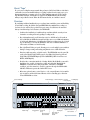
It is often convenient to display the virtual track window while tracking so you are
always aware of which virtual track you are recording onto for any given track.
Track Mutes
The MDR24/96 allows you to mute the playback of any track. This can be useful to
mute certain tracks while editing without having to reach for your mixer board.
Also, if you have an automated mix set up on your digital mixer, you can mute
tracks from the MDR24/96 without disrupting the mixing console. Finally, when
editing instruments spanning multiple tracks such as a drum kit, it may benefit
you to listen to just a particular part of the drum set to fine tune your edit points.
With track mutes, you can easily mute everything but the desired tracks and edit
to your hearts content.
Operation Guide
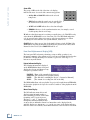
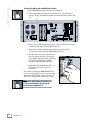
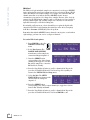
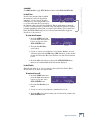
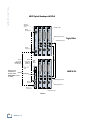
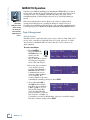
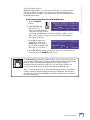
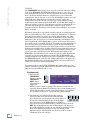
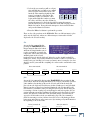
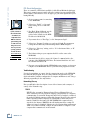
4. Use the << and >> SELECT buttons to select a track
number from the top line; the selected track number will
appear as an “_” instead of its number. Now press the (–)
DEC / (+) INC buttons to change the virtual track on the
selected channels. This screen allows you to manually set
any track to any of its eight virtual tracks.
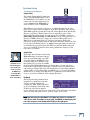
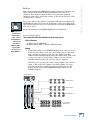
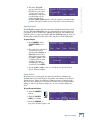
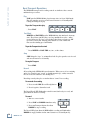
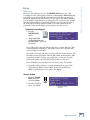
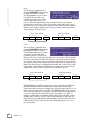
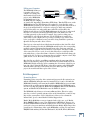
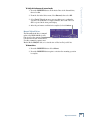
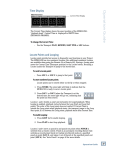
To mute a track:
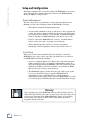
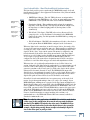
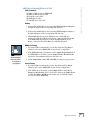
1. First press the TRACK/EDIT
button.
2. Press the Right Arrow button
to move to the second page of
the TRACK EDIT MENU.
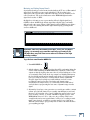
<- TRACK EDIT MENU
Mute
[2]
Set
Virtual
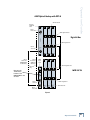
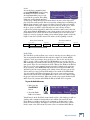
3. Press the Mute select button.
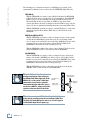
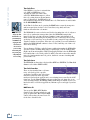
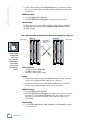
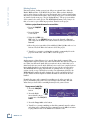
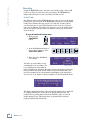
The dialog window will tell you to press the track arm buttons to toggle the mute
status on a track. If the Record Ready LED is lit while the mute screen is
displayed, the track will be muted, and if the Record Ready is not lit, the track will
play normally.
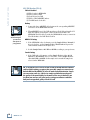
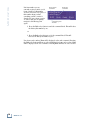
4. Use the Record Arm buttons to mute and unmute tracks. Press the OK
select button to leave the Track Mute menu.
The Record Ready LEDs change to their previous state, but any muted tracks will
remain muted until you return to the mute screen to change their status. The meters
continue to show playback on muted tracks, but the outputs will not pass audio.
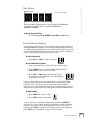
Record Safe
Record Safe locks out all Record Ready and Master Record switches. Any tracks
that are armed become disarmed when Record Safe is activated. If the transport is
running in Master Record mode (whether actually recording or not), the record
operation is canceled.
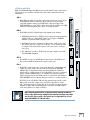
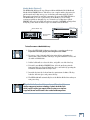
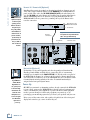
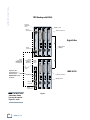
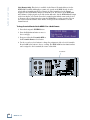
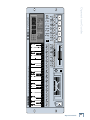
You’ll find the REC SAFE button above the floppy disk drive.
Operation Guide
39