1
DVD-Modul MK4
Re:source
DVD/CD operation
Change track
Several commands are available to
give you quick and easy operation of
your CDs and/or DVDs.
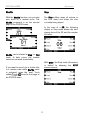
Using the two "previous" and "next"
Track softkeys, you can jump to the
start of the previous or next Track on a
CD or Chapter on a DVD.
Play
Example
You are currently listening to Track 4
on a CD and you want to jump to the
start of Track 3. In this case you need
to press the "previous" Track softkey
twice. The first press brings you to the
start of Track 4 and the second press
brings you to the start of Track 3.
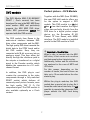
The DVD/CD is started with the Play
softkey.
Play Resume
Many DVDs have a Resume function
that allows you to start playing a DVD
again, at the same position it was at
when you last interrupted or stopped
it. The Resume function can only be
used if the DVD was stopped with the
Stop function and the M51 was put into
standby.
Pause
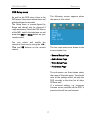
If you want to pause the disc for a
while, simply press the Pause softkey.
To cancel the Pause function, press
the Play softkey once more and the
disc will restart from where it was
paused.
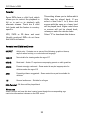
The next time you start the DVD you
can press the Play button during the
read-in phase, when the text Loading
appears on screen. The display Play
Resume appears and by pressing the
Play button again, the DVD will start
playing at the same position it was at
when you last stopped it.
12