1
SilverCrest graphics tablet SGT 10.6 A1
Replacing the battery
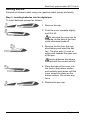
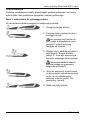
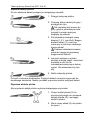
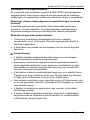
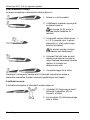
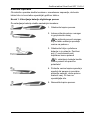
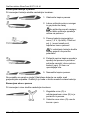
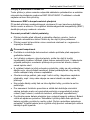
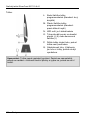
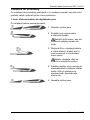
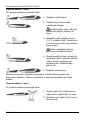
To replace the battery proceed as follows:
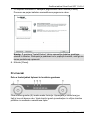
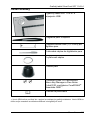
1. Remove the cap.
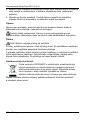
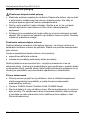
2. Push the cover upwards slightly
and lift it off.
Do not push the cover too far
upwards, as the tabs at the front
could otherwise break off.
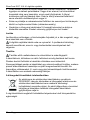
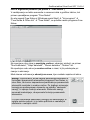
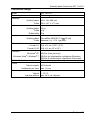
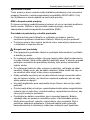
3. Replace the used battery with a
new battery (1.5 V, type AAA ).
The positive pole (+) must always point towards the open end
of the pen.
Ensure the battery is inserted
with the correct polarity.
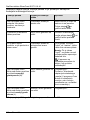
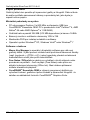
4. Place the tabs of the cover into
the front of the bottom section
and carefully push down until the
cover snaps into place on the
bottom section. Do not use any
force.
5. Replace the pen cap.
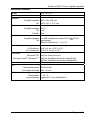
Remember to protect the environment. Used batteries should not be disposed of in domestic waste. They must be taken to a collection point for old
batteries.
Replacing the pen nib
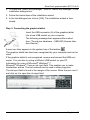
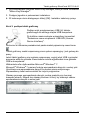
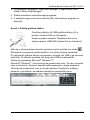
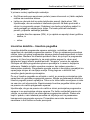
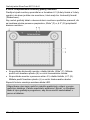
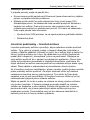
To replace the pen nib proceed as follows:
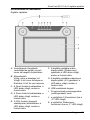
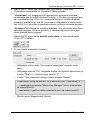
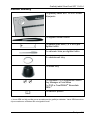
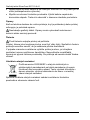
1. Grip the nib (O) with the nib extractor (Q) and pull the nib out of
the pen.
2. Push a new nib (O) as far as
possible into the pen.
30 - English