1
06
Setting up the receiver
Manually calibrating your
listening area (MCACC)
You can use the Multi-Channel Acoustic Calibration (MCACC) system to fine tune your
speaker levels and channel delay. These are
calibrated according to the distance from
your left front speaker to the listening position. You will hear a series of test tones that
will allow you to set the speaker levels and
channel delay to your liking. The advantage of
doing this is that you can achieve an overall
balance defined by the front speakers (the
main speakers for home theater).
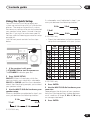
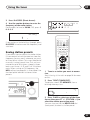
1
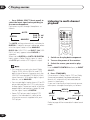
Press RECEIVER.
2 Press MCACC SETUP.
The MCACC system uses the left front
speaker as a reference point to calibrate the
speaker level and channel delay.
The front left speaker tone and the target
speaker (the one that you’re trying to adjust)
tone will sound in turns, so you can judge
which needs to be louder.
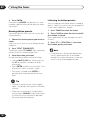
3 Use and to adjust each channel
level in turn, pressing ENTER to go to the
next channel when you’re done.
The test tone is output in the following order
(depending on the speaker setting):
R
C
LS
SW
SB
RS
• You must complete the Speaker setting on
page 45 before using the MCACC setup.
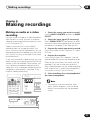
4 Specify the distance from the front left
speaker to your listening position using and then press ENTER.
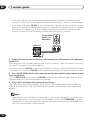
RECEIVER
ENTER
MCACC
SETUP
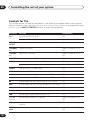
5 Use and to adjust the delay for
each channel in turn, pressing ENTER to go
to the next channel when you’re done.
Listen to the reference channel and use it to
measure the target channel. Stand facing the
two speakers with your arms outstretched
pointing at each speaker. Try to make the two
tones sound as if they are arriving simultaneously at a position slightly in front of you
and between your arm span.
• These test tones can be loud, so take care
that there is no one in the room who will
be startled by the noise.
51
En