1
Setting up the receiver
06
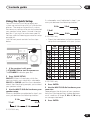
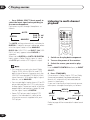
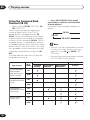
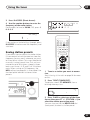
3 Press MASTER VOLUME +/– to adjust
the volume to an appropriate level.
4 Use LEVEL +/– to adjust the speaker
levels in turn.
You should hear the test tone at the same
volume from each speaker when seated in the
main listening position. The channel level
range is ± 10 dB.
5 When you’re done, press TEST TONE to
turn off the test tone.
The receiver returns to the Standard mode.
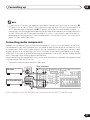
• The speaker volume can be adjusted
without outputting the test tone by
pressing CH SELECT and then using
LEVEL +/–. However, you can only adjust
the level of the speakers currently active
in the mode you’re listening to. You can
set separate levels for the STANDARD,
STEREO and DVD 5.1 ch/DVD 7.1 ch
modes, as well as for each ADVANCED
SURROUND mode.
• Since the subwoofer transmits an ultralow frequency its sound may seem quieter
than it actually is.
• Using test tones to set up your speaker
system will overwrite any previous
settings you had for the STANDARD or
ADVANCED SURROUND modes.
53
En