1
PREPARATION
FOR
USE (Continued)
lit[I1_'I
ItI][i_.'l
'dl
I[Illl
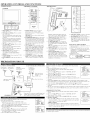
[CLOSED CAPTION SELECTION]
This TV can receive Caption and Text.
Yon can listeu 1o a program in MTS stere() folhlwing the steps below'.
Menu
--To
Regular
MAIN
MONO
SAP
-None-
-None-
-None-
Stereo
broadcast
STEREO
MONO
STEREO
SAP
MAIN
MAIN
SAP
To Select STEREO,
MONO
or SAP ill Stereo
SAP: SecoM Audio Program,
which means your prograln, can
also be received in a second lanIguage or sometimes a radio station.
([MAIN],
4) Whendone,
on tile TV screeu.
_ACKLIGHT
SLEEp
CHANNEL
SET
UP
SET
UP
V-CHIP SET UP
LANGUAGE
[ENGLISH[
LANGUAGE
[ENGLISH[
CAPTION
[OFF]
CAPTION
[OFF]
• TV
SOUND
BACK
SLEEP
[MAIN]
LIGHT
•TV
[BRIGHT]
[ 0] MINUTE
SOUND
BACK
SLEEP
SET
V-CHIP
SET UP
LANGUAGE
I_TV
[BRIGHT]
[ 0] MINUTE
!
4) Press the MENU
[OFFI
SOUND
BACK
SLEEP
UP
[ENGLISH[
CAPTION
[MONO[
LIGHT
CHANNEL
[SAP
LIGHT
[BRIGHT]
[ 0] MINUTE
t
[TEXT
[SRIGHq
[01 MtNUT£
1[
[CAPTI_2]
rv SOUND
[MA_N]
_ACKUGHT
SL_P
..............
1[ ............
/
rv SOUND
[I_alGm]
/ 01 MINUTE
SET UP
V ¢_IP SET UP
LANGUAG_ [_NGUSH]
[M_IN]
_AOKUGHT
SL_P
rv SOUND
[B£1_ml
/ 01 MINUTE
[MA_N]
_ACKUGHT
SL_P
[I_RIG}4"q
/ 01 MINUTE
MODE]
I ILVl U '{OlIl
_I_
I
button or the Number
3) Adjust tile volume to the desired listeniug level using the VOL + or
4) Adjust picture controls lktr a uatural lookiug image. (See "PICTURE
I} [OT&VlII} DIe] I_1 UII
will occur.
l) When your TV receives a speciul effects playback signal (i.e., Search, Slow and Still) from a
VCR's video output chaunel (CH3 or CH4), your TV may not display file correct captiou or
text.
buttons.
button.
ADJUSTMENT".)
i ]_TIJ [_J
When you use tile AUDIO/VIDEO input jacks, select "AV 1" or "AV2" mode by pressing tile
INPUT button.
• To use the jacks of AV-INI on tile TV, select "AVI".
• To use the jacks of AV-IN2 on the TV, select "AV2".
Note:
• When you use tile S-VIDEO connection, S-VIDEO jack is given priority over tile VIDEO jack.
OPERATIONS
MODE]
1) Displays tile text on the screen by scrolliug (max. 7 lines).
2) If tile received broadcast signal does not coutain caption or text signals, uo change
Notes:
l) Press tile POWER buttou to turn on tile TV.
2) Select tile desired channel with the CH • or •
lIl¢! I_[1_ _lJ
[MA_N]
_ CAPTION
plOT(IRE
CHANNEL
VC_IP SET UP
lANGUAGE [ENGUS_]
button to exit tile menu.
OPERATIONS
I%_III[lJ II I_[lll
[CAPTION11
plOT(tEE
CHANNEL SET UP
SET UP
VCHIP SET UP
LANGUAGE [ENGUSH] "q_"
1) Closed Caption Charucters can be displayed on tile TV screen only when the received broadcast signal contains Captiou Signals.
2) Paint-on mode: Displays iuput characters on the screen immediately.
Pop-on mode: Once characters are stored in memory, they are displayed all at ouce.
Roll-up mode: Displays the characters contiuuously by scrolling (max. 4 lines)
Note: If ICAPTIONI ] or [CAPTION2]
is selected but a Closed Caption signal is not included,
characters will not be displayed.
PICTURE
CHANNEL
V-CHIP SET UP
buttou.]
button.]
[CAPTION
PICTURE
-,_-:PresslheVOL+or
I............
q[_
......
l_I
....
plOT(IRE
CHANNEL
SET UP
w sou_o
: Press the VOL + or
I
butlou to exit the meuu.
v_HiP SET UP
LANGUAGE [ENGUSH]
"q_"
_ CAPTION
[_
PICTURE
press the MENU
stere() mode.
or [SAP])
tapes, etc. with
1) Press tile MENU button so thai tile menu display appears on tile TV screen.
2) Press Ihe CH • or • button Io poiut Io "CAPTION".
3) Press tile VOL + or button to select Ihe rnode you wish.
pECTURE
CHANNEL
button to select your desired
[MONO]
You may view specially laheled (cc) TV programs, movies, new's and prerecorded
either a dialogue caption or text display added Io tile program.
broadcast]
1) Press tile MENU button so that tile menu display appears
2) Press the CH • or • button to point to "TV SOUND".
3) Press the VOL + or
shov,,'tile status, press tile
DISPLAY button on tile remole
controh
2) Captions and texts may not match tile TV voice exactly.
3) lnterli:rence may cause the closed caption system not to function properly.
4) The caption or text characters will not be displayed while the menu display or functions
play is showu.
5) If you see this screen:
.............................................
dis-
II your TV displays a black box ou the screen, this means thut your TV is set to TEXT mode. To
cleur screen, select [CAPTION ll, [CAPTION2]
or IOFF].
(Continued)
IIK,
III/_lit
(IfIiIk']
ItItXII i[Illl
_'J_l I i I_[1_ I i I I _lCJ _ _! _ 'J I i I_1 _! _1
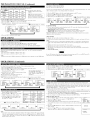
Use Sleep Tinter to program the TV Il! shut oil ill a certain amount of time.
1) Press Ihe POWER bullou to lunl on tile TV.
2) Press lhe MENU huttou so that tile meun display appears on Ihe TV screen.
3) Press the CH • or • button to point to "SLEEP".
Then press the VOL + button.
To cancel the sleep timer:
4) Press the VOL + or - until tile correct amount of time
Press tlleVOL + or repeatedly
until "SLEEP I0] MINUTE" is
appears on the TV screen.
displayed.
Tile time increases by 30 minutes. You may set
a Sleep Timer ol 30, 60, or 90 minutes.
Note: When yon disconuect
1) Press tile MENU button so that the nrenu display appears on tile TV screen.
2) Press Ihe CH • or • button to point Io "BACK LIGHT".
3) Press tile VOL + or - hultou IO select tile rnode you w'ish.
4) Wheu done, press tile MENU
PICTURE
[_
SET
UP
[ENGLISH]
CAPTION
[OFF]
TV
SOUND
BACK
[MAIN]
LIGHT
[BRIGHT]
SLEEP
SET
UP
CHANNEL
V-CHIP SET UP
LANGUAGE
[ O[ MINUTE
[ENGLISH]
CAPTION
[OFF]
SOUND
BACK
[MAIN]
LIGHT
[NORMAL]
SLEEP
.........
--I........
I--I
.......
I-I.......
!
SET
UP
LANGUAGE
[ENGUSH[
CAPTION
[OFF]
TV
[MAIN[
SOUND
k" BACK
[ O[ MINUTE
LIGHT
SLEEP
!
: Press the VOL + or - button. ]
]
V-CHIP SET UP
LANGUAGE
TV
•
bultou.
PICTURE
CHANNEL
V-CHIP SET UP
•
I _i]_- : Press Ihe VOL + or-
PICTURE
CHANNEL
tile unit lrom tile AC outlet or when you have a pow'er lailure,
the sleep lime will be lost.
button to exit tile lueuu.
[DARK]
[ 0]
MINUTE
!
k_l[iI
III_ _IIIIIJ_
PICTURE
PICTURE
CHANNEL
V-CHIP
•
SET
SET
UP
PICTURE
CHANNEL
UP
V CHIP
SET
SET
UP
PICTURE
CHANN£L
UP
V CHiP
SET
SET
UP
CHANN£L
UP
V CHIP
SET
SET
UP
V-CHIP enables
UP
lANGUAGE
[ENGUSH]
LANGUAGE
[ENGLISH}
LANGUAGE
[ENGLISH}
LANGUAGE
[ENGLISH}
CAPTION
{OFF]
CAPTION
IOFF}
CAPTION
[OFF]
CAPTION
[OFF]
TV SOUND
BACK
UGHT
{MAIN}
IBR[GHT]
TV SOUND
BACK
LIGHT
{MAIN]
{BR[GH'I]
TV SOUND
BACK
LIGHT
[MAIN]
[BRIGH
TV SOUND
BACK
LIGHT
[MAIN]
[BRIGHT]
SLEEP
{ 01 MINUTE
I_ SLEEp
[SO] MINUTE
• SLEEP
I_
[60] MINUTE
• SLEEP
!
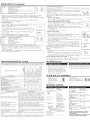
1) Press tile MENU
it_ I H_l I
button so that tile menu
VOL-
display appears on the TV screen.
2) Press tile CH • or • button to point "PICTURE". Then press the VOL + hutton.
3) Select tile feature you wish to adjust with
the CH • or • button aud adjnst it with
theVOL + or
button.
: Press tile CH • or •
BRIGHTNESS
MINUTE
!
I U(i1 ill [t I _I I)llgt
-I+
[90]
CONTRAST
to decrease
contrast
to increase
contrast
[MPAA
to pale
to brilliant
2) Press Ihe CH • or • buttou Io poiut 1o "V-CHIP SET UP".
Then press tile VOL + bnllou.
to purple
to green
SHARPNESS
to soft
to clear
CONTRAST
COLOR
-I+
-I+
TINT
t'_1_
I
this case, change
RATING
1) Press tile MENU
Il! an unblocked
channel,
on TV.
ol America
(MPAA)
or accord-
Note:
bl.lltOU so thai the rnenu display appears on tile TV screen.
TVSETUP
P[CTURE
CHANNKLSKTUP
CHIP
SET UP
LANGUAGE
[£NGUSN]
CAPTION
[OFF]
_*V
TV
3) Use tile number btlllOUS Io enter 4-digit access code. Tile delanll access
code is 0000. 11 yon have not set np your personal access code, you should
nse 0000.
4) Press Ihe CH • or •
VOL + butlon.
button Io poiut to "MPAA RATING".
5) Press lhe CH • or •
button Io point Io your desired ilem.
Then press tile
SOUND
[MAIN]
BRIGH
SLEEpBAOKUGHT
[0]MINUTIT
ACOESSCODE
or [VIEW].
. V4_HIp SET UP.
TV RATING
MPAA RATING
CHANGE CODE
display will disappear
from the TV screen automati-
cally after approximately
5 seconds if you do not press any buttons. Press tile MENU and VOL
+ button so that "PICTURE" is selected. Theu press the CH • or • buttou repeatedly until tile
display returns to tile screen.
Ill
SET UP]
SHARPNESS
-HIIHIIIIIHII+
set
then press Ihe MENU button.
Then press lhe VOL + bullou to select [BLOCK]
• In the above steps, tile picture adjustmeut
material
ins to the Television Parental Guidelines. Ill order Io block ally inappropriate programming,
your lira(Is ill both places (MPAA RATING and TV RATING).
• You canuot access the menu when the "PROTECTED
PROGRAM by ..." message appears.
to increase
brightness
TINT
inal)propriale
TECTED PROGRAM by ..." message appears on the TV screeu.
To block certain ratings, follow tile steps below.
• Progrannning
may be rated hy Ihe Motion Picture Association
to decrease
brightness
1-[ ]-[ l-I
-I1+
fronl watching
BRIGHTNESS
COLOR
bulton.
VOL +
parents to prevellt their children
V-CHIP reads tile ratings lor progran_nling (except lot uews and sports programs, unedited movies
on premimn cable chanuels, and Emergency Broadcast Systenr signals), 1hen denies access to proslamming il the progranfs rating meets or exceeds tile limitations you select. Ill this case, "PRO-