1
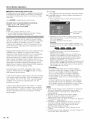
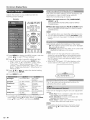
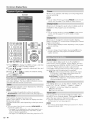
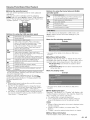
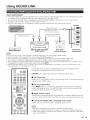
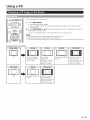
Enjoying
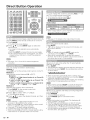
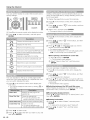
Photo/Music/Video
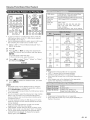
Playback
Buttons
for playing
mode
ipt!
Example
A
Y
I_
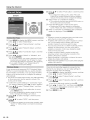
This screen image is for the USB mode. It may be slightly
different in the Home network (DLNA) mode.
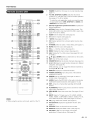
OPTION SLEEP
AUDIO
41
FREEZE
Smart
Central
AAL
C::3 C::3 C::3 C::3
ENTER
RETURN
CO
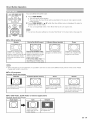
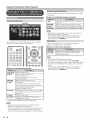
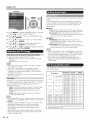
Buttons
A
AVM00E VIEWMODEFLASHBACK
for file
selecting
B
C
operations
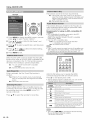
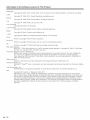
A/T/_I/_
Select a desired item,
ENTER
When selecting a folder icon:
Enter this directory.
When selecting a video file: Play the video,
RETURN
Return to the previous process.
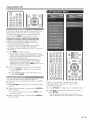
A (red)
USB mode:
Select/deselect items (checkmarks are added
to the selected items).
Home Network (DLNA) mode:
Display the Media screen.
D (yellow)* Display the USB MENU screen.
* This function is available only for the USB mode.
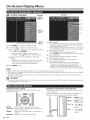
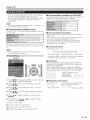
Q-
D
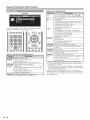
44
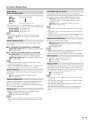
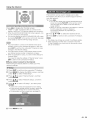
Go to the beginning of a file by pressing A
once and the previous file by pressing A twice,
Go to the next file.
USB mode:
The fast forward speed changes every time you
press I_. After playing to the end, the TV goes
to the next file and starts to play.
Home Network (DLNA) mode:
Jump forward in a video. *2
USB mode:
The reverse speed changes every time you
press _11.After going back to the beginning, the
TV starts to play the same file.
Home Network (DLNA) mode:
Jump back in a video. *2
USB mode:
Pause the video.
Home Network (DLNA) mode:
Play/Pause the video. *2
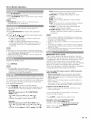
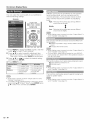
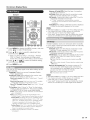
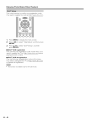
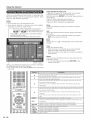
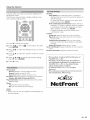
Go back to the file selection screen.
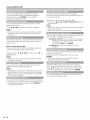
A (red)*1
Jump to the scene where playback was last
stopped.
B (green)
Stop avideo.
O (blue)
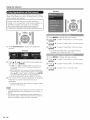
Display the USB/home
operation panel.
network (DLNA)
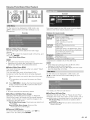
D (yell0w}*l Display the USB MENU screen.
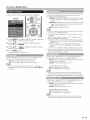
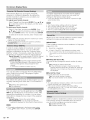
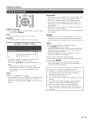
0-9"1
Jump to a point in the video during playback of
a file without chapters.
You can jump to a later point by pressing a
higher number.*3
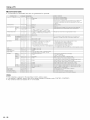
"1 These functions are available only for the USB mode.
*2 Jump forward/back and play/pause may not be available
depending on the files.
*3 During playback of a file without chapters, playback points
are set automatically. Playback points are set at intervals of
a one-tenth of playback time.
Example for a file with a playback time of 100 minutes:
Pressing 1 jumps 10 minutes forward, and pressing 2 jumps
20 minutes forward. Pressing 0 returns to the start of the file
being played back.