1
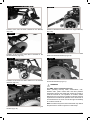
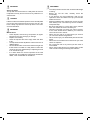
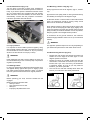
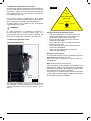
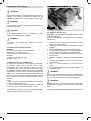
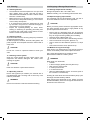
7.10 Charging and programming socket:
WARNING!
•
•
•
This socket should only be used for programming and
charging the wheelchair.
This socket should not be used as a power supply for
any other device.
Connection of other electrical devices may damage
the control system or affect the EMC performance of
the wheelchair.
See Section 9.0 about charging.
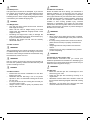
The programming socket will enable an approved Sunrise
Medical authorised dealer to re-programme your chair
and also gain useful information when tracing any faults.
When the chair leaves the factory, the parameters of the
controller are set to default.
To programme the controller you need a special
programming device (handheld or PC software), which is
available to your Sunrise Medical authorised dealer.
WARNING!
Programming the controller of the wheelchair is only
allowed through authorised personnel trained by Sunrise
Medical. Incorrect controller settings could cause driving
outside the safe limits and could result in damage or
injury.
Note: Sunrise Medical does not accept responsibility
for damages which result from unexpected movement
or stopping of the wheelchair due to inappropriate
programming or unauthorised use of the wheelchair.
VR2 Dual Control Unit
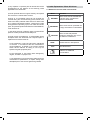
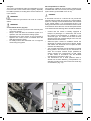
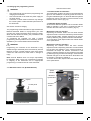
7.12 Control button and indicator:
This shows which joystick has control. If the red wheelchair
light is on the wheelchair occupants joystick has control. If
the green attendant light is on the dual attendant systems
joystick has control. The button is used to transfer control
between the two choices, (Fig.7.3).
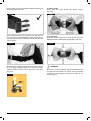
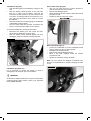
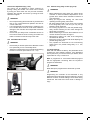
7.13 Actuator button and LED:
All VR2 dual attendant systems have an actuator button
fitted as standard. If the VR2 is programmed with no
actuators then this button has no function, (Fig.7.3).
Wheelchairs with one actuator:
Depressing the actuator button once will enter actuator
adjustment mode. This will be indicated by the illumination
of both actuator LED’s. Actuator adjustment can then be
made by deflecting the joystick forwards and backwards.
To re-enter drive mode, depress either the actuator button
or the speed button.
Wheelchairs with two actuators:
Depressing the actuator button will enter actuator
adjustment mode. Depressing the button once illuminates
the left LED and deflection of the joystick forwards or
backwards will adjust the actuator connected to that
channel. Selection between the two actuators is achieved
by deflecting the joystick to the left and right. As the actuator
selected changes so will the LED which illuminates. Left
for actuator 1 and right for actuator 2.
To re enter drive mode, depress either the actuator button
or the speed button.
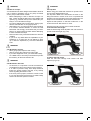
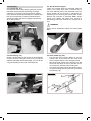
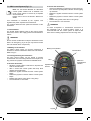
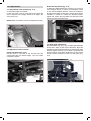
7.11 VR2 dual control unit, (Rumba Modular):
Speed
indicator
Control
button &
Indicator
LED’s
Maximum
speed button
Joystick
Control panel
Fig. 7.2
Ref: P19093
VR2 Dual Control Unit
Actuator
button
VR2 Dual Control Unit
Fig. 7.3
Quickie Rumba
27