1
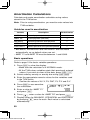
Day and Date Calculations
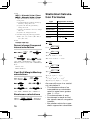
Using day and date calculations, you can find dates and the
numbers of days between dates.
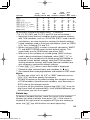
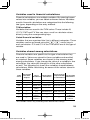
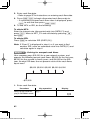
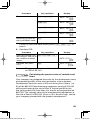
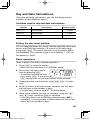
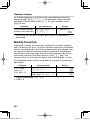
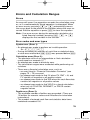
Variables used in day and date calculations
Variable
Description
Default value
M-D-Y 1 *1
The first date
1-1-2001
M-D-Y 2 *1
The last date
1-1-2001
DAYS
Number of days
*1
0
You can change the date format to D-M-Y (see page 10).
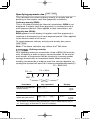
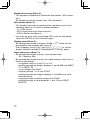
Setting the day-count method
You can toggle between the actual calendar (365 days plus leap
years) and a 360-day calendar (12 months of 30 days each)
using . &. The actual calendar is set by default (360 is
not displayed). The calendar range is from January 1, 1901 to
December 31, 2099.
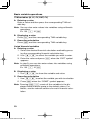
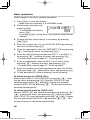
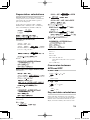
Basic operations
Refer to page 19 for basic variable operations.
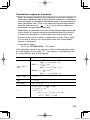
1. Press s to clear the display.
• Make sure the calculator is in NORMAL mode.
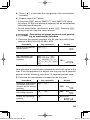
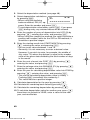
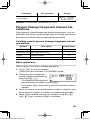
2. Select day and date calculaM-D-Y 1=[MO]
tions by pressing K.
• To end day and date calculations, press s. If you press
s during entry, any entered values will be cleared.
1- 1-2001
3. Change the day-count method, using . &, if necessary.
4. Enter the values of any two known variables: the first date,
the last date, or the number of days.
• For date entry, refer to page 47, ”Entering dates”.
5. Move to the variable you wish to calculate, using the z
and i keys, and press @ to calculate.
• If the calculator is set to 360-day calendar mode (360 is
displayed), it is not possible to obtain either the first or last
dates, only the number of days.
52
3 Financial FunctionsCurrent.indd 52
06.7.10 8:38:50 PM