1
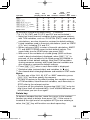
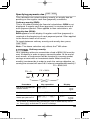
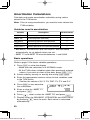
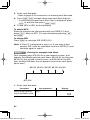
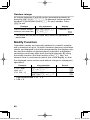
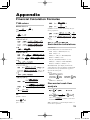
The estimate of y for a given x (estimate y´) and the estimate
of x for a given y (estimate x´) can also be found. When there
are two x values, the COMP symbol will appear. Press @ to
switch between x values.
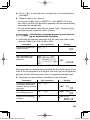
Exponential regression, logarithmic regression, power regression, and inverse regression calculations
Section 햲 and 햳 results, except for coefficients c.
The estimate of y for a given x (estimate y´) and the estimate
of x for a given y (estimate x´) can also be found. Because the
calculator converts each formula into a linear regression before
actual calculation takes place, it obtains all statistics — except
coefficients a and b — from converted data rather than from
entered data.
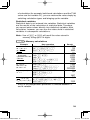
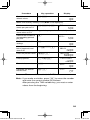
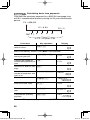
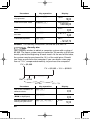
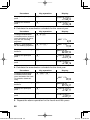
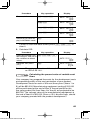
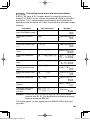
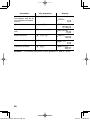
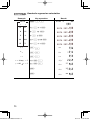
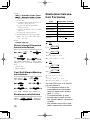
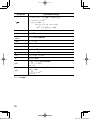
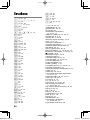
Variables
①
n
Number of samples
x
Mean of samples (x values)
sx
Sample standard deviation (x values)
σx
Population standard deviation (x values)
Σx
Sum of samples (x values)
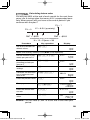
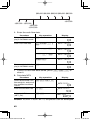
Σx
2
y
Sum of squares of samples (x values)
Mean of samples (y values)
sy
Sample standard deviation (y values)
σy
Population standard deviation (y values)
Σy
Sum of samples (y values)
2
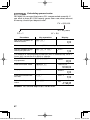
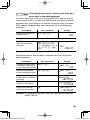
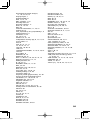
②
Content
Σy
Sum of squares of samples (y values)
Σxy
Sum of products of samples (x, y)
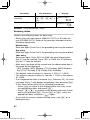
a
Coefficient of regression equation
b
Coefficient of regression equation
c
Coefficient of quadratic regression equation
r
Correlation coefficient
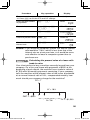
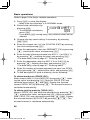
• Use i or f to perform a variable calculation in STAT
mode.
68
5 Statistical Calculations.indd 68
06.7.10 8:03:40 PM