1
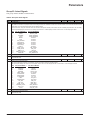
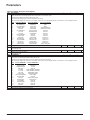
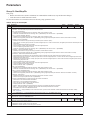
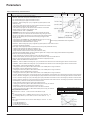
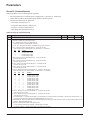
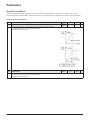
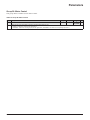
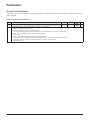
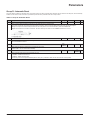
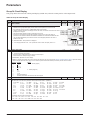
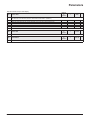
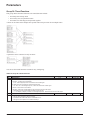
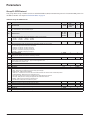
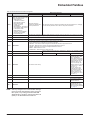
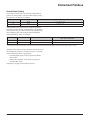
Parameters Group 11: Reference Select This group defines: • How the drive selects between command sources • Characteristics and sources for REF1 and REF2. Table 9: Group 11: Reference Select Code Description Range Resolution Default S 1102 EXT1/EXT2 SEL -6…12 1 0 (EXT1) Defines the source for selecting between the two external control locations EXT1 or EXT2. Thus, defines the source for Start/Stop/Direction commands and reference signals. 0 = EXT1 – Selects external control location 1 (EXT1). • See parameter 1001 EXT1 COMMANDS for EXT1’s Start/Stop/Dir definitions. • See parameter 1103, page 22 REF1 SELECT for EXT1’s reference definitions. 1 = DI1 – Assigns control to EXT1 or EXT2 based on the state of DI1 (DI1 activated = EXT2; DI1 de-activated = EXT1). 2…6 = DI2…DI6 – Assigns control to EXT1 or EXT2 based on the state of the selected digital input. See DI1 above. 7 = EXT2 – Selects external control location 2 (EXT2). • See parameter 1002 EXT2 COMMANDS for EXT2’s Start/Stop/Dir definitions. • See parameter 1106 REF2 SELECT for EXT2’s reference definitions. 8 = COMM – Assigns control of the drive via external control location EXT1 or EXT2 based on the fieldbus control word. • Bit 5 of the Command Word 1 (parameter 0301) defines the active external control location (EXT1 or EXT2). • See Fieldbus user’s manual for detailed instructions. 9 = TIMED FUNC 1 – Assigns control to EXT1 or EXT2 based on the state of the Timed Function (Timed Function activated = EXT2; Timed Function deactivated = EXT1). See on page 35. 10…12 = TIMED FUNC 2…4 – Assigns control to EXT1 or EXT2 based on the state of the Timed Function. See TIMED FUNC 1 above. -1 = DI1(INV) – Assigns control to EXT1 or EXT2 based on the state of DI1 (DI1 activated = EXT1; DI1 de-activated = EXT2). -2…-6 = DI2(INV)…DI6(INV) – Assigns control to EXT1 or EXT2 based on the state of the selected digital input. See DI1(INV) above. OM 1191 21