1
RF-PHD25.fm Page 4 Thursday, August 6, 2009 2:38 PM
System requirements
• Computer with built-in USB 2.0 ports
• Windows 7, Windows Vista, Windows XP, or
Mac OS X v10.2.0 or newer
• Intel Pentium II 350 MHz-compatible or G3
processor or greater
• Minimum 128 MB RAM
Setting up your hard drive enclosure
Installing your hard drive in the
enclosure
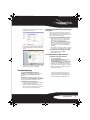
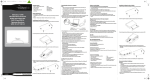
To install your hard drive in the enclosure:
4 Connect the drive’s data connector to the
corresponding connector on the enclosure
board, then turn the tray over and secure the
drive to the metal plate with the two provided
screws.
1 Remove the two screws from the rear panel.
2 Slide the drive tray out of the enclosure.
5 Slide the drive tray into the enclosure.
3 Insert the drive into the drive tray.
6 Replace the two screws on the rear panel.
4