Download Basler A400K User`s manual
Transcript
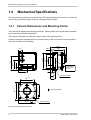
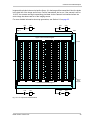
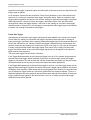
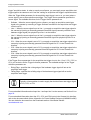
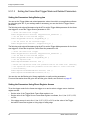
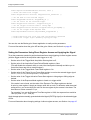
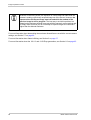
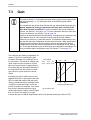
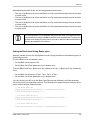
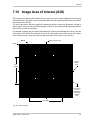
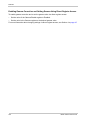
Features Setting the Image AOI Using Direct Register Access To set the AOI width and height via direct register access: Set the value of the Width register. Set the value of the Height register. For more information about changing settings via direct register access, see Section 4 on page 45. 7.10.2 Prelines As you work with the camera’s AOI feature, you may notice that in some situations dark areas appear near the top and the bottom of acquired images as shown in Figure 36. (The image in the figure was acquired using a light gray test pattern.) These dark areas typically will not be present when large AOIs are used, but will become more noticeable when the AOI height is smaller. The effect will be most noticeable when the AOI height is very small. The effect will be especially apparent if the area of the sensor outside of the AOI is very brightly illuminated. The prelines feature is designed to minimize this effect. The minimum and maximum settings for the Prelines parameter depend on your camera model as shown in Fig. 36: Dark Areas in Small AOI Table 12. Higher prelines settings result in better elimination of any dark areas at the top and bottom of the acquired images. At the highest setting, the prelines feature will minimize or eliminate these dark areas even when the AOI is very small. Camera Model Min Setting Max Setting avA1000-120km/kc 1 96 avA1600-65km/kc 1 192 avA1900-60km/kc 1 192 avA2300-30km/kc 1 192 Table 12: Minimum and Maximum Preline Settings There is a trade-off when using the prelines feature. As mentioned earlier in this section, the camera’s maximum allowed frame rate will typically increase as the height of the AOI is made smaller. Using the prelines feature impacts the relationship between the AOI height and the maximum frame rate. When you use a large prelines setting, you will see less of an increase in the maximum allowed frame rate as you make the AOI height smaller. 144 Basler aviator Camera Link