1
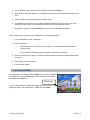
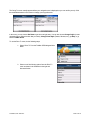
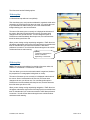
During your first use of TeleNav, the device will download the audible and
graphical content needed to build the displays and produce audible
messages. The alert screen similar to that shown on the right advises you
that this is taking place. The time it takes to complete the download
depends on your coverage.
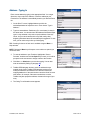
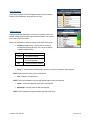
When TeleNav is using data service to contact the TeleNav servers, it will
present a message like: a) Reading GPS, b) Waiting, c) Sending,
d) Receiving, e) Logging in, f) Personalizing, g) Loading, and h) Storing.
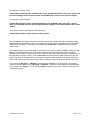
NOTE: Do not interact with the BlackBerry while this download is underway. Wait for it to finish. When the
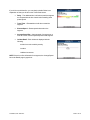
download is completed, you will see the TeleNav Home Menu.
NOTE: If, after you press the trackball/trackwheel, the TeleNav application indicates that it cannot reach the
TeleNav servers, the most likely reason is that your carrier data service plan is not yet active. If so, you will be
notified at this point and will be directed to go to www.telenav.com to extend your service agreement. You will not
be able to progress beyond this point until your account is returned to current status. You may also see an
important message from TeleNav regarding upgrades, scheduled downtime, pending account expiration, etc.
When the device reaches the TeleNav servers with a valid and active phone number and PIN, the device will be
registered to use TeleNav and will not present any of the above screens except the splash screen in the future.
Visiting www.telenav.com and changing the PIN will require you to repeat the above registration process.
6. TeleNav GPS Navigator Menu Overview
This section gives you a brief overview of the TeleNav GPS Navigator menus.
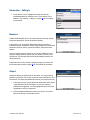
Main Menu
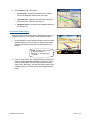
The TeleNav GPS Navigator Main Menu options are:
•
Drive To
•
Directory
•
Maps & Traffic
•
Tools/Extras
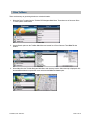
You can return to TeleNav Home using Menu and choosing “TeleNav
Home” from elsewhere within TeleNav. This will save you on the amount of
clicks it would take to get to the Main Menu by pressing Escape.
© TELENAV, INC. 2003-2007
PAGE 12 OF 52