1
15-00044
Revision 5
April 2008
4. General Functions
4.1 Dipswitch Selector
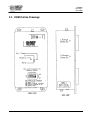
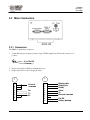
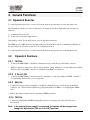
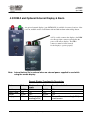
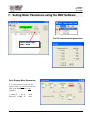
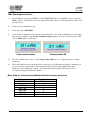
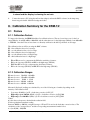
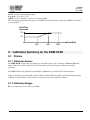
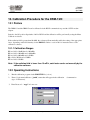
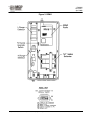
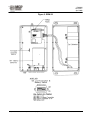
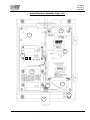
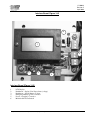
To set the dipswitch, unscrew two screws located at the meter front panel and remove the dipswitch cover.
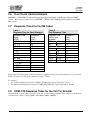
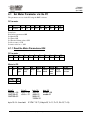
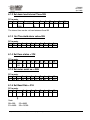
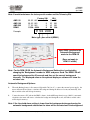
The dipswitch (8 switches) is located on the meter’s front panel. Using these dipswitches you can setup two
functions:
a) Communication mode, and;
b) Connect-disconnect the backup batteries.
Dipswitches position: For the ON position, press the dipswitch downward.
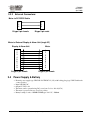
The DRM has one UART (Universal Asynchrony Receive Transmit Port) and one communication RS232 port;
the dipswitch position enables a selection of the communication mode
To set the dipswitch, unscrew two screws located at the meter front panel and remove the dipswitch cover.
4.2
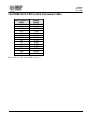
Dipswitch Positions
4.2.1 1&2 On
•
Connects the DRM UART to the RS232 communication port via the D-type 9 pin female connector
•
Enables connection of the meter to PC for meter parameter setting, calibration or download the meter reading
directly to PC, (Using RMV software for configuration and RMC for calibration).
4.2.2 3 On & 4 Off
•
Connects the DRM UART to the internal wireless transmitter to send data reading via WRM2. Switch 3 is
for transmitting and Switch 4 is for receiving data.
4.2.3 5&6 On
• Connects the internal wireless transmitter to the RS232 communication port via the D-type 9 pin female
connector. See “Wireless Remote Monitoring 2 Operating manual, 15-00043” for configuring the WRM2
radio.
• Enables the setting of internal wireless transmitter WRM2 parameters.
4.2.4 7&8 On
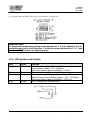
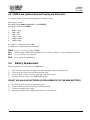
• Connects the internal three NiMHd rechargeable batteries for back-up power if the external power is
disconnected
Note: If the external power supply is connected, the battery will be charged even
though the dip switches 7&8 are in the OFF position.
The publication, translation or reproduction, either party or wholly, of this document are not allowed without our written consent.
20