1
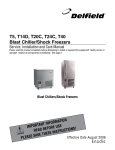
T5, T14D, T20C, T24C, T40
Blast Chiller/Shock Freezers
Service, Installation and Care Manual
Please read this manual completely before attempting to install or operate this equipment! Notify carrier of
damage! Inspect all components immediately. See page 2.
Blast Chillers/Shock Freezers
TION
A
M
R
O
T INF
N
A
T
R
O
USE
IMP
E
R
O
F
E
ONS!
I
T
C
READ B
U
R
INST
E
S
E
H
T
AVE
S
E
S
A
E
PL
June 2010
CONTENTS
1. 1.1 1.2 1.3 1.4 1.5 GENERAL DOCUMENTATION
General information Installation Transport and handling Unpacking - disposal of packaging materials General safety regulations page page
page page page 4
4
4
4
4
2. 2.1 2.2 2.3 2.4 2.6
2.7
2.8
2.9
2.10
INSTALLATION
Data plate information Positioning Ambient temperature and air circulation Electrical connections Condensate drainage connection Information for the installation technician Safety and control systems Appliance disposal Door Hinge Reversal Procedure
page page page
page
page page page page page 5
5
5
5
6
6
6
6
7-10
3. ADVICE TO ENSURE EFFICIENT APPLIANCE OPERATION
3.1 Shut-down procedures 3.2 Operating tips 3.2.1 Precooling 3.2.2 Loading the appliance page page
page page 11
11
11
11
4. DESCRIPTION OF THE CONTROL PANEL 4.1 Push-buttons page
page 12
13
5. 5.1 5.2 5.3 5.4 5.5 5.6 5.7 page
page page page
page page page page 14
15
16
16
17
17
18
19
PROGRAMMING AND OPERATING INSTRUCTIONS
Starting up the appliance Soft blast chilling by temperature Soft timed blast chilling Hard blast chilling Hard blast chilling by temperature Hard timed blast chilling Blast freezing by temperature Timed blast freezing 6. APPLIANCE FUNCTIONS
6.1 Date and time settings 6.2 Ice cream surface hardening 6.3 Muting the beeper and alarm reset 6.4 Program storage 6.5 Displaying the three latest HACCP alarms 6.6 Printing out stored data 6.7 Forced ventilation function 6.8 Manual defrosting 6.9 Automatic defrost cycles 6.10 Printer operation page 20
page 20
page 20
page 20
page 21
page 21
page 21
page 21
page 21
page 21
7. ALARM MANAGEMENT
7.1 Storage of data/errors 7.2 Alarms list page 22
page 22-25
8. 8.1 8.2 8.3 8.4 MAINTENANCE AND CLEANING
General safety regulations Cleaning the condenser Cleaning the internal room
Defrost water drainage page 26
page 26
page 26
page 26
9.
10.
11.
12.
13.
Blast chiller and remote condenser specs
T5/T14D refrigeration system schematic
Wiring diagrams
T40 Assembly instructions
Warranties
page27-35
page 36
page
37-41
page
42-45
page
46-47
1. General Documentation
1.1. General information
• This manual is an integral part of the product,
providing all the information required to ensure
correct installation, operation and maintenance
of the machine.
• Read the manual carefully, making reference
to it for machine operation. Keep the manual
in a safe place where it can be accessed by all
authorised operators (installers, operators and
service personnel).
• The machine has been designed for professional
applications only and should only be operated
by qualified personnel.
• The machine must only be used for the purposes
for which it was designed, i.e. for chilling and
freezing food products.
The machine must not be used for products
requiring constant temperature control and
recording, such as:
- heat-sensitive chemicals,
- medicines or
- blood products.
• The manufacturer declines all responsibility
for any damage caused by incorrect or
unreasonable machine use, such as:
• improper use by untrained persons;
• technical modifications or operations not suited
to specific models;
• use of non-original or non-specific spare parts;
• failure to follow the instructions given in this
manual.
1.2 Installation
In the event that the machine is fitted with
a remote condenser unit, the installation
technician is responsible for checking all
connections in compliance with the instructions
given by Delfield for plant and machine
installation.
1.3 Transport and handling
• To load or unload the machine and/or
components from/onto the means of transport,
use a lift truck or fork lift equipped with forks
that are at least half the length of the machine
housing; use a crane if the machine is fitted with
eye bolts. Select the lifting equipment suited
to the weight and overall dimensions of the
packaged machine/components.
• When handling the machine/ components,
apply all precautions to prevent damage, in
compliance with the information given on the
packaging material
1.4 Unpacking
• Remove all cardboard, wood or other materials
from the wood base on which the machine is
set. Lift the machine/components with suitable
means (e.g. lift truck), remove the wood base,
then position the machine/components in the
allocated site.
• Once all packing material has been removed,
check that the machine has
not been damaged in any
way.
• Remove the protective
PVC film on the stainless
steel panels from all
internal and external
surfaces (fig. 2).
• Always wear protective
gloves when handling packing material and the
wood base.
• NB Dispose of packing materials in compliance
with disposal regulations applied in the country
where the machine is to be installed. Never
dispose of materials in the environment.
1.5 General safety regulations
Failure to observe the recommendations made
by the present manual will be at the entire
responsibility of the machine user. The main
safety regulations are as follows:
- do not touch the machine with moist or wet
hands or feet;
- never operate the machine while barefoot;
- do not insert screwdrivers, cooking utensils
or any other object between the guards and
moving parts;
- before performing cleaning or routine
maintenance operations, disconnect the
machine from the power supply at the
master switch and the main knife switch (if
present);
- never pull on the power cable to disconnect
the machine from the power supply.
2. Installation
2.1 Data plate information
• Check that the data specified on the plate
correspond to the characteristics of the power
supply (V, kW, Hz, no. phases and power
available).
• The dataplate with appliance specifications
is located at the rear exterior of the machine
and/or on the electrical
boards (fig. 3). The setup of individual units
and the installation of
condensers are subject to
the fire-safety regulations
of the country in which the machine is installed;
seek all necessary advice from the local firefighting authorities. Bear in mind that the
intervention of safety valves or plug fuses in the
refrigerating circuit will lead to the immediate
discharge of refrigerant into the environment.
2.2 Positioning
• The machine must be installed in complete
compliance with safety regulations, procedures
and standing laws.
• Position the machine in the allocated site.
• Adjust the machine feet by turning the foot
clockwise until the appliance is perfectly level.
In the case of particularly heavy equipment, use
appropriate lifting means.
(fig. 4).
• If the appliance is not perfectly level, correct
operation and condensate flow-off will not be
assured.
AVOID
• direct exposure to sunlight;
• closed sites with high temperatures and poor air
circulation;
• installing the machine near sources of heat
Installation Clearance Requirements
All Cabinets:
12” clearance above top
12” clearance on sides and rear
Remote condensing units for T20, T24 and T40
models.
24” clearance above top
6” clearance on sides and rear
2.3 Ambient temperature and air circulation
For air-cooled appliances, the maximum ambient
temperature for operation is 90°F / 32°C. Correct
operation cannot be guaranteed at higher
temperatures. The machine may operate safely
to a maximum temperature of 100°F / 38°C.
Remote condensing units may be installed
indoors next to the unit or within 25 ft. Consult
Delfield if placementwill be greater than 25
ft. away. Remote condensing units may also
be installed outdoors but require a U.L. listed
enclosure which is supplied as an option from
Delfield. Sufficient air circulation must be
guaranteed at all times.
2.4 Electrical connections
A dedicated thermal-magnetic circuit breaker
compliant with established regulations must be
installed on the appliance power line.
• Connected electrical cables must correspond
to the technical data (as specified on electrical
drawings provided by the installation
technician).
Connect the earthing conductor to an efficient
earthing system.
THE MANUFACTURER DECLINES ALL LIABILITY
AND GUARANTEE OBLIGATIONS IN THE EVENT
OF INJURY TO PERSONS OR DAMAGE TO
EQUIPMENT AND OBJECTS DUE TO INCORRECT
INSTALLATION AND/OR FAILURE TO COMPLY
WITH STANDING INSTALLATION REGULATIONS.
2.6 Condensate drainage connection
For models T20C-T24C-T40 fit a condensate
water drainage hose with a minimum diameter
of 1” . Provide a waste pipe with a trap with a
diameter of at least 1 1/2” at floor level.
2.8 Safety and control systems
• Door microswitch: shuts down fan operation in
the cell when the door is opened.
• General fuses: protect the power circuit against
short circuiting and overloads.
• Compressor heat relay: intervenes in the event
2.7 Information for the installation technician
of overloads or operating faults.
(T20C, T24C and T40)
• Safety pressure switch: intervenes in the event of
Before starting up the machine, check that it has
excessive pressure in the refrigerant circuit.
been correctly installed.
• Plug fuses: intervene in the event of verpressure
1. Check that there are no gas leaks from weldings
or operating fault in the safety pressure switch
or joints made during installation works.
(see above).
2. Check that the pipes connecting the condenser
• Chamber temperature control: operated by the
to the remote condensing unit have been well
electronic board by means of a probe inside the
insulated.
cell.
3. Check all wiring connections.
• Temperature control end defrost cycle:
4. Check electrical input.
controlled by the electronic board by means of
5. Check the standard pressure in the refrigerant
the probe in the evaporator.
system.
6. Perform at least one blast freezing cycle (to the 2.9 Appliance disposal
SET temperature) and one manual defrosting
After the useful life of the applicance has been
cycle. In the event that the appliance or
realized, be sure to demolish and dispose of the
the remote condensing unit have not been
machine in compliance with the regulations
transported in a vertical position (e.g. on
applied in the country of installation,
the back) or have been overturned during
particularly in regards to refrigerant gas and
installation works, allow at least 4 hours before
compressor lubricant oil.
starting up the equipment.
2.10PROCEDURA
Door Hinge
Procedure
T5/T14D DELFIELD
PER LAReversal
ROTAZIONE DELLA
PORTA
DOOR ROTATION PROCEDURE
1.Rimuovere
presafrom
dʼariathe
frontale
svitando
le 4bottom
viti delle
cerniere lato inferiore
1.
Remove 4labolts
air intake
panel
edge.
Remove the air front intake panel unscrewing the 4 screws of inferior hinge
2.Aprire
dʼaria frontale
facendoaleva
con
un cacciavite
su entrambi
i lati
2.
Open la
thepresa
air intake
panel making
lever
with
a screwdriver
on both
sides.
Open the air intake panel making a lever with a screwdriver on both sides
3.Scollegare
il connettore
scheda pulsanti Remove the connector from the push buttons card
3.
Disconnect
the printerdalla
cables.
4. Remove the two lower hinge bolts.
4.Svitare le 2 viti che fissano la cerniera inferiore
Unscrew the 2 bolts that fix the inferior hinge
5.Rimuovere
la porta
5. Remove
the chiller
door. dellʼabbattitore Remove the chiller door
6. 6.Rimuovere
Remove the laright
top hinge.
Rotate
it 180º
anddiinstall
it on the left top side of the chiller.
cerniera
superiore
destra
ruotarla
180° ed
installarla sul lato sinistro dellʼabbattitore
Remove the right top hinge and rotate it of
180° and provide to install it on the left top
side of chiller
Lower right hinge
Cerniera inferiore destra
Lower right hinge
Lower left hinge
Cerniera inferiore sinistra(in
(left
hinge supplied
dotazione)
as Lower
accessory)
left hinge
(left hinge as accessory)
7. Move the black washer and the
plastic bushing from the right hinge
to the left hinge.
7.Spostare la guarnizione
nera e la boccola in
plastica dalla cerniera
destra su quella sinistra
Move the black gasket
and the plastic buckle
from the right hinge to
the left hinge.
8.Ruotare
la porta
180°and
ed installare
cerniera
8.
Rotate the
doordi180º
insert thelalower
leftinferiore
hinge.
Sinistra. Rotate the door of 180° and install the inferior left hinge .
9.Installare
la door,
porta fissando
cerniera
inferiore
negli appositi
forialigning
predisposti
9.
Install the
insertinglathe
top hinge
into sinistra
the prepunched
holes,
the left lower
Install
door
the left inferior
hingethe
with
thefixing
prepunched
holes. hinge in the predisposed holes
10.Fissare
la porta
la regolazione
delle
cerniere
in modo
garantire
una
corretta
10.
Adjust the
door effettuando
and door hinges
to guarantee
a correct
closing
andda
sealing
of the
gasket.
Install the two
chiusura
ed
aderenza
della
guarnizione
porta.
lower hinge bolts.
Successivamente bloccare definitivamente le 2 cerniere.
Reinstallare
la targhetta
adesivatool
sulto
frontale
e reinstallare
presa dʼaria
seguendo
11.
Use a putty
knife or similar
peel offdella
the porta
adhesive
nameplate.laRotate,
and readhere
the le
nameplate.
istruzioni.
12. Reconnect the printer cables.
Attenzione:
13.
Reinstall
frontfunziona
air intakesepanel.
il micro
dellathe
porta
allineato al magnete schiumato allʼinterno della stessa.
In caso di allarme porta aperta regolare la posizione della porta e/o micro.(vedi ultime foto)
Attention: The door micro switch works if it’s aligned to the magnet positioned inside the door. In case the
door alarms, adjust the door and/or the micro switch position. See pictures below.
Fix the door doing the hinges regulation so that to guarantee a correct closing and adherence of
the gasket .
Subsequently fix and stop definitely the 2 screws.
Install the adhesive nameplate on the door façade and proceed to reinstall the front air intake
panel following the previous instruction.
Attention:
the door micro switch works if itʼs aligned to the magnet positioned inside the door.
In case of door alarm, please provide to adjust the door and/or the micro switch
position(see the last pictures)
10
Micro switch
positioned
side nearVICINO
the condenser
IL MICRO Eʼ POSIZIONATO
SUL
LATO front
FRONTALE
AL CONDENSATORE
MICRO SWITCH POSITIONED FRONT SIDE NEAR THE CONDENSER
3. ADVICE TO ENSURE EFFICIENT APPLIANCE OPERATION
3.1 Shut-down procedures
In the event of emergency, shut down the
appliance by switching off power at the
main panel, by means of a breaker or power
disconnect or by removing the plug from the
power socket.
3.2 Operating tips
Before starting up the appliance, clean the
inside of the compartment thoroughly.
3.2.1 Pre-cooling
Before using the appliance for the first time,
or after a prolonged period of disuse, precool
the compartment by running an empty cycle
until the set operating temperature has been
reached.
To ensure optimal performance without any
alteration to food quality: arrange food products
in such a way as to favour the circulation of cold
air throughout the compartment; open the door
as little as possible.
3.2.2 Loading the appliance
a) Ensure that foods to be chilled and/or frozen
are separate and do not have a thickness greater
than 2’’/50mm-3’’/80mm. Do not load the
appliance beyond the quantity recommended
by the manufacturer.
c) Position trays inside the tray compartment as
far as they will go, as close as possible to the
evaporator.
d) Position the core probe at the centre of the
largest product or food item; make sure that the
tip of the probe does not protrude or touch the
tray. The probe must be cleaned and sanitised
before each new cycle (operation) to prevent
inadvertent contamination.
e) Avoid covering the trays and/or containers with
insulating covers or film. The more the product
is insulated, the more time is required for
chilling or freezing. Trays should be packaged
when the product has been chilled, before
being placed in storage.
b) Ensure that there is sufficient clearance
between trays to enable free air circulation. If
the appliance is not completely full, distribute
the trays and foods evenly throughout the
available space.
11
4. DESCRIPTION OF THE VERTICAL CONTROL PANEL
3
HARD
2
+38o
+38o
5a
0o
4
5b
5
6
oC
15
14
7
1
8
12
13
9
10
11
HACCP
12
PROGRAM
4.1
PUSH-BUTTONS :
1.
2.
ON /OFF (STAND BY)
SOFT BLAST CHILLING CYCLE (+38°F / +3°C)
+38o
HARD
3.
+38o
4.
0o
HARD BLAST CHILLING CYCLE (+38°F / +3°C)
BLAST FREEZING CYCLE (0°F / -18°C)
5.
END CYCLE BY TIME / PROBE (TEMPERATURE)
5A.
PROBE CHILLING INDICATOR LED
5B.
TIMED CHILLING INDICATOR LED
6.
CYCLE START / STOP
7.
INCREASE VALUE
8.
DECREASE VALUE
9.
10.
RECIPE PROGRAMS (CHILLING CYCLES)
PROGRAM
HACCP AND PRINTER (OPTIONAL)
HACCP
11.
DEFROSTING / FORCED VENTILATION
12.
CHILLING / FREEZING CYCLE INDICATOR LED
13.
STORAGE INDICATOR LED
14.
TIME DISPLAY
oC
15.
TEMPERATURE DISPLAY
13
Delfield
5. Programming and operating instructions
4.1
PUSH-BUTTONS :
1.
ON /OFF (STAND BY)
+38o
2.
ON /OFF (STAND
BY)
1.
™
®
SOFT BLAST CHILLING CYCLE (+38°F / +3°C)
HARD
2.
+38o
3. CHILLING
HARD
BLAST
CHILLING CYCLE (+38°F / +3°C)
SOFT BLAST
CYCLE
(+38°F
/ +3°C)
+38o
4. CHILLING
BLAST
FREEZING
(0°F / -18°C)
5.1 STARTING 3.UP THE APPLIANCE
(only
for
/ T20C
/ T24C / T40)
HARD BLAST
CYCLE
(+38°F
/ T14D
+3°C) CYCLE
HARD
0o
+38o
4.
BLAST FREEZING
CYCLE (0°FEND
/ -18°C)
5.
CYCLE BY TIME / PROBE (TEMPERATURE)
0o
PRE HEATING FUNCTION OF 5A.COMPRESSOR
SUP
PROBE
CHILLING INDICATOR LED
5.
END CYCLE BY TIME / PROBE
(TEMPERATURE)
When power is initially supplied to the cabinet, a 2-hour pre-heating phase starts and the display
shows
DRAIN
5B.
5A.
PROBE CHILLING
INDICATORTIMED
LED CHILLING INDICATOR LED
some blinking dashes “---”. During this phase the machine cannot be started. This important information is
6.
CYCLE
START / STOP
5B.
TIMED CHILLING
INDICATOR
LEDdoor.
shown on a yellow
label placed
inside
the
7.
CYCLE START / STOP
8.
INCREASE VALUE
6.
30”
INCREASE VALUE
DECREASE VALUE
PROGRAM
PROGRAM
HACCP
2.
T40: Blast Chiller/Shock Freezer
7.
Initial pre-heating
is necessary in order to safeguard the compressor’s life. Only if strictly necessary (and
4.1
PUSH-BUTTONS
:
8.
DECREASE
9. VALUE
PROGRAMS
CYCLES)
under the customer’s
responsibility)
it is RECIPE
possible
to(CHILLING
by-pass
countdown
by pressing push button “Printer/
HACCP” for about
5 seconds.
ON /OFF (STAND BY)
4.1
PUSH-BUTTONS :
9.
RECIPE PROGRAMS
(CHILLING
CYCLES)
10.
HACCP
AND PRINTER1.(OPTIONAL)
+38o
SOFT BLAST CHILLING CYCLE
1. (+38°F / +3°C) ON /OFF (STAND BY)
HACCP AND
PRINTER (OPTIONAL)
DEFROSTING / FORCED VENTILATION
This function is10.not activated
if11.machine
stops/starts operating due to lack of power during working cycle.
HACCP
HARD
+38o
3.
HARD BLAST CHILLING CYCLE
(+38°F
+38o/ +3°C)
2.
SOFT BLAST CHILLING CYCLE (+38°F / +3°C)
12.
CHILLING / FREEZING CYCLE INDICATOR LED
DEFROSTING / FORCED VENTILATION
REFRIGERANT & ELECTRICAL LINES
0o
13.
STORAGE INDICATOR4.LED
BLAST 38FREEZING
CYCLE
(0°F
38
3. / -18°C)+38o
HARD BLAST CHILLING CYCLE (+38°F / +3°C)
0
CHILLING / FREEZING CYCLE INDICATOR LED
11.
When the appliance
is powered up, it can be:
12.
13.
• ON displays 15
14.
off
15.
STORAGE14.
INDICATOR LED
and
16
TIME DISPLAY
15.
oC
TIME DISPLAY
and
left LED5A.5A
TEMPERATURE DISPLAY
oC
TEMPERATURE DISPLAY
4.1
5B.
PUSH-BUTTONS :
6.
• OFF-STAND-BY LED on push-button
1
1.
2.
5.
0o
4.1
PUSH-BUTTONS
:
4. (TEMPERATURE)
BLAST FREEZING
CYCLE (0°F / -18°C)
END CYCLE BY TIME / PROBE
onPROBE
push-button
5
CHILLING INDICATOR
5. LED
on ON /OFF (STAND
BY)
7.
on,
LED
1
1. BY TIME / PROBE
ON(TEMPERATURE)
/OFF (STAND BY)
END CYCLE
TIMED CHILLING INDICATOR
5A.LED
.
+38o
2.
SOFT
PROBE CHILLING
INDICATOR
LED BLAST CHILLING CYCLE (+38°F
HARD
CYCLE START / STOP
INCREASE VALUE
4.1
PUSH-BUTTONS :
SOFT BLAST
(+38°F / +3°C)
8. CHILLING CYCLE
DECREASE
VALUE
+38o
To switch from one status to another, press push-button
1
1.
™
by Delfield®
5B.
+38o
3.
HARD
TIMED CHILLING
INDICATOR
LED BLAST CHILLING CYCLE (+38°
6.
0o
4.
CYCLE START
/ STOP
7.
INCREASE VALUE
5.
5.5”
+38o
2.
END CYCLE BY TIME / PROBE (TEMP
DECREASE VALUE
SOFT BLAST CHILLING CYCLE (+38°F / +3°C)
+38o
BLAST FREEZING CYCLE (0°F / -18°C
DRAIN
ON /OFF (STAND BY)
HARD BLAST CHILLING CYCLE (+38°F / +3°C)
8.
PROGRAM
9.
RECIPE PROGRAMS (CHILLING
CYCLES)
HARD
3.
HARD
5A.
PROBE CHILLING INDICATOR LED
4.
BLAST FREEZING CYCLE (0°F / -18°C)
Whenever the appliance switches from
STAND-BY
status
to ON,
a self-test
is 9.carried
out:
allPROGRAMS
LEDs and
displays
RECIPE
(CHILLING
CYCLES)
10.
HACCP
AND PRINTER (OPTIONAL)
Sample /Printout
5B.
TIMED CHILLING INDICATOR LED
3.
HARD BLAST CHILLING CYCLE (+38°F
+3°C)
5.
END CYCLE
TIME / PROBEsoftware
(TEMPERATURE) version is displayed.
are switched on, push-buttons are checked,
then
the BY
installed
10.
HACCP AND PRINTER (OPTIONAL)
0o
HACCP
PROGRAM
HARD
+38o
HACCP
0o
11. 4.
DEFROSTING
/ FORCEDCYCLE
VENTILATION
Average/ Heat
Rejected
6.
CYCLE START
STOP
BLAST FREEZING
(0°F / -18°C) Model
Voltage
Max Fuse Size
Ship Wei
(W)
PROBE CHILLING INDICATOR LED
12.
CHILLING / FREEZING CYCLE INDICATOR LED
7.
INCREASE
VALUE
T40
220-230/1/60
15
22330
850 lb
DEFROSTING / FORCED VENTILATION
5.
END CYCLE BY TIME /11.
PROBE (TEMPERATURE)
TIMED CHILLING
INDICATOR STORAGE
LED
13.
INDICATOR LED
8.
DECREASE VALUE
12.
CHILLING / FREEZING CYCLE INDICATOR LED
5A.
PROBE CHILLING INDICATOR LED
CYCLE START / STOP
13.
STORAGE9. INDICATOR
14.
TIME DISPLAY
PROGRAM LED
RECIPE PROGRAMS (CHILLING CYCL
2
5B.
TIMED CHILLING INDICATOR LED
INCREASE VALUE
5A.
OPERATION
5B.
The main work cycles (chilling/freezing) performed by the appliance:
6.
7.
• SOFT BLAST CHILLING (+38°F / +3°C)
TIME DISPLAY
15.
TEMPERATURE DISPLAY 14.
10.
HACCP AND PRINTER (OPTIONAL)
8.
DECREASE VALUE
6.
CYCLE START / STOP
Pre-cooked food is rapidly chilled (90’) to a temperature
of
+38°F
/
+3°C,
thus
preventing
proliferation
15.
TEMPERATURE DISPLAY
7.
INCREASE VALUE
DEFROSTING / FORCED VENTILATION
9.
RECIPE PROGRAMS (CHILLING CYCLES)
of bacteria and preventing dehydration
of the cooked
food due to
evaporation. Food can 11.
8.
DECREASE VALUE
12.
CHILLING / FREEZING CYCLE INDICA
thus be stored perfectly for 5 to 7 days
altering
its (OPTIONAL)
original qualities. The soft cycle is recommended
10. withoutHACCP
AND PRINTER
13.
STORAGE INDICATOR LED
9.
for delicate, thin foods such as rice, vegetables and fried
foods. RECIPE PROGRAMS (CHILLING CYCLES)
oC
HACCP
oC
PROGRAM
HACCP
PROGRAM
11.
DEFROSTING / FORCED VENTILATION
HACCP
10.
HACCP AND PRINTER (OPTIONAL)
CHILLING / FREEZING CYCLE INDICATOR LED
12.
14.
TIME DISPLAY
• HARD BLAST CHILLING (+38°F / +3°C)
15.
TEMPERATURE DISPLAY
13.
STORAGE INDICATOR
LED
11.
DEFROSTING / FORCED VENTILATION
This process is designed to cool food products with a thickness greater than 2-3 cm/1’’ and is very effective
12.
CHILLING / FREEZING CYCLE INDICATOR LED
14.
for dense, greasy or large-sized foods.
Variable TIME
air DISPLAY
temperatures are used to accelerate penetration of cold
13.
STORAGE INDICATOR LED
into the product.
15.
TEMPERATURE DISPLAY
oC
oC
14.
TIME DISPLAY
• BLAST FREEZING (0°F / -18°C)
15.
TEMPERATURE DISPLAY
This function freezes the product completely to a temperature of 0°F / -18°C in approximately 4 hours.
The rapidity of the process prevents formation of macrocrystals essential to ensure that the product
retains its original consistency and quality when thawed for consumption.
• AUTOMATIC CONSERVATION
At the end of each cycle (chilling or freezing), the appliance will automatically switch to the
required storage temperature.
oC
Two different end-cycle modes are available for each cycle:
• BY TEMPERATURE - the cycle ends when the probe reaches the required temperature.
• TIMED - cycle length is pre-set
4.
5.
5A.
4.1
BLAST FREEZING CYCLE (0°F / -18°C)
0o
4.1
PUSH-BUTTONS :
END CYCLE BY TIME / PROBE (TEMPERATURE)
1.
PUSH-BUTTONS :
1.
ON /OFF (STAND BY)
2.
ON /OFF (STAND
BY) LED
PROBE CHILLING
INDICATOR
SOFT BLAST CHILLING CYCLE (+38°F / +3°C)
+38o
4.1
PUSH-BUTTONS :
HARD BLAST
CHILLING
CYCLE (+38°F
/ +3°C)(LED on push 5B.
IMPORTANT:
work cycles and modes can only be3. selected when
the
appliance
is ON
1.
ON /OFF (STAND BY)
HARD/ BLAST
button
offCYCLE
) START
6. 6 3.
STOP CHILLING CYCLE (+38°F / +3°C)
4.
BLAST FREEZING CYCLE (0°F / -18°C)
2.
SOFT BLAST CHILLING CYCLE (+38°F / +3°C)
HARD
2.
SOFT BLAST
CHILLING
TIMED CHILLING
INDICATOR
LEDCYCLE (+38°F / +3°C)
+38o
+38o
HARD
+38o
0o
+38o
7.
4.1
INCREASE
VALUE
BLAST
FREEZING CYCLE (0°F / -18°C)
4.
PUSH-BUTTONS :
0o
4.1
HARD
5.
PUSH-BUTTONS :
+38o
3. BY TIME
HARD
BLAST CHILLING CYCLE (+38°F / +3°C)
END CYCLE
/ PROBE
(TEMPERATURE)
8.
DECREASE
VALUE
IMPORTANT:
The
appliance
will automatically
defrost
if BY)
coil temperature falls below 45˚F. It1.will not goONinto
1.
ON /OFF (STAND
/OFF (STAND BY)
5.
END CYCLE BY TIME / PROBE (TEMPERATURE)
4.1
PUSH-BUTTONS :
4.
BLAST
FREEZING CYCLE (0°F / -18°C)
5A.
PROBE
CHILLING
INDICATOR
LED
defrost
during
a
chill
or
freeze
cycle.
When
it
is
in
defrost
a
new
cycle
can
not
be
initiated
until
defrost
is
9.
RECIPE PROGRAMS (CHILLING
CYCLES)
2.
SOFT BLAST CHILLING CYCLE (+38°F / +3°C)
4.1
PUSH-BUTTONS
:
2.
SOFT BLAST CHILLIN
5A.
PROBE CHILLING INDICATOR LED
1.
ON /OFF (STAND BY)
complete.
5.
5B.
TIMED CHILLING
INDICATOREND
LEDCYCLE BY TIME / PROBE (TEMPERATURE)
0o
+38o
PROGRAM
+38o
HARD
10.
3.
HARD BLAST CHILLING CYCLE (+38°F / +3°C)
PUSH-BUTTONS
HACCP AND
PRINTER
(OPTIONAL)
1. INDICATOR LED4.1 ON /OFF
(STAND BY) :
TIMED
CHILLING
4.1
PUSH-BUTTONS :
+38o
2.
SOFT BLAST CHILLING CYCLE (+38°F
/ +3°C)
5A.
+38o
HACCP
5B.
6.
HARD
3.
PROBE CHILLING INDICATOR LED
CYCLE START / STOP
+38o
HARD BLAST CHILLI
0o
BLAST FREEZING CY
2.
4.
6.
CYCLE START / BY
STOP
5.2 SOFT
BLAST
CHILLING
TEMPERATURE (pre-cooked, hot foods)
11.
DEFROSTING
/ FORCED VENTILATION
TIMED CHILLING INDICATOR LED
7.
INCREASE VALUE
7.
INCREASE
VALUE
END
BY
TIMElights
// PROBE
• To select
this cycle,
2 4.BLAST(relative
LED
up),
then
press push-button 5.5
3.
HARD
CHILLING
CYCLE
(+38°F
+3°C)
12.
CHILLING press
/ FREEZINGpush-button
CYCLE
INDICATOR5.
2.LED
SOFTCYCLE
BLAST
CYCLE (TEMPERATURE)
(+38°F
/ +3°C)
2.CHILLING
SOFT
CHILLING CYCLE (+38°F / +3°C)
FREEZING CYCLE
(0°FBLAST
/ 6.
-18°C)
8.BLAST
DECREASE
VALUE
CYCLE START / STOP
8.
DECREASE VALUE
13.
STORAGE INDICATOR
LED
to select
the temperature
mode
(LED5A.
5A
on)
CHILLING
INDICATOR
LED
4.
CYCLE
(0°F /CHILLING
-18°C)
3. BLAST FREEZINGPROBE
HARD
BLAST
CYCLE
(+38°F / +3°C)
5A.
+38o
HARD
0o
4.
BLAST FREEZING CYCLE (0°F / -18°C)
CYCLE
(+38°F
1. SOFT BLAST CHILLING
ON /OFF
(STAND
BY) / +3°C)
+38o
1. BLAST
/OFF(+38°F
(STAND/ +3°C)
BY)
3.
HARD
CHILLINGON
CYCLE
5B.
HARD
+38o
+38o
0o
14.
HARD
+38o
+38o
3.
HARD BLAST
CHILLING CYCLE
(+38°F VALUE
/ +3°C)
7.
INCREASE
5.
END CYCLE BY TIME / PROBE (TEMPERATURE)
PROGRAM
9.
RECIPE PROGRAMS (CHILLING CYCLES)
RECIPE PROGRAMS (CHILLING CYCLES)
5B.
TIMED
CHILLING
INDICATOR
LED
0o
TIME DISPLAY
8.
DECREASE VALUE
4. END CYCLE BY TIME
BLAST
FREEZING
CYCLE
0o (0°F / -18°C)
5.
/ PROBE
4. (TEMPERATURE)
BLAST FREEZING CYCLE (0°F / -18°C)
5A.
PROBE CHILLING INDICATOR LED
9.
END CYCLE BY TIME
+38o
0o
HARD
PROGRAM
PROBE CHILLING IN
5B.
• Insert the core probe into the core of the product to be chilled.
TIMED CHILLING IND
oC
15.
10.
HACCP
10.
HACCP AND PRINTER (OPTIONAL)
6.
CYCLE START
/ STOP
HACCP
HACCPDISPLAY
AND PRINTER
(OPTIONAL)
TEMPERATURE
5A.
INDICATOR
LED
6.
CYCLE START / STOP
PROGRAM
5. PROBE CHILLINGEND
CYCLE BY
/ PROBE (TEMPERATURE)
9.
RECIPE PROGRAMS (CHILLING
CYCLES)
5. TIME
END CYCLE
5B.
TIMED
CHILLING INDICATOR
LED BY TIME / PROBE (TEMPERATURE)
7.
INCREASE VALUE
7.
INCREASE VALUE
5B.
INDICATOR
LEDPUSH-BUTTONS
4.1
5A. TIMED CHILLINGPROBE
CHILLING
INDICATORDEFROSTING
LED :
PUSH-BUTTONS
:
DEFROSTING
/ FORCED
VENTILATION
11.
VENTILATION
5A. START
INDICATOR
LED AND PRINTER (OPTIONAL)
HACCP
10. / FORCED
HACCP
6.
CYCLE
/ STOP PROBE CHILLING
8.
DECREASE
VALUE
8.
DECREASE VALUE
4.1 START
PUSH-BUTTONS
:
CHILLING / FREEZING
CYCLE INDICATOR
6.
/ STOP
12.INCREASE
/ FREEZING CYCLE INDICATOR LED
5B. CYCLE7.LED
TIMED CHILLING
LED
VALUE CHILLING
TIMED
CHILLING
INDICATOR LED
ON /OFF (STAND BY)
1. 5B. INDICATOR
ON
/OFF (STAND
BY)
4.1
PUSH-BUTTONS :
DEFROSTING / FORCED VENTILATION
PROGRAM
9.
RECIPE PROGRAMS (CHILLING CYCLES)11.
STORAGE INDICATOR
LED
7.
INCREASE
VALUE
PROGRAM
9.
RECIPE PROGRAMS
8.
DECREASE VALUE STORAGE INDICATOR LED
13.
6. / 1.
CYCLE ON
START
/ STOP
/OFF
(STAND
BY) CYCLE START / STOP
+38o
+38o
SOFT BLAST CHILLING CYCLE (+38°F
+3°C)
12. CHILLING CYCLE
CHILLING
CYCLE INDICATOR
2. 6.
SOFT BLAST
(+38°F //FREEZING
+3°C)
1.
ON /OFF LED
(STAND BY)
8.
DECREASE VALUE
HACCP
10.
HACCP
AND
PRINTER (OPTIONAL)
TIME DISPLAY
7.
INCREASE
VALUE
HACCP
HACCP AND PRINTE
7.BLAST
INCREASE
VALUE/ +3°C) STORAGE INDICATOR LED10.
+38oPROGRAM
9.
PROGRAMS
(CHILLING
CYCLES)
+38o
13.
14.RECIPE
TIME
DISPLAY
SOFT
CHILLING
CYCLE
(+38°F
HARD BLAST CHILLING CYCLE (+38°F /2.+3°C)
+38o
+38o
2.
SOFT BLAST CHILLING CYCLE (+
3.
HARD BLAST CHILLING CYCLE (+38°F / +3°C)
8. RECIPE PROGRAMS
DECREASE
VALUE
PROGRAM
9.
(CHILLING
CYCLES)
8.
DECREASE VALUE
TEMPERATURE DISPLAY
11.
DEFROSTING / FORCED VENTILATION
0o
+38o
DEFROSTING / FORC
BLAST FREEZING CYCLE (0°F / -18°C) 3. 10.
HACCP
HACCP
AND
PRINTER
(OPTIONAL)
+38o11.
HARD
BLAST
CHILLING
CYCLE14.(+38°F
/ +3°C) TIME DISPLAY3.
0o
HARD BLAST CHILLING CYCLE (
15.
TEMPERATURE
DISPLAY
4.
BLAST FREEZING
CYCLE (0°F / -18°C)
12.
CHILLING
/ FREEZING
CYCLE INDICATOR
LED
9. HACCPPROGRAM
RECIPE
PROGRAMS
(CHILLING
CYCLES)
HACCP
10.
AND PRINTER
(OPTIONAL)
PROGRAM
9.
RECIPE PROGRAMS (CHILLING CYCLES)
12.
CHILLING / FREEZIN
0o
4. 11.
BLAST
FREEZING
CYCLEVENTILATION
(0°F 15.
/ -18°C)
END CYCLE BY TIME / PROBE (TEMPERATURE)
BLAST FREEZING CYCLE (0°F / -1
TEMPERATURE4. DISPLAY 0o
DEFROSTING
/ FORCED
13.
STORAGE
5. INDICATOR LED END CYCLE BY TIME / PROBE (TEMPERATURE)
13.
STORAGE INDICATO
HACCP
10. DEFROSTING
HACCP VENTILATION
AND 10.
PRINTER (OPTIONAL)
HACCP
HACCPINDICATOR
AND PRINTER
11.
/ FORCED
12.
CHILLING / FREEZING
CYCLE
LED(OPTIONAL)
PROBE CHILLING INDICATOR LED
5.
END CYCLE BY TIME / PROBE (T
5.
END
CYCLE
BY
TIME
/
PROBE
(TEMPERATURE)
14.
TIME DISPLAY
5A. INDICATOR LEDPROBE CHILLING INDICATOR LED
14.
TIME DISPLAY
12.
CHILLING
13. / FREEZING CYCLE
STORAGE INDICATOR LED
DEFROSTING11.
/ FORCED VENTILATION
TIMED CHILLING INDICATOR LED 11.
DEFROSTING / FORCED VENTILATION
5A.
PROBE CHILLING INDICATOR LE
5A.
PROBE CHILLING INDICATOR LED
13.
STORAGE
INDICATOR
LED
15.
TEMPERATURE
DISPLAY
5B./ FREEZING
TIMED CHILLING
INDICATOR LED
4.1
PUSH-BUTTONS
: DISP
12.
CHILLING
15.
TEMPERATURE
12.DISPLAYCYCLE INDICATOR
CHILLINGLED
/ FREEZING CYCLE INDICATOR LED
14.
TIME
CYCLE START / STOP
5B.
TIMED CHILLING INDICATOR LED
11.
• Start up4.1the
cycle by pressing push-button 6 . LED 5A
12.
pressed illuminate
throughout the cycle, while LEDs 12
1.
13.
2.
and those related to the push-buttons
flash.
• Display 15
indicates the maximum blast chilling time (starting temperature to end of the
14.
3.
blast chilling
temperature (factory setting 90 minutes).
HARD
HARD
oC
15.
4.
HARD
oC
HARD
• The temperature
measured by the core probe is shown by display 16
5.
5A.
oC
.
• The instrument timer starts the countdown of the maximum blast chilling time as soon as the temperature
5B.
measured by the core probe falls below the temperature of +149°F / +65°C (the dot at
6.
the bottom
right of display 15
flashes).
5B.DISPLAY STORAGE
TIMED
CHILLING
LED
13. TIME
LEDINDICATOR
14.
6. INDICATOR
CYCLE
START
/ STOP LED
13.
STORAGE
INDICATOR
oC
oC
7.
oC
INCREASE VALUE
15.
oC
8.
DECREASE VALUE
15.
TEMPERATURE DISPLAY
6.
CYCLE
START / STOP
7.
INCREASE VALUE
14. TEMPERATURE DISPLAY
TIME DISPLAY
1.
ON /OFF (STA
CYCLE START / STOP
6.
TIME DISPLAY
VALUE SOFT BLAST
• During the blast chilling cycle, the air temperature
is 14.around
+32°F
/ 0°C and may get7. as low as 2.INCREASE
23˚F/-5˚C.
7.
INCREASE
VALUE DECREASE VALUE
8.
8. formation
DECREASE VALUE HARD BLAST
9.
RECIPE PROGRAMS
(CHILLING CYCLES)
15. uniform TEMPERATURE
3.
This function
is designed
to guarantee
cooling
of the product,
preventing
frost
15. DISPLAY
TEMPERATURE
DISPLAY
8.
DECREASE VALUE
9.
RECIPE
(CHILLING
CYCLES)
on the surfaces.
During
the blast chilling cycle, the compressor
mayPROGRAMS
therefore
stop
and
restart, 4.RECIPE PROGRAMSBLAST
FREEZ
9.
(CHILLING
C
10.
HACCP AND PRINTER (OPTIONAL)
9.
RECIPE PROGRAMS
(CHILLING CYCLES)
depending on the reading of the compartment
temperature
probe.
5.
END CYCLE B
+38o
oC
HARD
oC
+38o
PROGRAM
0o
PROGRAM
PROGRAM
HACCP
PROGRAM
11.
10.
DEFROSTING / FORCED VENTILATION
10.
HACCP AND PRINTER (OPTIONAL)
HACCP
10.
HACCP AND PRINTER (OPTIONA
HACCP
HACCP AND PRINTER (OPTIONAL)
5A.
PROBE CHILL
CHILLING / FREEZING CYCLE INDICATOR LED
• The blast12. chilling phase
ends only when the core probe
(inserted
in the
product
core)11. indicatesDEFROSTING / FORCED VENTILA
11.
DEFROSTING
/ FORCED
VENTILATION
13.
STORAGE INDICATOR LED
5B.
TIMED CHILL
CHILLING / FREEZING CYCLE IN
4.1
PUSH-BUTTONS
:
11.
DEFROSTING
/ FORCED
VENTILATION
that the set blast chilling
temperature
(+38°F
/ +3°C)
reached
as signalled
by12.LED
an intermittent
12. has been
CHILLING
/ FREEZING
CYCLE INDICATOR
TIME DISPLAYthe beep, LEDs
6.
CYCLE
13.
STORAGE INDICATOR
LED START
beep for a14. minute. During
andCHILLING
flash.
12. 13
/ FREEZING
CYCLE INDICATOR
13.14
STORAGE
INDICATOR LED
LED
1.
ON /OFF (STAND BY)
7.
INCREASE
VA
Display 1615.
indicates
the temperature
insideSTORAGE
the compartment,
while display 15
shows
blast
13.
INDICATOR LED
TEMPERATURE DISPLAY
14.
TIME DISPLAY
14.
TIME DISPLAY
8.
DECREASE V
chilling time reset2.to zero. SOFT BLAST CHILLING CYCLE (+38°F / +3°C)
HACCP
oC
+38o
oC
HARD
3.
+38o
14.
TIME DISPLAY
15./ +3°C)
HARD BLAST CHILLING CYCLE (+38°F
oC
oC
TEMPERATURE DISPLAY
15.
TEMPERATURE DISPLAY
9.
RECIPE PROG
PROGRAM
15.
• If at the end of the maximum blast chilling
intervalTEMPERATURE
the coreDISPLAY
probe continues to display a temperature
4.
BLAST FREEZING CYCLE (0°F / -18°C)
10.
higher than the value for the end of blast chilling, the displays will indicate an alarm for
5.
BY TIME / PROBE
(TEMPERATURE)
11.
excessively long chilling
(ALL END
14)CYCLE
alternating
with
the temperature and time; at the same time, the
12.
alarm beep will be5A.activated. PROBE CHILLING INDICATOR LED
0o
HACCP AND
HACCP
DEFROSTING
CHILLING / F
13.
5B.
The blast chilling cycle continues until the end chilling temperature has been reached; display 15
14.
6.
CYCLE START
/ STOPthe end of the cycle.
counts back the minutes
remaining
until
7.
INCREASE VALUE
Press push-button
8. 8
9.
10.
STORAGE IN
TIMED CHILLING INDICATOR LED
15.
TIME DISPLA
oC
TEMPERATUR
to DECREASE
mute the
VALUEalarm; press push-button again to clear the alarm display.
PROGRAM
HACCP
RECIPE PROGRAMS (CHILLING CYCLES)
HACCP AND PRINTER (OPTIONAL)
11.
DEFROSTING / FORCED VENTILATION
12.
CHILLING / FREEZING CYCLE INDICATOR LED
15
7.
INCREASE VALUE
8.
DECREASE VALUE
8.
DECREASE VALUE
9.
9.
RECIPE PROGRAMS (CHILLING CYCLES)
9.
PROGRAM
4.1PROGRAMS
PUSH-BUTTONS
RECIPE
(CHILLING: CYCLES)
HACCP
10.
PROGRAM
8.
HACCP AND PRINTER (OPTIONAL)
10.
DECREASE VALUE
RECIPE PROGRAMS (CHILLING CYCLES)
PROGRAM
HACCP AND PRINTER (OPTIONAL)
HACCP
• At the
end of the
chilling
cycle,
the(STAND
appliance
automatically switches to the set storage temperature
1. AND PRINTER
ON /OFF
BY)
10.
HACCP
(OPTIONAL)
11.
DEFROSTING / FORCED VENTILATION
11.
DEFROSTING
/ FORCED VENTILATION
for an indefinite interval
(like aSOFT
standard
storage appliance).
2.
BLAST CHILLING CYCLE (+38°F / +3°C)
HACCP
+38o
11.
DEFROSTING / FORCED VENTILATION
12.
4.1
3.
HARD BLAST CHILLING CYCLE (+38°F / +3°C)
CHILLING
CYCLE 13.
INDICATOR
LED
STORAGE
switch
off/ FREEZING
while LEDs
14
light
up. INDICATOR LED
LEDs12.13
+38o
1.
ON /OFF (STAND BY)
CHILLING / FREEZING CYCLE INDICATOR LED
13.
STORAGE INDICATOR LED
14.
0o
4.
BLAST FREEZING CYCLE (0°F / -18°C)
STORAGE
INDICATOR LED
14.
TIME DISPLAY
+38o
13.
12.
CHILLING / FREEZING CYCLE INDICATOR LED
PUSH-BUTTONS :
HARD
TIME DISPLAY
2.
SOFT BLAST CHILLING
CYCLE (+38°F
• The compartment5.temperature
is constantly
shown
on/ +3°C)
display 16; 15.
during
this
cycle, defrost
TEMPERATURE
DISPLAY
END CYCLE BY TIME / PROBE (TEMPERATURE)
14.
TIME DISPLAY
3.
CHILLING
CYCLE (+38°F
/ +3°C)
cycles are performed at regular
intervals
with
duration
set
as required (parameter programming reserved
for
15. HARD BLAST
TEMPERATURE
DISPLAY
4.1
PUSH-BUTTONS :
5A.
PROBE CHILLING INDICATOR LED
4.1
PUSH-BUTTONS
:
installation
technician).
The
factory
setting
for
positive
storage
temperature
is
+36°F
/
+2°C.
15.
TEMPERATURE
DISPLAY
4.
BLAST FREEZING CYCLE (0°F / -18°C)
oC
oC
HARD
+38o
oC
0o
5B.
1.
TIMED CHILLING INDICATOR LED
5.
• Press push-button6.6
cycle.
7.
toCYCLE
set START
the /appliance
to STOPSOFT
status
(relative LED switches off ), ready for a2. new
STOP
2.
BLAST CHILLING CYCLE (+38°F / +3°C)
PROBE CHILLING INDICATOR LED
INCREASE VALUE
HARD
HARD
+38o
3.
TIMED CHILLING INDICATOR LED
5B.
DECREASE VALUE
4.1
HARD BLAST CHILLING CYCLE (+38°F / +3°C)
PUSH-BUTTONS
:
0o
4.
BLAST FREEZING CYCLE (0°F / -18°C)
6.
CYCLE START / STOPconsult the user programming instructions.
To modify the final blast chilling
temperature,
4.1
PUSH-BUTTONS :
4.1
9.
PUSH-BUTTONS :
RECIPE PROGRAMS (CHILLING
1. CYCLES)
PROGRAM
7.
INCREASE VALUE
ON /OFF (STAND BY)
END CYCLE BY TIME / PROBE (TEMPERATURE)
5.
IMPORTANT:
During chilling or shock freezing by core sensor it’s possible to read:
1.
2. push button
SOFT BLAST CHILLING CYCLE (+38°F / +3°C)
- The2. room temperature
by pressing
3.
HARD BLAST CHILLING CYCLE (+38°F / +3°C)
SOFT BLAST CHILLING
9. CYCLE (+38°F / +3°C)
RECIPE PROGRAMS (CHILLING
CYCLES) TIMED
5B.
CHILLING INDICATOR LED
1.
ON /OFF (STAND BY)
11.
DEFROSTING / FORCED VENTILATION
- The3. evaporator
temperature
by
pressing
push
3.
HARDbutton
BLAST CHILLING CYCLE (+38°F / +3°C)
4.
BLAST FREEZING CYCLE (0°F / -18°C)
HARD BLAST CHILLING CYCLE (+38°F / +3°C)
1.
DECREASE
VALUE
ON /OFF+38o
(STAND BY)
2.
SOFT BLAST CHILLING CYCLE4.1
(+38°F /PUSH-BUTTONS
+3°C)
:
5A.
PROBE CHILLING INDICATOR LED
HACCP AND PRINTER (OPTIONAL)
8.
ON /OFF (STAND
BY)HACCP
10.
+38o
3.
+38o
HARD BLAS
4.
0o
BLAST FREE
5.
END CYCLE
5A.
PROBE CHIL
5B.
TIMED CHIL
HARD
+38o
+38o
PROGRAM
HARD
+38o
HARD
0o
+38o
4.
SOFT BLAST
+38o
+38o
5A.
8.
ON /OFF (ST
1.
ON /OFF (STAND BY)
END CYCLE BY TIME / PROBE (TEMPERATURE)
+38o
CYCLE START / STOP
2.
12.
CHILLING / FREEZING CYCLE INDICATOR LEDPUSH-BUTTONS :
0o
4.
BLAST FREEZING CYCLE (0°F / -18°C)
7. 5.
INCREASE
VALUE
BLAST4.1
FREEZING
CYCLE (0°F / -18°C)
END CYCLE
BY TIME / PROBE3.(TEMPERATURE)
+38o
PUSH-BUTTONS
:
13.
STORAGE
INDICATOR LED
1.
ON /OFF (STAND BY)
11.
DEFROSTING / FORCED VENTILATION
8.
DECREASE
VALUE
5.
END CYCLE BY TIME / PROBE
(TEMPERATURE)
5A.
PROBE CHILLING INDICATOR LED
0o
END CYCLE
BY TIME 12.
/ PROBE
(TEMPERATURE)
4.
1.
ON /OFF
(STAND
BY)
CHILLING
/ FREEZING CYCLE INDICATOR
LED
+38o
2.
SOFT BLAST CHILLING CYCLE (+38°F /
10.
0o
HACCP AND PRINTER6.(OPTIONAL)
4.1
HACCP
5.3 SOFT TIMED BLAST CHILLING
5.
14.
SOFT BLAST CHILLING CYCLE (+38°F / +3°C)
6.
CYCLE STAR
HARD
TIME DISPLAY
HARD BLAST CHILLING CYCLE (+38°F / +3°C)
7.
INCREASE V
BLAST FREEZING CYCLE (0°F / -18°C)
8.
+3°C)
DECREASE
5A.
PROBE CHILLINGRECIPE
INDICATOR
LED
9.LED
PROGRAMS
(CHILLINGLED
13. SOFT
STORAGE
INDICATOR
5B.
TIMED
CHILLING INDICATOR
5A. push-button
PROBE2.CHILLING
LED
• Press
2 INDICATOR
(relative
LED
lights
up),
then3. press
push-button
5CYCLES)
toENDselect
the timer mode
BLAST
CHILLING
CYCLE
(+38°F
/ +3°C)
5. CYCLE (+38°F / +3°C)
CYCLE BY TIME / PROBE (TEMPERATURE)
HARD BLAST CHILLING
15.
TEMPERATURE
DISPLAY
5B.
TIMED
CHILLING
INDICATOR
LED
(LED5B.5B
on).TIMED
Display
1514. HARD
the maximum
chilling
time
(set 5A.
by defaultPROBE
to 90
minutes). 9.
CYCLEAND
START
/ STOP(OPTIONAL)
10.6./ +3°C)
HACCP
PRINTER
LEDBLAST shows
TIME DISPLAY
3.CHILLING INDICATOR
CHILLING
CYCLE (+38°F
CHILLING INDICATOR LED
PROGRAM
+38o
HARD
oC
+38o
HARD
+38o
6.
PROGRAM
RECIPE PRO
HACCP
HACCP AND
HACCP
0o
CYCLE4.START / STOP
15.
0o
4.
BLAST FREEZING CYCLE (0°F / -18°C)
6.
7.CYCLE START / STOP
INCREASE VALUE
10.
BLAST FREEZING
CYCLE
(0°F
/
-18°C)
TEMPERATURE DISPLAY
5B.
TIMED CHILLING INDICATOR LED
11.
DEFROSTING / FORCED VENTILATION
5. VALUE DECREASE
END
CYCLE BY TIME / PROBE (TEMPERATURE)
7.
8.INCREASE
VALUE
oC
To modify
this INCREASE
time, VALUE
press push-buttons 7
7.
and 8
(time in minutes).
12.
CHILLING / FREEZING CYCLE INDICATOR LED
6.
CYCLE START / STOP
5.
END CYCLE
BY TIME
4.1
PUSH-BUTTONS
:
11.
8. / PROBE (TEMPERATURE)
DECREASE
5A. VALUE
PROBE CHILLING INDICATOR LED
DECREASE VALUE
PROGRAM
RECIPE PROGRAMS
CYCLES)
13.9.
STORAGE
INDICATOR (CHILLING
LED
7.
INCREASE VALUE
5A.
PROBE CHILLING INDICATOR LED
12.
5B.
TIMED
CHILLING INDICATOR LED
1.
ON /OFF (STAND BY)
PROGRAM
9.
RECIPE PROGRAMS
(CHILLING
CYCLES)
RECIPE PROGRAMS (CHILLING CYCLES)
8.
DECREASE VALUE
HACCP
HACCP
AND PRINTER (OPTIONAL)
14.10.
TIME
DISPLAY
13.
5B.
TIMED CHILLING INDICATOR LED
+38o
CYCLE START / STOP
2.
SOFT BLAST CHILLING CYCLE (+38°F / +3°C) 6.
HACCP
10.
HACCP AND PRINTER (OPTIONAL)
HACCP AND PRINTER (OPTIONAL)
PROGRAM
9.
RECIPE
PROGRAMS
(CHILLING
CYCLES)
15.11.
TEMPERATURE
DEFROSTING
/DISPLAY
FORCED
VENTILATION
6.
CYCLE START / STOP
7.
INCREASE
VALUE
+38o
3.
HARD BLAST CHILLING CYCLE (+38°F / +3°C)
14.
11.
DEFROSTING
/
FORCED
VENTILATION
12.
CHILLING
/
FREEZING
CYCLE
LED
7.
INCREASE VALUE
8.
DECREASE VALUE INDICATOR
HACCP
10.
HACCP
AND
PRINTER
(OPTIONAL)
DEFROSTING / FORCED
VENTILATION
0o
4.
BLAST FREEZING CYCLE (0°F / -18°C)
CYCLEINDICATOR
INDICATORLED
LED
15.
13.CHILLING / FREEZING
STORAGE
8.
DECREASE VALUE 12.
CHILLING / FREEZING CYCLE INDICATOR LED
PROGRAM
9.
RECIPE PROGRAMS (CHILLING CYCLES)
11.
DEFROSTING / FORCED VENTILATION
13. / PROBE (TEMPERATURE)
STORAGE INDICATOR LED
5.
END CYCLE BY TIME
STORAGE INDICATOR LED
14.
TIME DISPLAY
PROGRAM
9.
RECIPE PROGRAMS (CHILLING CYCLES)
12.(OPTIONAL)
CHILLING / FREEZING CYCLE INDICATOR LED
HACCP
10.
HACCP AND PRINTER
5A.
PROBE CHILLING INDICATOR
LED
14.
TIME DISPLAY
TIME DISPLAY
13.
STORAGE INDICATOR LED
15.
TEMPERATURE
DISPLAY
HACCP
10.
HACCP AND PRINTER (OPTIONAL)
8.
• Press push-button 6
to start the appliance. LED 5B
9.
flash throughout the cycle.
10.
Internal
cell temperature is shown on display 16
.
PROGRAM
DEFROSTIN
and push-button LEDs remain on and LEDs 13
CHILLING /
STORAGE IN
oC
HACCP
HARD
11.
• When
the maximum chilling time has counted back to 0, the chilling cycle is completed and the appliance
12.
automatically
switches to the set positive storage temperature for an indefinite interval.
13.
oC
14.
• LEDs
illuminate and
the beep
is activated when the11.cycle is finished
(as in the chilling cycle by
5B.
TIMED CHILLING INDICATOR LED
DEFROSTING / FORCED VENTILATION
15.
TEMPERATURE DISPLAY
15.
TEMPERATURE
DISPLAY
4.1 same
PUSH-BUTTONS
:
temperature).
The
applies
for the positive
storage
function.
14.
TIME DISPLAY
11.
DEFROSTING
VENTILATION
12.
CHILLING / FREEZING CYCLE INDICATOR LED
6.
CYCLE START//FORCED
STOP
Press push-button
6
to set
the/ appliance
to STOP status (relative
LED switches
offTEMPERATURE
), readyDISPLAY
for a new cycle.
1. 12.
ONCHILLING
/OFF (STAND
BY)
FREEZING
CYCLE INDICATOR LED 13.
STORAGE INDICATOR
15.LED
oC
oC
oC
7.
13.
2. 8.
INCREASE VALUE
STORAGE
INDICATOR
LED
DECREASE
VALUE CYCLE
SOFT
BLAST CHILLING
(+38°F / +3°C)
+38o
14.
TIME DISPLAY
IMPORTANT: Use the storage function sparingly. After
chilling,
food products should be placed in
TIMEBLAST
DISPLAY
3. 14.
HARD
CHILLING(CHILLING
CYCLE (+38°F
/ +3°C)
RECIPE PROGRAMS
CYCLES)
15.
TEMPERATURE DISPLAY
storage cabinets.9.
HARD
oC
+38o
PROGRAM
oC
4. 15.
10.
BLAST
FREEZING DISPLAY
CYCLE (0°F / -18°C)
TEMPERATURE
HACCP AND PRINTER (OPTIONAL)
0o
HACCP
HARD BLAST CHILLING
5.
END CYCLE BY TIME / PROBE (TEMPERATURE)
11.
DEFROSTING / FORCED VENTILATION
When the HARD 5A.function isPROBE
used,
chilling takes place in two stages:
CHILLING INDICATOR LED
12.
CHILLING / FREEZING CYCLE INDICATOR LED
• an initial “Hard”5B.stage when
the
air INDICATOR
temperature is brought down to below 32°F / 0°C in order to accelerate
TIMED
CHILLING
13.
STORAGE
INDICATOR LED LED
chilling;
6.
CYCLE START / STOP
14.
TIME DISPLAY
• a second “Soft” stage,
involving
air temperatures around 32°F.
7.
8.
oC
15.
INCREASE VALUE
TEMPERATURE DISPLAY
DECREASE VALUE
IMPORTANT: During chilling or shock freezing by time it’s possible to read the evaporator
PROGRAMS (CHILLING CYCLES)
temperature by9.pressing RECIPE
push
button
PROGRAM
10.
16
HACCP
HACCP AND PRINTER (OPTIONAL)
11.
DEFROSTING / FORCED VENTILATION
12.
CHILLING / FREEZING CYCLE INDICATOR LED
13.
STORAGE INDICATOR LED
TIME DISPLA
oC
TEMPERATU
5A.
1.
1.
2.
PROBE CHILLING INDICATOR LED
ON /OFF (STAND BY)
ON /OFF
(STAND
BY) INDICATOR LED
TIMED
CHILLING
5B.
2.
5A.
1.
PROBE
ON /OFF (STAND
BY) CHILLING INDICATOR LED
5.
END CYCLE BY TIME / PROBE (TEMPERATURE)
1.
ON /OFF (STAND BY)
4.1
PUSH-BUTTONS :
TIMED CHILLING
LED
SOFT BLAST CHILLING
CYCLE INDICATOR
(+38°F / +3°C)
5A.
PROBE
CHILLING
INDICATOR LED
+38o
2.
SOFT BLAST CHILLING CYCLE (+38°F / +3°C)
ON
/OFF
(STAND
BY)
START
/ STOP
HARD 1.
BLAST CYCLE
CHILLING
CYCLE
(+38°F
/ +3°C)
5B.
TIMED
CHILLING INDICATOR LED
+38o
3.
HARD BLAST CHILLING CYCLE (+38°F / +3°C)
INCREASE
VALUE
+38o
SOFT
BLAST CHILLING CYCLE (+38°F / +3°C)
BLAST2.FREEZING CYCLE (0°F
/ -18°C)
6.
CYCLE
START / STOP
0o
DECREASE VALUE
4.
BLAST FREEZING CYCLE (0°F / -18°C)
+38o
3.
HARD BLAST CHILLING CYCLE (+38°F / +3°C)
7.
INCREASE VALUE
END CYCLE BY TIME / PROBE
(TEMPERATURE)
+38o 5B.
2.
SOFT BLAST CHILLING CYCLE (+38°F / +3°C)
4.1
PUSH-BUTTONS :
SOFT
BLAST
CHILLING
CYCLE
(+38°F
/
+3°C)
6.
CYCLE START / STOP
+38o 6.
3.
+38o
3.
HARD BLAST CHILLING CYCLE (+38°F / +3°C)
1.
ON /OFF (STAND BY)
+38o
7.
VALUE
HARDINCREASE
BLAST CHILLING
CYCLE (+38°F / +3°C)
7.
0o
4.
0o
4.
BLAST FREEZING CYCLE (0°F / -18°C)
+38o
8.
DECREASE VALUE
2.
SOFT BLAST CHILLING CYCLE (+38°F / +3°C) 8.
0o
BLAST FREEZING CYCLE (0°F / -18°C)
5.
5.
END
CYCLE
BY
TIME / PROBE (TEMPERATURE)
+38o
3.
HARD BLAST
CHILLING
CYCLE (+38°F / +3°C)9.
PROGRAM
9.
RECIPE PROGRAMS
(CHILLING
CYCLES)
5.
END CYCLE BY TIME / PROBE (TEMPERATURE)
PROGRAM
RECIPE
PROGRAMS
(CHILLING
CYCLES)
0o
END CYCLE BY TIME / PROBE (TEMPERATURE)
4.
(0°F /VALUE
-18°C)
8.BLAST FREEZING CYCLE
DECREASE
5A.
PROBE CHILLING INDICATOR LED
5A.
PROBE
CHILLING INDICATOR LED
0o
4.
BLAST FREEZING CYCLE (0°F / -18°C)
5A.
PROBE CHILLING INDICATOR LED
HACCP
10.
HACCP
AND INDICATOR
PRINTER (OPTIONAL)
PROBE
CHILLING
LED
HACCP
10.
HACCP AND END
PRINTER
(OPTIONAL)
CYCLE
BY TIME
/ PROBE
(TEMPERATURE)
PROGRAM
9. LED
RECIPE
PROGRAMS
(CHILLING CYCLES)
5B. :
TIMED 5.CHILLING INDICATOR
4.1
PUSH-BUTTONS
5B.
TIMED CHILLING INDICATOR
LED
5.
END CYCLE BY TIME / PROBE (TEMPERATURE)
5B.
TIMED
CHILLING INDICATOR LED
TIMED CHILLING INDICATOR LED
5A.
PROBE
CHILLING
INDICATOR
LED
11. PUSH-BUTTONSDEFROSTING
/ FORCED VENTILATION
:
11.
VENTILATION
4.1
PUSH-BUTTONS
:
6.
CYCLE STARTDEFROSTING
/ STOP
HACCP
10./ FORCED
HACCP AND PRINTER (OPTIONAL)
6.
CYCLE START / STOP
5A.
PROBE 1.
CHILLING INDICATOR ON
LED/OFF (STAND BY)
6.
CYCLE START / STOP
CYCLE
START / STOP
12.
CHILLING
/ FREEZING CYCLE INDICATOR LED7.
12.
CHILLING
/
FREEZING
CYCLE
INDICATOR
INCREASE
VALUE
5B.
TIMED CHILLING INDICATOR LED
LED
7.
INCREASE
ON /OFF
(STANDVALUE
BY)
4.1
PUSH-BUTTONS :
1.
ON /OFF+38o
(STAND BY)
7.
INCREASE
VALUE
11.
DEFROSTING
/ FORCED
VENTILATION
INCREASE
VALUE
13.
STORAGE
INDICATOR
5B.
TIMED CHILLING
INDICATOR LED
2. LED
SOFT
CYCLEVALUE
(+38°F / +3°C)
13.
STORAGE
INDICATOR LED
8. BLAST CHILLING
DECREASE
6.
CYCLE START / STOP
8.
DECREASE VALUE
+38o
SOFT BLAST CHILLING CYCLE (+38°F / +3°C)
8.
DECREASE
VALUE
12.
CHILLING
/
FREEZING
CYCLE
1.
ON
/OFF
(STAND
BY) INDICATOR LED
+38o
DECREASE
VALUE
2.
SOFT/ STOP
BLAST
CHILLING CYCLE (+38°F / +3°C)
6.
+38o
7. PROGRAMS
INCREASE
VALUE
14.
TIME DISPLAYCYCLE START
3.
HARD
BLAST
CYCLE
(+38°F
/ +3°C)
14.
TIME
DISPLAY
PROGRAM CHILLING
9.
RECIPE
(CHILLING
CYCLES)
+38o
13.
STORAGE
INDICATOR
LED
PROGRAM
9.
(CHILLING
CYCLES)
HARDRECIPE
BLAST PROGRAMS
CHILLING CYCLE
(+38°F
/ +3°C)
+38o
2. 9.
SOFT
BLAST
CHILLING (CHILLING
CYCLE (+38°F
/ +3°C)
RECIPE
PROGRAMS
CYCLES)
7.RECIPE PROGRAMS
VALUE
+38oINCREASE
8.
DECREASE
VALUE PROGRAM
PROGRAM
(CHILLING
CYCLES)
3.
HARD
BLAST
CHILLING CYCLE (+38°F / +3°C)
0o
15.
TEMPERATURE DISPLAY
4.
BLAST
FREEZING
CYCLE
(0°F
/
-18°C)
15.
TEMPERATURE
DISPLAY
0o
HACCP
10.
HACCP AND PRINTER (OPTIONAL)
BLAST
FREEZING
CYCLE
(0°F
/ -18°C)
+38o
14.
TIME DISPLAY
VALUE
3.
HARD BLAST CHILLING CYCLE (+38°F / +3°C)
HACCP 8.
10.
HACCP
AND DECREASE
PRINTER
(OPTIONAL)
HACCP
10.
HACCP
AND PRINTER (OPTIONAL)
0o
PROGRAM
9.
RECIPE PROGRAMS
(CHILLING
CYCLES)
HACCP
HACCP
(OPTIONAL)
4. AND PRINTER
BLAST FREEZING CYCLE (0°F / -18°C)
+38o
+38o
HARD
HARD
HARD
3.
5.4 HARD
BLAST CHILLING BY TEMPERATURE
HARD
4.
HARD
• Press push-button
3 (relative LED lights up), then press push-button 5
to select the temperature
5.
mode (LED 5A on). Insert the core probe into the core of the product to be chilled.
HARD
5A.
5B.
4.1 the cycle by pressing push-button 6
• Start up
. LED 5A
and those relative to the push-buttons
pressed6.1.illuminate throughout the cycle, while LEDs 13 flash.
7.
2.
• Display8.
15 indicates the maximum blast chilling time (starting temperature to end of the blast
3.
chilling 9.temperature
- factory setting - 90 minutes).
HARD
HARD
HARD
oC
4.
10.
oC
HARD
• The temperature
measuredRECIPE
by
the(TEMPERATURE)
core
probe
is shown
display
.
5.PROGRAMS
END
BY TIME
/ by
PROBE
(TEMPERATURE)
4.
5.
/ PROBE
11. CYCLE
DEFROSTING
/ FORCED 16
VENTILATION
15.
9. END CYCLE BY TIME
(CHILLING CYCLES)
oC
0o
BLAST FREEZING
TEMPERATURE
DISPLAY CYCLE (0°F / -18°C)
PROGRAM
DEFROSTING
/ FORCED VENTILATION
11.
DEFROSTING / FORCED VENTILATION
HACCP
10.
HACCP
AND
PRINTER
(OPTIONAL)
DEFROSTING
/ FORCED VENTILATION
5.
END CYCLE BY TIME12./ PROBE (TEMPERATURE)
CHILLING / FREEZING CYCLE INDICATOR LED
PROBE
CHILLING
INDICATOR
LED INDICATOR LED
CHILLING
/ FREEZING
5A.CYCLE
PROBE CHILLING INDICATOR LED
5.
END CYCLE BY TIME / PROBE (TEMPERATURE)
HACCP
10.
HACCP AND PRINTER (OPTIONAL)
12.
CHILLING / FREEZING CYCLE INDICATOR LED
CHILLING / FREEZING CYCLE INDICATOR LED
13.
STORAGE INDICATOR LED
11.
DEFROSTING / FORCED VENTILATION
STORAGE
LED
5A.
PROBE
TIMED
CHILLINGINDICATOR
INDICATOR
LED CHILLING INDICATOR LED
5A.13.
PROBE
CHILLING
INDICATOR
STORAGE
INDICATOR
LED LED
5B.
TIMED
CHILLING
INDICATOR
LED
STORAGE INDICATOR LED
11.
DEFROSTING / FORCED VENTILATION
12.
CHILLING / FREEZING CYCLE INDICATOR LED
14.
TIME DISPLAY
CYCLE
START
/
STOP
TIME
DISPLAY
5B.
TIMED CHILLING INDICATOR LED
5B.
TIMED CHILLING INDICATOR LED
14.
TIME DISPLAY
6. / FREEZING CYCLE CYCLE
START
12.
CHILLING
INDICATOR
LED / STOP
TIME DISPLAY
13.
STORAGE INDICATOR LED
INCREASE VALUE
15.
TEMPERATURE DISPLAY
6.
CYCLE
START / STOP
DISPLAY
13.
STORAGE
INDICATOR
LED
6.TEMPERATURE
CYCLE
START
/
STOP
7.
INCREASE VALUE
15.
TEMPERATURE DISPLAY
TEMPERATURE
DISPLAY
DECREASE VALUE
14.
TIME DISPLAY
7.
INCREASE VALUE
7.
8.INCREASE VALUE DECREASE VALUE
14.
TIME DISPLAY
8.
15.
TEMPERATURE
DISPLAY DECREASE VALUE
RECIPE PROGRAMS (CHILLING CYCLES)
11.
11.
5A.
12.
12.
• The instrument
timer starts the countdown of the maximum blast chilling time as soon as the temperature
5B. 13.
13. by the core probe falls below the temperature of +149°F / +65°C (the dot at the bottom right of
measured
6.
14.
display 15
flashes).
14.
oC
7.
oC
15.
oC
oC
15.
8.
• Once the cycle has been started, the appliance operates initially with an air temperature below +32°F / 0°C
(LED on 9.push-button8.3 flashes),
thenVALUE
with temperatures around +32°F / 0°C (LED on push-button 3 on).
DECREASE
15.
TEMPERATURE
DISPLAY
9.
RECIPE PROGRAMS (CHILLING CYCLES)
The first10.stage of the
cycle
is
completed
when
the core probe detects a temperature
ofPROGRAMS
+68°F (CHILLING
/ +20°C
in the
9.
RECIPE
CYCLES)
HACCP AND PRINTER (OPTIONAL)
9.
RECIPE PROGRAMS (CHILLING CYCLES)
product core. 4.1 PUSH-BUTTONS 10.:
HACCP AND PRINTER (OPTIONAL)
oC
PROGRAM
oC
PROGRAM
PROGRAM
HACCP
PROGRAM
HACCP
11.
10.
DEFROSTING / FORCED VENTILATION
10.
HACCP AND PRINTER (OPTIONAL)
HACCP
HACCP AND PRINTER (OPTIONAL)
1. CHILLING / FREEZING
ONCYCLE
/OFF (STAND
BY)LED
INDICATOR
11.
DEFROSTING / FORCED VENTILATION
HACCP
12.
• The blast
chilling phase ends only when the core probe (inserted in the11.product core)
indicates
that the set
DEFROSTING
/ FORCED VENTILATION
13.
STORAGE INDICATOR LED
4.1
PUSH-BUTTONS
:
11.
DEFROSTING
/
FORCED
VENTILATION
12.
CHILLING
/
FREEZING
CYCLE
INDICATOR
LED
2.
SOFT
BLAST
CHILLING
CYCLE
(+38°F
/
+3°C)
blast chilling temperature (+38°F
been/ FREEZING
reached
asINDICATOR
signalled
a minute.
12. / +3°C) has
CHILLING
CYCLE
LED by an intermittent beep for
13.
STORAGE INDICATOR LED
14.
TIME12.
DISPLAY
CHILLING
CYCLEINDICATOR
INDICATORLED
LED
During the
beep,3.LEDs
13 HARD
and
14 / FREEZING
flash.
13.
STORAGE
BLAST CHILLING CYCLE
(+38°F
/ +3°C)
1.
ON /OFF (STAND BY)
Display 16
indicates
the temperature inside the cell, while display 14.
15
shows
blast chilling time
13.
TIME DISPLAY
15.
TEMPERATURE
DISPLAY STORAGE INDICATOR LED
4.
BLAST14.FREEZING CYCLE TIME
(0°F /DISPLAY
-18°C)
2.
SOFT BLAST CHILLING CYCLE (+38°F / +3°C)
reset to zero.
+38o
HARD
+38o
oC
0o
+38o
oC
14.
TIME DISPLAY
+38o
3.
15.
TEMPERATURE
DISPLAY
END CYCLE
BY TIME / PROBE
(TEMPERATURE)
oC
5.
HARD
15.
TEMPERATURE DISPLAY
HARD BLAST CHILLING CYCLE (+38°F / +3°C)
:
• The alarm4.1(ALLPUSH-BUTTONS
14) and
conservation
functions
15.
TEMPERATURE
DISPLAY cut in with relative indicators in the same way as for timed
4.
BLAST FREEZING CYCLE (0°F / -18°C)
5A.
PROBE CHILLING INDICATOR LED
Soft blast chilling.
1.
ON /OFF (STAND BY)
oC
0o
5B.
2.
TIMED CHILLING INDICATOR LED5.
• Press push-button
6
6.
+38o
END CYCLE BY TIME / PROBE (TEMPERATURE)
SOFT BLAST CHILLING CYCLE (+38°F / +3°C)
CYCLE START / STOP
5A.
to set the appliance to STOP statusPROBE
(relative
LED
switches
off ), ready for a new cycle.
CHILLING
INDICATOR
LED
HARD
3.
HARD BLAST
CHILLING
CYCLE (+38°F / +3°C)
INCREASE
VALUE
5B.
TIMED CHILLING INDICATOR LED
4.1
PUSH-BUTTONS :
DECREASE
VALUE
BLAST FREEZING CYCLE (0°F / -18°C)
6.
CYCLE START / STOP
4.1
PUSH-BUTTONS :
1.
ON /OFF (STAND BY)
4.1
PUSH-BUTTONS :
PROGRAM
RECIPE
PROGRAMS
CYCLES)
END CYCLE
BY TIME
/ PROBE (CHILLING
(TEMPERATURE)
7.
INCREASE VALUE
+38o
7.
IMPORTANT
8.
4.
HARD blast chilling affords a considerable reduction in working time, and is particularly suited to foods with
9.
5.
a high fat content,
for large pieces or for packaged products.
1.
/OFF (STAND
BY) BLAST CHILLING CYCLE (+38°F / +3°C)
2. 8. ON
SOFT
DECREASE
VALUE
1.
ONLED
/OFFand
(STAND
BY)
SOFT chilling
is
recommended
for
delicate
finely
chopped
products,
such as vegetables, mousses, etc..
5A.
PROBE CHILLING
INDICATOR
10.
HACCP AND PRINTER (OPTIONAL)
0o
+38o
HACCP
HARD
+38o
2.
BLAST CHILLING
CYCLE
(+38°F / +3°C)
3. SOFT +38o
HARD /BLAST
CHILLING
CYCLE (+38°F / +3°C)
+38o
2.
CYCLE
(+38°F
+3°C)
TIMED CHILLING
INDICATORSOFT
LED BLAST CHILLING
PROGRAM
9.
RECIPE
PROGRAMS (CHILLING CYCLES)
DEFROSTING / FORCED VENTILATION
+38o
3.
HARD 0oBLAST CHILLING
CYCLE (+38°F
/ +3°C)
BLAST /FREEZING
CYCLE
(0°F / -18°C)
+38o
3.
BLAST4.CHILLING CYCLE (+38°F
+3°C)
CYCLE START
/ STOP 4.1 HARD
PUSH-BUTTONS
: LED
HACCP
10.
HACCP AND PRINTER (OPTIONAL)
CHILLING / FREEZING
CYCLE INDICATOR
0o
4.
BLAST FREEZING CYCLE (0°F / -18°C)
INCREASE
VALUE 0o
5.
END CYCLE BY TIME / PROBE (TEMPERATURE)
4. STORAGE
BLAST
FREEZING
CYCLE (0°F / -18°C)
INDICATOR
LED
1.
ON /OFF (STAND BY)
11.
DEFROSTING / FORCED VENTILATION
DECREASE VALUE
5.
END CYCLE BY PROBE
TIME / CHILLING
PROBE (TEMPERATURE)
5A.
INDICATOR LED
5. TIME DISPLAY
END CYCLE
BY TIME / PROBE (TEMPERATURE)
+38o
12.
CHILLING
CYCLE INDICATOR LED
2.
SOFT BLAST CHILLING
CYCLE/ FREEZING
(+38°F / +3°C)
5B.
IMPORTANT: During chilling or shock freezing by core sensor it’s possible to read:
6.
- The evaporator
temperature by pressing push button
12.
11.
7.
HARD
13.
8.
5.5 HARD TIMED
BLAST CHILLING
14.
9.
4.1
PUSH-BUTTONS :
HARD
5A.
INDICATOR
LED
RECIPE PROGRAMS (CHILLING
CYCLES)5B. PROBE CHILLING
TIMED
CHILLING
INDICATOR LED
1.
2.
ON /OFF (STAND
+38o
SOFT BLAST CHIL
HARD
3.
+38o
HARD BLAST CHI
4.
0o
BLAST FREEZING
5A.
PROBE CHILLING
LED STORAGE INDICATOR LED
13. INDICATOR
• To select this cycle,
press push-button
3 (relative
LEDCHILLING
lightsCYCLE
up),(+38°F
then
press push-button 5
to
3. DISPLAY
HARD BLAST
/ +3°C)
15.
TEMPERATURE
5B.
TIMED
CHILLING
INDICATOR
LED
6. 15
CYCLE
START
/ STOP
5. (set by default
END CYCLE BY TI
4.1
PUSH-BUTTONS
: time
10.
HACCP
AND
PRINTER (OPTIONAL)
select the “timed”
mode
(LED
on).
Display
shows
the
maximum
chilling
5B. 5B
TIMED
CHILLING
INDICATOR
LED
14.
TIME DISPLAY
4.
BLAST FREEZING CYCLE
(0°F / -18°C)
7. CYCLE START / INCREASE
VALUE
to 90 minutes).
6.
STOP
5A. BY)
PROBE CHILLING
6.
CYCLE START / STOP
1.
ON /OFF (STAND
11.
DEFROSTING / FORCED VENTILATION
15.
TEMPERATURE
DISPLAY
5.
END
CYCLE(time
BY TIME
/ PROBE
(TEMPERATURE)
To modify this
time, press
push-buttons
7
and
8
in
minutes).
8.
DECREASE
VALUE
7.
INCREASE VALUE
PROGRAM
oC
HARD
+38o
HACCP
0o
oC
12.
7.
INCREASE VALUE
+38o
CHILLING / FREEZING CYCLE INDICATOR LED
2.
8.
DECREASE
VALUE
5A.
PROBE
CHILLING
INDICATOR LED
8.
DECREASE VALUE
PROGRAM
9.
RECIPE
PROGRAMS
(CHILLING
CYCLES)
STORAGE INDICATOR LED
+38o
3.
5B.
TIMED CHILLING INDICATOR LED
PROGRAM
9.
RECIPE PROGRAMS (CHILLING CYCLES)
PROGRAM
9.
RECIPE PROGRAMS
(CHILLING
CYCLES)
HACCP
10.
HACCP AND PRINTER (OPTIONAL)0o
TIME DISPLAY
4.
6.
CYCLE START / STOP
HACCP
10.
HACCP AND PRINTER (OPTIONAL)
HACCP
10.
HACCP AND11.
PRINTER (OPTIONAL)
TEMPERATURE
DISPLAY
7.
INCREASE VALUEDEFROSTING / FORCED5.VENTILATION
• To set the13.time of the first negative temperature stage, press push-button 3
for display 14.15
to show the flashing value.
oC
15.
HARD
TIMED/ CHILLING
SOFT BLAST 5B.
CHILLING CYCLE (+38°F
+3°C)
6.CHILLINGthen
CYCLE/ START
for five
seconds,
HARD BLAST
CYCLE wait
(+38°F
+3°C) / ST
17
7.
INCREASE VALUE
BLAST FREEZING CYCLE (0°F / -18°C)
8.
DECREASE VALUE
END CYCLE BY TIME / PROBE (TEMPERATURE)
4.1
1.
2.
3.
4.
5.
5A.
5B.
6.
6.
CYCLE START / STOP
7.
4.1
PUSH-BUTTONS
:
INCREASE
VALUE
8.
DECREASE VALUE
1.
9.
10.
15.
ON /OFF (STAND BY)
PROGRAM
VALUE
0o
6.
START / INCREASE
STOP
4.
FREEZING
CYCLE7.(0°FCYCLE
/ -18°C)
5.
END
CYCLE BY TIMEBLAST
/ PROBE
(TEMPERATURE)
HACCP
10. / +3°C)
HACCP AND PRINTER (OPTIONAL)
+38o
RECIPE
PROGRAMS
(CHILLING
CYCLES)
2.
SOFT BLAST
CHILLING CYCLE (+38°F
8. INCREASE VALUE
DECREASE VALUE
7.
PROGRAM
HARD
+38o
PROGRAM
9.
RECIPE PROGRAMS (CHILLING CYCLES)
5B.
TIMED
CHILLING INDICATOR
LED
5A.
PROBE CHILLING
INDICATOR LED
12.
CHILLING
/
FREEZING
CYCLE
INDICATOR
LED
4.
BLAST FREEZING CYCLE (0°F / -18°C)
PROGRAM
9.
RECIPE PROGRAMS (CHILLING CYCLES)
DEFROSTING / FORCED VENTILATION
HACCP
10.
HACCP AND PRINTER (OPTIONAL)
6.
CYCLE
START / STOP
5B.
TIMED CHILLING
13.
STORAGE INDICATOR
LED INDICATOR LED
5.
CYCLE
BY TIME LED
/ PROBE (TEMPERATURE)
CHILLING
/ FREEZINGEND
CYCLE
INDICATOR
HACCP
10.
HACCP AND PRINTER (OPTIONAL)
7.
INCREASE VALUE
6.
CYCLE START / STOP
11.
DEFROSTING / FORCED VENTILATION
14.
TIME DISPLAY
STORAGE
INDICATOR
LED
4.1
PUSH-BUTTONS
5A.
PROBE CHILLING: INDICATOR
LED
8.
DECREASE VALUE
7.
INCREASE
VALUE
12. DEFROSTING / FORCED
CHILLINGVENTILATION
/ FREEZING CYCLE INDICATOR LED
11.
TEMPERATURE DISPLAY
5B. DISPLAY
TIMED CHILLING
INDICATOR
LED15.
TIME
8.
VALUE
1.
ON /OFF
(STAND
13.
STORAGE
INDICATOR
LEDLED
9. BY) PROGRAM
RECIPE
PROGRAMSDECREASE
(CHILLING
CYCLES)
12.
CHILLING / FREEZING CYCLE
INDICATOR
HACCP
0o
11.
• Start
up the cycle by pressing push-button 6
12.
LEDs 13
flash throughout the cycle.
13.
. LED 5B
• Internal
cell
PUSH-BUTTONS
: temperature is shown on display 16
14.
ON /OFF (STAND BY)
oC
and push-button LEDs remain on and
.
oC
6.
CYCLE START
/ STOP
13.
STORAGE INDICATOR
LED
2. DISPLAY
SOFT
BLAST
CHILLING CYCLE
(+38°F
/ +3°C)
15.
• Once
the cycleTEMPERATURE
has
been
started,
the
appliance
operates
initiallyRECIPE
with
an air temperature
+32°F /
9.
PROGRAMS
(CHILLING
CYCLES) below
14.
TIME DISPLAY
4.1
PUSH-BUTTONS :
10.
HACCP
AND PRINTER
(OPTIONAL)
7.
INCREASE
VALUE
SOFT
BLAST
CHILLING
CYCLE
(+38°F
/
+3°C)
0°C (LED on push-button
3
flashes),
then
withCYCLE
temperatures
around14.+32°F / 0°CTIME
(LED
on push-button
3.
HARD BLAST
CHILLING
(+38°F / +3°C)
DISPLAY
10.
HACCP AND PRINTER (OPTIONAL)
15.
TEMPERATURE DISPLAY
1.
ON /OFF (STAND
BY) 11.
8.
DECREASE
VALUE
DEFROSTING
/
FORCED
VENTILATION
3
on).HARD
ForBLAST
example:
HARD
timed
CHILLING CYCLE
(+38°F
/ +3°C) chilling cycle 90 minutes. First stage of 40 minutes with negative air
4.
BLAST FREEZING CYCLE (0°F / -18°C)
15.
12.CYCLE (+38°F
CHILLING
/ FREEZING CYCLE
INDICATOR
LED TEMPERATURE
2.
SOFT BLAST
CHILLING
temperature. Second
cycle RECIPE
stage
of 50
minutes
with/ +3°C)
air
temperature
around
+32°F
/ 0°C. DISPLAY
DEFROSTING / FORCED VENTILATION
9.
PROGRAMS (CHILLING CYCLES) 11.
+38o
PROGRAM
HACCP
+38o
HARD
+38o
oC
HACCP
HARD
+38o
oC
0o
+38o
PROGRAM (0°F / -18°C)
BLAST FREEZING CYCLE
13. TIME / PROBE
STORAGE
LED
5.+38o
END CYCLE BY
(TEMPERATURE)
PUSH-BUTTONS
: INDICATOR
12.
CHILLING / FREEZING CYCLE INDICATOR LED
3.
HARD BLAST CHILLING 4.1
CYCLE (+38°F
/ +3°C)
10. TIME /HACCP
HACCP AND PRINTER (OPTIONAL)
END CYCLE BY
PROBE (TEMPERATURE)
5A.0o
PROBE CHILLING
INDICATOR LED
13. DISPLAY
STORAGE INDICATOR LED
14.1. (0°F
TIME
4.
BLAST FREEZING CYCLE
/ -18°C)
ON /OFF (STAND BY)
0o
HARD
• When the maximum chilling time has counted back to 0, the chilling cycle is completed and the appliance
automatically
switches to the set positive storage temperature for an indefinite interval.
PROBE CHILLING INDICATOR LED
11.
DEFROSTING
/ FORCED
VENTILATION
5B.
TIMED
CHILLING
INDICATOR
LED14.
+38o
TIME DISPLAY
2.
SOFT BLAST CHILLING
CYCLE (+38°F / +3°C)
TEMPERATURE
DISPLAY
5.
END CYCLE BY TIME 15.
/ PROBE
(TEMPERATURE)
TIMED CHILLING
12. INDICATOR LED
CHILLING / FREEZING CYCLE INDICATOR LED
6.
CYCLE START / STOP
+38o
3.
CYCLE (+38°F
/ +3°C)
15.HARD BLAST CHILLING
TEMPERATURE
DISPLAY
5A.
PROBE CHILLING INDICATOR
LED
13.
STORAGE
INDICATOR
LED
CYCLE START / STOP 7.
INCREASE VALUE
0o
4.
BLAST FREEZING CYCLE (0°F / -18°C)
5B.
TIMED CHILLING INDICATOR
LED
INCREASE VALUE
8.
DECREASE VALUE
14.
TIME DISPLAY
oC
• LEDs illuminate and the beep is activated when the cycle is finished (as in the temperature chilling cycle).
The same applies for the storage function.
oC
HARD
• Press push-button
6
DECREASE VALUE
6.
9.
15.
cycle.
7.
PROGRAM
to set
the
appliance
to
STOP status
LED(TEMPERATURE)
switches off ), ready for a new
CYCLE
START
/ STOP 4.15.
END: CYCLE(relative
BY TIME / PROBE
PUSH-BUTTONS
oC
PROGRAM
RECIPE
PROGRAMS (CHILLING
CYCLES)
TEMPERATURE
DISPLAY
4.1
PUSH-BUTTONS
:
INCREASE VALUE
4.1
5A.
CHILLING
1.
ONPROBE
/OFF (STAND
BY)INDICATOR LED
RECIPE PROGRAMS (CHILLING CYCLES)
HACCP
10.
AND PRINTER
(OPTIONAL)
8.
DECREASE
VALUE
1.HACCP
ON /OFF
(STAND BY)
4.1
PUSH-BUTTONS
: 4.1
PUSH-BUTTONS
:
TIMED
CHILLING
INDICATOR
LED / +3°C)
+38o
1.
2. 5B.
SOFT
BLAST
CHILLING
CYCLE
(+38°F
HACCP AND PRINTER (OPTIONAL)
+38o
2.
SOFT
BLAST
CHILLING
CYCLE
(+38°F
/
+3°C)
PROGRAM
9.
RECIPE PROGRAMS
(CHILLING
11.
DEFROSTING
/ FORCEDCYCLES)
VENTILATION
START
/ STOP
+38o
1.
ON /OFFHARD
(STAND
BY)
2.
1.CYCLE
ON CYCLE
/OFF (STAND
3. 6.
BLAST
CHILLING
(+38°FBY)
/ +3°C)
+38o
DEFROSTING / FORCED12.
VENTILATION
3.CHILLING / FREEZING
HARD
BLAST
CHILLINGLED
CYCLE (+38°F / +3°C)
CYCLE
INDICATOR
7.
INCREASE VALUE
+38o
HACCP
10.
HACCP AND PRINTER
(OPTIONAL)
+38o
0o SOFT BLAST CHILLING
2.
CYCLE
(+38°F
// +3°C)
2.
SOFT
BLAST
CHILLING CYCLE (+38°F / +3°C)3.
4.
BLAST
FREEZING
CYCLE
(0°F
-18°C)
CHILLING / FREEZING CYCLE
INDICATOR LED
13.
STORAGE0o INDICATOR
LED
8.
DECREASE
VALUE
4.
BLAST FREEZING
CYCLE (0°F
/ -18°C)
+38o
+38o
3.
HARD BLAST
CHILLING
CYCLE (+38°F
/ +3°C)
4.
3. CYCLE
BLAST
CHILLING CYCLE (+38°F / +3°C)
STORAGE INDICATOR
LED
11.
DEFROSTING / FORCED
5. VENTILATION
END
BY TIMEHARD
/ PROBE
(TEMPERATURE)
14.
TIME DISPLAY
5.
END
CYCLE
BY
TIME
/
PROBE
(TEMPERATURE)
PROGRAM
9.
RECIPE
PROGRAMS
(CHILLING
CYCLES)
0o
0o
12.
CHILLING / FREEZING
CYCLE
INDICATOR
LED
4.
BLAST FREEZING
CYCLE
(0°FBLAST
/ -18°C)
4.
FREEZING
CYCLE (0°F / -18°C)
5.
5A.
PROBE
CHILLING INDICATOR
LED
TIME DISPLAY
15.
TEMPERATURE
DISPLAY
5A.
PROBE CHILLING INDICATOR LED
13.
STORAGE
INDICATOR LED
HACCP
10.
HACCP AND PRINTER (OPTIONAL)
5.
END CYCLE
TIME / PROBE
(TEMPERATURE)
5A.
5. BYCHILLING
END
CYCLE
5B.
TIMED
INDICATOR
LEDBY TIME / PROBE (TEMPERATURE)
TEMPERATURE DISPLAY
5B.
TIMED CHILLING INDICATOR LED
14.
TIME DISPLAY
5A.
PROBE CHILLING
INDICATOR
LED VENTILATION
5B.
DEFROSTING
/ FORCED
5A.
PROBE
CHILLING INDICATOR LED
6. 11.
CYCLE
START
/ STOP
PUSH-BUTTONS :
ON /OFF (STAND BY)
IMPORTANT: During chilling or shock freezing by time it’s possible to read the evaporator temperature by
pressing push button
SOFT BLAST CHILLING CYCL
HACCP
HARD
+38o
HARD
5.6 BLAST FREEZING BY TEMPERATURE
13.
14.
HARD
+38o
5B.
CHILLING
INDICATOR
BLAST
FREEZING
CYCLE
/ -18°C)
3.
HARD(0°F
BLAST
CHILLING CYCLE
(+38°F
/ +3°C)
6. TIMED
CYCLE
START LED
/ STOP
RECIPE PROGRAMS (CHILLING CYCLES)
0o
9.
The time setting (in minutes) can be modified by means of push-buttons 7
and 8
.
5A.
PROBE
CHILLING INDICATOR
LED
5.
END CYCLE
BY TIME / PROBE (TEMPERATURE)
8.
Press
push-button
3AND PRINTER
again
toBLAST
return
toCYCLE
standard
display.DEFROSTING / FORCED
3.
HARD
CHILLING
(+38°F
/ +3°C)
11.
VENTILATION DECREASE VALUE
10.
HACCP
(OPTIONAL)
9.
11.
12.
+38o CHILLING CYCLE
5A. (+38°F
CHILLING
INDICATOR
LED
HARD
BLAST
/ +3°C)
2.
SOFT
BLAST
CHILLING
CYCLE
(+38°F
/ +3°C)TIMED
5B. PROBE
CHILLING
INDICATOR LED
DECREASE
VALUE
+38o
8.
4.
7.
8.
3.
HARD
HARD
+38o
HARD BLAST CHILLING CYCL
0o
BLAST FREEZING CYCLE (0°F
HARD
• To select this cycle, press push-button 4
(relative LED lights up), then press push-button 5
toEND CYCLE BY TIME
select the temperature mode (LED 5A on). Insert the core probe into the core of the product to be chilled.
oC
oC
/ PROB
PROBE CHILLING INDICATOR
TIMED CHILLING INDICATOR
• Start up the cycle by pressing push-button 6 . LED 5A
and those relative to the pushbuttons pressed
6.
CYCLE START / STOP
illuminate throughout
the cycle,
while
LEDs
CHILLING
/ FREEZING
INDICATOR LED
7. 12. 13 TIMEDflash.
INCREASE
VALUE
15.
TEMPERATURE
5B.DISPLAY
CHILLING
INDICATOR
LEDCYCLE
6.
CYCLE START / STOP
5B.
TIMED
CHILLING INDICATOR LED
oC
7.
8. 13.
6.
INCREASE VALUE
STORAGE
INDICATOR
VALUE
4.1 DECREASE
PUSH-BUTTONS
: LED
CYCLE START
/ STOP
6.
CYCLE START / STOP
DECREASE VALUE
7.
INCREASE VALUE
8.
• The appliance 4.1proceeds
to operate
in the same way as that described for the positive chilling
cycle. DECREASE VALUE
PUSH-BUTTONS :
8.
DISPLAY
7.
INCREASE
VALUE
1. RECIPE
ON /OFF
(STANDVALUE
BY)
9. 14.
PROGRAMS
(CHILLING
CYCLES)
7.TIME
INCREASE
During this cycle the compressor9.operates inRECIPE
continuous
mode to enable the appliance to reach the cycle
PROGRAMS (CHILLING CYCLES)
DECREASE
VALUE
1.
ON /OFF (STAND8.BY)
8.
DECREASE
VALUE CYCLE
end temperature in the shortest time possible
(default
temperature
at CHILLING
product
core
set at9.0°F / -18°C).RECIPE PROGRAMS (CHILLIN
2.
SOFT
BLAST
(+38°Fis/ +3°C)
TEMPERATURE
DISPLAY
10.15.
HACCP
AND PRINTER
(OPTIONAL)
10. CHILLING CYCLEHACCP
AND
PRINTER (OPTIONAL)
Maximum freezing
time is 240
minutes.
2.
SOFT BLAST
(+38°F
/
+3°C)
9.
RECIPE
(CHILLING
CYCLES)
3. PROGRAMS
HARD
BLAST
CHILLING CYCLE
(+38°F
/ +3°C)
9.
RECIPE
PROGRAMS
(CHILLING
CYCLES)
PROGRAM
PROGRAM
oC
+38o
PROGRAM
HACCP
+38o
HARD
HACCP
+38o
PROGRAM
HARD
3.
+38o
PROGRAM
10.
11.
DEFROSTING / FORCED VENTILATION
HARD BLAST CHILLING CYCLE (+38°F / +3°C)
0o
11.
DEFROSTING
/ FORCED
VENTILATION
4. AND
BLAST FREEZING CYCLE (0°F / -18°C)
HACCP
10.
HACCP
(OPTIONAL)
10. PRINTER
HACCP
PRINTERLED
(OPTIONAL)
12.
CHILLING
/ HACCP
FREEZING
CYCLEAND
INDICATOR
11.
BLAST FREEZING
CYCLE (0°F CHILLING
/ -18°C) / FREEZING CYCLE INDICATOR LED
12.
13.
STORAGE
INDICATOR
LED
5.
END CYCLE BY TIME / PROBE (TEMPERATURE) 12.
11.
DEFROSTING
VENTILATION
11. / FORCED
DEFROSTING / FORCED VENTILATION
13.
STORAGE INDICATOR
LED
END CYCLE BY TIME / PROBE (TEMPERATURE)
13.
5A.
PROBE
CHILLING
INDICATOR
LED INDICATOR LED
12.
CHILLING
/ FREEZING
INDICATOR
LED
14.
TIME
DISPLAY CYCLECHILLING
12.
/ FREEZING
CYCLE
14.
TIME DISPLAY
PROBE CHILLING
13.INDICATOR LED STORAGE13.
INDICATOR LED STORAGE INDICATOR LED
14.
5B.
TIMED CHILLING INDICATOR LED
15.
TEMPERATURE DISPLAY
HACCP AND PRINTER (OPTIO
HACCP
• The alarm (ALL 14) for excessively-long freezing and conservation functions cut in with relative indicators
in / FORCED VEN
DEFROSTING
4.
the same way as for timed Soft blast chilling. The factory setting for negative storage temperature is -13°F
/
CHILLING / FREEZING CYCLE
-25°C.
5.
STORAGE INDICATOR LED
0o
5A.
TIME DISPLAY
• LEDs illuminate and the beep is activated when the cycle is finished (as in the soft chilling cycle by
15.
TEMPERATURE DISPLAY
5B. same applies
TIMED CHILLING
INDICATOR LED
temperature). The
for
the
14. storage function.
TIME6.DISPLAY
CYCLE
START
/ STOP
14.
TIME
DISPLAY
15.
TEMPERATURE DISPLAY
Press push-button
6
to
set
the
appliance
to
STOP
status
(relative
LED
switches off ), ready for a new cycle.
6.
CYCLE START / STOP
7.
INCREASE VALUE
oC
oC
oC
oC
15.
INCREASE VALUE
7.
oC
TEMPERATURE
DISPLAY
15.
TEMPERATURE DISPLAY
8.
DECREASE VALUE
IMPORTANT: During
chilling
or shock freezing by core sensor it’s possible to read:
8.
DECREASE VALUE
9.
RECIPE
(CHILLING
CYCLES)
- The evaporator9. temperature
byPROGRAMS
pressing
push
button
10.
18
PROGRAM
RECIPE PROGRAMS (CHILLING CYCLES)
PROGRAM
10.
HACCP
HACCP
HACCP AND PRINTER (OPTIONAL)
HACCP AND PRINTER (OPTIONAL)
11.
DEFROSTING / FORCED VENTILATION
HARD
2.
5A.
+38o
SOFT BLAST CHILLING
CYCLE
(+38°F
3./ +3°C)
HARD BLAST
CHILLING
CYCLE (+38°F
/ +3°C)
0o CYCLES)
PROGRAM
9.
RECIPE
PROGRAMS
4.1 CHILLING
PUSH-BUTTONS
BLAST
FREEZING
CYCLE
6. 4. (CHILLING
CYCLE
START
/ STOP
PROBE
INDICATOR: LED
1. (0°F / -18°C)
4.1 /OFF
PUSH-BUTTONS
:
1.
ON
(STAND BY)
+38o
ON /OFF (STAND BY)
HARD
3.
5B.
4.
6.
HARD BLAST CHILLING CYCLE (+38°F4./ +3°C) 0o 7.
BLAST FREEZING
CYCLE VALUE
(0°F / -18°C)
INCREASE
+38o
10.INDICATOR
HACCP
TIMED
LED
1. CHILLING
ONHACCP/OFF
(STAND
BY)AND
5.+38o (OPTIONAL)
ENDCHILLING
CYCLE BY
TIME (+38°F
/ 2.
PROBE
(TEMPERATURE)
SOFT BLAST CHILLING CYCLE (+38°F / +3°C)
2. PRINTER
SOFT
BLAST
/ +3°C)
1.
ON CYCLE
/OFF (STAND
BY)
8.
DECREASE
VALUE
BLAST FREEZING CYCLE (0°F / -18°C)
5.
END/ CYCLE
BY TIME
/ PROBE
(TEMPERATURE)
+38o
+38o
CYCLE
2. START+38o/ STOP SOFT BLAST CHILLING
(+38°F
+3°C)
5A.
PROBE
CHILLING
INDICATOR
3.CHILLING
HARD/BLAST
+38o CHILLING
3. CYCLE
HARD
BLAST
/ LED
+3°C)
2.
SOFTCYCLE
BLAST(+38°F
CYCLE (+38°F
+3°C) CHILLING CYCLE (+38°F / +3°C)
11.
DEFROSTING
/ FORCED VENTILATION
+38o
0o
HARD
HARD
5.7 TIMED BLAST FREEZING
PROGRAM
9.
RECIPE
PROGRAMS
(CHILLING CYCLES)
INCREASE
END
CYCLEVALUE
BY
5A.
PROBE
CHILLING
INDICATOR
LEDINDICATOR
+38o TIME / PROBE (TEMPERATURE)
0o
3.
HARD BLASTCHILLING
CHILLING
CYCLE 5B.
(+38°F
/ +3°C)
12.
CYCLE
INDICATOR
TIMED
LED0o
4.CHILLING
BLAST/ FREEZING
CYCLE (0°F / -18°C)
+38o LEDCHILLING
4./ FREEZING
BLAST
FREEZING
CYCLE
/ -18°C)
3.
HARD(0°F
BLAST
CYCLE (+38°F
+3°C)
DECREASE VALUE
PROBE CHILLING
INDICATOR
LED
13.
STORAGE
INDICATOR
LED
5B.
TIMED
CHILLING
INDICATOR
LED
0o
HACCP
AND
PRINTER
(OPTIONAL)
4.
BLAST FREEZING CYCLE (0°F10./ 6.
-18°C) HACCP
CYCLE
START
/ STOP
0o
5.
END CYCLE BY TIME / PROBE (TEMPERATURE)
4.
FREEZING
CYCLE (0°F / -18°C)
5.
END
CYCLE
BY TIMEBLAST
/ PROBE
(TEMPERATURE)
7.
5.
HARD
HARD
8.
5A.
• Press
push-button 4
(relative LED lights up), then press push-button 5
to select the timer mode
(LED
on).TIMED
Display
15 (CHILLING
shows
the maximum
9. 5B
RECIPE
PROGRAMS
CYCLES)
5B.
CHILLING
LED
7. CYCLE STARTchilling
INCREASEtime
VALUE (set by default to 240 minutes).
6. DISPLAY
/ STOP
14.INDICATOR
5.
END CYCLE TIME
BY TIME
/ PROBE
11.(TEMPERATURE)
DEFROSTING
/ FORCEDLED
VENTILATION
5A. TIME / PROBE (TEMPERATURE)
PROBE CHILLING INDICATOR LED
5A.
PROBE
CHILLING INDICATOR
5.
END CYCLE
BY
8. INCREASE
DECREASE
VALUE
To modify
this time,
press
push-buttons
7
and
8
(time
in minutes).
7.
VALUE
6.
CYCLE
/ STOP
10.
HACCP
ANDPUSH-BUTTONS
PRINTER
(OPTIONAL)
4.1 START
:
12.
CHILLING / FREEZING CYCLE INDICATOR LED
PROGRAM
oC
15.
TEMPERATURE
DISPLAY
PROBE CHILLING
INDICATOR
LED
TIMED CHILLING INDICATOR LED
5B.
TIMED
CHILLING INDICATOR
LED5B. INDICATOR LED
5A. VALUE
PROBE CHILLING
8.
DECREASE
INCREASE
VALUE
4.1
PUSH-BUTTONS :
13. 9.
STORAGE
PROGRAM
RECIPE INDICATOR
PROGRAMSLED
(CHILLING CYCLES)
1.
ON
/OFF
(STANDINDICATOR
BY)6.
5B.
TIMED
CHILLING
LED
6.
CYCLE START / STOP
DEFROSTING
/ FORCED
VENTILATION
CYCLE
START / STOP
5B.
TIMED CHILLING
INDICATOR LED
DECREASE VALUE
PROGRAM
9.
RECIPE PROGRAMS (CHILLING CYCLES)
1.
ON /OFFINDICATOR
(STAND BY)
14. 10.
TIME
DISPLAY
+38o
HACCP
HACCP
AND PRINTER (OPTIONAL)
7.
INCREASE VALUE
CHILLING
/ FREEZING
CYCLE
LED
7. CYCLE
INCREASE
VALUE
SOFT BLAST
(+38°F / +3°C)
6.2.
CYCLE
START CHILLING
/ STOP
6.
CYCLE START / STOP
RECIPE PROGRAMS
(CHILLING
CYCLES)
+38o
8.
DECREASE VALUE
HACCP
STORAGE
INDICATOR
LED
10.
HACCP
AND PRINTER
(OPTIONAL)
8. CYCLE
DECREASE
VALUE
2.
SOFT
BLAST
CHILLING
(+38°F
/ +3°C)
7.3.
INCREASE
VALUE
+38o
15. (+38°F / +3°C)
TEMPERATURE
DISPLAYVALUE
HARD BLAST
CHILLING CYCLE
7.
INCREASE
11.
DEFROSTING
/ FORCED VENTILATION
5A.
HACCP
7.
• Start
. LED 5B
11. up the cycle by pressing push-button 6
8.
12. 13
LEDs
flash throughout the cycle.
9.
13.
Internal
cell temperature is shown on display 16
.
oC
PROGRAM
10.
14.
and push-button LEDs remain on and
HARD
HARD
8.
DECREASE
VALUE
+38o
HACCP
AND PRINTER
(OPTIONAL)
3. DISPLAY
HARD
BLAST
CHILLING
(+38°F / +3°C)
TIME
8.
DECREASE
0o
PROGRAM
9.
RECIPE PROGRAMS (CHILLING CYCLES)
9. CYCLE
RECIPE
PROGRAMS
CYCLES)
12.
CHILLING
/ (CHILLING
FREEZING VALUE
CYCLE
INDICATOR
LED
11. CYCLE
DEFROSTING
/ FORCED
VENTILATION
4.
BLAST FREEZING
(0°F PROGRAM
/ -18°C)
HACCP
• When the maximum chilling time has counted back to 0, the cycle is completed and the appliance
STORAGE
INDICATOR
LED
4.
FREEZING
(0°F / 13.
-18°C)
12. CYCLE
CHILLING / FREEZING
CYCLE
INDICATOR
LED
9.
RECIPE
PROGRAMS
(CHILLING
CYCLES)
11.
DEFROSTING
/to
FORCED
VENTILATION
15.
TEMPERATURE
DISPLAY
automatically
switches
theBLAST
setCYCLE
negative
temperature
for
anPROGRAMS
indefinite
interval.
9.
RECIPE
(CHILLING
CYCLES)
10.
HACCP AND PRINTER (OPTIONAL)
HACCP
AND PRINTER
(OPTIONAL)
5.
END
BY TIME10./ storage
PROBE (TEMPERATURE)
13. LED
STORAGE INDICATOR LED
12.
CHILLING
/
FREEZING
CYCLE
INDICATOR
LEDs illuminate and
the beepEND
isCYCLE
activated
when
finished
14.the cycle isTIME
DISPLAY (as in the freezing cycle by temperature).
5.
BY
TIME /(OPTIONAL)
PROBE (TEMPERATURE)
10.
HACCP
PRINTER
5A.
PROBEAND
CHILLING
INDICATOR LED
10.
HACCP
AND 11.
PRINTER (OPTIONAL)
DEFROSTING / FORCED VENTILATION
11.
DEFROSTING
/ FORCED
VENTILATION
The13.same applies
for INDICATOR
the storage
function.
The
factory
setting
for negative
storage temperature
is -13°F /
STORAGE
LED
14.
TIME DISPLAY
5A.
PROBE CHILLING INDICATOR LED
15.
TEMPERATURE
DISPLAY
12.
CHILLING
/
FREEZING
CYCLE INDICATOR LED
5B.
TIMED
CHILLING
INDICATOR
LED
12.
CHILLING
/
FREEZING
CYCLE
INDICATOR
LED
11.
DEFROSTING / FORCED VENTILATION
-25°C.
11.
DEFROSTING / FORCED VENTILATION
oC
0o
PROGRAM
PROGRAM
HACCP
HACCP
HACCP
HACCP
oC
14.
oC
TIME DISPLAY
5B.
12.
6.
15. INDICATOR
TEMPERATURE DISPLAY
TIMED
CHILLING
13.
STORAGE INDICATOR LED
INDICATOR LED
CHILLING
/ FREEZING
CYCLELED
INDICATORSTORAGE
LED
CYCLE START
/ STOP13.
12.
CHILLING / FREEZING CYCLE INDICATOR LED
• Press
push-button
to set
the
appliance
switches
off
), ready for a new
15.
TEMPERATURE
DISPLAY
13.
STORAGE
INDICATOR
6.7. 6
CYCLE
START
/ STOP LED to STOP status (relative LED
INCREASE
VALUE
14.
TIME DISPLAY
13. DISPLAY
STORAGE INDICATOR
LED
14.
TIME
cycle.
7.8.
INCREASE
VALUE
DECREASE
VALUE
oC
14.
8.
9.
15.
TIME DISPLAY
oC
oC
15.
15.
14.
TIME DISPLAY
TEMPERATURE
DISPLAY
DECREASE VALUE
RECIPE PROGRAMS (CHILLING CYCLES)
TEMPERATURE DISPLAY
15.
RECIPE PROGRAMS (CHILLING CYCLES)
HACCP AND PRINTER (OPTIONAL)
TEMPERATURE DISPLAY
IMPORTANT: During chilling or shock freezing by time it’s possible
to read the evaporator temperature by
TEMPERATURE DISPLAY
9.
pressing push button
10.
oC
PROGRAM
PROGRAM
HACCP
10.
11.
oC
HACCP AND PRINTER (OPTIONAL)
DEFROSTING / FORCED VENTILATION
HACCP
11.
12.
DEFROSTING
/ FORCEDCYCLE
VENTILATION
CHILLING / FREEZING
INDICATOR LED
12.
13.
CHILLING
STORAGE/ FREEZING
INDICATORCYCLE
LED INDICATOR LED
13.
14.
STORAGE INDICATOR LED
TIME DISPLAY
14.
15.
oC
TIME DISPLAY
TEMPERATURE DISPLAY
oC
15.
TEMPERATURE DISPLAY
19
5B.
6.
4.1
7.
5A.
PROBE CHILLING INDICATOR LED
4.1
PUSH-BUTTONS
:
7. +38o
INCREASE
VALUECYCLE
2.
SOFT BLAST
CHILLING
(+38°F / +3°C)
HARD BLAST CHILLING CYCLE (+38°F / +3°C)
5B. DECREASE
TIMED CHILLING INDICATOR LED
4.1 8. PUSH-BUTTONS
:
VALUE
+38o
1.HARD BLAST CHILLING
ON /OFF
(STAND
BY)/ +3°C)
3.
CYCLE
(+38°F
CYCLE START / STOP
0o
1.
ON /OFF (STAND
BY)
4.
BLAST FREEZING CYCLE (0°F / -18°C)
4.1
PUSH-BUTTONS : 4.1
PUSH-BUTTONS :
6.
CYCLE START / STOP
HACCP
10.
HACCP AND PRINTER (OPTIONAL)
1. 9. 0o 4.1 PROGRAM 2.PUSH-BUTTONS
ON /OFF
BY)
+38o(STAND
: SOFT
PROGRAMS
(CHILLING
CYCLES)
INCREASE VALUE
CHILLING
CYCLE (+38°F / +3°C)
+38o
4.
BLASTRECIPE
FREEZING
CYCLE BLAST
(0°F
/ -18°C)
2.
SOFT BLAST CHILLING CYCLE (+38°F / +3°C)
PUSH-BUTTONS :
7.
INCREASE VALUE
5.
END CYCLE BY TIME / PROBE (TEMPERATURE)
1.
/OFF 1.(STAND BY)
ON /OFF (STAND BY)
+38o
DECREASEON
VALUE
2.
SOFT BLAST
CHILLING BLAST
CYCLECHILLING
(+38°F / +3°C)
+38o
11.
DEFROSTING / FORCED
VENTILATION
CYCLE (+38°F / +3°C)
1. HACCP 3. 4.1HACCP
ONAND
/OFFHARD
(STAND (OPTIONAL)
BY)
+38o
PRINTER
3.
HARD BLAST CHILLING CYCLE (+38°F / 5.
+3°C) 10.
8. CYCLE PUSH-BUTTONS
DECREASE
VALUE
END
BY TIME
/ PROBE: (TEMPERATURE)
4.1
PUSH-BUTTONS
:
5A.
PROBE CHILLING INDICATOR LED
+38o (STAND BY)
+38o
2. ON /OFF
SOFT
BLAST
CHILLING
CYCLE
(+38°F
/
+3°C)
2.
SOFT BLAST CHILLING
CYCLE (+38°F
+38o
12.
CHILLING
CYCLE INDICATOR
LED / +3°C)
3.
HARD BLAST
CHILLING
CYCLE (+38°F
/ +3°C)
0o
PROGRAM
RECIPE PROGRAMS
(CHILLING
CYCLES)/ FREEZING
4. +38o
BLASTCHILLING
FREEZING
CYCLE
(0°F // -18°C)
2.
SOFT BLAST
CYCLE
(+38°F
+3°C)
0o
4.
BLAST FREEZING CYCLE (0°F / -18°C) 5A.
PROBE
CHILLING
INDICATOR
LED
1. DEFROSTING
ON /OFF
(STAND BY)
+38o
11.
/
FORCED
VENTILATION
PROGRAM
9.
RECIPE
PROGRAMS
(CHILLING CYCLES)
5B.
TIMED
CHILLING
INDICATOR
LED
SOFT
BLAST
CHILLING
CYCLE
(+38°F
/
+3°C)
+38o
1.
ON /OFF
(STAND
BY)
+38o
13.
STORAGE
INDICATOR
LED
3.
HARD
BLAST
CHILLING
CYCLE
(+38°F
/
+3°C)
3.
HARD
BLAST
CHILLING
CYCLE
(+38°F
/
+3°C)
0o
4.1
PUSH-BUTTONS :
4.
BLAST FREEZING CYCLE (0°F / -18°C)
+38o
3.
HARD
BLAST
CHILLING
CYCLE
(+38°F (TEMPERATURE)
/ +3°C)
HACCP
HACCP AND PRINTER (OPTIONAL)
5.TIMED
ENDSOFT
CYCLE
BY TIME
/ PROBE
+38o / INDICATOR
12.
FREEZING
CYCLE
INDICATOR
LED (+38°F / +3°
5B.
CHILLING
LED
2. CHILLING
BLAST
CHILLING
CYCLE
5.
END CYCLE
TIME / PROBE
(TEMPERATURE)
+38o
+38o
6. /BY
CYCLE
START / STOP
HARD
BLAST
CHILLING
CYCLE
(+38°F
/
+3°C)
0o
2.
BLAST
CHILLING
CYCLE
(+38°F
+3°C)
0o SOFT
HACCP
10.
HACCP AND PRINTER (OPTIONAL)
4.
BLAST FREEZING
CYCLE
(0°F
/ -18°C)
4.
BLAST
FREEZING CYCLE (0°F / -18°C)
14.
TIME DISPLAY
1.
ON /OFF (STAND BY)
0o
5. 13. 4.
ENDSTORAGE
CYCLE
BYINDICATOR
TIME
/ PROBE
(TEMPERATURE)
LED
BLAST
FREEZING
CYCLE
(0°F
/ -18°C) LED
5A.
PROBE
CHILLING
INDICATOR
+38o
6. 4.1
CYCLE
/ STOP
PUSH-BUTTONS
:
7.
VALUE
3. START
HARD
BLAST CHILLING
CYCLE (+38°F / +3
5A.
PROBE CHILLING
INDICATORINCREASE
LED
0o
DEFROSTING
/ FORCED
+38o VENTILATION
BLAST
FREEZING3. CYCLE
(0°F
/ -18°C)
HARD BLAST CHILLING CYCLE (+38°F / +3°C)
+38o
5.
END
CYCLE
BY
TIME
/
PROBE
(TEMPERATURE)
5.
END
CYCLE
BY
TIME
/
PROBE
(TEMPERATURE)
11.
DEFROSTING
/ FORCED VENTILATION
15.
TEMPERATURE
2. DISPLAY
SOFT BLAST CHILLING CYCLE (+38°F 5A.
/ +3°C)
PROBE
CHILLING
INDICATOR
LED
INCREASE
VALUE
4.1
PUSH-BUTTONS :
8.
DECREASE 7.VALUE
5B.
TIMED
INDICATOR
LED
14. 5.
DISPLAY
END
BYCHILLING
TIME / PROBE
(TEMPERATURE)
0o CYCLE
CHILLING / FREEZING CYCLE INDICATOR
4. TIME
5B. LED
TIMED CHILLING INDICATOR LED
1.
ON
/OFF (STAND BY)BLAST FREEZING CYCLE (0°F / -18°C)
0o
4.
BLAST FREEZING CYCLE (0°F / -18°C)
TIME
/ PROBE
(TEMPERATURE)
12.
CHILLING / FREEZING CYCLE INDICATOR LE
+38o
5A. END CYCLE BY PROBE
CHILLING
INDICATOR
LED
5A.
PROBE
CHILLING
INDICATOR
LED
8.
DECREASE
VALUE
3.
HARD BLAST CHILLING CYCLE (+38°F5B.
/ +3°C)
TIMED CHILLINGCYCLE
INDICATOR
LED
STORAGE INDICATOR LED
6. CYCLES)
START
/ STOP LED
5A.+38o
PROBE CHILLING
INDICATOR
PUSH-BUTTONS
1. 6.
ON CYCLE
/OFF (STAND
PROGRAM
9. 4.1 BY)
RECIPE :PROGRAMS
DISPLAY
START
/ STOP
2. 15. (CHILLING
SOFT
BLAST CHILLING
CYCLE
(+38°F
/ +3°C)
5. TEMPERATURE
END
CYCLE
BY TIME
/ PROBE (TEMPERAT
13.
STORAGE
INDICATOR
LED
PROBE
CHILLING
INDICATOR
LED
5.
END
CYCLE
BY
TIME
/
PROBE
(TEMPERATURE)
0o
5B.
TIMED CHILLING
INDICATORTIMED
LED
5B.
INDICATOR
LED
4. CHILLING
BLAST FREEZING
CYCLE (0°F / -18°C)
7.RECIPE
INCREASE
VALUE
6.
CYCLE
START / STOP
PROGRAM
9.
PROGRAMS
(CHILLING
CYCLES)
+38o
TIME DISPLAY
5B.+38o
TIMED CHILLING INDICATOR LED
INCREASE
VALUE CYCLE (+38°F
2. 7.
SOFT
BLAST CHILLING
/ +3°C)
ON /OFF
(STAND
BY)(OPTIONAL)
4.1
PUSH-BUTTONS
:
3.
HARD
BLAST CHILLING
CYCLE
(+38°F INDICATOR
/ +3°C)
HACCP
5A.
PROBE
CHILLING
LED
10.1.
HACCP
AND
PRINTER
TIME
DISPLAY
INDICATOR
LED
5A.
INDICATOR
LED
8. 14.
6. TIMED CHILLINGCYCLE
START
/ STOPPROBE CHILLING
7.
INCREASE VALUEDECREASE VALUE
6.
CYCLE START
/ STOP
8.
DECREASE
VALUE
5. +38o
END CYCLE BY TIME / PROBE (TEMPERATURE)6.
4.1
PUSH-BUTTONS
:
4.1
PUSH-BUTTONS
:
CYCLE
START
/
STOP
+38o
3.
HARD BLAST CHILLING
CYCLE (+38°F
HACCP 0o
10. CHILLING
HACCP
AND
PRINTER (OPTIONAL)
TEMPERATURE DISPLAY
2.
SOFT/ +3°C)
BLAST
CYCLE
(+38°F
+3°C)
4.
BLAST
CYCLE
(0°F
/ -18°C) INDICATOR LED
5B. / FREEZING
TIMED
CHILLING
1.
ON
/OFF (STAND
7. CYCLE START / STOP
INCREASE
DECREASE
VALUE TEMPERATURE
7. VALUE TIMED CHILLING
INCREASE
VALUEBY) LED 11.
5B.
INDICATOR
DEFROSTING 8.
/ FORCED
15.
DISPLAY
4.1 7. VENTILATION
PUSH-BUTTONS
:
PROGRAM
9.
RECIPE
PROGRAMS (CHILLING CYCLES)
INCREASE
VALUE
5A.
PROBE
CHILLING
INDICATOR
LED
0o PROGRAM
9.
RECIPE
PROGRAMS
(CHILLING
CYCLES)
+38o
4.
BLAST
FREEZING
CYCLE
(0°F
/
-18°C)
1. / +3°C)
ON /OFF (STAND BY)
1.
ON
/OFF
(STAND BY)
3.
HARD
BLAST
CHILLING
CYCLE
(+38°F
+38o
8. INCREASE
DECREASE
VALUE
VALUE
8.
DECREASE
VALUE
6.
CYCLE
START
/ STOP
2.
SOFT BLAST CHILLING CYCLE
DEFROSTING
/ FORCED
12. (+38°F / +3°C) CHILLING / 11.
FREEZING
CYCLE INDICATOR
LED
5.
END CYCLE
BY TIME VENTILATION
/ PROBE (TEMPERATURE)
6.
CYCLE START / STOP
PROGRAM
8.
DECREASE (CHILLING
VALUE
9.
RECIPE PROGRAMS
CYCLES)
1.
ON
/OFF
(STAND
BY)
5B.
TIMED
CHILLING
INDICATOR
LED
10. 7. 2. HACCP
+38o HACCP AND PRINTER (OPTIONAL)
0o
DECREASE
INCREASE
VALUE
SOFTINDICATOR
BLAST
CHILLING
2. VALUE+38o
SOFT BLAST
CYCLE
(+38°F
/ +3°C)
12.
LED CYCLE (+38°F / +
13.
STORAGE
INDICATOR
LED (0°FCHILLING
BLAST FREEZING
CYCLE
/ -18°C) / FREEZING CYCLE
HACCP
10.HARD
AND
PRINTER
(OPTIONAL)
+38o
5.CHILLING
ENDHACCP
CYCLE
BY4.TIME
/ PROBE
(TEMPERATURE)
3.
BLAST
CHILLING
CYCLE
(+38°F
/ +3°C)
7.
INCREASE
VALUE
5A.
PROBE CHILLING INDICATOR LED
PROGRAM
9.
RECIPE
PROGRAMS
(CHILLING
CYCLES)
PROGRAM
9.
RECIPE
PROGRAMS
(CHILLING
CYCLES)
+38o
PROGRAM
RECIPE
PROGRAMS
(CHILLING
CYCLES)
HACCP
AND
PRINTER
(OPTIONAL)
2. 9.HACCP
BLAST
CHILLING
CYCLE
(+38°F
/ +3°C)
6.
CYCLE START / STOP
8. SOFT
DECREASE
VALUE
13. 10.
STORAGE
INDICATOR
LED
+38o
3.
HARD BLAST
CHILLING
CYCLE (+38°F / +
HARD
BLAST
CYCLE PROBE
(+38°F /CHILLING
+3°C)
8.+38o (CHILLING
VALUE
4.1
:11. (TEMPERATURE)
0o DECREASE
5A.CHILLING
INDICATOR LED
DEFROSTING
/ FORCED
VENTILATION
PROGRAM
RECIPE3.PROGRAMS
CYCLES)
14.5./ -18°C)
TIME
DISPLAY
END
CYCLEPUSH-BUTTONS
BY TIME / PROBE
4.
CYCLE
(0°F
4.1
PUSH-BUTTONS
:11.BLAST FREEZING
5B.
TIMED CHILLING INDICATOR LED
DEFROSTING
/ FORCED VENTILATION
HACCP
10.
HACCP AND
PRINTER
(OPTIONAL)
HACCP
10.
HACCP
AND PRINTER INCREASE
(OPTIONAL)
7.
VALUE
+38o
3. 10.
HARD
BLAST
CHILLING
CYCLE
(+38°F / +3°C)
HACCP
HACCP
AND
PRINTER
(OPTIONAL)
0o
0o
12.
CHILLING
/ FREEZING
CYCLE
INDICATOR
LED
11.
DEFROSTING
VENTILATION
PROGRAM/ FORCED
9. DISPLAY
RECIPE
PROGRAMS
(CHILLING
14.LED
TIME
4.
BLAST
FREEZING
CYCLE
(0°F /CYCLES)
-18°C)
4.
BLAST FREEZING
CYCLE (0°F / -18°C)
5B. 12.PROGRAMS
TIMED
CHILLING
INDICATOR
LEDINDICATOR
CHILLING
/ FREEZING
CYCLE
PROBE
CHILLING
INDICATOR
9.
RECIPE
(CHILLING
CYCLES)
1.
ON /OFFLED
(STAND
BY)
6.DISPLAY
CYCLE START
/ STOP
HACCP
15.5A.(TEMPERATURE)
TEMPERATURE
HACCP AND PRINTER
(OPTIONAL)
5. PROGRAM
TIME /DECREASE
PROBE
1.
ON /OFFEND
(STAND
BY)BY
8. CYCLE
VALUE
0o
13. CHILLING
STORAGE
INDICATOR
LED
4.
BLAST
FREEZING
CYCLE
(0°F / -18°C)
11.
DEFROSTING
12.
/ FREEZING
CYCLE
INDICATOR
LED
11. / FORCED VENTILATION
FORCED
VENTILATION LED
13.DEFROSTING / CYCLE
STORAGE
+38o
INCREASE
VALUE
START INDICATOR
/5B.
STOP
15. 7.
TEMPERATURE
DISPLAY
11.SOFT BLAST
DEFROSTING
/ FORCED
VENTILATION
END
CYCLE
BY TIME (OPTIONAL)
/ PROBE (TEMPERA
5.
END CYCLE 6.BY TIME / PROBE (TEMPERATURE)
HACCP
10.5.CHILLING
AND
PRINTER
TIMED
INDICATOR
LED
2. CHILLING
CYCLEHACCP
(+38°F
/ +3°C)
5A.+38o
PROBE
CHILLING
INDICATOR
2.
SOFT BLAST
CHILLING
CYCLE
(+38°F LED
/ +3°C)
HACCP
10.
HACCP
AND PRINTER
(OPTIONAL)
PROGRAM
12. DEFROSTING / FORCED
CHILLING
/ FREEZING CYCLE
INDICATOR
LED
9.
RECIPE
PROGRAMSLED
(CHILLING CYCLES)
13.
STORAGE INDICATOR LED
VENTILATION
12.
CHILLING
/ FREEZING
CYCLE INDICATOR
14. DECREASE
TIME
DISPLAY
5. 12.
END
CYCLE
BY
TIME
/ PROBE
(TEMPERATURE)
8.
VALUE
7.
INCREASE VALUE
CHILLING
/ FREEZING
CYCLE
INDICATOR LED
14. INDICATOR LED TIME DISPLAY
+38o
5A.CHILLING CYCLE PROBE
INDICATOR LED
5A.
PROBE CHILLING
6.
CYCLE
START
/ STOP HARD BLAST
3.
(+38°F /CHILLING
+3°C)
5B.
TIMED
CHILLING
INDICATOR
3.
HARD
BLAST
CHILLING
CYCLE
(+38°FLED
/ +3°C)
13. CHILLING / FREEZING
STORAGE
INDICATOR
LEDLED
CYCLE
INDICATOR
13.+38o
STORAGE
INDICATOR
LED
11.
DEFROSTING / FORCED VENTILATION
11.
DEFROSTING
/
FORCED
VENTILATION
14.
TIME DISPLAY
8.
VALUE
HACCPDECREASE
13.
STORAGE
INDICATOR
LED
10.
HACCP
AND PRINTER (OPTIONAL)
5A.
PROBE CHILLING
INDICATOR
LED
TEMPERATURE
DISPLAY
7.
INCREASE VALUE
4.1 15.
PUSH-BUTTONS
: CHILLING
PROGRAM
9.0o
RECIPE
PROGRAMS
TIMED CHILLING
INDICATOR
LED
5B. INDICATOR LED 0oTIMED CHILLING
INDICATOR LED TEMPERATURE
STORAGE
15.
DISPLAY
12.5B.
/ CYCLES)
FREEZING
CYCLE INDICATOR
L
4.
BLAST
FREEZING
CYCLE (0°F
/(CHILLING
-18°C)
6.
CYCLE
START
/ STOP
4.
BLAST
FREEZING
CYCLE
(0°F / -18°C)
12. DISPLAY
CHILLING
/ FREEZING
14.
TIME
14.
TIME
DISPLAY CYCLE INDICATOR LED
8.
DECREASE 15.
VALUE5B. 14.
TEMPERATURE
DISPLAY
TIMED
CHILLING
INDICATOR
LED
TIME
DISPLAY
PROGRAM
9.
RECIPE
PROGRAMS
(CHILLING
CYCLES)
11.
DEFROSTING / FORCED VENTILATION
13.6.
STORAGE
INDICATOR
CYCLE
START
/ STOPLED
6.
/ STOP
7. CYCLE START
INCREASE
VALUE
1. CYCLE
ON
/OFF (STAND
BY)
HACCP
STORAGE
INDICATOR
LED
10.
HACCP
AND
(OPTIONAL)
TIME DISPLAY 13.
5.
END
BY TIME
/PRINTER
PROBE
(TEMPERATURE)
5.
END CYCLE BY TIME / PROBE (TEMPERATURE)
15.
TEMPERATURE
DISPLAY
15.
TEMPERATURE
DISPLAY
12.
CHILLING / FREEZING CYCLE INDICATOR LED
6. 15.
START / STOP
7. CYCLE
INCREASE
VALUE
7.
VALUE
8. INCREASE
PROGRAM
9.
RECIPE PROGRAMS
(CHILLING CYCLES)
TEMPERATURE
DISPLAY
HACCP
10. DECREASE
HACCP AND PRINTER
(OPTIONAL)
+38o
4.1
PUSH-BUTTONS
: VALUE
14.
TIME
DISPLAY CYCLE (+38°F / +3°C)
2.
SOFT BLAST
5A.
PROBE
CHILLING
INDICATOR
LEDCHILLING
14.
TIME DISPLAY
TEMPERATURE DISPLAY
5A.
PROBE
CHILLING
INDICATOR
LED
11.
DEFROSTING
/
FORCED
VENTILATION
STORAGE INDICATOR LED
7.
8. INCREASE VALUEDECREASE VALUE
8.
DECREASE VALUE 13.
+38o
PROGRAM
9. 1.
RECIPE
PROGRAMS
(CHILLING
CYCLES)
HACCP
HACCP AND12.
PRINTER (OPTIONAL)
3.
BLAST
CHILLING
CYCLE
(+38°F / +3°C)
ON /OFF
(STAND
BY)
15.
TEMPERATURE
DISPLAY
CHILLING
/HARD
FREEZING
CYCLE
INDICATOR
LED
11.
DEFROSTING
/10.
FORCED VENTILATION
5B.
TIMED
CHILLING
INDICATOR
LED
8.
DECREASE
VALUE
5B.
TIMED
CHILLING
INDICATOR LED
15.
TEMPERATURE
DISPLAY
14.
TIME DISPLAY
PROGRAM
PROGRAM
9.
RECIPE PROGRAMS (CHILLING CYCLES)
9.
RECIPE PROGRAMS (CHILLING CYCLES)
0o
STORAGE
INDICATOR LED
CHILLING
/ FREEZING
CYCLE INDICATOR LED 13.
4.
4.1
PUSH-BUTTONS
:+38o12. HACCP
SOFTAND
BLAST
CHILLING
CYCLE
HACCP
10. 2.
PRINTER
(OPTIONAL)
6.
CYCLE
START / STOPBLAST FREEZING CYCLE (0°F / -18°C)
11. (+38°F / +3°C) DEFROSTING
/ FORCED
VENTILATION
6.
CYCLE START / STOP
PROGRAM
9.
RECIPE PROGRAMS (CHILLING CYCLES)
15.
TEMPERATURE
DISPLAY
13.
STORAGE
INDICATOR LED
HACCP
HACCP
10. DISPLAY
HACCP AND PRINTER (OPTIONAL)
10.
HACCP
+38o PRINTER (OPTIONAL)
7.
INCREASE
VALUE
12.
/ FREEZING
CYCLE
INDICATOR
LED
14.
TIME
3. ON AND
HARD
(+38°F / +3°C)CHILLING
INCREASE
VALUE
1. 7.
/OFF
(STAND
BY) BLAST CHILLING CYCLE
5.
END CYCLE BY TIME / PROBE (TEMPERATURE)
11.
DEFROSTING / FORCED VENTILATION
HACCP
10.
HACCP AND PRINTER (OPTIONAL)
8.
VALUE
STORAGE
INDICATOR DECREASE
LED
TIME DISPLAY 13.
8.
VALUE FREEZING
0o14.
+38o
4. SOFTDECREASE
BLAST
CYCLE
(0°F
/ -18°C) LED
BLAST
CHILLING
(+38°F
/ +3°C)
5A.
PROBE
CHILLING
INDICATOR
LED VENTILATION
11.
DEFROSTING
/ FORCED
11. 2.
/ FORCED
12. DEFROSTING
CHILLING
/ CYCLE
FREEZING
CYCLE
INDICATOR
15.
TEMPERATURE
DISPLAY
4.1
PUSH-BUTTONS
: VENTILATION
4.1
PUSH-BUTTONS :
TIMED CHILLING INDICATOR LED
3.
PROGRAM
9.
RECIPE PROGRAMS (CHILLING CYCLES)
2.
8.
6.1
DATE AND TIME SETTINGS :
PUSH-BUTTON (5)
9.
Set the machine to ON
.
10.
Press and hold down push-button 5
for more
than five seconds to access the date and time setting
11.
function.
Display 16
indicates in sequence
12.
the
abbreviations Hr (hours), Mn (minutes), dA (day),
13.
Mo
(month) and Yr (year), while display
15
shows their respective settings. To scroll
14.
the abbreviations, press push-button 5
.
15.
To
modify the settings, use push-buttons
7
and 8
.
HARD
HARD
HARD
3.
HARD
4.
5.
5A.
5B.
6.
7.
8.
oC
HARD
oC
HARD
HARD
HARD
6.4 PROGRAM STORAGE:
PUSH-BUTTON (9)
The programming function is used for cycles for
processing products with the same characteristics.
Up to 99 programs can be stored. Select the type
of chilling process (Soft, Hard, Timed Freezing or by
Temperature), then press and hold push-button 9
until display 16
shows the abbreviation
P1 (push-button 9
LED flashes).
Use push-buttons 7
and 8
to set the number
of the program on display 16
. Start up the
cycle by pressing push-button 6
. When the cycle
has been completed, the appliance automatically
switches to the set storage temperature for an
indefinite time.
Press push-button 6
to set the appliance to STOP
status (relative LED switches off ), ready for a new
cycle.
HARD
HARD
HARD
HARD
oC
HARD
oC
HARD
6.2 ICE CREAM SURFACE HARDENING
PUSH-BUTTON (6)
Set the machine to ON
.
Press and hold down push-button 6
for more
than five seconds to access the surface hardening
function (push-button LED flashes). The compressor
RECALLING A STORED PROGRAM
is switched on; display 15
shows the default
When the appliance is ON
, press push-button
cycle time. Set the cycle time (in minutes) by means
briefly; display 16
will show program
of push-buttons 7
and 8
. Open the cell door, 9
P1. Use push-buttons 7
and 8
to select the
place the product inside, then shut the door to start
required program. Start up the cycle by pressing
the cycle. All LEDs remain off, with the exception
of the Start LED. When the cycle time has elapsed,
push-button 6
.
an acoustic signal is given. The appliance remains
on, ready for another ice cream hardening cycle.
Open the cell door, remove the hardened product,
11. RECIPE PROGRAMS
/ FORCED
VENTILATION
9. DISPLAY
(CHILLING
CYCLES)
12. DEFROSTING
CHILLING
/ FREEZING CYCLE INDICATOR
12. shut
CHILLING
/ FREEZING
CYCLE
INDICATOR
LED 14.
TIME
STORAGE
INDICATOR
LED
15. machine
TEMPERATURE
DISPLAY
replace it, then
The
will
RECIPE
PROGRAMS
(CHILLING
3. 9. the13.door.
BLAST
CHILLING
CYCLE
+3°C)
5B.
TIMED CHILLING INDICATOR LED
5. HARD
END CYCLE
BY (+38°F
TIMECYCLES)
/ /PROBE
(TEMPERATURE)
1.
ON /OFF (STAND BY)
12.
CYCLE
INDICATOR
LED
13. CHILLING / FREEZING
STORAGE
INDICATOR
LED
13.
STORAGE
INDICATOR
LED time set
perform another
hardening
cycle
for
the
15. LED
TEMPERATURE
DISPLAY
10.
HACCP
AND PRINTER
(OPTIONAL)
14. 5A. BLAST
TIME
DISPLAY
4. 10.
FREEZING
CYCLE
(0°F
/ -18°C)
6.
CYCLE
START / STOP
CHILLING
INDICATOR
HACCP
ANDPROBE
PRINTER
(OPTIONAL)
2.
SOFT
BLAST
CHILLING
CYCLE
(+38°F
/
+3°C)
13.
STORAGE INDICATOR LED
for the previous one. Every time the door is opened
14.
DISPLAY
14.
TIME DISPLAY
7.
INCREASE TIME
VALUE
5B.
TIMED
CHILLING
INDICATOR
LED
15.
TEMPERATURE
DISPLAY
5.
END
CYCLE
BY
TIME
/
PROBE
(TEMPERATURE)
and closed after
aPUSH-BUTTONS
cycle,
isHARD
reset.
ToCHILLING
exit
the
11.
DEFROSTING / FORCED VENTILATION
4.1
3. the :time
CYCLE (+38°F / +3°C)
11.
DEFROSTING
/BLAST
FORCED
VENTILATION
14.
TIME
DISPLAY
8.
DECREASE VALUE
15.
TEMPERATURE
15. push-button
TEMPERATURE
DISPLAY
function, press
6 CHILLING
12.
CHILLING / FREEZING
CYCLE INDICATOR
LED DISPLAY
6. PROBE
START
/ STOP
5A. 12.
CHILLING
INDICATOR
LED
/ CYCLE
FREEZING
CYCLE
INDICATOR LED
HARD
HARD
9.
+38o
6. appliance functions
HARD
1.
HARD
HARD
oC
10.
oC
11.
HARD
HARD
12.
oC
oC
13.
14.
oC
oC
oC
oC
oC
15.
oC
HARD
oC
oC
HARD
oC
oC
HARD
+38o
PROGRAM
PROGRAM
oC
0o
HACCP
HACCP
+38o
oC
HARD
+38o
oC
oC
4. ON /OFF (STAND BLAST
FREEZING CYCLE (0°F / -18°C)
BY)
7.
INCREASE VALUE
STORAGE
INDICATOR
LED
TIMED CHILLING INDICATOR
LED
CYCLEBY
(+38°F
5. SOFT BLAST CHILLING
END CYCLE
TIME / /+3°C)
PROBE (TEMPERATURE)
8.
DECREASE VALUE
CYCLE
START
/ STOP
TIME
DISPLAY
(+38°F
/ +3°C) LED
5A. HARD BLAST CHILLING
PROBE CYCLE
CHILLING
INDICATOR
PROGRAM
9. INCREASE
RECIPE PROGRAMS (CHILLING CYCLES)
VALUE
TEMPERATURE
DISPLAY
CYCLECHILLING
(0°F / -18°C)
5B. BLAST FREEZING
TIMED
INDICATOR LED
DECREASE VALUE
HACCP
10.
HACCP AND PRINTER (OPTIONAL)
6. END CYCLE BY TIME
CYCLE
START (TEMPERATURE)
/ STOP
/ PROBE
0o
1.
5B. 13.
+38o
ADDITIONAL2. FUNCTIONS
6. BEEPER
14.
6.3 MUTING 3.THE
AND ALARM
7.
RESET : PUSH-BUTTON
(8)
15.
4.
8.
Press push-button
8
to mute the alarm
beeper.
5.
9.
RECIPE PROGRAMS (CHILLING CYCLES)
7. 11.
INCREASE
VALUE / FORCED VENTILATION
Alarms are reset
:
DEFROSTING
5A.
PROBE CHILLING INDICATOR LED
8. 12.8HACCP when
VALUE
• by pressing push-button
the(OPTIONAL)
beeper
CHILLING
/ FREEZINGis
CYCLE INDICATOR LED
10.
ANDDECREASE
PRINTER
5B.
TIMED CHILLING INDICATOR LED
off;
13.
STORAGE INDICATOR LED
9.
RECIPE
PROGRAMS
(CHILLING CYCLES)
11.
DEFROSTING
/ FORCED
VENTILATION
6. if alarm conditions
CYCLE START / STOP
• automatically
are
removed;
14. CHILLING / FREEZING
TIME DISPLAY
12.
CYCLE INDICATOR LED
see also section
7
(Alarm
Management).
7.
VALUEHACCP AND PRINTER (OPTIONAL)
10. INCREASE
HARD
+38o
oC
13.
15.
TEMPERATURE
DISPLAY
PROGRAM
9.
RECIPE
STORAGE
INDICATOR
LED PROGRAMS (CHILLING CYCLES)
HACCP
10. DISPLAY
TIME
14.
HACCP AND PRINTER (OPTIONAL)
oC
oC
0o
PROGRAM
HACCP
PROGRAM
HACCP
8.
9.
oC
13.
14.
PROGRAM
STORAGE INDICATOR LED
15.
DECREASE
VALUE TEMPERATURE DISPLAY
11.
DEFROSTING / FORCED VENTILATION
TIME DISPLAY
(CHILLING
CYCLES)
12. RECIPE PROGRAMS
CHILLING
/ FREEZING
CYCLE INDICATOR LED
oC
20
10.
11.
15.
13.
TEMPERATURE
DISPLAY
STORAGE
INDICATOR LED
HACCP AND PRINTER (OPTIONAL)
14.
TIME DISPLAY
DEFROSTING / FORCED VENTILATION
HACCP
oC
15.
TEMPERATURE
DISPLAY
11.
DEFROSTING / FORCED VENTILATION
12.
CHILLING / FREEZING CYCLE INDICATOR LED
13.
STORAGE INDICATOR LED
14.
TIME DISPLAY
oC
15.
TEMPERATURE DISPLAY
1. END CYCLE BY TIME
ON /OFF
(STAND
BY
END CYCLE BY TIME / PROBE
5.
(TEMPERATURE)
/ PROBE
(TEM
5.
5B.
TIMED CHILLING INDICATOR LED
5A.
4.1
CYCLE START / STOP
5B.
INCREASE VALUE
1.
6.
7.
PROBE CHILLING INDICATOR
5A.
LED
PUSH-BUTTONS :
2. PROBE+38oCHILLING
SOFT
BLAST CHILLI
INDICATOR
LED
TIMED CHILLING INDICATOR
5B. LED
ON /OFF (STAND BY)
3. TIMED +38o
BLAST LED
CHILL
CHILLINGHARD
INDICATOR
HARD
4. CYCLE START / STOP
BLAST FREEZING C
6. 6.8 MANUAL
CYCLEDEFROSTING
START / STOP 6.
6.5 DISPLAYING THE THREE LATEST
8.
DECREASE VALUE
2.
SOFT BLAST CHILLING CYCLE (+38°F / +3°C)
4.1
PUSH-BUTTONS :
HACCP ALARMS (PUSH-BUTTON 10)
this function
isEND CYCLE BY TIM
7. To activate
INCREASE
VALUE
7.when the appliance
INCREASE VALUE
5.
9.
RECIPE PROGRAMS (CHILLING
CYCLES)
3.
HARD
BLAST
CHILLING
CYCLE
(+38°F
/
+3°C)
8.
DECREASE VALUE
8.
DECREASE VALUE
Set the machine to1.ON
. ON /OFF (STAND BY)
ON
press
push-button
12
(relative
LEDPROBE CHILLING IN
5A.
Press and hold down push-button
10
forHACCP
more
4.
BLAST FREEZING CYCLE (0°F / -18°C)
10.
AND
PRINTER
(OPTIONAL)
illuminates).
2.
SOFT BLAST CHILLING CYCLE (+38°F / +3°C)
9.
RECIPE PROGRAMS (CHILLING
9.
CYCLES) RECIPE PROGRAMS (CHILLING CYC
5B.
TIMED CHILLING IN
than five seconds (relative LED illuminates) to enter
If conditions
allow
it
(the
temperature
detected
by
5.
END CYCLE BY TIME / PROBE (TEMPERATURE)
3.
HARD
BLAST CHILLINGDEFROSTING
CYCLE (+38°F/ FORCED
/ +3°C) VENTILATION
11.
the alarm display function (date, hour and minute,
10.the evaporator
HACCP AND
PRINTER
(OPTIONAL)
10.
HACCP
AND
PRINTER
6.
CYCLE
START / STO
probe must be lower than the set (OPTIONAL)
5A.
PROBE
CHILLING
INDICATOR
LED
12.
CHILLING
/
FREEZING
CYCLE
INDICATOR
LED
alarm type and maximum
temperature
detected).
4.
BLAST FREEZING CYCLE (0°F / -18°C)
point in the program parameters),7.the appliance
INCREASE VALUE
11.
DEFROSTING / FORCED11.
VENTILATION
DEFROSTING / FORCED VENTILATIO
Every time the HACCP push-button
is pressed,
the INDICATOR
13.
STORAGE
LED 5B.
TIMED CHILLING INDICATOR8.LED
DECREASE VALUE
5.
END CYCLE BY TIME / PROBE (TEMPERATURE)
a defrost
cycle.
DisplayLED
16 / will
show
12.will perform
CHILLING
/ FREEZING
CYCLE
12.
INDICATOR
CHILLING
FREEZING
CYCLE INDIC
stored data are displayed.
14.
TIME DISPLAY
6.
CYCLE START / STOP
“dEF”.
13.
STORAGE INDICATOR LED
13.
LED
9. STORAGE INDICATOR
RECIPE
PROGRAMS
5A.
PROBE CHILLING INDICATOR LED
EXAMPLE:
To
immediately
stop
a
defrost
cycle,
press
push7.
INCREASE
VALUE
ALL.11 Display 15 TIMED
Display
16
15. CHILLING
TEMPERATURE
DISPLAY
5B.
INDICATOR
LED
14.
TIME DISPLAY
14.
10. TIME DISPLAY HACCP AND PRINTE
8.
---
Str (start)
button
12
. DECREASE VALUE
6.
CYCLE START / STOP
15.
TEMPERATURE DISPLAY15.
TEMPERATURE DISPLAY
12 hr hour
11. CYCLES)
DEFROSTING / FOR
9.
RECIPE PROGRAMS (CHILLING
7.
INCREASE VALUE
29 min minutes
6.9 AUTOMATIC DEFROST CYCLES
12.
CHILLING / FREEZIN
8.
DECREASE VALUE
10.
HACCP AND PRINTER
(OPTIONAL) defrost cycles
6
day days
The appliance
automatically
performs
13.
STORAGE INDICATO
8
mon
month
during
storage.
Three
defrost
cycles
are
performed
9.
RECIPE PROGRAMS (CHILLING CYCLES)
11.
DEFROSTING / FORCED VENTILATION
14.
03
4.1 PUSH-BUTTONS yr
: year
during a 24-hour period(once every
8 hours). TIME DISPLAY
12.
CHILLING / FREEZING CYCLE INDICATOR LED
10.
End HACCP AND PRINTER
end (OPTIONAL)
The appliance automatically restarts
once theTEMPERATURE DISP
15.
1.
ON /OFF (STAND BY)
13.
STORAGE INDICATOR LED
13 Hr
defrost cycle has been completed.
11.
DEFROSTING / FORCED VENTILATION
2.
SOFT BLAST
CHILLING CYCLE (+38°F / +3°C)
21
min
14.
TIME DISPLAY
4.1
PUSH-BUTTONS
12. :
CHILLING / FREEZING CYCLE INDICATOR LED
dayCHILLING CYCLE (+38°F
6.10
PRINTER OPERATION
3.6 HARD BLAST
/ +3°C)
13.
TEMPERATURE DISPLAY
ON /OFF (STAND
1.
8 BY) STORAGE INDICATOR
mon LED
If you15.have to turn
the instrument ON/OFF press
4.
BLAST FREEZING CYCLE (0°F / -18°C)
2.
03CHILLING
ON/OFF
14. BLAST
TIME
DISPLAY
SOFT
CYCLE
(+38°F /yr
+3°C)
5.
END
CYCLE
BY
TIME
/
PROBE
(TEMPERATURE)
75 maximum temperature If you have to feed the paper by hand press feed
3.
HARD
CYCLE (+38°FDISPLAY
/ +3°C)
15. BLAST CHILLING
TEMPERATURE
detected
inside the cell If you have to change the roll of paper, turn the
5A.
PROBE CHILLING INDICATOR LED
4.
BLAST FREEZING CYCLE (0°F / -18°C)
instruments off, press the push bottom for opening
5B. 4.1
TIMED CHILLING
INDICATOR LED
4.1
:
PUSH-BUTTONS
:
6.6PUSH-BUTTONS
PRINTING
OUT
STORED
DATA
the panel at the front of the instrument.
5.
END CYCLE BY TIME / PROBE (TEMPERATURE)
6.
CYCLE START / STOP
PUSH-BUTTON
(10)
Slip the roll of paper into the lower side of the roller
1.
ON /OFF (STAND BY)
1.
ON /OFF (STAND BY)
5A.
PROBE CHILLING INDICATOR LED
With the appliance in STAND-BY
status,
press
press feed as long as the roller drags the roll of
7.
INCREASE
VALUE and
2.
SOFT BLAST CHILLING CYCLE
2. (+38°F / +3°C) SOFT BLAST CHILLING CYCLE (+38°F / +3°C)
5B.
TIMED CHILLING
INDICATOR
LED
paper.
8.
DECREASE
VALUE
4.1
PUSH-BUTTONS :
hold down push-button 10
for
more
than five
0o
+38o
HARD
+38o
PROGRAM
0o
+38o
HACCP
PROGRAM
PROGRAM
HACCP
HACCP
HARD
+38o
0o
PROGRAM
oC
HACCP
oC
oC
PROGRAM
HACCP
PROGRAM
oC
HACCP
+38o
HARD
+38o
oC
0o
+38o
oC
HARD
+38o
0o
+38o
+38o
HARD
3.
HARD
+38o
HARD BLAST CHILLING CYCLE
3.
(+38°F
/ +3°C) HARD BLAST CHILLING CYCLE (+38°F / +3°C)
+38o
6.
CYCLE
START
/ STOP work cycle.
seconds
to print out
the
latest
9.
(CHILLING
1. RECIPE PROGRAMS
ON /OFF
(STANDCYCLES)
BY)
4. (With 7.the appliance
BLAST FREEZING
CYCLE
(0°F
4.
BLAST
FREEZING
CYCLE (0°F / -18°C)
in STAND-BY
press
pushINCREASE
VALUE / -18°C) status,
PROGRAM
0o
0o
+38o
2.
SOFT BLAST CHILLING CYCLE (+38°F / +3°C)
HACCP
10.
HACCP AND PRINTER (OPTIONAL)
DECREASE VALUE
END CYCLE BY TIME / PROBE
5. (TEMPERATURE)
END CYCLE BY TIME / PROBE (TEMPERATURE)
+38o
3.
HARD BLAST CHILLING CYCLE (+38°F / +3°C)
11. 5A. LED
DEFROSTING
/ FORCEDINDICATOR
VENTILATION
PROGRAM
RECIPE
PROGRAMS
(CHILLING
CYCLES)
PROBE
CHILLING
INDICATOR
PROBE CHILLING
LED
button 10
once to print out HACCP data). When
the
appliance
is operating and the printer is on, the
9.
5A.
BLAST FREEZING CYCLE (0°F / -18°C)
current cycle will be printed
out.4. CHILLING / FREEZING
12.
CYCLE INDICATOR LED
5.
8.
HARD
0o
5B.
TIMED
CHILLING
INDICATOR
5B. LED (OPTIONAL)TIMED CHILLING INDICATOR LED
HACCP
HACCP
AND PRINTER
13.
LED BY TIME / PROBE (TEMPERATURE)
5. STORAGE INDICATOR
END CYCLE
CYCLE START / STOP
6.
CYCLE START / STOP
DEFROSTING / FORCED VENTILATION
5A. TIME DISPLAY PROBE CHILLING INDICATOR LED
14.
INCREASE VALUE
7.
INCREASE VALUE
CHILLING / FREEZING CYCLE INDICATOR LED
5B.
TIMED
DECREASE VALUE
DECREASEDISPLAY
VALUECHILLING INDICATOR LED
15. 8.
TEMPERATURE
STORAGE INDICATOR LED
10.
6.7 FORCED VENTILATION FUNCTION
11.
7. To activate this function when the appliance is
6.
12.
oC
Put the roll of paper into it’s box
ON 13. , press push-button 12
for more than
6. to operate
CYCLE START / STOP
five
seconds.
The
fan
will
continue
9.
RECIPE PROGRAMS (CHILLING
9.
CYCLES)
RECIPE PROGRAMS (CHILLING CYCLES)
14.
TIME DISPLAY
even when the cell door is open.7.
INCREASE VALUE
8.
PROGRAM
10.
PROGRAM
HACCP AND PRINTER (OPTIONAL)
10.
oC
15. forced ventilation,
TEMPERATURE display
DISPLAY 8. 16
During
11.show“dEF”.
DEFROSTING / FORCED VENTILATION
11.
9.
HACCP
HACCP
HACCP AND PRINTER (OPTIONAL)
DECREASE VALUE
will
DEFROSTING
/ FORCED
VENTILATION
PROGRAM
RECIPE
PROGRAMS
(CHILLING CYCLES)
12.
CHILLING / FREEZING CYCLE
12. INDICATOR LEDCHILLING / FREEZING CYCLE INDICATOR LED
13.
STORAGE INDICATOR LED13.
14.
TIME DISPLAY
14.
TEMPERATURE DISPLAY
15.
HACCP
HACCP AND PRINTER (OPTIONAL)
STORAGE INDICATOR LED
11.
DEFROSTING / FORCED VENTILATION
TIME DISPLAY
12.
oC
15.
10.
13.
oC
Close the panel at the front of instruments.
CHILLING / FREEZING CYCLE INDICATOR LED
TEMPERATURE DISPLAY
STORAGE INDICATOR LED
21
7. Alarm Management
7.1 Storage of data/errors
The appliance electronic controller is equipped with a system of acoustic and visual signals to indicate the
intervention of safety devices. The table below gives a list of the alarms shown on the panel display
7.2 The software controls the following alarms:
Evaporator probe alarm (ALL 01)
Cause: Exit from operating range (-58°F / -50°C - 212°F / +100°C) for over 30 seconds.
Probe is defective (REPLACE PROBE).
Beeper: Activated (3 seconds, then a pause of 30 seconds) until the mute button is pressed.
Display: Alternates message “ALL 01” with standard display
Reset: Automatically resets only when probe reading has returned to normal.
Core probe alarm (ALL 02)
Cause: Exit from operating range (-58°F / -50°C - 212°F / +100°C) for more than 30 seconds during
current chilling cycle by temperature.
Effect: Interruption of current chilling cycle by temperature and automatic start-up of timed
chilling cycle. Chilling by temperature push-button disabled.
Probe is defective (REPLACE PROBE).
Beeper: Activated (3 seconds, then a pause of 30 seconds) until the mute button is pressed.
Display: Alternates message “ALL 02” with standard display
Alarm relay: Not activated.
Reset: Press the mute push-button (with beeper off ).
Resets automatically if probe value returns to normal, but cycle remains in timed mode.
Alternatively, switch off the panel then turn it back on (stand-by).
Compartment probe alarm (ALL 03)
Cause: Exit from operating range (-58°F / -50°C - 212°F / +100°C) for over 30 seconds.
Probe is defective (REPLACE PROBE).
Effect: Any current chilling cycle is interrupted.
If a storage phase is in progress, the compressor and the fan set to stand-by status.
When the appliance is in Stop status, press Start to set the compressor and fan to stand by.
Beeper: Activated (3 seconds, then a pause of 30 seconds) until the mute button is pressed.
Display: Alternates message “ALL 03” with standard display
Reset: Automatically resets only when probe reading has returned to normal.
Input SW2 (ALL 05) (door microswitch alarm)
Cause: Input active for more than 5 minutes with appliance in start status.
Door open (close door) Microswitch fault (replace the microswitch)
Beeper: Activated (3 seconds, then a pause of 30 seconds) until the mute button is pressed.
Display: Alternates message “ALL 05” with standard display
Reset: Press the mute push-button (with beeper off ).
Automatically resets if input value returns to normal Alternatively, switch off the panel
then turn it back on (stand-by).
Input SW1 alarm (ALL 06) (T5 and T14D models only)
(High pressure switch) for all models
(Compressor thermal-magnetic switch) if installed
(Oil diff. pressure switch) if installed
Cause: Input active for more than 5 seconds
Effect: Sets the appliance to STOP.
Reset the max. pressure switch, thermal-magnetic switch or differential pressure switch.
Beeper: Activated (3 seconds, then a pause of 30 seconds) until the mute button is pressed.
Display: Alternates message “ALL 06” with standard display
Reset: Press the mute push-button (with beeper off ) with no alarm cause displayed
Input SW3 alarm (ALL 08)
(Kriwan compressor automatic reset) only for T14D
(Thermostat on the discharge line)
Cause: Input active for more than five seconds at least three times when appliance is in start mode
Effect: Compressor shuts down and resumes operation when input value returns to normal.
The appliance sets to STOP at third alarm.
Beeper: Activated (3 seconds, then a pause of 30 seconds) until the mute button is pressed.
Display/Led: Alternates message “ALL 08” with standard display
Reset: Press the mute push-button (with beeper off ).
Alternatively, switch off the panel then turn it back on (stand-by).
Input Ht1 alarm (ALL 09) (Input in voltage 1 ... fuses).
Input Ht2 alarm (ALL 10) (Input in voltage 2 ... fuses)
23
Excessive temperature alarm (ALL 11)
Cause: (only during storage) cell probe constantly detects a temperature greater than the sum of
positive or negative storage set points with relative alarm delta.
Blackout alarm (ALL 12)
Cause: (only during storage) after the return of power the cell probe detects a temperature
greater than the sum of positive or negative storage set points with relative alarm delta.
This alarm is disregarded if the storage probe is already in alarm status.
Compressor preventive maintenance alarm (ALL 13)
Cause: Compressor operating time is a whole multiple of hours set under password.
Temperature not reached in set time alarm (ALL 14)
Cause: Blast chilling by temperature has lasted longer than the time set for Timeout
Effect: Store the alarm in HACCP memory
Chilling cycle continues.
Beeper: Activated (3 seconds, then a pause of 30 seconds) until the mute button is pressed.
Display: Alternates message “ALL 14” with standard display
Alarm relay: Not activated.
Reset: Press the mute push-button (with beeper off ).
Alternatively, switch off the panel then turn it back on (stand-by).
Keyboard/membrane alarm (ALL 15)
Cause: A pressed push-button has been detected when panel is switched on.
Effect: All keys are disabled.
All relays are disabled. All inputs are disregarded. The LED indicator of the pressed
button flashes.
Beeper: Activated (3 seconds, then a pause of 30 seconds) until the mute button is pressed.
Display: Alternates message “ALL 15” with standard display
Reset: Switch off the panel then turn it back on (stand-by).
NB: The appliance cannot be used until this alarm has been removed.
24
INFORMATION ON ALARMS:
During alarms, the beeper is activated and the display shows the message “ALL xx”.
The alarm message is alternated on the display even when the beeper has been silenced, until the alarm has
been cleared.
Alarm relays remain activated as long as the alarm is displayed.
In the case that more than one alarm has been activated, each one is alternately displayed.
When the beeper is activated, the operator can silence it by pressing the relative push-button, after which
the alarm can be cleared, by pressing the beeper reset button again.
Power failures will not erase current alarms.
List of other operating faults not indicated:
FAULT CAUSE SOLUTION
Compressor does not operate 1 - Overload switch has cut in1 - Seek assistance from a service technician
2 - Power failure 2 - Check connection to power lines
Fans do not rotate 1 - Power failure 1 - Check connection to power lines
2 - Fan fault 2 - Seek assistance from a service technician
to replace fan
3 - Condenser fault 3 - Seek assistance from a service technician
to replace condenser
4 - Protective fuse faulty 4 - Seek assistance from a service technician to replace fuse
Electronic panel does 1 - Power failure 1 - Check connection to power lines not switch on
2 - Protective fuses broken 2 - Seek assistance from a service technician to replace fuses
Compressor operates but 1 - Shortage of refrigerant gas 1 - Seek assistance from a service does not cool cell technician
2 - Solenoid valve fault 2 - Seek assistance from a service technician
3 - Condenser is soiled 3 - Clean the condenser (see par. 4.2)
25
AINTENANCE AND
8. MAINTENANCE
ANDCLEANING
CLEANING
WA R N I N G ! ! !
The information and instructions
given
inAINTENANCE
this
AND
CLEANING
8.
MAINTENANCE
AND
CLEANING
8.
Maintenance
and
cleaning
THESE OPERATIONS MUST BE PERFORMED
BY A CERTIFIED INSTALLATION
TFDUJPOBEESFTTBMMQFSTPOTPQFSBUJOHUIFBQQMJBODF
AINTENANCE AND
8. MAINTENANCE
ANDCLEANING
CLEANING
WA RTECHNICIAN
NING !!!
ONLY.
The information
and instructions
given
this
UIFVTFSUIFNBJOUFOBODFUFDIOJDJBOBOEOPO
THESE OPERATIONS MUST BE PERFORMED
The information
and instructions
given
in in
this
BY A CERTIFIED
INSTALLATION
TFDUJPOBEESFTTBMMQFSTPOTPQFSBUJOHUIFBQQMJBODF
W
A
R
N
I
N
G
!
!!
The
information
and instructions
in this
ONLY.
specialised
personnel.
section
address
all persons
operatinggiven
the appliance:
IMPORTANT THESE TECHNICIAN
OPERATIONS
MUST BE PERFORMED
UIFVTFSUIFNBJOUFOBODFUFDIOJDJBOBOEOPO
BY A CERTIFIED INSTALLATION
TFDUJPOBEESFTTBMMQFSTPOTPQFSBUJOHUIFBQQMJBODF
the user,
the
technician
and
nonEnsure
that
themaintenance
electrical
power
to the
system
IMPORTANT
specialised
personnel.
IMPORTANT
TECHNICIAN ONLY.
UIFVTFSUIFNBJOUFOBODFUFDIOJDJBOBOEOPO
personnel.
Ensure
that the electrical
power to the
system
IMPORTANT
hasspecialised
beenspecialised
disconnected
before
carrying
out
any
The
condenser has sharp edges. Always wear
personnel.
IMPORTANT
has
been
disconnected
before
carrying
out any
The
condenser has sharp edges. Always wear
Ensure
that
the
electrical
power
to
the
system
IMPORTANT
cleaning
or
maintenance
work
on
the
appliance.
QSPUFDUJWFHMPWFTHPHHMFTBOENBTLTXIFO
Ensure
thatorthe
electrical power
the
system
IMPORTANT
cleaning
maintenance
work
ontothe
appliance.
QSPUFDUJWFHMPWFTHPHHMFTBOENBTLTXIFO
has been
disconnected
before
carrying
out
any
The
has
sharp
edges.Always
Alwayswear
wear
out
the
above
operations.
has been
disconnected
before
carrying
out
any carrying
Thecondenser
condenser
has
sharp
edges.
carrying
out
above
operations.
carrying
out
the
above
operations.
carrying
out
thethe
above
operations.
cleaning
or
maintenance
work
on
the
appliance.
protective
gloves,
goggles
and
masks
when
cleaning
or maintenance
work on the appliance.
8.1 GENERAL
REGULATIONS
QSPUFDUJWFHMPWFTHPHHMFTBOENBTLTXIFO
8.1 SAFETY
GENERAL
SAFETY
REGULATIONS
carrying
out
the
3FDBMMUIFGPMMPXJOHSFHVMBUJPOTUPFOTVSFUIBUBMM
carrying
out
the
above
operations.
3FDBMMUIFGPMMPXJOHSFHVMBUJPOTUPFOTVSFUIBUBMM
carrying
out
theabove
above operations.
operations.
8.1
GENERAL
SAFETY
REGULATIONS
cleaning
and
routine
maintenance
operations
are
8.1
GENERAL
SAFETY
REGULATIONS
cleaning and routine maintenance operations are
conducted
safely.
Recall3FDBMMUIFGPMMPXJOHSFHVMBUJPOTUPFOTVSFUIBUBMM
the
following
regulations to ensure that all
conducted
safely.
do
not
touch
the
machine
withoperations
moist
or wetare
hands
cleaning
and routine
maintenance
operations
are
cleaning
and routine
maintenance
- doconducted
not touch
the
machine
with
moist
or
wet
hands
PSGFFU
conducted
safely.safely.
OFWFSPQFSBUFUIFNBDIJOFXIJMFCBSFGPPUEPOPU
PSGFFU
- do
not touch
the machine
moist
or wet
hands 8.3 CLEANING THE INTERNAL ROOM
- do not
touch
the machine
withwith
moist
or wet
hands
JOTFSUTDSFXESJWFSTDPPLJOHVUFOTJMTPSBOZPUIFS
8.3 CLEANING THE INTERNAL ROOM
OFWFSPQFSBUFUIFNBDIJOFXIJMFCBSFGPPUEPOPU
PSGFFU
or feet; object between the guards and moving parts.
To8.3
guarantee
hygiene
andINTERNAL
ensure the quality
CLEANING
THE
ROOMof
JOTFSUTDSFXESJWFSTDPPLJOHVUFOTJMTPSBOZPUIFS
CLEANING
THE
INTERNAL
ROOM
- neverOFWFSPQFSBUFUIFNBDIJOFXIJMFCBSFGPPUEPOPU
operate
the machine
whileorbarefoot;
- do not 8.3
- before performing
cleaning
routine maintenance
QSPDFTTFEGPPETDMFBOUIFJOUFSJPSPGUIFDFMM
8.3 CLEANING THE INTERNAL ROOM
JOTFSUTDSFXESJWFSTDPPLJOHVUFOTJMTPSBOZPUIFS
8.3
CLEANING
THE
INTERNAL
ROOM
object
between
the
guards
and
moving
parts.
To
and ensure
the quality of
PQFSBUJPOTEJTDPOOFDUUIFNBDIJOFGSPNUIFQPXFS
GSFRVFOUMZBDDPSEJOHUPUIFUZQFPGGPPETUPSFE
insert screwdrivers,
cooking utensils or any other
8.3guarantee
CLEANINGhygiene
THE INTERNAL
ROOM
object
between
the guards
and
parts.
To guarantee hygiene and ensure the quality of
supply
at the
the
master
switch
and moving
by pulling
out the
- before
performing
cleaning
or
routine
maintenance
QSPDFTTFEGPPETDMFBOUIFJOUFSJPSPGUIFDFMM
object
between
guards
and
moving
parts.
To guarantee hygiene and ensure the quality of
- before
QSPDFTTFEGPPETDMFBOUIFJOUFSJPSPGUIFDFMM
QMVH performing cleaning or routine maintenance 8FFLMZDMFBOJOHJTSFDPNNFOEFE
PQFSBUJPOTEJTDPOOFDUUIFNBDIJOFGSPNUIFQPXFS
- before
performing
cleaning
or
routine
maintenance
GSFRVFOUMZBDDPSEJOHUPUIFUZQFPGGPPETUPSFE
processed
foods, clean the interior of the cell
PQFSBUJPOTEJTDPOOFDUUIFNBDIJOFGSPNUIFQPXFS
- never pull on the power cable to disconnect the
GSFRVFOUMZBDDPSEJOHUPUIFUZQFPGGPPETUPSFE
supply
atsupply
the
master
switch
and
by
pulling
out
the
operations,
disconnect
the
machine
from
the
power
frequently,
according
to the
of food
stored.
machine
from
the power
supply.
at the
master
switch
and by pulling out the The interior and
components
can type
be cleaned
with
a
supplyQMVH
at3FNPWBMPGHVBSETBOETBGFUZEFWJDFTGPSUIF
the master switch and by pulling out the
QMVH
8FFLMZDMFBOJOHJTSFDPNNFOEFE
soft
cloth or sponge.
8FFLMZDMFBOJOHJTSFDPNNFOEFE
plug;
purposes
of
maintenance
strictly the the
Clean
with
water and
neutral
Weekly
cleaning
isnon-abrasive
recommended.
- never
pull
on the
cable
to
disconnect
- never
pullpower
onroutine
the power
cable
toisdisconnect
prohibited.
The
manufacturer
declines
all
EFUFSHFOUT3JOTFXJUIBEBNQDMPUIPSTQPOHFPS
- neverfrom
pull the
onfrom
the
power
cable
to disconnect the
machine
the power
supply.
machine
power
supply.
The
interiorand
and components
components can
bebe
cleaned
withwith
a a
The
interior
can
cleaned
responsibility
for accidents
with
ainterior
gentle
jet
of water.
Do not use
pointed
or
machine
from the power
supply.causedby failure to
3FNPWBMPGHVBSETBOETBGFUZEFWJDFTGPSUIF
The
and
components
can
be
cleaned
with
a
soft
cloth
or
sponge.
3FNPWBMPGHVBSETBOETBGFUZEFWJDFTGPSUIF
soft
cloth
or sponge.
observe the above regulation.
abrasive
instruments
to scrape appliance surfaces.
purposes
of
routine
maintenance
is
strictly
Removal
of
guards
and
safety
devices
for
the
Clean
with
water
and
non-abrasive
neutral
soft
cloth
or
sponge.
purposes of#FGPSFTUBSUJOHVQUIFBQQMJBODFDMFBOUIFJOTJEFPG
routine maintenance is strictly
Clean with water and non-abrasive neutral
prohibited.
The maintenance
manufacturer declines
all
EFUFSHFOUT3JOTFXJUIBEBNQDMPUIPSTQPOHFPS
purposes
of routine
is strictly
Clean
with water and non-abrasive neutral
UIFDFMMUIPSPVHIMZBTEFTDSJCFEJOQBS
prohibited.
The
manufacturer
declines
all
EFUFSHFOUT3JOTFXJUIBEBNQDMPUIPSTQPOHFPS
responsibility
for
accidents
causedby
failure
to
with a gentle
jet of
water.
Do not
useor
pointed
or or
prohibited.
The
manufacturer
declines
all
detergents.
Rinse
with
a damp
cloth
sponge,
responsibility
forthe
accidents
causedby failure to
with
a
gentle
jet
of
water.
Do
not
use
pointed
or
observe
above
regulation.
abrasive
instruments
to
scrape
appliance
surfaces.
8.2 CLEANING
THE CONDENSER
responsibility
for accidents
causedby failure to
with a gentle jet of water. Do not use pointed or
observe
the
above
regulation.
abrasive instruments to scrape appliance surfaces.
#FGPSFTUBSUJOHVQUIFBQQMJBODFDMFBOUIFJOTJEFPG
To
ensure
correct
and efficient air condenser
observe
the
above
regulation.
abrasive instruments to scrape appliance surfaces.
#FGPSFTUBSUJOHVQUIFBQQMJBODFDMFBOUIFJOTJEFPG
UIFDFMMUIPSPVHIMZBTEFTDSJCFEJOQBS
PQFSBUJPOJUNVTUCFLFQUDMFBOUPBMMPXGSFF
Before starting up the appliance, clean the inside of
circulation of air. This operation should be performed
UIFDFMMUIPSPVHIMZBTEFTDSJCFEJOQBS
the cell thoroughly, as described in par. 3.2.
least once aTHE
month.
NEVER USE ABRASIVE FLUIDS, SOLVENTS
8.2atCLEANING
CONDENSER
Use
a non-metal
brush
to remove
all
dust and debris OR THINNERS.
To
ensure
correct
and
efficient
air
condenser
8.2 8.2
CLEANING
CONDENSER
CLEANING
CONDENSER
fromTHE
theTHE
condenser
blades.
Always wear protective gloves while cleaning.
PQFSBUJPOJUNVTUCFLFQUDMFBOUPBMMPXGSFF
To ensure
correct
and
efficient
air
condenser
Use
a
vacuum
cleaner
to
prevent
the
dust
removed
To ensure
correct
and
efficient
air
condenser
circulation of air. This operation should be performed
from
being dispersed
in the surrounding
area. To
PQFSBUJPOJUNVTUCFLFQUDMFBOUPBMMPXGSFF
operation,
it must
kept clean
to allow free
at least
once abe
month.
NEVER USE ABRASIVE FLUIDS, SOLVENTS
SFNPWFHSFBTZEFQPTJUTVTFBCSVTIEJQQFEJO
circulation
of
air.
This
operation
should
be
performed
circulation
air. This operation
should
performed
Usealcohol.
a of
non-metal
brush to remove
allbe
dust
and debris OR THINNERS.
SURFACES.
at least
once
athe
month.
at least
once
acondenser
month. blades.
from
NEVER
ABRASIVE
FLUIDS,
SOLVENTS
NEVER
FLUIDS,
SOLVENTS
AlwaysUSE
wearABRASIVE
protective gloves
while
cleaning.
a vacuum
cleaner
to prevent
the
a Use
non-metal
brush
remove
dustdust
andremoved
debris OR
UseUse
a non-metal
brush
to to
remove
allalldust
and
debris
ORTHINNERS.
THINNERS.
fromcondenser
being dispersed
in the surrounding area. To
blades.
Always wear protective
fromfrom
the the
condenser
blades.
Always
protectivegloves
gloveswhile
whilecleaning.
cleaning.
a SFNPWFHSFBTZEFQPTJUTVTFBCSVTIEJQQFEJO
vacuum
cleaner
prevent
thedust
dustremoved
removed
UseUse
a vacuum
cleaner
to to
prevent
the
alcohol.
from being
dispersed in the surrounding area. To
from being dispersed
SURFACES. in the surrounding area. To
remove greasy deposits, use a brush dipped in
SFNPWFHSFBTZEFQPTJUTVTFBCSVTIEJQQFEJO
alcohol.
alcohol.
SURFACES.
NEVER USE POINTED OR ABRASIVE
INSTRUMENTS TO SCRAPE APPLIANCE SURFACES.
PERFORM THIS OPERATION ONLY AFTER THE
APPLIANCE HAS BEEN SHUT DOWN
8.4 DEFROST WATER DRAINAGE
The system is prearranged for automatic and manual
defrosting.
Make sure that the water from the evaporator drains
PVUJOUPBDPMMFDUJOHUSBZPSQSPWJEFB
waste pipe with a trap having a discharger of at
8.41DEFROST
DRAINAGE
least
1/2’’ at floorWATER
level and
that the drain tube
Theclogged.
system is prearranged for automatic and manual
is not
defrosting.
8.4
DEFROST
WATER
DRAINAGE
Make
sure that
the water
from the evaporator drains
8.4
DEFROST
WATER
DRAINAGE
NEVER USE POINTED OR ABRASIVE
The
system is prearranged
for automatic and manual
PVUJOUPBDPMMFDUJOHUSBZPSQSPWJEFB
system
prearranged
fora discharger
automaticofand
INSTRUMENTS TO SCRAPE APPLIANCE SURFACES. The
waste
pipeis
with
a trap having
at manual
defrosting.
PERFORM THIS OPERATION ONLY AFTER THE
defrosting.
leastsure
1 1/2’’
at floor
level and
that
the
drain tube drains
Make
that
the water
from
the
evaporator
APPLIANCE
HAS BEEN
SHUT DOWN
is not
clogged.
Make
sure
that the water
the evaporator
drains
NEVER
USE POINTED
OR ABRASIVE
out
into
a collecting
tray, orfrom
provide
a
NEVER
USE POINTED
OR ABRASIVE
INSTRUMENTS
TO SCRAPE
APPLIANCE SURFACES. PVUJOUPBDPMMFDUJOHUSBZPSQSPWJEFB
waste pipe with a trap having a discharger of at
PERFORM THIS
ONLY AFTER
THE
INSTRUMENTS
TO OPERATION
SCRAPE APPLIANCE
SURFACES.
least 1pipe
1/2’’ at
floor
levelhaving
and that
the drain tube
waste
with
a trap
a discharger
of at
APPLIANCE
BEEN SHUT
DOWN
is not1clogged.
PERFORM
THISHAS
OPERATION
ONLY
AFTER THE
least
1/2’’ at floor level and that the drain tube
APPLIANCE HAS BEEN SHUT DOWN
is not clogged.
Delfield
™
®
T5: Blast Chiller/Shock Freezer
v
v
v
v
v
v
v
v
v
v
v
v
v
v
v
v
v
v
v
v
'
8
:
9
.%-!0
v
'
v
v
.%-!0
!-00(!3%
!
!
!
!-00(!3%
38
38
0
v
v
v
v
v
v
v
v
v
v
v
v
™
by Delfield®
v
v
v
Sample Printout
Model
Voltage
T5
220-230/1/60
Comp. H.P. Total Max Amps
.75
10.0
Max Fuse Size
Average Heat Rejected
(W)
Ship Weight
12.0
2,475
275
27
Delfield
T14D: Blast Chiller/Shock Freezer
™
®
v
v
v
v
v
v
v
v
v
'
v
'
:
8
.%-!0
9
!-00(!3%
.%-!0
!-00(!3%
v
v
38
0
38
v
v
v
v
v
™
by Delfield®
v
v
v
Sample Printout
Model
Voltage
T14D
220-230/3/60
v
Comp. H.P. Total Max Amps
3.0
20.0
v
28
v
v
Max Fuse Size
Average Heat Rejected
(W)
Ship Weight
25.0
9,900
650
DRAIN
Delfield
™
DRAIN
®
REFRIGERANT LINES
T20C: Blast Chiller/Shock Freezer
ELECTRICAL
DRAIN
38
38
0
REFRIGERANT LINES
ELECTRICAL
™
by Delfield®
DRAIN
DRAIN
Sample Printout
Model
Voltage
Max Fuse Size
Average Heat Rejected
(W)
Ship Weight
T20C
220-230/1/60
15
12895
550 lbs.
29
Delfield
™
®
T24C: Blast Chiller/Shock Freezer
REFRIGERANT LINES
30
38
38
0
REFRIGERANT LINES
™
by Delfield®
REFRIGERANT
LINES
Sample Printout
REFRIGERANT LINES
Model
Voltage
Max Fuse Size
Average Heat Rejected
(W)
Ship Weight
T24C
220-230/1/60
15
12895
550 lbs.
DRAIN
Delfield
™
®
5.5”
30”
T40: Blast Chiller/Shock Freezer
DRAIN
REFRIGERANT & ELECTRICAL LINES
38
38
0
™
by Delfield®
DRAIN
5.5”
Sample Printout
Model
Voltage
T40
220-230/1/60
30”
Max Fuse Size
Average Heat Rejected
(W)
Ship Weight
15
22330
850 lbs.
DRAIN
31
39.00
T20C & T24C: Blast Chiller/Shock Freezer Remote Condensing Unit
32
®
39.00
Delfield
™
39.00
39.00
Ambient Operating Limits: -20˚F to 120˚F
Note: The Delfield Blast Chiller/Shock Freezer is wired independently of the remote
condensing unit. No interconnecting wiring is required between the blast chiller
and the condensing unit. All condensing units have units have crankcase heaters.
Condensing unit control systems are provided wired from the factory. Field
Connection is made by connecting supply power to the compressor contactor.
Outdoor condensing unit applications require the use of an optional UL listed hood,
delfield P/N CUHOOD, for protection from the elements. Water cooled units are not
recommended for outdoor installation.
Interconnecting piping, curbs or other mounting methods and refrigerant are not
included. Installation must be made by a qualified refrigeration technician. Piping runs
of greater than 100 feet require consultaion with the factory.
T20C/T24C
Delfield Model#: T20-T24CU
Refrigerant
404A
Compressor and Capacity
3 HP Compressor
13560 BTUH @ -32˚F, 90 amb, 104.4 Cond: 27,500BTUH
@ -5˚, 90 amb
Condensing Unit Wiring
208/230V/60Hz/3Ph
Max Fuse Size: 35A
Max Circuit Ampacity:25.4A
Compressor and wiring
Control System
Compressor Reliability
Flow Control
Optional Outdoor Hood
Shipping Weight
High Pressure Switch
Set Point: 450 psig, 380 psig re-set
Low pressure switch
Set Point: 25psig, Range = 15in to 100psig
Oil Pressure Differential Switch
Sensotronic Oil Pressure Switch
Crankcase Heater
65 watts
Condenser Capacity Control
Head Pressure Control Set at 84˚F, 185psig
Reciever Capacity
46lbs. @ 90% liquid refrigerant fill (31lbs. max
refrigerant charge)
Accumulator
Yes
Delfield Model Number: CUHOOD
Condensing Unit
500 Lbs.
Outdoor Hood
100 Lbs.
Delfield
™
®
Note: The Delfield Blast Chiller/Shock Freezer is wired independently of the remote
condensing unit. No interconnecting wiring is required between the blast chiller
and the condensing unit. All condensing units have units have crankcase heaters.
Condensing unit control systems are provided wired from the factory. Field
Connection is made by connecting supply power to the compressor contactor.
Outdoor condensing unit applications require the use of an optional UL listed hood,
delfield P/N CUHOOD, for protection from the elements. Water cooled units are not
recommended for outdoor installation.
Interconnecting piping, curbs or other mounting methods and refrigerant are not
included. Installation must be made by a qualified refrigeration technician. Piping runs
of greater than 100 feet require consultaion with the factory.
3HP Condensing Unit
Evaporating Temperature
Condenser Water Usage (GPM)
-40˚F
1.8
-30˚F
2.5
-20˚F
3.2
-10˚F
4.0
0˚F
4.9
T20C/T24C
Delfield Model#: T20-T24CUW
Refrigerant
404A
Compressor and Capacity
3 HP Compressor
9,950 BTUH @ -40˚F, 85˚F inlet water, 105˚F Condensing
Condensing Unit Wiring
208/230V/60Hz/3Ph
Max Fuse Size: 35A
Man Circuit Ampacity:25.4A
Compressor and wiring
Control System
Compressor Reliability
Flow Control
Shipping Weight
High Pressure Switch
Set Point: 450 psig, 380 psig re-set
Low pressure switch
Set Point: 25psig, Range = 15in to 100psig
Oil Pressure Differential Switch
Sensotronic Oil Pressure Switch
Crankcase Heater
65 watts
Condenser Capacity Control
Head Pressure Control Set at 84˚F, 185psig
Reciever
46lbs. @ 90% liquid refrigerant fill (31lbs. max refrigerant
charge)
Accumulator
Yes
Condensing Unit
600 Lbs.
T20-24CUW: Remote Water Cooled Condensing Unit
Water cooled condensing unit water usage @ 85˚F incoming
water, 105˚F (250psig) R404a condensing:
Ambient Operating Limits: 50˚F to 110˚F
33
27.00
T40: Blast Chiller/Shock Freezer Remote Condensing Unit
48.00
30.00
34
®
35.00
36.00
48.00
Ambient Operating Limits: -20˚F to 120˚F
Note: The Delfield Blast Chiller/Shock Freezer is wired independently of the remote
condensing unit. No interconnecting wiring is required between the blast chiller
and the condensing unit. All condensing units have units have crankcase heaters.
Condensing unit control systems are provided wired from the factory. Field
Connection is made by connecting supply power to the compressor contactor.
Outdoor condensing unit applications require the use of an optional UL listed hood,
delfield P/N CUHOOD, for protection from the elements. Water cooled units are not
recommended for outdoor installation.
Interconnecting piping, curbs or other mounting methods and refrigerant are not
included. Installation must be made by a qualified refrigeration technician. Piping runs
of greater than 100 feet require consultaion with the factory.
T40
Delfield Model#: T40CU
Refrigerant
404A
Compressor and Capacity
6 HP Compressor
24,150 BTUH @ -32˚F, 90 amb, 102.2 Cond: 46,740BTUH
@ -5˚, 90 amb110.3 Cond.
Condensing Unit Wiring
208/230V/60Hz/3Ph
Max Fuse Size: 60A
Max Circuit Ampacity:42.3A
Compressor and wiring
Control System
Compressor Reliability
Flow Control
Optional Outdoor Hood
Shipping Weight
High Pressure Switch
Set Point: 450 psig, 380 psig re-set
Low pressure switch
Set Point: 25psig, Range = 15in to 100psig
Oil Pressure Differential Switch
Sensotronic Oil Pressure Switch
Crankcase Heater
65 watts
Condenser Capacity Control
Head Pressure Control Set at 84˚F, 185psig
Reciever Capacity
55.4lbs. @ 90% liquid refrigerant fill (37.5lbs. max
refrigerant charge)
Accumulator
500 Cubic Inch Capacity
Oil Separator
Yes
Oil Filter
Yes
Delfield Model Number: CUHOOD
Condensing Unit
600 Lbs.
Outdoor Hood
100 Lbs.
48.00
Delfield
™
Delfield
™
®
Note: The Delfield Blast Chiller/Shock Freezer is wired independently of the remote
condensing unit. No interconnecting wiring is required between the blast chiller
and the condensing unit. All condensing units have units have crankcase heaters.
Condensing unit control systems are provided wired from the factory. Field
Connection is made by connecting supply power to the compressor contactor.
Water cooled condensing unit water usage @ 85˚F incoming
water, 105˚F (250psig) R404a condensing:
Evaporating Temperature
Condenser Water Usage (GPM)
Outdoor condensing unit applications require the use of an optional UL listed hood,
delfield P/N CUHOOD, for protection from the elements. Water cooled units are not
recommended for outdoor installation.
Interconnecting piping, curbs or other mounting methods and refrigerant are not
included. Installation must be made by a qualified refrigeration technician. Piping runs
of greater than 100 feet require consultaion with the factory.
-40˚F
3.15
-30˚F
4.1
-20˚F
5.2
-10˚F
6.4
0˚F
7.8
T40
6HP Condensing Unit
Delfield Model#: T40CUW
Refrigerant
404A
Compressor and Capacity
6 HP Compressor
24,950 BTUH 4.1gpm waterflow @ -32˚F, 90 amb, 102.2
Cond: 18,090 BTUH @-40˚F, 85˚F inlet water, 105˚F
Condensing
Condensing Unit Wiring
208/230V/60Hz/3Ph
Max Fuse Size: 60A
Max Circuit Ampacity:42.3A
High Pressure Switch
Set Point: 450 psig, 380 psig re-set
Low pressure switch
Set Point: 25psig, Range = 15in to 100psig
Oil Pressure Differential Switch
Sensotronic Oil Pressure Switch
Crankcase Heater
65 watts
Condenser Capacity Control
Head Pressure Control Set at 84˚F, 185psig
Reciever Capcity
55.4lbs. @ 90% liquid refrigerant fill (37.5lbs. max
refrigerant charge)
Accumulator
500 Cubic Inch Capacity
Oil Separator
Yes
Oil Filter
Yes
Compressor and wiring
Control System
Compressor Reliability
Flow Control
Optional Outdoor Hood
Shipping Weight
T40CUW: Remote Water Cooled Condensing Unit
Ambient Operating Limits: 50˚F to 110˚F
Delfield Model Number: CUHOOD
Condensing Unit
600 Lbs.
Outdoor Hood
100 Lbs.
35
10. T5/T14D refrigeration system schematic
36
11. wiring diagrams
37
38
39
40
41
T40 Installation and Assembly
Supplied Equipment List.
T40 Base
T40 LS Wall Panel
T40 Back Panel
T40 RS Wall Panel
T40 Control Box
T40 Top Panel
T40 Front Panel
with Door
Alignment Blocks
T40 Air Deflection
Shields
Cam Hole Covers
T40 Remote Condensing Unit
42
Cam Lock T-Handle
T40 Installation and Assembly
NOTE: Do not break alignment block when placing panels in
place.
The first panel will be the left side of the unit if you are facing
the door.
NOTE: Ensure all cam locks are in the open position before
placing any panels.
Make sure the skirt on the vertical panels covers
the outside of the mounting floor.
1. Position cabinet floor on a flat, level surface with the slotted
end facing up.
Lock bottom locking cams on
the outside of the first panel.
Insert T-handle wrench and
twist clockwise until a positive
stop is achieved.
The panel will now stand on
its own.
NOTE: Do not lean or push on unsupported
panels.
• Ensure the entryway is facing forward
(gray plastic transition piece)
• Insert one alignment block into the channel in between each
of the locking cams.
3. Attach the back panel to the
mounting floor in the same manner
as the first panel. The back panel
will wrap around both sides.
NOTE: Ensure all cam locks are in
the open position before placing
any panels.
NOTE: Do not break alignment block when placing panels in
place.
Lock the side locking cams on the outside of the first panel
and the left side and bottom locking cams on the inside of the
back panel. Insert T-handle wrench and twist clockwise until a
positive stop is achieved.
• Attach deflector shields either side of the
first panel as shown. The deflector shields
will cover the corners on the first panel and
are attached with provided screws.
2. Raise the first panel (with the evaporator, fans and air
channel) onto the mounting floor with the fans facing inside.
• Place bottom of the panel into the alignment channel on the
mounting floor for proper placement, using the alignment
block to align panel.
43
T40 Installation and Assembly
4. Attach the right side panel
to the mounting floor in the
same manner as the other two
panels. Lock the side locking
cams on the inside bottom
and side of the panel. Insert
T-handle wrench and twist
clockwise until a positive stop
is achieved.
NOTE: Ensure all cam locks are in the open position before
placing any panels.
6. Place the top panel on to the top of the cabinet with
the refrigeration holes facing the first panel. Tread the
refrigeration pipes through the supplied holes and ensure
there is no binding.
NOTE: Do not break alignment block when placing panels in
place.
5. Attach the front panel
in the same manner as the
others. Front panel will
wrap around the sides.
Lock all side and bottom
cams when the panel
is in position. Insert Thandle wrench and twist
clockwise until a positive
stop is achieved.
NOTE: Ensure all cam locks are in the open position before
placing any panels.
Lock all side cams when the panel is in position. Insert
T-handle wrench and twist clockwise until a positive stop is
achieved.
1. Hole for Probes
2. Electrical Hole
3. Refrigerant Line Holes
• Attach the Left side deflector shield to the front panel with
provided screws. The shield should cover the corner.
44
7. Place the control panel on the outside of the top and front of
the unit. Attach with supplied screws and screw holes.
T40 Installation and Assembly
Put the compressor system in a suitable, well aired place no
farther than 25 feet. from cabinet.
11. Place interior probes
1. Interior Probe1: Place on wall next to the evaporator
8. Thread electrical from the inside of the unit through the
supplied hole in the top. Do not cut another hole to thread
electrical.
2. Food Probe: Place in food product for monitoring
3. Interior Probe2: Place on opposite side of cabinet
from evaporator 3/4 of the way to the top of the
cabinet.
9. Thread electrical wires through the top of control box and
connect to controls.
• Attach labeled electrical line to the corresponding labeled
connector on the control panel.
10. Pipe remote condensing unit to the refrigerant lines
coming out of the top of the cabinet.
This should be done by a qualified refrigeration expert.
12. Unit must be plumbed with a P-trap to a drain for
evaporator water discharge.
13. Place cam plugs in all cam holes to cover them. Press until
seated in holes.
14. Install ramp and threshold onto the front of the outside of
the door.
45
Standard One Year Warranty (one year parts and labor)
The Delfield Company (“Delfield”) warrants to the Original Purchaser
of the Delfield product (herein called the “Unit”) that such Unit,
and all parts thereof, will be free from defects in material and
workmanship under normal use and service for a period of one (1)
year from the date of shipment of the Unit to the Original Purchaser
or, if the Original Purchaser returns the warranty card completely
filled out including the date of installation within thirty (30) days
of receipt of the Unit, one (1) year from the date of installation.
During this one year warranty period, Delfield will repair or replace
any defective part or portion there of returned to Delfield by the
Original Purchaser which Delfield determines was defective due
to faulty material or workmanship. During this one year warranty
period, Delfield will pay labor, crating, and freight incurred in
the removal of the Unit of defective component and shipment to
Delfield. A maximum of 1-hour is allowed to diagnose a defective
component. A maximum of 1-hour is allowed for retrieval of parts
not in stock. A maximum travel distance of 100 miles round trip and
2-hours will be reimbursed. Overtime, installation/start-up, normal
control adjustments, general maintenance, glass breakage, freight
damage, and/or correcting and end-user installation error will not
be reimbursed under warranty unless pre-approved with a Service
Work Authorization from Delfield. Delfield will pay the return costs
if the Unit or part thereof was defective.
If shipment of a replacement part is requested prior to the arrival in
the Delfield factory of the part claimed to be defective, the Original
Purchaser must accept delivery of the replacement part of a C.O.D.
basis, with credit being issued after the part has been received and
inspected at Delfield’s plant and determined by Delfield to be within
this warranty.
The term “Original Purchaser” as used herein means that person,
firm, association, or corporation for whom the Unit was originally
installed.
Delfield shall not be liable in any manner for any default or
delay in performance hereunder caused by or resulting from any
contingency beyond Delfield’s control, including, but not limited
to, war, governmental restrictions or restraints, strike, lockouts,
injunctions, fire, flood, acts of nature, short or reduced supply of
raw materials, or discontinuance of the parts by the original part
manufacturer.
This warranty does not apply to any Unit or part thereof that has
been subjected to misuse, neglect, alteration, or accident, such as
accidental damage to the exterior finish, operated contrary to the
recommendations specified by Delfield; or repaired or altered by
anyone other than Delfield in any way so as to, in Delfield’s sole
judgement, affect its quality or efficiency. This warranty does not
apply to any Unit that has been moved from the location where
it was originally installed. This warranty also does not cover the
refrigerator drier or the light bulbs used in the Unit. The warranty
is subject to the user’s normal maintenance and care responsibility
as set forth in the Service and Installation Manual, such as cleaning
the condenser coil, and is in lieu of all other obligations of Delfield.
Delfield neither assumes, nor authorizes any other person to
assume for Delfield, any other liability in connection with Delfield’s
products.
Removal or defacement of the original Serial Number or Model
Number from any Unit shall be deemed to release Delfield from all
obligations hereunder or any other obligations, express or implied.
Parts furnished by suppliers to Delfield are guaranteed by Delfield
only to the extent of the original manufacturer’s express warranty
to Delfield. Failure of the Original Purchaser to receive such
manufacturer’s express warranty to Delfield. Failure of the Original
Purchaser to receive such manufacturers warranty shall in no way
create any warranty, expressed or implied, or any other obligation
or liability on Delfield’s part in respect thereof.
46
Under no condition does this warranty give the Original Purchaser
the right to replace the defective Unit with a complete Unit of the
same manufacturer or of another make. Unless authorized by
Delfield in writing, this warranty does not permit the replacement of
any part, including the motor-compressor, to be made with the part
of another make or manufacturer.
No claims can be made under this warranty for spoilage of any
products for any reason, including system failure.
The installation contractor shall be responsible for building access,
entrance and field conditions to insure sufficient clearance to allow
any hood(s), vent(s), or Unit(s) if necessary, to be brought into the
building. Delfield will not be responsible for structural changes or
damages incurred during installation of the Unit or any exhaust
system.
Except as provided in any Additional Four Year Protection Plan,
if applicable, and the Service Labor Contract, if applicable, the
foregoing is exclusive and in lieu of all other warranties, whether
written or oral, express or implied. This warranty supersedes
and excludes any prior oral or written representations or
warranties. Delfield expressly disclaims any implied warranties
of merchantability, fitness for a particular purpose of compliance
with any law, treaty, rule or regulation relating to the discharge of
substances into the environment. The sole and exclusive remedies
of any person relating to the Unit, and the full liability of Delfield for
any breach of this warranty, will be as provided in this warranty.
Other than this Delfield Standard One Year Limited Warranty, any
applicable Delfield Additional Four Year Protection Plan or applicable
Delfield Service Labor Contract, the Original Purchaser agrees and
acknowledges that no other warranties are offered or provided in
connection with or for the unit or any other part thereof.
In no event will Delfield be liable for special, incidental or
consequential damages, or for damages in the nature of penalties.
Additional Four Year Protection Plan (for Motor-Compressor only)
Delfield Model# Serial #
Installation
Date
In addition to the Standard One Year Warranty on the MotorCompressor contained in the above listed Delfield product (the
“Unit”), The Delfield Company (“Delfield”) also agrees to repair,
or exchange with similar or interchangeable parts in design and
capacity at Delfield’s option, the defective Motor-Compressor
contained in the Unit (the “Motor-Compressor), or any part thereof,
for the Original Purchaser only, at any time during the four (4) years
following the initial one (1) year period commencing on the date
of installation for the Original Purchaser. Failure of the Original
Purchaser to register the registration card containing the Original
Purchasers name, address, date of installation, model number and
serial number of the Unit containing the Motor-Compressor within
30 days from the date of installation shall void this warranty. This
additional warranty is only available if the Motor-Compressor is
inoperative due to defects in material or factory workmanship, as
determined by Delfield in its sole judgement and discretion. The
Original Purchaser shall be responsible for returning the defective
Motor-Compressor to Delfield prepaid, F.O.B. at the address shown
on the back cover of this manual.
The term “Original Purchaser” as used herein means that person,
firm, association, or corporation for whom the Unit was originally
installed.
The term “Motor-Compressor” as used herein does not include unit
base, air or water cooled condenser, receiver, electrical accessories
such as relay, capacitors, refrigerant controls, or condenser fan/
motor assembly. This warranty does not cover labor charges
incidental to the replacement of parts. This warranty further does not
include any equipment to which said condensing unit is connected,
such as cooling coils, temperature controls or refrigerant metering
devices. This warranty shall be void if the Motor-Compressor, in
Delfield’s sole judgement, has been subjected to misuse, neglect,
alteration or accident, operated contrary to the recommendations
specified by the Unit manufacturer, repaired or altered by anyone
other than Delfield in any way so as, in Delfield’s sole judgment,
to affect its quality or efficiency or if the serial number has been
altered, defaced or removed. This Warranty does not apply to
a Motor-Compressor in any Unit that has been moved from the
location where it was originally installed. The addition of methyl
chloride to the condensing unit or refrigeration system shall void
this warranty.
General Conditions
Delfield shall not be liable in any manner for any default or
delay in performance hereunder caused by or resulting from any
contingency beyond Delfield’s control, including, but not limited
to, war, governmental restrictions or restraints, strike, lockouts,
injunctions, fire, flood, acts of nature, short or reduced supply of raw
materials, or discontinuance of any part or the Motor-Compressor
by the unit manufacturer.
Replacement of a defective Motor-Compressor is limited to one (1)
Motor-Compressor by us during the four (4) year period. Delfield
shall replace the Motor-Compressor at no charge.
This warranty does not give the Original Purchaser of the MotorCompressor the right to purchase a complete replacement MotorCompressor of the same make or of another make. It further does
not permit the replacement to be made with a Motor-Compressor
of another kind unless authorized by Delfield. In the event Delfield
authorizes the Original Purchaser to purchase a replacement
Motor-Compressor locally, only the wholesale cost of the MotorCompressor is refundable.
Expressly excluded from this warranty are damages resulting from
spoilage of goods.
Except as provided in any applicable Standard One Year Limited
Warranty or applicable Service Labor Contract, the foregoing is
exclusive and in lieu of all other warranties, whether written or oral,
express or implied. This Warranty supersedes and excludes any
prior oral or written representations or warranties. Delfield expressly
disclaims any implied warranties of merchantability, fitness for
a particular purpose or compliance with any law, treaty, rule or
regulation relating to the Motor-Compressor, and the full liability of
Delfield for any breach of this warranty, will be as provided in this
warranty.
Other than any applicable Delfield Standard One year Limited
Warranty, this Delfield Additional Four Year Protection Plan and any
applicable Delfield Service Labor Contract, the Original Purchaser
agrees and acknowledges that no other warranties are offered or
provided in connection with or for the Motor-Compressor or any
part thereof.
In no event will Delfield be liable for special, incidental or
consequential damages, or for damages in the nature of penalties.
47
Mt. Pleasant, MI
Covington, TN
Thank you for choosing Delfield!
Help is a phone call away. Help our team of professional, courteous
customer service reps by having your model number and serial number
available at the time of your call (800) 733-8829.
Model:_____________________ S/N: ____________________
Installation Date:_____________
For a list of Delfield’s authorized parts depots,
visit our website at www.delfield.com.
980 S. Isabella Rd., Mt. Pleasant, MI 48858, U.S.A. • (989) 773-7981 or (800) 733-8829 • Fax (989) 773-3210 • www.delfield.com
Delfield reserves the right to make changes in design or specifications without prior notice. ©2010 The Delfield Company. All rights reserved. Printed in the U.S.A.
48
DMCONVOCHILL 06/10