1
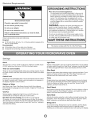
Nonstick
Cavity
Coating
(on some
models)
The durable, nonstick coating resists soil buildup by making cleaning
easier. See "Microwave Oven Care" section.
Cooking
Rack (on some
models)
Use only for 2-level cooking. To avoid damage to the microwave oven,
always remove rack after 2-level cooking. To avoid damage to the
microwave oven due to soil buildup, clean rack supports often.
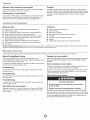
Cookware
Turntable
Turntable may be turned off (on some models) for manual cooking
only. This is helpful when cooking with plates that are bigger than the
turntable, or when cooking with plates that are side by side. Turntable
cannot be turned off during preset or sensor (on some models)
functions.
and Dinnerware
Microwave-Safe
Do Not Use
•
•
•
•
•
•
•
•
•
•
•
•
•
•
•
•
•
Browning dish (Follow manufacturer recommendations.)
Ceramic glass, glass
China, earthenware (Follow manufacturer recommendations.)
Melamine (Follow manufacturer recommendations.)
Paper towels, paper plates, napkins (Use non-recycled paper.)
Plastic wraps, bags, covers, dinnerware, containers (Follow
manufacturer recommendations.)
Pottery and clay (Follow manufacturer recommendations.)
Silicone bakeware (Follow manufacturer recommendations.)
Wax paper
Metal cookware and bakeware
Straw or wicker
Gold, silver or pewter
Non-approved meat thermometers, skewers
Twist ties
Foil liners, such as sandwich wrappers
Staples
Objects with gold or silver trim or with metallic glaze
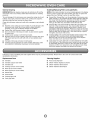
To Test Cookware/Dinnerware:
Place dish in microwave oven with 1 cup (250 mL) of water beside it. Program 1 minute of cook time at 100%.
If dish becomes hot and the water stays cool, do not use the dish in the microwave oven.
Microwave
Oven Use
For list of preset programs, see the Cooking Guide label on the front facing of the microwave oven opening, behind the door.
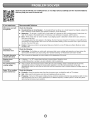
Manual
Cooking/Stage
Cooking
Doneness
(on some
models)
Touch COOK TIME, touch number pads to enter time, touch
COOK POWER (if not 100%), touch number pads to enter power level
(10-90), then touch the Start control.
Adjust doneness for automatic cooking functions (except Popcorn) by
touching COOK TIME repeatedly to scroll through MORE, LESS or
NORMAL.
If programming additional stages, enter the cook time and cook power
of each before touching the Start control.
Sensor
Preset
Cooking
Touch COOK, select food item, enter quantity if needed, then touch
the Start control.
Preset
Reheating
Touch REHEAT, select food item, enter quantity if needed, then touch
the Start control.
Preset
(on some
models)
Make sure microwave oven has been plugged in for at least 3 minutes.
Use microwave-safe dish with loose-fitting lid, or cover microwavesafe dish with plastic wrap and vent.
Warm Hold (on some models)
Defrosting
Unwrap food. Touch DEFROST, select food item, enter quantity, and
touch the Start control.
Quick
Cooking
A sensor in the microwave oven detects moisture released from food
as it heats, and adjusts the cooking time accordingly.
Defrost
(on some
models)
Automatic defrost for 1 Ib (454 g). Unwrap food. Touch lib DEFROST.
Microwave oven will start automatically after a brief delay. Turn over
food at signal.
Food Poisoning Hazard
Do not let food sit in oven more than one hour before
or after cooking.
Doing so can result in food poisoning or sickness.
Hot cooked food can be kept warm in the microwave oven. The Warm
Hold function uses 10% cook power. Warm Hold can be used by itself
or can be programmed to follow a cooking cycle. Opening the door
during Warm Hold will cancel the function.