1
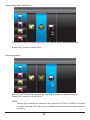
Record Time
Select RECORDER SETUP, press MENU to enter.
Use ▲▼ to select RECORD TIME section
Use ◄► to highlight recording period: 2 Min / 5 Min / 10 MIN, press
MENU to confirm
Press ESC to save and exit
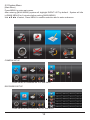
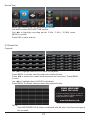
6.3 Event List
Playback
Use ◄► to highlight desired DATE index for playback
Press MENU to confirm selection and enter selected folder.
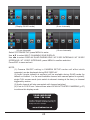
Press ◄► to select Hour (each block represent one hour time), Press MENU
to enter
Use ◄► to highlight desired HOUR for playback.
Press MENU to confirm selection and enter selected folder.
YOUR HELPLINE
0844 736 9149
Trouble Shooting page 9 or call the
Customer Helpline available Monday to
Friday 9.00 am to 5.00pm.
www.friedland.co.uk
NOTE:
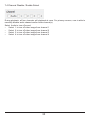
Each RECORDED FILE folder is indicated with file start / end time and type of
file recorded.
21