1
Troubleshooting
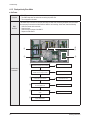
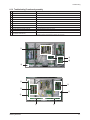
4-1-2 Checkpoints by Error Mode
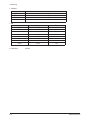
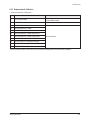
■ No Power
Symptom
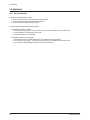
- The LEDs on the front panel do not work when connecting the power cord.
- The SMPS relay does not work when connecting the power cord.
- The unit appears to be dead.
Major
Checklist
The SMPS relay or the LEDs on the front panel does not work when connecting the power cord if the cables
are improperly connected or the Main Board or SMPS is not functioning. In this case, check the following:
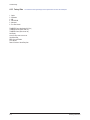
- Check the internal cable connection.
- Check the fuses.
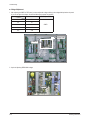
- Check the output voltages of the SMPS.
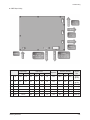
- Replace the Main Board.
3
4
2
5
1
1
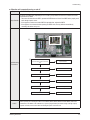
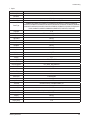
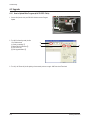
Check that the AC power cord is connected
No
Connect the AC power cord
Yes
Troubleshooting
Procedures
If LED is set up as being ON when
POWER-ON, check the ligt-on in LED
No
Replace Fuse (FE801)
Yes
2
Is the AC Inlet socket connected?
No
Connect AC Inlet socket
Yes
3
Check the connection between Fuse FE801 No
for checking SMPS’s Fuse
Replace Fuse
Yes
4
Check the No. 4 STAND-BY power of
CN801
No
Replace the SMPS
Yes
5
4-2
Replace the Main Board
Samsung Electronics