1
CONGRATULATIONS!
Safety Precautions
Your new Streamer™portable Plug-n-Play from The Brix Group lets you enjoy SIRIUS® Satellite Radio’s digital entertainment
streams anywhere you’ve installed one of our SIR-STRHK1 Home Docking Kits or SIR-STRVK1 or SIR-STRVK2 Vehicle
Docking Kits (sold separately). Use this manual to familiarize yourself with all of Streamer’s features and
capabilities.
Box Contents
Unpack your Streamer carefully and make sure that
everything listed here is present:
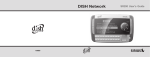
1 x STREAMER Main Unit
For the latest information about this and other Streamer products, visit the Brix Web site at: www.brixcom.com
Table of Contents
Congratulations ......................................................2
Box Contents ..........................................................3
Safety Precautions .................................................3
Installation in a Vehicle............................................6
Installation in a Home ............................................10
Front Panel Controls and Features ........................12
Remote Control Functions......................................13
Activating your SIRIUS Subscription .....................14
Removing Streamer from the Dock ...........14
Basic Operation . . . . . . . . . . . . . . ..... . . . . . . . . . .15
Selecting Music..........................................16
Direct Tuning...............................................17
Setting/ Tuning Stream Presets...........................17
Display Button...........................................19
Memory Button/S-Seek Feature......................20
2
Menu Display Options . . . . . . . . . . . . . . . . . . . . . . . . . .23
Sirius ID...................................................24
Display Settings.......................................24
FM Transmitter.........................................24
Stream Add/Skip............................................25
Lock Options...........................................25
Audio Level.............................................27
Antenna Aiming........................................27
Memory Options......................................27
Time Based Features.....................................28
Factory Default.......................................32
Troubleshooting Guide . . . . . . . . . . . . . . . . . . . .33
Specifications . . . . . . . . . . . . . . . . . . . . . . . ......... . . .33
Wa r r a n t y. . . . . . . . . . . . . . . . . . . . . . . . . . . . . . . . . . . . . . . . . . . . . 3 4
Streamer User Guide
1
2
3
4
5
6
7
8
9
0
PREV
DIRECT
MEMO
CAT
CH
SEL
MENU
CAT
CH
Display
BAND
1 x Remote Control
2 x AAA batteries
SIRIUS
If anything is missing or damaged, or if your Streamer
fails to operate, notify your dealer immediately. If your
Streamer was shipped to you directly, notify your
shipper immediately. Streamer recommends that you
retain the original carton and packing materials in case
you need to ship your Streamer in the future.
Streamer User Guide
Warning
Take the following precautions to prevent traffic
accidents and avoid personal injury:
• Installation must be performed according to this
installation manual. The Brix Group is not
responsible for issues arising from installations not
performed according to the procedures in this
manual.
• Do not install the unit where it may obstruct your
view through the windshield or of your vehicle’s
indicator displays.
• Do not install the unit where it may hinder the
function of safety devices such as an airbag. Doing
so may prevent the airbag from functioning properly
in the event of an accident.
• The installation and use suggestions contained in
this manual are subject to any restrictions or
limitations that may be imposed by applicable law—
the purchaser should check applicable law for any
restrictions or limitations before installing and/or
operating this unit.
• Failure to follow these safety instructions and
warnings may result in a serious accident.
3