1
CAUTION:
(English)
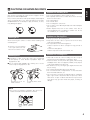
To completely disconnect this product from the mains,
disconnect the plug from the wall socket outlet.
The mains plug is used to completely interrupt the power
supply to the unit and must be within easy access by the
user.
Copyrights
2 It is prohibited by law to reproduce, broadcast, rent or
play discs in public without the consent of the
copyright holder.
Urheberrechte
VORSICHT:
(Deutsch)
Um dieses Gerät vollständig von der Stromversorgung
abzutrennen, trennen Sie bitte den Netzstecker von der
Wandsteckdose ab.
Die Hauptstecker werden verwendet, um die Stromversorgung
zum Gerät völlig zu unterbrechen; er muss für den Benutzer
gut und einfach zu erreichen sein.
PRECAUTION:
(Français)
Pour déconnecter complètement ce produit du courant
secteur, débranchez la prise de la prise murale.
La prise secteur est utilisée pour couper complètement
l’alimentation de l’appareil et l’utilisateur doit pouvoir y
accéder facilement.
ATTENZIONE:
(Italiano)
Per scollegare definitivamente questo prodotto dalla rete
di alimentazione elettrica, togliere la spina dalla relativa
presa.
La spina di rete viene utilizzata per interrompere
completamente l’alimentazione all’unità e deve essere
facilmente accessibile all’utente.
PRECAUCIÓN:
(Español)
Para desconectar completamente este producto de la
alimentación eléctrica, desconecte el enchufe del enchufe
de la pared.
El enchufe de la alimentación se utiliza para interrumpir
por completo el suministro de alimentación a la unidad y
debe de encontrarse en un lugar al que el usuario tenga
fácil acceso.
VOORZICHTIGHEID:
(Nederlands)
Om de voeding van dit product volledig te onderbreken
moet de stekker uit het stopcontact worden getrokken.
De netstekker wordt gebruikt om de stroomtoevoer naar
het toestel volledig te onderbreken en moet voor de
gebruiker gemakkelijk bereikbaar zijn.
FÖRSIKTIHETSMÅTT:
(English)
(Deutsch)
2 Die Reproduktion, Ausstrahlung, der Verleih sowie die
öffentliche Wiedergabe von Discs erfordern die
Zustimmung des Urheberrechtinhabers.
Droits d’auteur
(Français)
2 La reproduction, la diffusion, la location, le prêt ou la
lecture publique de ces disques sont interdits sans le
consentement du détenteur des droits d’auteur.
Copyright
(Italiano)
2 La duplicazione, la trasmissione, il noleggio e la
riproduzione dei dischi in pubblico senza l’autorizzazione
scritta del titolare dei diritti di copyright sono vietati dalla
legge.
Derechos de Autor
(Español)
2 De acuerdo con las leyes está prohibido reproducir,
emitir, alquilar o interpretar discos en público sin la
autorización del propietario de los derechos de autor.
Auteurstrechten
(Nederlands)
2 Het zonder toestemming van de auteursrechthebbenden
reproduceren, uitzenden, verhuren of in het openbaar
afspelen
van discs is wettelijk verboden.
Upphovsrätt
(Svenska)
2 Enligt lagen är det förbjudet att återge, utsända, hyra ut
eller spela skivor för allmän publik med mindre
tillstånd från ägaren till upphovsrätten först har
inhämtats.
(Svenska)
Koppla loss stickproppen från eluttaget för att helt skilja
produkten från nätet.
Stickproppen används för att helt bryta strömförsörjningen
till apparaten, och den måste vara lättillgänglig för
användaren.
iii