1
M09416 ® TTXLI ®
Thermal Transfer Printer
2. REPLACE IMPORTANT PARTS
Please turn off the power switch and unplug the power adapter before replacing parts.
2.1. Replacing Top Cover
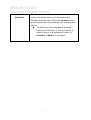
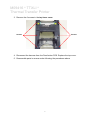
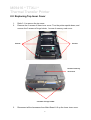
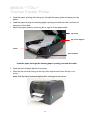
1. Open the printer top cover by pushing the top cover open levers to the
paper outlet direction. The top cover support will hold the printer top cover.
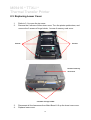
Top cover support
Top cover open
lever
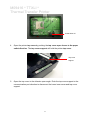
2. Open the top cover to the ultimate open angle. Push the top cover support to
the communication port direction to disconnect the separate the lower inner
cover and top cover support.
6