1
TROUBLESHOOTING
USE
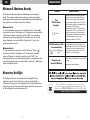
Minimum & Maximum Records
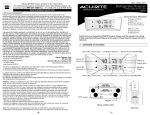
The display unit features Minimum & Maximum records display
mode. The minimum and maximum values for indoor and outdoor
temperature and humidity are recorded and kept until midnight every
day, when the records are reset for the next day.
Minimum Records
To view the minimum records, touch the “adjust down” button (
)
located on the front of the display unit. The minimum recorded values
will display for about 8 seconds (note the “MIN” icon indicating
minimum records being displayed). To manually reset the records
being displayed, touch and hold the “adjust down” (
) button
while viewing the records.
Maximum Records
To view the maximum records, touch the “adjust up” button (
)
located on the front of the display unit. The maximum recorded
values will display for about 8 seconds (note the “MAX” icon
indicating maximum records being displayed). To manually reset the
records being displayed, touch and hold the “adjust up” (
) button
while viewing the records.
Problem
Possible Solution
Relocate the main unit and/or the wireless
sensor. Both units must be within 330 feet
(100m) from each other. Make sure both
units are placed at least 3 feet (.91 m) from
other electronic appliances and devices that
may interfere with the wireless
communication (such as TVʼs, microwaves,
computers etc). NOTE: It may take up to 20
minutes for the main unit to re-synchronize
with the sensor when batteries are replaced.
Use lithium batteries in sensor when
temperature is below -4ºF (-20ºC).
Bad
Wireless Sensor
Reception
no bars
No Wireless Sensor Data
(no communication)
no bars and flashing
“ -- ” data
Display Console
Screen Not Working
If wireless reception is bad (no bars), see
“Bad Reception” section above. The wireless
ID setting on each unit must match for all
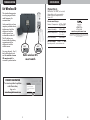
units to communicate properly. See “Set
Wireless ID” on the next page.
Make certain that the batteries are installed
correctly.
Batteries may need replacing
Momentary Backlight
The display unit features a momentary blue backlight for easy
night-time viewing. The touch button to activate the backlight is
located on the top portion of the display bezel. Touching the button
will give you about 5 seconds of illumination. Note that excessive use
of the backlight will reduce the battery life.
7
Please DO NOT return product to the retail store.
For technical assistance and product return information, please call
Customer Care: 877-221-1252 M-F 7:00 A.M. to 7:00 P.M. (Central)
www.chaneyinstrument.com
8