1
Couverture My-X2.fm Page 1 Lundi, 26. mai 2003 11:09 11
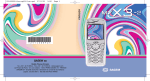
You have just purchased a SAGEM mobile phone
, and we congratulate you on your choice.
Your phone can be used internationally in the various dual
band networks (GSM 900 MHz and 1800 MHz DCS)
depending on the roaming arrangements with your
operator.
We remind you that this phone is approved to meet
European standards.
We recommend that you read this handbook carefully
before using your phone efficiently and in the best
conditions.
WARNING
Depending on the configuration of the networks and the
associated subscriber cards, some functions may not be
available.
Ensure that your SIM card is a 3 V (Volt) SIM type that is
compatible with your phone. Inserting an incompatible card
will be indicated by a message when your phone is
switched on. Contact your operator.
SAGEM is a trademark of SAGEM SA.
AT is a registered trademark of Hayes Microcomputer Products Inc.
Hates is a registered trademark of Hayes Microcomputer Products Inc.
T9™ Text Input is a registered trademark of ©Tegic Communications Inc.
T9 is protected by one or more of the following US patents: 5,818,437,
5,953,541, 5,187,480, 5,945,928, 6,011,554 and other patents are being
applied for worldwide.
My-X2 English.book Page 1 Lundi, 26. mai 2003 10:45 10
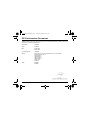
CE Conformance Document
SAGEM SA declare under its sole responsibility that the product Dual Band GSM/DCS Type B2003 conforms to the
requirements of the following EEC directives:
EEC Directive
1999/5/CE
Safety
EN 60950
EMC
EN 301 489-1
EN 301 489-7
Low voltage directive
73/23/CEE
Network
3GPP TS 51.010-1 v 5.2.0 selected with GCF-CC v 3.10.0 included
Requirements GT01 v 4.7.0
TBR 19 Edition 5
TBR 20 Edition 3
TBR 31 Edition 2
TBR 32 Edition 2
EN 301 419-1
EN 301511
Health
EN 50360
EN 50361
1
My-X2 English.book Page 2 Lundi, 26. mai 2003 10:45 10
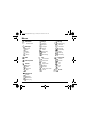
Menus
Phonebook
Phonebook menu
Security
Date/Time
Keypad locking
My objects
PIN number
Languages
PIN number 2
Compose
Networks
Phone code
Inbox
Contrast
Confidentiality
Drafts
Energy saving
Operator
Options
Shortcuts
Call barring
Memory
Reset settings
Fixed dialling
Messages
WAP
Calls
Accessories
Calls forwarded
Calculator
View last calls
Converter
Counters
Alarm
Display number
Timer
Ring tones
Call waiting
Car kit
Vibrate
Auto redial
Data
Silent mode
Answer phone number
Beeps
Local info
Picture puzzle
Sounds
Background
Colours
Wallpapers
Screensavers
Greeting msg
2
Settings
Services
My-X2 English.book Page 3 Lundi, 26. mai 2003 10:45 10
Contents
Page 2
Page 7
Page 8
Page 9
Page 10
MENUS
DESCRIPTION
PRINCIPLES OF NAVIGATION
HOME PAGE
ACTIVATING YOUR PHONE
Information on the SIM card
Installing the SIM card and installing the battery
Changing the cover
Charging the battery
Do NOT obstruct the antenna with your fingers
Page 15
MY PHONE IN 5 MINUTES
Getting started
PIN Number
Setting time and date
Network
First call
Receiving a call
Switching off
Page 19
FIRST SETTING: RING TONE
Volume and ring tone
Page 21
PHONEBOOK
Using the phonebook
Phonebook menu
Phonebook menu
Call groups
Page 26
MESSAGES
Composing messages
Receiving messages
Inbox
Drafts
Sending options
Memory
3
My-X2 English.book Page 4 Lundi, 26. mai 2003 10:45 10
Contents
Page 32
WAP
The WAP Menus
Configuring WAP parameters
WAP Logging on
Downloading objects
WAP Logging off
Page 35
GAMES
Page 36
SOUNDS
Picture puzzle
Volume and ring tone
Vibrate
Silent mode
Beeps
Page 38
BACKGROUND
Colours
Wallpapers
Screensavers
Greeting message
Page 40
SETTINGS
Date / Time
My Objects
Languages
Networks
Contrast
Energy saving
Shortcuts
Reset Settings
Page 44
CALLS
Forward calls
View last calls
Counters
Display number
Call waiting
4
My-X2 English.book Page 5 Lundi, 26. mai 2003 10:45 10
Contents
Automatic redial
Answer phone number
Local info
Page 49
SECURITY
Keypad locking
PIN number
PIN number 2
Phone code
Confidentiality
Operator code
Call barring
Fixed dialling
Page 53
ACCESSORIES
Calculator
Converter
Alarm
Timer
Car kit
Data
Page 57
Page 58
Page 60
Page 63
Page 66
SERVICES
TECHNICAL FEATURES
WARRANTIES
TROUBLESHOOTING
INDEX
5
My-X2 English.book Page 6 Lundi, 26. mai 2003 10:45 10
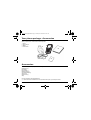
Your phone package - Accessories
When you open the box, check that all the items are present:
1 - Phone
2 - Mains charger
3 - Battery
4 - User manual
1
2
4
3
Accessories
You can also find (as an option) or order the following accessories:
Pedestrian kit (*)
Extra battery
Extra charger (*)
Desktop support (*)
Cigar lighter adapter (*)
Colour cover
Hands-free kit (*)
Strap
For more information: www.planetsagem.com
(*) These accessories are identical to the ones provided for the myX-3, myX-5 and myX-6 series.
6
My-X2 English.book Page 7 Lundi, 26. mai 2003 10:45 10
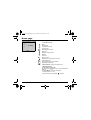
Description
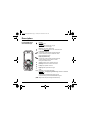
Programmable keys
and Shortcut keys
Stop key:
Hold down: Stop
Press briefly:
In a call context: Rejects a call - hung up
In menus: Return to home page.
Start key: Press briefly: Starts phone
In call context: Call - reception of a call - hands-free mode
Left programmable key:
In home page: Access to certain functions (shortcuts)
In menus: Cancel (or return) as indicated on screen
During call: Reduces volume
Right programmable key:
In home page: Access to certain functions (shortcuts)
In menus: Accept, choose as shown on screen
During call: Increases volume
Top key: Previous choice / increase value / top
Down key: Down choice / reduce value / down
Left key: Up input field / move left
Right key: Down input field / move right
* Key :
Hold down: In home page: Silent mode
Press briefly + OK (right programmable key) activates or deactivates
keypad locking
In call reception mode: Short press stops ring tone
In ring tone setting mode: Activates/deactivates ring tone
# Key: Zoom mode (see message and WAP menus)
7
My-X2 English.book Page 8 Lundi, 26. mai 2003 10:45 10
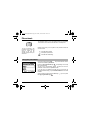
Principles of navigation
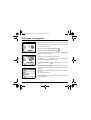
These basic principles bring a great deal of intuitiveness to your telephone
All the active areas on a white background (icon selector, programmable
keys, menu selector, choice list)
Accept by pressing the right programmable key
Cancel by pressing the left programmable key
1st levelBack
Select
.
.
The tabs on the sides at the bottom of the screen refer to the Programmable
keys (and not to the left/right keys).
Sounds
In the menus a title bar indicates the down higher level.
The down / top
navigation keys are used to navigate from one
menu to the down within the same menu structure.
2nd levelBack
Select
Volume and ring tone
The right programmable key
menu.
The left programmable key
is used to go from a menu to a subis used to go from a sub-menu to a menu.
The first menu level can be identified by a large animated icon in the centre
of the screen.
The second menu level can be identified by a large static icon in the centre of
the screen.
The lowest sub-menus are lists.
The Stop
key (press briefly) is used to return to the home page (current
function is abandoned).
Back
3nd level
8
OK
My-X2 English.book Page 9 Lundi, 26. mai 2003 10:45 10
Home page
The home page contains the following
Fri 3 May
Menu
Menu
1 - The title bar icons:
Battery
Calls forwarded
Call (establishing the call)
Call (hands free)
SMS (reception of an SMS)
Silent mode
Message in answer phonebox
WAP (@)
Home zone
HPLMN / roaming
Keypad locking + WTLS (exclusive functions)
Protected WAP logon
Protected WAP logon icon with certificate
Signal strength level (5 bars).
2 - Date and time, in digital or analogue mode
3 - Network provider
4 - Tab centred on down line:
the main "menu" tab shows that the menu can be accessed via the
down / up
keys.
The following information may also be displayed:
"1 message received"; or "1 call".
They can be deleted by pressing Stop
key briefly.
9
My-X2 English.book Page 10 Lundi, 26. mai 2003 10:45 10
Activating your phone
Information on the SIM card
To use your phone, you have a smart card called a SIM card.
It contains all the information needed by the network as well
as other information unique to you and that you can modify:
Secret codes (PIN(s): Personal Identification Numbers),
these codes allow you to restrict access to your SIM card.
Phonebook,
Messages,
How special services work.
Your phone is compatible with the different SIM cards offered
by operators.
It is also compatible with the SIM/WIM cards (cards
containing the WIM module in addition (WIM = Wireless
Identity Module)
that is used for secure WAP
communications.
WARNING
This card must be handled and stored with care to avoid damaging it by scraping or bending it. If you
should lose your SIM card, contact your operator or your SMC (Services Marketing Company)
immediately.
Comment: do not leave your SIM card within the reach of young children.
10
My-X2 English.book Page 11 Lundi, 26. mai 2003 10:45 10
Activating your phone
Installing the SIM card and installing the battery
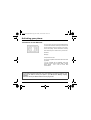
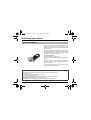
The SIM card is inserted under the phone's battery. Ensure
that the phone is switched off and the charger disconnected.
1
2
3
1
Turn phone over and remove rear cover by lifting bottom end
first.
2
Take out battery if already installed.
3
Slide card fully under retaining plate with gold-plated contacts
facing phone and bevelled corner pointing as shown on
drawing of phone.
4
Insert battery into position by first positioning top section with
connectors.
5
Replace cover by engaging top hook first, then push down
back of rear cover.
4
5
11
My-X2 English.book Page 12 Lundi, 26. mai 2003 10:45 10
Activating your phone
Changing the cover
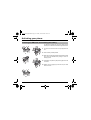
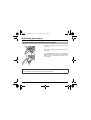
1
Remove rear cover as above.
Turn phone over.
1
2
Lift front cover in same way as rear cover. Remove panel
(electronic card).
3
Position keypad in new cover, ensuring it is free of dust.
2
Insert panel into front cover.
4
3
12
4
Do as above to replace rear cover.
My-X2 English.book Page 13 Lundi, 26. mai 2003 10:45 10
Activating your phone
Charging the battery
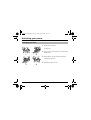
Your phone is powered by a rechargeable battery. A new
battery must be charged for 4 hours at least before being
used for the first time. It reaches its optimum capacity after a
few cycles of use.
When your battery has been discharged, the phone displays
the state (empty battery icon flashes). In this case recharge
your battery for at least 15 minutes before making any more
calls so as to avoid being cut off mid-call.
To recharge the battery:
Connect the charger to a mains socket.
Plug the end of the cable into the connector at the base of the
phone.
The phone starts to charge up, the battery charging light
flashes to indicate charging. Charging stops by itself.
Disconnect the cable.
It is possible that the battery may heat up slightly during
charging; this phenomenon is normal.
WARNING
There is danger of explosion if the battery is replaced incorrectly or if it is exposed to fire.
Do not short circuit it.
The battery does not have any part that you can change.
Do not try to open the battery casing.
Use only the appropriate chargers and batteries shown in the manufacturer's catalogue.
Used batteries must be disposed of in the appropriate places.
It is advisable to remove the battery if your phone is not used for extended periods.
13
My-X2 English.book Page 14 Lundi, 26. mai 2003 10:45 10
Activating your phone
Do NOT obstruct the antenna with your fingers
The antenna is integrated in your phone, under the back
cover at the top.
Avoid putting your fingers on this area when the phone is
switched ON.
If your fingers obstruct the antenna, the phone may have to
operate with a higher power level than usual; decreasing its
efficiency quickly. It could also affect the quality of your
communications.
WARNING
The use of a hands-free kit is recommended when using the phone frequently.
14
My-X2 English.book Page 15 Lundi, 26. mai 2003 10:45 10
My phone in 5 minutes
Getting started
You are now ready to use your phone for the first time.
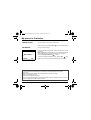
Switch on the phone by pressing the Start
PIN Number
key. A short display appears.
This is your SIM's secret code.
PIN number?
If access to the SIM card is protected, the device prompts you to enter the
PIN number:
Enter the code between 4 and 8 digits given to you when the SIM card was
issued. These digits do not appear on the screen for security reasons.
Press the right programmable key
to accept.
****
Delete
OK
If your phone indicates that the SIM is missing, press the Stop
key to
switch off your phone and check that the SIM card is correctly installed.
WARNING
If a wrong PIN number is entered three times in succession, your SIM card is blocked. You must then:
- Enter "**05*".
- Enter the PUK (Personal Unblocking Key) code provided by your operator, and accept.
- Enter your PIN number and accept.
- Enter your PIN number again and accept.
After 5 or 10 failed attempts (depending on the type of SIM card), the SIM card is definitely locked. You must then
contact your operator or your SMC to obtain a new card.
15
My-X2 English.book Page 16 Lundi, 26. mai 2003 10:45 10
Setting time and date
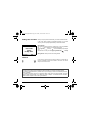
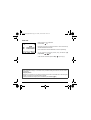
When you use your phone for the first time, you need to set the date and time.
In due course, when the battery is completely discharged, or if it has been
removed, you will be prompted systematically to confirm date and time.
Time and date
Date valid?
Friday
03 May 2002
Cancel
OK
Setting the date:
Set the date by entering it directly in numerical form or by using the down /
up
keys to decrease or increase the default values.
Use the right key
(or left key
) to access the next (or last ) data input
field.
Once the date is correct, press the right programmable key
to accept.
Setting the time: Same procedure as for setting the date.
Network
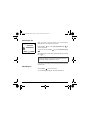
From now on the phone hunts for a network on which it can make calls. If it
finds one, it displays the name of the network on the screen. You are then
ready to send or receive a call.
If the network icon appears, calls are possible on your operator's network.
If the letter R and a network name are displayed, calls are possible on the network of a different operator.
If the letter R is displayed without any network name, only the emergency services are accessible (ambulance,
police, fire brigade).
If the network icon flashes, the phone is in permanent search mode. There is no network available. The signal
strength indicator received allows you to display the quality of reception. If it indicates less than three bars,
search for better reception in order to call in good conditions.
16
My-X2 English.book Page 17 Lundi, 26. mai 2003 10:45 10
First call
Dial the number of your correspondent.
Press the Start
key.
During the call, the call in progress icon flashes on screen and tones may
indicate the establishment of the call.
Once communication has been established, the call icon stops flashing.
You can adjust the sound level (volume) using the left and right
programmable
keys.
At the end of the conversation press the Stop
key to hang up.
International call
Press 0 (hold down) to display "+", then dial the country code without waiting for the dial tone, then the number of
the called party.
Emergency services
Depending on the operators you can obtain the emergency service with or without SIM card or when the keypad
is locked. It is enough to be in an area served by a network.
To obtain the international emergency service, dial 112 then press the Start
key.
17
My-X2 English.book Page 18 Lundi, 26. mai 2003 10:45 10
Receiving a call
When you receive a call, the number of your correspondent is
displayed when it is presented by the network.
Call from
0605030401
Busy
Select
Press the Start
answer, and speak.
key or the right programmable key
To refuse the call, press the Stop
.
to
key or the left programmable key
To stop the ring tone or the vibrate, without refusing the call, press
the
key.
WARNING:
Pressing the Start key a second time launches hands-free mode, in
this mode do not bring the phone up to your ear.
All the numbers corresponding to incoming and outgoing calls are logged in the
list of recent calls.
Switching off
Press the Stop
key for one second.
The end message is displayed. The phone switches off.
18
My-X2 English.book Page 19 Lundi, 26. mai 2003 10:45 10
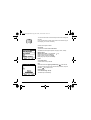
First setting: Ring tone
We want to familiarise you with the interface of your new phone, using a
simple setting: choosing a ring tone and adjusting the volume.
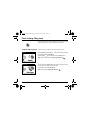
Volume and ring tone
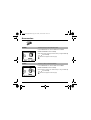
This menu allows you to allocate a ring tone to each type of event.
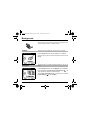
In the home page, press the down
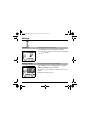
1
2
key to access the main menus.
The first menu offered is Phonebook.
Press the down
key four times to access the Sounds menu.
Enter this menu by pressing the right programmable key
Back
Select
.
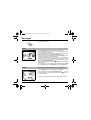
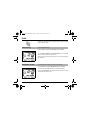
You can access the second level of the menu that contains four submenus: Ring tones, Vibrate, Silent mode, beeps.
Messages
The first sub-menu offered is Ring tones.
Enter by pressing the right programmable key
Back
Select
.
19
My-X2 English.book Page 20 Lundi, 26. mai 2003 10:45 10
Draft
T9
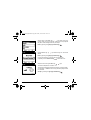
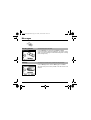
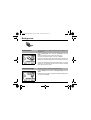
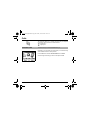
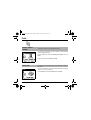
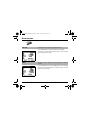
With the help of the down / up
keys select the type of
function where you want to change the ring tone from the proposed
list (Alarm, Calls, Messages and Fax) and accept.
3
4
5
Enter by pressing the right programmable key
Delete
Using the down / up
offered.
.
keys select the ring tone from the list
Enter by pressing the right programmable key
.
For every new selection, you will hear the corresponding ring.
If required, press the Silent mode key
to cancel the sound.
Delete
Draft
T9
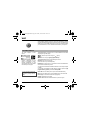
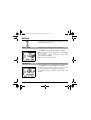
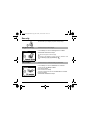
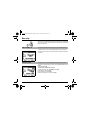
Adjust the volume using the down / up
keys.
The volume is adjusted over a scale of 1 to 4.
The ring tone is played at the chosen level whenever a change is made.
You can select "+" volume to choose a ring that starts quietly and rises
to a crescendo.
Accept by pressing the right programmable key
Delete
20
Options
.
My-X2 English.book Page 21 Lundi, 26. mai 2003 10:45 10
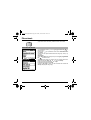
Phonebook
The phonebook allows you to store numbers that you call regularly.
These numbers can be stored in the SIM card or in the telephone.
The list of numbers in the
phonebook of the SIM card
varies in relation to the
capacity of the card: the
supplier company will tell you
what this is.
Different icons inform you of the position of the phonebook where the
number is stored:
Your SIM card phonebook
Your telephone phonebook
Your SIM card's fixed dialing.
.
Using the phonebook
In the home page press the down
The first menu offered is phonebook.
Phonebook
Press the right programmable key
tab to enter the menu.
key to access the main menus.
corresponding to the accept
The list of your correspondents appears, by default, the cursor is
positioned on the first name in alphabetical order.
Back
Options
If you are using your telephone and SIM card for the first time, the
phonebook list will be empty, only the Phonebook Menu function will be
available.
Select a contact from the list using the down / up
the right programmable key
.
keys. Then press
21
My-X2 English.book Page 22 Lundi, 26. mai 2003 10:45 10
You can also enter a letter to access directly the first contact starting with
this letter.
If you know the memory number of this contact on the SIM card (say 21
for example), you can enter 21# directly.
Choose from the options offered:
See contact
The first menu offered is See contact. Enter.
The detail of the store appears (location, call group, name, number).
Phonebook
Modify contact
Modify contact. Enter. Using the down
Modify name if required, and Accept.
Modify number if required, and Accept.
Modify call group if required, and Accept.
Back
OK
key.
Delete
Select Delete. Enter.
Confirm deletion of entry with Yes.
Call
Select Call. Press the right programmable key
See contact
to start the call.
You can also select the party to be called from the phonebook, and press
the Start
key to make the call.
Send message
Select Send message. Accept.
Text editor opens automatically.
Back
22
OK
My-X2 English.book Page 23 Lundi, 26. mai 2003 10:45 10
Phonebook
The phonebook menu allows you to create new contacts, to create call
groups and to check the memory available to store new contacts.
Phonebook menu
In the Phonebook screen, press the right programmable key
to
enter the menu.
Press the up
key to position the cursor on the Phonebook menu
and accept.
Choose from the options offered add contact, call group, memory, my
numbers).
Add contact
Select Add contact and accept and press the right programmable
key
to enter the menu.
Choose the place where you wish to enter the contact (SIM card or
telephone) using the down / up
keys, and accept.
Enter name of your correspondent and accept.
Enter telephone number and accept.
Choose a call group to which you want to allocate this contact and
accept. (See page 25: call groups)
Phonebook
Phonebook
Back
OK
23
My-X2 English.book Page 24 Lundi, 26. mai 2003 10:45 10
Phonebook
Phonebook menu
Back
24
OK
Call groups (See page 25)
Memory
Select memory and accept.
The screen displays the number of free locations on SIM card and in
telephone itself.
My numbers
You can create the entries corresponding to your own numbers in order
to consult them when necessary.
Select My numbers and accept.
Enter the different details and accept.
My-X2 English.book Page 25 Lundi, 26. mai 2003 10:45 10
Phonebook
You have the facility to group your contacts into call groups.
It is possible to allocate characteristics to each group (icon, ring tone,
vibrate).
Call groups
6 default call groups have already been created. You can create others.
Phonebook
Creating new groups:
Do same as above to obtain the phonebook menu and accept.
Press down
key to position the cursor on Call groups and enter.
By default, the cursor is placed on Call groups menu, accept.
Choose one of the options offered (Create group or memory available).
Back
Options
Call groups
Creating a group
By default, the cursor is placed on Create group, enter.
Enter group name and accept.
Choose the icon, ring tone and vibrate mode that you want to allocate
to this group (accept after each step).
Memory
Select memory and OK.
The screen displays the number of locations available for new groups.
Back
OK
25
My-X2 English.book Page 26 Lundi, 26. mai 2003 10:45 10
Messages
The message menu brings together the following two types of messages:
SMS and EMS (an EMS is an extended message, longer than an SMS
with images and sounds added). It is possible to exchange different types
of contents: text, call group icons, screen backgrounds, tunes, WAP
bookmarks..
Composing messages
This menu allows you to compose your messages.
Messages
From the Messages menu select the Compose menu and enter.
By default, the language used is the language activated in the
telephone's menu display (or English if a language not supported by Easy
Message T9™ has been chosen for the menus).
When the text has been entered, the right programmable key
(choice) can also be used to access the functions offered:
This menu has been
compiled in collaboration with
26
Send is used to send the message by entering the correspondent's number.
T9 options (see next page)
ABC mode (see page 28)
123 mode (see page 28)
Cancel is used to delete all text entered
Activate/deactivate zoom is used to modify size of characters
Store is used to save a draft in memory
Formatting is used to enrich a text
Insert to insert an image or sound into your message
(see page 28).
My-X2 English.book Page 27 Lundi, 26. mai 2003 10:45 10
Messages
The Easy Message T9™ helps you to conveniently enter your short
messages.
Messages
Drafts
T9
Using T9 Mode
Press once the key corresponding to the letter chosen and make the word by
continuing to press the keys corresponding to the various letters without
paying attention to the display, until you have finished inputting the word: it
then appears in inverse video.
If the word offered is what you wanted to enter, press the 0 key to
accept it, create a space and move to the next word.
Back
OK
Drafts
T9
However, it is possible that several words exist in the corresponding
dictionary for the same sequence of keys pressed. If the word that appears is
not the word you expected, press the right programmable key
indicating
to scroll through the words held in the dictionary
corresponding to this key sequence.
When you find the chosen word, press the 0 key to accept it, create a space
and move on to the down word.
Press the right key to simply accept the characters entered without creating
a space and moving on to another T9 word.
Back
OK
If the word you are expecting is not proposed, please go on adding characters
until you get the message “Add a word?”. Select “Yes”, correct the word when
necessary and press ”OK”.
27
My-X2 English.book Page 28 Lundi, 26. mai 2003 10:45 10
Messages
In the input screen, the right programmable key
other input options.
When composing a message:
The navigation keys assume the
following functions:
- Left key
:
Last word
- Right key
:
Next word
- Up key
:
Previous line
- Down key
:
Next line
- Left programmable key
:
Deletes last letter
- Right programmable key
:
Message options
- Hold down
key:
Zoom mode (changes size of
characters)
- Short press of
key:
Access to symbol table
28
is used to access
Input modes
The ABC mode is used to enter words that do not exist in the dictionary. To
obtain a letter, press the corresponding key several times, the letters and the
number scroll past.
Mode 123 is used to insert numbers.
Insert mode is used to insert symbols, animations, call group icons and
tunes: the SMS then becomes an EMS. Images and sounds can be two
types: pre-defined or customised. Pre-defined images and sounds are
smaller in size, especially suited to exchanging messages.
Upper case:
A quick touch of the
key will display the next letter in upper case.
Two short presses on the
key allow you to switch to upper case editing
mode for the whole message.
Punctuation characters
Punctuation characters are obtained with the help of key 1 (except in 123
mode), or with the help of Insert mode (fast access via the
key).
Accented characters
Accented characters are generated automatically in T9™ mode.
In ABC mode accented characters are available by pressing the key
supporting the non-accented character in succession.
My-X2 English.book Page 29 Lundi, 26. mai 2003 10:45 10
Messages
The number of messages stored in the SIM card varies depending on the
card's capacity.
Receiving messages
When you receive a message, an audio signal sounds (the one selected in
the Sounds menu) and the message icon appears on your telephone screen.
Fri 3 May
If you do not read the messages, this icon remains displayed on the screen.
When it flashes, the memory is full.
Receiving icons, backgrounds or tunes can take several seconds. Messages
inform you of the progress of the download.
Menu
Back
OK
You have the facility to do the following at any time:
- To mask this progress screen by pressing the left programmable key
to make a call or access other telephone information.
- Or stop the download in progress by pressing the right programmable
key
.
Consult your network operator on the downloading of icons, backgrounds or
tunes.
29
My-X2 English.book Page 30 Lundi, 26. mai 2003 10:45 10
Messages
Received messages are stored in the SIM card or in the telephone until
you choose to delete them.
Inbox
Messages
Back
OK
From the Messages menu choose the Inbox menu and Select.
Each message contains information on type of message (in the form of an
icon) and time (or date) of reception.
Unread messages are entered in bold and arranged by arrival time and date.
Select a message and press the right programmable key
.
Choose from the options offered (Read, Forward, Delete read, reply, reply
with original message, call, send, delete, delete all).
If your message contains objects (images or sounds), you can save them in
order to use them later (stored in your telephone's memory); when reading
text, place the cursor on the object and choose the Save option from the
options on the right programmable key
.
When they have been stored in memory, the space required in the telephone
is then indicated.
You can consult them in the corresponding menus (WAP bookmarks in WAP,
tune in Sounds, backgrounds in Background, and icons in Call groups).
Drafts
When you store a composed message, it is stored among the drafts.
Messages
From the Messages menu choose the Drafts menu and Select.
Select a message and press the right programmable key
. If you do
not delete this message, it will remain as a draft and can be re-used even if
you have already sent it.
Choose from the options offered (Read, Send, Delete, Delete all, Modify).
Back
30
OK
My-X2 English.book Page 31 Lundi, 26. mai 2003 10:45 10
Messages
l
Sending options
Several sending options are offered.
Messages
From the Messages menu choose the Send Options and Select.
From the send options offered (acknowledgement, reply offered, period of
validity - life cycle of message on network before being routed -, message
format, message centre).
Memory
You may want to know the memory available for saving messages.
Messages
From the Messages menu select the Memory option and Select.
The screen shows you the memory available on the SIM card and in the
telephone.
31
My-X2 English.book Page 32 Lundi, 26. mai 2003 10:45 10
WAP
WAP (Wireless Application Protocol): protocol that translates the Internet
language into WML language that can be read by a mobile. The WAP function
allows you to log onto certain Internet sites. You can log onto sites that allow
you to download tunes, icons or animated screensavers to your telephone.
The WAP Menus
The WAP navigator is under
licence:
The Services menu, a dropdown menu, can be accessed at all times when
navigating through WAP pages.
Select the top left icon using the
The WAP navigator is the exclusive
property of Openwave. For this
reason, it is forbidden to modify,
translate, disassemble or even
decompile all or part of the software
that makes up the navigator.
You can activate the magnifying
glass to increase the size of the
characters by holding down the
# key.
32
up key.
Consult the menu using the right programmable key.
The Services menu contains all the following sub-menus:
Welcome: logs onto the home page.
(carries the name of your access provider)
Bookmarks: is used to save in a phonebook the names and addresses of
Internet sites to facilitate easy access.
You can receive bookmarks from SMS and add them to this list (see chapter
on SMS).
You can also send messages by SMS: select a bookmark, press the right
programmable key (Choice), then select Send by SMS.
Go to URL: this menu allows you to input an Internet address directly.
Inbox: this menu allows you to consult messages sent by the Internet site.
Save image: is used to save a WAP site image (option).
Reload: refreshes the current page.
Clear the cache: clears the stored information on previous logons.
My-X2 English.book Page 33 Lundi, 26. mai 2003 10:45 10
WAP
Advanced…: offers the following advanced settings
- Configuring parameters
- Show URL
- Logoff
- Circuit message (if user can confirm each logon)
- Security (is used to access information on making WAP connections
secure).
About…: information on the browser.
Exit: returns to the telephone's home page.
Configuring WAP parameters
Select the Advanced… menu, then the configuration menu.
Choose from the sub-menus offered:
Logon parameters is used to select or modify your access provider's logon
parameters or configure the parameters of other access providers.
The active access service is preceded with a start.
Configuration of WAP parameters:
All information to be entered in the parameters are provided by your
operator or access provider.
- Choose desired access service, then press Choice.
- Enter title of service and accept.
- Enter Internet address of home page and accept.
The GSM parameters to be entered are:
- User name
- Password
- IP address of WAP gateway
- Port type (secure or insecure)
- Call number
- Access mode (digital, analogue or automatic)
In automatic mode access can be gained to the operator's network by a digital
link and by an analogue link to a different network (in roaming).
33
My-X2 English.book Page 34 Lundi, 26. mai 2003 10:45 10
WAP
Once all the settings have been entered, you can activate the chosen
access provider. Select him from the list. Confirm your choice with OK.
Inactivity time is used to choose the time after which the call is
automatically disconnected if you have forgotten to log off from a service.
WAP Logging on
Using the Welcome menu, you can log onto your access provider's
WAP site by pressing the right programmable key
.
If you are logging onto the GSM network, the @ symbol flashes, the
metering of the cost of the call starts as soon as it stops flashing.
Downloading objects
Some WAP sites allow you to download ring tones, icons or animated
screensavers. Once downloaded, they are stored in your telephone's
memory. You can then save them in your telephone (same operation as used
for downloading using SMS).
WAP Logging off
To log off press Stop
key.
The logoff happens automatically after a few seconds of inactivity if you forget
to log off.
This period is defined by the inactivity time setting.
34
My-X2 English.book Page 35 Lundi, 26. mai 2003 10:45 10
Games
Picture puzzle
Your phone is supplied with the game: Picture puzzle.
Games
Back
From the Picture puzzle menu press Select.
On line help is supplied to use the game.
Select
35
My-X2 English.book Page 36 Lundi, 26. mai 2003 10:45 10
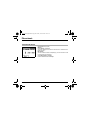
Sounds
This menu allows you to customise the ring tones on your telephone and
to activate beep and vibrate modes.
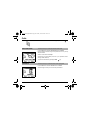
Volume and
ring tone
This menu allows you to allocate a ring tone to each type of event.
Sounds
From the Sounds menu choose Ring tone menu and Select.
Select the type of event from the list offered (Alarm, Calls, Messages
and Fax) and accept.
Select the ring tone from the list offered and accept.
Adjust the volume using the down / up keys and accept.
Back
Select
You can deactivate the sound by pressing the
key.
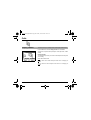
Vibrate
This menu allows you to activate the vibrate mode for calls.
Sounds
From the Sounds menu choose the Vibrate menu and Select.
Select the vibrate mode from the choices offered (ring tone and vibrate,
vibrate only, vibrate inactive or vibrate plus ring tone) and accept.
Back
36
Select
My-X2 English.book Page 37 Lundi, 26. mai 2003 10:45 10
Sounds
WARNING: vibrate mode is not a priority in relation to the choice of ring
tones in the call groups. To make vibrate mode apply in general, switch
to Silent mode.
Silent mode
This menu allows you to switch to Silent mode.
Sounds
From the Sounds menu select Silent mode and Select.
Activate or deactivate Silent mode and accept.
Silent mode can also be accessed via the home page by holding down
the
key.
Back
Select
When the device is in silent mode, the relevant icon appears on the
home page.
In this mode the ring tone will not function, except for the alarm clock..
Beeps
This menu allows you to activate a beep for each type of event.
Sounds
From the Sounds menu choose the Beeps menu and Select.
Select the type of beep you want to allocate from the choices offered (Key
beep, Network beep or Battery beep) and accept.
Activate or deactivate the beep and accept.
In the case of key beeps, you can also choose from the two types of
beeps offered: key beeps or Dtmf tone (different beep depending on the
key pressed).
Back
Select
37
My-X2 English.book Page 38 Lundi, 26. mai 2003 10:45 10
Background
This menu allows you to customise your screen by choosing the colour,
background image, animation or greeting message.
Colours
This menu allows you to display the colours you want on your mobile.
Background
From the Background menu select the Colours menu and Select.
Select the colour you want to see during navigation from the menus and
accept.
Back
Select
Wallpapers
This menu allows you to display the background image you want on your
mobile.
Background
From the Background menu select the Wallpapers menu and Select.
Select the Wallpaper and Select (right programmable key
image appears in the background of the home page.
). The
Press the right programmable key
to select this choice, or the left
programmable key
to return to choice.
Back
38
Select
My-X2 English.book Page 39 Lundi, 26. mai 2003 10:45 10
Background
Screensavers
This menu allows you to display an animation when the telephone is in
standby mode.
Background
From the Background menu select the Screensavers menu and
Select.
Select a screensaver from the options offered and accept.
The chosen screensaver appears on the screen, accept it.
Adjust the screensaver display time (greater than 60 seconds) and
accept. The screensaver appears at the end of each period of inactivity.
Back
Select
Warning: the animated screensaver uses processing power. For a better
efficiency you can deactivate the screen saver or select the activation
time to be more than every 300s.
Greeting message
This menu allows you to customise your greeting message.
Background
From the Background menu select the Greeting message menu and
Select.
Enter the text that you want to see appear in the greeting message (when
you switch on) and accept.
Back
Select
39
My-X2 English.book Page 40 Lundi, 26. mai 2003 10:45 10
Settings
This menu allows you to customise the settings of your telephone to make it
as convenient as possible for you to use.
Date / Time
Settings
This menu allows you to set the date and time of your telephone.
From the Settings menu select the Date / Time menu and Select.
Date: set the date by entering it directly in digital form or by using the down /
keys.
up
Use the right key
(or left
) to access the next (or last) input field.
Once the date is correct, accept it.
Time: same procedure as for setting the date.
Back Select
My Objects
Settings
This menu allows you to find out how much memory is available for objects.
From the Settings menu select the My objects menu and Select.
The amount of memory available is displayed. This memory is divided
between your downloaded ring tones, wallpapers and screensavers.
You can delete your objects to increase the memory available for new
downloads.
Back Select
40
My-X2 English.book Page 41 Lundi, 26. mai 2003 10:45 10
Settings
Languages
Settings
This menu allows you to choose your telephone's display language.
From the Settings menu select the Languages menu and Select.
Select the language of your choice and accept.
If you select Automatic, the display language will be the language of your
SIM card.
Back Select
Networks
Settings
This menu allows you to configure network preferences.
From the Settings menu select the Networks menu and Select.
Choose Preferred to view all the pre-registered networks.
Choose Selection to activate (automatically or manually) one of the
networks accessible in the area in which your are located.
Back Select
41
My-X2 English.book Page 42 Lundi, 26. mai 2003 10:45 10
Settings
Contrast
This menu is used to adjust screen contrast.
From the Settings menu select the Contrast menu and Select.
A test screen allows you to adjust the contrast by means of the down / up
keys and enter.
Back Select
Energy saving
This function is used to deactivate the screen backlight.
From the Settings menu select the Energy saving menu and Select.
Activate or deactivate the backlight and accept.
By deactivating the screen backlight you increase the battery life of your
telephone.
WARNING: display legibility is reduced.
Back Select
42
My-X2 English.book Page 43 Lundi, 26. mai 2003 10:45 10
Settings
Shortcuts
This menu allows you to allocate functions to the programmable keys.
From the Settings menu select the Shortcuts menu and Select.
Select the key that you wish to modify and accept.
Choose the function that you want to allocate to this key and accept.
Back Select
Reset Settings
This menu allows you to reset all your telephone's settings.
From the Settings menu select the RES menu (Reset) and Select.
WARNING: you are about to lose all the downloaded objects and
all the settings made on your telephone since you bought it.
A validation screen allows you to confirm this choice.
The telephone switches off and resets automatically when powered up to take
account of the change of settings.
Back Select
43
My-X2 English.book Page 44 Lundi, 26. mai 2003 10:45 10
Calls
The Calls menu allows you to manage and consult all your telephone's
incoming and outgoing calls that are marked as follows:
Incoming call
Outgoing call
Forward calls
This menu allows you to transfer calls addressed to you.
Depending on your subscription, this service allows you to re-direct incoming
calls to a different number or answer phonebox.
From the Calls menu select the Calls Forwarded menu and Select.
Choose the type of forwarding you want from the options available.
Back Select
44
My-X2 English.book Page 45 Lundi, 26. mai 2003 10:45 10
Calls
Fast access to the list of calls from the home page: press the Start
View last calls
key.
This menu allows you to access the list of last numbers used.
From the Calls menu select the View last calls menu and Select.
Each call contains information on type of call (in the form of an icon), time (or
date) and duration.
Select a call from the list and accept.
Choose from the options offered (Call, store in your phonebook, send a
message, delete, delete all).
You can also make the call by pressing the Start
key.
Back Select
Counters
This menu allows you to consult the duration of the outgoing calls.
From the Calls menu select the Counters menu and Select.
Choose the type of counter you want from the options offered.
Back Select
45
My-X2 English.book Page 46 Lundi, 26. mai 2003 10:45 10
Calls
Display number
This menu allows you to modify the status of the display number function.
From the Calls menu select the Display number menu and Select.
Choose from the options offered (Anonymous mode, My number, Caller’s
number).
Anonymous mode
You have the facility to mask your number on the telephone from the person
you are calling.
Initial: network default mode.
Back Select
No: you choose not to activate anonymous mode and so to display your
number.
Yes: you choose to active anonymous mode and so not to display your
number.
46
My-X2 English.book Page 47 Lundi, 26. mai 2003 10:45 10
Calls
During a call you may be informed that a caller is trying to reach you: you hear
a special tone. The caller's number is displayed on the screen (or the caller's
name if it has been stored).
Call waiting
(Operator-dependent service)
From the Calls menu select the Call waiting menu and Select.
You can activate, deactivate, or consult the status of the call waiting
service in order to check if it is active or not.
During a call, if a second caller tries to contact you, the screen displays
the call warning.
Back Select
Automatic redial
This menu allows you to call back a person you tried to reach.
From the Calls menu select the Automatic redial menu and Select.
You can set the redial function to inactive, on demand or systematic.
If you choose On demand, your telephone will offer to redial your caller
automatically if the number is busy.
Back Select
47
My-X2 English.book Page 48 Lundi, 26. mai 2003 10:45 10
Calls
Answer phone
number
This function is used to set your answer phone number.
This number will be used when you make a call from the answer phonebox
using the programmable keys.
From the Calls menu select the Answer phone number menu and
Select.
Enter your answer phone number and accept.
Back Select
Local info
This menu is used to activate reception of local information broadcast by
the network.
You can choose whether or not to receive information (ask the company with
which you took out your subscription).
From the Calls menu select the Local info menu and Select.
Back Select
48
My-X2 English.book Page 49 Lundi, 26. mai 2003 10:45 10
Security
This menu allows you to configure your phone's security settings.
Keypad locking
This menu allows you to lock the keypad.
From the Security menu select the Lock keypad menu and Select.
Select Activate or deactivate and accept.
The lock icon appears on the home page.
This function is also available in the home page via a combination of the
and Select keys (right programmable key
).
Back Select
PIN number
This menu allows you to activate and modify your phone's PIN.
From the Security menu select the PIN number menu and Select.
To modify the PIN, select Modify and Select.
Enter old PIN and accept.
Enter new PIN twice and accept.
To activate or deactivate the PIN, select the Check PIN menu and Select.
Enter PIN and accept.
Select Activate or Deactivate and accept.
Back Select
49
My-X2 English.book Page 50 Lundi, 26. mai 2003 10:45 10
Security
The Phone code menu allows you to activate the phone code so that it is
requested and checked whenever the phone is switched on if a different SIM
card is used. This code is automatically linked to the SIM card installed when
the phone is activated.
PIN number 2
You have a second PIN number to allow you to access certain functions*.
* This function may or may not be available depending on your SIM card.
Proceed as above in order to activate, deactivate or modify PIN number 2 of
your phone.
Back Select
Phone code
The phone code is a secret code intended to protect the phone if stolen.
To activate or deactivate the phone code, select the Phone code menu and
accept.
Enter 0000 and accept.
Select Activate or Deactivate and accept.
To modify the phone code, select Modify and accept.
Enter old phone code and accept.
Enter new phone code and accept.
Enter phone code again to verify it and accept.
Back Select
50
My-X2 English.book Page 51 Lundi, 26. mai 2003 10:45 10
Security
The Confidentiality function is used to delete numbers stored in View last
calls and the SMS stored in the memory when a new SIM card is inserted into
the phone.
Confidentiality
From the Security menu, select the Confidentiality menu and Select.
Select Activate or Deactivate and accept.
Back Select
Operator code
This menu allows you to modify the call barring.
From the Security menu, select the Operator code menu and Select.
Access to this service depends on your type of subscription.
Back Select
51
My-X2 English.book Page 52 Lundi, 26. mai 2003 10:45 10
Security
Call barring can be applied to ALL calls (incoming and outgoing), to all
incoming calls when you are away from your home country (if roaming
available).
Call barring
This menu allows you to block the sending or reception of certain calls.
Before you can use this service, a password will be provided by your operator
when you take out your subscription.
From the Security menu, select the Call barring menu and Select.
Select Activate or Deactivate and accept.
Access to this service depends on your subscription type.
Back Select
Fixed dialling
This menu allows you to restrict the sending of calls.
From the Security menu, select the Fixed dialling menu and Select.
Enter PIN number 2 and accept.
Select Activate or Deactivate and accept.
Proceed as for any other phonebook.
By activating this function, you can send calls only to the numbers stored in
this phonebook.
This phonebook is linked to the SIM card, and its size depends on the card's
capacity.
Back Select
52
My-X2 English.book Page 53 Lundi, 26. mai 2003 10:45 10
Accessories
This menu allows you to access the various accessories offered by your
phone: calculator, converter, alarm, timer, car kit, data parameters.
Calculator
This menu allows you to use your phone as a calculator.
From the Accessories menu, select the Calculator menu and Select.
You can use the calculator with the help of the following keys:
Up key: Add
Down key: Subtract
Right key: Multiply
Back Select
Left key: Divide
Right programmable key: Equals
Left programmable key: Delete
* key or #: Decimal point.
If no calculations are being run, the Right programmable key
you to use the value in the converter directly.
allows
53
My-X2 English.book Page 54 Lundi, 26. mai 2003 10:45 10
Accessories
Converter
This menu allows you to convert one currency to another .
From the Accessories menu, select the Converter menu and Select.
to convert from one currency to
Enter a value and press the Up key
another, or the Down key
to convert back.
The right programmable key
Back Select
allows you to use the following options:
Rapid exchange
If you check the Rapid exchange box, the converter will work in the home
page by entering the desired numbers and pressing the up / down
keys to make the conversion.
Exchange rate
Enter the rate of exchange corresponding to the chosen currencies.
Currencies
Enter the two types of currencies to be converted.
Go to calculator
This option allows you to immediately use the value converted in
the calculator.
54
My-X2 English.book Page 55 Lundi, 26. mai 2003 10:45 10
Accessories
The alarm works even when the phone is switched off.
Alarm
This menu allows you to set and activate the alarm.
From the Accessories menu, select the Alarm menu and Select.
Activate or Deactivate the alarm and accept.
Set the waking time by entering the numbers directly or using the down / up
keys and accept.
The alarm icon appears on the home page.
Back Select
Timer
This menu is used to set and activate the timer.
From the Accessories menu, select the Timer menu and Select.
Activate or Deactivate the alarm and accept.
Set the duration by entering the numbers directly or using the down / up
keys and accept.
The alarm icon appears on the home page.
Back Select
55
My-X2 English.book Page 56 Lundi, 26. mai 2003 10:45 10
Accessories
Car kit
This menu allows you to configure your phone with a car kit.
From the Accessories menu, select the Car kit menu and Select.
Choose from the options offered (Automatic response, Switch off, Alarm
timing, Hands-free volume control).
Back Select
Data
This menu is used to configure the data exchange with a Personal
Computer.
From the Accessories menu, select the Data parameters menu and Enter.
Choose the correct speed depending on the Personal computer you would
like to connect to the handset.
Back Select
56
My-X2 English.book Page 57 Lundi, 26. mai 2003 10:45 10
Services
This menu allows you to access numerous services offered by your operator.
The list of these services will appear in the menu depending on your
subscription.
Services
This menu allows you to access your operator's basic services.
From the Services menu, choose from the list offered.
57
My-X2 English.book Page 58 Lundi, 26. mai 2003 10:45 10
Technical features
Use of your phone is subject to safety measures designed to protect users and their environment.
Electrical safety:
Only use those chargers listed in the manufacturer’s catalogue. Using any other charger may be dangerous; it would also
invalidate your warranty. Line voltage must be the same as that indicated on the charger’s serial plate.
Aircraft safety:
You must switch off your phone on aeroplanes when so instructed either by cabin crew or by signs. Mobile phone use may be
dangerous to the operation of the aircraft and may disrupt the phone network.
Explosive materials:
Please comply with signs at petrol stations telling you to switch off your phone. You must also observe radio equipment usage
restrictions in chemical plants, fuel depots and at any location where blasting operations are under way.
Electronic medical equipment:
Your phone is a radio transmitter which may interfere with electronic medical equipment such as hearing aids, pacemakers, etc.
Your doctor or the manufacturers of such equipment will be able to give you any advice you may need in this area. Always make
sure that your phone is switched off in hospitals when so instructed by signs or by medical staff.
Road safety:
Except in emergencies, do not use your phone when driving unless you have a hands-free kit enabling you to manoeuvre freely.
In order to give your full attention to driving, stop and park safely before making a call. You must comply with any current
legislation.
This mobile phone complies with European requirements governing exposure to radio waves.
Your phone is a transmitter/receiver. It has been designed and manufactured to comply with radiofrequency energy exposure
limits recommended by the Council of the European Union and the ICNIRP for the entire population. These limits were
established by independent scientific agencies on the basis of in-depth and regular evaluations of scientific studies. The limits
include a large safety margin that is intended to guarantee the safety of all, irrespective of age or state of health.
The exposure standard for mobile phones uses a unit of measure called the SAR, or Specific Absorption Ratio. The SAR limit
recommended by the Council of the European Union and the ICNIRP is 2 W/kg*. Tests were conducted on a standardised usage
position basis, with the phone transmitting at its maximum level certified in all its frequency bands. Although the standardised
measurement is done at maximum power, the real SAR of the phone in use is generally very far below the maximum value. The
phone was designed to operate at the power level strictly necessary to ensure communication with the network. In general, the
closer you are to a base station, the lower the power at which the phone will transmit.
Validation of conformity with European directive 1999/5 (directive R&TTE) is a pre-requisite for introducing any model of phone
onto the market. Protection of health and the safety of the public and the user are a vital requirement of this directive.
This model's maximum SAR value measured in the conformity test is 0.64 W/kg.
Although differences may exist from one phone to the other and depending on position, all comply with European regulations.
58
My-X2 English.book Page 59 Lundi, 26. mai 2003 10:45 10
Technical features
Advice for limiting exposure to radiofrequency (RF) fields
For individuals concerned about limiting their exposure to RF fields, the World Health Organization (WHO) provides the
following advice:
Precautionary measures: Individuals: Present scientific information does not indicate the need for any special precautions for
the use of mobile phones. If individuals are concerned, they might choose to limit their own or their children’s’ RF exposure by
limiting the length of calls, or using "hands-free" devices to keep mobile phones away from the head and body.
Further information on this subject can be obtained from the WHO home page http://www.who.int/peh-emf WHO Fact sheet
193: June 2000.
*The SAR limit for phones used by the general public is 2 watts/kilogram (2 W/kg) on average for 10 g of tissue. This value
includes a large safety margin to increase protection and to take account of the variations in measurements. The SAR
information may vary in different parts of the world, depending on declared national requirements and the frequency bands used
by the network.
59
My-X2 English.book Page 60 Lundi, 26. mai 2003 10:45 10
Warranties
Usage precautions
Your mobile phone allows you to download ring tones, icons and animated screensavers. Some of these items may contain data that may
cause malfunctions of your mobile phone or data losses (virus for example).
For this reason, Sagem rejects all responsibility concerning (1) the reception of downloaded data or losses of the said data, (2) the impact
on the operation of the mobile phone and (3) damages resulting from receiving the said downloaded data or loss of said data. In addition,
Sagem states that a failure caused by receiving downloaded data that do not comply with the specifications set by Sagem is excluded
from the warranty. Consequently, the diagnosis and repair of a phone infected by the said downloaded data will be at the expense of the
customer.
Warranty conditions
Whenever you wish to make use of the warranty, please contact your vendor and present him with the purchasing paperwork that he gave you.
If a fault occurs, he will advise you.
If you bought your phone directly from SAGEM SA, the following rules will apply:
1.
The new equipment (excluding consumables), including new accessories bundled with the phone, are guaranteed by SAGEM SA, parts
and labour (apart from travel) against any manufacturing fault for a period of twelve (12) months with effect from the sale of the equipment
by SAGEM SA to the customer, on presentation of the paperwork stating the purchase date of the equipment.
Equipment that has been repaired or replaced as standard during the warranty period stated above is guaranteed (parts and labour) until
the later of these two dates:
Expiry of the guarantee period of twelve (12) months stated above or three (3) months with effect from the support provided by SAGEM SA.
In any disputes, the equipment is covered by the legal warranty against the consequences of faults or hidden defects in compliance with
articles 1641 and subsequent of the French civil code.
2.
All faulty equipment under warranty will be replaced or repaired free of charge at SAGEM SA's option (with the exclusion of repair of any
other damage), once it has been specified that the work required for the application of the warranty will be done in a workshop and that
the return costs (transport and insurance) of the equipment to the address to be indicated to it by the SAGEM SA after-sales service, whose
phone number will appear on the delivery note, will be charged to the customer.
Subject to essential legal provisions, SAGEM SA does not accept any warranty, explicit or implicit, other than the warranty provided
expressly in this chapter, nor shall SAGEM SA accept responsibility for any immaterial and/or indirect damages (such as loss of orders,
loss of profit or any other financial or commercial damage) under the warranty or not.
3.
The acceptance of an item of equipment under warranty demands that a purchase document that is legible and without modi-fication,
stating vendor's name and address, date and place of purchase, type of equipment and IMEI, are attached to the warranty, and that the
information on the equipment identification label is legible and that this label or any other seal has not been tampered with.
The warranty applies in normal conditions of use.
60
My-X2 English.book Page 61 Lundi, 26. mai 2003 10:45 10
Warranties
Prior to sending the equipment for repair, it is the customer's responsibility to backup at his expense the customised data stored in the
equipment (phonebook, settings, wallpapers). A list of backup facilities can be provided by SAGEM SA on request. The responsibility of
SAGEM SA cannot be invoked if damage occurs to customer files, programs or data. The information or operating elements and the
contents of files will not be re-installed in any case in the event of loss.
SAGEM SA may decide, at its option, to repair the equipment with new or reconditioned parts, replace the equipment with new equipment
or, in any dispute, equipment in good working condition. During its work SAGEM SA reserves the facility to make, where necessary, any
technical modifications to the equipment where these modifications do not adversely affect its initial purpose.
Faulty parts to be replaced during a repair under warranty will become the property of SAGEM SA.
The equipment repair and standstill time during the warranty period may not lead to an extension of the warranty period as stated in article
1 above, provided no other vital provisions have been agreed.
The application of the warranty is subject to the full payment of the sums due for the equipment when the request for support is made.
4.
The following are excluded from the warranty:
Breakdowns or malfunctions due to non-compliance with the installation and use instructions, to an external cause of the equipment
(shock, lightning, fire, vandalism, malice, water damage of any type, contact with various liquids or any harmful agent, unsuitable electric
current...), to modifications of the equipment made without the written consent of SAGEM SA, to a servicing fault, as described in the
documentation supplied with the equipment, to lack of supervision or care, to poor environmental conditions of the equipment (especially
temperature and hygrometry, effects of variations in electric voltage, interference from the mains network or earth) or even due to a repair,
a call-out (opening or trying to open the equipment) or to servicing done by personnel not approved by SAGEM SA.
Damage resulting from inadequate packaging and/or poor packing of the equipment sent back to SAGEM SA.
Normal wear and tear of equipment and accessories.
Communication problems linked with a poor environment, especially:
Problems accessing and/or logging onto the Internet, such as breakdowns of the access network, the failure of the subscriber's or his
correspondent's line, transmission fault (poor geographic coverage by radio transmitters, interference, disturbance, fai-lure or poor quality
of phone lines...), a fault inherent to the local network (cabling, file server, user terminal) and/or transmission network fault (interference,
disturbance, failure or poor quality of the network...).
Change of parameters of the cellular network made after the equipment was sold.
Supply of new software versions.
Current servicing work: delivery of consumables, installation or replacement of these consumables...
Call-outs for equipment or software modified or added without the written consent of SAGEM SA.
Faults or disruptions resulting from the use of products or accessories not compatible with the equipment.
Items of equipment returned to SAGEM SA without having complied with the return procedure specific to the equipment covered by this
warranty.
The opening or closing of a SIM operator key and call-outs resulting in the non-operation of the equipment resulting from the opening or
closing of SIM operator key done without the agreement of the original operator.
5.
In the cases of warranty exclusion and of expiry of the warranty period, SAGEM SA shall draw up an estimate to be given to the customer
for acceptance before any call-out. The repair and carriage costs (there and back) given in the accepted estimate will be charged to the
customer.
61
My-X2 English.book Page 62 Lundi, 26. mai 2003 10:45 10
Warranties
These provisions are valid unless a special written agreement has been made with the customer, and shall apply in mainland France. If
one of the provisions turns out to infringe a legally essential rule that consumers could have the benefit of under the national legislation,
this provision will not be applied, but all other provisions will remain valid.
62
My-X2 English.book Page 63 Lundi, 26. mai 2003 10:45 10
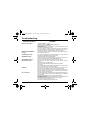
Troubleshooting
PROBLEM - SITUATION
Impossible to start phone
BATTERY STATE UNKNOWN
message
LOW BATTERY message
SIM ABSENT message
PIN INCORRECT Message
SIM LOCKED message
LOCK SIM
No call connection
ACTIONS
Hold down the Start key
(3s).
Charge the phone up for 15 minutes before starting it again.
Check the battery change icon scrolls.
Yes: charge correct.
No: disconnect the charger, then reconnect it, check that the battery icon scrolls.
Press the right programmable key "Start".
If the icon continues not to scroll, repeat the disconnect and connect operation
several times. If the battery still does not charge, contact the after-sales service.
When the charge battery icon has stopped flashing, the battery is charged.
The battery has not been recognised by the phone. Check that the battery is
correctly installed in the phone.
This message is displayed when the battery becomes too weak. The phone
switches itself off automatically. Put the phone on charge.
Check SIM card is present and properly installed.
Visually check the SIM card. If the card is damaged, contact the operator's point of sale
to check. If the message continues, contact the after-sales service.
PIN keying error. Caution: after three attempts, the SIM card is locked.
Three wrong PIN have been entered. Enter your PUK code to unlock the
SIM card.
You must then enter: **05*PUK*PIN*PIN#
PUK: PUK (Personal Unblocking Key) code supplied by your operator.
PIN: your PIN.
After 10 failed attempts, the SIM card is permanently locked. You will then need to
contact your operator or SMC to obtain a new SIM card.
At the request of the operator, the phone may be used only with certain types of
SIM cards. This message indicates that the SIM card used is not suitable.
Remove the SIM card and restart the phone. If the SIM ABSENT message appears,
check the compatibility of the SIM card with the company that sold you the phone.
Otherwise, contact the after-sales service.
Check the called number. Check that at least one signal strength bar is present. If
the R icon appears without any operator name being displayed, only emergency
calls are possible.
Check that your call credit with your operator has not been used up.
Check that the SIM card used offers the service that you are requesting and that
its validity has not expired.
Check and deactivate the restriction on outgoing calls if necessary.
The network is overloaded. Call again later.
If the poor call connection persists, contact the hotline.
63
My-X2 English.book Page 64 Lundi, 26. mai 2003 10:45 10
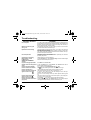
Troubleshooting
PROBLEM - SITUATION
No call reception
Network reception less good
during a call
Impossible to send message
No answer phonebox
Answer phone icon flashing
Backlight does not work
In WAP context:
SERVER NOT ANSWERING
message
Logon to home page impossible
Operator name does not appear on
screen
How do I (un)lock the keypad?
How do I switch to silent mode?
How do I activate zoom?
How do I remove the envelop that
appears on the screen?
How do I lift the receiver that
appears on the screen?
How do I remove the written
message at the down of the home
page (1 call)
64
ACTIONS
Try to make a call to check that the phone and the network are operational. Check
and deactivate the permanent calls forwarded (permanent calls forwarded icon
displayed). Check and deactivate the restriction on incoming calls if necessary. If
the poor reception persists, contact the hotline.
Avoid holding the phone with your fingers at the top of the rear cover; this creates
an obstacle for the antenna located at this spot.
Check that the SIM card used offers this service. Try to make a call to check that
phone and network are operational.
Check the answer phone number is properly configured. To do this, go to the "Calls"
menu, select "Answer phone number" and check the number. Otherwise, enter your
operator's answer phone centre number.
Check that the SIM card does offer this service.
Programme the call to be forwarded to answer phoneusing the information
provided by the operator.
Call the answer phone to make it disappear.
Go into the Settings menu, select the Energy saving menu and activate backlight
Switch off and then switch phone back on.
In the WAP menu, Clear the cache.
Go into the Settings menu, select Networks, then Selection. Wait until the
operator appears, select it and accept.
Hit
key, then the right programmable key
(OK).
Hold
key down unless ring tone sounds, when a short touch is enough.
Can be activated only in SMS and WAP screens; hold down
key.
This envelop means that you have written or answer phone.
To remove it, all you need to do is enter the "Messages" menu to read your
messages. The envelop is then deleted.
In the case of a voice message, contact your answer phonebox and let it guide
you.
This receiver means that you have received answer phone in your message box.
To remove it, call your answer phone.
Press the Stop
key to return to the home page without messages.
Go into the Messages menu, select Compose and enter your message using the
T9 script (predictive input method), which is the default entry mode.
My-X2 English.book Page 65 Lundi, 26. mai 2003 10:45 10
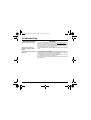
Troubleshooting
PROBLEM - SITUATION
How do I download ring tones?
ACTIONS
Logon to one of the following site via your computer: www.planetsagem.com. This
site offers to send ring tones to your phone in the form of an SMS. You can also
logon to your operator's site. Once the SMS has been received, all you have to do
is save it: accept the option "Save messages", the tune will then be added to your
list. In addition, you can logon to some sites by phone.
Go into the Settings menu, select My objects then delete some objects (too
many).
How do I free up memory to
download my objects (sounds,
images)
How can I increase the efficiency of The most efficient actions are as follows:
You can deactivate the backlight (in the menu Settings/Energy saving) or be
my phone?
carefully where you keep your phone to make sure that the keys can’t be pressed
accidentally because any key press will activate the backlight.
You can deactivate the screensaver or select the activation time to be more than
every 300s (the screensaver uses processing power).
Make sure that you don’t obstruct the antenna with your fingers when using the
phone (see page 14).
65
My-X2 English.book Page 66 Lundi, 26. mai 2003 10:45 10
Index
A
Accessories
Accessories (menu)
Activating your telephone
Adapter
Alarm
Anonymous mode
Answer phone number
p6
p53
p10
p6
p55
p46
p48
B
Background
Battery
Charging the battery
Installing the battery
Beeps
p38, p39
p13, p14
p11
p37
C
Calculator
Call barring
Call groups
Calls
Emergency services
First call
Receiving a call
CALLS (menu)
Automatic redial
Call waiting
Calls forwarded
Counters
Display numbers
View last calls
Car kit
Changing cover
Charger
Colours
Confidentiality
Contact
Add contact
Delete contact
Modify contact
See contact
Contrast
p53
p52
p30
p17
p17
p18
p44
p47
p47
p44
p45
p46
p45
p56
p12
p6
p38
p51
Converter
Currencies
p54
p54
D
Data
Data and time
Date and time
Description
p56
p16
p40
p7
E
Emergency services
EMS
Energy saving
p17
p28
p42
F
Fixed dialling
p52
G
Games
Greeting msg
p35
p39
H
Hands-free mode
Home page
p18
p9
I
Icon
Input modes
International
IP address
p8, p9
p28
p17
p33
K
Keypad locking
p7, p49
L
Languages
Local info
Lock keypad
p41
p48
p49
p23
p22
p22
p22
p42
66
My-X2 English.book Page 67 Lundi, 26. mai 2003 10:45 10
Index
M
MegaBox Conquest
Memory
Menus
Messages
Compose
Drafts
Inbox
Sending options
p35
p23, p31
p2
p26
p26
p27, p30
p30
p31
N
Network
Networks
Phone code
Phonebook
Phonebook Menu
Using the phonebook
PIN number
PIN number 2
Principles of navigation
Programmable keys
PUK code
p40
p51
W
p50
p21
p23
p21
p10, p15, p49
p50, p52
p8
p7
p15
R
Receiving messages
Reset setting
Ring tones
T9
Technical features
Text
Timer
Troubleshooting
V
P
p11
p28
p36
p18
T
p16
p41
O
Objects
Operator code
SIM card
SMS
Sounds
Switching off
Vibrate
Volume
Wallpapers
WAP
Services menu
WAP
Configuring WAP parameters
Downloading objects
Services menu
WAP logging off
WAP logging on
Warranties
p27
p58
p26, p28
p55
p63
p36
p19, p36
p38
p32
p32, p34
p33
p34
p32
p34
p34
p60
Y
Your phone package
p6
p29
p43
p19, p36
S
Screensavers
Security
Send options
Services
Settings
Shortcut keys
Silent mode
SIM (card)
p39
p52
p31
p57
p40
p7, p43
p20, p37
p10
67
Couverture My-X2.fm Page 2 Lundi, 26. mai 2003 11:09 11
Weight: 89 g
Size: 99.4 x 44.8 x 20.5 mm
Volume: 75 cm3
Original battery: Lithium ion 860 mAh
Battery life calls/standby: up to 5 h / 340 h
Multimedia objects supported:
Audio formats: iMelody, Midi, wave, HiFi
Graphic formats: bmp, png, gif, jpeg
Size of memory available for ring tones and images to be
downloaded: up to 300 KB.
The technical characteristics of the product are subject to
change without notice.