1
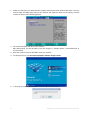
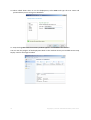
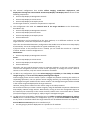
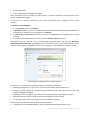
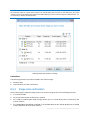
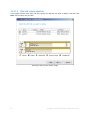
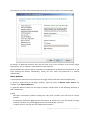
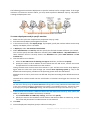
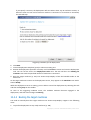
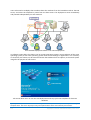
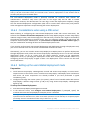
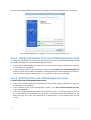
4. Connect the console to Acronis Snap Deploy 4 OS Deploy Server. Go to the Machines view.
5. Make sure that the target machines are displayed in the list and have the Ready state. This
means that the machines are connected and ready for deployment.
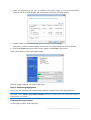
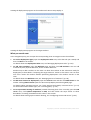
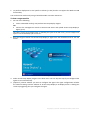
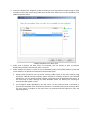
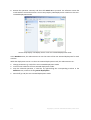
6. Select the machines, click Deploy image on the toolbar, and then follow the Create Deployment
Task Wizard instructions to configure and launch the deployment operation. When prompted
about when you want to run the deployment, select Now.
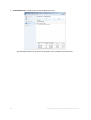
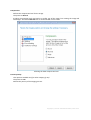
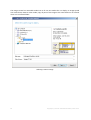
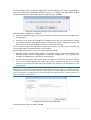
Deployment that starts manually
2.6
What is Acronis Universal Deploy
This section describes the Acronis proprietary technology that helps you to deploy and boot
Windows on dissimilar hardware. Acronis Universal Deploy saves you from configuring a new master
system for each make of hardware you need to perform deployment to.
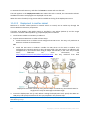
If you plan to deploy Windows to multiple machines that are identical to each other but differ from
the master machine hardware, deploy the master image to one of the identical machines by using
Acronis Universal Deploy. This will adjust Windows to the dissimilar hardware. Then, create a master
image of the adjusted system and deploy that image to the identical machines.
The Acronis Universal Deploy option is not available in the stand-alone deployment (p. 9) mode.
2.6.1
Acronis Universal Deploy purpose
An image of a system can be deployed easily on the hardware where it was created or to identical
hardware. However, if you change a motherboard or use another processor version, the deployed
system could be unbootable. An attempt to transfer the system to a new, much more powerful
machine will usually produce the same result. This is because the new hardware is usually
incompatible with the most critical drivers included in the image.
Using Microsoft System Preparation Tool (Sysprep) does not solve this problem, because Sysprep
permits adding drivers only for Plug and Play devices (such as sound cards, network adapters, and
video cards). As for the system Hardware Abstraction Layer (HAL) and mass-storage device drivers,
26
Copyright © Acronis International GmbH, 2002-2012.