1
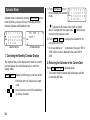
Schedule Mode
Schedule mode is selected by pressing SCHEDULE once or
twice. Each time you press this key, the display switches
between Schedule mode and Calendar mode.
A schedule listing consists of 3 entries: date, time, and detail.
The maximum number of characters for each detail is 512. In
the date entry, 4 digits can be entered for the year and 2
digits each for the month, day, hour, and minute.
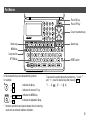
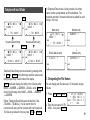
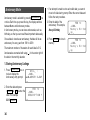
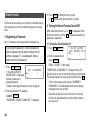
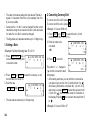
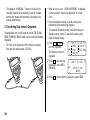
to move the cursor to February
2. Press , , , or
24, 2001.
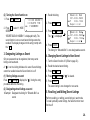
3. Press SCHEDULE to
SAT FEB 24 '01
TIME ?
change to the Schedule
CAPS
mode. Time entry prompt is
displayed.
• Multiple listings can be scheduled on the same date.
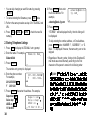
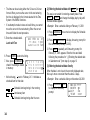
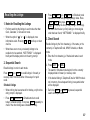
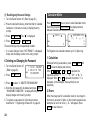
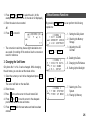
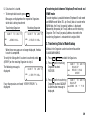
4. Enter the starting and ending time.
1130 AM 01 PM
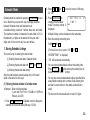
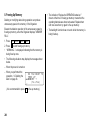
1. Storing Schedule Listings
(For the 24-hour clock, press 1130
There are 3 ways to entering the desired date:
“DESCRIPTION ?” is displayed.
(1) Entering the desired date in Calendar mode
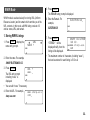
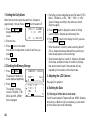
(2) Entering the desired date with NEXT (or PREV )
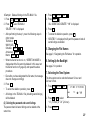
(3) Entering the desired date directly
After the date has been entered, actual entry of time and
detail is the same for all 3 ways.
(1) Entering the desired date in Calendar mode
<Example> Enter the following data.
“Lunch with Tom” from 11:30 AM to 1:00 PM on
February 24, 2001.
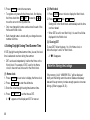
1. Press 2nd SCHEDULE in Calendar mode to display the
calendar for the current date (February 8, 2001).
13
.)
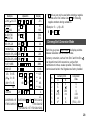
• “:00” will be entered automatically.
• You can enter schedule details without the ending time.
Press ENTER (or ) after entering the starting time to
display “DESCRIPTION ?” prompt.
• You can also enter schedule details without specified time,
except details starting with a number. Skip entering time
and start to enter letters for the details as described in
step 5.
• The hour and minute should each consist of 2 digits.
13