1
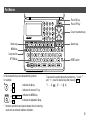
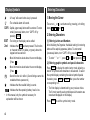
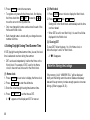
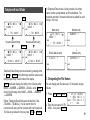
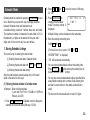
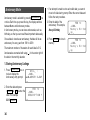
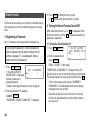
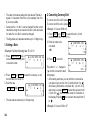
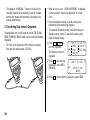
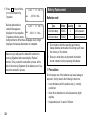
1. Press NEXT (or PREV ) to select the unit. (In this
example, select No. 6. For No. 6, the rate is not displayed.)
2. Enter the value to be converted.
25
3. Press
to convert it.
CONVERSION
˚F
˚C
[6]
CAPS
77.
• The conversion result may have a slight calculation error
as a result of rounding off the number. Use the conversion
result for reference.
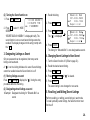
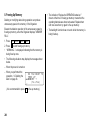
3. Changing the Unit Name
Only items No. 1 to No. 3 can be changed. While changing
the unit name, you can also set the rate at a time.
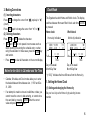
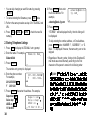
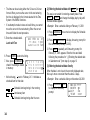
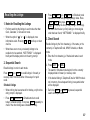
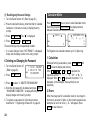
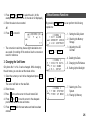
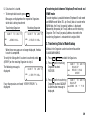
1. Select the currency or unit to be changed and press 2nd
EDIT .
The cursor will flash on the rate field.
2. Enter the rate.
3. Press
to move the cursor to the unit name field.
Miscellaneous Functions
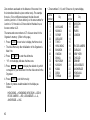
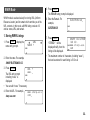
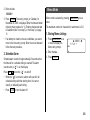
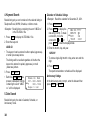
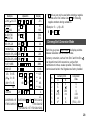
By pressing 2nd MENU , you can perform the following
operations:
.... 1. Setting the Daily Alarm
< MENU >
1:SET ALARM
.... 2. Checking the Memory
CAPS 2:MEMORY CHECK
Storage
3:LCD CONTRAST
NEXT
↓ ↑
PREV
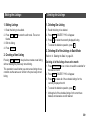
< MENU >
1:DELETE DATA
CAPS 2:FILE NAME
3:B/L SETUP
NEXT
↓ ↑
.... 3. Adjusting the LCD
Contrast
.... 4. Deleting the Data
.... 5. Changing the File Names
.... 6. Setting Up the Backlight
PREV
.... 7. Selecting the Time
< MENU >
System
1:TIME SYSTEM
CAPS 2:FREE UP MEM.
.... 8. Freeing Up Memory
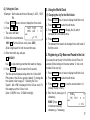
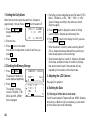
4. Press
and
to move the cursor to the adequate
position and enter the new unit name.
5. Press ENTER after the new names and rate have been
entered.
25