1
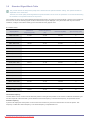
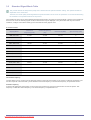
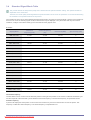
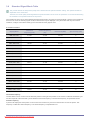
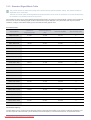
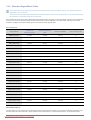
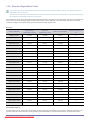
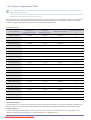
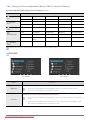
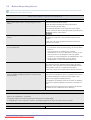
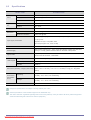
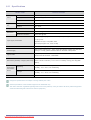
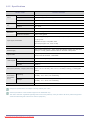
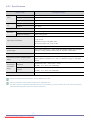
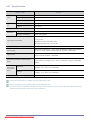
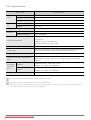
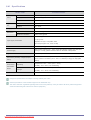
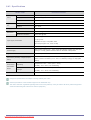
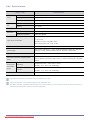
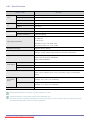
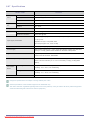
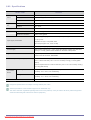
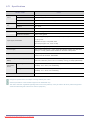
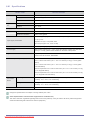
Menu
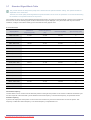
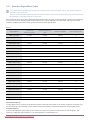
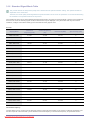
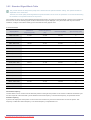
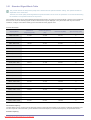
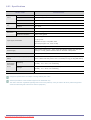
Description
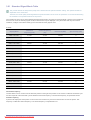
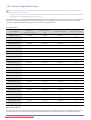
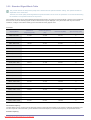
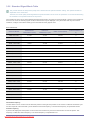
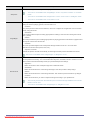
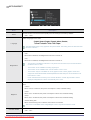
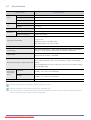
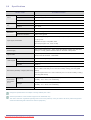
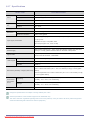
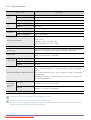
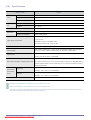
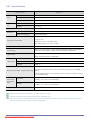
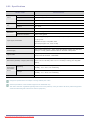
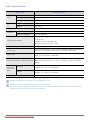
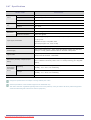
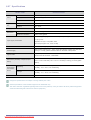
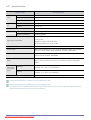
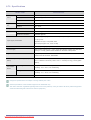
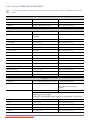
Expresses natural colors more clearly without changing the picture quality using proprietary digital
picture quality improvement technology developed by Samsung Electronics.
MagicColor
•
<Off> - Turns the <MagicColor> function off.
•
<Demo> - You can compare the pictures processed by <MagicColor> with the original pictures.
•
<Full> - Provides a clearer picture including areas corresponding to skin color.
•
<Intelligent> - Improves the chroma of pictures except for areas corresponding to skin color.
•
This menu is unavailable when <MagicAngle> is set.
•
This menu is unavailable when <Color Effect> is set.
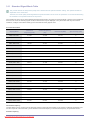
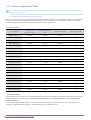
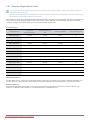
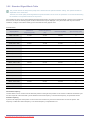
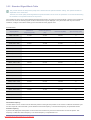
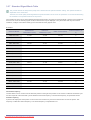
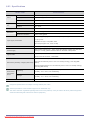
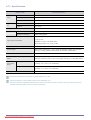
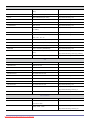
You can adjust the red color value of pictures according to your preference.
Red
•
This menu is unavailable when <MagicColor> is set to <Full> mode or <Intelligent> mode.
•
This menu is unavailable when <Color Effect> is set.
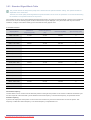
You can adjust the green color value of pictures according to your preference.
Green
•
This menu is unavailable when <MagicColor> is set to <Full> mode or <Intelligent> mode.
•
This menu is unavailable when <Color Effect> is set.
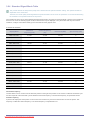
You can adjust the blue color value of pictures according to your preference.
Blue
•
This menu is unavailable when <MagicColor> is set to <Full> mode or <Intelligent> mode.
•
This menu is unavailable when <Color Effect> is set.
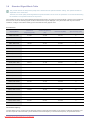
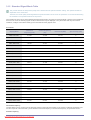
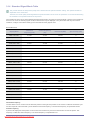
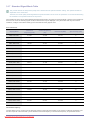
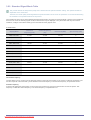
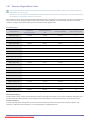
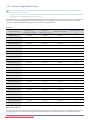
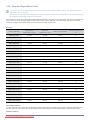
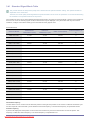
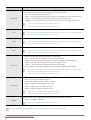
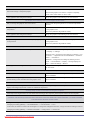
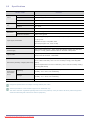
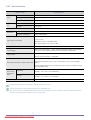
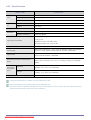
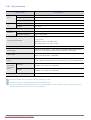
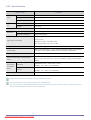
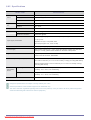
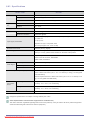
You can set the color temperature according to your preference.
Color Tone
•
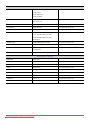
<Cool> - Sets the color temperature of the screen to a cooler color.
•
<Normal> - Sets the color temperature of the screen to the standard color temperature.
•
<Warm> - Sets the color temperature of the screen to a warmer color.
• <Custom> - Select this menu to set the color temperature manually.
If you do not like the preset color temperatures, you can manually adjust the value of RGB.
•
This menu is unavailable when <MagicColor> is set to <Full> mode or <Intelligent> mode.
•
This menu is unavailable when <MagicAngle> is set.
•
This menu is unavailable when <Color Effect> is set.
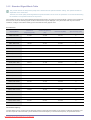
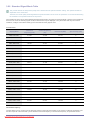
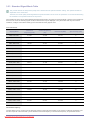
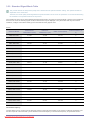
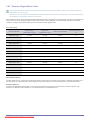
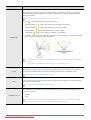
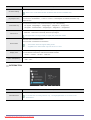
You can change the overall atmosphere by changing the color of pictures.
Color Effect
•
<Off> - Turns the <color effect> function off.
•
<Grayscale> -Displays pictures in black and white.
•
<Green> - Displays pictures in green mono color.
•
<Aqua> - Displays pictures in aqua mono color.
•
<Sepia> - Displays pictures in sepia mono color.
•
This menu is unavailable when <MagicAngle> is set.
•
This menu is unavailable when <MagicColor> is set.
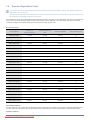
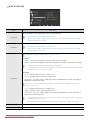
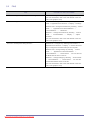
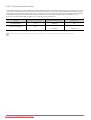
Using this menu, you can change the intensity of the colors of medium brightness.
Gamma
•
<Mode1> - <Mode2> - <Mode3>
This menu is unavailable when <MagicAngle> is set.
(This is unavailable when <MagicBright> is set to <Dynamic Contrast> and <Cinema> mode.)
Using the product
Downloaded
from ManualMonitor.com Manuals
3-46