1
Getting Started
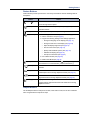
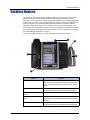
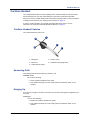
Feature Buttons
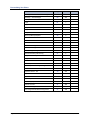
Feature buttons provide quick access to commonly used features. See the following table for
descriptions.
Button
(Up) or
Action
(Down
Provides volume control for the ringer, handset, and speaker.
Scrolls through feature options.
(Speaker)
Activates Handsfree Mode/speakerphone (see page 39).
Activates features.
(Mute)
Temporarily turns off your microphone during a call.
(Applications)
Activates the Applications menu to perform the following options:
• Use the conference unit (see page 9)
• Program the following settings in the Settings application:
o
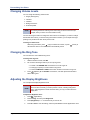
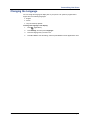
Change the language on the display (see page 17).
o
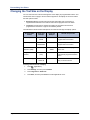
Change the text size on the display (see page 18)
o
Adjust the display brightness (see page 16)
o
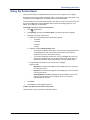
Use the screen saver (see page 19)
o
Specify audio feedback options (see page 20)
o
Calibrate the display (see page 20)
o
View phone information (see page 8)
• Use cordless devices (see page 69)
• Enable Clean Mode (see page 8)
(Special)
(Redial)
(Hold)
Activates features while on a call. The
(Special) button does not
cancel features. To cancel features, press the Star button (*).
Calls the last external number dialed. You cannot redial internal
numbers.
Places the current call on hold and retrieves a call from hold.
Left/backspace when entering dialpad characters (see page 21).
(Transfer)
Transfers the current call.
Right/forward when entering dialpad characters (see page 21).
(Message)
Displays station messages.
Toggles between Alpha Mode and Numeric Mode when entering
dialpad characters.
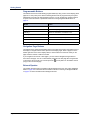
Dialpad Buttons
Use the dialpad buttons to dial phone numbers, enter feature codes, and to enter characters
when using features that require text input.
Mitel® 5360 IP Phone User Guide – Issue 1, June 2010
Page 5