1
Browse
explore & find
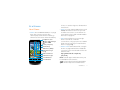
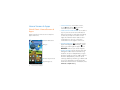
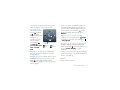
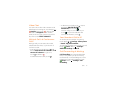
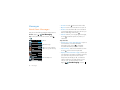
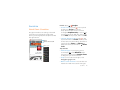
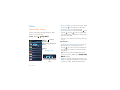
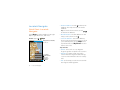
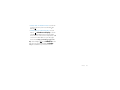
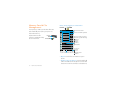
Quick Start: Chrome
A browser that combines minimal design
with sophisticated technology to make the
web faster, safer, and easier:
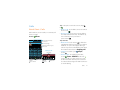
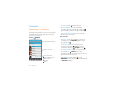
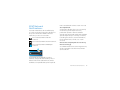
Find it: Apps > Chrome
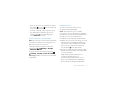
Menu
www.google.co.uk
Web
Images
Places
News
more
Tabs
New! Save your maps for use offline
If you don’t see the
URL bar at the top,
drag the page down.
Restaurants
Coffee
Bars
Fast Food
Torquay, UK - Update precise location
Sign in
Sho
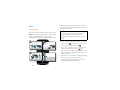
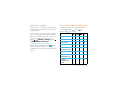
Touch a link to select it.
Touch & hold for more
options.
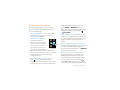
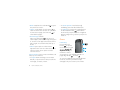
• Go to a website: Touch the address bar
at the top of a page and enter an
address.
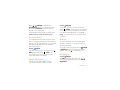
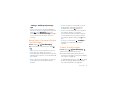
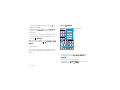
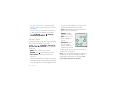
• Create or open bookmarks: Open the
address bar (flick down), then touch
Menu > or Bookmarks.
Tips & tricks
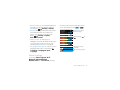
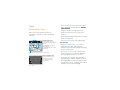
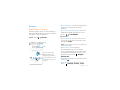
• Go to a website: In your home screen,
just touch
at the top and enter a
website address.
Note: If you can’t connect, contact your
service provider.
• Mobile sites: Some websites
automatically show you a “mobile”
version of their page. If you want to see
the standard computer versions of all
websites, touch Menu > Request
desktop site.
• Reload: If a page doesn’t load correctly,
try touch .
• Clear history: In the browser, touch
Menu > Settings > Privacy > Clear
Browse
47