1
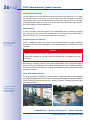
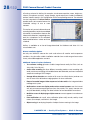
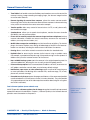
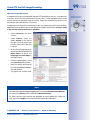
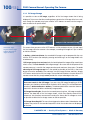
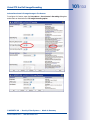
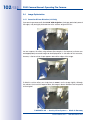
EN
D14D Camera Manual
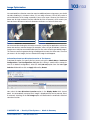
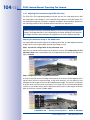
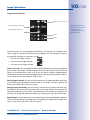
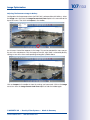
The HiRes Video Company
One camera, two lenses.
Seeing more is just not possible.
www.mobotix.com
60.170_EN_V3_01/2013
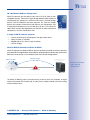
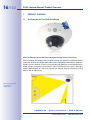
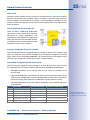
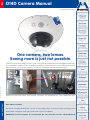
Two lenses, two HiRes image sensors, up to 64 GB internal storage and a dual image of a maximum
of 6 megapixels make the D14D DualDome an efficient security solution: It is possible to secure two
different areas using just one camera. All without vulnerable mechanical components!
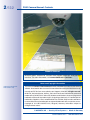
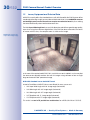
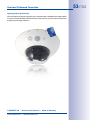
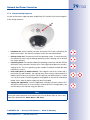
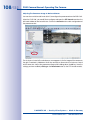
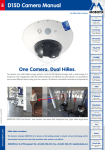
MOBOTIX D14D Dual Dome - one camera, two views (left: telephoto lens, right: wide angle lens)
HiRes Video Innovations
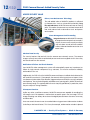
The German company MOBOTIX AG is known as the leading pioneer in network camera technology and its
decentralized concept has made high-resolution video systems cost efficient.
MOBOTIX AG • D-67722 Langmeil • Tel: +49-6302-9816-103 • Fax: +49-6302- 9816-190 • [email protected]
2/132
D14D Camera Manual: Contents
MOBOTIX Seminars
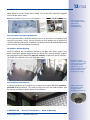
MOBOTIX offers inexpensive seminars that include workshops and practical
exercises. For more information, visit www.mobotix.com > Seminars.
Notes and Copyright Information
Additional information:
www.mobotix.com
The enclosed Camera Software Manual contains detailed information on the camera
software. Download the latest version of this manual and the MxEasy and MxControlCenter
manuals as PDF files from www.mobotix.com (Support > Manuals). All rights reserved.
MOBOTIX, MxControlCenter, MxEasy, ExtIO and CamIO are internationally protected
trademarks of MOBOTIX AG. Microsoft, Windows and Windows Server are registered
trademarks of Microsoft Corporation. Apple, the Apple logo, Macintosh, OS X and Bonjour are
trademarks of Apple Inc. Linux is a trademark of Linus Torvalds. All other marks and names
mentioned herein may be trademarks or registered trademarks of the respective owners.
Copyright © 1999-2012 MOBOTIX AG, Langmeil, Germany. Information subject to
change without notice!
© MOBOTIX AG • Security-Vision-Systems • Made in Germany
www.mobotix.com • [email protected]
3/132
Contents
Foreword
6
The MOBOTIX Concept
8
Superior Storage Solution
10
Added Security Value
12
Cost Benefits And Technical Advantages
14
1
Product Overview
16
1.1
An Overview Of The D14D DualDome 16
1.2
The Most Important Benefits
22
1.3
New Features Compared To The D12D
23
1.4
General Camera Functions
24
1.5
Lenses, Equipment and Technical Data
30
1.6
Standard delivery
36
1.6.1
1.6.2
1.6.3
1.6.4
1.6.5
Standard delivery – D14D
Standard delivery – D14D 180°
Delivered With The D14D-Sec-DNight-Fix Delivered Parts Of The Outdoor Wall Mount (Accessories)
Delivered Parts Of The Corner And Pole Mount (Accessories)
36
38
40
42
43
1.7
Available Accessories
44
1.7.1 NPA-PoE Set
1.7.2 Replacement Dome
1.7.3 Vandalism Set
1.7.4 Ethernet Patch Cable With Bayonet Catch
1.7.5 Outdoor Wall Mount
1.7.6 Corner And Pole Mount
1.7.7 ExtIO Function Expansion 1.7.8 Mx2wire+ Media Converter
1.7.9 MX-Patch-Box
1.7.10 MX-NPA-Box
44
44
44
45
45
45
45
46
46
47
2
Mounting
48
2.1
Overview Of Mounting Options
48
2.1.1 Mounting Indoor Cameras To A Ceiling Or Wall (Without Accessories)
2.1.2 Outdoor Installation On A Wall, Pole Or Corner (With Accessories)
© MOBOTIX AG • Security-Vision-Systems • Made in Germany
www.mobotix.com • [email protected]
48
49
4/132
D14D Camera Manual: Contents
2.2 Overview Of Network Connection
50
2.2.1 Power over Ethernet (PoE Conforming to IEEE 802.3af)
2.2.2 Uninterruptible Power Supplies (UPS)
2.2.3 Providing The Camera Connections, Wall Outlets
2.2.4 Wiring, Fire Prevention, Lightning And Surge Protection
50
51
51
52
2.3 First Installation Steps
54
2.3.1 Mounting Lens Units
2.3.2 Overview Of Cable Connections
2.3.3 Connecting Ethernet Cable With The MX-Patch-Box
2.3.4 Connecting The Mini USB Cable
2.3.5 Connecting MxBus Modules
2.3.6 Replacing The MicroSD Card
54
58
59
59
61
62
2.4 Mounting The Camera With Outdoor Wall Mount
64
2.4.1 Aiming The Passive Infrared Sensor (PIR)
2.4.2 Mounting The Outdoor Wall Mount
2.4.3 Aiming The Camera
2.4.4 Connecting The Camera With Bottom Plate
2.4.5 Connecting And Securing The Camera
64
65
67
68
69
2.5 Mounting The Corner And Pole Mount
70
2.5.1 Overview
2.5.2 Mounting To The Corner Of A Building
2.5.3 Mounting To A Pole
2.5.4 Mounting The Outdoor Wall Mount
70
71
72
73
2.6 Adjusting The Lens
74
2.7 Network And Power Connection
76
2.7.1
2.7.2
2.7.3
2.7.4
2.7.5
2.7.6
Notes On Cable Lengths And Power Supply
PoE Variables
Power Supply Using A Switch
Power Supply When Connected Directly To A Computer
Power Supply With Power-Over-Ethernet Products
Camera Startup Sequence
76
76
77
78
78
79
3
Operating The Camera
80
3.1
Manual And Automatic Operation – Overview
80
3.1.1 Manually Using A Computer In The 10.x.x.x IP Address Range 3.1.2 Automatically Using MxControlCenter Or MxEasy 3.1.3 Automatically Using DHCP
81
82
83
3.2 First Images And The Most Important Settings
84
3.2.1 Manually Setting Up The Network Parameters In A Browser
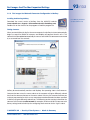
3.2.2 First Images And The Most Important Settings In The Browser
3.2.3 First Images And Network Parameter Configuration In MxControlCenter
84
86
88
© MOBOTIX AG • Security-Vision-Systems • Made in Germany
www.mobotix.com • [email protected]
5/132

3.2.4 First Images And Network Parameter Configuration In MxEasy
3.2.5 Starting the Camera With The Factory IP Address
3.2.6 Starting The Camera With An Automatic IP Address (DHCP)
93
96
97
3.3 Virtual PTZ And Full Image Recording
98
3.3.1 Virtual PTZ
3.3.2 Full Image Storage
98
100
3.4 Image Optimization
102
3.4.1 Correction Of Lens Distortion (L22 Only)
3.4.2 Adjusting The Panorama Image (D14D 180° Only)
3.4.3 Dual Image Exposure
102
104
109
3.5 MicroSD Card Recording
110
3.5.1 Introduction
3.5.2 Formatting The Card
3.5.3 Activate Recording
3.5.4 Accessing Camera Data
3.5.5 Deactivating The Card Memory
3.5.6 Using A MicroSD Card In A Different MOBOTIX Camera
3.5.7 Limitations On Warranty When Using Flash Storage Media
110
112
113
114
114
115
115
3.6 Configuration In The Browser
116
3.6.1 Overview
3.6.2 General Browser Settings
3.6.3 Additional Configuration Options
116
116
119
3.7 Additional Notes
120
3.7.1 Password For The Administration Menu
3.7.2 Permanently Deactivating The Microphone
3.7.3 Starting The Camera With The Factory IP Address
3.7.4 Reset The Camera To Factory Settings
3.7.5 Activate Event Control And Motion Detection
3.7.6 Deactivate Text And Logo Options
3.7.7 Deactivating The Daily Automatic Camera Reboot
3.7.8 Browser
3.7.9 Cleaning The Camera And Lens
3.7.10Safety Warnings
3.7.11 Online Help In The Browser
3.7.12RoHS Declaration
3.7.13Disposal
3.7.14Disclaimer
120
120
120
121
121
121
121
122
122
122
123
123
123
123
© MOBOTIX AG • Security-Vision-Systems • Made in Germany
www.mobotix.com • [email protected]
6/132
D14D Camera Manual: Foreword
Foreword
Dear MOBOTIX customer,
Congratulations on your decision to purchase an exceptionally efficient premium
network camera 'Made in Germany.' Thanks to its double lens and sensor assembly,
the D14D can monitor two different areas at once, for example, making it the most
powerful MOBOTIX Fixdome camera yet.
The integrated 4-GB long-term memory can now be expanded up to 64 GB. An entirely
new MOBOTIX dual camera system architecture with HiRes image sensors ensures you
are able to transmit a dual image of up to 6 megapixels – also as a highly detailed 180°
panorama, if necessary (special model D14D Sec-180° with two 90° lenses).
The new MxBus and Mini USB camera interfaces make it particularly easy and cost effective
to connect add-on modules such as UMTS, GPS or data storage units.
This Camera Manual will give you an initial overview of the innovative MOBOTIX concept
that is at the core of this technology. This includes all the information you need to unpack
and install the camera (Chapter 2) and to view initial images on a PC (Chapter 3).
Please see the Software Camera Manual Part 2, included in the camera packaging, for
information on how to work with the many camera functions, such as event control or
image storage, for example.
If you would prefer to work with MxEasy or MxControlCenter instead of the browsercontrolled MOBOTIX camera software, you can download these programs for free including
a manual (PDF) from the MOBOTIX website: www.mobotix.com > Support > Software
Downloads.
If you still have any questions, our support and international sales staff are available at
[email protected] from Monday to Friday, 8 a.m. to 6 p.m. (German time).
Thank you for choosing MOBOTIX products and services. We trust you will be impressed
with the performance of your new D14D DualDome camera!
© MOBOTIX AG • Security-Vision-Systems • Made in Germany
www.mobotix.com • [email protected]
7/132

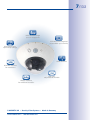
HiRes double image
up to 6 megapixels
4 GB MicroSD integrated
(expandable up to 64 GB)
High frame rates
up to 30 fps (Mega)
Shock detector
MiniUSB interface
for extensions
PoE class
adjustable & variable
MxBus interface
for additional modules
© MOBOTIX AG • Security-Vision-Systems • Made in Germany
www.mobotix.com • [email protected]
8/132
D14D Camera Manual: The MOBOTIX Concept
The MOBOTIX Concept
HiRes Video Innovations And Technology Leader
3 Mega
The German company MOBOTIX AG is known as the
leading pioneer in network camera technology since its
founding in 1999, and its decentralized concept has made
high-resolution video systems cost efficient.
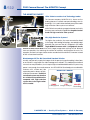
1536 lines
MOBOTIX has been producing megapixel cameras exclusively
for many years now and is regarded as the global market
leader for high-resolution video systems.
Mega
960 lines
TV-Pal
Why High-Resolution Systems?
576 lines
The higher the resolution, the more accurate the detail
in the image. With analog technology, a recorded image
generally has no more than 0.1 megapixels (CIF). One
288 lines
single MOBOTIX camera with 3.1 megapixels records
around 30 times more detail. As a result, larger image areas with up to 360° allround
views are possible, thus reducing the number of cameras, and therefore the costs. For
example, four lanes of a gas station can be recorded with one MOBOTIX camera instead
of four conventional cameras.
CIF
Disadvantages Of The Old Centralized Standard Solution
Usually, cameras only supply the images while the processing and recording is done later
on a central PC using expensive video management software. This traditional centralized
structure has many limitations, since it requires high network bandwidth and the PC processing
power is not enough for several cameras. An HDTV MPEG4 film already puts considerable
strain on a PC, so how can it be
MOBOTIX Camera
expected to process dozens of highresolution live cameras? Traditional
centralized systems are therefore
less suitable and unprofitable when
compared with high-resolution
systems due to the high number
of PCs needed.
CMOS
CPU
MicroSD
3.1 Megapixel Image-Analysis Recording
© MOBOTIX AG • Security-Vision-Systems • Made in Germany
www.mobotix.com • [email protected]
9/132

The Decentralized MOBOTIX Concept
Unlike other systems, with the decentralized MOBOTIX concept, a high-speed computer
and if necessary, digital long-term memory (MicroSD Card) is built into every camera,
providing several days of recording time. The PC and the video control center now serve
only for viewing and controlling the cameras (PTZ), not for analysis or recording. This
makes it unnecessary to purchase expensive video management software, as the most
important and computer-intensive functions are already integrated in the MOBOTIX cameras.
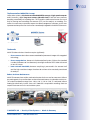
MOBOTIX System
Recording
software
Decentral and secure
MicroSD integrated
PC as storage
The Benefits
MOBOTIX video solutions therefore require significantly:
• fewer cameras due to the more accurate detail of panoramic images with megapixel
technology,
• fewer storage devices, because in the decentralized system, 10 times the standard
number of cameras can simultaneously store high-resolution HDTV video with sound
on one PC/server.
• lower network bandwidth, because everything is processed in the camera itself
and the high-resolution images therefore do not have to be constantly transferred
for analysis.
Robust And Low-Maintenance
MOBOTIX cameras have neither mechanical motors for lenses nor for movement. Without
any moving parts, they are therefore so robust that maintenance is reduced to a minimum.
The unique temperature range from -30 to +60 °C (-22 to +140 °F) is achieved without
heating or a fan at only 3 watts. Since no PC hard disk is required for recording, there are
no parts that wear out in the entire video system.
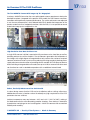
One Camera For Four Gas Pumps – Long-Term Recording Without Peripheral Devices
© MOBOTIX AG • Security-Vision-Systems • Made in Germany
www.mobotix.com • [email protected]
10/132
D14D Camera Manual: Superior Storage Solution
Superior Storage Solution
MOBOTIX Storage Concept Without Bottlenecks
These days, video data is normally pre-processed and stored centrally on a PC or digital
video recorder (DVR) using video management software. Video and audio streams from
all installed cameras are directed to this central device. In this case, using high-resolution
cameras often results in data jam. Above all, storage is inefficient, because if the PC has
limited computing power, the high-resolution video with a high frame rate must be sent
directly to a storage device before it can be processed.
Standard System
Recording
software
Storage bottleneck is pre-programmed
PC as storage
Standard system requires an extra PC including software for analysis and storage
If, like with MOBOTIX cameras, the camera adjusts the image format and the frame rate to
the correct values for the specific application (at a gas station, two frames per second are
enough for the recording), it relieves the load both of the network and of the recording device
(PC, server). MOBOTIX cameras can of course also minimize the recording independent
of the live video, and the sound channel is recorded even with video recordings of two
frames per second.
No Storage Limit
The decentralized MOBOTIX concept enables the user to save around 10 times the number
of cameras on a single storage device because the camera manages the recording
itself (on a PC, server, NAS), thus reducing load on the device. For this reason, practically
speaking, there is no memory limit for the entire system because theoretically, each
camera is able to manage its own terabyte-sized storage device via the network. Another
benefit of this concept is the use of affordable, reliable NAS drives that do not require any
special software.
© MOBOTIX AG • Security-Vision-Systems • Made in Germany
www.mobotix.com • [email protected]
11/132

SD Card Memory Reduces Storage Costs
MOBOTIX cameras are also able to store up to 64 GB of video in their
integrated memory. Thanks to this high storage capacity and the option of
recording only the sequences in which an event occurs, external storage
devices such as hard drives are rarely required. This saves on storage
devices and network infrastructure and reduces the maintenance cost
of mechanical components such as hard drives or fans. The internal SD
cards (flash memory) are digital and since they do not have mechanical
components, they are maintenance-free.
A single 64 GB SD card has space for:
•
•
•
•
2 weeks of continuous recording from four gas station lanes
4 days of video in TV quality
200,000 clips of 10 s each in high-resolution
2 million images
Ideal For Difficult Network Conditions Or WLAN
MOBOTIX cameras are ideal for difficult network conditions or WLAN connections because
the internal flash storage bridges network failures or bandwidth fluctuations and synchronizes
data when a connection is re-established with the external storage device.
Failover Storage
Backup Storage
Standard IT-Storage
(e.g. Hard Drives)
Feature soon available
(after updating
the software)
Connection Loss
MOBOTIX systems are decentralized and secure, even without a PC for storage
The option of backing up the internal memory at preset times (for example, at night)
reduces the load on the network and, in many cases, enables shared use of the existing
network infrastructure.
© MOBOTIX AG • Security-Vision-Systems • Made in Germany
www.mobotix.com • [email protected]
12/132
D14D Camera Manual: Added Security Value
Added Security Value
Robust, Low-Maintenance Technology
The real added value of MOBOTIX products is reflected
in characteristics such as enhanced functionality, long
life, and robustness. MOBOTIX cameras have no moving
parts. This makes the cameras very resistant to wear and
tear, and reduces both maintenance costs and power
consumption.
Alarm Management And Forwarding
Integrated sensors enable MOBOTIX cameras
to recognize when an event has occurred. If
desired, the cameras will respond immediately
with an alarm sound and will establish
a direct video and audio connection to a
control room.
Absolute Data Security
The security barriers that are built into the camera are extremely secure. The camera
images are only accessible to authorized persons and are encrypted via SSL when they
are transferred over the network.
Notification Of Failure And Shock Detector
Your MOBOTIX video management system will automatically report any impairment or
failure of single network components (e.g. cameras). This ensures maximum reliability
and readiness for use.
Additionally, the D14D is the first MOBOTIX camera with a pre-installed shock detector (for
all IT and Secure versions). If, for example, the camera’s housing receives an impact, it can
simultaneously take video of the offender, trigger an alarm and notify the security company
via telephone. Due to the build quality and absence of moving parts, MOBOTIX cameras
are extremely tough. This typically allows them to stay fully operational, in particular, when
they are subject to strong vibrations.
Subsequent Searches
Unlike any other surveillance camera, MOBOTIX cameras are capable of recording the
full image, even if the operator is zoomed into a specific area in the live image. This full
image recording can always be reviewed via digital pan/tilt/zoom whenever necessary
at a later date.
Users can search for events even in recorded video using post event video motion windows
(in MxEasy or MxControlCenter). This is how, for example, a video motion window is placed
© MOBOTIX AG • Security-Vision-Systems • Made in Germany
www.mobotix.com • [email protected]

13/132
above a door in the post image search dialog. This will only filter sequences triggered
when that door opens/closes. Floor plan and camera
view in MxControlCenter
(free control
center software
from MOBOTIX)
Sound Increases The Chance Of Detection
In the event of an alarm, MOBOTIX cameras can turn on their built-in microphones and
record lip-synchronous sound. They are therefore an even greater help in analyzing a
situation and easing clarification. In addition, the video system can be used for bidirectional
communication via a loudspeaker/microphone.
No Problems With Backlighting
MOBOTIX cameras are not adversely affected by the glare from direct sunlight. They
deliver meaningful, detailed images all the time because the camera software supports
easy programming of independent exposure windows to cope with specific situations.
This makes them ideal for rooms with large glass fronts.
Placing the exposure
window in the lower image
area (left image) delivers
less optimum results
compared to moving
three individual exposure
windows up toward the
windows (right image)
Anti-Vandalism Dome Cameras
In critical environments or for outdoor use, it is often best to choose optionally vandalismprotected MOBOTIX cameras. Their steel housing resists even the hardest attacks, and
the cameras will deliver a perfect picture of the attackers.
© MOBOTIX AG • Security-Vision-Systems • Made in Germany
www.mobotix.com • [email protected]
D14D with Vandalism
Kit: Perfectly suited
for applications in
demanding environments
14/132
D14D Camera Manual: Cost Benefits And Technical Advantages
The Most Important MOBOTIX Cost Benefits
1
2
Increased Resolution Reduces Amount Of Cameras Needed
1536 lines, high-resolution sensors give a better overview and allow monitoring
an entire room with just one camera.
Reduced Installation Costs At Any Distance
Standard Ethernet connection enables the use of common network components
such as fiber, copper and wireless (WLAN).
3
Intelligent Cameras Reduce The Number Of Storage Devices
4
Event-Controlled Image Format Minimizes Storage Costs
5
6
7
8
9
10
The decentralized MOBOTIX concept enables the user to save around 10 times
the standard number of cameras using just one storage device.
Automatic image adjustment (frame rate, size) in the case of movement,
noises or sensor action reduces bandwidth and storage requirements.
Low Power Costs, No Extra Heating
Anti-fogging without heating allows the system to be powered throughout the year using
network cable or two wires (PoE standard) and saves on the cost of power cabling.
Backup Power Supply Costs Reduced By 80%
Low power consumption, approx. 5 watts, enables year-round PoE (no heating required)
with one centralized UPS from the installation room using network cable.
Robust And Practically Maintenance-Free
Fiberglass-reinforced composite housing with built-in cable protection and no
mechanical moving parts (no auto iris) guarantees longevity.
Software For A Thousand Cameras & Storage Devices Included
The right premium operating software for every application: MxEasy for compact
video solutions, MxControlCenter for the professional control center.
Unlimited Scalability And High Return On Investment
More cameras and storage can be added at any time – even while the system is in
use; image format, frame rate and recording parameters can be camera-specific.
Additional Functions And Other Extras Included
Sound support, lens, wall mount and weatherproof housing (-30 to +60 °C) (-22 to +140 °F) are
included in the camera delivery; microphone and speakers available for most models.
© MOBOTIX AG • Security-Vision-Systems • Made in Germany
www.mobotix.com • [email protected]
15/132

The Most Important MOBOTIX Technical Advantages
High-Resolution Digital Image Instead Of TV Quality
Megapixel sensor and image processing inside the camera generate sharp images with
a higher resolution than HDTV, allowing them to be recognized as evidence in a court of law.
Hemispheric Technology For An Overview With No Blind Spots
360° allround view or 180° widescreen image, corrected for perspective; only one
camera is needed to view the entire room or train platform without any blind spots.
Bridging Of Recording During Network Failures
In-camera data storage (up to 64 GB) can even bridge longer network failures
or bandwidth fluctuations (for example with wireless networks).
Professional Software For Systems Of Any Size
This control center and recording software, which is free of charge and used in tens of thousands
of systems around the world, sets no limits on the number of users, cameras or servers.
Very Low Network Load
Efficient video codecs, motion detection and data storage of up to 64 GB
in the camera guarantee a very low network load.
No Storage Limit
There is no storage limit for the entire system because each camera is able
to manage its own terabyte-sized storage device (NAS) via the network.
Sun And Backlight Compensation
CMOS-sensor without auto iris, digital contrast enhancement and configurable
exposure measurement zones guarantee optimum exposure control.
Day & Night Maintenance-Free
MOBOTIX dual cameras with two sensors and digital switching between day and night
modes operate reliably with no mechanical components in all lighting conditions.
Simultaneous Recording, Event Search And Live Viewing
Live video for multiple users, simultaneous recording and event search possible
in seconds from anywhere in the world via a network connection.
Sound And SIP Telephony
Lip-synchronous sound (live & recording); every camera is also a video IP telephone
compliant with the SIP standard, featuring camera control and automatic alarm calls.
© MOBOTIX AG • Security-Vision-Systems • Made in Germany
www.mobotix.com • [email protected]
1
2
3
4
5
6
7
8
9
10
16/132
D14D Camera Manual: Product Overview
1
Product Overview
1.1
An Overview Of The D14D DualDome
HiRes DualDome Camera With Two Independent Image Sensors And Lenses
With its compact and elegant dome-shaped housing, the MOBOTIX DualDome camera
system has become an indispensable feature of the now global market of high-resolution
network security cameras. Thanks to its two flexibly adjustable lenses and optional HiRes
image sensors, this camera system delivers video surveillance of one scene in day/night
mode (DNight models) or it can even monitor two different areas simultaneously using
different day or night lenses.
One camera monitors
two different
image areas
© MOBOTIX AG • Security-Vision-Systems • Made in Germany
www.mobotix.com • [email protected]
An Overview Of The D14D DualDome
The First MOBOTIX Camera With Images Up To 6 Megapixels
As always, MOBOTIX focused on the most sophisticated customer requirements during the
development phase. Compared to the previous D12D model, the D14D features numerous
innovations and significantly improved performance. The system architecture was adjusted
to suit the new microprocessor, which allowed MOBOTIX to double the image rates of the
previous model in terms of megapixel resolution. With the D14D, it is now possible to record
a dual color image up to 6 megapixels in size.
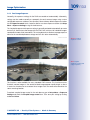
Original image: Telephoto lens (left) and wide angle lens (right) – simultaneously in one image
High-Resolution Sees More And Costs Less
A single D14D camera is all that is required to fully monitor an entire shop floor, as well as
providing a direct view of the checkout. The simultaneous generation and evaluation of
two images with a high degree of image detail not only reduces the number of required
cameras, but also minimizes system costs by reducing the wiring complexity, backup power
supply requirements and number of recording devices needed. All D14D cameras feature
direct recording to integrated MicroSD cards (now up to 64 GB!) or external USB drives and
can therefore be used in standalone operation with no additional network load.
One Camera For Four Gas Pumps – Long-Term Recording Without Peripheral Devices
Robust, Practically Maintenance-Free And Versatile
Its robust design means that the D14D can be installed on walls or ceilings without any
additional accessories in locations where the already very high requirements of the IP54
protection class are sufficient.
Ambient temperatures may vary between –30°C and +60 °C (–22°F to 140°F), making it
the ideal camera for the most demanding weather situations. From stations in Antarctica
to production monitoring at a steel smelting plant – MOBOTIX cameras offer unmatched
flexibility and versatility.
© MOBOTIX AG • Security-Vision-Systems • Made in Germany
www.mobotix.com • [email protected]
17/132
18/132
D14D Camera Manual: Product Overview
The absence of mechanically moving parts, heating and ventilation means that D14D
cameras requires less than 5 watts of power, which can therefore be easily supplied via a
standard PoE cable. Cleaning the D14D is simple enough – wipe the dome using a lint-free
cotton cloth and a mild household detergent without abrasive particles.
D14D Model Versions And Lenses
The D14D is available in a Secure and IT version, each of which has two day or night
sensors, or a day/night combination. The main difference between Secure and IT models
is that the two image sensors of the Secure models have a higher maximum resolution
(two 3MEGA instead of two VGA). Each D14D comes with a well-protected pre-installed
4 GB MicroSD card as standard and, if required, it can be replaced with a card of up to
64 GB. The Night versions of the D14D with two highly sensitive black and white sensors
deliver high-contrast images, even in extremely low-light conditions (min. of 0.01 lux).
In addition to the standard versions, the camera is also available in a D14D-DNight and
a D14D-180° version.
D14D Standard
D14D-180°
D14D-DNight
D14D: Standard Version With Individual Lens Configuration
The standard models of the D14D stand out because you can freely combine the two
image sensors and lenses and you can focus them on different areas independently of
one another. A lens can be delivered for every day or night sensor with an angle of 15°,
31°, 45°, 60° and 90° as desired.
Detail and overview
in dual image mode
© MOBOTIX AG • Security-Vision-Systems • Made in Germany
www.mobotix.com • [email protected]
An Overview Of The D14D DualDome
19/132
D14D-180°: High-Resolution 180° Panoramic Image
The D14D 180° is equipped with two fixed 90° Super Wide Angle lenses, which together
ensure a high-resolution 180° panorama image that is up to 6 megapixels in size and is
corrected by means of the camera software.
Using only one camera, it is possible, for example, to cover one side of a building and
the adjacent areas (parking lots, lawns, etc.). Even as a high-quality webcam, the D14D180° delivers an excellent, detailed image.
180° panorama with
up to 6 megapixels
D14D-DNight: Full Operational Readiness In Day And Night Situations
The day/night version of the D14D is equipped with two image sensors and two lenses
which automatically switches to the ideal mode depending on lighting conditions: either
the color sensor with daylight lens or the black and white image sensor with infrared lens.
The dual sensor system provides for excellent colors in daylight and high-quality images
in dark environments.
Automatic day/night
switching depending
on lighting conditions
The day and night lenses come pre-installed on a special DNight lens bridge, which
ensures that they are positioned exactly parallel to one another. This way, the day lens
always covers the same area as the night lens.
© MOBOTIX AG • Security-Vision-Systems • Made in Germany
www.mobotix.com • [email protected]
D14D Camera Manual: Product Overview
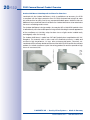
Outdoor Wall Mount: Weatherproof And Room For Extensions
Combined with the Outdoor Wall Mount, which is available as an accessory, the D14D
is compliant with the higher protection class IP65 (fully dustproof and resistant to water
jets) and can then be easily used in any unprotected outdoor areas. MOBOTIX offers an
additional Corner and Pole Mount that allows the Outdoor Wall Mount to be attached to
the corners of buildings and to masts.
The Outdoor Wall Mount’s design enables, for example, WiFi or GSM/GPRS modules to be
installed directly within the weatherproof housing without disturbing the overall appearance
of the surveillance unit. Similarly, relays for alarm sirens or lights can be installed easily
and elegantly within the housing.
Mounting
to a pole
The Outdoor Wall Mount is made from PBT-30GF (polyethylene terephthalate with 30%
fiberglass). This material, which is often used in the automotive industry, is stable and
resistant to high temperatures, UV rays, other environmental factors, chemicals, etc.
Combined with the software-based architecture of the MOBOTIX D14D and the free software
updates, the whole surveillance system has a long product life and thus provides a high
return on investment (ROI).
Mounted to a corner
20/132
© MOBOTIX AG • Security-Vision-Systems • Made in Germany
www.mobotix.com • [email protected]
21/132
An Overview Of The D14D DualDome
D14D-Standard
You can freely combine the two
image sensors and lenses and
focus them on different areas
independently of one another.
D14D-180°
Two fixed 90° Super Wide Angle
lenses, which together ensure
a high-resolution 180° panorama
image that is up to 6 megapixels
in size and is corrected by means
of the camera software.
D14D-DNight
The camera automatically chooses
the ideal mode depending on lighting
conditions: either the color sensor
with daylight lens or the black and white
image sensor with infrared lens.
© MOBOTIX AG • Security-Vision-Systems • Made in Germany
www.mobotix.com • [email protected]
22/132
D14D Camera Manual: Product Overview
1.2
The Most Important Benefits
The high-resolution DualDome D14D camera is the even more powerful successor to the
D12D and has a new microprocessor and a modified system platform. The result is more
than twice the processing power, which enables smooth video frame rates, even during
the simultaneous transfer of two sensor images.
Double The Frame Rates Of The D12D
The modified hardware of the D14D not only brings significantly increased performance
thanks to the use of the PXA320 XScale processor, it also includes an FPGA hardware
accelerator, which noticeably frees up the CPU.
New, Waterproof Connections To The Camera
The new MxBus and Mini USB interfaces allow current and future MOBOTIX modules to
be connected directly to the D14D: for example, a GPS module, IO modules, an AudioBox
as well as future modules for connection to mobile and wireless networks.
Up To 64 GB Of Internal Memory
The MicroSD card now installed in the Secure versions of the MOBOTIX D14D has a 4-GB
memory (max. 64 GB) and allows for decentralized storage and additional reliability.
Adjustable PoE Classes
Adjusting the PoE class via the camera software also enables the use of PoE switches that
cannot be operated on all ports with PoE class 3 (up to max. 12.95 V).
Improved Sound Quality
In the case of sound connections, a software-based echo elimination function that ensures
a noticeably improved sound quality (particularly in the case of two-way communication)
has been integrated.
Improved Camera Software
For example, any number of action profiles (FTP, e-mail, sound, telephone call and network
report) can now be executed simultaneously for an event (for example, motion detection
by the camera).
© MOBOTIX AG • Security-Vision-Systems • Made in Germany
www.mobotix.com • [email protected]
New Features Compared To The D12D
1.3
New Features Compared To The D12D
New
Comment
Image sensor
Incompatible with D12D
Sensor cable
Incompatible with D12D
MicroSD card
Replaces SD card and R models of the D12D
Mini USB
Adapter cable available from MOBOTIX
MxBus
MxBus cables are two-wire cables
Power supply
NPR/NPA-Set of the D12D is replaced by a new NPA-PoE-Set (blue)
Vandalism Set
Incompatible with D12D
Mounting to a Wall
New condensation openings must always be located at the bottom of the camera
Ethernet connection
Directly to the D14D via MOBOTIX patch cable, otherwise via connector
Inputs and outputs
Via ExtIO/MX 232 IO Box/MX Audio Box, HD15 of D12D discontinued
Shock detector
New MOBOTIX event sensor, in the D14D for the first time
© MOBOTIX AG • Security-Vision-Systems • Made in Germany
www.mobotix.com • [email protected]
23/132
24/132
D14D Camera Manual: Product Overview
1.4
General Camera Functions
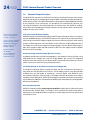
Like all MOBOTIX cameras, the D14D line has a variety of software functions: from motion
detection and long-term storage right through to alarm notification via video IP telephony.
Unlike camera systems from other manufacturers, buying and installing additional software
on the computer is thus unnecessary. It is possible to use a web browser, however, you
can also download the free MxControlCenter or MxEasy from the MOBOTIX website,
which allows quick displaying of multiple cameras on one monitor, alarm switching with
audio or an easy event search.
Camera vPTZ functions
can be controlled with
a mouse or joystick
Using a joystick: Internet
Explorer with activated
MxPEG ActiveX plug-in,
MxControlCenter, or
MxEasy required
MxControlCenter
and MxEasy
can be downloaded
free of charge at
www.mobotix.com
vPTZ: Virtual Pan/Tilt/Zoom Features
While MxControlCenter has been providing virtual PTZ features for quite a while, these features
are now available directly in the MOBOTIX camera. This means that you can continuously
zoom into or out of the live image using either the mouse wheel or a joystick. When storing
images or video sequences, you can choose to store either the visible image area of the
live image or the full sensor image (full image storage). This also allows examining the
parts of an image or video that had not been visible in the live image section on display
at the time of the recording.
Automatic Image Correction (Only With The L22 Lens)
A problem familiar from the field of photography is the distortions that result from using
wide-angle lenses. Straight lines near the image borders are curved. The integrated
distortion correction features of the camera (and of MxControlCenter) allow the curve of
various lenses to be corrected using software functions.
Live Video With Up To 30 Frames Per Second, Including Audio
The MOBOTIX cameras deliver smooth live video with lip-synchronous live audio, yet
they keep the network load to a minimum. Some analog systems may also be able
to deliver this, but the quality of recording is so much higher with MOBOTIX since
the cameras efficiently store the high, live-image resolution and frame rate without
compromising image quality. MOBOTIX technology thus provides for continuous recording
of simultaneous video from 30 cameras at 30 frames per second each, including audio,
all on one standard PC.
Very Low Network Load
MOBOTIX’s patent-pending streaming format MxPEG enables fast live video with sound
at extremely low network load (1 to 2 Mbps). Since the MOBOTIX camera itself detects
movements in the image (and not the computer), the video sequences are only transmitted
if movements occur.
© MOBOTIX AG • Security-Vision-Systems • Made in Germany
www.mobotix.com • [email protected]
25/132
General Camera Functions
Voice over IP
Moreover, MxPEG provides for lip-synchronous live audio and two-way communication
between the camera and a computer. Room surveillance is possible using a browser
(Internet Explorer), MxControlCenter, or MxEasy. Customized alarm notification on your
mobile or via Internet telephony is just as easy as event-controlled voice messages directly
from the camera.
Internet Telephony (SIP) and Video SIP
Video SIP allows establishing audio/video
connections to the camera using Windows
Messenger or similar applications (e.g.
CounterPath X-Lite/Eyebeam). This feature also
allows the camera to be controlled remotely
using the phone keys and the camera itself can
place phone calls in case of alarms.
Long-Term Storage On File Servers Included
MOBOTIX cameras have an integrated long-term storage system for Linux, Windows, and
Mac OS X computers. Every camera manages its own ring buffer storage on the shared
folder. Thanks to this decentralized approach, 30 live cameras can store images of up to
30 frames per second each, including sound, on a single computer.
Internal DVR: Storage On MicroSD And CF Cards
MOBOTIX cameras support the direct storage on an internal MicroSD/SD card. By using
the integrated DVR, the camera is able to offer the following additional applications:
• Standalone operation of the camera without a file server by recording to the
MicroSD card
• High-security application with recording on a file server or NAS/SAN in which the SD
card serves as storage buffer. It can thus bridge longer network or file server failures
without losing any video sequences (supported in a future software version).
• Event downloads from the MicroSD card for evaluation of the recorded sequences
on a computer
Internal DVR
External USB Storage
Comments on USB Storage
optional
optional
Adapter cable required
D14
Integrated (as standard)
optional
Device can be connected directly
V12
optional
–
–
M12
M24
Integrated (as standard)
optional
Device can be connected directly
D24
Integrated (as standard)
optional
Device can be connected directly
Q24
Integrated (as standard)
optional
Device can be connected directly
© MOBOTIX AG • Security-Vision-Systems • Made in Germany
www.mobotix.com • [email protected]
External USB storage:
Lower maximum data rate
compared to internal DVR
26/132
D14D Camera Manual: Product Overview
Event and Time-Controlled
Just like triggering event-controlled recording upon detecting movements in the image,
the camera can also record when the volume detected by the microphone exceeds a
certain trigger value. Using scheduled daily recording, time tasks can start or stop video
recording, upload images to a web site or send e-mails with video/audio clips. Vacation
times and holidays can be programmed.
Remote Alerting
In case of an alarm, MOBOTIX cameras can automatically pop up windows or activate
other functions at a remote security control center. The cameras can use network/wi-fi,
GSM/GPRS/UMTS (3G), or Internet connections for this purpose.
Integrated Power-over-Ethernet
No heating required –
PoE is no problem,
even in winter
Power is supplied as Power over Ethernet via the network cabling using the MOBOTIX
NPA-PoE-Set or from a PoE-compatible switch (both according to the IEEE 802.3af PoE
standard).
Caution
Previous MOBOTIX network power accessories such as the NPA Set, Power Box and
Power Rack (MX-NPA-Set, MX-NPR-4 and MX-NPR8/20) are not suitable for use with
the D14D.
No heating is necessary thanks to the well-insulated plastic housing and anti-fogging
properties. Due to their low power consumption (approximately 5 watts), MOBOTIX cameras,
unlike those of other manufacturers, may be operated both indoors and outdoors using
a PoE power supply.
Logos, Animated Or Freestyle
The logo generator of MOBOTIX cameras allows integrating banners and graphics
(including files loaded from any URL) into the current camera images with optional scheduler
control. MOBOTIX cameras are the only network IP cameras supporting animated and
transparent graphics.
Logo generator for
displaying graphics
already integrated
in the live image
© MOBOTIX AG • Security-Vision-Systems • Made in Germany
www.mobotix.com • [email protected]
General Camera Functions
27/132
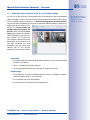
MxControlCenter – Professional Video Management, Free Of Charge
Instead of using a web browser, you can download and install the free-of-charge
MxControlCenter from the MOBOTIX website. This program allows live images from highresolution MOBOTIX cameras to be displayed on one monitor with sound. In addition,
MxControlCenter can activate alarms with lip-synchronous sound and also enables
convenient event search. The integrated Layout Editor of MxControlCenter provides for
quickly creating floor plans by simply dragging/dropping the cameras onto a background
image. Load a floor plan as background image, drag and drop the cameras; done.
Several hundred
cameras can be managed
on a standard PC
Free download at
www.mobotix.com
No licensing fees
Free updates
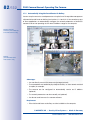
MxEasy – Intuitive Application For Windows, Apple, And Linux
MxEasy aims at easy operation of the most important camera functions through its intuitive
user interface, thus creating a new user experience when viewing and controlling MOBOTIX
cameras. The clear design allows up to 16 cameras to be managed, and the application can
display up to four cameras at the same time.
Suitable for up to 16
MOBOTIX cameras
Free download at
www.mobotix.com
No licensing fees
Free updates
© MOBOTIX AG • Security-Vision-Systems • Made in Germany
www.mobotix.com • [email protected]
28/132
D14D Camera Manual: Product Overview
All settings selected in MxEasy (for example, virtual camera position, zoom, brightness,
volume, microphone sensitivity, image storage, signal outputs) are usable immediately
and are stored instantly in the configuration of the corresponding camera. The calendar
function integrated in the Alarm Planner
provides access to innovative features for
scheduled settings of one or more
cameras.
This tool not only controls video and sound
recording based on certain time and date
information, but also allows features like
video motion detection, image brightness
and the microphone to be activated/
deactivated based on a date and time
schedule.
MxEasy is available as a free-of-charge download for Windows and Mac OS X at
www.mobotix.com.
Diverse Installation Options
Not only can MOBOTIX cameras be used under almost all weather and temperature
conditions, they also offer suitable installation materials from a wide range of accessories
for any conceivable application scenario.
Additional Camera Functions (Software)
• True software scaling generates smaller image formats easily for PDAs (such as
320 x 240, 160 x 120, etc.).
• Audio-video recording has three different recording modes: event recording with
audio, continuous recording with variable frame rate and audio, and event-controlled
snapshot recording of JPEG images.
• Storage failure detection can monitor a file server (or a flash device), and can use
one or more of the defined messaging options for error notification
• Player of recorded images/video sequences includes audio in the integrated video
management system
• Multiwatcher screen can display and monitor several cameras over the Internet
with only one camera requiring access from the outside. This “proxy” camera uses
very little bandwidth, making it an ideal solution for low-bandwidth connections
• MultiView screen for displaying multiple cameras or events appears in one browser
window
• Event notification via e-mail, voice notification (phone call), sounds, and by visual
means (for example, red frame in live image).
• Object tracing for analyzing the paths of objects that are moving in the image
© MOBOTIX AG • Security-Vision-Systems • Made in Germany
www.mobotix.com • [email protected]
General Camera Functions
29/132
• Time Tables that handle customized holidays and vacations are used to control the
camera's arming, image recording messaging, logos, the obscure image function
as well as other features.
• Remote signaling for master/slave cameras, where the master camera controls
the arming status of the slave cameras allows all slave cameras to be armed using
a key switch connected to the master camera for example.
L22 Super Wide-Angle 90°
• Transfer profiles allow easy control of transmissions via FTP, e-mail, phone calls,
and network messages.
• Speakerphone allows you to speak via microphone, monitor the room via audio
and allows two-way communication.
• Phone Call-In remotely controls the camera using a touchtone telephone (retrieve
camera information, establish an Internet connection, announce the retrieved IP
address, two-way communication, etc.).
• MxPEG video compression and display uses MxControlCenter or MxEasy. The ActiveX
plug-in for Internet Explorer users brings all advantages of MxPEG to the browserbased user interface, including the audio stream to and from the camera.
• Routing allows use of other network connections besides the standard route.
L32 Wide Angle 60°
L43 Wide Angle 45°
• DynDNS client for accessing the camera via the Internet using a symbolic name
(for example, mymobotixcam.dyndns.org) if the provider assigns a new dynamic IP
address every time the camera connects to the Internet.
• Non-voidable backup system starts the cameras in the original operating state if a
software update fails, allowing the user to easily restart the update process.
L65 Tele 31°
• Enhanced startup options for the camera (obtain IP address via DHCP, announcement
of IP address and other network data, reset to factory default settings)
• Notifications upon errors or when rebooting provide a method for executing one
or more notifications like blinking of the camera LEDs, audio message, FTP, e-mail,
phone call, network message.
L135 Tele 15°
• Extended security features protect the pages and features of the camera and prohibit
unauthorized access (IP-level access control, intrusion detection). They also provide
SSL-protected transmission of the video sequences and the data (using SSL encryption
and X.509 certificates).
Free Software Updates (www.mobotix.com)
MOBOTIX provides software updates free of charge at regular intervals that improve and
expand the camera’s functionalities. Chapter 6, Software Update, in the Software Manual
provides more information on the process.
© MOBOTIX AG • Security-Vision-Systems • Made in Germany
www.mobotix.com • [email protected]
Free-of-charge software
updates from
www.mobotix.com
30/132
D14D Camera Manual: Product Overview
1.5
Lenses, Equipment and Technical Data
MOBOTIX currently offers five standard lenses with M14 thread for the D14D that can all be
combined with a day or night sensor (color or black and white). Since MOBOTIX cameras
are backlight-proof, none of these lenses requires a mechanical auto iris, thus making
the camera extremely robust and maintenance-free.
The L22 Super Wide Angle lens has very little distortion and delivers good image quality,
even when using the maximum digital zoom. If the D14D has been mounted in the corner
of a room with this lens, the complete room is visible on the image.
MOBOTIX original L22
Super Wide Angle image
In the case of the special model D14D 180°, two L22 lenses are installed in such a way that
the camera can optically combine the two 90° images using software to form a single
large and corrected 180° panorama image.
D14D With Standard Lenses And M14 Thread
A total of five different MOBOTIX lenses are offered for every sensor unit:
• L22 Super Wide Angle with 90° image angle (horizontal)
• L32 Wide Angle with 60° image angle (horizontal)
• L43 Wide Angle with 45° image angle (horizontal)
• L65 Telephoto with 31° image angle (horizontal)
• L135 Telephoto with 15° image angle (horizontal)
This results in a total of 15 possible lens combinations for a D14D (L22/L22 to L135/L135).
© MOBOTIX AG • Security-Vision-Systems • Made in Germany
www.mobotix.com • [email protected]
31/132
Lenses, Equipment and Technical Data
Lenses
L22
L32
L43
L65
L135
35 mm equivalent
22 mm
32 mm
43 mm
65 mm
135 mm
Nominal focal length
4 mm
6 mm
8 mm
12 mm
25 mm
Obturador
2.0
2.0
2.0
2.0
2.5
Image angle horizontally
90°
60°
45°
31°
15°
Image angle vertically
67°
45°
34°
23°
11°
Dist. 1 m
m
m
m
m
m
Image width
2.0
1.1
0.8
0.5
0.3
Image height
1.3
0.8
0.6
0.4
0.2
Dist. 5 m
m
m
m
m
m
Image width
10.0
5.7
4.1
2.7
1.3
Image height
6.6
4.1
3.0
2.0
1.0
Dist. 10 m
m
m
m
m
m
Image width
20.0
11.5
8.2
5.5
2.6
Image height
13.3
8.2
6.1
4.0
1.9
Dist. 20 m
m
m
m
m
m
Image width
40.0
23.0
16.4
11.0
5.2
Image height
26.6
16.4
12.2
8.0
3.8
Dist. 50 m
m
m
m
m
m
Image width
100.0
57.5
41.0
27.5
13.0
Image height
66.0
41.0
30.5
20.0
9.5
Original Image
Notes
The specified focal lengths of MOBOTIX lenses do not reflect the actual focal
length of the lenses, but the focal length (Lxx mm) converted to 35 mm camera
format. For example, the MOBOTIX Super Wide-Angle lens has an actual focal
length of 4 mm. This would be the equivalent of 22 mm on a 35 mm camera. It is
therefore referred to as an L22. Since the image sensors in digital cameras have
different sizes, converting the focal lengths to 35 mm camera as a known format
allows the image formats and the fields of vision of the different lenses to be
calculated and compared more easily. Another benefit is that you can easily
set a 35 mm camera (analog or digital) to the same focal length as the MOBOTIX
lens (Lxx) to obtain the same field of vision. This approach greatly facilitates
lens selection.
© MOBOTIX AG • Security-Vision-Systems • Made in Germany
www.mobotix.com • [email protected]
32/132
D14D Camera Manual: Product Overview
MX-D14Di-SEC-NIGHT-180
MX-D14Di-SEC-180
MX-D14Di-IT
MX-D14Di-SECDNIGHT-FIX:
Day/night versions
with special DNight
lens bridge and fixed
mounted lenses
MX-D14Di-SEC
MX-D14Di-SEC-DNIGHT-FIX
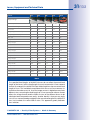
Hardware and Software Features
D14D Hardware Features
IP65 only with
Outdoor Wall Mount
1
Outdoor – weatherproof
4-GB MicroSD card
pre-installed
3
Estimated number
of images in single
image mode; in the
case of dual images
(right and left lens),
the number of images
is halved accordingly
4
IP54/IP651
IP54/IP651
X
X
MicroSD slot (internal DVR, max. 64 GB)
X
X
X
X
2x color
2x BW
L22/L22
L22/L22
3MEGA2
1MEGA2
2x color, color/BW, 2x BW
Lenses
Color sensor: 3MEGA
resolution with
2048 x 1536 pixels;
BW sensor: 1MEGA
resolution with
1280 x 960 pixels
IP54/IP651
X
Image sensors
2
IP54/IP651
Ethernet/Mini USB/MxBus/MicroSD
L22, L32, L43, L65, L135
Resolution (per sensor)
VGA
3/1MEGA2
X
Resolution horizontal x vertical (per sensor)
640 x 480
2048 x 1536,
2048 x 1536
1280 x 960
Max. frame rate (fps)
CIF/VGA/MEGA/3MEGA
30/30/–/–
30/30/30/20 30/30/30/20 30/30/30/–
1280 x 960
Sensitivity of color sensor at 1/60 second (lux)
1
1
1
–
Sensitivity of BW sensor at 1/60 second (lux)
0.1
0.1
0.1
0.1
Sensitivity of color sensor at 1 second (lux)
0.05
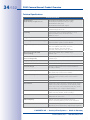
0.05
0.05
–
Sensitivity of BW sensor at 1 second (lux)
0.005
0.005
0.005
0.005
Automatic night mode switch for color/BW
X
X
–
–
RAM storage (MB)
64
128
128
128
Temp. video storage (MB), ring buffer
32
64
64
64
Internal DVR (MicroSD) , ring buffer:
up to 64
GB
up to 64
GB
up to 64
GB
up to 64
GB
• CIF images (64 GB int. DVR), approx.
4 million4
4 million4
2 million4
2 million4
• VGA images (64 GB int. DVR), approx.
2 million
4
2 million
1 million
1 million4
• MEGA images (64 GB int. DVR), approx.
–
700,000
4
350,000
• 3MEGA images (64 GB int. DVR), approx.
–
320,000
160,000
–
Speaker and microphone
X
X
X
X
Warranty (months)
24
24
24
24
Concealed cabling
X
X
X
X
Dual image display
X
X
X
X
Dual image storage
X
X
X
X
Dual image adjustment for 180°
–
–
X
X
Special exposure mode for 180°
–
–
X
X
3
4
4
4
4
4
350,0004
Special D14D Software Features
© MOBOTIX AG • Security-Vision-Systems • Made in Germany
www.mobotix.com • [email protected]
33/132
Lenses, Equipment and Technical Data
M12
Secure Model
IT Model
Q24M
Web Model
D24M
M24M
Basic Model
D14
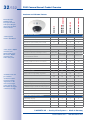
Software Features All Models
Digital zoom (smooth) with panning
only Q24
X
X
X
X/X
X/X
X/X
X/X
Custom exposure windows
X
X
X
X
Video Motion Detection
X
X
X
X
Time and event control (FTP, email, logos)
X
X
X
X
Weekly schedules/holidays
–
X
X
X
Web functionality (FTP, email)
X
X
X
X
Quad/MultiView in browser
X
X
X
X
Recording/Player in browser
X
X
X
X
Logo generator, animated
–
X
X
X
Snapshot recording (pre-/post-alarm images)
3
3
10
50
Terabyte ring buffer (Win/Lin/Mac) via network
–
–
X
X
Continuous video/sound recording, 0.2 to 30 fps
–
–
X
X
Video/audio recording (event-triggered)
–
–
X
X
Event-controlled frame rate with continuous audio
–
–
X
X
Flexible event logic
–
–
–
X
Master/slave arming by one camera
–
–
–
X
Scheduled privacy zones, several areas
–
–
–
X
Bidirectional audio (IP) from/to browser
–
–
X5
X5
Customized voice messages
–
–
X
X
VoIP telephony (audio/video, SIP)
–
–
X5
X5
Alarm calls to softphones (SIP) e.g. X-Lite
–
–
X
X
Remote alarm notification
(alarm via network message)
–
–
X
X
RS232 Data Logger/Terminal6
–
–
X
X
Programming interface/HTTP API
–
–
X
X
Security features (HTTPS/SSL, IP-level access
control, network authentication IEEE 802.1X)
X
X
X
X
Image size
VGA
3 MEGA
VGA
3 MEGA
Image sensor
Color
Color
Audio support (Microphone/Loudspeaker)
–/L5
–/L5
Motion JPEG/MxPEG video streaming
Model Feature List
Color & B/W Color & B/W
M/L5
© MOBOTIX AG • Security-Vision-Systems • Made in Germany
www.mobotix.com • [email protected]
M/L5
New in D14:
echo elimination, any
number of action
profiles can be executed
simultaneously per event,
full image storage
External speakers
and microphones can
be connected to D24M
IT and Secure models
5
Direct connection is
possible with the D12;
connection via Mini
USB in the case of
the D14 with a RS232
module (available soon)
6
34/132
D14D Camera Manual: Product Overview
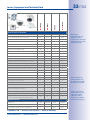
Technical Specifications
D14D Technical Data
Model Versions
(fitted with day or night sensors)
MX-D14Di-IT, MX-D14Di-SEC (day or night),
MX-D14Di-SEC-DNIGHT FIX (day or night),
MX-D14Di-SEC-180° (day)
MX-D14Di-SEC-NIGHT-180° (night)
Lens Options
22 to 135 mm format,
horizontal angle 90° to 15°
Sensitivity
Color sensor: 1 lux (t =1/60 s), 0.05 lux (t = 1/1 s)
Black and white sensor 0.1 lux at 1/60 s,
0.005 lux at 1/1 s
Image sensors
Two 1/2“ CMOS, progressive scan
Max. image resolution (dual image)
Color: 4096 x 1536 (6.2 MEGA)
Black and white: 2560 x 960 (2.5 MEGA)
Image format (per sensor)
Selectable image formats, e.g., 2048 x 1536 (3 MEGA),
1280 x 960 (MEGA), 1024 x 768, 800 x 600,
768 x 576 (D1-PAL), 704 x 576 (TV-PAL),
640 x 480, 384 x 288, 320 x 240, 160 x 120
Max. frame rate (M-JPEG)
(live/recording)
VGA: 30 fps, MEGA: 10 fps, 3MEGA: 4 fps,
6MEGA: 2 fps
Max. video stream (MxPEG)
(live/recording/audio)
VGA: 30 fps, Mega: 30 fps, 3Mega: 20 fps,
6 MEGA: 8 fps
Image Compression
MxPEG, M-JPEG, JPEG, H.264 (only for video VoIP)
Internal DVR
MicroSD slot including 4 GB, max. 64 GB
External storage
Directly on NAS and PC/Server without additional
recording software
Software (included)
MxEasy video management software,
MxControlCenter control room software
Image Processing
Backlight compensation, automatic white balance,
image distortion correction, video sensor (motion
detection)
Virtual PTZ
Digital Pan/Tilt/Zoom, continuous 8x zoom
Alarm/Events
Triggered by motion detection, external signal, temperature sensor, PIR, microphone, shock detector, notification over e-mail, FTP, IP telephony (VoIP, SIP), visual/
acoustic alarm, pre- and post-alarm images
Audio
Integrated microphone and speaker, lip-synchronous
audio, two-way speaker, audio recording
Interfaces
10/100 Ethernet, MiniUSB, MxBus; Inputs and outputs
and RS232 via accessories
Video telephony
VoIP/SIP, two-way communication intercom,
remote controlling with key code, event notification
Security
User/Group management, HTTPS/SSL, IP address filter,
IEEE 802.1x, intrusion detection, digital image signature
© MOBOTIX AG • Security-Vision-Systems • Made in Germany
www.mobotix.com • [email protected]
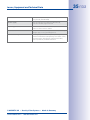
Lenses, Equipment and Technical Data
Certificates
EMC (EN55022, EN55024, EN61000-6-2,
FCC part 15B, AS/NZS3548)
Power supply
Year-round Power-over-Ethernet (IEEE 802.3af);
PoE class variable, approx. 4.5 W
Operating conditions
IP54/IP65 (without/with wall mount)
-30°C to +60°C/-22°F to +140°F
Dimensions
Ø x H: 205 x 108 mm (D14D), 205 x 125 mm (D14D-180°);
Weight: approx. 750 g (including lenses)
Standard delivery
Housing (high-resistance composite, PBT-PC), white,
shock-resistant dome (transparent), free choice of lens,
mounting parts, Allen wrench, 50 cm patch cable,
manual, software, 4 GB MicroSD card
© MOBOTIX AG • Security-Vision-Systems • Made in Germany
www.mobotix.com • [email protected]
35/132
36/132
D14D Camera Manual: Product Overview
1.6
Standard delivery
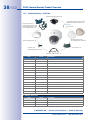
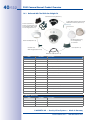
1.6.1 Standard delivery – D14D
Camera housing (item 1.1)
3 mm Allen wrench (item 1.10)
TX20 Torx wrench (item 1.11)
2 lenses (item 1.2)
2 lens mounts (item 1.3)
2 lock rings (item 1.4)
Domes (item 1.7),
1x transparent, 1x tinted
Outer shell (item 1.8)
Cable cover (item 1.6)
Custom tool
with magnet (item 1.12)
Ethernet cable (item 1.9)
Item
Count
1.1
1
Camera housing
Part Name
1.2
2
Lens (installed)
1.3
2
Lens mount
1.4
2
Lock ring (installed)
1.5
2
Sensor cable (integrated, not shown here)
1.6
1
Cable cover (installed)
1.7
2
Dome (1x transparent – integrated, 1x tinted)
1.8
1
Outer shell
1.9
1
Ethernet cable (installed)
1.10
1
Allen wrench 3 mm
1.11
1
TX20 Torx wrench
1.12
1
Custom tool with magnet
1.13
1
MxBus connector (inserted):
1.14
1
MicroSD card, max. of 4 GB (inserted)
Installation accessories
Item
Count
M.1.1
3
Part Name
Dowels 8 mm
M.1.2
3
Stainless steel washers Ø 5.3 mm
M.1.3
3
Stainless steel wood 4.5x60 mm screws with TX20 head
© MOBOTIX AG • Security-Vision-Systems • Made in Germany
www.mobotix.com • [email protected]
37/132
Standard delivery
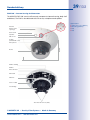
D14D Camera Housing And Connectors
The MOBOTIX D14D consists of three main components (camera housing, body shell and
dome). The D14D is also delivered with PIR sensor, microphone and speaker.
LED defaults:
1
4
Washer
2
3
Water outlet
openings
Outer shell
Speaker
PIR sensor
4 LEDs (behind
PIR cover)
108 mm
Microphone
Dome
Ø 205 mm
MxBus cabling
MxBus
MicroSD card
Mini USB
Ethernet
Sensor cable
Lens unit I
Lens unit II
Two freely positionable camera modules
© MOBOTIX AG • Security-Vision-Systems • Made in Germany
www.mobotix.com • [email protected]
1 Power (on), error (flashes)
2 Recording (flashes)
3 Off
4 Off
38/132
D14D Camera Manual: Product Overview
1.6.2 Standard delivery – D14D 180°
Camera housing (item 2.1)
3 mm Allen wrench (item 2.10)
TX20 Torx wrench (item 2.11)
2 lenses (item 2.2)
2 lens mounts (item 2.3)
1 lens bridge (item 2.14)
2 lock rings (item 2.4)
XL dome (item 2.7),
1x transparent, 1x tinted
Outer shell (item 2.8)
Custom tool
with magnet (item 2.12)
Cable cover (item 2.6)
Ethernet cable (item 2.9)
Item
Count
2.1
1
Camera housing
Part Name
2.2
2
Lens (installed)
2.3
2
Lens mount (installed)
2.4
2
Lock ring (installed)
2.5
2
Sensor cable (integrated, not shown here)
2.6
1
Cable cover (installed)
2.7
2
XL Dome (1x transparent – integrated, 1x tinted)
2.8
1
Outer shell
2.9
1
Ethernet cable
2.10
1
Allen wrench 3 mm
2.11
1
TX20 Torx wrench
2.12
1
Custom tool with magnet
2.13
1
MxBus connector (inserted):
2.14
1
Lens bridge (installed)
2.15
1
MicroSD card, max. of 4 GB (inserted)
Installation accessories
Item
Count
M.2.1
3
Part Name
Dowels 8 mm
M.2.2
3
Stainless steel washers Ø 5.3 mm
M.2.3
3
Stainless steel wood 4.5x60 mm screws with TX20 head
© MOBOTIX AG • Security-Vision-Systems • Made in Germany
www.mobotix.com • [email protected]
39/132
Standard delivery
D14D-180° – Camera Housing And Connectors
The MOBOTIX D14D-180° consists of three main components (camera housing, body shell
and dome). The D14D is also delivered with PIR sensor, microphone and speaker.
LED defaults:
1
4
Washer
2
3
Water outlet
openings
Outer shell
Speaker
PIR sensor
125 mm
mm
125
4 LEDs
(behind PIR cover)
Microphone
Dome
Ø 205 mm
MxBus cabling
MxBus
MicroSD card
Mini USB
Ethernet
Sensor cable
Lens bridge
Two fixed 90° lenses (180°)
© MOBOTIX AG • Security-Vision-Systems • Made in Germany
www.mobotix.com • [email protected]
1 Power (on), error (flashes)
2 Recording (flashes)
3 Off
4 Off
40/132
D14D Camera Manual: Product Overview
1.6.3 Delivered With The D14D-Sec-DNight-Fix
Camera housing (item 2.1)
3 mm Allen wrench (item 2.10)
TX20 Torx wrench (item 2.11)
2 lenses (item 2.2)
2 lens mounts (item 2.3)
1 lens bridge (item 2.14)
2 lock rings (item 2.4)
XL dome (item 2.7),
one transparent,
one tinted
Outer shell (item 2.8)
Custom tool
with magnet (item 2.12)
Cable cover (item 2.6)
Ethernet cable (item 2.9)
Item
Number
2.1
1
Camera housing
Part name
2.2
2
Lens (installed)
2.3
2
Lens mount (installed)
2.4
2
Lock ring (installed)
2.5
2
Sensor cable (integrated, not shown here)
2.6
1
Cable cover (installed)
2.7
2
XL Dome (1x transparent – integrated, 1x tinted)
2.8
1
Outer shell
2.9
1
Ethernet cable
2.10
1
Allen wrench 3 mm
2.11
1
TX20 Torx wrench
2.12
1
Custom tool with magnet
2.13
1
MxBus connector (inserted):
2.14
1
Lens bridge (installed)
2.15
1
MicroSD card, max. of 4 GB (inserted)
Installation accessories
Item
Number
M.2.1
3
Part name
Dowels 8 mm
M.2.2
3
Stainless steel washers Ø 5,3 mm
M.2.3
3
Stainless steel wood 4.5x60 mm screws with TX20 head
© MOBOTIX AG • Security-Vision-Systems • Made in Germany
www.mobotix.com • [email protected]
41/132
Standard delivery
D14D-Sec-DNight-Fix – Camera Housing and Connectors
The MOBOTIX D14D-Sec-DNight-Fix consists of three main components (camera housing,
body shell and dome). The D14D is also delivered with PIR sensor, microphone and speaker.
LED defaults:
1
4
Washer
2
3
Water outlet
openings
Outer shell
Speaker
PIR-Sensor
4 LEDs
(behind PIR cover)
125 mm
Microphone
XL dome
Ø 205 mm
MxBus cabling
MxBus
MicroSD Card
Ethernet
Mini USB
Sensor cable
Lens bridge
Two pre-installed lenses (L22 to 135)
© MOBOTIX AG • Security-Vision-Systems • Made in Germany
www.mobotix.com • [email protected]
1 Power (on), error (flashes)
2 Recording (flashes)
3 Off
4 Off
42/132
D14D Camera Manual: Product Overview
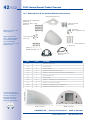
1.6.4 Delivered Parts Of The Outdoor Wall Mount (Accessories)
Bottom plate (item 3.2)
4 Allen screws, M4x25 mm
(item 3.10)
4 washers, dia. 4.3 mm
(item 3.11)
4 dowels, 10 mm
(item 3.3)
4 washers,
dia. 9 mm (item 3.4)
Make sure to check the
delivered parts
When using the wall
mount, please exchange
the original Ethernet
cable of the D14D
against the 1 m (3 ft 3 in)
Ethernet cable
4 hex nuts, M4
(item 3.9)
4 wood screws, 8x70 mm
(item 3.5)
8 Allen screws,
M4x10 mm (item 3.8)
Ethernet cable 1 m
(item 3.6)
Wall sealing
(item 3.7)
Count
3.1
1
Part Name
Outdoor wall mount
3.2
1
Bottom plate
3.3
4
Dowels 10 mm
3.4
4
Stainless steel washers Ø 9 mm
3.5
4
Stainless steel wood screws with hex head 8x70 mm
3.6
1
Ethernet cable 1 m
3.7
1
Wall sealing
3.8
8
Stainless steel Allen screws M4x10 mm
3.9
4
Stainless steel hex nuts M4
3.10
4
Stainless steel Allen screws M4x25 mm
3.11
4
Stainless steel washers Ø 4.3 mm
Height: 160 mm
The 90 x 90 mm space
covers in-wall and on-wall
sockets, as well as an
MX-Patch-Box that is
attached to the wall
(MX-OPT-Patch1-EXT)
Item
Depth: 275 mm
Width: 293 mm
© MOBOTIX AG • Security-Vision-Systems • Made in Germany
www.mobotix.com • [email protected]
43/132
Standard delivery
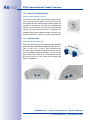
1.6.5 Delivered Parts Of The Corner And Pole Mount (Accessories)
4 Allen screws, M8x30 mm (item 4.2)
2 steel straps
(item 4.5)
4 washers,
dia. 9 mm (item 4.3)
4 hex nuts, M8 (item 4.4)
Item
Count
4.1
1
Part Name
Corner and Pole Mount
4.2
4
Stainless steel Allen screws M8x30 mm
4.3
4
Stainless steel washers Ø 9 mm
4
Stainless steel lock nuts M8
2
Stainless steel straps
Height: 160 mm
4.4
4.5
Width: 293 mm
Depth: 175 mm
© MOBOTIX AG • Security-Vision-Systems • Made in Germany
www.mobotix.com • [email protected]
44/132
D14D Camera Manual: Product Overview
1.7
Available Accessories
1.7.1 NPA-PoE Set
Order No.: MX-NPA-PoE-EU and MX-NPA-PoE-INT (Version EU and Version INT)
Order No.: MX-CBL-NPA-BAT-2 (battery cable for mobile signal inputs)
A multifunctional PoE injector according to the IEEE
802.3af standard – with three connectors (for network,
camera/PoE device, PC), universal power supply with
interchangeable adapter plugs and crossover function.
The NPA-PoE-Set connects and remotely supplies a
D14D camera with power via an Ethernet cable up
to 100 m in length. The blue adapter can also be
connected to mobile voltage sources from 12 V to
42 V by means of an additionally available battery
cable. The “EU” version of the NPA-PoE-Set is supplied
as standard with a European adapter, while the “INT”
version includes four adapters (EU, USA, UK, AUS).
1.7.2 Replacement Dome
Order No.: MX-D14D-OPT-DCT/DCS (transparent/tinted)
The standard D14D dome is available as a transparent
or as 50 percent-tinted version (also available as an
XL dome for D14D-180° and D14D-Sec-DNight-Fix).
1.7.3 Vandalism Set
* Not suitable for D14D
models with an XL dome
(D14D-180° and D14DSec-DNight-Fix)
Order No.: MX-D14D-Vandal-ESMA/ESPO/PUGR/PUWH/
PUBL (matt/polished/gray/white/black)*
Ideally suited for surveillance in extremely harsh
conditions. The stainless steel vandalism ring available
in five colors replaces the standard outer shell and is
securely fastened to the surface using the supplied
safety screws. The standard dome is replaced by a
polycarbonate dome that has been reinforced and
the wall thickness increased to 3 mm.
The vandalism set requires the PIR and audio features
of the camera by design; these can be offset with the ExtIO.
© MOBOTIX AG • Security-Vision-Systems • Made in Germany
www.mobotix.com • [email protected]
Available Accessories
1.7.4 Ethernet Patch Cable With Bayonet Catch
Order No.: MX-OPT-CBL-LAN-1/2/5/10 (length 1 m/2 m/5 m/10 m)
The MOBOTIX-developed special cable can be
installed in a waterproof manner and has an
integrated sealing gasket. Every D14D camera is
delivered with a 0.5-m-long cable as standard,
which can be exchanged for a patch cable up to
10 m in length.
1.7.5 Outdoor Wall Mount
Order No.: MX-WH-Dome
When combined with the Outdoor Wall Mount, the
D14D is fully weatherproof and its protection class
increased from IP54 to IP65 (fully dustproof and
resistant to water jets).
1.7.6 Corner And Pole Mount
Order No.: MX-WH-Dome-ESWS
To install the Outdoor Wall Mount on a pole or the
corner of a building. This extremely robust mount is
made of 3 mm powder-coated stainless steel (white)
and has been designed specifically for outdoor use.
The supplied stainless steel straps allow the mount to
be attached to poles with diameters between 60 and
180 mm.
1.7.7 ExtIO Function Expansion
Order No.: MX-ExtIO
The device, which is suitable both for on-wall and in-wall
installations, contains a powerful speaker, microphone,
infrared motion sensor, ambient temperature sensor,
two input and two output contacts and two illuminated
buttons. It is ideal for door communication, elevators,
access control, etc. The ExtIO is suitable for use as direct
connection to the D14D via a Mini USB cable (max. 5 m),
which can be ordered separately, or as a network
connection via the PoE switch.
© MOBOTIX AG • Security-Vision-Systems • Made in Germany
www.mobotix.com • [email protected]
45/132
46/132
D14D Camera Manual: Product Overview
1.7.8 Mx2wire+ Media Converter
Order No.: MX-2wirePlus-Set-PW
The Mx2wire system allows an Ethernet network with PoE
to be set up via two-wire cables, which saves users from
having to lay several hundred meters of Ethernet cable. For
example, an existing two-wire cable of an analog video
camera can be reused to connect a high-resolution and
modern IP network camera. Mx2wire is supplied in the
standard socket frame in different designs, however, it can
also be used with the surface-mounted socket provided.
1.7.9 MX-Patch-Box
Order No.: MX-OPT-Patch1-EXT
Universal network connector for installation cable, MOBOTIX
patch cable and standard patch cable (protection class IP65,
-30°C to +60°C/-22°F to +140°F). The MX-Patch-Box can
be used to connect the patch cable of an IP device with the
network installation cable (for example, Cat 5) or network
patch cable (RJ45 connector) in a weatherproof manner
and fits into the 90 x 90 mm space of the Outdoor Wall
Mount (see diagram).
© MOBOTIX AG • Security-Vision-Systems • Made in Germany
www.mobotix.com • [email protected]
Available Accessories
1.7.10 MX-NPA-Box
Order No.: MX-OPT-NPA-EXT
The MX-NPA-Box is a weatherproof PoE injector conforming
to the IEEE 802-3af standard and is designed to connect to
a MOBOTIX camera external power supply (12 to 57 V DC).
The MX-NPA-Box is equipped with the PatchBox’s
weatherproof and extremely compact outer housing
(protection class IP65, -30°C to +60°C/-22°F to +140°F),
which means it can also be installed in the space of the
Outdoor Wall Mount. MX-NPA-Box Interfaces: Camera via
patch cable, Ethernet via LSA+ and external power supply
(12 to 57 V DC is possible).
MOBOTIX are planning additional functional boxes (e.g.,
GPS receiver as internal clock and to determine position).
© MOBOTIX AG • Security-Vision-Systems • Made in Germany
www.mobotix.com • [email protected]
47/132
48/132
D14D Camera Manual: Mounting
2
Mounting
2.1
Overview Of Mounting Options
2.1.1 Mounting Indoor Cameras To A Ceiling Or Wall (Without Accessories)
120°
2.80 m
45°
120
°
R=75 mm
0°
The folded drilling
templates can be found
at the end of the manual
12
PIR: Passive
infrared sensor
In order to mount the MOBOTIX D14D to a ceiling or wall, you need to drill the holes for
the fixtures. Use the supplied drilling template (fold-out at the end of this manual) to mark
the position for drilling the dowel holes and the holes through which the cables will be
led later on. Remember to position the drilling template according to the direction of
the camera’s PIR sensor.
30°
1.50 m
2.90 Connecting The Camera Patch Cable To The Network Cable (for example, Cat 5)
• Position the camera housing over the cable exit.
• Connect the camera patch cable securely to the Ethernet cable, for example, using
the MX-Patch-Box.
• Use the proper screws to mount the camera housing to the wall or ceiling.
Preventing Condensation
When installing the camera, make sure that the PIR sensor is pointing downwards to
allow condensation to flow freely through the openings in the outer shell (see diagram).
© MOBOTIX AG • Security-Vision-Systems • Made in Germany
www.mobotix.com • [email protected]
Overview Of Mounting Options
49/132
The Outdoor Wall Mount may have to be used, as the PIR sensor can be turned in any
direction when installed horizontally (PIR is tilted diagonally downwards).
Special Case: Mounting The D14D-180° To A Wall Without The Wall Mount
The lens mount unit has to be rotated by 180° so that you do not get an upside down
panorama image. For additional information on this topic, see the end of Section 2.3.1
(Mount The Lens Units).
Note
Make sure that the camera is always mounted on a smooth surface. Otherwise, the
sealing lip on the underside of the housing will not be able to close tightly or will bend
upwards, which leads to leaks between the outer shell and the housing.
2.1.2 Outdoor Installation On A Wall, Pole Or Corner (With Accessories)
The associated Outdoor Wall Mount can be used to mount the D14D outdoors and is
compliant with IP65 specifications (fully dustproof and resistant to water jets). Operating
temperatures may vary between –30°C and +60°C (–22°F to 140°F), making it the ideal
camera for the most demanding weather situations. The drill holes must be prepared for
the installation. Use the supplied drilling template to mark the position of the holes for the
fixtures and the holes through which the cables will be led later on (fold-out).
The folded drilling
templates can be found
at the end of the manual
Make sure that the
drilling template
is not scaled down
when printing
If you would like to mount the MOBOTIX D14D to the corner of a building or a pole, you should
consider using the MOBOTIX Corner and Pole Mount. This mount can only be used together
with the Outdoor Wall Mount. The supplied stainless steel straps allow the mount to be attached
to poles with diameters between 60 and 180 mm.
Make sure that the
arrows are pointing
upwards when mounting
© MOBOTIX AG • Security-Vision-Systems • Made in Germany
www.mobotix.com • [email protected]
50/132
D14D Camera Manual: Mounting
2.2 Overview Of Network Connection
2.2.1 Power over Ethernet (PoE Conforming to IEEE 802.3af)
The D14D supports
the Power over
Ethernet standard
IEEE 802.3af (PoE)
All D14D models are supplied with power using the PoE standard. The PoE Adapter Set
(MX-NPA-PoE Set) may be used for smaller installations. For larger installations, it is worth
investing in a PoE-capable supply device available on the market. The end of Section 2
contains more information on the possible combinations of connecting the D14D and
power supply options.
PoE Adapter
MX-NPA-PoE
The PoE adapter
replaces the crossover
cable when directly
connecting to a computer
LAN or POWER
PC or POWER
CAMERA
For the D14D, you
should use the new blue
MX-NPA-PoE Set –
previous MOBOTIX
network power
accessories such as the
NPA Set, Power Box, and
Power Rack (MX-NPA
Set, MX-NPR-4 and
MX-NPR8/20) are
not suitable for use
with the D14D
Caution
The maximum length of the network cable for power supply over an Ethernet cable
is 100 m.
Previous MOBOTIX network power accessories such as the NPA Set, Power Box
or Power Rack (MX-NPA-Set, MX-NPR-4 and MX-NPR8/20) are not suitable for use
with the D14D.
Note
The MOBOTIX D14D can be powered by switches or routers that support the PoE
(Power over Ethernet) standard and conform to IEEE 802.3af.
Advantages of PoE power supply:
• Advantages of centralized backup power supply are available via network
• Lower, more cost-effective power consumption
• Camera does not require an additional network connection
© MOBOTIX AG • Security-Vision-Systems • Made in Germany
www.mobotix.com • [email protected]
Overview Of Network Connection
2.2.2 Uninterruptible Power Supplies (UPS)
In order to maintain a continuous power supply even when utility power fails, you should
install an uninterruptible power supply (UPS). These devices also provide full protection
against electrical surges and voltage fluctuations and thus enhance the reliability of the
system as a whole.
When using a more powerful 19" rack-mounted UPS, you can also protect all other network
components (e.g. switches, routers, PoE switches, etc.).
Since MOBOTIX cameras do not require any heating, even during winter, the average
power consumption of less than 5 watts is very low. This, in turn, means that you can
centralize the UPS-protected power supply by injecting power into the Ethernet cables
(max. 100 m). This kind of protected power supply can be used either with MOBOTIX PoE
products (MX-NPA-PoE with Universal Power Supply) or with PoE-compliant switches
according to IEEE 802.3af.
PoE switch
PC/server
RAID
UPS
2.2.3 Providing The Camera Connections, Wall Outlets
Once the camera position, the position of the cable outlets and the method of power supply
have been decided upon, the cabling can be installed. Before mounting the MOBOTIX
D14D, you should make sure that the network connections have been properly tested, so
that the proper functioning of the camera is guaranteed.
© MOBOTIX AG • Security-Vision-Systems • Made in Germany
www.mobotix.com • [email protected]
51/132
52/132
D14D Camera Manual: Mounting
2.2.4 Wiring, Fire Prevention, Lightning And Surge Protection
When installing the wiring inside or outside of buildings, make sure you always adhere to
the relevant regulations on wiring, fire prevention, and protection against lightning.
MOBOTIX cameras are protected against the effects of small electrical surges by numerous
measures. These measures, however, cannot prevent the camera from being damaged
when stronger electrical surges occur. Particular care should be taken when installing the
camera outside to ensure proper protection against lightning, as this also protects the
building and the entire network infrastructure.
MOBOTIX recommends having MOBOTIX cameras installed only by certified specialists
accustomed to installing network devices and having proper respect for the applicable
regulations regarding lightning protection and fire prevention as well as the current technology
for preventing damages from electrical surges.
Wiring
When installing the wiring, make sure to follow these guidelines:
• Data cable: Make sure you only use double-shielded Cat 5
or higher cables (S/STP) for Ethernet connections.
• Outdoors: Installing the camera outdoors requires special
precautions and measures regarding the cables as well as
lightning and surge protection.
• Wire lengths: The cable segments must not exceed the
maximum allowed cable lengths in order to ensure proper
data transfer.
• Avoiding induction: When running data cables parallel to existing regular power
lines or high-voltage wires, make sure you observe the minimum distances to the
power cables.
Fire Prevention
When installing the power lines to the camera, make sure you always adhere to the
country-specific regulations (for example, VDE in Germany, IEEE in the U.S.) in effect on
wiring and fire prevention at the site of the installation.
© MOBOTIX AG • Security-Vision-Systems • Made in Germany
www.mobotix.com • [email protected]
Overview Of Network Connection
Lightning And Surge Protection
More information on preventing lightning or surge damage is available from organizations
such as the International Electrotechnical Commission (www.iec.ch) or from the manufacturers
of lightning and surge protectors.
© MOBOTIX AG • Security-Vision-Systems • Made in Germany
www.mobotix.com • [email protected]
53/132
54/132
D14D Camera Manual: Mounting
2.3 First Installation Steps
2.3.1 Mounting Lens Units
The standard models in the MOBOTIX D14D family are supplied with a pre-installed dome.
Lens units (lens mount, image sensor and lens) are usually delivered separately. Lens units
are installed as described below if this is the case.
The sensor cables to connect the image sensors are marked with R (right) and L (left).
Depending on the type of sensor used, the sensors (mounted on the lens units) are marked
either by the RGB icon (color) or the SW icon (BW, black & white).
RGB
SW
The following combinations of sensor cables (L, R) and sensors (color, black & white) are
possible:
Possible image
sensor combinations
for the MOBOTIX
D14D (standard)
* Lenses in DNight
versions are shipped
pre-installed to the
special lens bridge
Image Sensor Combination
Sensor cable L
Sensor cable R
Color/Color
l
l
Black & White/Color*
l
Black & White/Black & White
Note
Make sure that you only use the combinations of image sensors and sensor cables
listed in the table!
When setting up the camera, the installed combination of image sensors has to be
set in the camera’s browser user interface. You can do so either automatically by
running the Quick Installation (Admin Menu > Quick Installation) or manually by
opening the Admin Menu > Image Sensor Configuration dialog box.
© MOBOTIX AG • Security-Vision-Systems • Made in Germany
www.mobotix.com • [email protected]
55/132
First Installation Steps
1. Remove the outer shell: Remove the outer shell using
the supplied custom tool. Insert the tip of the custom
tool into the three small holes of the shell, one by
one. Lift the outer shell to loosen it from the fixtures.
Use the supplied
custom tool
2. Remove the dome: Pick up the dome using the
supplied plastic foil or a cotton cloth and remove it
by turning it counterclockwise.
3. Insert the lens units and mount the central lens
screw: Remove the center lock screw and the washer.
Insert the lens units into the seatings. Insert the lock
screw with a washer into the center of the camera
and gently tighten it to hold the lens units in place.
Note
Touch the mount of the lens units only. Always avoid direct contact with the switches
on the green circuit board (ESD) in order to prevent damage arising now or later and
to avoid reducing the service life.
4. Remove the lens cover on the image sensors: Press
the two bars on the side of each lens cover (red
arrow) and remove the covers one after another in
the direction of the gray arrow.
© MOBOTIX AG • Security-Vision-Systems • Made in Germany
www.mobotix.com • [email protected]
Max. tightening
torque of the lock
screw: 1 to 1.2 Nm
56/132
RGB
SW
D14D Camera Manual: Mounting
5. Connect the sensor cable to the lens mount:
Connect the R and L sensor cables with the image
sensors in accordance with the table. Example: In
the case of a D14D-DNight (color/black and white),
the R sensor cable must always be connected to the
lens mount marked with RGB, while the L sensor
cable must always be connected to the lens mount
marked SW.
Note
Never pull the sensor cable forcefully! To remove it, first disconnect the plug by
pressing lightly on the notch (1) and then carefully pull it
upwards (2).
1
Always avoid direct contact with the switches on the green
circuit board (ESD) in order to prevent damage arising now
or later and to avoid reducing the service life.
2
6. Insert the sensor cable: Insert the sensor cable
through the space in the circuit board. Make sure that
the individual wires are gently curved and are not
bent near the plug.
7. Place the lens cover on the image sensors: Carefully
push the lens covers one after another in the direction
of the gray arrow onto the plug until they click into
place.
8. Align the image sensors and cable guide: Align
the image sensors so that the plugs of the sensor
cable point towards the interior of the dome (see
red marking in the figure). This will ensure the
images appear in the correct position later on and
not upside down. Make sure that the sensor cable
is as straight as possible and fix the cable in place
using the corresponding guides.
© MOBOTIX AG • Security-Vision-Systems • Made in Germany
www.mobotix.com • [email protected]
57/132
First Installation Steps
9. Mount the dome: Pick up the dome using the
supplied plastic foil or a cotton cloth and screw the
transparent dome in a clockwise direction onto the
housing until the dome sits securely (but not too
tightly) in the seal.
Make sure that the dome is not tilted and that it is
securely fitted to the seal on all sides.
10. Attach the outer shell: Hold the outer shell so that
the round hole of the shell is positioned over the
PIR sensor of the camera. Gently press the shell
into the shell’s seats in the camera housing. Old
outer shells (D10D, D12D) may no longer be used!
If the camera is mounted on an outdoor ceiling and is exposed to extreme conditions, the
three holes in the outer shell should be sealed with commercial silicon in order to prevent water
from entering the outer shell.
Special Case: Mounting The D14D-180° To A Wall Without The Wall Mount
The lens mount unit has to be rotated by 180° so that you do not get an upside down panorama
image in the vertically mounted camera (PIR sensor points downwards, see Section 2.1.1):
• Loosen the two sensor cables from the clamping rails on both sides.
• Remove two Allen screws on both sides of the lens mount.
• Pick up the lens mount and rotate by 180 degrees. Do not tear or jam the cable in
the process.
• Reposition and mount the lens mount.
Caution
Due to the associated environmental conditions, the sensor boards may be exposed
to a relatively high temperature that is however harmless for camera functioning.
Sensor boards should not be directly touched while the camera is running (let them
cool down first).
Make sure that the sensor cable is not damaged or disconnected when aiming
the lens.
© MOBOTIX AG • Security-Vision-Systems • Made in Germany
www.mobotix.com • [email protected]
58/132
D14D Camera Manual: Mounting
2.3.2 Overview Of Cable Connections
The following cables can be used with the D14:
• MOBOTIX Ethernet cable: This MOBOTIX cable is pre-installed at delivery
and is intended for direct connection to a network outlet. If the D14D is
to be installed outdoors, the MOBOTIX MX-Patch-Box should be used
(optional accessory).
• MOBOTIX USB cable with Mini USB connector: This MOBOTIX cable
provides the required impermeability, even in adverse weather conditions,
and thereby prevents corrosion of the connections.
• Multi-wire cable for MxBus connections: Additional MOBOTIX modules
can be connected via this multi-wire cable in the future. The wires of this
cable are led along the bottom of the camera and then pushed through
the sealing membranes and into the cable guides.
MxBus
Ethernet
Mini USB
Caution
Only MOBOTIX cables may be used for the Ethernet and USB connection to ensure
that the cable cover remains permanently sealed.
Ethernet
for LAN
Mini USB
Note
Connection of additional
devices (via MxBus/Mini
USB): Max. environmental
temperature 50°C (122°F)
Appliances with a combined maximum power consumption of 2.5 W may be connected
to the MxBus connector. If additional devices are connected to the MxBus connector
and to the Mini USB connector, the power consumption of all connected devices may
not amount to more than 4 W.
If additional modules are connected, which in total consume more than 1 W, the maximum
environmental temperature is limited to 50°C (122°F).
© MOBOTIX AG • Security-Vision-Systems • Made in Germany
www.mobotix.com • [email protected]
First Installation Steps
59/132
2.3.3 Connecting Ethernet Cable With The MX-Patch-Box
The MX-Patch-Box enables you to connect a MOBOTIX
camera with a patch cable or with an Ethernet installation
cable simply and water-resistant for the following cases:
• Outdoor installation (preferably using the Outdoor Wall
Mount)
• Indoor installation with Ethernet installation cable
You will find additional information on the MX-PatchBox at www.mobotix.com under the section Products >
Accessories > Functional Boxes.
2.3.4 Connecting The Mini USB Cable
Existing additional modules like the MOBOTIX ExtIO (USB) can be connected via the Mini
USB connector.
1. Remove the outer shell: Remove the outer shell using
the supplied custom tool. Insert the tip of the custom
tool into the three small holes of the shell, one by
one. Lift the outer shell to loosen it from the fixtures.
2. Remove cable cover: Remove the two M4x25 Allen
screws from the cable cover using the 3-mm Allen
wrench.
3. Remove cable cover: Remove the two M4x25 Allen
screws from the cable cover using the 3-mm Allen
wrench.
4. Remove rubber plug: Carefully bend the cable guide
upwards and remove the rubber plug. Keep the rubber
plug in a safe place (ideally in the camera’s original
packaging).
© MOBOTIX AG • Security-Vision-Systems • Made in Germany
www.mobotix.com • [email protected]
Use the supplied
custom tool
60/132
D14D Camera Manual: Mounting
5. Insert USB cable: Insert the MOBOTIX USB cable
from below through the cable outlet (see figure) and
wrap it around the camera within the cable guides.
6. Plug in the USB connector: Insert the Mini USB
connector in the relevant socket. Make sure that the
cable is correctly fitted into the cable guides and
that there is no excess cable in front of the
connections.
7. Place the USB cable in the cable guides: Carefully
bend the cable guides upwards, place the USB cable
in the guides and snap the cable guides closed again.
8. Check the position of the cables: The two cables
should now cross one another just before the
connectors.
9. Install cable cover: Push the cable cover back into its
seat and fasten the two M4x25 Allen screws. When
mounting the cable cover, take care to properly align
the cover with the seal of the camera housing and
the two cable guides. This is the only way to ensure
that the connections are reliably protected against
any kind of weather.
© MOBOTIX AG • Security-Vision-Systems • Made in Germany
www.mobotix.com • [email protected]
61/132
First Installation Steps
10. Secure the cable: Properly lead the cable through
the cable guides at the outer rim of the housing and
make sure that the outer shell can be properly
mounted later on.
11. Attach the outer shell: Hold the outer shell so that
the round hole of the shell is positioned over the PIR
sensor of the camera. Gently press the shell into the
shell’s seats in the camera housing. Old outer shells
(D10D, D12D) may no longer be used!
2.3.5 Connecting MxBus Modules
The MxBus connection of the camera is located under the
cable cover and enables additional modules to be operated
to extend the functions of the camera. MxBus was optimized
specifically for the use of existing two-wire cables.
The white (detachable) MxBus connector has four connections
(each of which is blue/red or +/–):
• 2x MxBus inputs to connect the D14D to the MxBus cable
• 2x MxBus outputs to connect an MxBus module to the D14D
Note
The MxBus wires that are to be stripped at the end should always be inserted into
the camera before installation. In doing so, every individual
wire (coming from the housing floor) should be pushed
through the elastic sealing membrane.
Do not mix up the polarity of the cables during installation.
Select a consistent cable color for +/– in the entire MxBus
system.
© MOBOTIX AG • Security-Vision-Systems • Made in Germany
www.mobotix.com • [email protected]
You are free to choose
the position of the
cable for the MxBus
connector’s inputs and
outputs (left or right)
62/132
D14D Camera Manual: Mounting
2.3.6 Replacing The MicroSD Card
If the supplied 4-GB MicroSD card is to be replaced (for example, with a 64-GB MicroSD
card), it is best to do so before the camera is installed. The cards should only be replaced
when the camera is disconnected from the power supply.
Use the supplied
custom tool
1. Remove the outer shell: Remove the outer shell using
the supplied custom tool. Insert the tip of the custom
tool into the three small holes of the shell, one by
one. Lift the outer shell to loosen it from the fixtures.
2. Remove cable cover: Remove the two M4x25 Allen
screws from the cable cover using the 3-mm Allen
wrench.
3. Remove cable cover: If you are unable to do so by
hand, press a suitable tool (screwdriver) into the
notches provided for this purpose (red arrows).
Carefully lift the cover upwards in the direction of
the dome.
Push-push:
Push the MicroSD card
in, then pull it out
4. Remove the MicroSD card: Carefully press the
MicroSD card into the mount until you hear a click.
The card now protrudes from its seat and can be
removed (tweezers may be used to facilitate removal).
© MOBOTIX AG • Security-Vision-Systems • Made in Germany
www.mobotix.com • [email protected]
First Installation Steps
63/132
5. Insert the MicroSD card: Push the MicroSD card as
shown (electrical contacts pointing toward the dome)
into the card slot using a tweezers. Make sure that
you hear a click when the card is inserted. The card
is now locked and can be used. If a new MicroSD
card is used, it must be formatted before use (see
Chapter 3).
6. Install cable cover: Push the cable cover back into
its seat and fasten the two M4x25 Allen screws.
When mounting the cable cover, take care to properly
align the cover with the seal of the camera housing
and the two cable guides. This is the only way to
ensure that the connections are reliably protected
against any kind of weather.
7. Attach the outer shell: Hold the outer shell so that
the round hole of the shell is positioned over the PIR
sensor of the camera. Gently press the shell into the
shell’s seats in the camera housing. Old outer shells
(D10D, D12D) may no longer be used!
© MOBOTIX AG • Security-Vision-Systems • Made in Germany
www.mobotix.com • [email protected]
Max. tightening
torque of the Allen
screws: 1 to 1.2 Nm
64/132
D14D Camera Manual: Mounting
2.4 Mounting The Camera With Outdoor Wall Mount
2.4.1 Aiming The Passive Infrared Sensor (PIR)
When mounting the camera, make sure that the PIR sensor points into the direction where
it is most useful. The PIR sensor has a range of approximately 10 m and a detection
angle of approximately ±15 degrees.
PIR data:
Range of approximately
10 m, detection angle of
approximately +/-15 degrees
2.80 m
The available positions are identified by means of the mounting height of the MOBOTIX
D14D and the alignment of the bottom plate, which can be completed in 15° increments.
45°
30°
1.50 m
2.90 m
Hint: It may be useful to mark the ideal position of the PIR sensor on the bottom plate
with a pencil.
© MOBOTIX AG • Security-Vision-Systems • Made in Germany
www.mobotix.com • [email protected]
65/132
Mounting The Camera With Outdoor Wall Mount
2.4.2 Mounting The Outdoor Wall Mount
Ideally, the Outdoor Wall Mount is mounted over the tested wall outlet that provides the
connections (network, Power over Ethernet) to the camera.
In-wall socket
MX-Patch-Box or wall outlet
MOBOTIX Ethernet patch cable (1 m)
D14D Outdoor Wall Mount
Mounting the Outdoor
Wall Mount over the
MX-Patch-Box
or a socket
D14D
160
293
© MOBOTIX AG • Security-Vision-Systems • Made in Germany
www.mobotix.com • [email protected]
37
75
90
90
The 90 x 90 mm
space also fits the
MX-Patch-Box
(MX-OPT-Patch1-EXT)
66/132
D14D Camera Manual: Mounting
The folded drilling
templates can be found
at the end of the manual
Use the supplied drilling template (fold-out at the end of this manual) to mark the position
for drilling the dowel holes and the holes through which the cables will be led later on.
When printing or copying the drilling template, make sure that it is not scaled down.
Make sure that the
drilling template
is not scaled down
when printing
Silicon for rough
plaster
1. Use the supplied screw anchors (10 mm), screws
(8x70 mm) and washers (dia. 9 mm) to secure the
Outdoor Wall Mount.
2. Attach the supplied wall sealing to the rear side
of the wall mount. If the Outdoor Wall Mount is
mounted to a very rough surface, the top of it
should be subsequently sealed against the wall
using silicon.
3. The rectangular opening on the wall mount’s rear
side is intended to cover the in-wall socket or the
MX-Patch-Box.
© MOBOTIX AG • Security-Vision-Systems • Made in Germany
www.mobotix.com • [email protected]
Mounting The Camera With Outdoor Wall Mount
67/132
2.4.3 Aiming The Camera
The camera can be installed once the Outdoor Wall Mount has been mounted to the
wall or pole. The bottom plate closes off the outdoor wall mount from below and also
holds the camera.
The upper side of the bottom plate has 24 holes for the M4 stainless steel hex nuts. It is thus
possible to mount the camera in increments of 15 degrees. All holes have been numbered
from 1 to 8 in order to facilitate the mounting process.
The bottom plate closes
off the Outdoor Wall
Mount from below and
also holds the camera
Three standard positions to aim the camera are described below:
1. PIR sensor of the camera looks straight ahead: Only
use the holes numbered with 1 for the M4 hex nuts.
PIR looking
straight ahead: 1
2. PIR sensor of the camera looks to the right: Only use
the holes numbered with 3 for the M4 hex nuts.
PIR looking
to the right: 3
3. PIR sensor of the camera looks to the left: Only use the
holes numbered with 7 for the M4 hex nuts.
PIR looking
to the left: 7
© MOBOTIX AG • Security-Vision-Systems • Made in Germany
www.mobotix.com • [email protected]
68/132
D14D Camera Manual: Mounting
2.4.4 Connecting The Camera With Bottom Plate
In order to mount the camera to the bottom plate, use three of the supplied M4x25 Allen
screws , three washers (dia. 4.3 mm) and the corresponding hex nuts.
Caution
When fastening the Allen screws using the 3 mm Allen wrench, make sure that
you do not scratch the camera dome!
1. Please exchange the original (short) Ethernet cable of the D14D against the extended
1 m (3 ft 3 in) Ethernet cable that is delivered with the wall mount. Guide the
connection cables of the camera from below (smooth side) through the round
opening of the bottom plate.
Mount the camera
housing to the bottom
plate before mounting
the bottom plate itself
2. Position the camera on the underside of the bottom plate so that the PIR sensor
points in the desired direction and the hole in the housing to the right of the PIR
sensor is situated above a hole in the bottom plate.
3. Insert the first M4 hex nut into the corresponding hole of the bottom plate. Then
use one M4x25 Allen screw and a washer (dia. 4.3 mm) and lightly fasten the
screw.
PIR sensor of the
camera looks straight
ahead: Position 1
4. Turn the bottom plate over and identify the number
of the hole that has just been screwed in (example:
PIR is pointing ahead > Hole has the number 1).
Insert the remaining M4 hex nuts into the other
holes with the same number (1, in this case) and
use the two other M4x25 Allen screws with the
washers to mount the camera to the bottom plate.
© MOBOTIX AG • Security-Vision-Systems • Made in Germany
www.mobotix.com • [email protected]
Mounting The Camera With Outdoor Wall Mount
69/132
Mounting the camera
on the bottom plate
5. Make sure that you have properly fastened the three M4x25 Allen screws.
2.4.5 Connecting And Securing The Camera
1. Plug the camera connection cables into the appropriate wall outlets or adapters.
2. Insert the (straight) wall side of the bottom plate into the back of the wall mount
as shown in the figure.
Pushing the bottom
plate into the Outdoor
Wall Mount
Push into slots!
3. Push the front of the bottom plate upwards.
4. Mount the bottom plate to the wall mount (eight M4x10 Allen screws) and make
sure the screws are all properly fastened.
© MOBOTIX AG • Security-Vision-Systems • Made in Germany
www.mobotix.com • [email protected]
Max. torque for all
Allen screws: 4 Nm
70/132
D14D Camera Manual: Mounting
2.5 Mounting The Corner And Pole Mount
2.5.1 Overview
If you would like to mount the MOBOTIX D14D to the corner of a building or a pole, you
should consider using the MOBOTIX Corner and Pole Mount. This mount is designed as an
additional mounting option for the Outdoor Wall Mount. The supplied stainless steel straps
allow the mount to be attached to poles with diameters between 60 and 180 mm.
By design, the Corner and Pole Mount does not allow the use of an in-wall socket for the
camera cabling (recommendation: MX-Patch-Box).
Mounting to corner
Like the Outdoor Wall Mount, the Corner and Pole Mount is made from 3-mm white
powder-coated stainless steel and is just as robust and maintenance-free.
Mounting to a pole
© MOBOTIX AG • Security-Vision-Systems • Made in Germany
www.mobotix.com • [email protected]
Mounting The Corner And Pole Mount
71/132
2.5.2 Mounting To The Corner Of A Building
Use the supplied screw anchors, screws and washers to affix the Corner and Pole Mount
to a building corner.
1. Mark the four screw anchor holes on the corner
of the building. Make sure that the arrows on the
mount are pointing upwards. Drill the holes with
a 10-mm drill bit.
Make sure that the
arrows are pointing
upwards when mounting
2. Guide the connection cables through one of
the large round holes at the back of the Corner
and Pole Mount and then through one of the
two 16-mm holes on the front of the mount.
In order to properly protect the cabling, you
should let the cabling run from the inside of the
building through the Corner and Pole Mount
directly into the camera. Note: The cable to
the camera should be at least 80 cm (32 in)
from the corner!
3. Insert the supplied 10-mm screw anchors into the screw anchor holes and secure
the Corner and Pole Mount to the corner of the building using the 8x70 screws and
washers (dia. 9 mm).
Attach the Outdoor Wall Mount to the Corner and Pole Mount as described in Section 2.5.4.
© MOBOTIX AG • Security-Vision-Systems • Made in Germany
www.mobotix.com • [email protected]
Make sure not to
pinch and damage the
cables when mounting
72/132
D14D Camera Manual: Mounting
2.5.3 Mounting To A Pole
Use the stainless steel straps supplied to affix the Corner and Pole Mount to a pole.
Pole diameter:
60 to 180 mm
Available soon: Corner
and Pole Mount with
predrilled holes for the
MX-Patch-Box
1. Guide the stainless steel straps through the
holes in the pole mount (see figure). Make sure
that you are using the slots of the mount which
are fitting best for the thickness of the pole. The
stainless steel straps allow the mount to be
attached to poles with diameters between 60
and 180 mm.
2. Guide the connection cables from behind
through one of the large round holes of the
Corner and Pole Mount. In order to properly
protect the cabling, you should let the cabling
run from the pole through the Corner and
Pole Mount directly into the camera. Note:
The cable length from the pole should be
at least 80 cm!
3. Firmly tighten the screws of the stainless steel
straps. If required, clip the ends of the stainless
steel straps.
© MOBOTIX AG • Security-Vision-Systems • Made in Germany
www.mobotix.com • [email protected]
Mounting The Corner And Pole Mount
2.5.4 Mounting The Outdoor Wall Mount
Use the stainless steel screws, washers and hex nuts supplied with the Corner and
Pole Mount to affix the Outdoor Wall Mount to the installed Corner and Pole Mount.
1. Lead the cables through the appropriate hole at the
back of the Outdoor Wall Mount.
2. Use the M8x30 Allen screws, washers (dia. 9 mm)
and M8 hex nuts supplied with the Corner and
Pole Mount to attach the Outdoor Wall Mount to
the Corner and Pole Mount.
Mount the camera to the Outdoor Wall Mount, as described from Section 2.4.3 onwards
(Aiming The Camera).
© MOBOTIX AG • Security-Vision-Systems • Made in Germany
www.mobotix.com • [email protected]
73/132
74/132
D14D Camera Manual: Mounting
2.6 Adjusting The Lens
Make sure that you see the live image of the camera on the monitor of your computer or
laptop. Now adjust the lenses one by one until you see the desired image area on your
monitor:
• Remove the camera dome using a lint-free cotton cloth.
Lock ring secures lenses
against vibrations
• Release the lock ring of the lens, adjust the image sharpness and
tighten the lock ring again. To avoid damaging the lens mount,
never turn the lens too far or with force.
• Mount the dome again using a soft cotton cloth.
Lock ri ng
Notes
The focusing aid provides a visual aid when setting the image sharpness of
a MOBOTIX camera lens (see Section 4.3.3 Image and Audio Settings, Quick
Controls in the Software Manual).
Image focus: Due to the lens effect of the dome, the focus of the 135 mm
telephoto lens shifts slightly once the dome has been mounted. Before
mounting the dome, the telephoto lens should be rotated by about 90° in a
counterclockwise direction (against the direction in which the lens is screwed).
Make sure that you check the focus of the live image with the dome installed
and readjust the lens, if required.
90°
We do not recommend (even) aligning the telephoto lens horizontally due
to the image distortions that occur in the top part of the dome for technical
reasons.
© MOBOTIX AG • Security-Vision-Systems • Made in Germany
www.mobotix.com • [email protected]
Adjusting The Lens
© MOBOTIX AG • Security-Vision-Systems • Made in Germany
www.mobotix.com • [email protected]
75/132
76/132
D14D Camera Manual: Mounting
2.7 Network And Power Connection
2.7.1 Notes On Cable Lengths And Power Supply
• Power may only be supplied to the camera via its Ethernet connector. We recommend
using a MOBOTIX PoE adapter or another similar high-quality PoE product to loop-in
the power supply:
• one camera: with the PoE adapter (MX-NPA-PoE)
• multiple cameras: with PoE products conforming to IEEE 802.3af (PoE switch)
• The maximum length of the network cable for power supply over an Ethernet cable
is 100 m.
• Make sure that you only use switches or routers that support the 10/100 Mbps
Ethernet interface of the camera. Check the LED activity of the corresponding port
at the switch or router.
• It is highly recommend to use uninterruptible power supplies (UPS) to provide backup
power.
• If you are using IEEE 802.3af or IEEE 802.3at (PoE+) Power-over-Ethernet network
components to supply power to MOBOTIX cameras, make sure, if possible, that
these components do not have a fan. Since the power consumption of MOBOTIX
cameras is very low compared to other products, the reliability of the entire system
is increased, thus extending the life of these components.
2.7.2 PoE Variables
The power consumption of the camera depends on the functions in use as well as any
connected expansion modules (see table). PoE classes 1, 2 or 3 may be selected in the
browser-based user interface in order to optimally adjust the camera to your system
design (PoE switch in use, emergency power concept, etc.).
PoE power level classes (IEEE 802.3af standard):
MOBOTIX factory
default is class 2
Clase
Max. power consumption
Possible Operating Modes and accessories
1
0.44 W to 3.84 W
LowPower Mode (available soon): no accessories
2
3.84 W – 6.49 W (factory default)
Standard Mode: max. 1 W for accessories
3
6.49 W to 12.95 W
FullPower Mode: max. 4 W for accessories (max.
allowed ambient temperature: +50°C/+122°F)
© MOBOTIX AG • Security-Vision-Systems • Made in Germany
www.mobotix.com • [email protected]
77/132
Network And Power Connection
The MOBOTIX factory default is PoE class 2. This default is usually fine and nothing needs
to be changed. However, the PoE power class must be changed in the browser if the
higher power class 3 is required for your application:
Variable PoE: multiple
cameras can be operated
simultaneously from
the same switch
1. Select Admin Menu > Network Setup > Ethernet interface
(for experts).
2. Under Power Supply, click on Change.
3. A Power Wizard will appear to guide you through the PoE
configuration steps.
4. Next, restart the camera: Disconnect the camera from the
power supply. Then reconnect it, for example, by disconnecting
and then reconnecting the Ethernet cable at
the PoE switch.
2.7.3 Power Supply Using A Switch
1. Connect the factory pre-installed cable of the
camera to the Camera connector of the PoE
adapter.
2. Connect the LAN/Power connector of the
PoE adapter to the Ethernet connector of the switch/router or the Ethernet socket.
3. Plug the RJ45 connector of the power supply unit into the PC/Power connector of
the PoE adapter.
PoE Adapter
(MX-NPA-PoE)
Power supply
RJ45
RJ45
LAN/Power
PC/Power
Switch/router
Camera
RJ45
LAN/www
PC
(10.8.0.11/255.0.0.0)
© MOBOTIX AG • Security-Vision-Systems • Made in Germany
www.mobotix.com • [email protected]
Camera
(10.8.0.99)
The IP addresses in
the diagram are shown
only as an example
For the D14D,
you should use the blue
MX-NPA-PoE Set –
previous MOBOTIX
network power
accessories such as the
NPA Set, Power Box,
and Power Rack
(MX-NPA-Set,
MX-NPR-4 and
MX-NPR8/20) are
not suitable for use
with the D14D
78/132
D14D Camera Manual: Mounting
2.7.4 Power Supply When Connected Directly To A Computer
The IP addresses in
the diagram are shown
only as an example
1. Connect the factory pre-installed cable of the camera to the Camera connector of
the PoE adapter.
2. Connect the PC/Power connector of the PoE adapter to the Ethernet port of the
computer.
3. Plug the RJ45 connector of the power supply unit into the LAN/Power connector
of the PoE adapter.
PoE Adapter
PC/Power
RJ45
RJ45
(MX-NPA-PoE)
Power supply
LAN/Power
For the D14D,
you should use the blue
MX-NPA-PoE Set –
previous MOBOTIX
network power
accessories such as the
NPA Set, Power Box,
and Power Rack
(MX-NPA-Set,
MX-NPR-4 and
MX-NPR8/20) are
not suitable for use
with the D14D
Camera
RJ45
PC
(10.8.0.11/255.0.0.0)
Camera
(10.8.0.99)
2.7.5 Power Supply With Power-Over-Ethernet Products
Connect the factory pre-installed cable of the camera to the Ethernet connector of the
PoE switch/router. The switch/router must support the PoE standards IEEE 802.3af or IEEE
802.3at.
The IP addresses in
the diagram are shown
only as an example
LAN/www
PoE/PoE+
switch/router
PC
(10.8.0.11/255.0.0.0)
Camera
(10.8.0.99)
© MOBOTIX AG • Security-Vision-Systems • Made in Germany
www.mobotix.com • [email protected]
79/132
Network And Power Connection
2.7.6 Camera Startup Sequence
As soon as the power supply has been established, LEDs 2 and 4 will show the progress
of the startup sequence:
4
1
3
2
L
• Hardware test: After the power has been connected, LEDs 2 and 4 will light up for
about two seconds. The camera’s computer checks the camera hardware.
• Backup system test: The camera checks the operating system. In case of an error,
the camera will start using the backup operating system, allowing you to reinstall
the system software.
• Unpacking the OS: The camera unpacks the operating system from the flash EPROM
and copies it to the camera’s memory (LEDs 2 and 4 light up for about ten seconds).
Starting the OS: The Linux operating system unpacks its data to the RAM disk and
initializes the system.
• Boot mode (factory IP address/DHCP): If the magnetic side of the custom tool is
pressed to the spot marked L, the camera starts either using its factory default IP
address (all LEDs flash) or with DHCP (all LEDs light up). See also Sections 3.2.5 and
3.2.6 of this manual. The flashing patterns only appear in the case of a hardware
reboot, that is, after the power supply has been interrupted.
• Starting the applications: Once the application software has been started, LED 1
will light up continuously (if it has not been switched off for this configuration). You
can now access the camera using your browser.
Note
During the startup sequence of the camera, the LEDs will always light up, even if they
have been deactivated in Admin Menu > LED Setup.
© MOBOTIX AG • Security-Vision-Systems • Made in Germany
www.mobotix.com • [email protected]
80/132
Download the
free-of-charge MxEasy
and MxControlCenter
software at
www.mobotix.com
D14D Camera Manual: Operating The Camera
3
Operating The Camera
3.1
Manual And Automatic Operation – Overview
MOBOTIX cameras do not require any extra software. Thus, you can set up and operate
the MOBOTIX camera using a JavaScript-enabled browser on all common operating
systems (such as Windows, Linux, Macintosh, etc.). As an alternative, you can also use
the MOBOTIX applications MxControlCenter and MxEasy. Follow these steps in order to
set up the camera:
1. Connect the camera to the network. Power is supplied directly via the Ethernet
cable (see Chapter 2)
2. Set up the camera's network interface:
• Manually using a web browser (see Section 3.2.1 f)
• Automatically using MxControlCenter/MxEasy (see Sections 3.2.3 and 3.2.4)
or via DHCP (see Section 3.2.6)
3. Configure the camera using the browser-based user interface, with MxControlCenter
or with MxEasy.
Every MOBOTIX camera comes preconfigured with a fixed IP address in the 10.x.x.x range
(for example, 10.8.0.99). Local computer networks usually have IP addresses in the
172 or 192 ranges. In order to access a MOBOTIX camera via the network, the camera
needs to get an IP address in the same address range. You can set up the network
parameters of the MOBOTIX camera using one of the following methods: Manually,
using MxCC and MxEasy or by DHCP.
Camera software
in the browser
© MOBOTIX AG • Security-Vision-Systems • Made in Germany
www.mobotix.com • [email protected]
Manual And Automatic Operation – Overview
81/132
3.1.1 Manually Using A Computer In The 10.x.x.x IP Address Range
You can set up the camera’s network parameters using a browser and the embedded
camera software. To do this, connect the camera to a computer or a network that is using a
10.x.x.x IP address range (see Section 3.2.1, Manually Setting Up The Network Interface).
Once this has been completed, you can enter the camera’s default IP address in the browser
address bar of the computer (see
Section 3.2.2, The First Images And
The Most Important Settings In The
Browser). Next, click on the Admin
Menu button to open the camera’s
Quick Installation in the browser’s
user interface. This is where you
can configure the desired network
parameters of the camera. Once
you have completed the Quick
Installation, you can connect the
camera with its new network
parameters to the desired network.
Advantages
• The camera does not need to be physically accessible, i.e. it can remain mounted
to a pole, for example.
• There is no additional software required.
• The network parameters can be set flexibly through manual entry.
Disadvantages
• The computer or the network need to operate in the 10.x.x.x IP address range or
need to be able to access such a network.
• The setup does not work automatically.
• You need to know the relevant network parameters.
© MOBOTIX AG • Security-Vision-Systems • Made in Germany
www.mobotix.com • [email protected]
The default IP address
of your camera is printed
on a sticker on the
back of the camera
82/132
D14D Camera Manual: Operating The Camera
3.1.2 Automatically Using MxControlCenter Or MxEasy
You can set up the camera's network parameters using the free-of-charge video management
software MxControlCenter or MxEasy (see Sections 3.2.3 and 3.2.4). You can also use one
of these applications to automatically configure the network parameters of MOBOTIX
cameras that are not operating on the same IP address range as the computer.
MxControlCenter
software (free download
from www.mobotix.com)
MxEasy
(free download from
www.mobotix.com)
Advantages
• You can directly connect the camera to the target network.
• The camera does not need to be physically accessible, i.e. it can remain mounted
to a pole, for example.
• The camera can be configured to automatically receive an IP address
(optional).
• The network parameters can be manually set (optional).
• You do not need to access the camera software.
Requirement
• Either MxControlCenter or MxEasy must be installed on the computer.
© MOBOTIX AG • Security-Vision-Systems • Made in Germany
www.mobotix.com • [email protected]
Manual And Automatic Operation – Overview
3.1.3 Automatically Using DHCP
The camera can automatically obtain its network parameters using DHCP (Dynamic Host
Configuration Protocol). This requires the network to have a functioning DHCP server (for
example, a DSL router with activated DHCP server) and the camera must be booted using
DHCP (see Section 3.2.6, Starting The Camera With An Automatic IP Address (DHCP)). The
IP address automatically assigned by the DHCP server will be announced via the camera
speaker as soon as the camera has booted successfully.
Advantages
• You can directly connect the camera to the target network.
• Network parameters are automatically assigned.
• There is no additional software required.
• You do not need to access the camera software.
Disadvantages
• The camera needs to be physically accessible as you need to press a key on the
camera housing to boot it using DHCP.
• Requires a running DHCP server on the network.
© MOBOTIX AG • Security-Vision-Systems • Made in Germany
www.mobotix.com • [email protected]
83/132
84/132
D14D Camera Manual: Operating The Camera
3.2 First Images And The Most Important Settings
Once the camera has been connected to the network, you need to set up the camera's
network interface accordingly. This step involves setting up and checking the network
parameters of the camera. If your network is already using an IP address in the 10.x.x.x
range with a 255.0.0.0 network mask, you do not need to change the camera's network
parameters. You can access the camera directly (see Section 3.2.2). If your network or
computer does not use an IP address in the 10.x.x.x range (for example, in the 192 or
172 ranges), you should follow one of the following methods for changing the camera's
network parameters:
• Manual Setup (Section 3.2.1)
• Automatic Setup using MxControlCenter or MxEasy (Sections 3.2.3 and 3.2.4)
Pressing the “L” key
(see Section 2.7.6) with
the magnetic side of the
custom tool will prompt
the camera to announce
its current IP address
on the camera speaker.
Note
For the following examples, we will use a camera with the factory address 10.8.0.99.
Replace this IP address with the IP address of your camera. You will find this address
on a small sticker on the camera. Make sure that the IP addresses used in the
following examples are not already being used by other devices in the network.
3.2.1 Manually Setting Up The Network Parameters In A Browser
In order to manually set up the network parameters of the MOBOTIX camera, you need a
computer that is using a 10.x.x.x IP address. The computer's network parameters usually
have to be changed for this purpose.
1. Change The Network Parameters Of Your Computer:
Windows (2000, XP, and Vista):
1. Open Start > Settings > Control Panel > Network
Connections. Clicking Properties opens the dialog
shown.
2. Double-click on Internet Protocol (TCP/IP). On the
General tab, activate the Use the following IP address
option. Enter an IP address in the 10.x.x.x range in
this field (for example, 10.8.0.11).
Entry in “Subnet mask”
field: 255.0.0.0
3. Once all dialogs have been closed, the computer
will have the IP address 10.8.0.11.
© MOBOTIX AG • Security-Vision-Systems • Made in Germany
www.mobotix.com • [email protected]
First Images And The Most Important Settings
85/132
Linux/Unix:
1. Open a terminal as root user.
2. Enter the following command: ifconfig eth0:1 10.8.0.11
3. The computer is now also using the IP address 10.8.0.11
Mac OS X:
1. Open System Properties > Network.
2. Select Ethernet. In the Configuration field, select
Manual and enter a 10.x.x.x IP address (for example,
10.8.0.11).
3. Click Apply on the bottom right-hand side of the dialog
to assign the computer the IP address 10.8.0.11.
2. Set Up The Target Network Parameters Of The Camera:
1. Open a Web browser on the computer and enter the default IP address of the
MOBOTIX camera in the address bar of the browser (for example, 10.8.0.99).
Pressing Enter displays the user interface of the MOBOTIX camera (see also Section
3.2.2 First Images And The Most Important Settings In The Browser).
2. Click the Admin Menu soft key in the user interface of the MOBOTIX camera. The
Quick Installation starts automatically once the admin
user has logged on.
3. Hint: The Quick Installation can also be executed at a later stage by opening Admin
Menu > Network Setup > Quick Installation (see also Section 5.2 Quick Installation
in the Camera Software Manual Part 2).
4. Enter the target network parameters of the camera
on the appropriate page of the Quick Installation
assistant.
5. Hint: The network parameters can also be accessed
at a later stage by opening Admin Menu > Network
Setup > Quick Installation.
6. Once you have completed the Quick Installation and rebooted the camera, the
new network parameters will be activated. The camera can now be connected
to the target network and, if required, further configured.
© MOBOTIX AG • Security-Vision-Systems • Made in Germany
www.mobotix.com • [email protected]
Default user data
User name: admin
password: meinsm
86/132
D14D Camera Manual: Operating The Camera
3.2.2 First Images And The Most Important Settings In The Browser
Once the MOBOTIX camera has been connected to the power supply and to the network,
you can access the user interface with the live camera image in the web browser. Internet
Explorer, Firefox, Safari or any other graphical browser with activated JavaScript is suitable.
It does not matter which operating system is used.
After entering the camera's IP address in the browser address bar, you will see the live
screen of the MOBOTIX camera with its user interface controls, such as softbuttons, buttons
for the different camera screens, pull-down menus (Quick Controls), icons for accessing
the online help and the camera status as well as status information elements.
Camera views
Camera status and help
Quick Controls
Soft keys
Note
Default access credentials for the Administration Menu
• Username: admin
• Password: meinsm
© MOBOTIX AG • Security-Vision-Systems • Made in Germany
www.mobotix.com • [email protected]
First Images And The Most Important Settings
87/132
Camera Views: Live, Player, MultiView
The MOBOTIX camera automatically displays
the live screen when it starts up (factory default
setting). You can set a different start page in
Admin Menu > Language and Start Page (for
example, the Guest screen) to allow a restricted
access to the live image.
The other available standard screens include
Player (playback of recorded images and video
sequences) and the MultiView screen (displays
several cameras with live or recorded images).
Multiview allows you to view several cameras
via a “proxy” camera (especially useful if you
want to access your cameras from outside of
the network with reduced bandwidth) and the
PDA mode provides a special screen for mobile
devices.
Live screen:
http://<camera IP>/
control/userimage.html
Player screen:
http://<camera IP>/
control/player
MultiView screen:
http://<camera IP>/
control/multiview
PDA screen:
http://<camera IP>/pda
PDA event list:
http://<camera
IP>/control/
player?eventlist&pda
Note
For more information on camera screens, see Section 4.1.1 Camera Screens in the
Browser, the Camera Software Manual Part 2, or the online help of the camera's
browser interface.
© MOBOTIX AG • Security-Vision-Systems • Made in Germany
www.mobotix.com • [email protected]
Guest screen:
http://<camera IP>/
cgi-bin/guestimage.html
88/132
D14D Camera Manual: Operating The Camera
3.2.3 First Images And Network Parameter Configuration In MxControlCenter
Download
MxControlCenter
for free from
www.mobotix.com
Installation
If you want to install the current version of the software, you can download the current Windows
installer from the MOBOTIX website as an MSI file, which you can install manually. The latest
versions are available at www.mobotix.com in the Support > Software Downloads >
MxControlCenter.
If you have downloaded the latest Windows installer, double-click the MSI file to initiate
the installation process.
The installer copies the selected files to the computer (older versions will be removed
automatically) and then creates the designated shortcuts during the installation process
(Desktop, Start Menu, etc.).
Caution
MxControlCenter will automatically attempt to find all MOBOTIX cameras in the
physically connected network (that is, even a MOBOTIX camera with a factory IP
address of 10.x.x.x ). Make sure that the firewall settings on your computer
are low enough so that MxControlCenter is not blocked. If any MOBOTIX cameras
are found, MxControlCenter can automatically reconfigure them so that they are
available in the current subnet of the computer. If you do not have permission to modify
these settings on your computer, contact your system administrator for assistance.
© MOBOTIX AG • Security-Vision-Systems • Made in Germany
www.mobotix.com • [email protected]
89/132
First Images And The Most Important Settings
MOBOTIX- Searching And Displaying MOBOTIX Cameras
Launch MxControlCenter after successful installation by double-clicking the shortcut that
was created by the installer or the executable file MxCC.exe in the installation directory
on your computer.
When you launch the program for the first time, the Add Video Sources dialog box appears
and the application automatically searches for MOBOTIX cameras in the local network. To
perform a camera search at a later time, select Video Source > Add from the menu.
If your MOBOTIX camera is properly connected, it should appear together with the existing
video sources in the following list:
Automated Search for
MOBOTIX Cameras
List of video sources
Legend
Camera preview
Note
Video sources in this context not only refer to cameras, but also to third-party IP
cameras, file server paths, clips and analog cameras connected via (for example,
analog dome cameras). These video sources are not found automatically and need
to be added manually.
© MOBOTIX AG • Security-Vision-Systems • Made in Germany
www.mobotix.com • [email protected]
90/132
D14D Camera Manual: Operating The Camera
Cameras Are Found But Are Located In A Different Subnet
The symbols in the first column and the legend in the dialog indicate whether you can
access a particular camera directly from the MxControlCenter, which is the case for all
(OK) . Cameras designated with
(different subnet) are
cameras designated with
located in a different subnet. This usually applies to new cameras or cameras that have
been reset to their factory settings.
Note
MxControlCenter finds all MOBOTIX cameras, even when the computer and the
cameras are not located in the same subnet.
Once you have marked all of the desired video sources in the list with OK, you can now
select those that you wish to display and manage in MxControlCenter. The live image is
automatically displayed in the preview window when a camera is selected to help you
identify the cameras.
For cameras marked with Different subnet or if you want to add additional video sources,
follow the instructions in the following sections. You can also display the selected cameras
directly in a layout. For more information, see Section Creating A New Layout.
Reconfiguring Cameras In A Different Subnet
If one or more MOBOTIX cameras are displayed with the status Different subnet (for
example, cameras with a factory IP address), MxControlCenter automatically offers to
configure the network settings of these cameras. In this case, the application displays the
dialog box shown here after you have clicked on the “Add selected video sources” button.
Click on Yes to configure the cameras to the subnet of your computer.
A DHCP server automatically assigns IP addresses for network devices in most networks
so that you can automatically select the default setting Get IP address automatically
(DHCP) in the Configure selected cameras dialog box.
© MOBOTIX AG • Security-Vision-Systems • Made in Germany
www.mobotix.com • [email protected]
First Images And The Most Important Settings
Activate the option Use this IP address/this range if the IP address of a particular camera
must be assigned manually (for networks with permanent IP addresses). Obtain the assigned
IP address, subnet mask and standard gateway from your network administrator and enter
the data. To reconfigure multiple cameras at the same time, all you have to do is enter the
range of IP addresses that includes the addresses of all of these cameras.
Make sure that the checkbox Store configuration in the camera is checked. This setting
ensures that the cameras are displayed with the correct network settings even after they
have been rebooted. Click on OK to close the dialog box.
Wait until MxControlCenter has changed the network settings and rebooted the cameras.
(Different subnet) to
(OK).
The status of the reconfigured camera changes from
Defining Additional Video Sources
In addition to the MOBOTIX cameras that are found automatically, you can also manually
add video sources to the list of video sources for MxControlCenter
• Camera: Here, you can enter the known IP address or DNS name of an MOBOTIX
camera or a third-party IP camera if it was not found by the automatic search
feature.
• MxPEG clip: Adds an MxPEG video clip previously recorded by an MOBOTIX camera
as a video source.
• Recording path: Adds the path of an external file server where a MOBOTIX camera
has recorded audio/video data. The videos or images recorded at that location can
now be played back using the Player or Video Search.
© MOBOTIX AG • Security-Vision-Systems • Made in Germany
www.mobotix.com • [email protected]
91/132
92/132
D14D Camera Manual: Operating The Camera
Editing the Video Source List
This list provides a context menu (right mouse key), allowing you to select/deselect all
video sources at once. You can also use this method to remove from the list some or all
of the video sources that you would not like to display or manage in MxControlCenter.
If you have cancelled the camera configuration process or need a password that differs
from the camera's factory default password, you can also configure the camera from
the shortcut menu at a later date and enter the user name and password required for
reconfiguration at that time.
It is also possible to open the Configure selected cameras dialog using the shortcut menu
in order to change the camera network parameters.
Creating A New Layout
In the dialog box Add video sources select the camera or other video sources that you
would like to display in a layout (a view with a group of selected cameras) and then click
on Add selected video sources.
The dialog box Create new layout is displayed. If you select the option Generate new
grid for selected video sources here, MxControlCenter automatically generates a grid
layout that displays windows of the same size for all selected video sources. Give each
layout a unique name (for example, underground garage).
If you select the second option, the video sources you selected are simply integrated in the
MxCC system, where you can use them to generate a layout at a later time.
Click on OK to confirm your selection.
© MOBOTIX AG • Security-Vision-Systems • Made in Germany
www.mobotix.com • [email protected]
First Images And The Most Important Settings
93/132
3.2.4 First Images And Network Parameter Configuration In MxEasy
Installing And Starting MxEasy
Download the current version of MxEasy from the MOBOTIX website
(www.mobotix.com > Support > Software Downloads in the MxEasy area).
Double-click on the shortcut for the program or load the program file.
Finding Cameras
When you start MxEasy for the first time on a computer, the MxEasy Assistant automatically
begins to search for MOBOTIX cameras, and displays all cameras found in a list. The
camera list will be updated automatically as soon as new MOBOTIX cameras are connected
to, or removed from the network.
MxEasy also automatically monitors and displays the operating status of all cameras.
Cameras that are not on the same subnet as the computer will get a differently colored
icon than the cameras that are on the same subnet. Likewise, the cameras that have an
unknown password or for which no user name/password combination has been specified
in MxEasy will get a differently colored icon. The following section contains information for
cameras with the status Invalid network (for example, for all new MOBOTIX cameras with
factory settings) and includes tips for configuring these cameras for the “right” subnet.
© MOBOTIX AG • Security-Vision-Systems • Made in Germany
www.mobotix.com • [email protected]
Free MxEasy download
at www.mobotix.com
94/132
D14D Camera Manual: Operating The Camera
Reconfiguring Network Addresses Of Cameras
* Bonjour: automatic
recognition of network
services in IP networks
Using Bonjour*, MxEasy finds not only cameras on the same network as your computer,
but also MOBOTIX cameras located in other subnets (Status Invalid Network). In such a
case, you would not be able to establish any connection to cameras in a different network
or subnet (without going into much further detail regarding TCP/IP network configurations).
This is possible, for example, when a camera with a factory IP address is connected
to a network in which a DHCP server automatically assigns the IP addresses. MxEasy
can automatically configure such a camera so that it is “integrated” into your existing
network. To do so, you only have to select the affected camera in the list and then click
on the button Continue.
After a security prompt, a new dialog box for configuring the selected camera is displayed.
If your computer automatically obtains its IP address from a DHCP server, then this is
certainly the best choice for that specific camera and most likely for all other cameras that
have been found in a different subnet (Get IP address automatically option).
If you have assigned a fixed IP address to your computer, you will probably want to assign
fixed IP addresses (issued by your system administrator) to every camera (the Use this
IP address option). Normally, you enter the same configuration used for the network
settings of your computer.
When you click on OK, the selected cameras are automatically reconfigured and they are
located in the same subnet as the computer.
© MOBOTIX AG • Security-Vision-Systems • Made in Germany
www.mobotix.com • [email protected]
First Images And The Most Important Settings
95/132
Integrating And Displaying Cameras
After a camera has been reconfigured, it has the status Accessible and can be integrated
into MxEasy. The MxEasy Assistant then displays the dialog box Define integration
mode in MxEasy.
Here, you can jump directly to the main window of MxEasy with the current live camera
image by activating the option Quick Start. However, some required detailed configurations
may have to be made at a later time (for example, password protection, available bandwidth).
For this reason, we recommend activating the option Complete integration and complete
the remaining dialog boxes of the MxEasy Assistant until the main window appears.
Main window with
dual image display of
a D14D (telephoto
lens and wide angle)
For more information, see the MxEasy User Manual, which can be downloaded as a PDF
file from the MOBOTIX website: www.mobotix.com > Support > Manuals.
© MOBOTIX AG • Security-Vision-Systems • Made in Germany
www.mobotix.com • [email protected]
96/132
D14D Camera Manual: Operating The Camera
3.2.5 Starting the Camera With The Factory IP Address
Passwords and
camera settings will
not be changed
Under certain circumstances, you may have to reset the camera to its factory IP address.
This could be the case, for example, if the IP address has been lost or the camera does
not respond to the last known IP address.
1. If the camera is powered on, disconnect the power supply by unplugging the
corresponding cables and then reconnect the power supply.
2. After about ten seconds, the LEDs will light up and blink for about four seconds.
3. After they stop blinking (all LEDs light up continuously now), hold the magnetic
side of the custom tool over the spot above the microphone labeled L in the
figure (the switch is inside the camera housing).
4. If you skip this step, disconnect the camera from the power supply and start from
the beginning.
5. Release the custom tool after around 40
seconds when the camera emits a single
sound (“boing”).
4
1
2
3
L
Notes
Make sure you store
the default network
configuration to the
permanent flash memory
Users and passwords
will not be reset!
If you use the camera's L key to load the factory network configuration, this configuration
is not automatically saved in the camera's flash memory. When the camera is next
rebooted without using the L key, the last stored network configuration will be used.
To permanently store the new network configuration in the camera's flash memory,
open Admin Menu > Store.
As opposed to resetting the camera using Admin Menu > Reset configuration to
factory defaults, the user information will not be reset if the camera is booted using
the factory IP address.
© MOBOTIX AG • Security-Vision-Systems • Made in Germany
www.mobotix.com • [email protected]
97/132
First Images And The Most Important Settings
3.2.6 Starting The Camera With An Automatic IP Address (DHCP)
If your network has a DHCP server, you can start the MOBOTIX camera with DHCP support.
The camera automatically obtains an IP address from the DHCP server and announces
the new network data. Note that if the speaker has been previously deactivated the
announcement will not be audible (Admin Menu > Microphone and Speaker).
1. If the camera is powered on, disconnect the power supply by unplugging the
corresponding cables and then reconnect the power supply.
2. After about ten seconds, the LEDs will light up and blink for about four seconds
(first blink), light up continuously and then blink again for about four seconds
(second blink).
3. After they stop blinking (all LEDs light up continuously again), hold the magnetic
side of the custom tool over the spot above the microphone labeled L in the
figure (the switch is inside the camera housing).
4. If you skip this step, disconnect the camera
from the power supply and start from the
beginning.
5. Release the custom tool after around 25
seconds when the camera emits a sound
twice (“boing, boing”). The network data is
announced shortly afterwards.
4
1
3
2
L
Notes
Starting the camera with an automatic IP address (DHCP) is only temporary. The
network configuration of the camera can be set to DHCP permanently under Admin
Menu > Ethernet Interface.
When starting the camera with DHCP support, make sure that the network has a
functioning DHCP server. If this is not the case, the camera cannot obtain a valid IP
address and will fall back to its last IP address.
You should also make sure that the cameras always obtain the same IP addresses
by assigning the MAC addresses of the cameras to the desired IP addresses.
© MOBOTIX AG • Security-Vision-Systems • Made in Germany
www.mobotix.com • [email protected]
In case of an error,
the camera uses its
last IP address
98/132
D14D Camera Manual: Operating The Camera
3.3 Virtual PTZ And Full Image Recording
3.3.1 Virtual PTZ
The virtual PTZ function allows you to use a mouse or joystick to continuously zoom in on
images from the selected video source and “virtually” move the enlarged image section
within the entire image sensor area.
USB joystick offers
greater ease of use
Original image: Telephoto lens (left) and wide angle lens (right) – simultaneously in one image
Operation Using The Mouse And Scroll Wheel
The vPTZ function of the camera can be controlled in the browser using the mouse. By
clicking any position on the image displayed on the monitor, this position becomes the
new image center. The image moves and is corrected accordingly. The scroll wheel can
be used to control the zoom function. This functionality is disabled in the default settings
of the camera and must therefore first be activated. To do so, go to Setup Menu > vPTZ
Settings and uncheck the Lock Mouse Wheel Zoom item. Then save the settings by
clicking on Set and Close. You can now use the scroll wheel to zoom + (roll upwards) or
zoom – (roll downwards).
© MOBOTIX AG • Security-Vision-Systems • Made in Germany
www.mobotix.com • [email protected]
Virtual PTZ And Full Image Recording
99/132
Operation Using USB Joystick
A standard USB joystick can drastically improve vPTZ operation for the user – in the browser,
in MxEasy, and in the MxControlCenter (however, MxCC is also equipped with a virtual
joystick that can be operated using the mouse). Please first install the joystick on the PC
according to the manufacturer's instructions.
In order to use a USB joystick in the browser, make sure that you have a PC with a Windows
operating system and the latest version of Internet Explorer and that the “ActiveX” mode
in the camera software (browser) is activated:
• Switch to Browser in the Quick
Control.
• Under Browser, select the
option ActiveX in the field to
the right. The USB joystick can
then be used until the browser
is closed.
• To store the setting permanently,
ActiveX must be activated in the
Admin Menu. To do so, use
Language and Start Page in
the Admin Menu.
• Under the page options, select
the ActiveX operating mode.
• Store the settings permanently
by clicking on Set and Close in
the Admin Menu.
• The joystick can now be used.
Notes
For more information and details regarding vPTZ, see the Camera Software Manual,
the manual for MxEasy and the manual for MxControlCenter.
The latest versions of all manuals are available at www.mobotix.com under the
main menu item Support in the bar on the left-hand side (“Manuals”).
© MOBOTIX AG • Security-Vision-Systems • Made in Germany
www.mobotix.com • [email protected]
Virtual joystick in
MxControlCenter
100/132
D14D Camera Manual: Operating The Camera
3.3.2 Full Image Storage
It is possible to store a full image, regardless of the live image stream that is being
displayed. This ensures that the recording always contains the full image of the lens used,
even though the operator may have used the vPTZ features to zoom into the image in
order to examine a specific detail.
Live image
Stored full image:
Original camera image
without distortion or
image correction
Stored full image
Analysis in the stored full image
This means that you can use the vPTZ features in VGA resolution to pan, tilt, and zoom
the live image while the camera is for example, recording full images at 1 fps in MEGA
or QXGA resolution.
In MxEasy or MxControlCenter, the recorded full images may be prepared for the user
with the vPTZ functions (for example, panning and zooming in on an image detail such
as a doorway).
If full image storage is not activated, only the last displayed live image will be saved (save
what is seen). The main benefit of live image storage is to ensure that the full power of the
camera processor is used for live image correction and maximum frame rates. The main
advantage of full image storage lies in the special functionality of the D14D, in that it can
always ensure the availability of a maximum size (full) image for later searches, despite
vPTZ actions carried out on the live image. The mechanical limitations of motor-driven PTZ
cameras mean that they simply cannot provide this unique advantage to the user!
Notes
Post-event search in the full image: If you are using Full Image Recording on D14D
cameras, you should use at least MEGA resolution when storing. This will facilitate later
searches in MxControlCenter or MxEasy. The advanced distortion correction features
require this function to deliver satisfactory image quality.
Full Image Recording On: Due to the increased processing time, full image recording
reduces the data rate of the live image stream, which may drop by around 10 to
30 percent. We therefore recommend to reduce the frame rate for storage as much
as possible to affect the live image stream as little as possible.
Full Image Recording Off: The event that triggered a video motion (VideoMotion VM)
window may not be in the recorded sequences while the window was not displayed
at the time.
© MOBOTIX AG • Security-Vision-Systems • Made in Germany
www.mobotix.com • [email protected]
Virtual PTZ And Full Image Recording
Activate/Deactivate Full Image Storage In The Browser
To configure this feature, open the Setup Menu > Event Control > Recording dialog box
and activate or deactivate the Full Image Recording option.
© MOBOTIX AG • Security-Vision-Systems • Made in Germany
www.mobotix.com • [email protected]
101/132
102/132
D14D Camera Manual: Operating The Camera
3.4 Image Optimization
3.4.1 Correction Of Lens Distortion (L22 Only)
If you are using a camera with the L22 90° Wide Angle lens, the image, particularly around
the edges, may be slightly distorted due to the extreme angle of the lens.
You can suppress this effect using software (for example, in the browser) so that a new
and appropriately corrected image can be displayed live. A side effect of this correction,
however, is that a cushion shape appears around the edges of the image.
To hide this cushion effect, you simply have to zoom in on the image slightly. Although
this reduces the size of the captured area, the image is almost distortion-free compared
to the original.
© MOBOTIX AG • Security-Vision-Systems • Made in Germany
www.mobotix.com • [email protected]
103/132
Image Optimization
Since activated lens distortion correction requires additional processing power, you should
consider disabling it in situations where it is not really necessary. You will only notice a
minimal distortion of the image, especially if you use the zoom. However, the maximum
frame rate for high resolution may be reduced (by 10 to 25 percent), which means you
have to choose between maximum distortion correction or maximum frame rate.
Zoom without distortion correction
Corrected image (zoom)
We recommend activating lens distortion correction, especially for applications with a low
frame rate and non-zoomed images (for example, when using as a webcam). However,
images can usually be corrected at a later point in time when searching recorded images.
This saves on processing power during recording and increases the frame rate. The more
you zoom in on the image, the less distorted the image should appear.
Activate/Deactivate Lens Distortion Correction In The Browser
To activate this option, first specify the lens you are using in the Admin Menu > Hardware
Configuration > Lens Configuration dialog box (this setting is saved until the camera is
reset to its default configuration). Select the L22 (4.0 mm) option from the Lens Type
Selection field and then click on Apply followed by Restart.
Now select the Lens Distortion Correction option in the Display Mode Quick Control
panel. An automatically corrected (live) image is displayed that can be panned, tilted,
or zoomed. Switching to the Full Image option will deactivate the automatic distortion
correction function.
© MOBOTIX AG • Security-Vision-Systems • Made in Germany
www.mobotix.com • [email protected]
104/132
D14D Camera Manual: Operating The Camera
3.4.2 Adjusting The Panorama Image (D14D 180° Only)
The D14D 180° with integrated panorama function has two 90° wide-angle lenses that
are mounted on a lens bridge in such a way that they produce a 180° dual image. The
two individual images do not always fit together completely and seamlessly because of
the mounting position of the individual cameras and the lens adjustment.
Note
Make sure that the camera is not tilted too far down to ensure that you get a good panorama
image. The image area that is most interesting for the viewer should be in the center of
the image so that the camera creates an image that is as close to reality as possible.
Adjusting The Panorama Image In The Web Browser
You need to follow these extra steps when installing a D14D 180° to create a good combined
image from the two single images (left and right image sensor).
Step 1: Activate the configuration for the panorama view
Open the user interface of the camera in the browser. Click on the Configuration For The
Panorama View Quick Control above the live image and set the value in the field to the
right to Activate.
Step 2: Image adjustment using OnScreen Control
As soon as you click on the live image of the camera, an OnScreen Control appears in the
top left corner of the live camera image. Using these elements, you can adjust the two
individual sensor images to form the desired panorama image. This requires a resolution
of at least VGA. If your currently set resolution is less than VGA, the camera automatically
switches in VGA mode to carry out the adjustment and it returns to the original resolution
after the OnScreen Control is hidden again.
© MOBOTIX AG • Security-Vision-Systems • Made in Germany
www.mobotix.com • [email protected]
105/132
Image Optimization
Using OnScreen Controls:
Image sensor selection
Horizontal image panning
Clicking on the central
point of the dial resets
the image to the
corresponding factory
default settings
Vertical image panning
Zoom
Rotate
Camera Selection: The two rectangular checkboxes in the top right corner display which
sensor image is currently selected and can be configured. You can change the selection
by repeatedly clicking on the checkbox symbol:
• Both sensor images selected
• Only left sensor image selected
• Only right sensor image selected
Zoom in on images: You can change the zoom factor by clicking on the respective magnifying
glass symbol in the range. The effect is greater the further you click from the center of the
range. You should be able to zoom until, on the one hand, the pillow shaped-borders
caused by the distortion correction disappear (Zoom +) and, on the other hand, the objects
in the vertical center of the image are visible (Zoom –).
Moving images vertically: You can move the selected sensor image up or down by clicking
on the arrows pointing upwards and downwards in the range. The effect is greater the
further you click from the center of the range.
Moving images horizontally: You can move the selected sensor image to the left or right
by clicking on the arrows pointing left and right in the range. If both sensor images are
selected simultaneously, they can be moved away from one another by clicking on the
left side of the range and toward one another by clicking on the right side of the range.
Rotate images: You can rotate the sensor images to the left or right individually or together
synchronously by clicking on the edges of the rectangles on the bottom of the range. This
way, you can correct any offset in the lens mounts.
© MOBOTIX AG • Security-Vision-Systems • Made in Germany
www.mobotix.com • [email protected]
106/132
D14D Camera Manual: Operating The Camera
Step 3: Save the settings and exit the function
When you are finished adjusting the image, set the value field to the right of the Quick
Control to deactivated.
This opens a dialog box. Confirm by clicking on Yes to save the current settings and then
switch back to the live image of the camera.
To adjust the images again in the future, you must switch back to Configuration of Panorama
View in the Quick Control and set the value field to the right to activated. The OnScreen
Control opens and you can proceed as described starting with Step 2.
© MOBOTIX AG • Security-Vision-Systems • Made in Germany
www.mobotix.com • [email protected]
Image Optimization
Adjusting The Panorama Image In MxEasy
Configuration for the panorama view of a D14D-180° is also possible with MxEasy. Select
the Image menu item from the Image Formats And Views option in the menu bar at the
top of the screen. Then click on Compass in the toolbar.
An OnScreen Control then appears in the image. This can be operated the same way as
the one in the web browser. Only the image sensor (left, right, both) is selected by directly
clicking on one of the three corresponding rectangular symbols above.
Click on Compass in the toolbar to store the settings you have made. Click on the Image
menu item from the Image Formats And Views option to hide the toolbar again.
© MOBOTIX AG • Security-Vision-Systems • Made in Germany
www.mobotix.com • [email protected]
107/132
108/132
D14D Camera Manual: Operating The Camera
Adjusting The Panorama Image In MxControlCenter
You can also use MxControlCenter (MxCC) to configure the panorama view of a D14D-180°.
Select the D14D-180° you would like to configure and open the PTZ Control control on the
left-hand sidebar of MxControlCenter. Click on the Activate button under configuration of
the panorama view.
The OnScreen Control of the web browser now appears in the live image of the camera on
the right. To activate it, hold down theAlt key and click on the area in the OnScreen Control
at the same time. Adjust the panorama image while holding down the Alt key. Store the
settings you have made by clicking on the Deactivate button (in the PTZ Control controls).
© MOBOTIX AG • Security-Vision-Systems • Made in Germany
www.mobotix.com • [email protected]
Image Optimization
109/132
3.4.3 Dual Image Exposure
Generally, the exposure settings for the D14D are carried out automatically. Alternately,
settings can be made manually or separately for each camera image using custom
configurable exposure windows. You can either select a factory default exposure window
(via the Exposure control Quick Control) or define a custom exposure window (via Setup
Menu > Exposure Settings) using the web browser.
The Coupled image control exposure setting is generally activated automatically to create
an evenly lit, harmonious dual image with the D14D 180° (with two 90° individual images
combined to create a 180° panorama). This setting determines the best average exposure
value for the combined panorama image and sets this value automatically.
.
Without coupled
exposure control
With coupled
exposure control (dual
image exposure)
This function is also available for every standard D14D camera. This function ensures
that both camera images in the combined dual image appear equally bright so that it
is easier for the observer to associate these images with the same camera and/or the
same mounting location.
To activate coupled image control in the web browser, go to Setup Menu > Exposure
Settings and check the Coupled image control item. Then save your setting by clicking
on Set and Close.
© MOBOTIX AG • Security-Vision-Systems • Made in Germany
www.mobotix.com • [email protected]
110/132
D14D Camera Manual: Operating The Camera
3.5 MicroSD Card Recording
3.5.1Introduction
Flash memory
devices: more robust
than hard drives
Flash-based storage devices (MicroSD cards, USB sticks and solid-state
drives) do not contain any moving parts as compared to the commonly
used hard drives. Flash-based storage devices are compact and
highly resistant to moisture and vibrations. They feature low energy
consumption and they do not lose any data in the event of a power
failure, meaning that they are ideal for use with MOBOTIX cameras.
Number Of Write/Delete Cycles Per Flash Storage Cell
The number of write/delete cycles of every storage cell of a flash
device is limited. The controller of the flash device automatically
detects individual flash cells that are no longer functioning. The contents of the faulty cell
will then be rebuilt using a checksum and will be moved to a properly working spare cell.
The faulty storage cell will be marked as ”bad” and will no longer be used. No data is
lost in this process.
In addition, MOBOTIX cameras constantly monitor activated flash storage devices. MOBOTIX
has developed a technology to test the wear of the flash device by logging the number of
write/delete cycles (patent pending). The flash memory wear is automatically displayed
in the status bar in the live camera image but it can also be viewed at any time in the
Admin Menu > Camera Status dialog box.
Conservative Memory Usage Thanks To MOBOTIX MxFFS File System
MxFFS formatting of the MicroSD card means that MOBOTIX camera software will use
the flash device as evenly as possible, thus allowing for the maximum possible number
of write/delete cycles. This also means that all storage cells of the flash device will be
written and deleted with the same frequency, if possible. MOBOTIX technology increases
the life of the flash device considerably and also improves the security and the reliability
of the storage process.
Storage Requirements And Life Expectancy Of MicroSD Cards
The life expectancy of a MicroSD card increases proportionally to the storage capacity,
since the camera software will execute fewer write/delete cycles on each storage cell.
The first deletion will begin once the SD card has been filled to capacity (first full cycle).
© MOBOTIX AG • Security Vision Systems • Made in Germany
www.mobotix.com • [email protected]
111/132
MicroSD Card Recording
32 GB MicroSD Card: Storage Requirements
6 fps CIF
6 fps VGA
M-JPEG
M-JPEG
1 fps MEGA
1 fps QXGA
MxPEG
M-JPEG
M-JPEG
File size single image
15 kB
45 kB
–
120 kB
240 kB
Storage required per second
90 kB
270 kB
75 kB
120 kB
240 kB
Storage required per 24 hrs
7.8 GB
23.5 GB
6.5 GB
10.4 GB
20.8 GB
Time for one full cycle
4 days
1.3 days
4.8 days
3 days
1.5 days
1 fps MEGA
1 fps QXGA
MxPEG
M-JPEG
M-JPEG
4 GB MicroSD Card: Storage Requirements
6 fps CIF
6 fps VGA
M-JPEG
M-JPEG
File size single image
15 kB
45 kB
–
120 kB
240 kB
Storage required per second
90 kB
270 kB
75 kB
120 kB
240 kB
Storage required per 24 hrs
7.8 GB
23.5 GB
6.5 GB
10.4 GB
20.8 GB
Time for one full cycle
12 hours
4 hours
14.4 hours
9.2 hours
4.4 hours
Caution
The MicroSD card’s service life depends on production quality and frequency of
use. Set the type of recording (event-controlled or continuous recording, frame rate,
resolution) according to your specific requirements.
We recommend changing the pre-installed, high-quality 4 GB MicroSD card once a
year if you have it constantly set to continuous recording.
Monitoring The Cell Wear Of Flash Storage Devices (Patent Pending)
MOBOTIX uses its own technology for this purpose and has a pending patent. You can view
the flash wear in the status bar of the live image
or by opening Admin Menu > Camera Status.
In addition, the camera can send a warning
message (for example, via e-mail) if it detects a
critical error while storing data (Admin Menu >
Error Notification). You can then exchange the MicroSD card in order to secure the stored data.
© MOBOTIX AG • Security Vision Systems • Made in Germany
www.mobotix.com • [email protected]
All specifications
are based on calculated averages
112/132
D14D Camera Manual: Operating The Camera
3.5.2 Formatting The Card
Formatting the card:
Admin Menu > Storage on
External File Server /
Flash Device
Before a MOBOTIX camera can store image and video sequences on a MicroSD card, it
needs to be formatted as MxFFS (MicroSD cards delivered with MOBOTIX cameras are
already MxFFS-formatted). The following steps are necessary to format a storage device
(Admin Menu > Storage on External File Server / Flash Device):
1. Make sure that the MicroSD card is in the card slot of the MOBOTIX camera.
2. Click on the Format button under SD
Flash Card.
The Safe Format
option takes several
hours. You can also use
suitable applications on
Windows, Linux/UNIX,
and Mac OS X computers
to safely format the
MicroSD card.
3. Select the Quick Format option and
confirm by clicking on OK.
Hint: In contrast to the Quick Format
option, the Safe Format option will make
sure that the data on the MicroSD card
is overwritten completely so that the data
cannot be recovered in any way.
However, keep in mind that the Safe
Format takes considerably more time.
4. Enter the user name and the password
of a user of the admins group in the
dialog that opens and click on OK to
confirm.
The MOBOTIX camera now starts
formatting the card. It usually takes
between 5 and 12 minutes to format
an 8 GB MicroSD card using the Quick
Format option and 3 to 14 hours using
the Safe Format option.
Once the formatting has been completed, you can activate the MicroSD card for recording
(see next section).
Caution
Make sure that you always wait until the formatting process has been completed
before accessing the camera again. This usually takes only a few minutes when
using the Quick Format option. You can access the MicroSD card only after MxFFS
formatting has been completed.
The Safe Format option takes several hours. You can also use suitable applications on
Windows, Linux/UNIX, and Mac OS X computers to safely format the MicroSD card.
© MOBOTIX AG • Security-Vision-Systems • Made in Germany
www.mobotix.com • [email protected]
MicroSD Card Recording
113/132
3.5.3 Activate Recording
Follow these steps to activate the recording to a MicroSD card that has already been
MxFFS-formatted (Admin Menu > Storage on External File Server / Flash Device):
1. Make sure that there is a MicroSD card in the card slot of the MOBOTIX camera.
Activating the storage
device: Admin Menu >
Storage on External File
Server / Flash Device
2. Make sure that the MicroSD card is formatted in MxFFS format.
3. Activate the SD Flash Card option.
4. Click Set, then Close to store the configuration.
5. Reboot the camera (Admin Menu > Reboot Camera).
Once the camera has rebooted, make sure that the camera displays the FR REC symbols
in its live image. If this is the case, the camera uses the MicroSD card as recording target.
If not, you must activate the recording (see below).
Activating The Recording
If the symbols FR REC are not visible in the live image after rebooting, you need to activate
the recording using one of the following methods:
• In the web browser: Automatic activation by clicking the Arm & Record soft key.
Confirm this in the Easy Dialog by clicking Yes.
• In the web browser: Manual activation via the Quick Control Recording > Recording
on or in Setup Menu > Recording.
• MxEasy: It is possible to activate the recording based on the time or date using the
Alarm Planner of MxEasy (see MxEasy User Manual).
Activating Encryption And Authentication
If security is an issue, you can opt to store only encrypted video data on the MicroSD
card. If you would like to use encryption, make sure that you activate this option when
formatting the card. Note that you also need to enter an authentication password. Switching
from encrypted to unencrypted storage (and back) is not possible without reformatting
the SD card.
© MOBOTIX AG • Security-Vision-Systems • Made in Germany
www.mobotix.com • [email protected]
This feature will be
available in future
software versions
114/132
D14D Camera Manual: Operating The Camera
3.5.4 Accessing Camera Data
The following options facilitate access to the stored image and video sequences on a
MicroSD card:
• In the web browser: Play back the recorded event images without sound directly
from the MicroSD card using the Playback view of the camera software.
• In MxEasy: Play back the recorded video sequences with audio by accessing the
MicroSD card in the MOBOTIX camera via the camera.
• In MxControlCenter: Play back the recorded video sequences with audio by accessing
the MicroSD card in the MOBOTIX camera via the camera or with a direct access to
the MicroSD card via a card reader connected to the computer. Access the card by
setting the MicroSD card's drive/volume as a directory in MxControlCenter.
If the MicroSD card's contents are encrypted, you need to enter the corresponding password
before you can access the recorded video data. In MxControlCenter or MxEasy, a dialog
will automatically prompt you for this purpose.
Caution
When using the MicroSD card from one MOBOTIX camera in another MOBOTIX
camera, you need to make sure that the time on the original camera is in sync with
the new camera. We recommend using automatic time synchronization via a time
server (Admin Menu > Date and Time).
3.5.5 Deactivating The Card Memory
Follow these steps to deactivate the memory on a MicroSD card (Admin Menu > Storage
on External File Server / Flash Device):
1. Activate the None option.
2. Click on the Set button at the bottom of the dialog and then Close.
3. Reboot the camera (Admin Menu > Reboot Camera).
Once the camera has rebooted, make sure that the symbol FR REC is no longer visible in
the bottom right-hand corner of the live image.
4. You can now safely remove the MicroSD card from the camera (see Chapter 2).
© MOBOTIX AG • Security-Vision-Systems • Made in Germany
www.mobotix.com • [email protected]
115/132
MicroSD Card Recording
Caution
A MicroSD card may only be removed from the camera after you have deactivated
the recording to MicroSD card and rebooted the camera. Failing to do so may
lead to loss of data!
Removing connected flash storage devices from the camera without properly
deactivating them may lead to data loss and/or destroy certain areas of the storage
device. Due to MxFFS formatting, this is limited to 4 MB of lost data per incident.
3.5.6 Using A MicroSD Card In A Different MOBOTIX Camera
A MicroSD card containing recorded video data from a MOBOTIX camera can be inserted
into any MicroSD card-enabled MOBOTIX camera. Once MicroSD card recording has been
activated (requires a reboot), the “new” MOBOTIX camera automatically synchronizes
with the card and resumes recording. Note that no data is lost in this process. Make sure
that you deactivate MicroSD card recording before removing the card and then reboot
the MOBOTIX camera.
If the MicroSD card's contents are encrypted, you need to enter the correct password in
the “new” camera in the Admin Menu > Storage on External File Server / Flash Device
dialog box. Otherwise, the camera cannot access the MicroSD card.
3.5.7 Limitations On Warranty When Using Flash Storage Media
MOBOTIX will not assume any responsibility for flash storage devices (for example,
MicroSD cards or connected USB storage devices) delivered with or integrated into
MOBOTIX cameras. The same applies to damage to flash storage devices or damage
resulting from the use of devices that are not supplied by MOBOTIX.
© MOBOTIX AG • Security-Vision-Systems • Made in Germany
www.mobotix.com • [email protected]
116/132
D14D Camera Manual: Operating The Camera
3.6 Configuration In The Browser
3.6.1 Overview
A MOBOTIX camera can be completely configured using a JavaScript-enabled browser
on all common operating systems (such as Windows, Linux, Macintosh, etc.). The camera
provides an HTML-based user interface for this purpose. The camera executes the changes
you make to the camera configuration via HTTP commands using programs and scripts of
the embedded software. The settings are stored in the camera's flash memory.
This section contains an overview of the general browser settings of the MOBOTIX camera,
as well as further configuration options. The Software Camera Manual Part 2 contains
more detailed descriptions of the software features.
3.6.2 General Browser Settings
• Run the Quick Installation: After booting the MOBOTIX camera for the first time,
accessing the administration menu (Admin Menu button) will automatically start
the Quick Installation. The Quick Installation wizard helps you in setting the most
important parameters of the camera. For security reasons, you should set your own
administrator password and disable public access to the camera.
=> (Software Camera Manual Part 2, Section 5.2)
© MOBOTIX AG • Security-Vision-Systems • Made in Germany
www.mobotix.com • [email protected]
Configuration In The Browser
• Disable public access: Guest users are only allowed to access the Guest screen of
the camera without entering a password. If this is not desired, you should deactivate
public access (Quick Installation or Admin Menu > Users and Passwords).
=> (Software Camera Manual Part 2, Section 5.4.1)
• Add users and assign access rights: Similar to a computer operating system, you
can add users and user groups and assign the desired rights (Admin Menu > Users
and Passwords, Admin Menu > Group Access Control Lists (ACL)). This approach
allows assigning individual access rights to camera-specific features based on the
user groups.
=> (Software Camera Manual Part 2, Section 5.4.1)
• Deactivate the automatic reboot: In its factory state, every MOBOTIX camera will
automatically reboot every morning at 3:36 am. All images in the camera's storage
buffer will be deleted during this reboot. Images stored on external file servers, internal
flash storage, or SD cards will NOT be affected by this reboot. Make sure that you
deactivate the automatic reboot if this is not desired (Admin Menu > Time Tasks).
=> (Software Camera Manual Part 2, Section 7.9.2)
• Optimize the image settings: The factory image settings of MOBOTIX cameras
deliver excellent images for most application scenarios and should not be changed.
If you do wish to make changes, your changes should be minor and gradual. You
should, however, set an image program according to the application scenario of
the camera. Image programs provide a quick and simple method for adjusting the
camera to the application scenario as they perform several configuration steps at
once (Image Programs Quick Control).
=> (Software Camera Manual Part 2, Section 5.5.2)
• Set the resolution of the live image: By factory default, all MOBOTIX cameras are
delivered with an image resolution of 640 x 480 pixels. You can select the desired
resolution using the Resolution Quick Control.
=> (Software Camera Manual Part 2, Section 4.3.3)
• Adjust the exposure: The automatic exposure control of the MOBOTIX camera uses
individually configurable windows to determine the best image exposure. Open the
Exposure Control Quick Control and select a predefined set of exposure windows. If
required, you can also define custom exposure windows (Setup Menu > Exposure
Settings).
=> (Software Camera Manual Part 2, Section 5.7)
© MOBOTIX AG • Security-Vision-Systems • Made in Germany
www.mobotix.com • [email protected]
117/132
118/132
D14D Camera Manual: Operating The Camera
• Activate event control and recording: By factory default, the MOBOTIX camera's
event control is disabled. Click on the Arm & Record button to activate event control.
This will activate video motion detection and recording. Cameras with integrated
flash memory (MOBOTIX R models and models with SD card) will use the flash
memory by default to store the image and video data (recording target). If desired,
you can set additional events and adjust the settings of the recording and storage
parameters (Setup Menu > Event Settings, Setup Menu > Recording and Admin
Menu > Recording to External File Server / Flash Device).
=> (Software Camera Manual Part 2, Chapter 7 and Chapter 8)
• Set up actions/messaging: Upon detecting an event, the MOBOTIX camera can
trigger alarms. These alarms can be adjusted to your needs and you can assign
them to one or more events: playing back a sound alarm on the camera speaker,
showing the visual alarm in the camera live image, sending an e-mail or network
message with the alarm image, placing a phone call, uploading an alarm image
to an FTP server, switching a signal output line of the camera (e.g. for switching on
the lights/opening a door).
For the settings, see Setup Menu > Action Group Overview. The actions to be
performed are defined and used in these action groups in the form of “action profiles”.
The different action profiles can also be defined in the following areas: Admin Menu
in the Hardware Configuration (profiles for signal output), Transfer Profiles (FTP, email,
network messages) and Sound and VoIP Telephony (sound profiles, VoIP profiles). For
more information, see the online help for the camera (see Section 3.7.11).
• Activate shock detector:The D14D is the first MOBOTIX camera with a pre-installed
shock detector (for all IT and Secure versions). If, for example, the camera‘s housing
receives a blow, it automatically registers it and send a notification via a network
message or telephone call. A general advantage is that MOBOTIX cameras are
extremely tough, not least because of the absence of mechanical moving parts. This
typically allows them to stay fully operational, in particular, when they are subject to
strong vibrations. Open the Setup Menu > Event Control > Environment Events > Edit
dialog box if you would like to activate the shock detector (and any other sensors).
© MOBOTIX AG • Security-Vision-Systems • Made in Germany
www.mobotix.com • [email protected]
Configuration In The Browser
119/132
3.6.3 Additional Configuration Options
• Administering the camera: You can modify the camera configuration in the
Administration Menu or the Setup Menu.
User Name: admin
password: meinsm
• Admin Menu: This menu contains the basic configuration dialogs of the camera
(for example, passwords, interfaces, software updates).
• Setup Menu: This menu contains the dialogs for configuring the image, event,
and recording parameters. Some of these settings can be changed using the
corresponding Quick Controls in the live screen.
• Resetting changes: If you would like to reset some larger changes in one dialog
without resetting the complete configuration, you can use the Default button at the
bottom of the dialog to reset only this dialog's settings to the factory defaults. If you
would like to reset all image settings, you can do so using the Manage Settings >
Restore Image Settings Quick Control in the live image of the camera.
• Storing the configuration permanently: Once you have finished configuring the camera,
you should always store the settings in the camera's permanent memory. You can
do so in each dialog (clicking on the Set button at the bottom of each dialog will
temporarily implement the change; when you click on Close, you will be asked to
store the complete configuration in the camera's permanent memory) or in the
Admin Menu (Admin Menu > Store current configuration into flash memory).
The Configuration section of the Administration menu provides more functions for
storing, copying, and managing camera settings. For more information on this topic,
see Chapter 5 Basic Camera Configuration in the Camera Software Manual Part 2.
• Time tasks and time synchronization: Apart from a multitude of possibilities for
controlling the camera using time (time tables, holidays and vacations, scheduled
tasks, etc.), the camera can also synchronize its internal clock. This allows you to
keep the camera in synch manually with a computer or fully automatic using a time
server or another MOBOTIX camera. The camera can use either NTP time servers or
Time Protocol servers. For additional information, see Section 5.4.2 Date and Time/
Time Zones and Time Servers in the Camera Software Manual Part 2.
• The “More” and “Less” buttons: When opening some of the camera dialogs, the camera
only shows the most important parameters. These dialogs have a More button in the
bottom right-hand corner; click it to display additional options. If all options are displayed,
click on the Less button to hide the additional options.
© MOBOTIX AG • Security-Vision-Systems • Made in Germany
www.mobotix.com • [email protected]
Make sure to
permanently store
changed parameters!
Automatic time
synchronization using
a time server
More: Display
advanced features
Less: Hide advanced
features
120/132
D14D Camera Manual: Operating The Camera
3.7 Additional Notes
3.7.1 Password For The Administration Menu
Accessing the Administration menu of the camera (Admin Menu soft key) is only possible
after entering a user name and password.
• Factory default user name is admin.
• Factory default password is meinsm.
The Quick Installation assistant automatically appears when the Administration menu is
accessed for the first time. It provides an easy method to adjust the basic camera settings
to the current application scenario. For security reasons, we highly recommend changing
the default administrator password after the camera has been properly configured.
Enter the user name and password exactly as shown above. Note that all entries are
case-sensitive.
Caution
Make sure that you store information on user names and passwords in a secure place.
If you lose the administrator password and cannot access the administration menu,
the password can only be reset at the factory. This service is subject to a fee!
3.7.2 Permanently Deactivating The Microphone
The microphone can be
irreversibly deactivated!
Deactivating a camera's microphone may be necessary in order to protect the privacy of
persons at a workplace or for other reasons. You can permanently and irreversibly deactivate
the microphone in the Admin Menu > Loudspeaker and Microphone dialog.
Caution
This deactivation is permanent and cannot be reversed, even at the factory.
Deactivating the microphone will also deactivate all features that use the camera’s
microphone.
3.7.3 Starting The Camera With The Factory IP Address
If the camera's IP address is not known, you can start the camera with its factory IP
address. Section 3.2.6 Starting the Camera with the Factory IP Address describes this
procedure in more detail.
© MOBOTIX AG • Security-Vision-Systems • Made in Germany
www.mobotix.com • [email protected]
121/132
Additional Notes
3.7.4 Reset The Camera To Factory Settings
All settings of the MOBOTIX camera can be reset permanently to the factory default settings.
This makes sense if you have, for example, obtained a camera without any information
or you would like to reset all settings after testing the camera. In order to perform this
procedure, you need to have access to the Administration Menu of the camera (admins
group). Open Admin Menu > Reset to reset the camera to factory defaults.
The configuration can
also be reset partially
Note
Note: All defined users are deleted and the admin password is reset to the factory
default when you reset the camera using Admin Menu > Reset. If you want to maintain
existing users, use the method described in Section 3.2.6 Starting the Camera with the
Factory IP Address.
3.7.5 Activate Event Control And Motion Detection
In its default configuration, the camera's event control and video motion detection features
are not enabled. In order to activate event-controlled recording, open Setup Menu >
General Event Settings and activate the Arming switch. Another method is to click on the
Arm & Record soft key in the browser's user interface. The camera displays the video
motion detection window in the live image (dotted frame in the center) and the camera
automatically stores images as soon as the video motion window detects movements.
If the dotted
rectangle in the live
image is visible, the
camera is armed
3.7.6 Deactivate Text And Logo Options
As the camera arming is deactivated in its default configuration (see preceding section),
the MOBOTIX camera displays only the text WWW.MOBOTIX.COM, the time stamp and
the MOBOTIX logo at the top of the image. Once the camera arming has been activated,
the text at the bottom of the live image (event, action, messaging, and recording symbols)
will also appear.
You can deactivate the status bar at the bottom of the live image and the text bar in the
top left-hand corner by setting Text Display in the Setup Menu > Text & Display Settings
dialog box to Off. Setting Text Display to Date and Time will only display the time stamp
in the live image.
To hide the logo in the live image, open Admin Menu > Logo Profiles and set Logo
Display to Deactivated.
3.7.7 Deactivating The Daily Automatic Camera Reboot
By factory default, the MOBOTIX camera automatically reboots every morning at 3:36 a.m.
The reason for this is that in some rare cases, external influences (for example, radiation
at high altitudes) can lead to camera malfunctions. The automatic reboot will refresh the
camera's memory and will ensure proper operation without requiring any interaction on
the part of the user. If desired, you can deactivate the automatic reboot of the camera in
the Admin Menu > Time Tasks dialog.
© MOBOTIX AG • Security-Vision-Systems • Made in Germany
www.mobotix.com • [email protected]
Text and logos can be
also deactivated or
individually configured
122/132
D14D Camera Manual: Operating The Camera
3.7.8 Browser
Current Internet browsers (Internet Explorer, Netscape, Mozilla Firefox, Safari, etc.) with
enabled JavaScript can display the camera's live images with their standard settings.
Text-based browsers cannot display the user interface and are not suitable for operating
the camera.
Section 4.1.3 Browser Settings in the Camera Software Manual contains more detailed
information on possible browser problems.
3.7.9 Cleaning The Camera And Lens
If the lens is dirty from the installation process, clean the lens using a lint-free cotton cloth.
Make sure that the lens is still in focus after cleaning and adjust the lens' focus if required.
Cleaning the Dome:
• In order to protect the dome from being scratched and from getting dirty, only handle
the dome using a soft cotton cloth or the protective plastic of the camera's shipping
box.
• You should clean the dome at regular intervals. Always use a lint-free cotton cloth
for this purpose.
• If the dirt is more persistent, add a mild alcohol-free detergent without abrasive
particles.
• Make sure you instruct cleaning personnel on how to clean the camera.
3.7.10Safety Warnings
Electrical surges: MOBOTIX cameras are protected against the effects of small electrical
surges by numerous measures. These measures, however, cannot prevent the camera
from being damaged when stronger electrical surges occur. Particular care should be
taken when installing the camera outside to ensure proper protection against lightning,
as this also protects the building and the entire network infrastructure.
Electrical installation: Electrical systems and equipment may only be set up, changed and
maintained by a qualified electrician or under the direction and supervision of a qualified
electrician in accordance with the appropriate electrical guidelines.
§
Legal aspects of video and sound recording: You must comply with all data protection
regulations for video and sound monitoring when using MOBOTIX products. Depending on
national laws and the installation location of the IP Video Door Station, the recording of video
and sound data may be subject to special documentation or it may be prohibited.
© MOBOTIX AG • Security-Vision-Systems • Made in Germany
www.mobotix.com • [email protected]
Additional Notes
All users of MOBOTIX products are therefore required to familiarize themselves will all
valid regulations and comply with these laws. MOBOTIX AG is not liable for any illegal use
of MOBOTIX products.
Network security: MOBOTIX products include all of the necessary configuration options
for operation in Ethernet networks in compliance with data protection laws. The operator
is responsible for the data protection concept across the entire system. The basic settings
required to prevent misuse can be configured in the software and are password-protected.
This prevents unauthorized parties from accessing these settings.
3.7.11 Online Help In The Browser
For more information, see the News and Functional Overview pages in the online help of
the camera's browser interface. Click on the symbol to open the camera's help
section.Furthermore, detailed information on the camera and its current configuration is
displayed in the Camera Status dialog. Click on the symbol to open the relevant page.
3.7.12RoHS Declaration
The products of MOBOTIX AG are in full compliance with Art. 5 of the German Electrical
and Electronic Equipment Act and the E.U. Directive 2002/95/EC on the Restriction of
the Use of Certain Hazardous Substances in Electrical and Electronic Equipment (RoHS)
as far as they are subject to these regulations. (You can find the RoHS Declaration of
MOBOTIX under www.mobotix.com/eng_US/Support/Spec-Sheets)
3.7.13Disposal
Electrical and electronic products contain many reusable materials. For this reason, we would
ask that you dispose of MOBOTIX products at the end of their service life in accordance
with all legal requirements and regulations (or deposit these products at a municipal
collection center). MOBOTIX products may not be disposed of with household waste!
If the product contains a battery, please dispose of the battery separately (the corresponding
product manuals contain specific directions if the product contains a battery).
3.7.14Disclaimer
MOBOTIX AG does not assume any liability for damage that is the result of improper use of
its products or failure to comply with the manuals or the applicable rules and regulations. Our
General Terms and Conditions apply. You can download the current version at www.mobotix.com
(using the COS link at the bottom of each page).
© MOBOTIX AG • Security-Vision-Systems • Made in Germany
www.mobotix.com • [email protected]
123/132
124/132
D14D Camera Manual: MOBOTIX Glossary
MOBOTIX Glossary
ActiveX
A control element on Windows computers that may also be used in other programs (including Internet Explorer) to run special tasks. The MxPEG ActiveX control element allows video
and audio data from MOBOTIX cameras to be displayed in other applications (including
Internet Explorer).
Arming
This refers to the process of activating an alarm system so that events trigger the appropriate
alarms. Traditional alarm systems can be armed using a key switch or by entering a code on
a keyboard. MOBOTIX cameras can be armed using a “software switch.“
Assistant
Refers to a software component that helps the user install or set up a particular program and
guides the user through the configuration process by means of simple questions.
Auto Grid
Automatically generated grid used for displaying the live images from all cameras.
Bonjour
(French for “hello“). A technology developed by Apple based on the Zeroconf protocol, which
is a method to automatically detect network services on IP networks. For example, you can
find a printer or a network camera on the local network without knowing the exact IP address
of the device you are looking for.
CamIO
MOBOTIX signal module that the camera uses to directly operate lamps, sirens and access
controls, as well as external audio components (speakers and microphones).
CCTV
Abbreviation for Closed-Circuit Television. A television system in which the analog video signal
is only transmitted to monitors (for example, a building). The term CCTV is often used for
video surveillance systems.
CF Card
Abbreviation for Compact Flash Card. An ultra-compact, digital (random access) memory
device based on flash memory modules and commonly used as a storage medium for
digital cameras.
CIF, 2CIF, 4CIF (in accordance with PAL TV standard)
Common Intermediate Format. Corresponds to 1/4 TV image with 288 rows and 352 pixels
(0.1 megapixel). 2CIF (1/2 TV image) has the same small number of rows (288), but
704 pixels (0.2 megapixel). 4CIF corresponds to the image quality of a traditional TV image with
576 rows and 704 pixels (0.4 megapixel).
CMOS Sensor
Abbreviation for Complementary Metal Oxide Semiconductor Sensor. Sensor for energyefficient digitalization of image information. CMOS sensors are used as image sensors in
digital cameras.
© MOBOTIX AG • Security-Vision-Systems • Made in Germany
www.mobotix.com • [email protected]
125/132

DevKit
Camera installation kit with independent image sensors based on MOBOTIX M12D or M24M,
intended for concealed installation in other devices.
DHCP
Abbreviation for Dynamic Host Configuration Protocol. Allows a server to automatically assign
devices in the network with the appropriate configuration (including the IP address, DNS server
and gateway), as opposed to fixed IP addresses on the individual network devices.
DNS
Abbreviation for Domain Name Service. Allows the domain names of servers on the
Internet (for example, www.mobotix.com) to be linked („resolved“) to their corresponding
IP addresses (for example, 212.89.150.84).
Dome Camera
Most often refers to cameras with a round and compact design. The lens can be freely
positioned and is protected by a transparent dome-shaped plastic housing.
DSL
Abbreviation for Digital Subscriber Line. Denotes a fast Internet connection capable of
providing bandwidth of up to 16 Mbps for a typical household.
DualDome
Dome camera with two lenses and image sensors such as the MOBOTIX D14D. These lenses
can deliver wide angle and telephoto images independently of one another.
DVR
Abbreviation for Digital Video Recorder.
DynDNS
Abbreviation for Dynamic DNS (or DDNS, Dynamic Domain Name Service). Similar to
DNS, this links domain names (e.g. mydomain.com) with IP addresses, whereby the IP
addresses may change at any time. This service provides a convenient method to access
your MOBOTIX cameras from home or work if the camera Internet connection is not
through a router that assigns a fixed IP address, but instead over a DSL connection with
a dynamically assigned IP address from the provider. A well-known provider of this
(free-of-charge) service is www.dyndns.org.
Ethernet
The most common technology for communication within a wired network. It facilitates
data exchange between all all devices (computers, printers, IP cameras, etc.) connected in
a local network (LAN).
Events
An event refers to a situation when something happens or changes. In terms of video surveillance, this means a change in the status of an area that is being monitored. This may be
movement of a person, a change in brightness, a drop in ambient temperature, the detection
of a noise via a microphone, an electrical signal at a signal input, the manual operation of
a button, etc.
© MOBOTIX AG • Security-Vision-Systems • Made in Germany
www.mobotix.com • [email protected]
126/132
D14D Camera Manual: MOBOTIX Glossary
ExtIO
MOBOTIX signal module that the camera uses to directly operate lamps, sirens and door
openers, as well as external audio components (speakers and microphones).
Fixdome
Camera without moving parts in a dome-shaped housing.
Flash Memory See CF Card.
fps
Abbreviation for frames per second. See Frame Rate.
Frame rate
The frame rate specifies how many frames per second (fps) are generated and sent by the
camera. The human eye perceives movement as a fluid video sequence when more than
12 image per second are produced.
HDTV
Abbreviation for High Definition TV.
HiRes
Abbreviation for High Resolution. Refers to high-resolution images (above 1 megapixel).
Image compression
Image compression reduces the file size of an image. This is particularly important when
transferring and saving files.
Image processing
Digital image processing. The goal is to correct errors made during image generation (caused
by overexposure, underexposure, blurring, weak contrast, image noise, etc.) in order to
create a “better” image.
IP Network
Data network based on the Internet protocol (TCP/IP).
IP Telephone
See VoIP.
JPEG
Abbreviation for Joint Photographic Experts Group. Responsible for the development of the
JPEG standard method for image compression. JPEG is the most common lossy image format
for photos on the Internet. Loss in image quality is barely noticeable at compression rates
lying between 60 and 99 percent.
Latency
Time interval elapsed between the time an image is captured by a camera and when that
same image is displayed on the monitor.
© MOBOTIX AG • Security-Vision-Systems • Made in Germany
www.mobotix.com • [email protected]
127/132

Layout
Describes the layout of video sources on a screen in MxControlCenter. The layout
determines the positions and resolutions of the images displayed on the monitor
when displaying images from network cameras. In addition to the actual video images,
you can also incorporate graphic elements such as the location of the cameras, etc.
LED
Abbreviation for Light Emitting Diode. An electronic semiconductor component built into
MOBOTIX cameras and add-on modules that emits light when a current flows through
the component in the correct direction.
Linux
Free and open source operating system. Serves as the operating system for all MOBOTIX
cameras.
Megapixel
Images that have more than 1 million pixels.
MonoDome
Dome camera with one lens, such as the MOBOTIX D24M.
Motion Detection
Action of sensing a movement within a particular area. MOBOTIX cameras use algorithmic
methods to detect changes from image to image in predefined areas, while taking preset
conditions into account. If a camera detects a movement, it signals an event and triggers
an alarm.
Motion JPEG (M-JPEG)
A video compression method where each individual image is compressed separately
as a JPEG image. Unlike MPEG, the quality of M-JPEG recordings is not dependent on movement within the image.
MPEG
Motion Pictures Expert Group. Standard for compressing and saving image and video data,
resulting in quality loss. Originally created for playing entertainment content on PCs, MPEG
concentrates on displaying still image material and compromises the quality of moving image
material in order to increase the transmission speed.
MxControlCenter
MOBOTIX video management software for professional control of medium-sized and large
camera networks.
MxEasy
MOBOTIX video management software for small and compact camera networks of up to
16 cameras.
MxPEG
MOBOTIX-developed method for compression and storage of image and video data with
minimal network load and high image quality. The MxPEG ActiveX control element allows
© MOBOTIX AG • Security-Vision-Systems • Made in Germany
www.mobotix.com • [email protected]
128/132
D14D Camera Manual: MOBOTIX Glossary
video and audio data from MOBOTIX cameras to be displayed in other applications (including Internet Explorer).
NAS
Abbreviation for Network Attached Storage. A storage system connected via an Ethernet cable.
All network devices (cameras) have access to this storage system.
Network
A group of computers that are connected via various cables and share access to data and
devices such as printers and IP cameras.
PIR
Passive Infrared Sensor for motion detection.
PoE
Power over Ethernet. A technology for supplying network-ready devices (such as network
cameras) with power via an Ethernet data cable.
PTZ
Abbreviation for Pan/Tilt/Zoom. Refers to the movement of a video camera to the left and
right, up and down, and to the camera‘s ability to enlarge an image.
Quad Display
Layout in which the images from four cameras are displayed in one window.
Resolution
Indicates the number of pixels used to produce an image. The more pixels an image has,
the more recognizable the details remain when the image is enlarged. The resolution is
expressed as the number of pixel columns by pixel rows or as a total number of pixels. A
VGA image has 640 columns and 480 rows (640 x 480 pixels), which equals 307,200 pixels
or approximately 0.3 megapixels.
RoHS
Abbreviation for Restriction of Hazardous Substances Directive. Refers to EC Directive 2002/
95/EC, which prohibits the use of certain hazardous substances when manufacturing products
and components. The goal of this directive is to prevent these substances from harming the
environment when the products are disposed of later.
Router
Network device that connects multiple networks with one another. The router (like a hub)
establishes a physical connection between the devices in different networks, analyzes the
relevant data packets and forwards („routes“) these packets to the correct target network.
SD Card/MicroSD Card
SD Memory Card (Secure Digital Memory Card). A digital storage medium based on flash
storage modules such as USB sticks.
Search
Monitoring of recordings or searching for a particular event.
© MOBOTIX AG • Security-Vision-Systems • Made in Germany
www.mobotix.com • [email protected]
129/132

Sequencer
Feature that automatically switches the camera displayed in the main window after
a specific time delay.
Signal Input/Signal Output
Coupling a system that triggers an alarm (for example, a fire alarm system or a network
camera) to a control center or another type of transmitter (for example, a telephone or
IP network). A typical signal input/output scenario in video surveillance progresses as follows:
an event triggers an alarm. This alarm then display the video image from the network camera
that triggered the alarm on the monitor at a control center.
SIP
Session Initiation Protocol. Network protocol for setting up, controlling and terminating a
communication connection via a computer network. SIP is frequently used in conjunction
with IP telephony.
Snapshot
Photograph of a situation created spontaneously and directly with a mouse click.
Switch
Hardware used to connect multiple network devices (computers, cameras, printers, etc.) within
a network. A PoE switch can also supply the cameras with power over an Ethernet cable.
UPS
Uninterruptible Power Supply. Refers to devices that continue to supply power in the event of
a sudden power failure. These devices usually operate using a battery. UPS is installed on the
power lines of devices and systems in order to protect them in the event of a power failure.
VoIP
Voice over IP. Telephony using computer networks.
WLAN
Wireless Local Area Network. Used to provide Internet connections without the need
for cables.
© MOBOTIX AG • Security-Vision-Systems • Made in Germany
www.mobotix.com • [email protected]
130/132
D14D Camera Manual: Notes
© MOBOTIX AG • Security-Vision-Systems • Made in Germany
www.mobotix.com • [email protected]

© MOBOTIX AG • Security-Vision-Systems • Made in Germany
www.mobotix.com • [email protected]
131/132
132/132
D14D Camera Manual: Declaration Of Conformity
D14D DualDome Camera
Or
igi
na
lD
ec
lar
a
tio
n
Of
Co
nfo
rm
ity
ww
w.
m
ob
oti
x.c
om
Declaration Of Conformity
www.mobotix.com > Support >
Media Library > Certificates
© MOBOTIX AG • Security-Vision-Systems • Made in Germany
www.mobotix.com • [email protected]

MOBOTIX - The HiRes Video Company
To demonstrate our confidence in the quality of our products, MOBOTIX
cameras were used to capture all the images that
appear in this manual.
Manufacturer
Executive Board
MOBOTIX AG
Dr. Ralf Hinkel
Kaiserstrasse
D-67722 Langmeil
Registration Office: Kaiserslautern Local Court
Germany
Registration Number: HRB 3724
Tel.: +49 6302 9816-103
Tax Code: 44/676/0700/4
Fax: +49 6302 9816-190
Tax Office: Worms-Kirchheimbolanden, Germany
http://www.mobotix.com
VAT ID:
[email protected]
DE202203501
You can find the latest version of this document at www.mobotix.com under Support.
Technical specifications subject to change without notice!
© MOBOTIX AG • Security-Vision-Systems • Made in Germany
www.mobotix.com • [email protected]
EN
D14D Camera Manual
The HiRes Video Company
One camera, two lenses.
Seeing more is just not possible.
www.mobotix.com
60.170_EN_V3_01/2013
Two lenses, two HiRes image sensors, up to 64 GB internal storage and a dual image of a maximum
of 6 megapixels make the D14D DualDome an efficient security solution: It is possible to secure two
different areas using just one camera. All without vulnerable mechanical components!
MOBOTIX D14D Dual Dome - one camera, two views (left: telephoto lens, right: wide angle lens)
HiRes Video Innovations
The German company MOBOTIX AG is known as the leading pioneer in network camera technology and its
decentralized concept has made high-resolution video systems cost efficient.
MOBOTIX AG • D-67722 Langmeil • Tel: +49-6302-9816-103 • Fax: +49-6302- 9816-190 • [email protected]